Project 2 - V&V SW Analysis II
Embedded Live Batch 8 [Preeti Mam]
Question No 1 -
Aim - To Perform Static Code Review.
Theory -
- We use the LDRA Tool to perform the Static Code Review.
- We open the tool and load the Testrain.c file in it.
- Then, we create a new sequence and run static analysis.
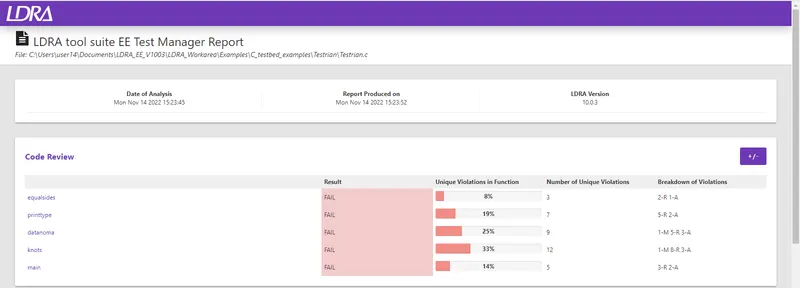
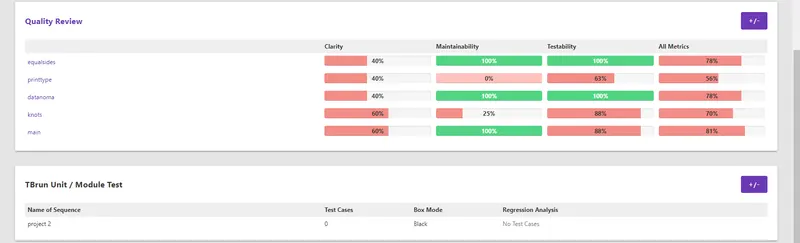
- Then, we take Test Manager Report -
Question No 2 -
Aim - To Perform Integration testing and perform the automation testing. Store the test cases in .tcf file.
Theory -
- We use the LDRA Tool to perform the Integration Testing and Automation Testing.
- We open the tool and load multiple files from cashregister_6.0 Folder.
- Then, we create new Sequence and keep black box mode for testing.
- We run the static analysis and proceed.
- Then, we make few changes in the Analysis Configure option.
- After that, we proceed to the Automation Testing i.e we have to run the Tabular Extreme Test.
- All the Test Cases will created automatically.
- Here is how the tool looks after Tabular Extreme Test process is over -
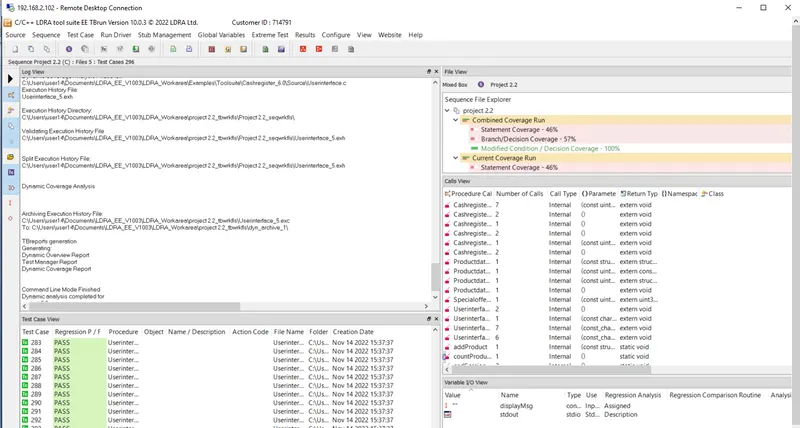
- As we can see in the Test Case View, all the test cases have been created.
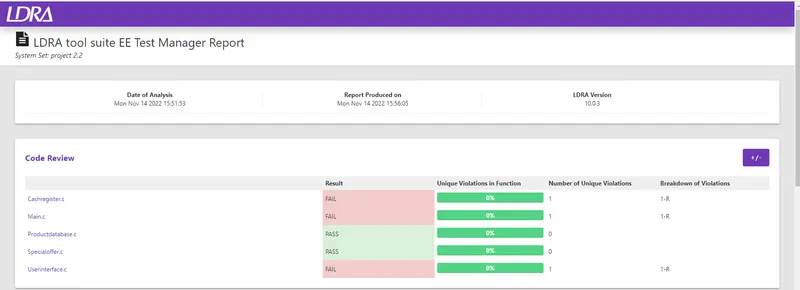
- Let's look at the report -
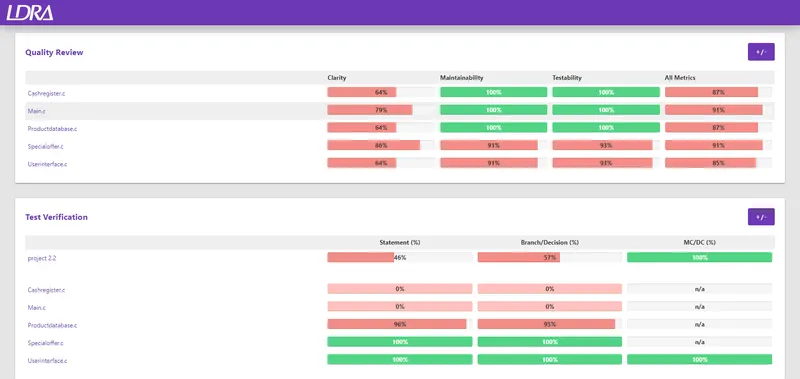

- Now, we have store these test cases in a .tcf file.
- We will click on Source and then Save/Set to TCF. This will create a .tcf file.
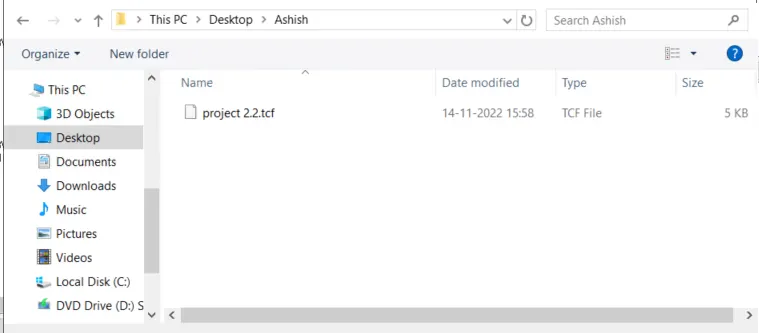
- Hence, all the testing is done and .tcf has been saved as well.