Project 2 - V&V SW Analysis II
Answers
Q1
Perform Static Code Review Analysis
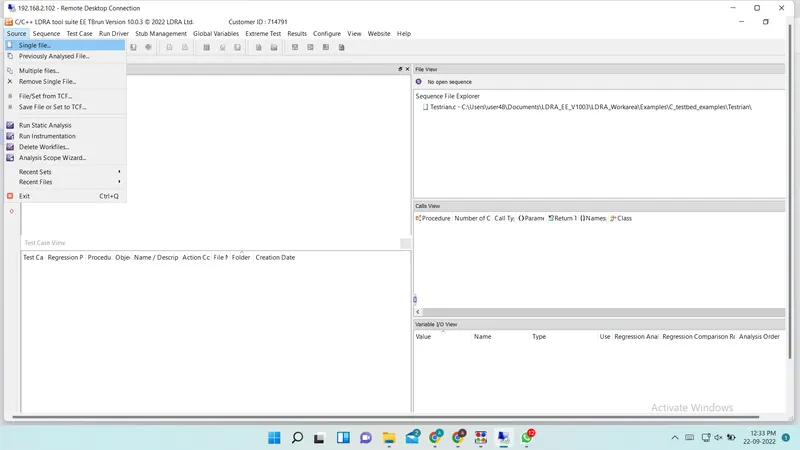
Step 1 :- Include Single file using Source --> Single File
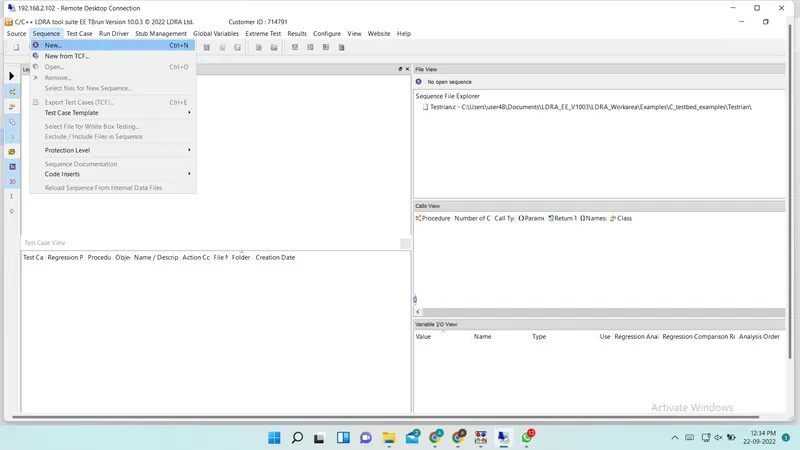
Step 2 :- Create New Sequance using Sequance --> New
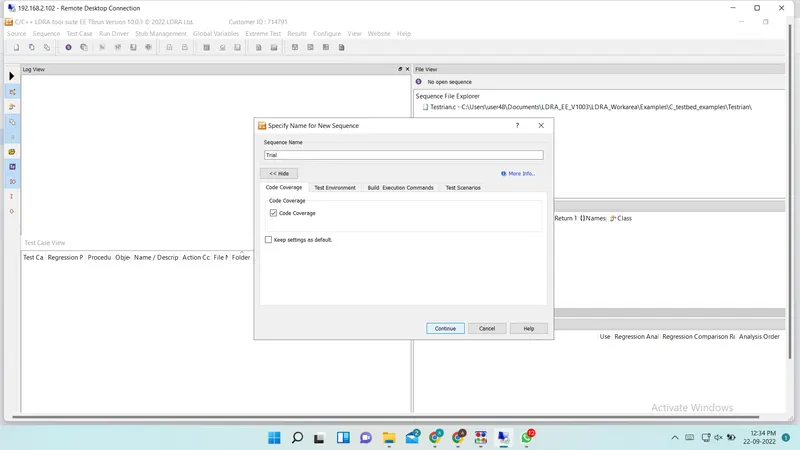
Step3 :- Give Name of new sequance and select code coverage
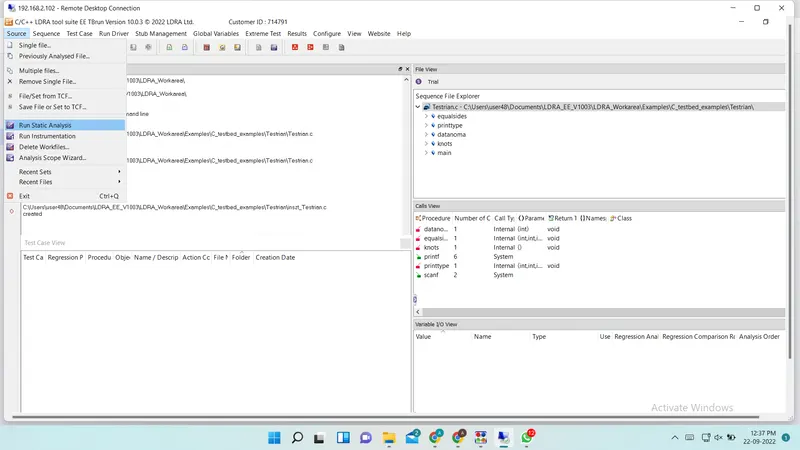
Step4 :- Run static analysis using Source --> Run Static Analysis
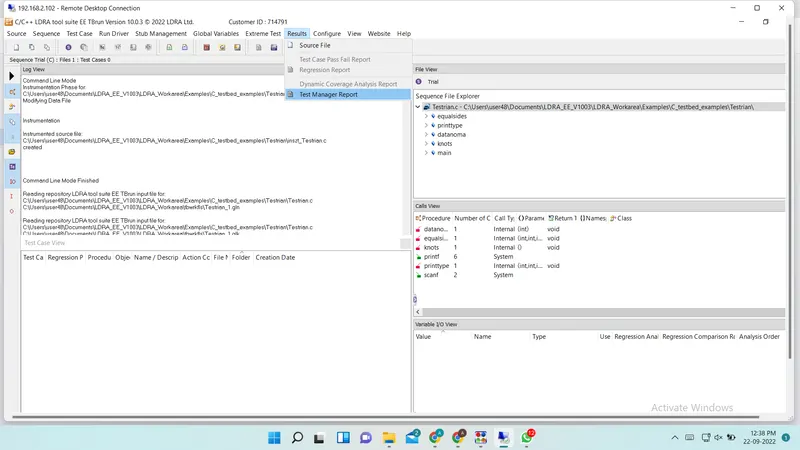
Step5 :- Gnerate Report using Result --> Test Manager Report
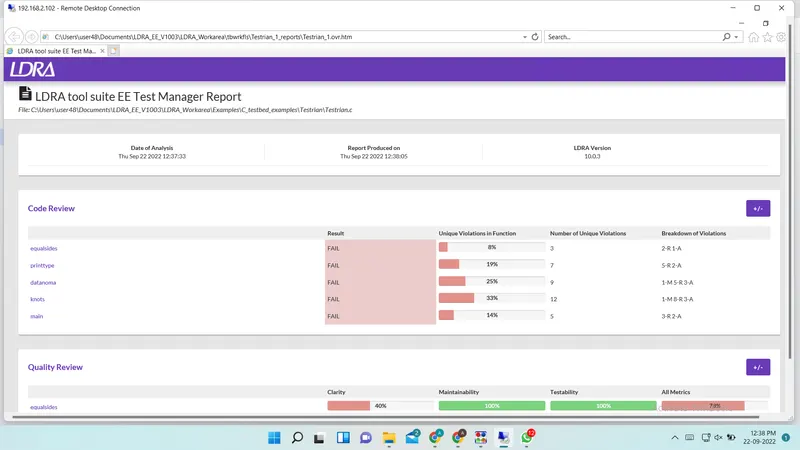
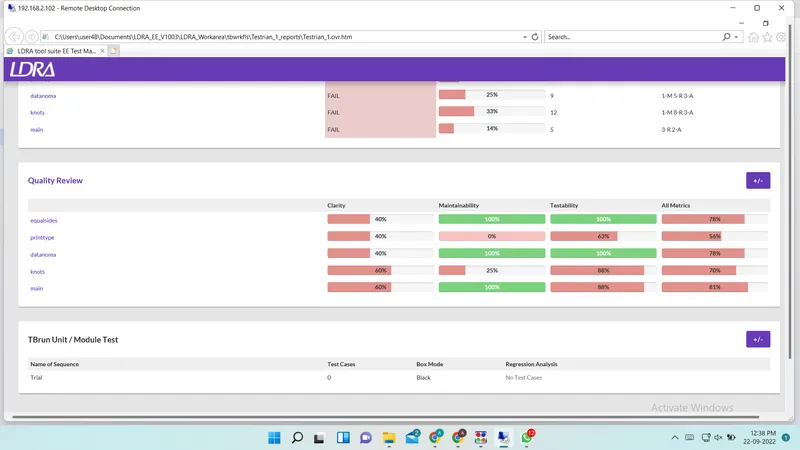
Test Manager Report
Q2
Perform Integration Testing by including cashregister.c file
Step 1 :- Include multiple file using Source --> Multiple files
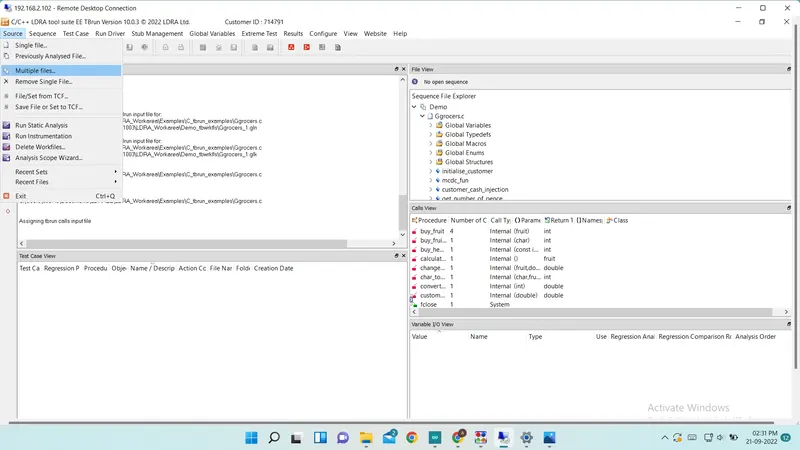
Step 2 :- Create Set and give name for the set
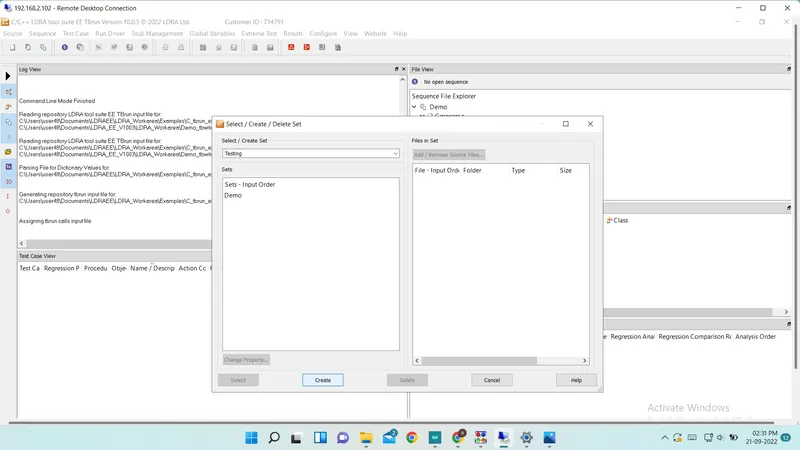
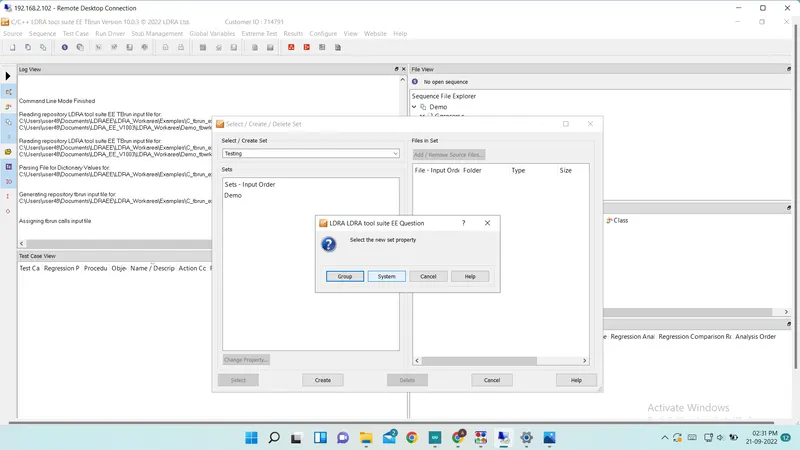
Step 3 :- Select new set property
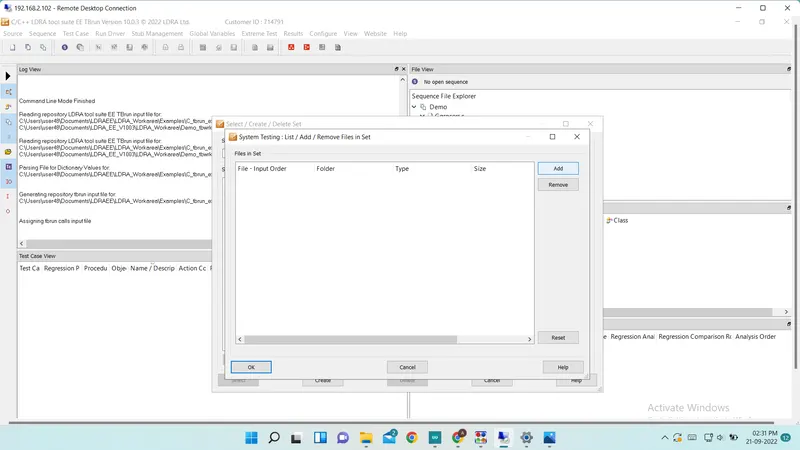
Step 4 :- Add .c files
Step 5 :- select files from path
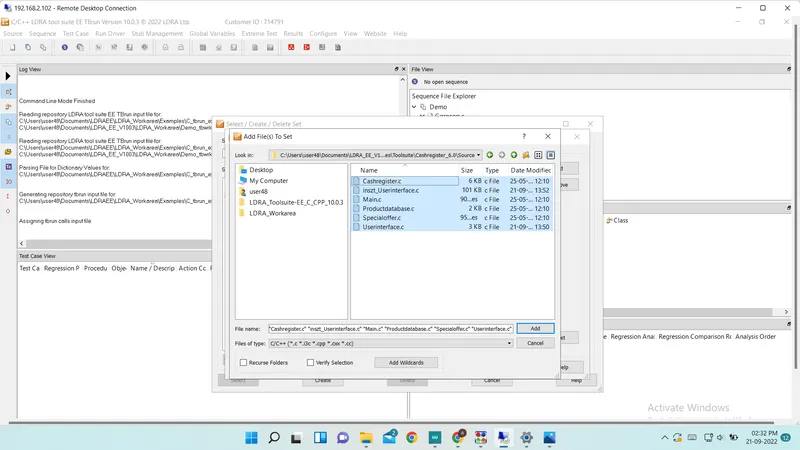
Step 6 :- Click add button to add all c files
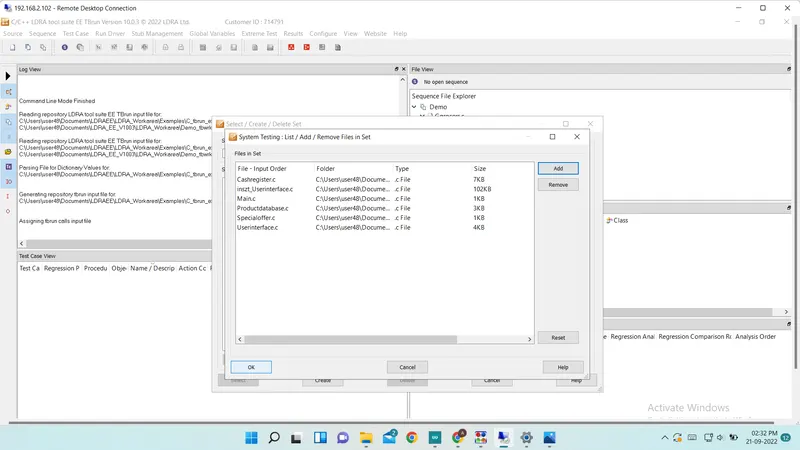
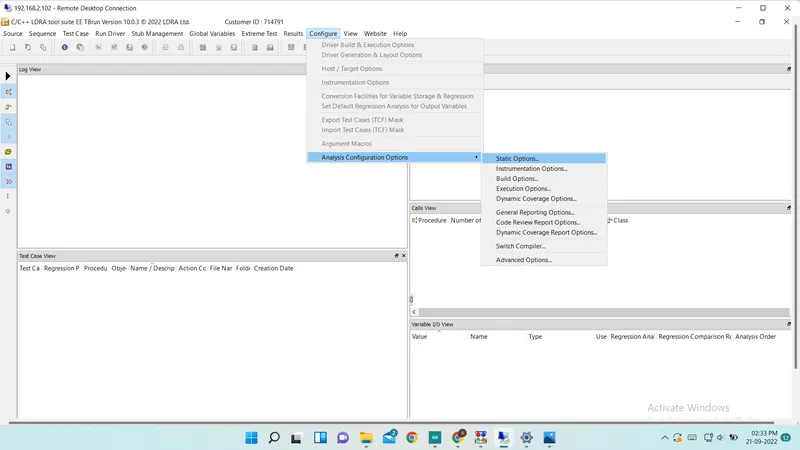
Step 7 :- Select Static option from Configure --> Analysis Configuration Option --> Static Option
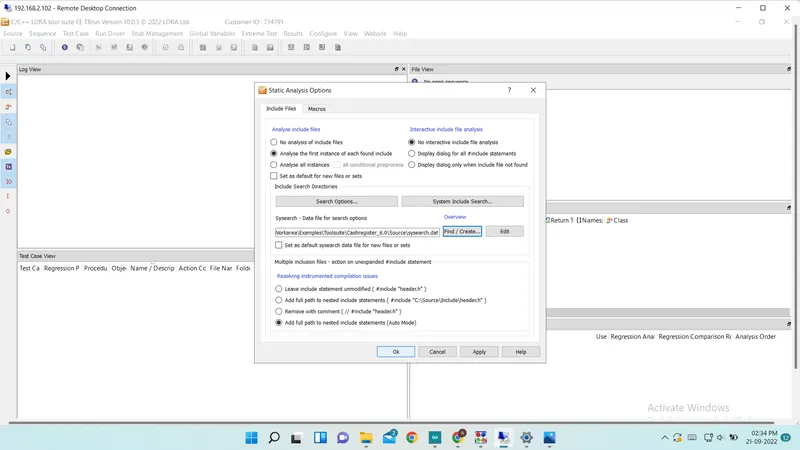
Step 7 :- Give .c file path in static analysis option
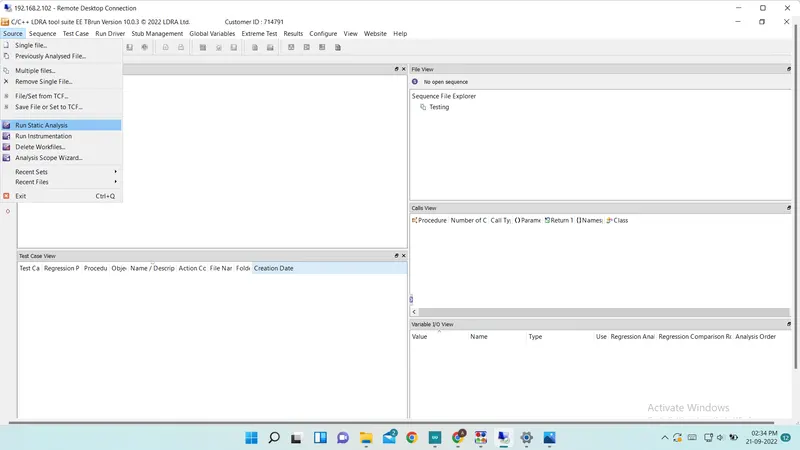
Step 8 :- Run static analysis from Source --> Run Static Analysis
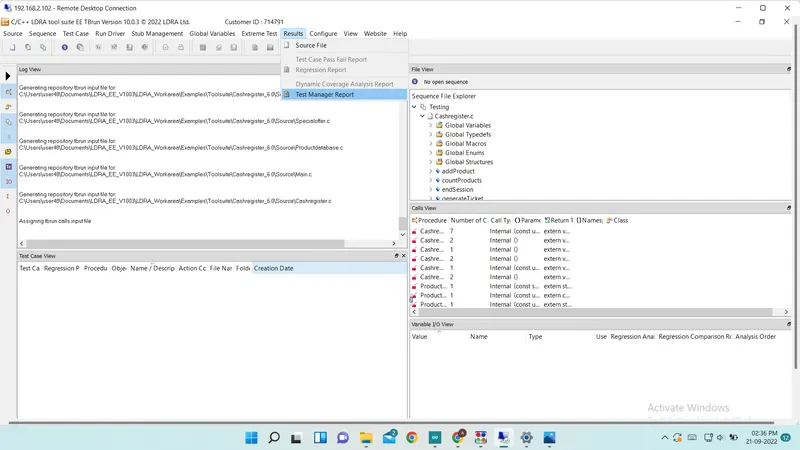
Step 9 :- Generate Report
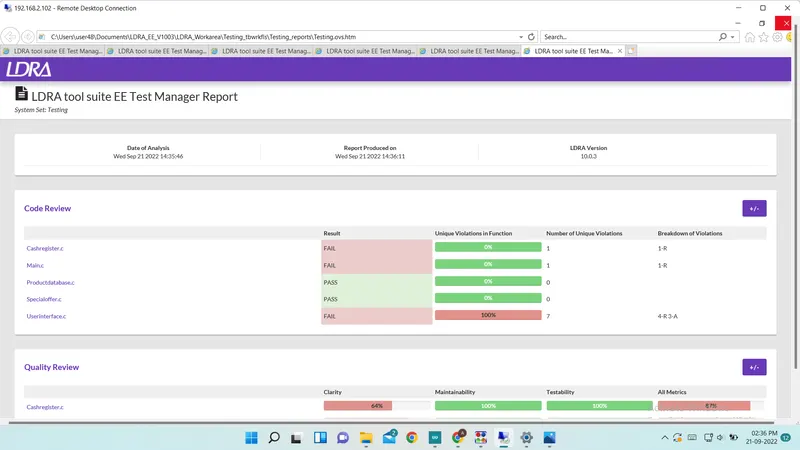
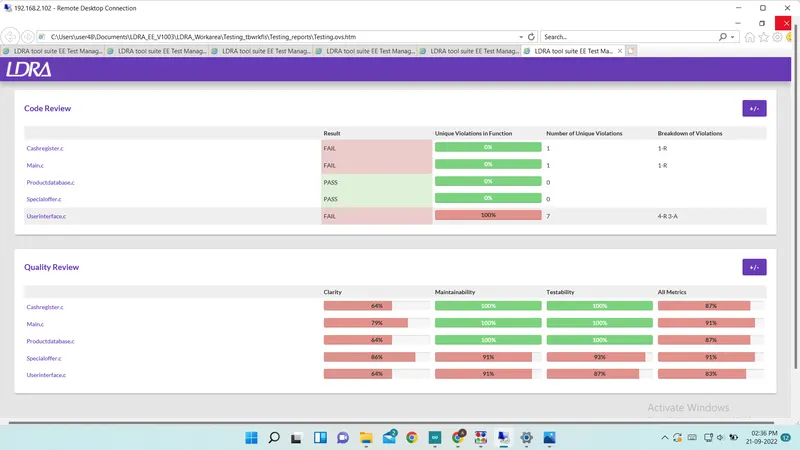
Test Manager Report
A) Manual Testing Of Ggroceries.c
Step 1 :- Open file using Source --> Single file
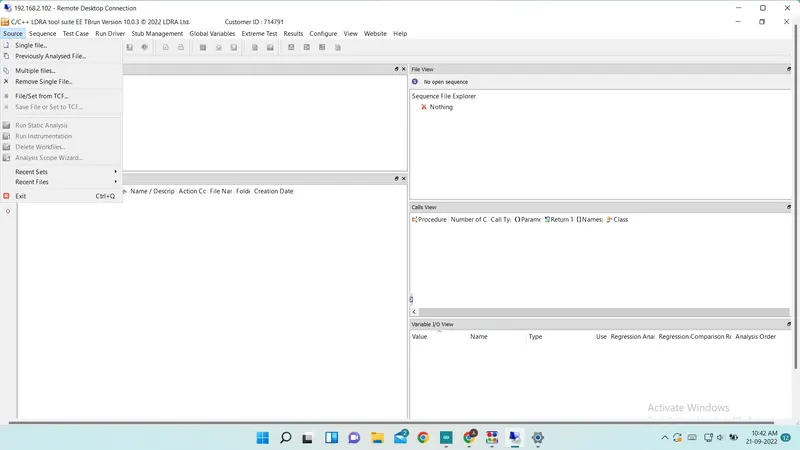
Step 2 :- select Ggroceries.c file
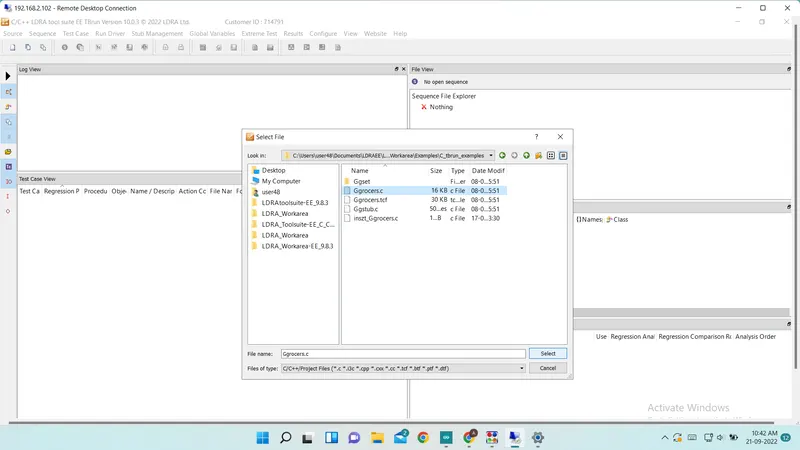
Step 3 :- Create New sequence using Sequence --> New
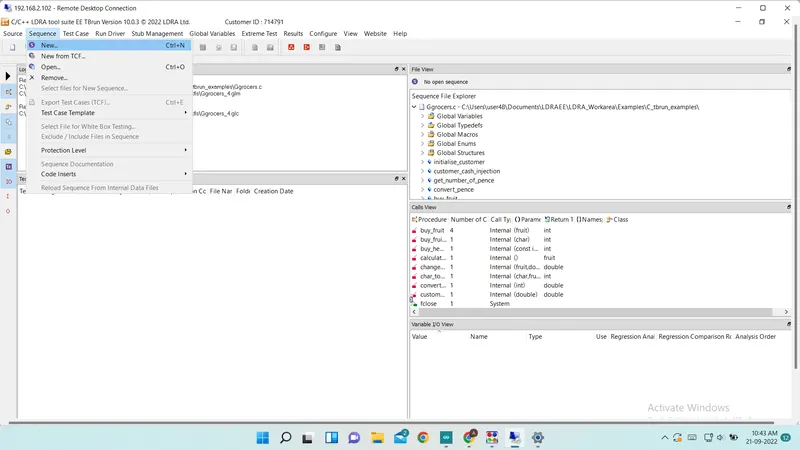
Step 4 :- Give Sequence name and select code coverage from menu
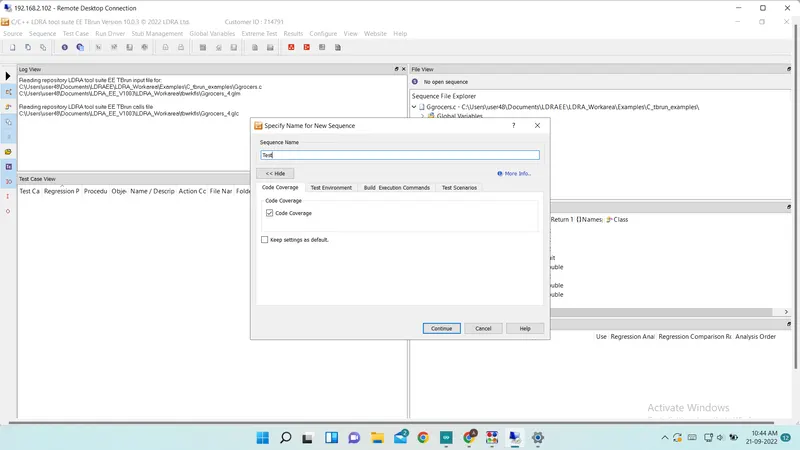
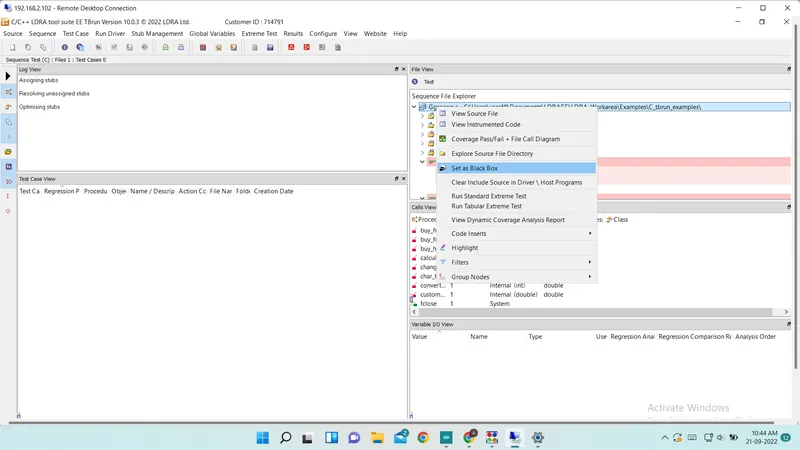
Step 5 :- Make Testing as a Black Box Testing Using File View.
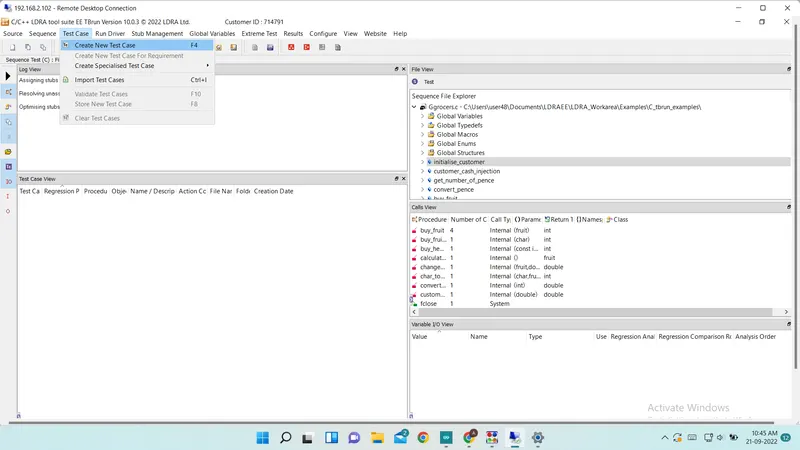
Step 6 :- Create a new test manualy using Test Case --> Create New Test Case
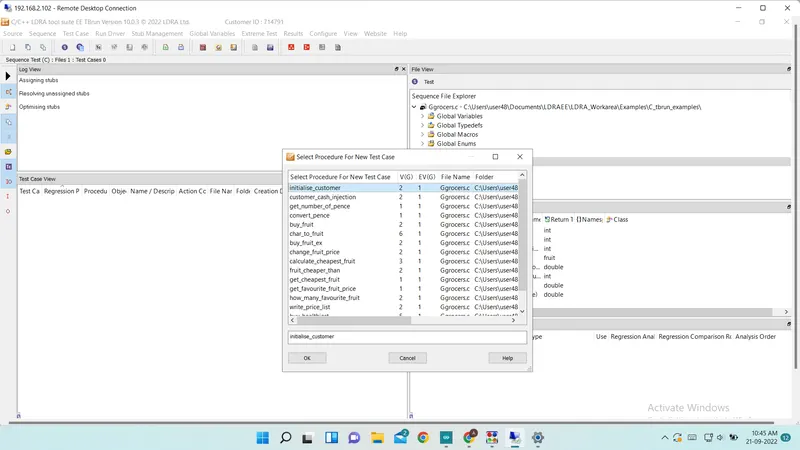
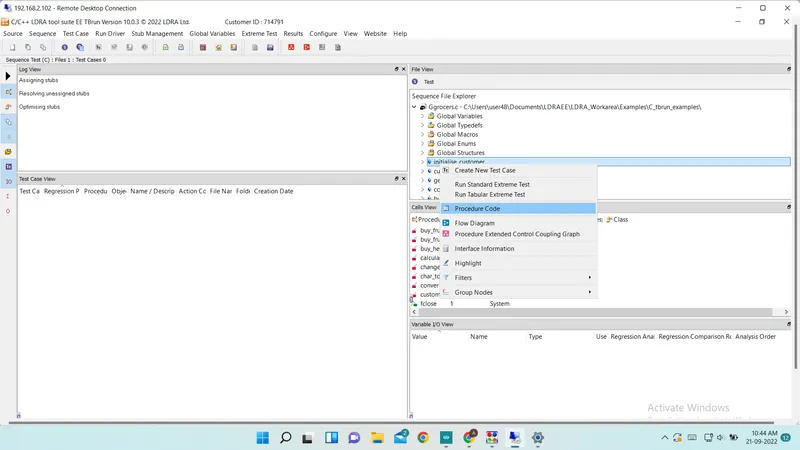
Step 7 :- Analyze Code and make test case manualy
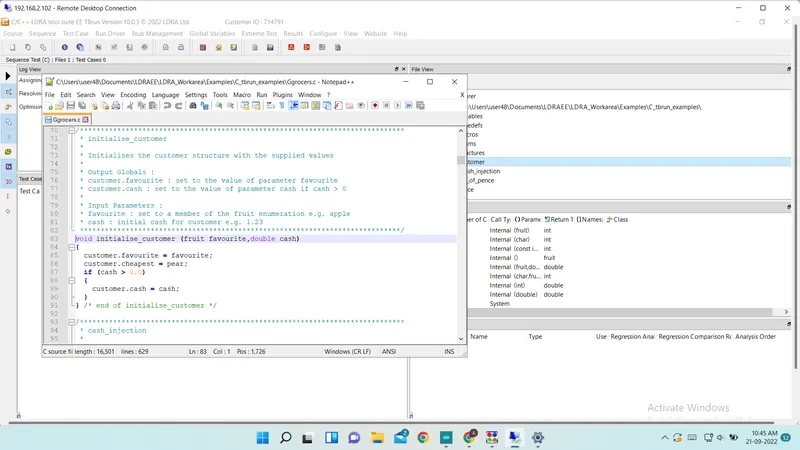
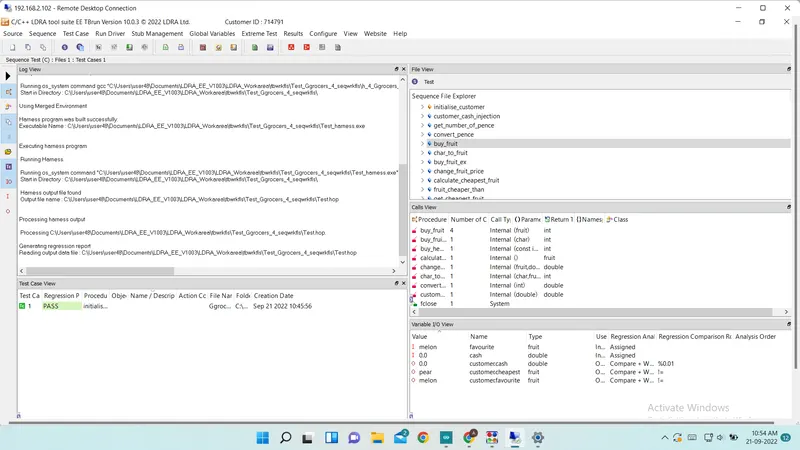
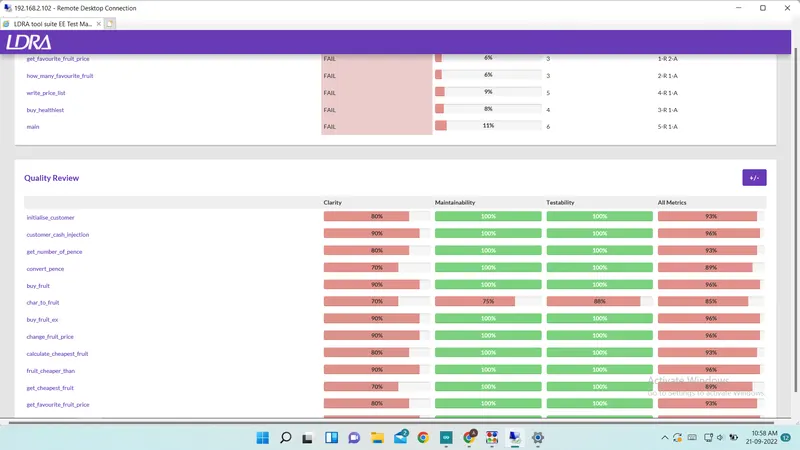
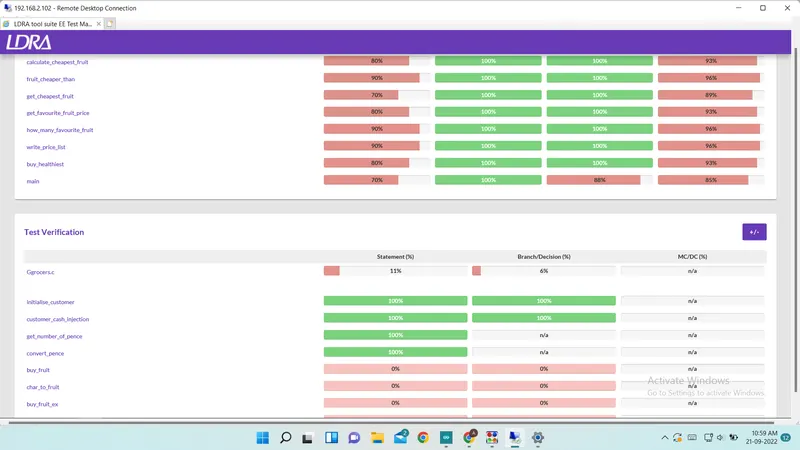
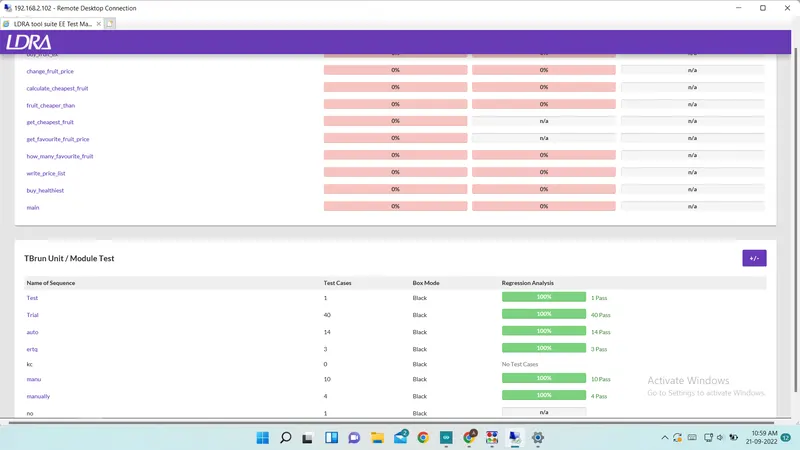
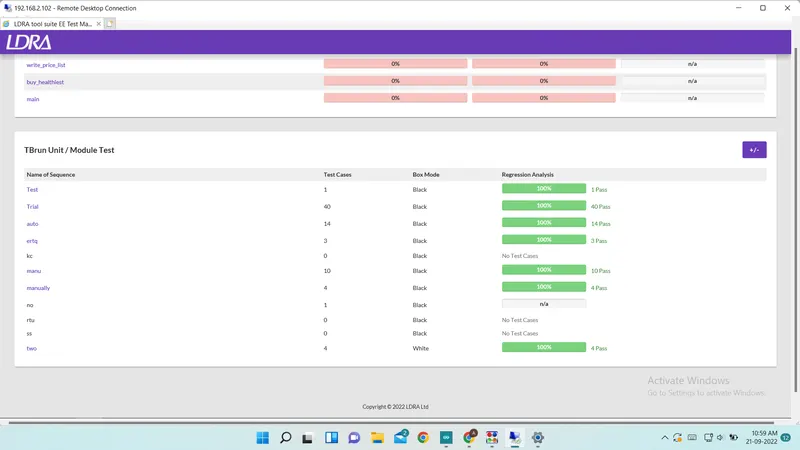
Step 8 :- Run test case using Run Driver from Run Driver --> Run Driver Menu and generate report
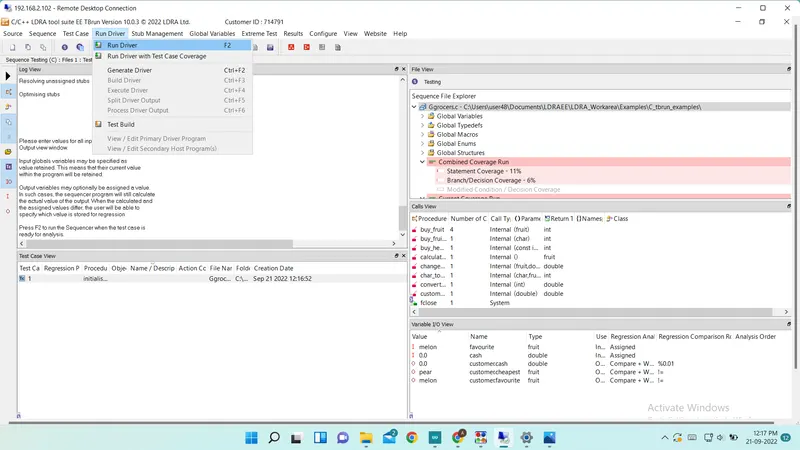
Report for Manual Testing
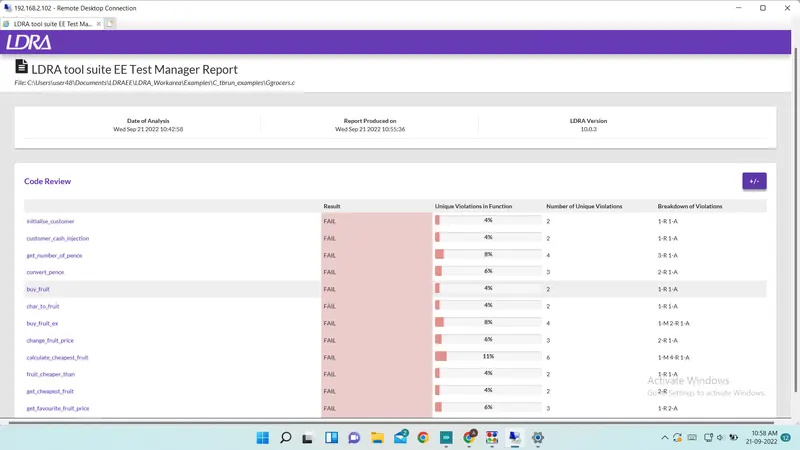
Now Perform Automatic Testing Using TBExtreme
Step 1 :- Open file using Source --> Single file
Step 2 :- select Ggroceries.c file
Step 3 :- Create New sequence using Sequence --> New
Step 4 :- Give Sequence name and select code coverage from menu
Step 5 :- Make Testing as a Black Box Testing Using File View.
Step 6 :- Run Tebular Extreme Test from Extreme Test --> Run Tebular Extreme Test
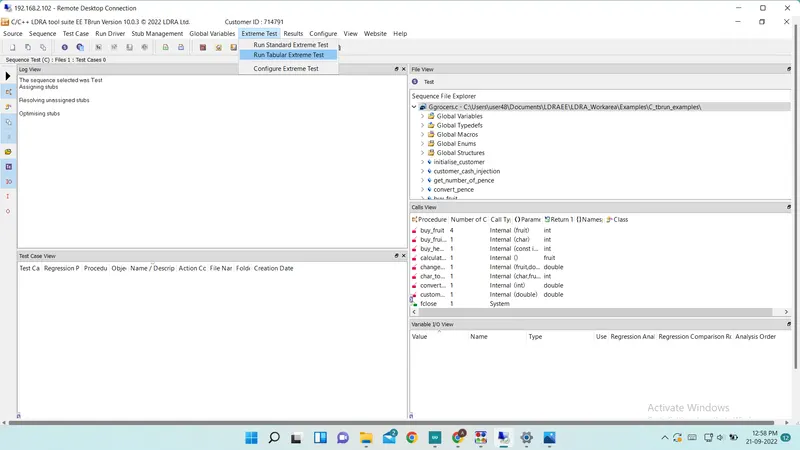
Step 7 :- Generate report
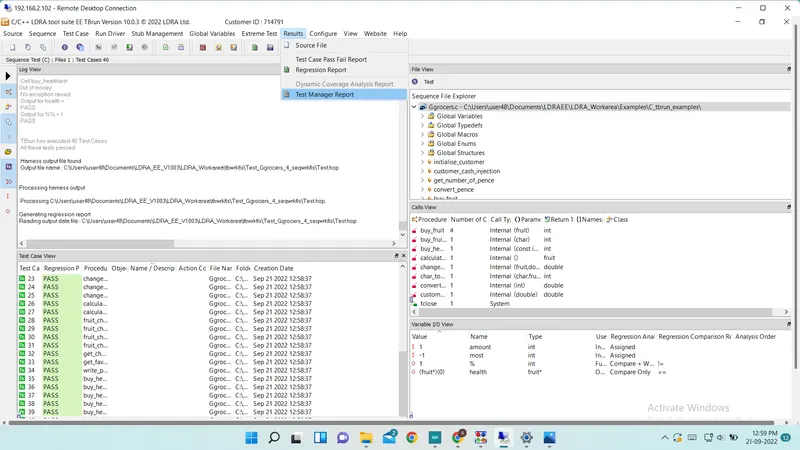
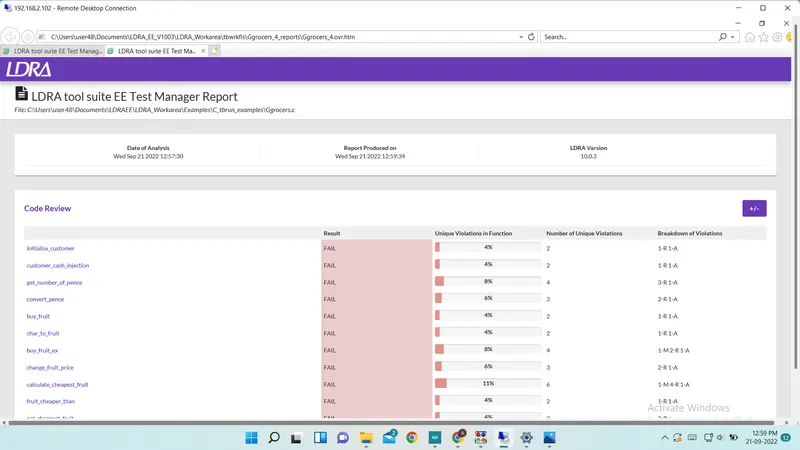
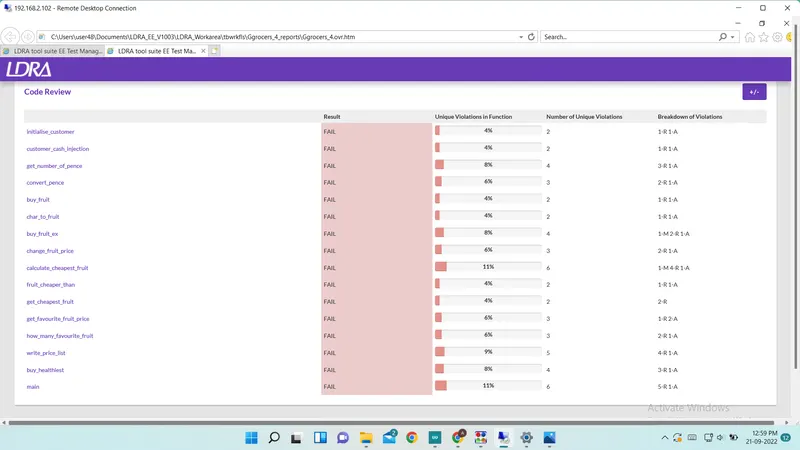
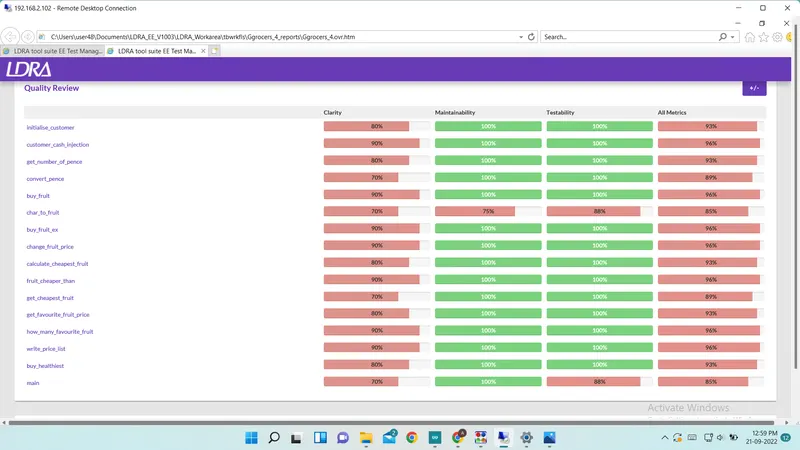
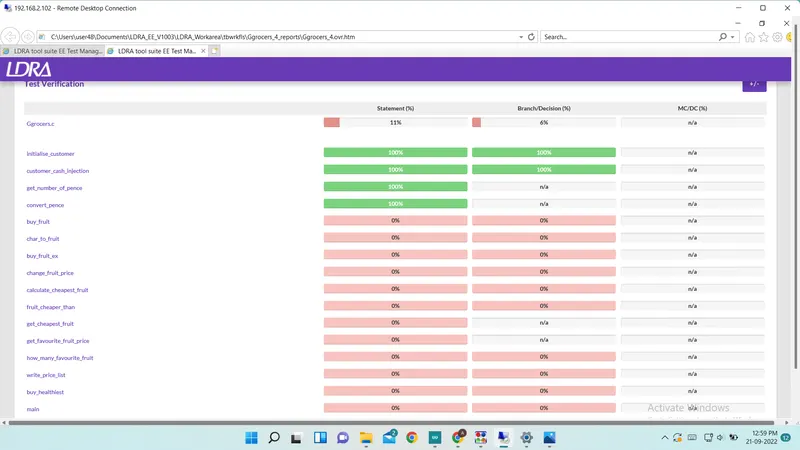
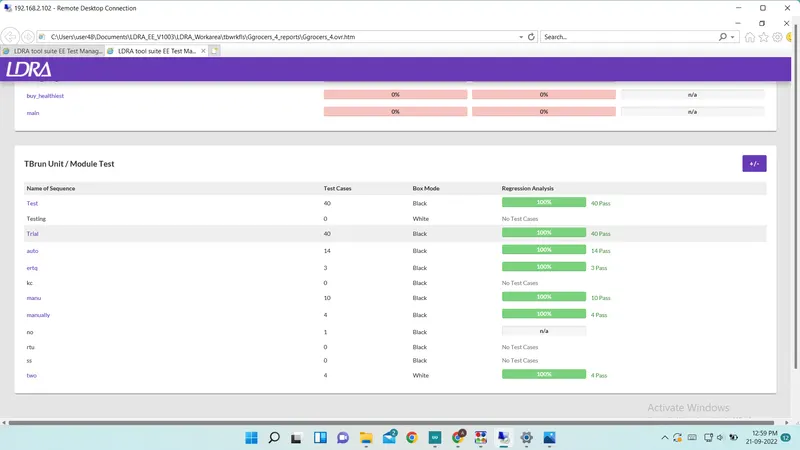
Report For Automatic Testing
B)
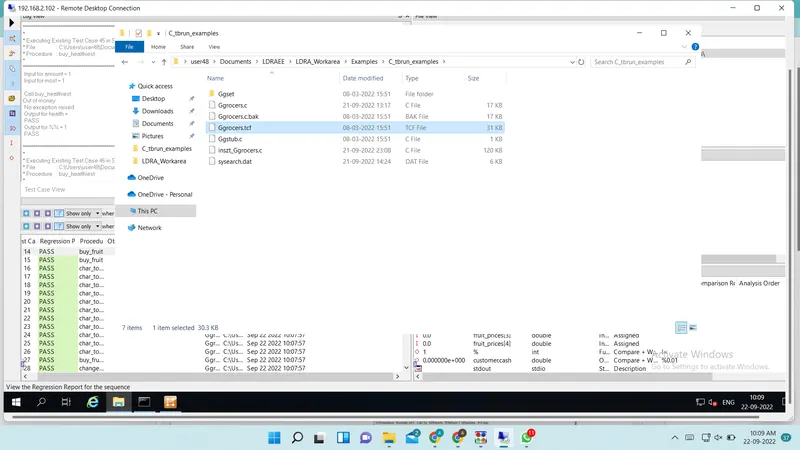
Screenshot of .tcf file location