Project 2 Thermal modeling of battery pack
THERMAL MODELLING IF THE BATTERY PACK
Aim:-
For a 10 cell series lithium ion battery model, simulate the thermal effects and compare life cycle performance at various temperatures, charge & discharge rates using MATLAB.
Software Used:-
MATLAB 2019b
Project Description:-
A 10 series battery pack model is created in simulink environment and its thermal and discharge characteristics are analysed.
MODEL CREATED:-
Main Block:-
Inside the Sub-system:-
STEPS INVOLVED FRO CREATING THE MODEL:-
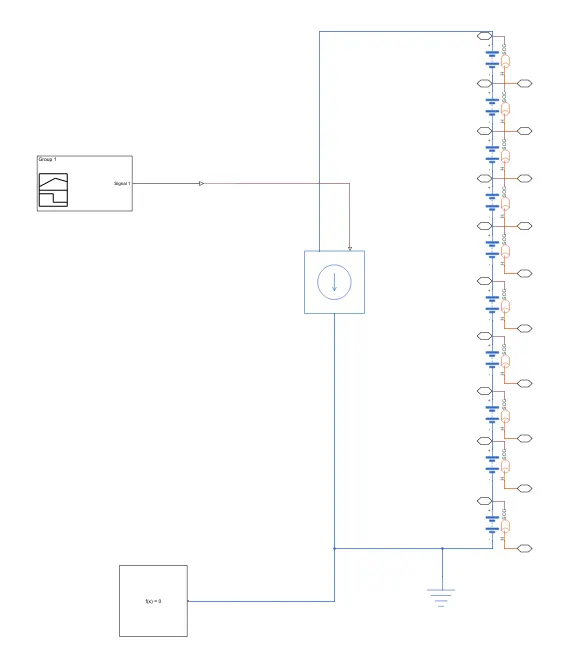
i) Intially the subsystem have been created by arranging 10 table based cells in series.
A table based battery is chosen from the simulink library and is SOC port and Thermal ports are activated by , SIMSCAPE BLOCK > BLOCK CHOICES > INSTRUMENTED|SHOW THERMAL PORT
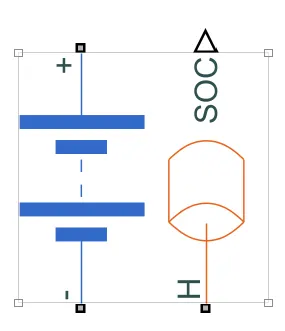
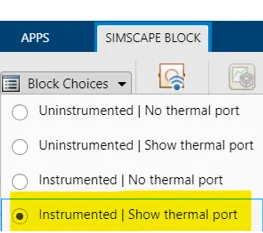
Now we can just copy this battery after enabling the thermal and soc ports and abd paste it 10 times and we can connect all the batteries in series, as the negative terminal of one battery is connected to the positive terminal of the next one. Now after when we connect it, we wil obtain the model as follows:-

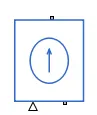
ii) Now after connecting all the batteries in series, 'A controlled current source' block is connected in between the batteries
iii) Now its time to provide the input signals.
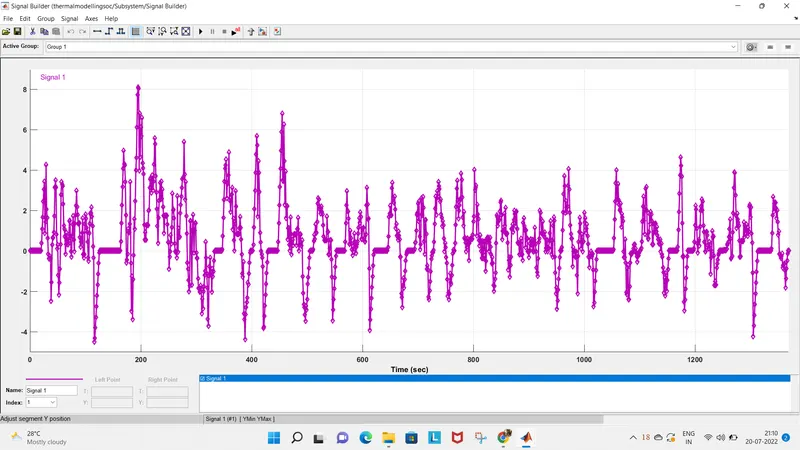
The input signal is provided as a UDDS Driving cycle as we have done in our previous reports.
For that, 'Signal builder' block is chosen and the signal datas are taken from the UDDS driving cycle data file and the inputs are fed into the block. And that input file is given as the input for batteries and so it is connected as an input data in the Controlled current source block.
Now after defining the input signals, the inputs will appear as follows:-
iv) Now our next step is to create the subsystem.
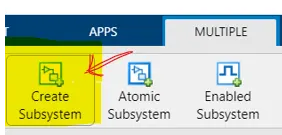
After connecting all the circuit blocks, select all the blocks and choose MULTIPLE > CREATE SUBSYSTEM
When you select the subsystem icon, our series connected batteries will appear as follows:-

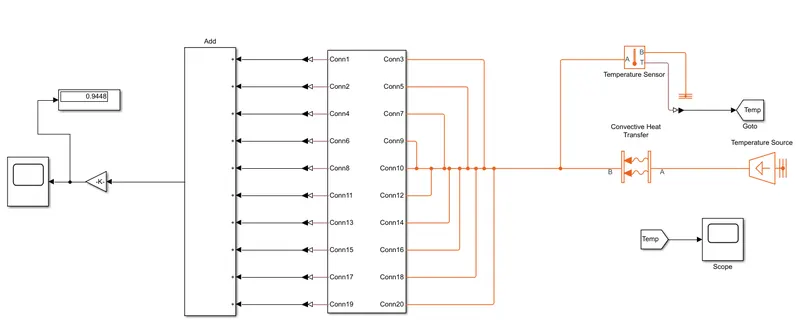
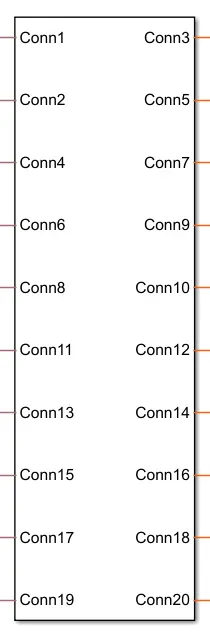
And a subsystem will be create with the SOC and Thermal connection ports where as the right side connections are for the thermal inputs and the left side connections represents the SOC port connections:-
STEPS INVOLVED FRO CREATING THE SUBSYSTEM:-
Connection of therml ports:-
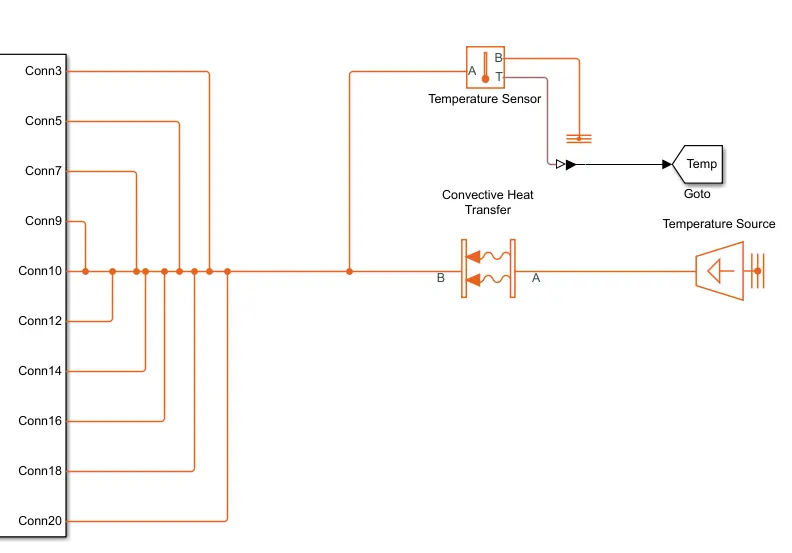
The thermal ports are connected to the respective thermal blocks here which are the present on the right side ports.
A 'Temperature source' block is selected and its is connected to all the Thermal ports which are chosen in the batteries through a 'Convective heat transfer block'. All the connection ports are connected to the one main connection points, so that the temperature is fed into all the 10 batteries which are connected in series.
Then a 'Temperature sensor' block is connected across the temperature source connections inorder to find out the ambient temperature and then it is connected to the 'GO TO" block through the 'Simulink-PS coverter' block.
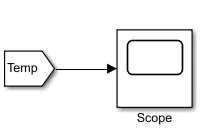
Then with the help of the 'FROM' block, the tag is changed to Temp and the temperature characteristics of the 10 series battery for the given thermal conditions are analysed through the scope.
Connection of SOC ports:-
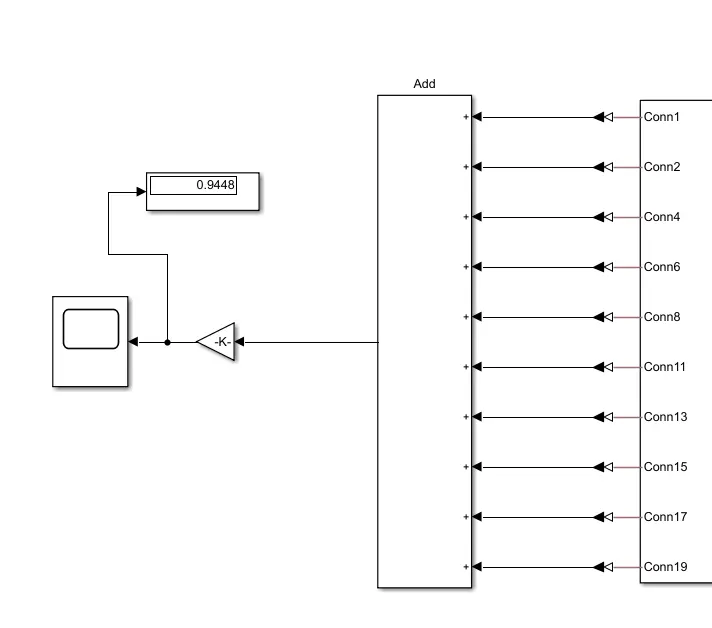
The SOC ports are connected to the respective blocks here which are the present on the left side ports.
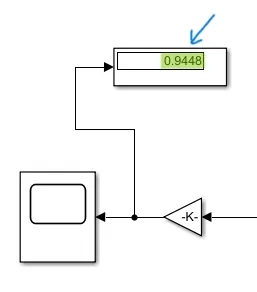
All the soc values are summed up with the help of the 'Add' block and since we used 10 batteries in series through the 'Simulink-PS' block., we will use a 'Gain' block ti divide the values by 10.
Finally the output signal is connected to the 'Scope' block and the changes happening with the discharge rates can be found out.
OUTPUTS:-
i) TEMPERATURE EFFECTS ON THE BATTERIES:-
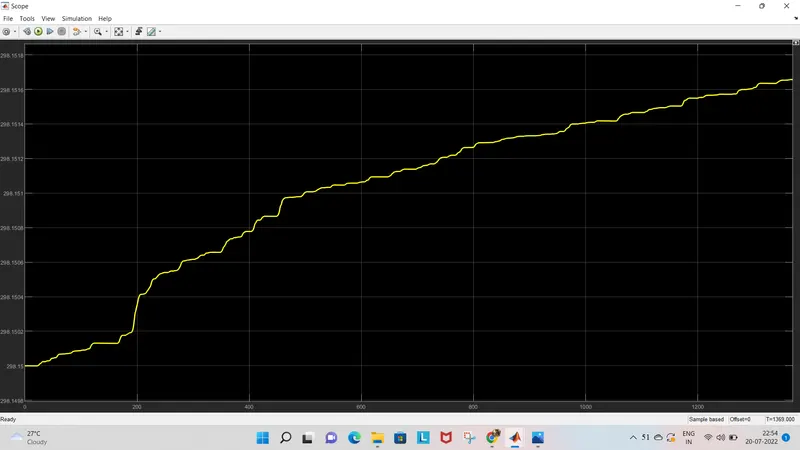
As we can see that for the given UDDS drive cycle of input values, we can see the rise in temperature of the battery pack which is connected in series from the ambient temperature to the 299k temperature approximately.
ii) DISCHARGE EFFECTS ON THE BATTERIES:-
As we can see that for 1369 seconds, the SOC is reduced upto 94% approximately.
The graph is obtained as follows:-
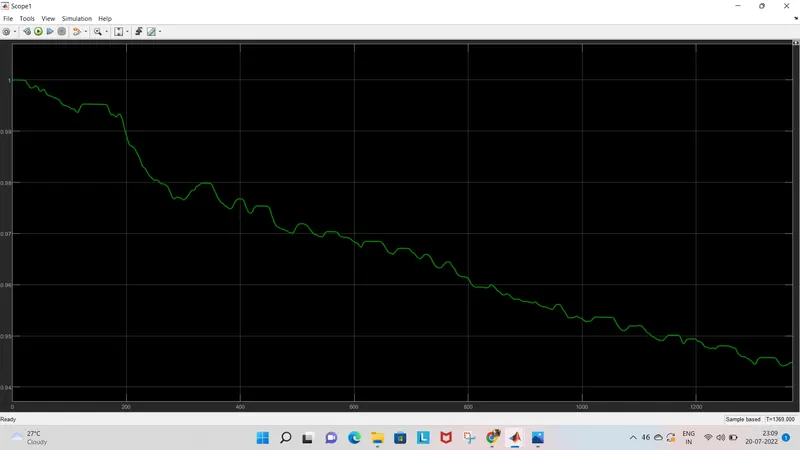
And hence for the 10 series battery pack, the temperature and the discharge rates are discussed.
NOTE:- THE .slx FILES ARE UPLOADED THROUGH THE ANSWER BOX