Project 2 - Measuring distance of an object using ultrasonic sensor (HC-SR04)
Embedded Live Batch [Preeti Mam]
Aim - To implement the code and circuit for Measuring distance of an object using ultrasonic distance sensor (HC-SR04).
Theory -
- Required Code is created in Arduino and circuit in SimulIDE.
- The Ultrasonic Sensor uses SONAR top determine the distance of an object. The Sensor has a Transmitter and a Receiver.
- The time between the transmission and reception of the signal allows us to calculate the distance to an object. We can easily do this by knowing the Speed of Velocity.
- The Sensor has two main pins, Trigger Pin and Echo Pin. Trigger pin emits the sound and Echo pin receives the sound.
- In This Project, we use a potentiometer to vary the distance of the object. In LCD Display, we can see the distance clearly.
- We are going to Measure the distance using Input Capture Mode of the Pulse Width.
- The Formula we will using to determine the Object Distance is -
Object Distance = ((speed of sound in the air)*time)/2 - Here how the circuit looks like -
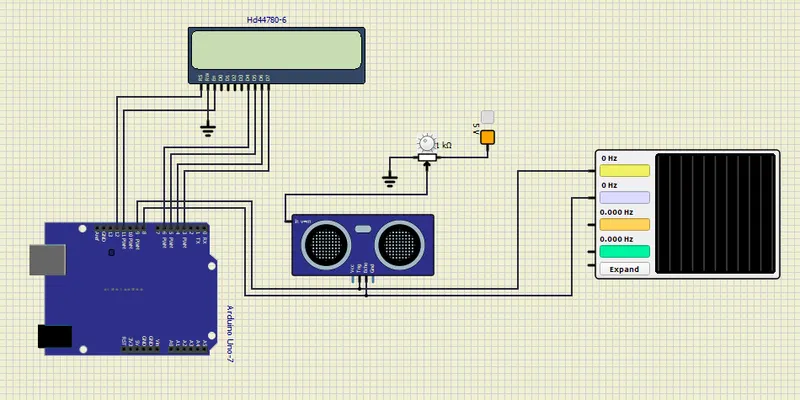
- As you can see Arduino Uno, LCD Display, Ultrasonic Sensor, Potentiometer and Oscilloscope are used in this project.
- Trigger Pin is connected to Yellow Port of Oscilloscope and Echo Pin is connected to the Blue Port of the Oscillioscope.
Results -
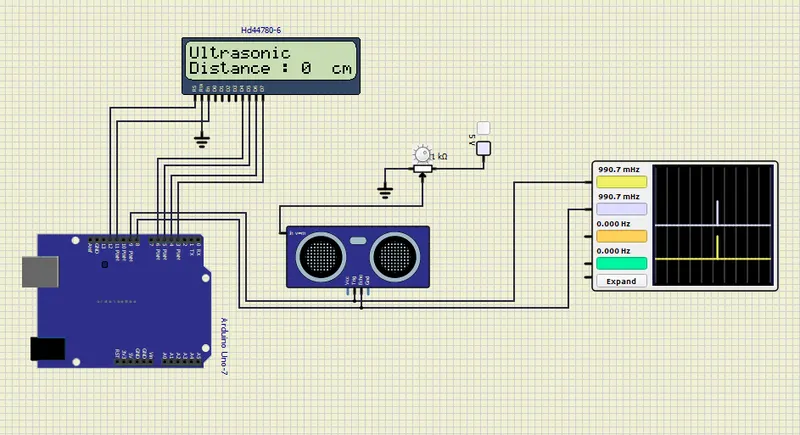
- We have loaded the firmware in Arduino UNO and started the circuit. Until we turn ON the 5V fixed voltage of the potentiometer we will not see any distance on LCD, that is because the trigger wave is not sent to the object.
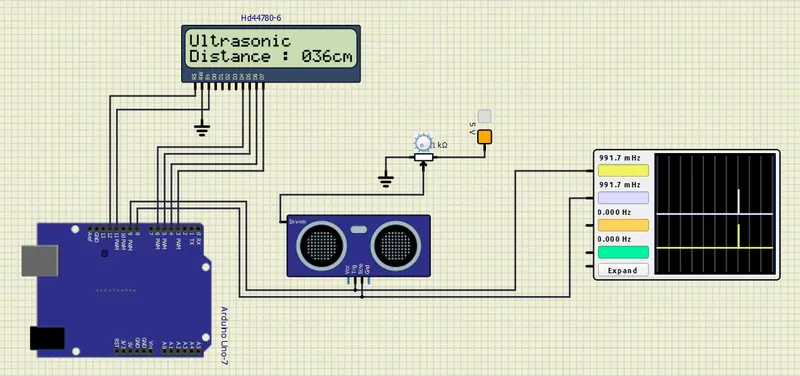
- We turn ON the Voltage Source and we can observe the distance on LCD Display.
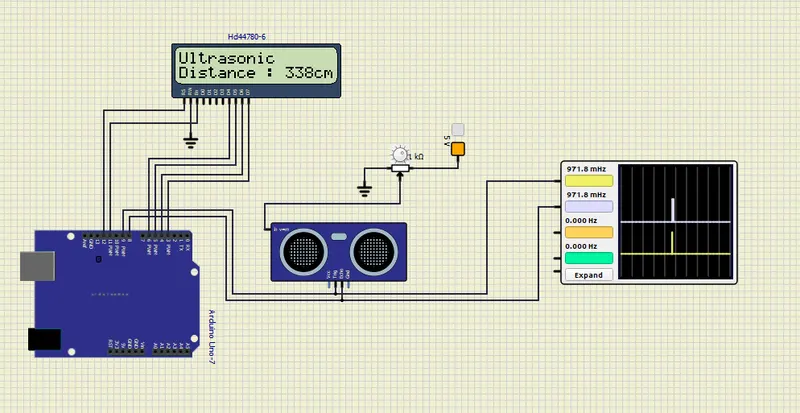
- Now, we change the voltage i.e distance of the object using Potentiometer. The LCD Display shows us the distance accurately. We can observe the change in Echo Wave in the Oscilloscope as well.
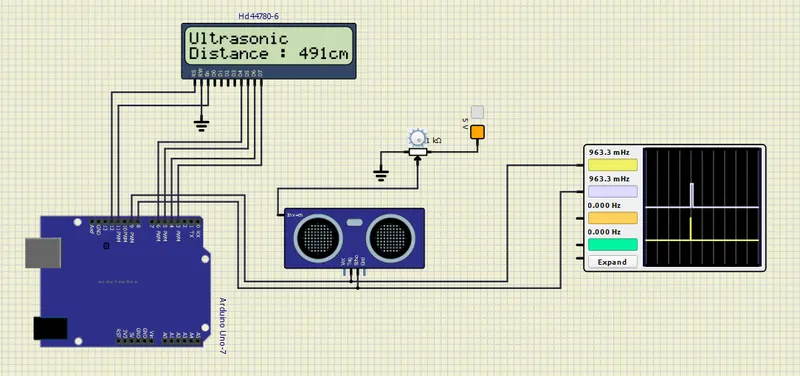
- We further increase the distance and we can clearly see the change in Pulse Width of the Echo wave. This means that, the further is the object higher the width of the Echo Wave.
- Thus, the code and circuit is succesfully created for this project.