Project 2
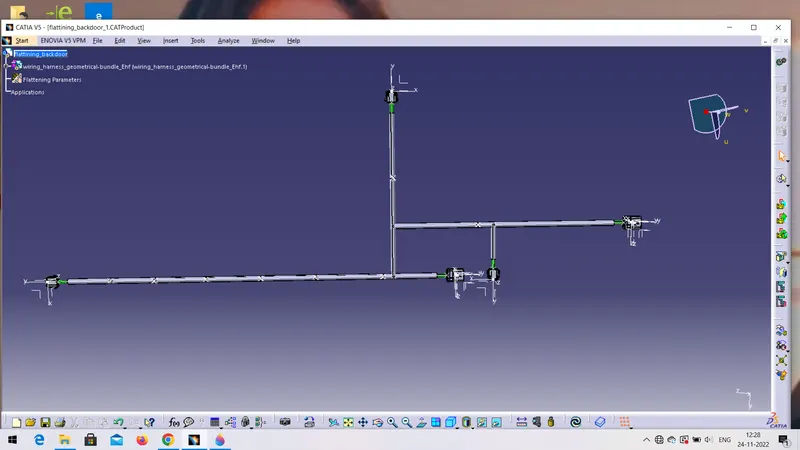
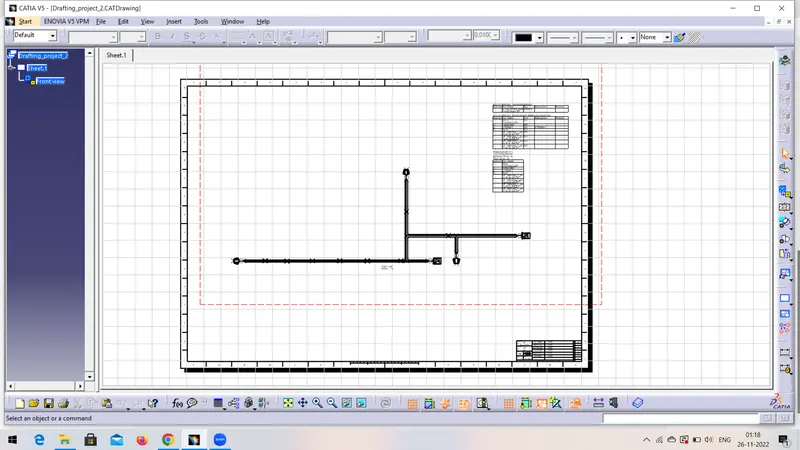
Route the Wiring harness on Given car body and Prepare flatten view drawing in CATIA V5.
Steps:-
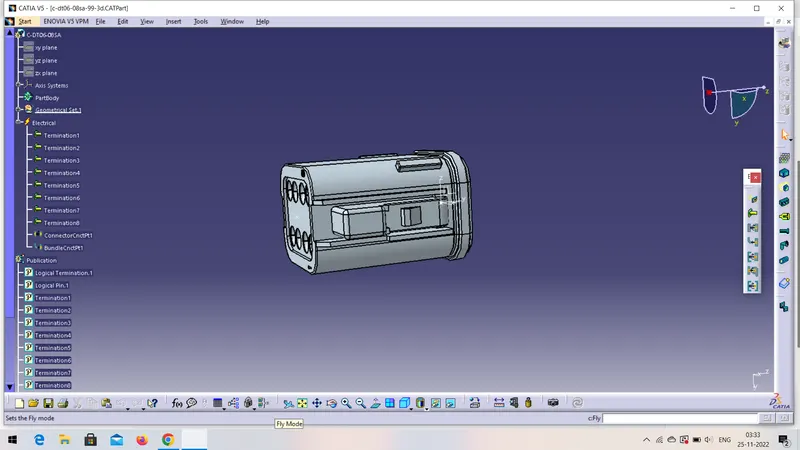
- Define all the connectors electrically.
- first open the part in mechanical part design, ceate center points on both side of the connectors, axis from matting side of the connector.
- on the matting side of the connector create a point and axis system with Y-axis facing in locking direction.
- On the another side create a point for bundle entry of the connector.
- After that chenge the workbench from mechanical part design to electrical part design workbench and first select 'Define connector' command click on connector.
- Define connector connection point bundle entry points for the same connector as well.
- repeat the same process for all the connector as well.
- And the part save in cataloge.
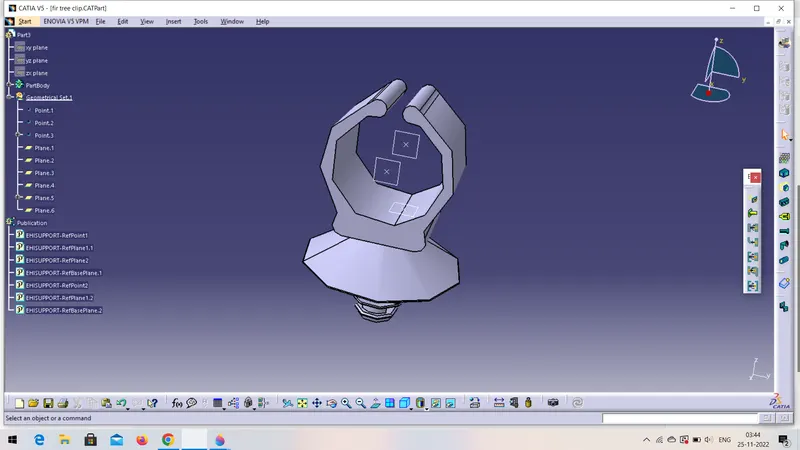
II. Define Furr tree clip as a electrical support:-
- In mechanical part design create a require geometry like 2 points and 3 points plane
- chenge the workbench from mechanical to electrical part design and select the define support command click on the furr tree clip
- Define the entry and exit point for furr tree clip by selecting the respective points and planes for 1st entry and exit plane and same for 2nd entry and exit plane. Repeat the same for all the and save it in a catloague.
III. Creating and Routing the wiring harness:-
- Add and position the required connectors and clamps to necessary locations.
- Create new product in which add the contex assembly and add backdoor assymbly
- Create one more product in the same and name as geometrical bundle assembly
- Go to electrical wiring harness assembly workbench select the geometrical bundle command. Select multibranchable command then select the inter connection command and clip to create wiring harness.
- repeat the same process from different clips to the connectors & complete the routing by providing neccecery slacks and clearence
- then the the harness bundles continuty.
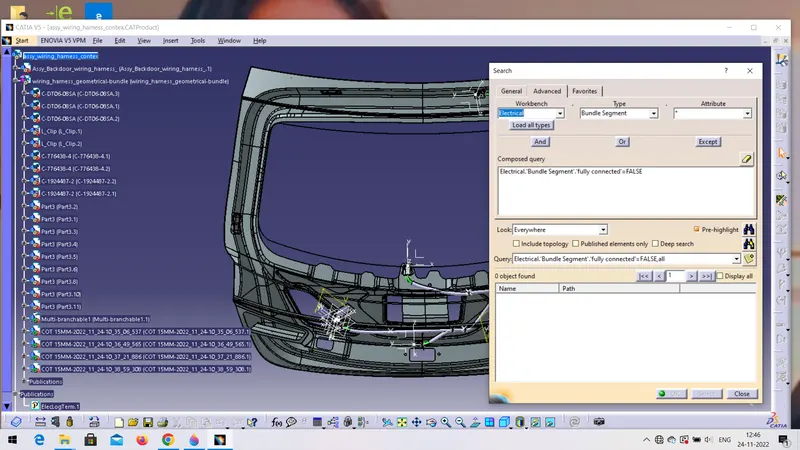
IV. Apply protection covering.
- In electrical part design create the new part select the protective covering command and click on the part name on the tree and give specific name (i.e, cot_10mm)
- now create catlogue by click on new catlogue, by selecting condut in the family, save it.
- now click on protective covering command , select the proper diameter of the cot tubes from the catlogue box and add on the branch.
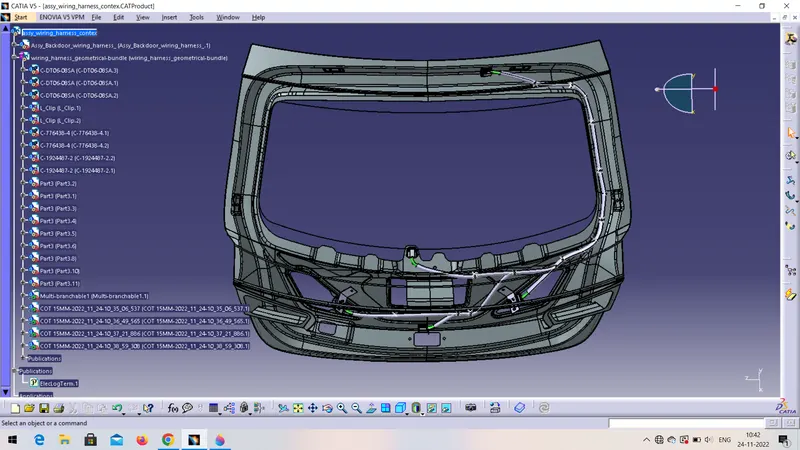
V. Flattening of the Harness.
- Go to wiring harness flattining workbench give the flattening parameters.
- select extract command and select geometrical bundle.
- .EHF extension will added to the geometrical bundle assembly.
- now click on flattening command and do flattening.
- now make one more new file for drawing.
- go to the draingfile add front view of any face or plane the drawing will be added to drawing sheet.