Wiring harness design in CATIA V5 - 3D modeling Week 7 Challenge
1. 2.
2.
3.
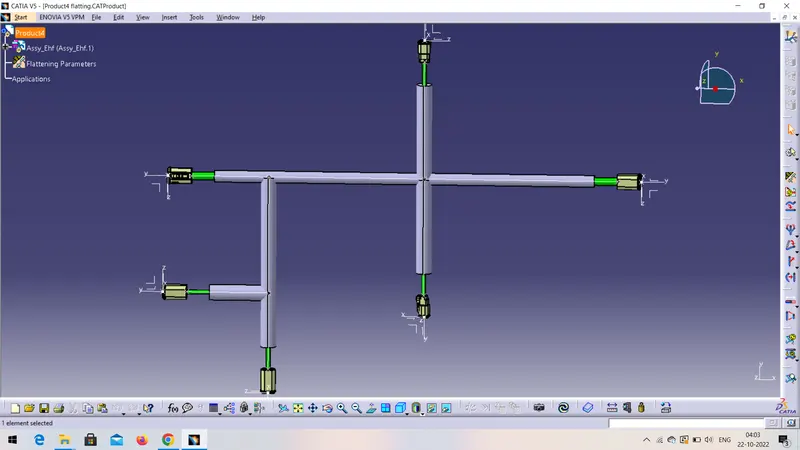
By using geometric bundle assembly of week 4 , flattening the whole assembly.
1. Now flattening the assembly for that first open the new file choose the product.
2. Now choose electric harness flattening workbench add harness flattening parameters after adding parameters save this product.
3.after that choose extract command and choose the geometric bundle assembly.
4. Choose flattening command and add active plane of the bundle assembly and select all the branches and save this file.
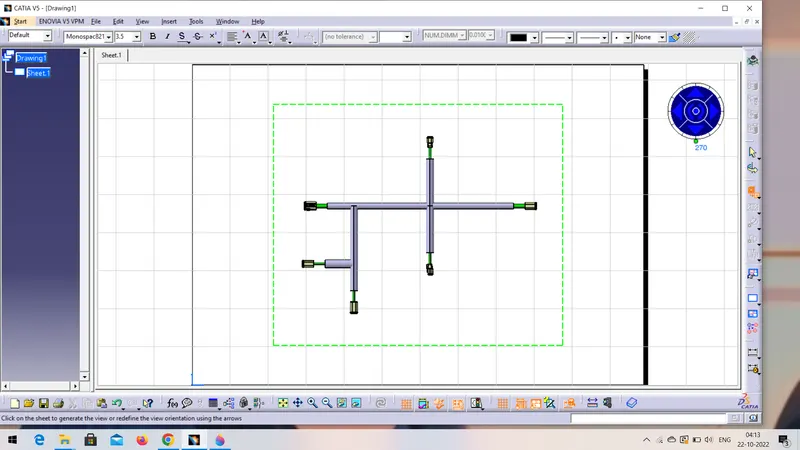
4. Now add new file for drafting, file>new>drawing set ISO as a sheet style as AO ISO and keep it in landscape.
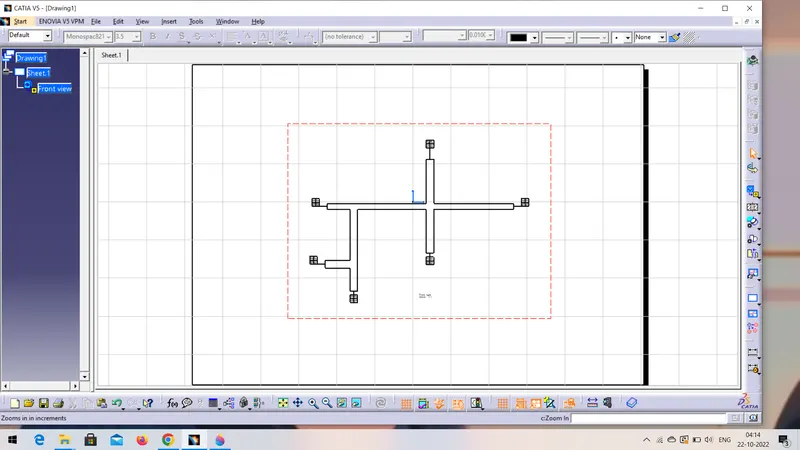
5.select front view select flattening file after that select the plane Or surface of the flattening harness. And click on sheet or drawing view will available there.
6. Adjust the position of the harness by using compass .
in this way week 7 challange completed.