Project 2 - 2D meshing on the instrumental Panel
AIM:
To do 2D meshing for given Instrumental Panel
CAD IMAGE:
INSTRUMENTAL PANEL
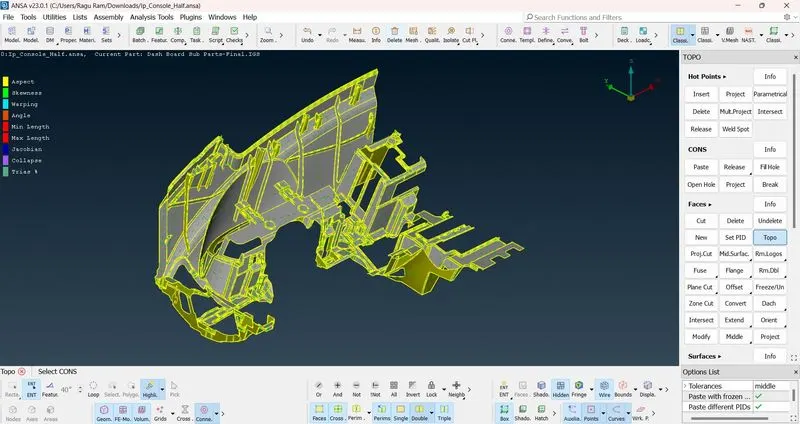
PROCEDURE:
- First property have to check whether how many properties are there.
- Do orient for given Model.
- Topo > Faces > Orient.
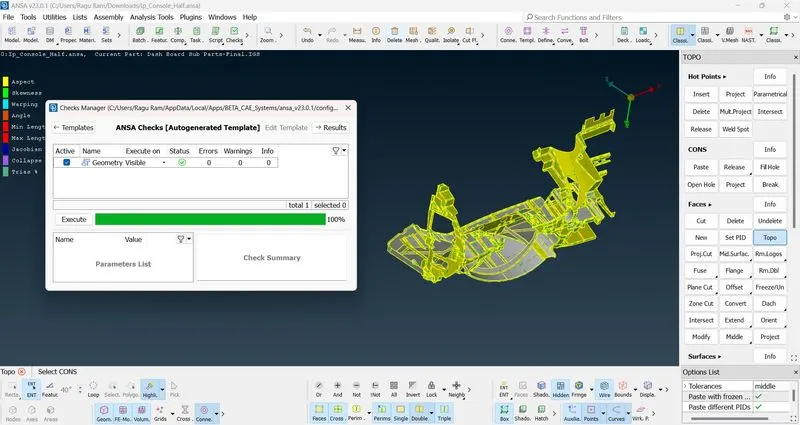
- Do geometry check if any errors arise clear it by using Cons> Paste or else Face> Cut, Delete, New & Topo.
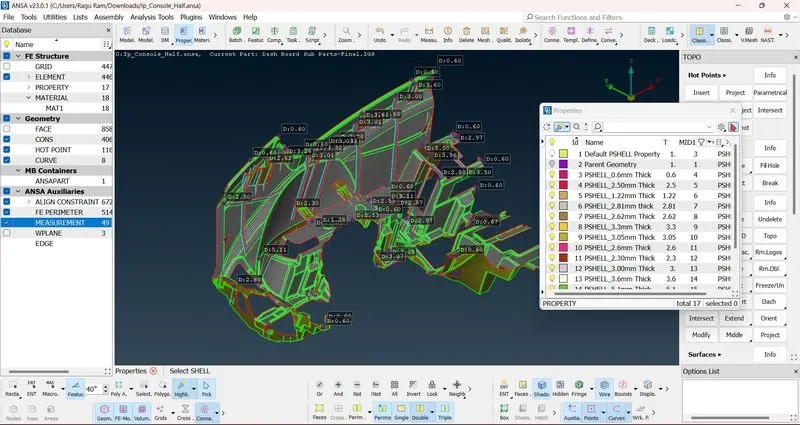
- After geometry check, do measurements for all the parts.
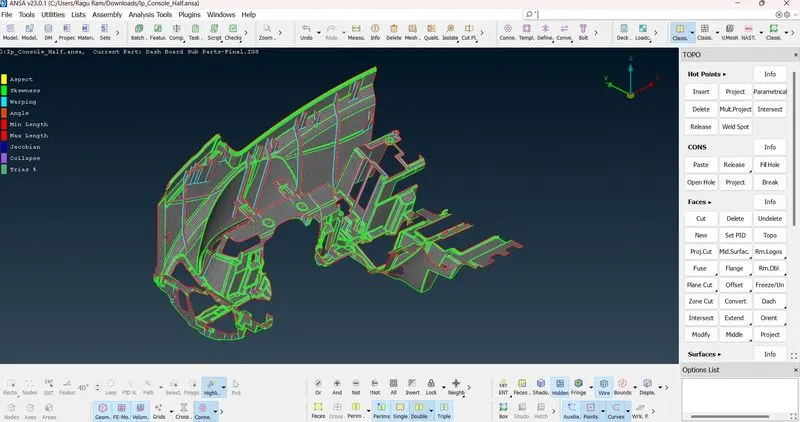
- After measure do offset for take mid surface extraction.
- For this challenge I did manual mid surface extraction by using Face>Offset.
- There are many different thickness portions present so i took mid surface separately.
- Some part have noticed for average thickness for that part the mid surface are taken by using "middle" command.
- Since it is Plastic component So there is some process done here which is extend.
- The extend is used because different thickness components are take mid surface so there is some gap formed inbetween those portion.
- To avoid that gap, "extend" option is used.
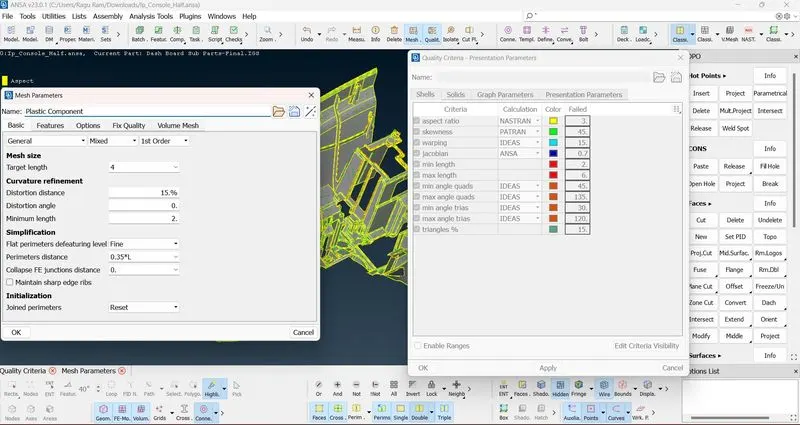
- After that, quality criteria is given for Meshing.
- Casting operation is done here in which mid surface extraction and meshing done in same operation.
- After Meshing clear the quality issues if it is present.
- After that Thickness have assigned for all the parts by using set PID option.
HERE I HAD ATTACHED SOME IMAGES WHICH IS BELONGS TO THIS PROJECT
GEOMETRY CLEARANCE:
MID SURFACE EXTRACTION & MESHING:
QUALITY CRITERIA:
THICKNESS ASSIGNED:
CONCLUSION:
Hence the given geometry is taken mid surface and meshed by using casting operation & some of the parts were aligned properly by using align manager tool then thickness have assigned successfully.
LINK FOR DOWNLOAD FOLDER:
https://drive.google.com/file/d/1YT2W-2vtycJEyVPLwPmeGFgqhKuys6kd/view?usp=share_link
I unable to upload my file so i paste the link for downloading this folder.