Project 2 - 2D meshing on the instrumental Panel
Aim:- To go through how the casting approach in ANSA and the mid-surface extraction method were used to mesh the instrumental panel in order to properly depict the component's intricate geometry.
Objective:-
- To present a thorough description of the ANSA casting procedure and how it is used in the instrumental panel meshing process.
- To go through the advantages and disadvantages of the mid-surface extraction method that was chosen as well as the factors that led to that decision.
- To assess the precision and calibre of the finite element model produced by the meshing procedure and make suggestions for potential upgrades for further simulations.
Introduction:-
The numerous systems of a car, an aeroplane, or other complicated machinery are monitored and controlled by a group of instruments and displays called an instrumental panel. The panel often has a range of gauges, switches, and indicators that convey data regarding the operation and state of the vehicle.
An instrumental panel's value originates from its capability to give real-time updates on the status of different vehicle systems. This information enables operators and pilots to operate the vehicle safely and effectively by enabling them to make knowledgeable judgements. An instrumental panel may assist prevent accidents and equipment breakdowns by keeping an eye on vital indicators like engine temperature, fuel level, and speed. In the end, this can save lives. The instrument panel's ability to provide feedback on the vehicle's performance and enable operators to make adjustments and enhance performance can also help the vehicle run more efficiently.
Procedure:-
- Import the instrumental panel's geometry into ANSA and start a new project.
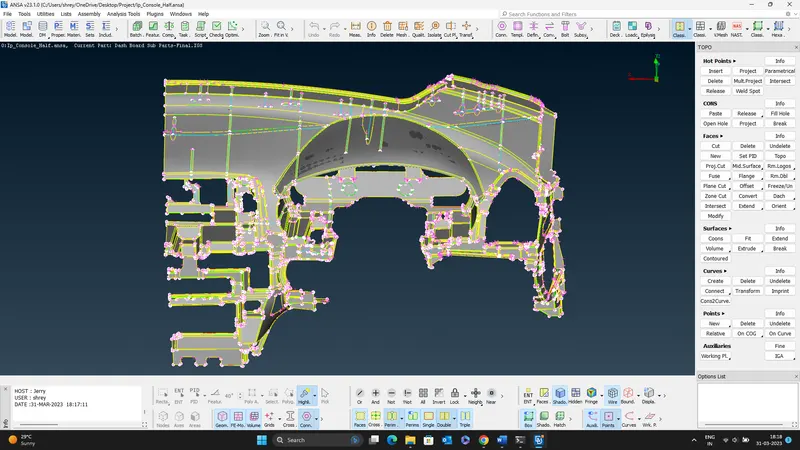
- Using the appropriate ANSA tools, clean the geometry to eliminate any undesirable characteristics, such as fillets or tiny holes.
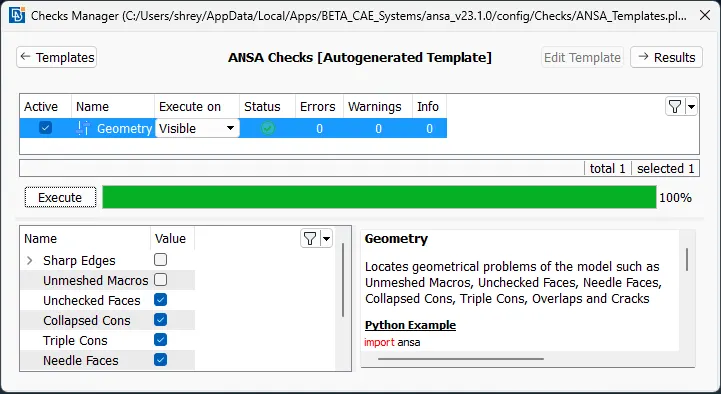
- Use ANSA's mid-surfacing tool to extract the geometry's mid-surface. The casting/extrusion technique should be used for mid-surface extraction.
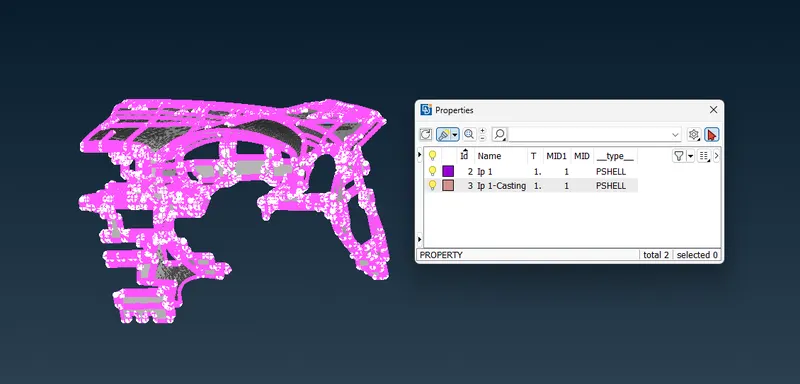
- Use ANSA's surface deviation tool to check the mid-surface for any mistakes or gaps. When the surface deviation is at its lowest, adjust the settings.
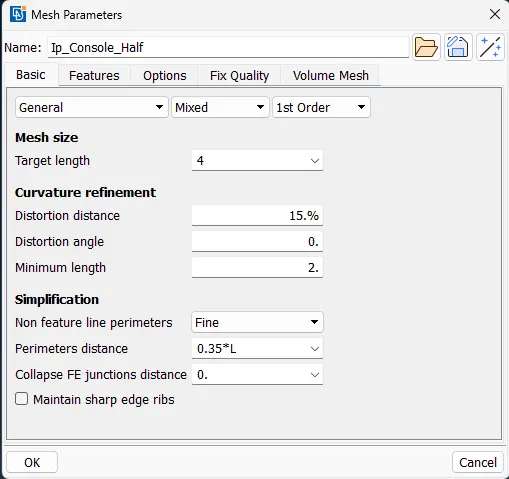
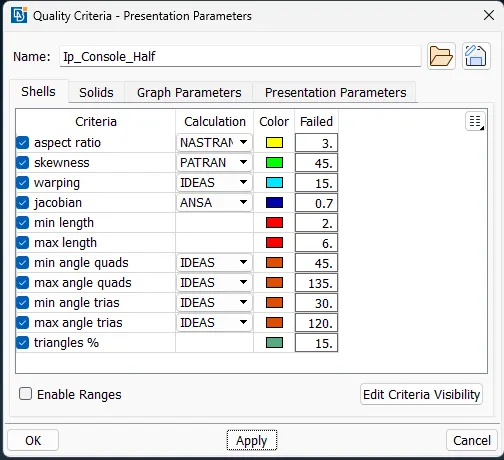
- Check the mid-surface geometry for any geometrical defects and inconsistencies using the align manager tool in ANSA. Use the appropriate ANSA tools to correct any problems.
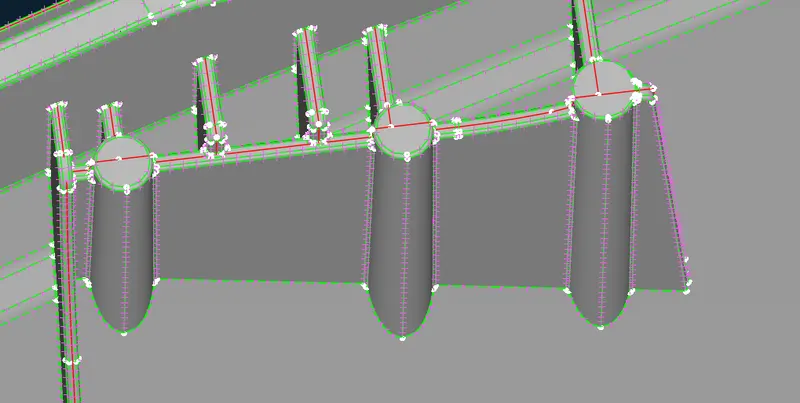
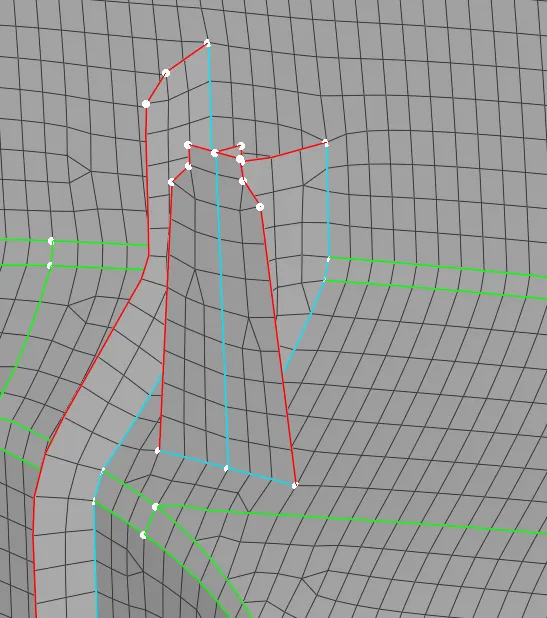
- Establish element quality standards, such as aspect ratio, skewness, and Jacobian, to guarantee the mesh's quality. To evaluate the mesh's quality and make any required adjustments to the parameters, use the mesh diagnostic tool.
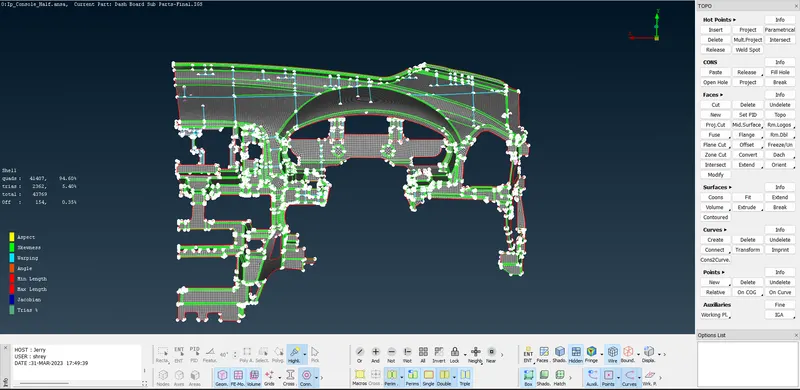
Conclusion:
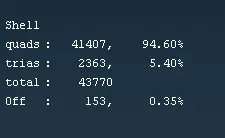
There are 153 fewer quality failures than the previous 460. Due to the triple cons and single cons that were located near together, the off components could not be entirely eliminated. 5.40% is the triangle percentage, which is significantly less than the allowable limit. By selecting Draw Shell as Solid under Quality Criteria > Presentation Parameters, the thickness is enabled for mid-surface FE.
Learning Outcome:
Batch Mesh is a fantastic tool for meshing difficult and massive amounts of geometry. By automatically reducing the drawbacks in the constrained areas where element failures take place, it defeatures.
By suppressing the connecting double con, the neighbouring faces do not combine into a single face when a new face is made utilising COONs. In contrast, when a new face is formed using the Existing Surf approach, faces merge after the double con is suppressed.
Faces that are unchecked are typically unseen. You may check if it's there by activating the Cross Hatches option under Menu bar > Faces Draw. Unchecked faces are removed by removing them and adding fresh ones in their place.