Geometry cleanup, and generation of mid surface and mesh of flooring of car design
OBJECTIVE:
To generate Mid surface and geometry cleanup on the flooring component.
To generate mesh on the component that qualify certain quality parameters.
To Assign the thickness to the mesh.
QUALITY CRITERIA:
Target Element Length = 5mm
| S.N | Quality Criteria | Value |
| 1 | Aspect Ratio | 5 |
| 2 | Skewness | 45 |
| 3 | Warping | 15 |
| 4 | Taper | 0.5 |
| 5 | Min. Length | 2mm |
| 6 | Max. Length | 8mm |
| 7 | Min angle Quad | 45 |
| 8 | Max angle Quad | 135 |
| 9 | Min angle Tria | 20 |
| 10 | Max angle Tria | 120 |
| 10 | Tria % | 10 |
PROCEDURE:
1. Import the geometry in Hyperworks and delete the solids. Once solids are deleted only surfaces will be shown.
2. Defeature the surface fillets and edge filets from 0-5mm distance.
3. Generate Mid-Surface using auto mid-surface command from the 2D menu.
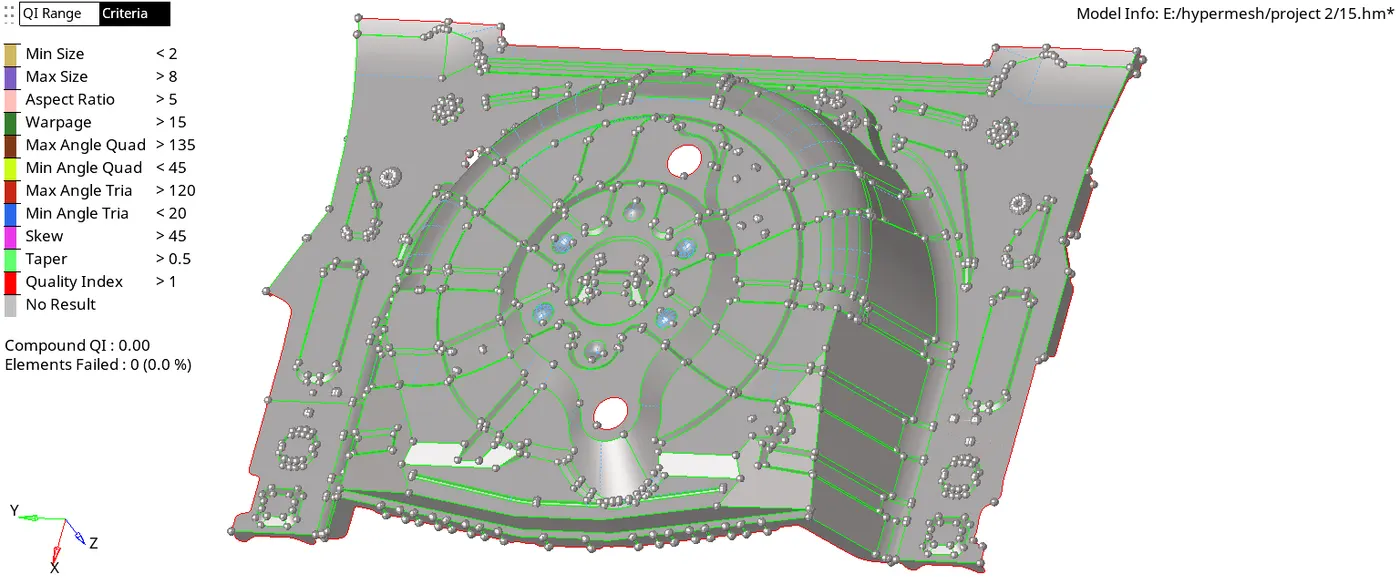
4. Check from the proper surfaces and create manual mid syrfaces in the areas where mid surface is not proper so that the mid surface look like the copy of parent component.
5. Defeature the surface fillets and edge fillets if found any again.. And toggle the edges that might create improper mesh flow later leaving the feature lines only.
6. Generate a parameter file from Parameter File Setting from Preference drop down menu.
7. Generate a Criteria file with all given quality parameters from Criteria File Settings from Preferences.
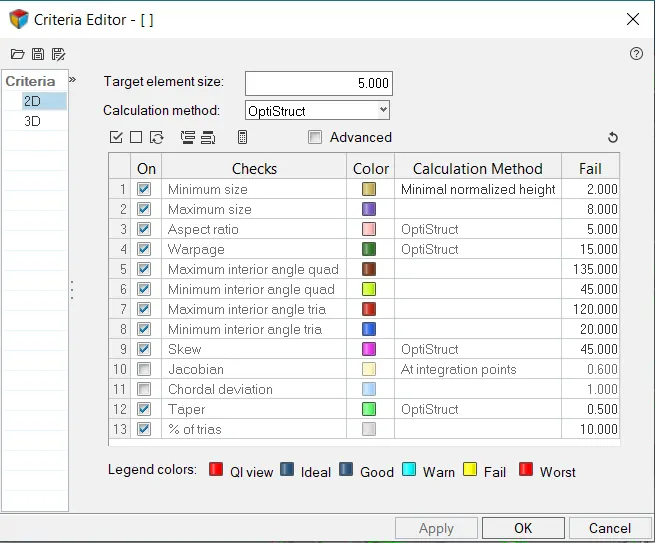
8. Batch mesh the component with the generated criteria and parameter file.

9. Tweek the mesh inorder to get an appropriate mesh flow. (By using cleanup tools)
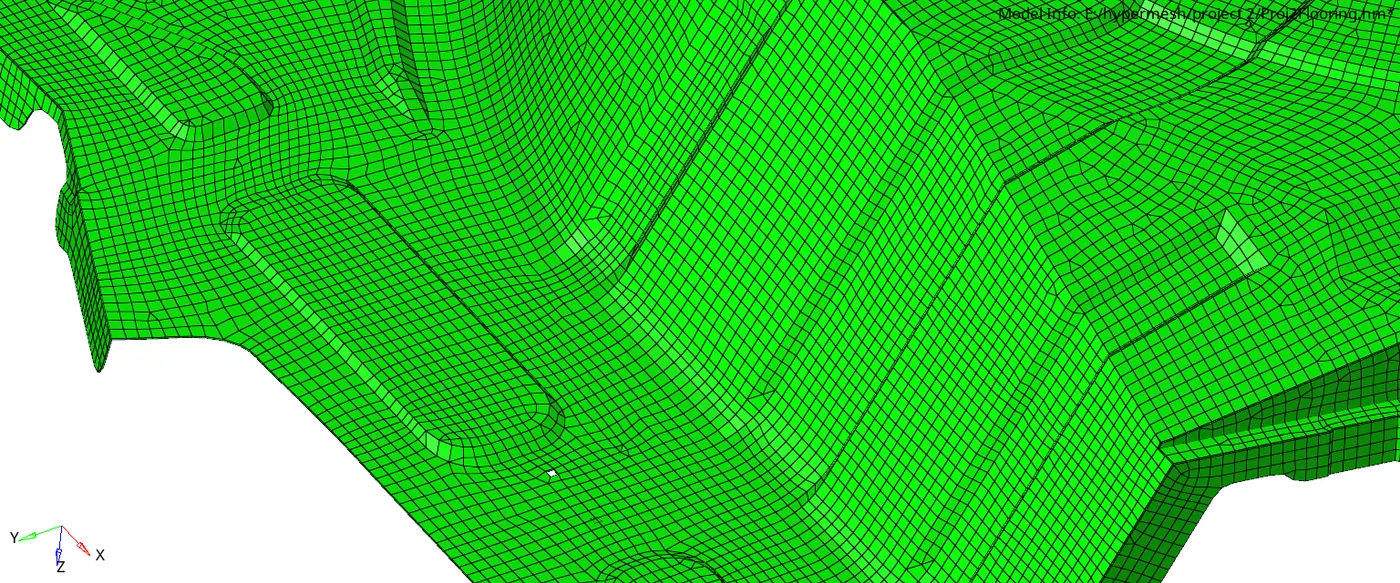
Mesh created after batch mesh operation is shown:
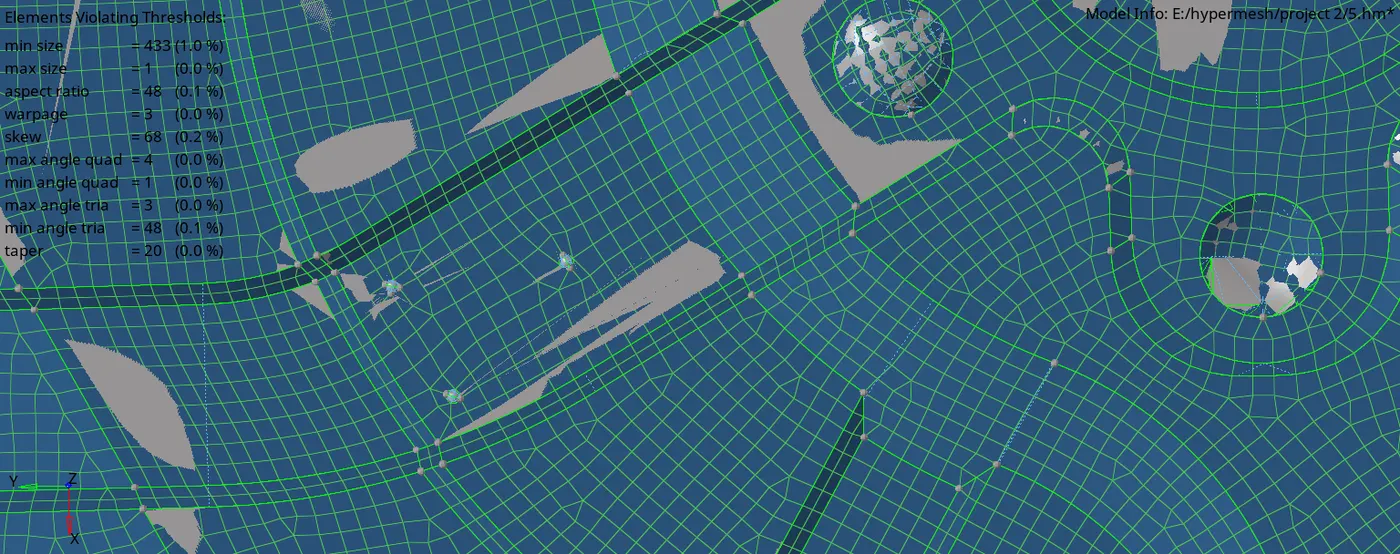
10. Check if all quality criteria are satisfied.
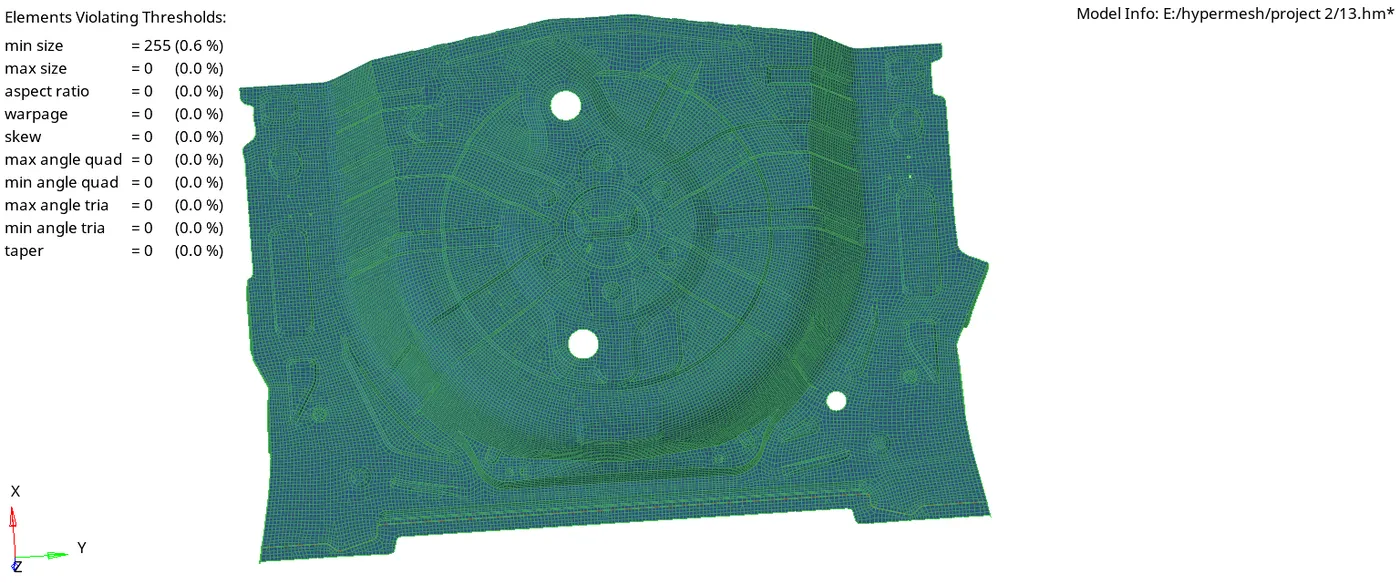
11. Check for the thickness of the component surfaces at different parts and record them.
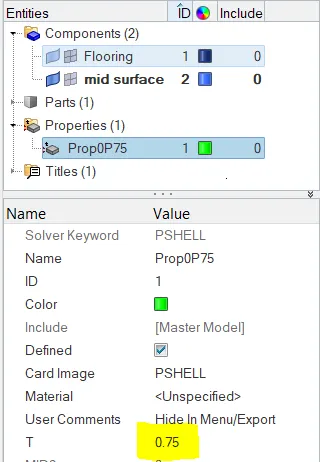
12. create propertes with the thicknesses recorded. The entire component has uniform thickness of 0.75mm.
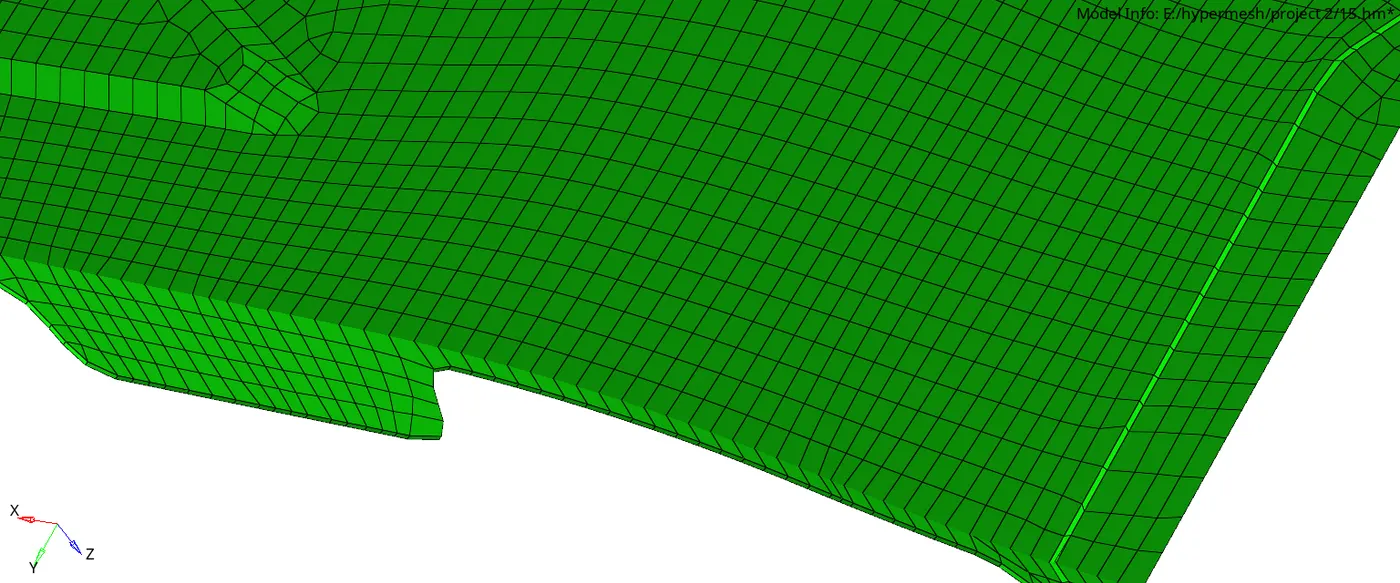
13. Assign the thickness to the mid surface component and turn on the 2D Traditional and detailed element representation.
REULTS:
1. The mesh flow the flooring component is below:
2. Thickness assigned is showwn as below
CONCLUSION:
Learnt to generate mid surface through auto mid surface and manual midsurface.
Learnt to generate a proper mesh flow qualaifying the quality parameters.
Learnt to assign thickness to the component.