Project 1 - Parsing NASA thermodynamic data
OBJECTIVE:
1. Write a function that extracts the 14 coefficients and calculates the enthalpy, entropy and specific heats for all the species in the NASA thermodynamic data file.
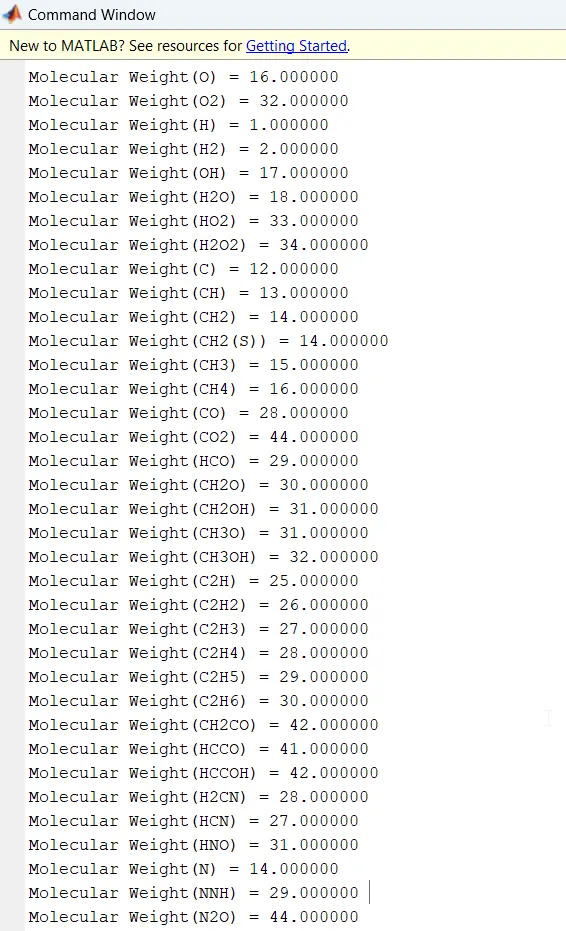
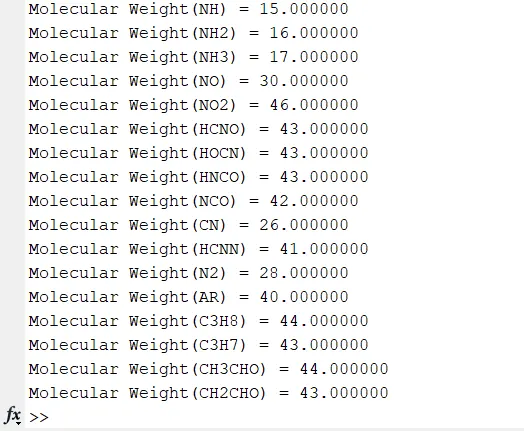
2. Calculate the molecular weight of each species and display it in the command window.
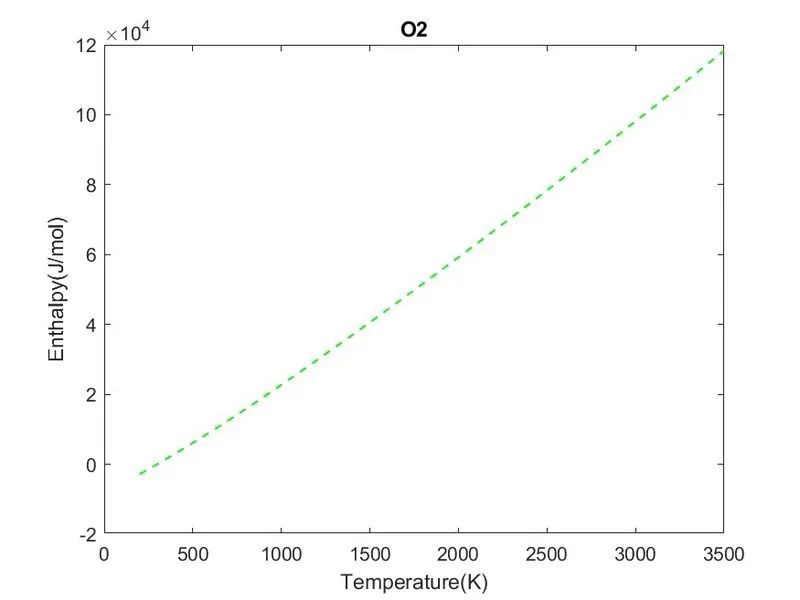
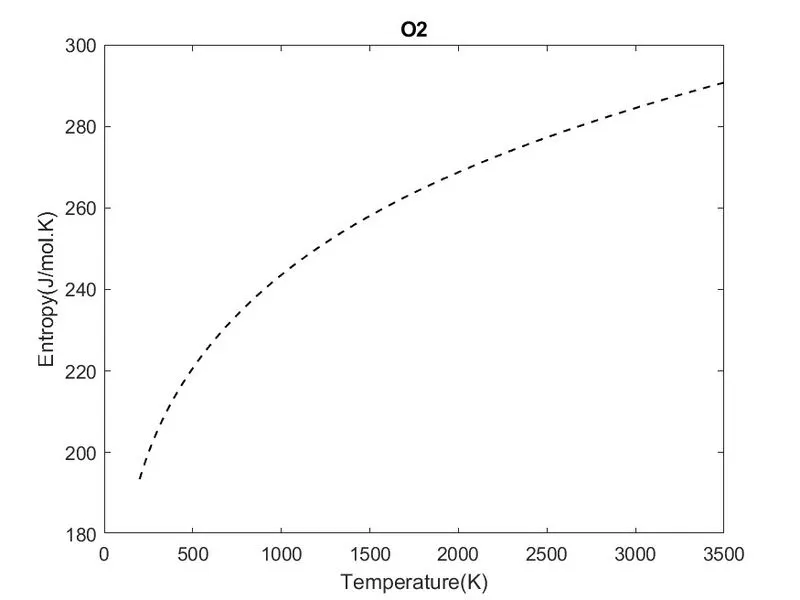
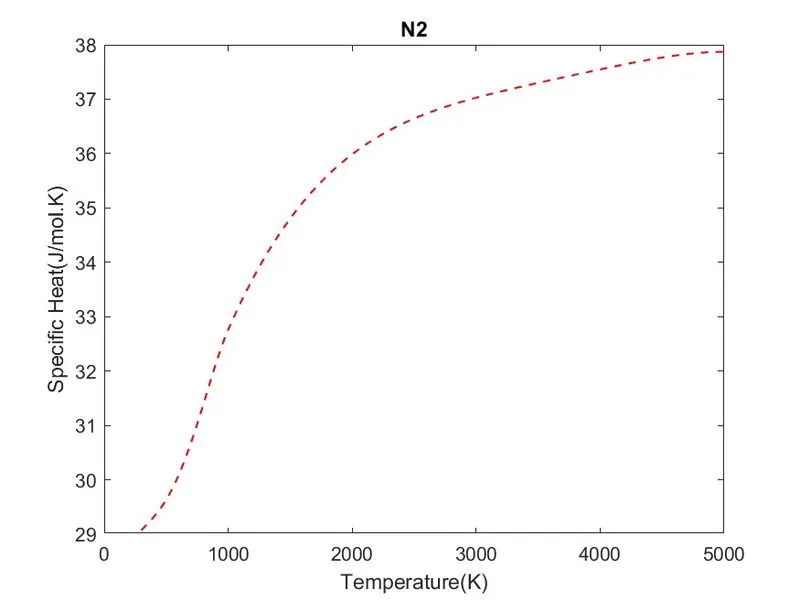
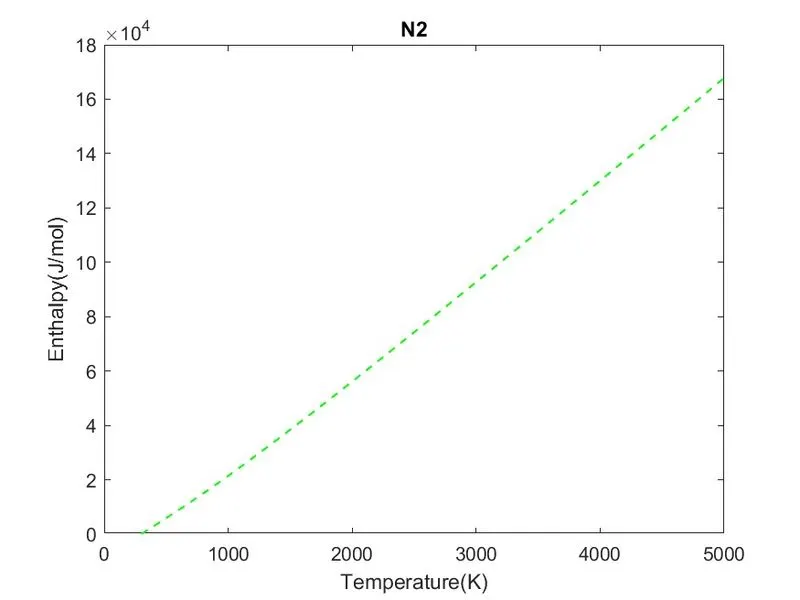
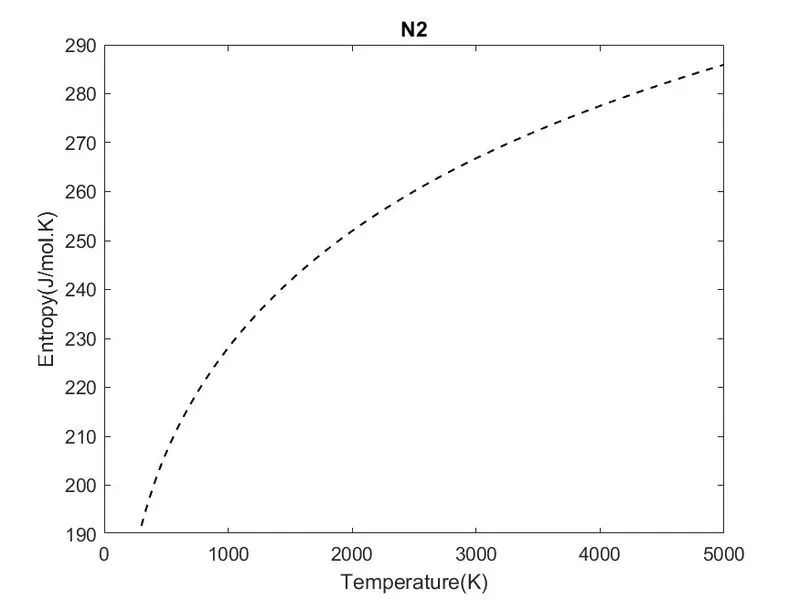
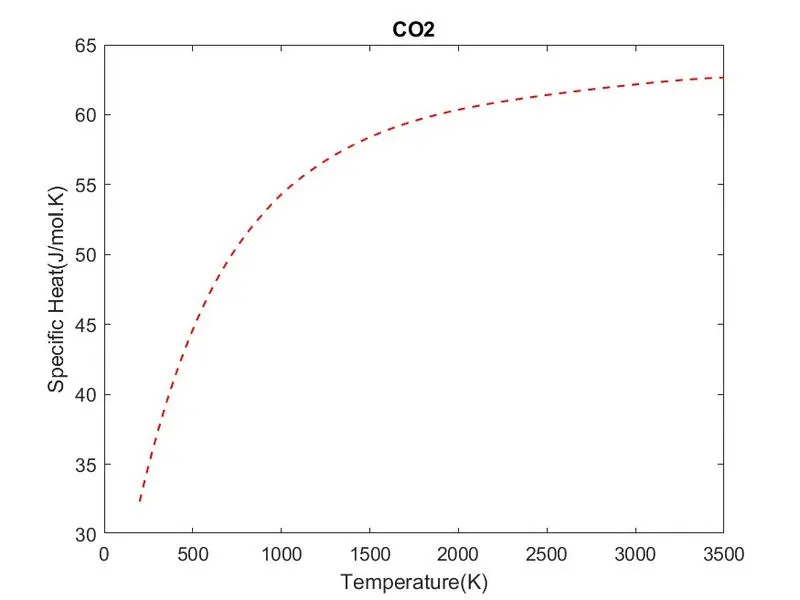
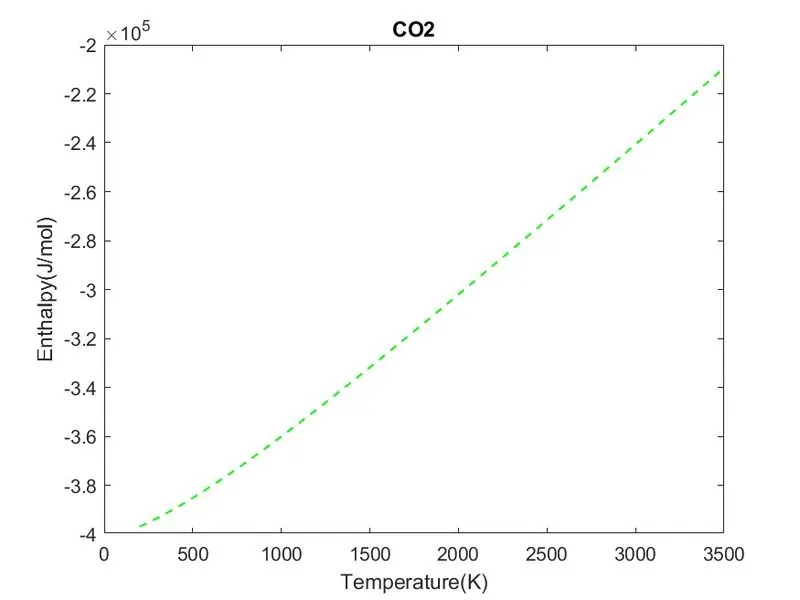
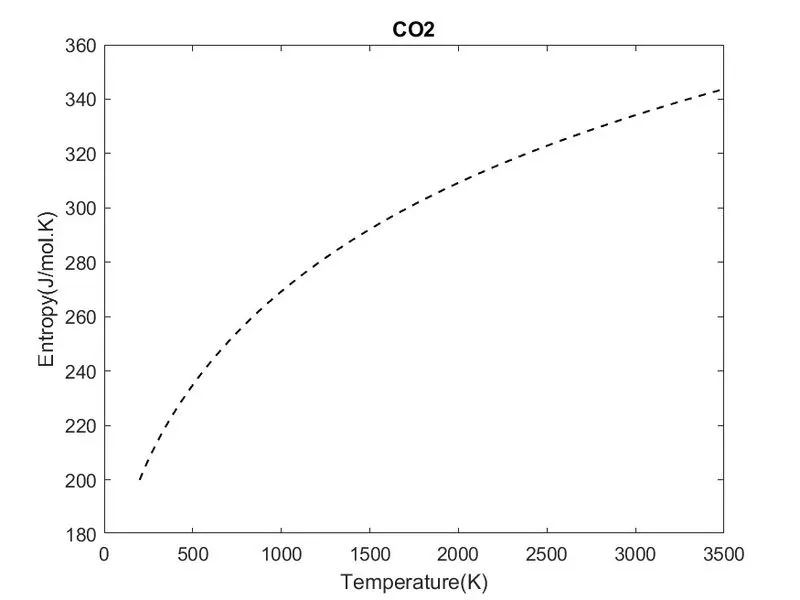
3. Plot the Cp, Enthalpy and Entropy for the local temperature range (low temperature: high temperature) specific for each species.
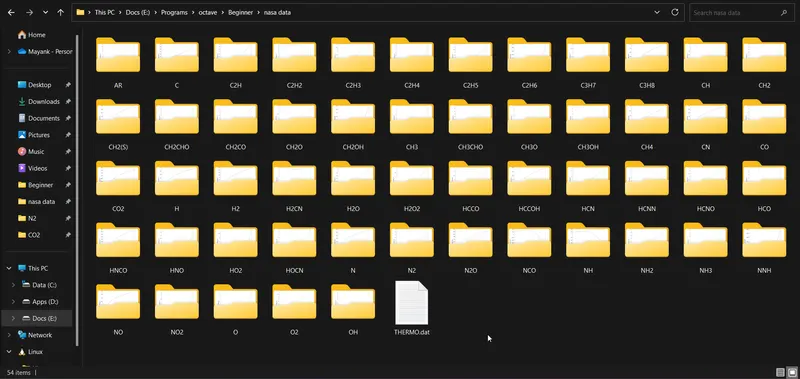
4. Save the plots as images with appropriate names and dump them in separate folders for each species with a suitable name.
THEORY:
NASA 7 Polynomials:
NASA has defined a seven-polynomial equation which gives the thermodynamic properties of a species as the temperature varies. These are given as follows:
The coefficients(a1, a2, a3, a4, a5, a6, a7) are supplied in NASA thermodynamic files. These files contain 14 coefficients that can be divided into two sets - high-temperature coefficients(First Seven) and low-temperature coefficients(Last Seven).
The THERMO.dat file:
An excerpt from the THERMO.dat file:
THERMO
   300.000  1000.000  5000.000
! GRI-Mech Version 3.0 Thermodynamics released 7/30/99
! NASA Polynomial format for CHEMKIN-II
! see README file for disclaimer
O                 L 1/90O   1               G   200.000  3500.000  1000.000    1
 2.56942078E+00-8.59741137E-05 4.19484589E-08-1.00177799E-11 1.22833691E-15    2
 2.92175791E+04 4.78433864E+00 3.16826710E+00-3.27931884E-03 6.64306396E-06    3
-6.12806624E-09 2.11265971E-12 2.91222592E+04 2.05193346E+00                   4
O2                TPIS89O   2               G   200.000  3500.000  1000.000    1
 3.28253784E+00 1.48308754E-03-7.57966669E-07 2.09470555E-10-2.16717794E-14    2
-1.08845772E+03 5.45323129E+00 3.78245636E+00-2.99673416E-03 9.84730201E-06    3
-9.68129509E-09 3.24372837E-12-1.06394356E+03 3.65767573E+00                   4
H                 L 7/88H   1               G   200.000  3500.000  1000.000    1
 2.50000001E+00-2.30842973E-11 1.61561948E-14-4.73515235E-18 4.98197357E-22    2
 2.54736599E+04-4.46682914E-01 2.50000000E+00 7.05332819E-13-1.99591964E-15    3
 2.30081632E-18-9.27732332E-22 2.54736599E+04-4.46682853E-01                   4
Starting from the 6th line, every 5th line consists of a species header which contains the Molecular Formula, Phase and the local temperature range for that species.
The very last column denotes the line number for that specific species.
The temperature ranges are defined just three columns before the line number -
Lowest Defined Temperature | Highest Defined Temperature | Mid Temperature, respectively.
After the header line are three body lines which consist of the 14 coefficients:
Five on the first line and the First two on the second line (High-Temperature)
Last three on the second line, and the remaining four on the third line (Low-Temperature)
We will use the mid-temperature to define whether we should use the first-seven or last-seven coefficients.
CODE:
Main Program:
In the main program:
- Read the file and parse through its data creating header and body variables.
- Loop through the file data and extract species-specific information from the header and body.
- Call functions to compute thermodynamic properties and molecular weight.
- Plot the properties vs time graphs and save them in separate folders.
% Parsing NASA themo.dat

close all    % close all open plots
clear        % clear workspace
clc          % clear command window

%% Read file and assign fileID:
directory = "E:/Programs/octave/Beginner/nasa data/"; % Parent Directory
filename = sprintf(directory+'%s','THERMO.dat');      % File to be read
fid = fopen(filename,'r');

skipRows = 5; % Number of rows to be skipped

%% Looping until all species have been parsed:
while skipRows<214

    % Reading the header for species:
    header = textscan(fid,"%s",1,'Delimiter' ,'','HeaderLines',skipRows);

    % Extracting Species-specific data from header:
    split_header = strsplit(string(header));
    name = split_header(1);
    t_low = str2double(split_header(length(split_header)-3));
    t_high = str2double(split_header(length(split_header)-2));
    t_mid = str2double(split_header(length(split_header)-1));

    % Reading the next 3 lines as Body:
    body = textscan(fid,"%f%f%f%f%f%*[^\n]",3,'Delimiter' ,'');
    body = [body{:}]; % Unboxing Cell data

    % Creating Linear local Temperature array
    T = t_low:t_high;

    % Calling the function that computes Cp,H and S:
    [cp, h, s] = compute_thermodat(t_mid,T,body);

    % Plotting
    % Plot between Temperature and Specific Heat
    figure(1)
    plot(T,cp,'r--','linewidth',1)
    title (name)
    xlabel('Temperature(K)')
    ylabel('Specific Heat(J/mol.K)')

    % Plot between Temperature and Enthalpy
    figure(2)
    plot(T,h,'g--','linewidth',1)
    title(name)
    xlabel('Temperature(K)')
    ylabel('Enthalpy(J/mol)')

    % Plot between Temperature and Entropy
    figure(3)
    plot(T,s,'k--','linewidth',1)
    title(name)
    xlabel('Temperature(K)')
    ylabel('Entropy(J/mol.K)')

    % Creating Species-specific directory
    mkdir(sprintf(directory+'%s',name))

    % Saving the plots in the created Directory
    saveas(1,sprintf(directory+'%s/%s',name,'specific heat.jpg'))
    saveas(2,sprintf(directory+'%s/%s',name,'enthalpy.jpg'))
    saveas(3,sprintf(directory+'%s/%s',name,'entropy.jpg'))

    % Compute and Display MOlecular Weight:
    compute_weight(name)

    % Set the position indicator to the beginning of file:
    frewind(fid)

    % Realloting the number of rows to skip for next header:
    skipRows = skipRows+4;
end

%% Close the file:
fclose(fid);
FUNCTION TO COMPUTE Cp, H and S:
We will loop through the temperature array, check if the temperature is higher or lower than our mid-temperature, and extract the coefficients accordingly from the body.
function [cp, h, s] = compute_thermodat(mid,T,body)

% Defining Universal Gas Constant:
R = 8.314;

% Looping through Temperature array:
for i = 1:length(T)

    % Segregating low-temperature and high-temperature coefficients:
    if T(i)>= mid
        a1 = body(1,1);
        a2 = body(1,2);
        a3 = body(1,3);
        a4 = body(1,4);
        a5 = body(1,5);
        a6 = body(2,1);
        a7 = body(2,2);
    else
        a1 = body(2,3);
        a2 = body(2,4);
        a3 = body(2,5);
        a4 = body(3,1);
        a5 = body(3,2);
        a6 = body(3,3);
        a7 = body(3,4);
    end

% Computing Cp,H and S:
cp(i) = (a1 + a2*T(i) + a3.*T(i)^2 + a4.*T(i)^3 + a5*T(i)^4)*R;
h(i) = (a1 + (a2*T(i))/2 + (a3*T(i)^2)/3 + (a4*T(i)^3)/4 + (a5*T(i)^4)/5 + (a6/T(i)))*R*T(i);
s(i) = (a1*log(T(i)) + a2*T(i) + (a3*T(i)^2)/2 + (a4.*T(i)^3)/3 + (a5*T(i)^4)/4 + a7)*R;

end

end
FUNCTION TO COMPUTE MOLECULAR WEIGHT:
We will create a reference database of atomic symbols and their corresponding atomic weights. Then, compare the atomic symbols in our species' molecular formula and use the corresponding atomic weight to calculate the molecular weight.
We will also check if the next character is a number to multiply the atomic weight of the current element with that number and finally display the molecular weight in the command window.
function compute_weight(name)

% Defining Reference Database:
elements = ['H','C','N','O','A'];  % Element
weight = [1 12 14 16 40];          % Atomic Weight

% Converting String to Character array:
name=char(name);

% Initialising Molecular Weight:
molecular_weight = 0;

% Looping through Species-Character array:
for i = 1:length(name)

    % Looping through reference element database:
    for j = 1:length(elements)

        % Checking if Species character matches element database
        if name(i)==elements(j)

             % Check if the current character is not last character
             if(i+1<=length(name))

                 % Check if the next Character is a number
                 if isstrprop(name(i+1),'digit')

                    % Compute molecular weight by multiplying with number
                    molecular_weight = molecular_weight+str2double(name(i+1))*weight(j);
                    break % Exit loop after match is found for perfomance
                 else
                     % Compute Molecular weight without multiplying
                     molecular_weight = molecular_weight+weight(j);
                     break
                 end
             else
                 % Compute Molecular weight without multiplying
                 molecular_weight = molecular_weight+weight(j);
                 break % Exit loop after match is found for perfomance
             end
        end
    end
    % Display the Molecular weight in console:
    if(i==length(name))
    fprintf("Molecular Weight(%s) = %f \n",name,molecular_weight)
    end
end
end
OUTPUTS:
O2: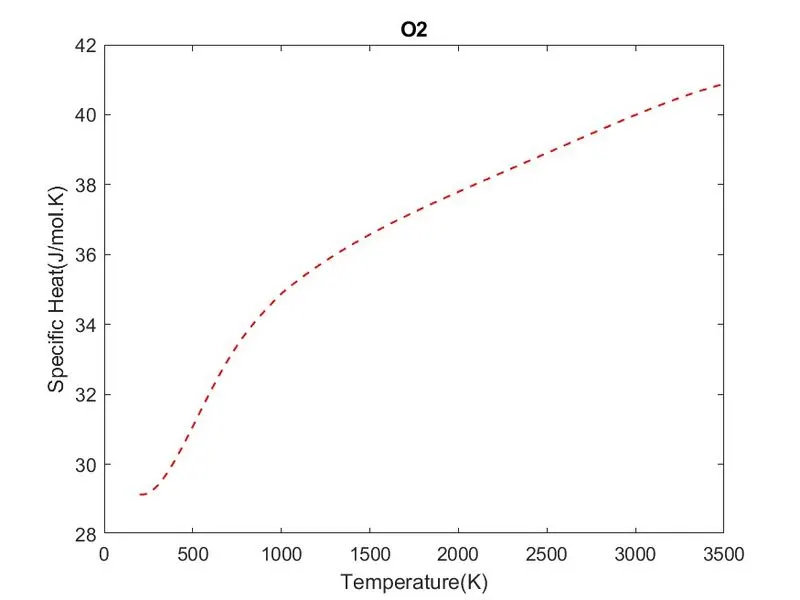
N2:
CO2:
Folder Structure:

Molecular Weight:
REFERENCES: