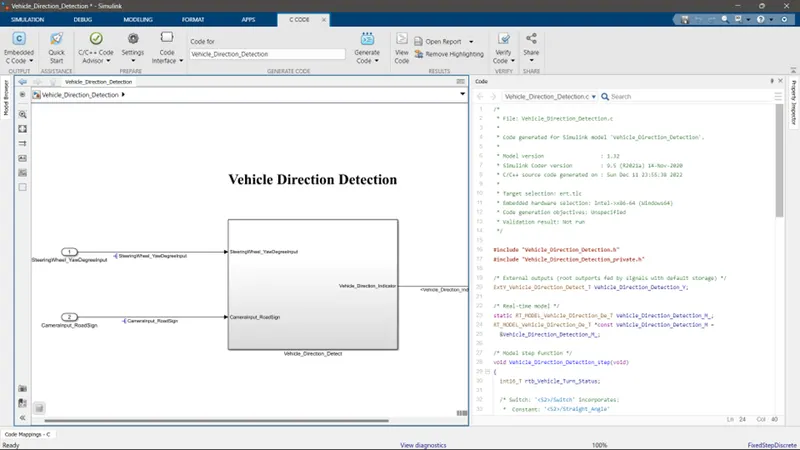
Project 1 (Mini Project on Vehicle Direction Detection
PROJECT REPORT
As per the project requirement, the mode is developed for “Vehicle Direction Determination”.
Aim of Project:
To create a Simulink model of Vehicle Direction Detection as per the Requirement data.
Requirement - 1:
- Steering wheel input as yaw rate (Signal name: SteeringWheel_YawDegreeInput) is the input for this system.
- This is compared against 3 angular values, one each for left turn, right turn & straight drive (Calibration Values: Right_Turn_AngularLimit, Left_Turn_AngularLimit, Straight_Drive_Steering_Angle) to say which specific direction the steering wheel is turning towards.
- Use switch blocks to compare & develop this requirement. Keep this requirement in a subsystem & output of this requirement is a local signal (Signal Name: Vehicle_Turn_Status).
Requirement – 2:
- Keep this requirement as a separate subsystem. Inputs to this requirement are local signal from requirement 1 (Signal Name: Vehicle_Turn_Status) & an input signal from camera (Signal Name: CameraInput_RoadSign), which confirms the occurrence of a road sign.
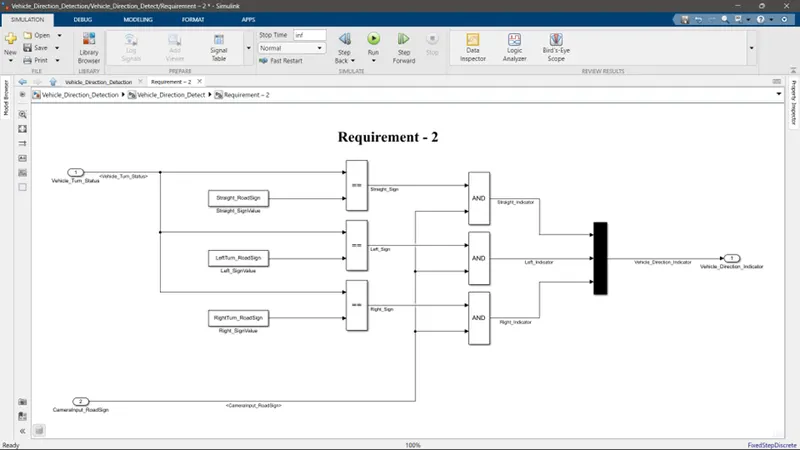
- Signal Vehicle_Turn_Status is compared against calibration values (Calibration Values: RightTurn_RoadSign, LeftTurn_RoadSign, Straight_RoadSign), if each of them is found equal, then each of the three corresponding output is compared against the camera input signal,
- Using a logical operator block, only one among them is finally given as output signal (Signal Name: Vehicle_Direction_Indicator).
Signals & Calibration Data List:
|
Signal / Calibration Name |
Signal Type |
Data Type |
Dimension |
Min |
Max |
Initial Value |
Units |
|
SteeringWheel_YawDegreeInput |
Input |
Int16 |
1 |
-180 |
180 |
- |
Deg |
|
CameraInput_RoadSign |
Input |
Boolean |
1 |
0 |
1 |
- |
- |
|
Vehicle_Turn_Status |
Local |
Int16 |
1 |
-180 |
180 |
- |
Deg |
|
Right_Turn_AngularLimit |
Calibration |
Int16 |
[1 1] |
-180 |
180 |
30 |
Deg |
|
Left_Turn_AngularLimit |
Calibration |
Int16 |
[1 1] |
-180 |
180 |
-120 |
Deg |
|
Straight_Drive_Steering_Angle |
Calibration |
Int16 |
[1 1] |
-180 |
180 |
0 |
Deg |
|
RightTurn_RoadSign |
Calibration |
Int16 |
[1 1] |
-180 |
180 |
30 |
|
|
LeftTurn_RoadSign |
Calibration |
Int16 |
[1 1] |
-180 |
180 |
-120 |
|
|
Straight_RoadSign |
Calibration |
Int16 |
[1 1] |
-180 |
180 |
0 |
|
|
Vehicle_Direction_Indicator |
Output |
Boolean |
1 |
0 |
1 |
- |
- |
Simulink Model:
The base model has 2 inputs and one output:
Inputs: SteeringWheel_YawDegreeInput & CameraInput_RoadSign
Output: Vehicle_Direction_Indicator
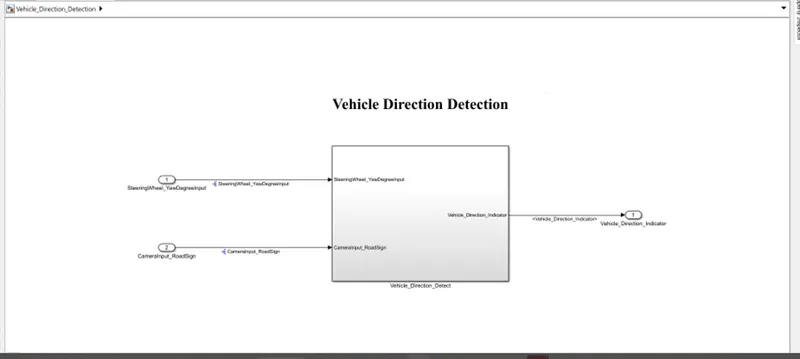
The input SteeringWheel_YawDegreeInput goes through Requirement 1 and the output of Requirement 1, that is Vehicle_Turn_Status, and input CameraInput_RoadSign goes into Requirement 2.
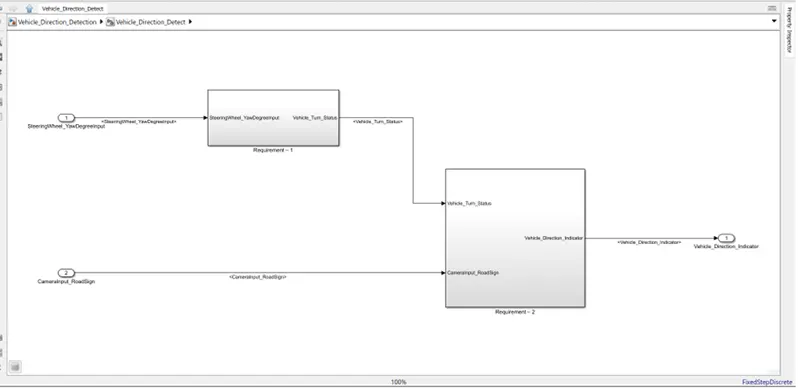
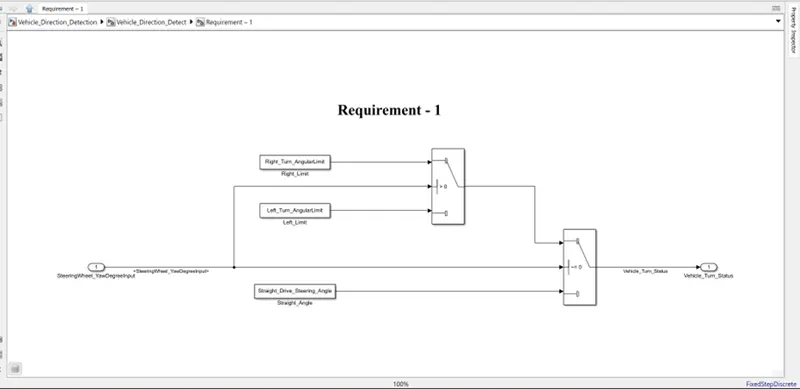
Requirement_1 Subsystem:
In this subsystem, the first requirement is designed. For this, we use Switch Blocks. The logic for this is that, if the SteeringWheel_YawDegreeInput is equal to 0, then the output will be Straight_Drive_Steering_Angle. And if not, then it gives the output from another switch block. In that switch block, we check whether SteeringWheel_YawDegreeInput is greater than 0 or not, if it is greater than 0, then the output would be Right_Turn_AngularLimit and if it is less than 0, then the output would be Left_Turn_AngularLimit. This output is stored as the local signal Vehicle_Turn_Status.
Requirement_2 Subsystem:
In this subsystem, the input Vehicle_Turn_Status is checked with relational operator blocks to check whether it is equal to RightTurn_RoadSign or LeftTurn_RoadSign, or Straight_RoadSign and then those outputs are sent through an AND gate along with the input CameraInput_RoadSign. When any of those two are true, then the AND gate gives a true output. And those three outputs go through a MUX block and given as the output signal Vehicle_Direction_Indicator.
SLDD File:
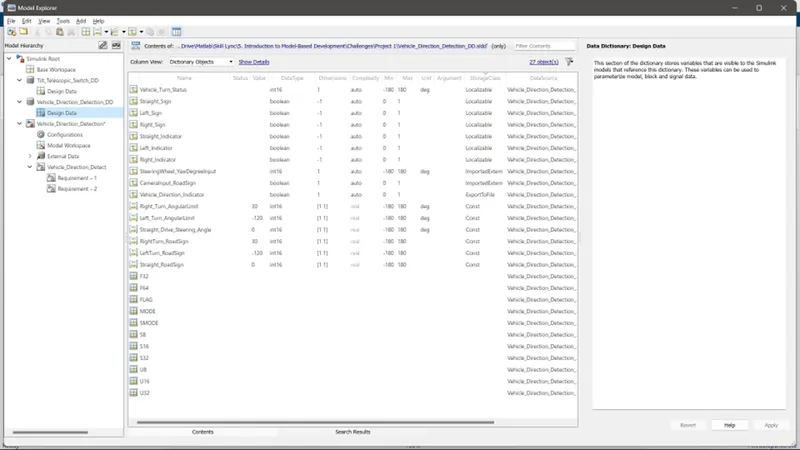
The SLDD file is created to store the calibration values and input and output signals.
Requirement tagging:
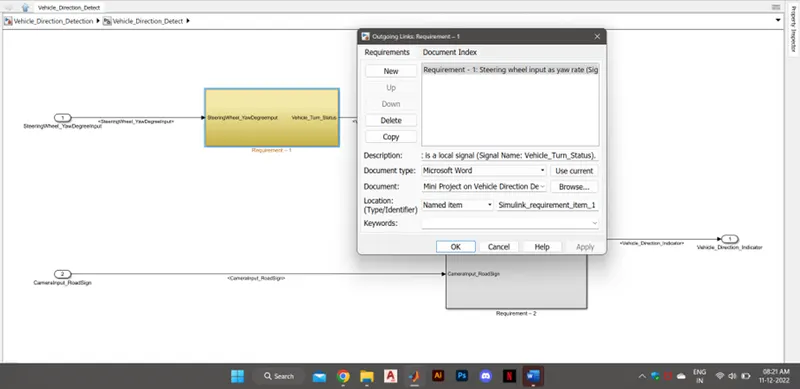
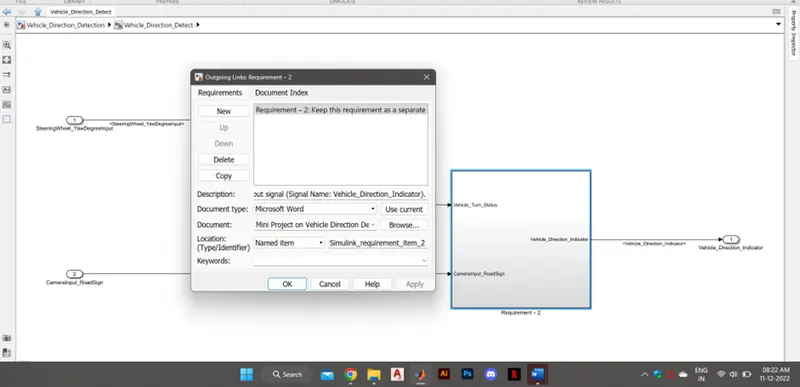
Both the subsystems are tagged with the word file of the requirements given.
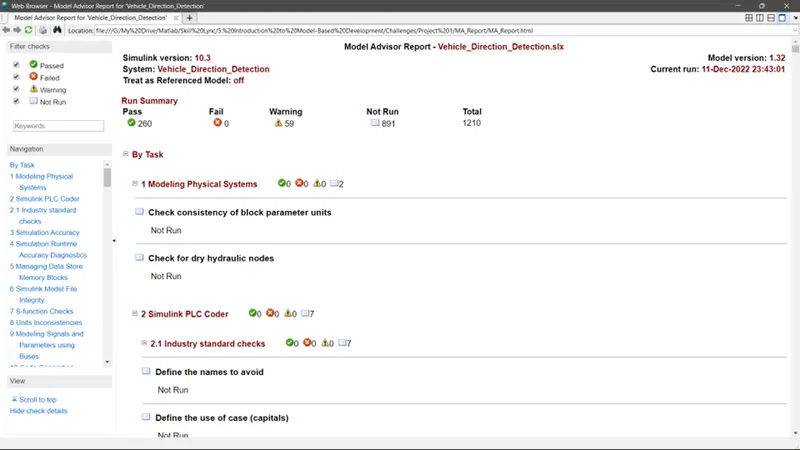
Model Advisor Check:
Code Generation: