Project 1-Meshing of Rear Wheel Holder challenge
Aim:-Mesh the component given below and assign thickness.
Follow the below-mentioned quality criteria
Target Element Length = 5 Units
| S.N | Quality Criteria | Value |
| 1 | Aspect Ratio | 5 |
| 2 | Skewness | 45 |
| 3 | Warping | 15 |
| 4 | Taper | 0.5 |
| 5 | Min. Length | 2 Units |
| 6 | Max. Length | 8 Units |
| 7 | Min angle Quad | 45 |
| 8 | Max angle Quad | 135 |
| 9 | Min angle Tria | 20 |
| 10 | Max angle Tria | 120 |
| 10 | Tria % | 10 |
Object:-Create mid surface and mesh componant according to givan quality criteria that mantion above.
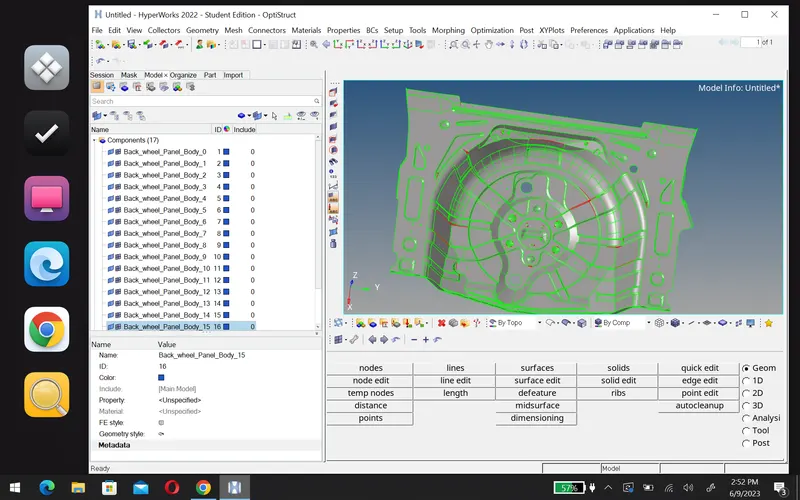
1. Geometry cleanup:-First we clean the geometry,so uploade the model in hyper mesh.
| Before | After |
 |
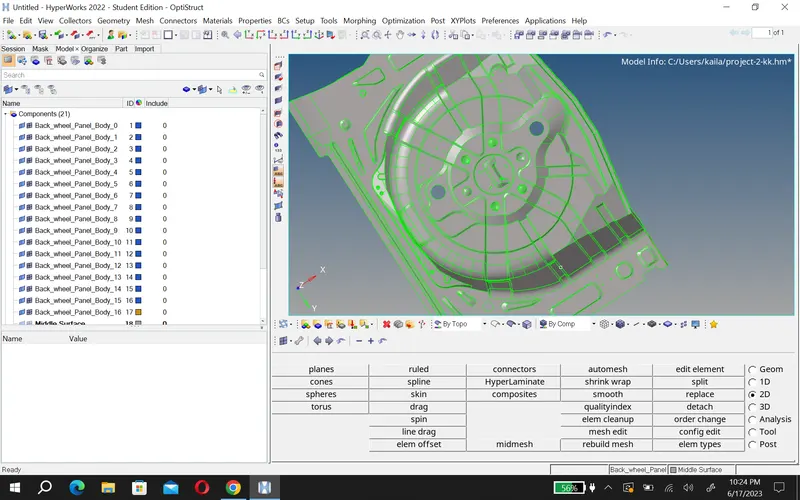 |
To clean the geometry first we use wireframe geometry mode to find single edges.
To fix them use quick edit option in geometry and use more option like surface(ruled),surface edit, toggle etc. After cleaning geometry we jumpe to next step.
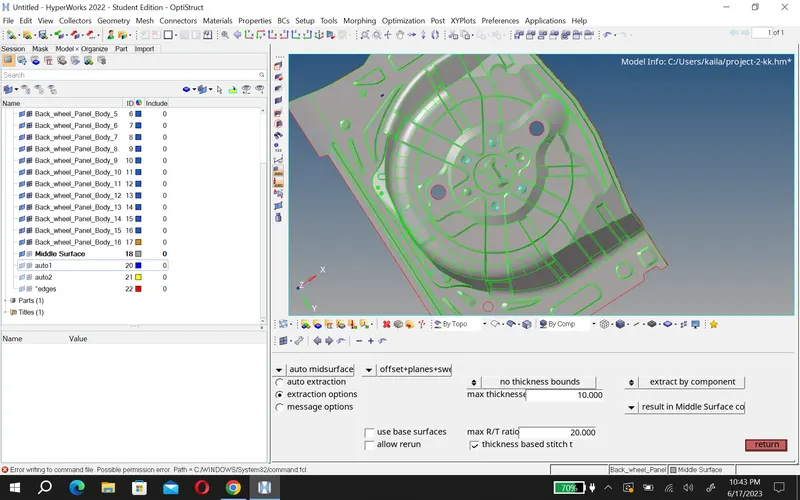
2.Midsurface:- To create a midsurface first measure thickness of component then take midsurface using these tools like-geo>midsurface>automid (then you can chose which you want option like-offset,skin+offset,offset+plen etc).
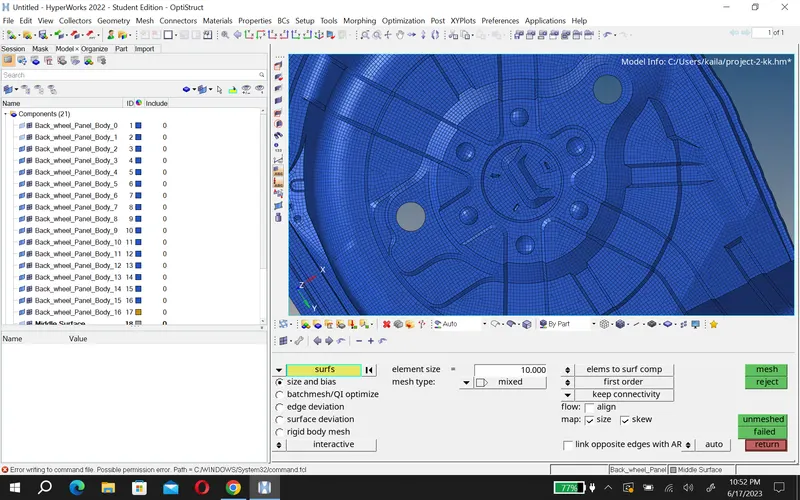
3.Meshing:- Now we ready to generate mesh before creating a mesh set quality criteria.
then go 2D>automesh select the surface and create mesh.
4.Element cleanup:-After creating the mesh we chack failed element and fix them to fix them we can use some cleanup tool.
first go to 2D>quality index>cleanup tool (plaxce node,modify holr and washer,element optmize,split/collapes edge etc.)
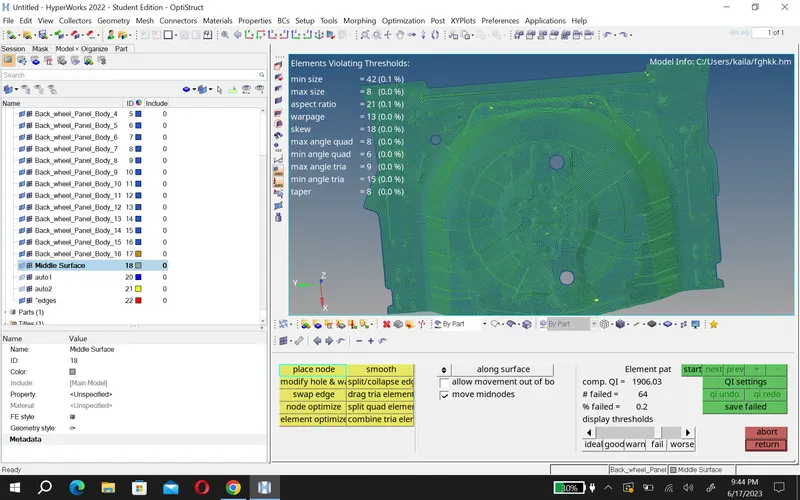
And use some other tool like- replace,smooth,element edit etc.
conclusion:-
- In this project, I learn some new option. And try to create better mesh.