Project 1 - Meshing of Floor Panel
Aim:
Mesh the given component and give thickness.
Given Details:
Floor_Panel_Project step model.
Mesh Quality parameter are Target length 5, Min length 2, Max length 8, Aspect 5, Warpage 15, Skewness 45, Taper 0.5,
Min Quad Angle 45,Max Quad Angle 135, Min Tri Angle 20, Maximum Tri Angle 120, Triangle percentage 10%.
Procedure:
1. Download the model and load the STEP file in ANSA v19.1.
2. Apply TOPO on complete geometry.
3. Check geometry including single cons, apply for auto fix by ANSA.
a.Use show only option to correct errors as shown in Figure.
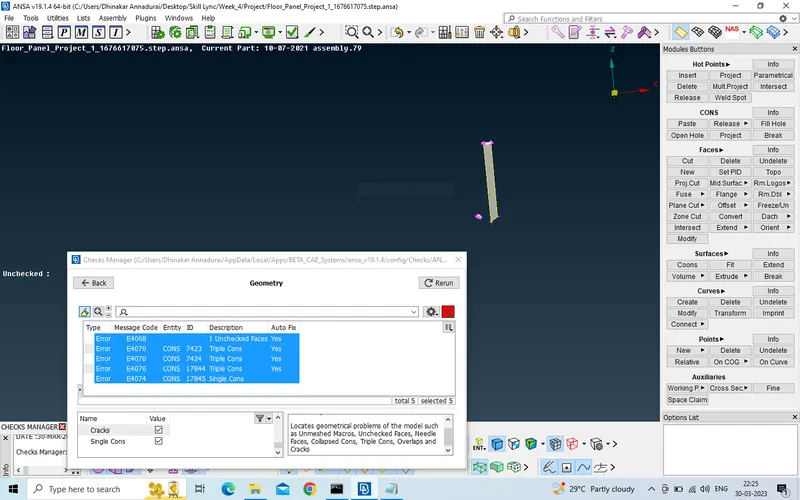
b.Delete wrong surfaces, create necessary faces with cons and hot points.
c.release triple cons, delete unneccesary hot points and use topo.
d. Geometry check status shows succesful and final geometry is shown in figure.
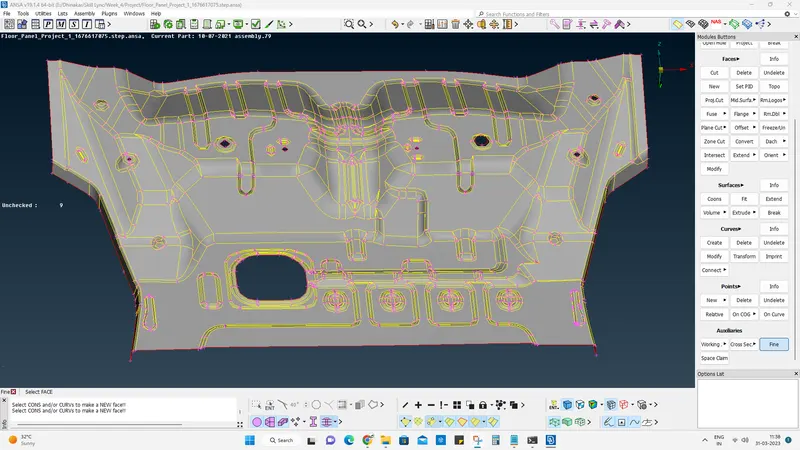
4. On measuring the thickness at different location it shows more or less 1 mm.
5. Use offset for 0.5 mm to create mid plane as shown in figure. But the plane is not exactly modelled so it is corrected as follows.
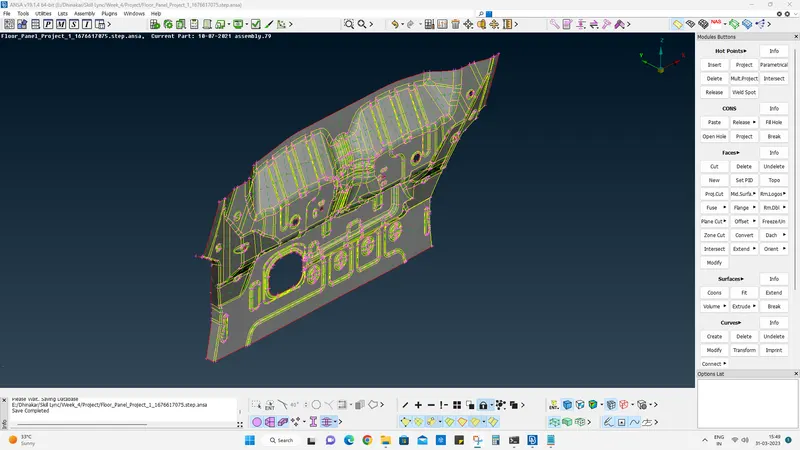
a. Release triple cons and double cons, use topo or delete followed by new to create mid surface with
each macro in the range between min Length and max Length.
b. Use measure to ensure that macro is of good and enough of larger shape.
c. Give target length 5mm in mesh module perimeter and perform best mesh.
d. While in mesh module check the mid surface to make a final confirmation and midsurface is shown in figure.
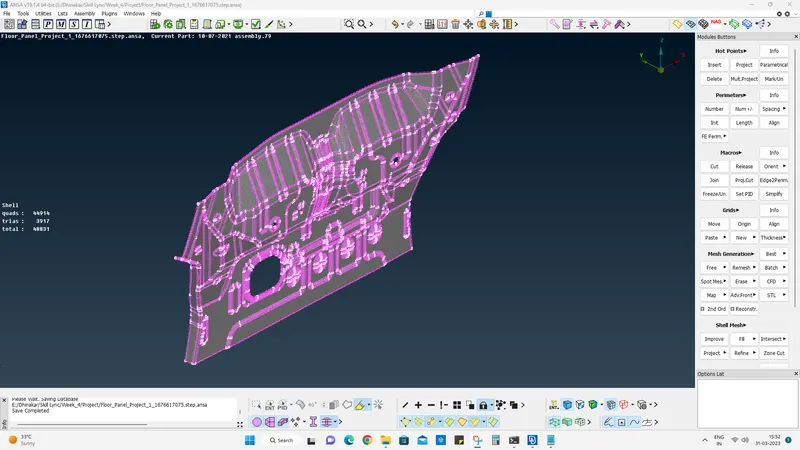
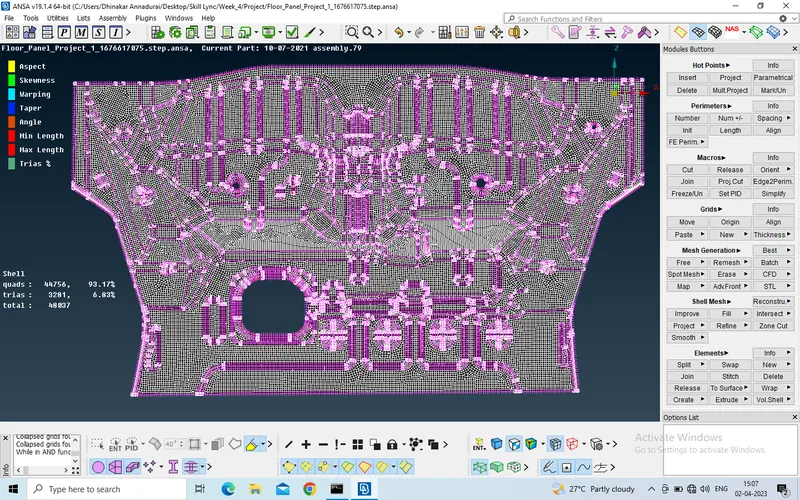
6. Set PID and assign thickness. Use Best mesh to mesh all of the geometry as shown in the figure.
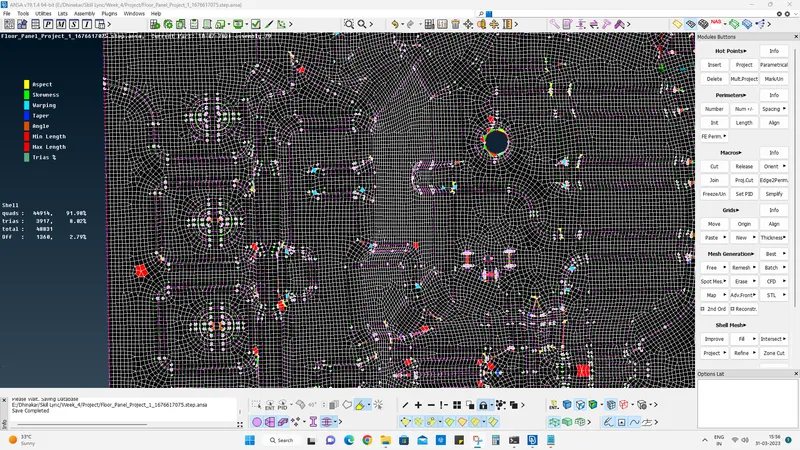
7. Apply Quality criteria and mesh criteria. Highlight mesh shadow to show quality with parameter scale of colour coding. Also % of Traingle and Quad elements.
a. Use Join on unneccessary cuts to correct the meshes.
b. Use split and swap to reorganize the meshes.
c. Use reconstruction to make mesh to get solved in local macro.
8. Final Mid-Surface with thickness is shown in the Figure.
Conclusion:
Component is meshed and assigned thickness.