Project 1 - Controlling a DC motor using PWM and monitoring its Running status
Embedded Live Batch 12 [Preeti Mam]
Aim - To Implement a system on the simulator for controlling a DC motor using L293 motor driver, monitor its status and print the running status of motor on the LCD Display.
Theory -
- Required Code is created in Microchip Studio and circuit in SimulIDE.
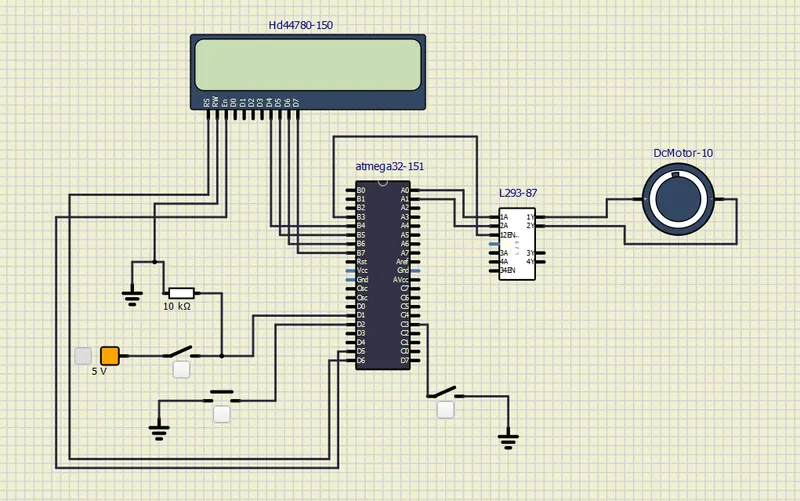
- In this Project, we control the DC Motor with L293 Motor Driver. Further, we print the status of the motor in the LCD Display.
- We have 3 different Push buttons/Switches to control the DC Motor.
- We have configured C3 as switch to power the motor.
- For direction control, we have configured D1. For Speed Control, we have configured D2.
- Interrupt helps us to change the speed effectively.
- Here is a look at our circuit -
Results -
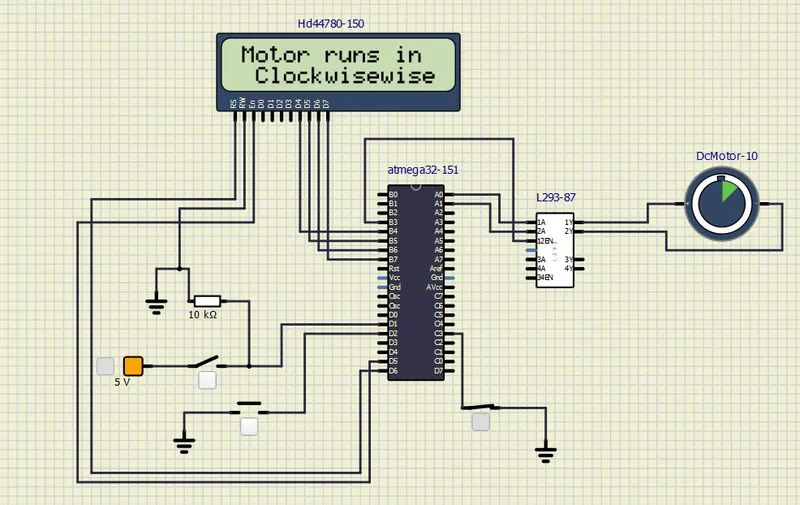
- Motor Starts running in Clockwise direction as C3 Power Switch is Turned ON i.e Closed.
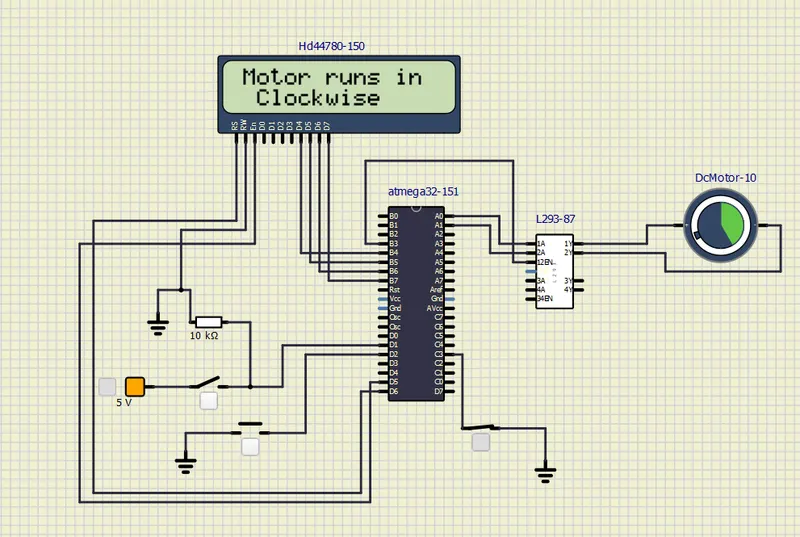
- We Push D2 Speed Control Button to increase the speed of the Motor. The Green Semi-Circular pattern inside the Motor shows the speed of the motor increased.
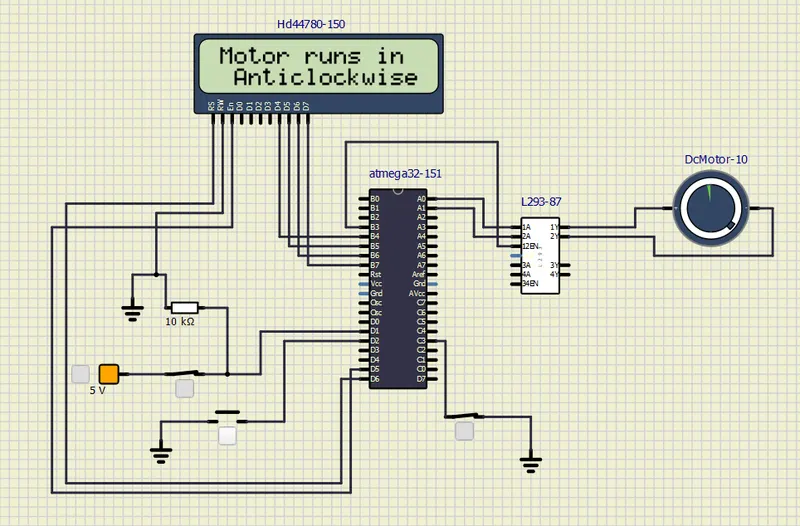
- Now, we push the D1 Direction Control Button to change the direction. After we push this button, the LCD Display will show which direction is DC Motor is running in. Further, we can observe the direction in DC Motor as well.
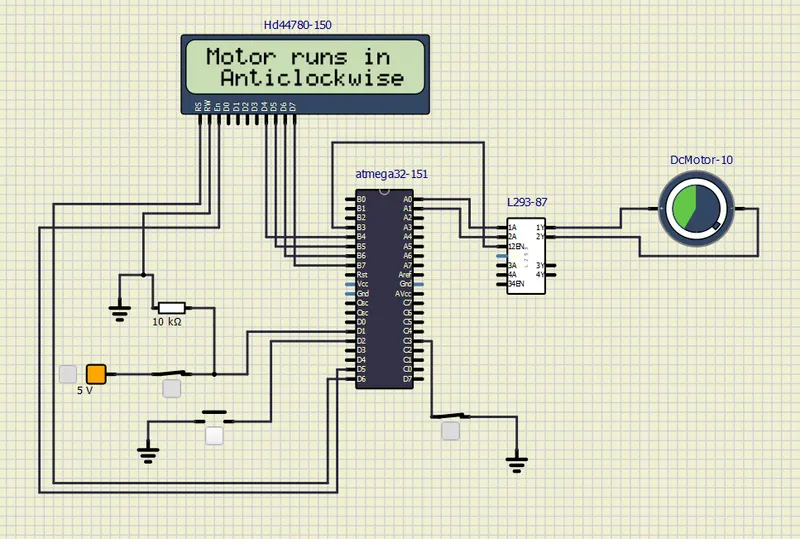
- Now while the Motor is running in Anti-Clockwise direction, We Push D2 Speed Control Button to increase the speed of the Motor. We can observe Speed change in DC Motor as the Green Semi-Circular Pattern is changed.
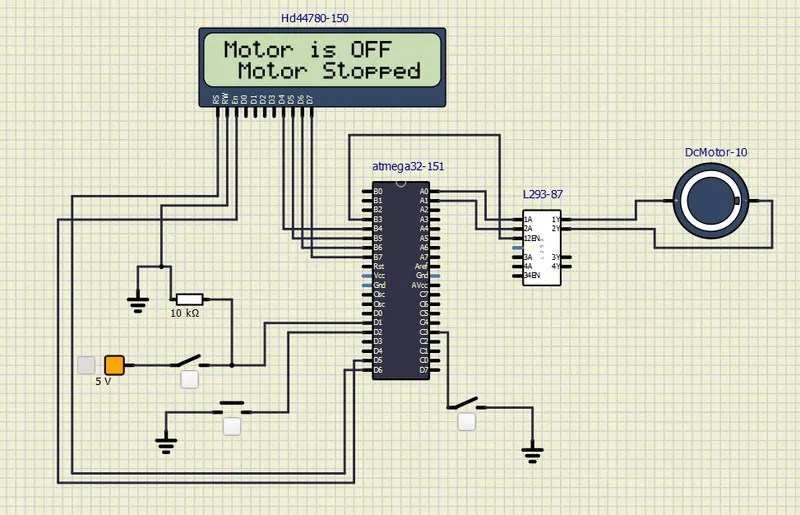
- Now, we open the C3 Power button to turn of the Motor Function. LCD Display will show the current status as shown above.
- Hence, the Project is done successfully.