Project 1_Comparative study of different storey buildings for Seismic forces
PROJECT-1
AIM: Comparative study of different story buildings for Seismic forces.
INTRODUCTION: In this project, I analyzed the dynamic characteristic of buildings in ETABS software and studied the influences of height, different column sizes, different orientations of columns, and connection of the base of columns on dynamic characteristics. The dynamic characteristics of buildings are natural time periods, natural frequency, and mode of oscillation.
- This is the case study I did on ETABS software.
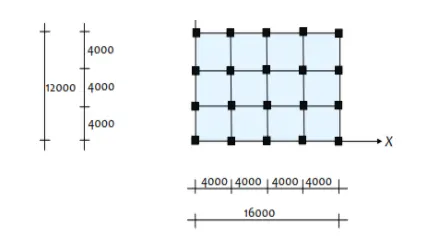
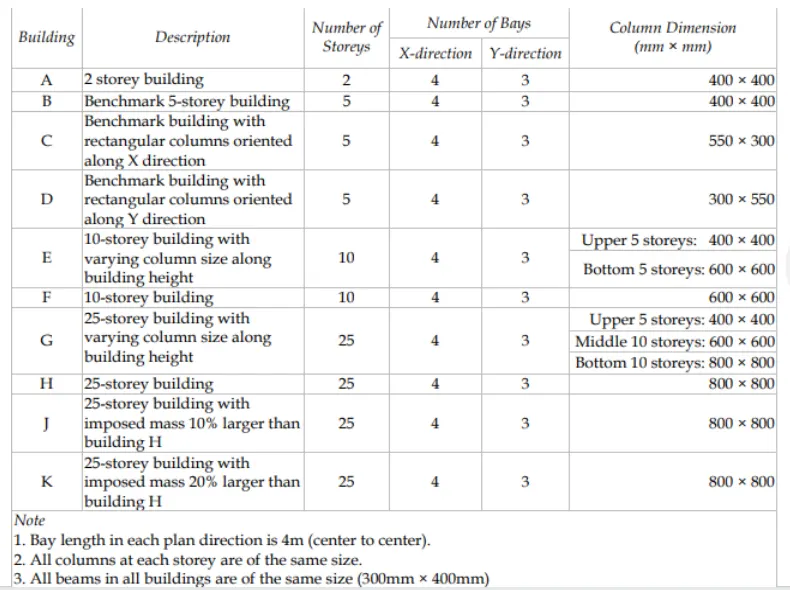
PLAN VIEW
- Factors affecting the dynamic characteristics of the building.
- Height of building
- geometry of building
- stiffness
- mass of building
- structural system
- column orientation
- column-beam connection
- type of materials used
- degree of fixity at the base column
PROCEDURE: (MODEL-A)
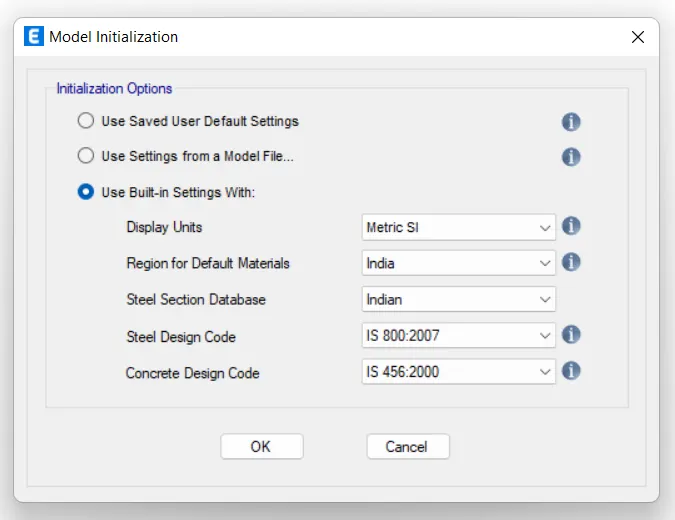
- open ETABS >> new model
- set ETABS units
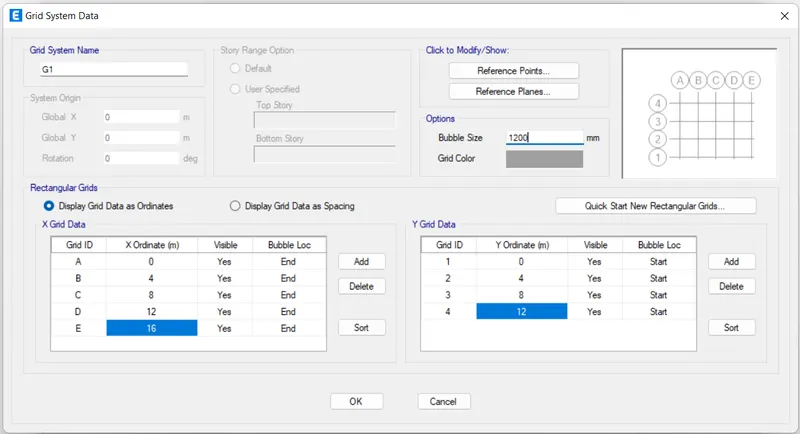
- set grids spacing and story height setting. Using this we can plot the plan in grids form.
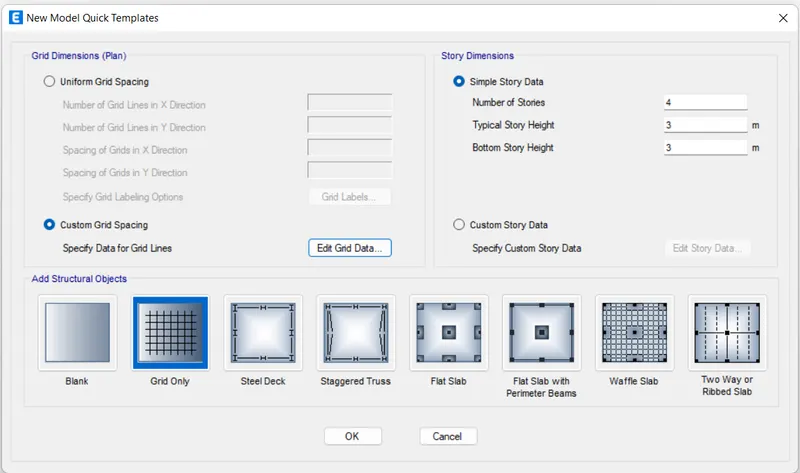
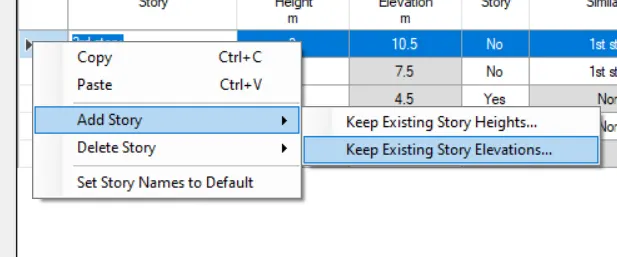
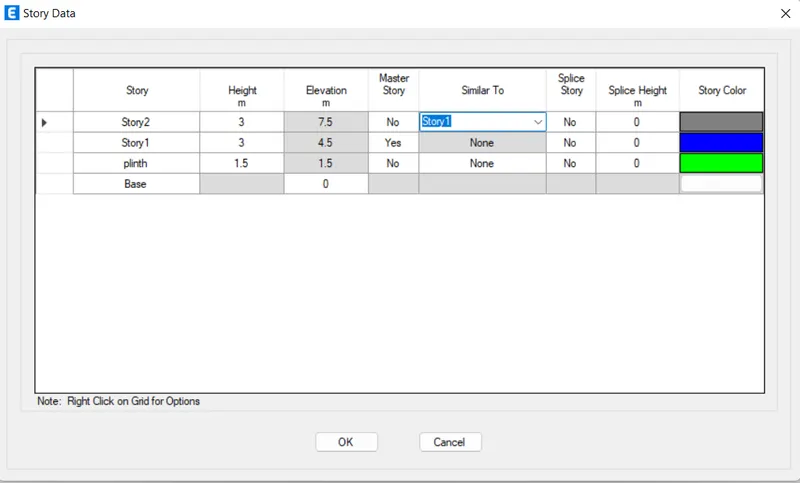
- now customize the story data and add and delete the stories as per required.
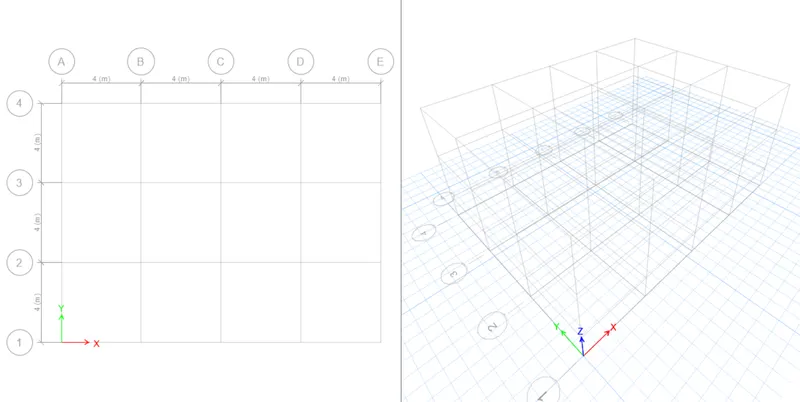
- after filling in grids values and story data, then we will get a model like this in ETABS.
- After getting the geometry of the model. Now first define materials properties and section properties in ETABS.
- Go to define >> materials properties>> add new material >> concrete and rebar
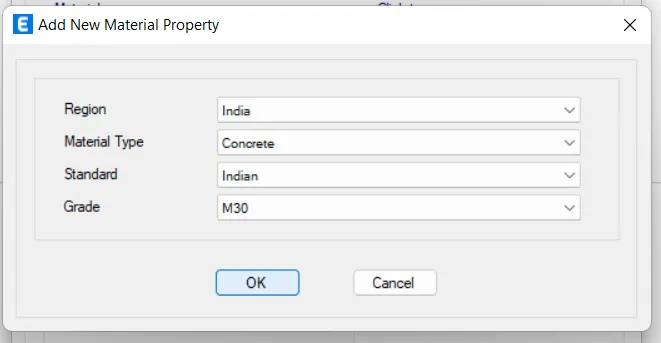
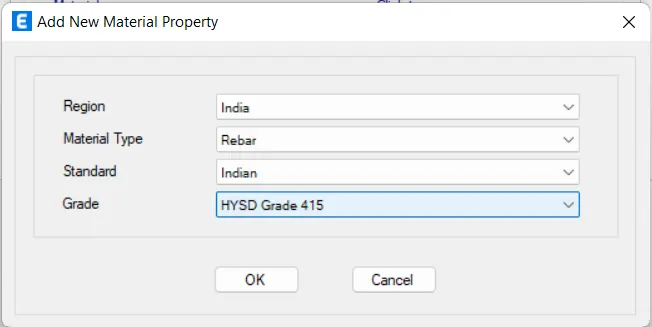
- go to define>> section properties>> frames section( beams 300x400, column 800x800 ) and slab 150mm
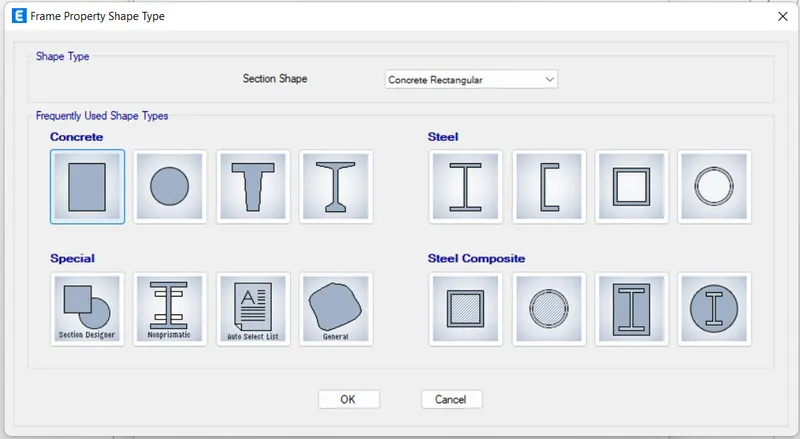
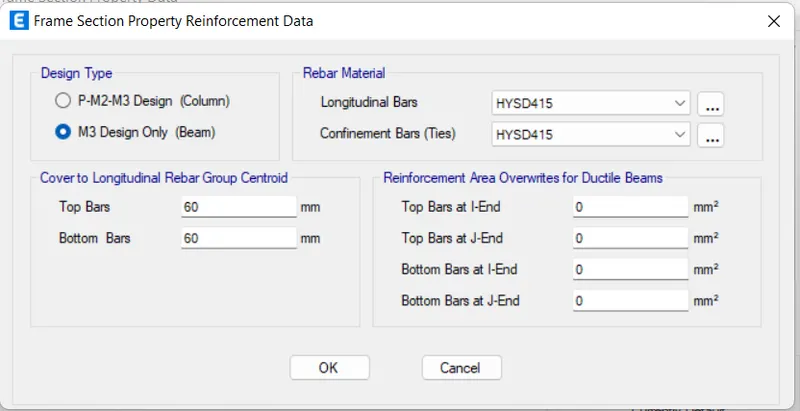
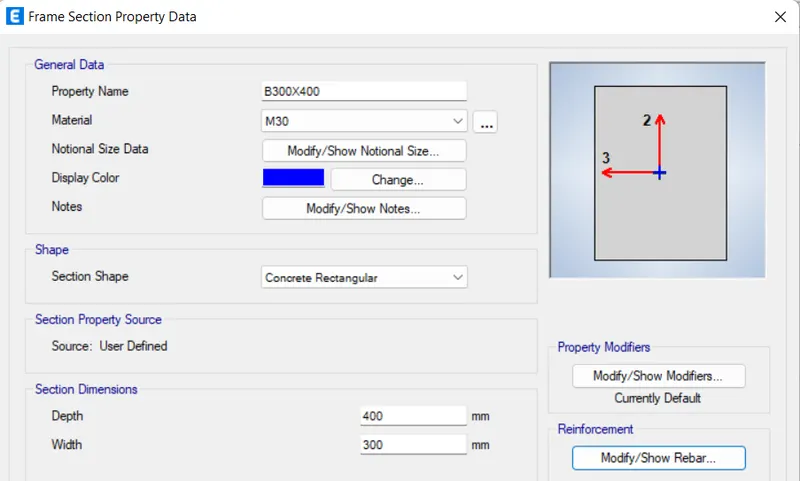
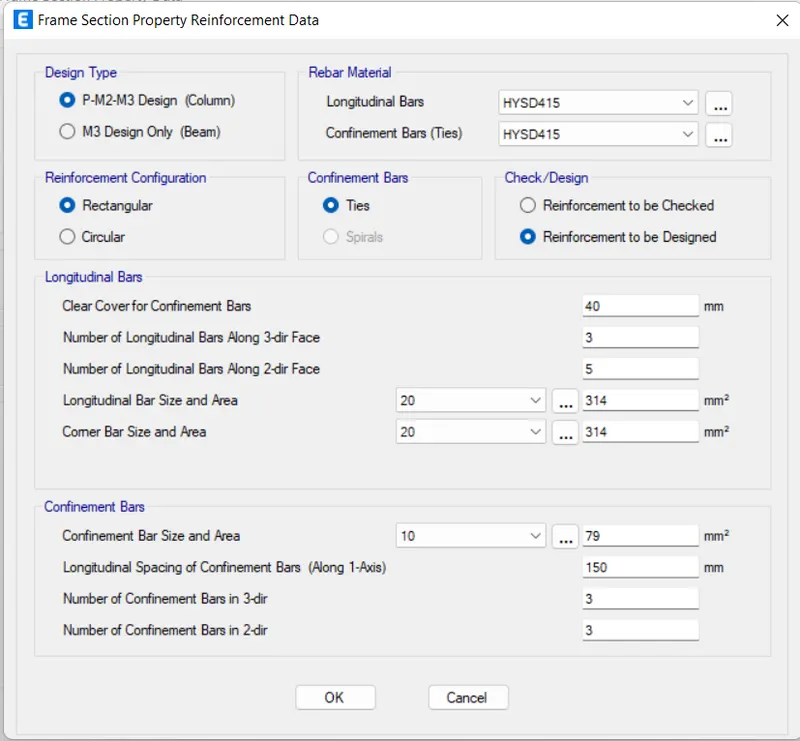
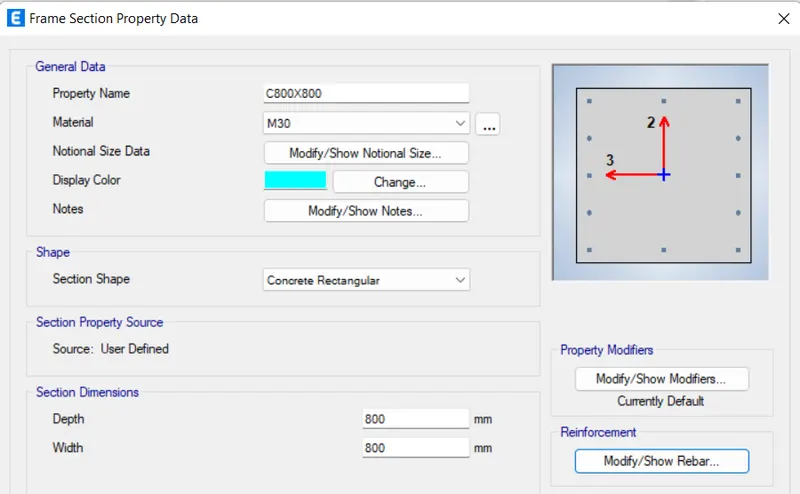
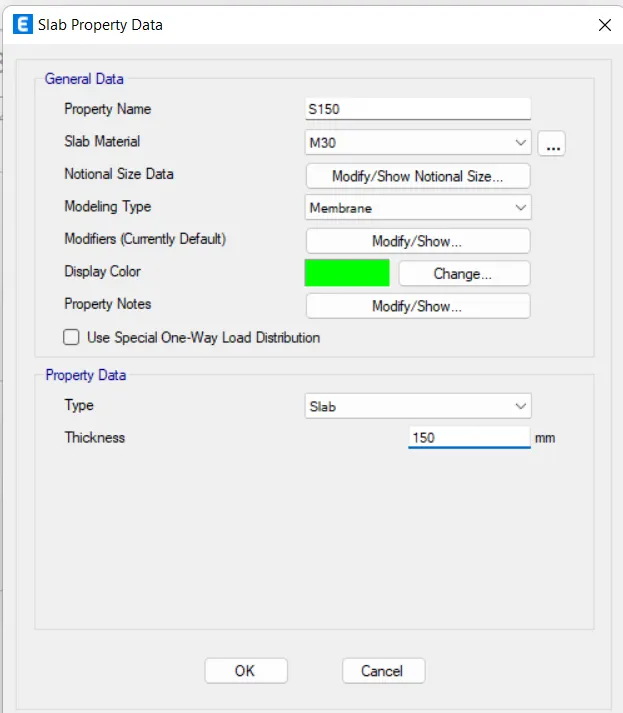
- Assign the column in the model.
- choose the quick column option>>and select the grides for assigning the column position.
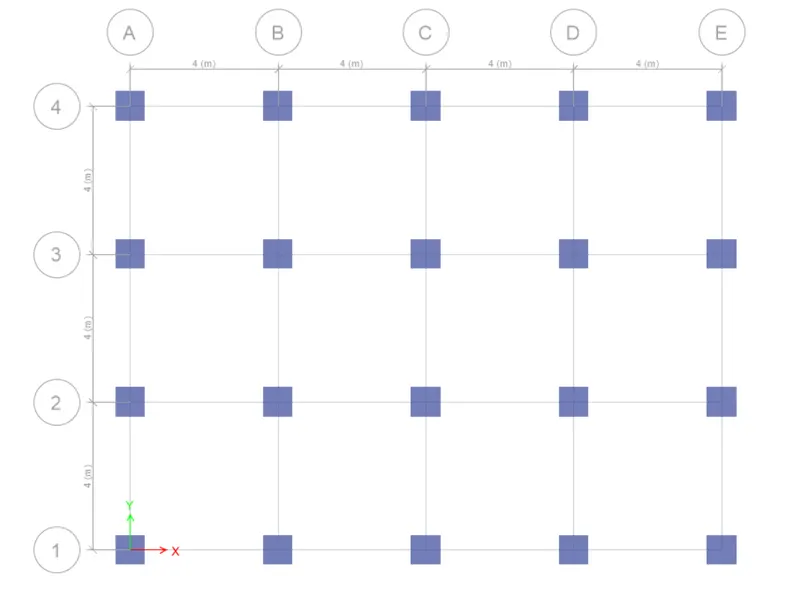 assign for all stories
- Assign the beams in the model.
- choose the quick beams option>>and select the frames for assigning the beams' position.
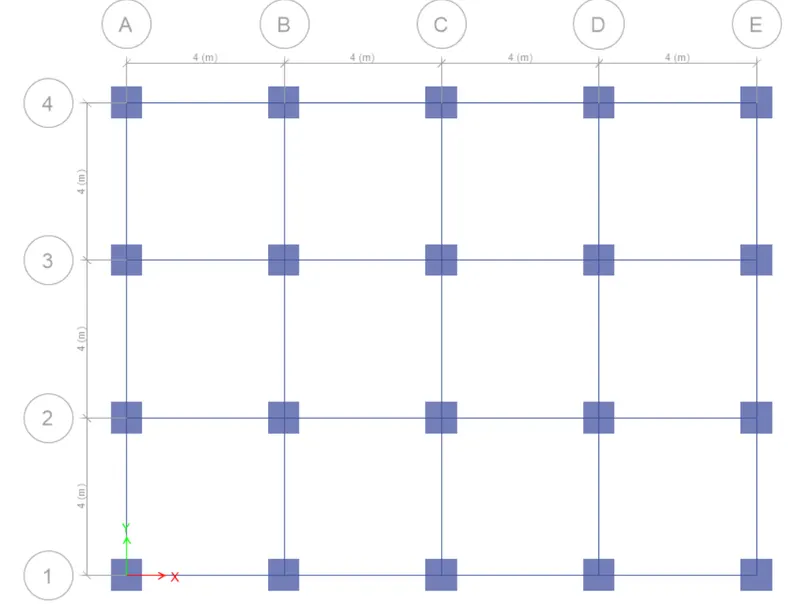 assign for all stories
- Assign the slabs to the model.
- choose the quick draw floor option>>and select the frames on the 1st floor for assigning the slabs' position. (1st floor to 25th floor).
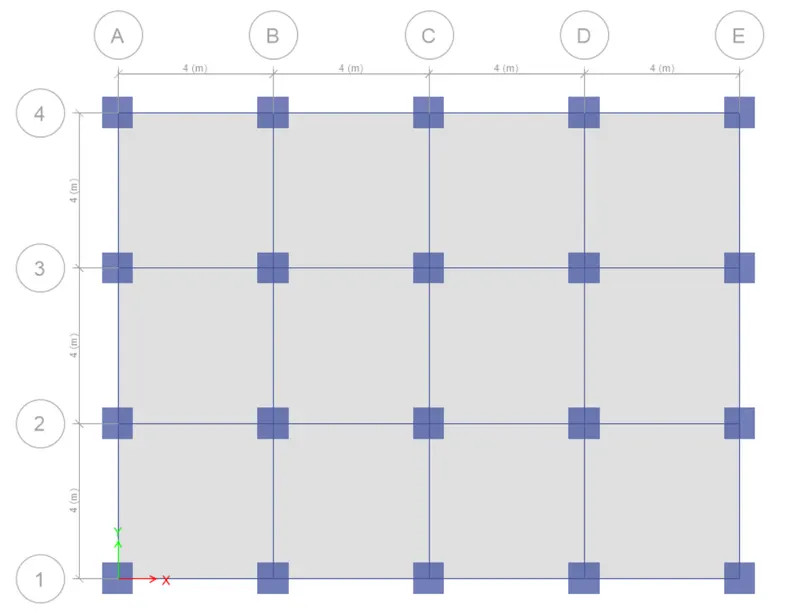 assign for similar stories
- now go to the base floor and select one story and select the position of the columns.
- assign>> joints>>restrains>> pinned.
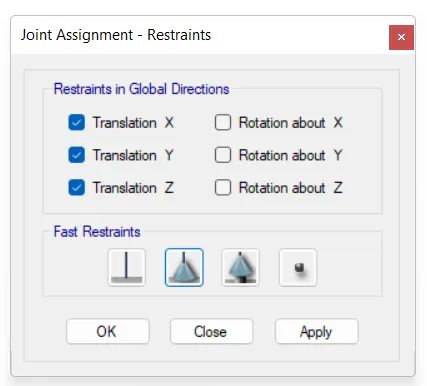
- Till now, we assign all the materials properties and section properties in the model.
- After that First, define the loads that apply in the model.
- dead load(default), live load, brick load, and earthquake load.
Define>> load patterns
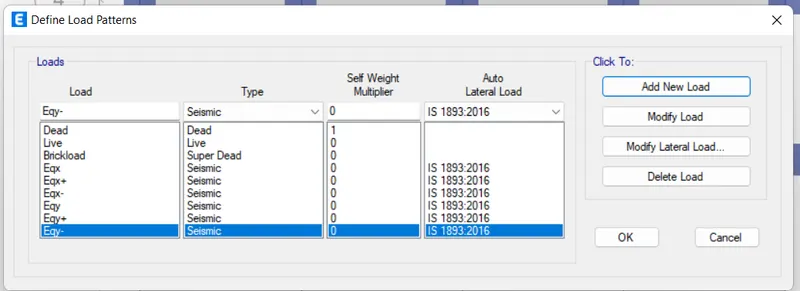
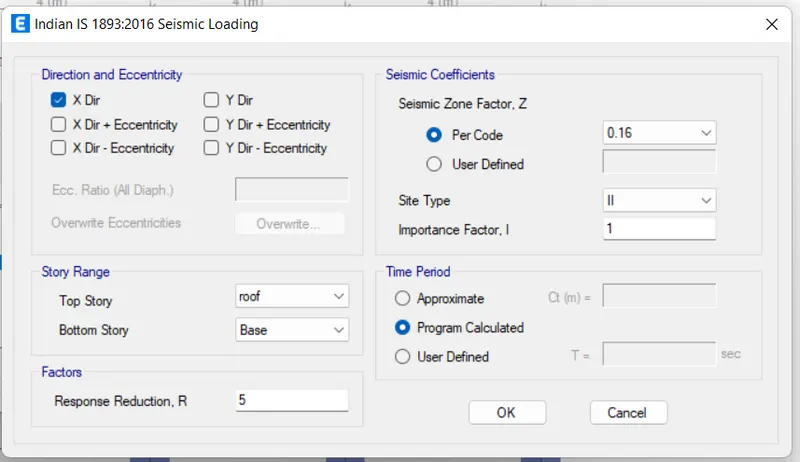 The building is located on Soil type II and in Zone III.
- now assign the live load in the model.
- select the slabs from 1st floor (similar stories mode)(1st floor-2ND floor)
- assign>>shell loads>>uniform loads >>live load(3kN/m2)
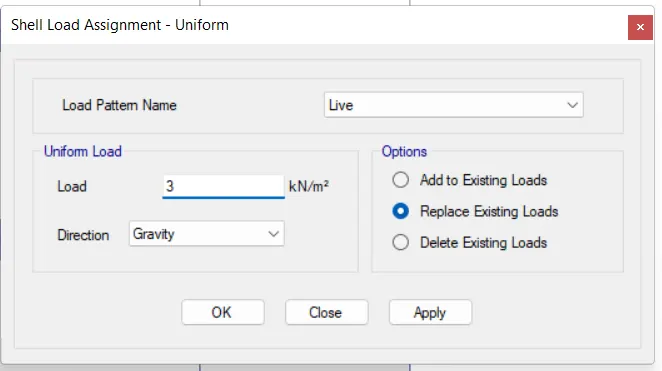
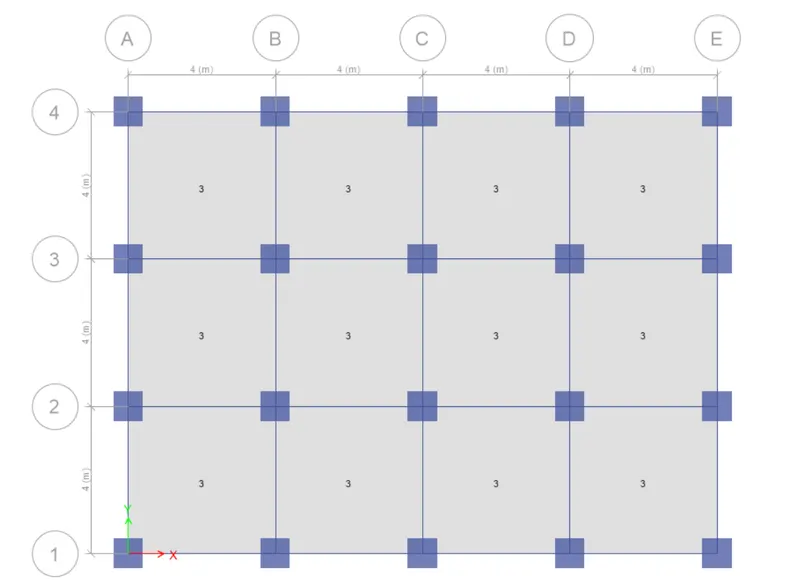
- for the roof floor, we take a live load value of 1.5 kN/m2.
- Now assign a brick load on the model from Plinth to the 24th floor.
- first, select all beams and go to the assigned tab>>frame loads>>distributed>>brickload>>uniform load 10
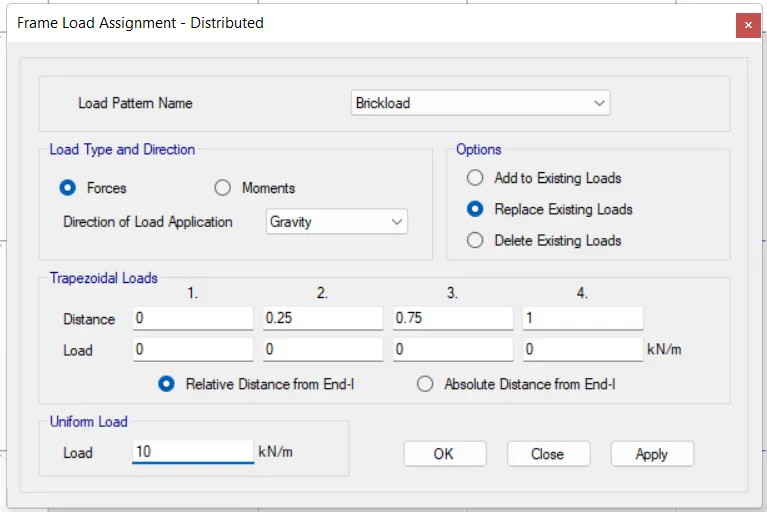
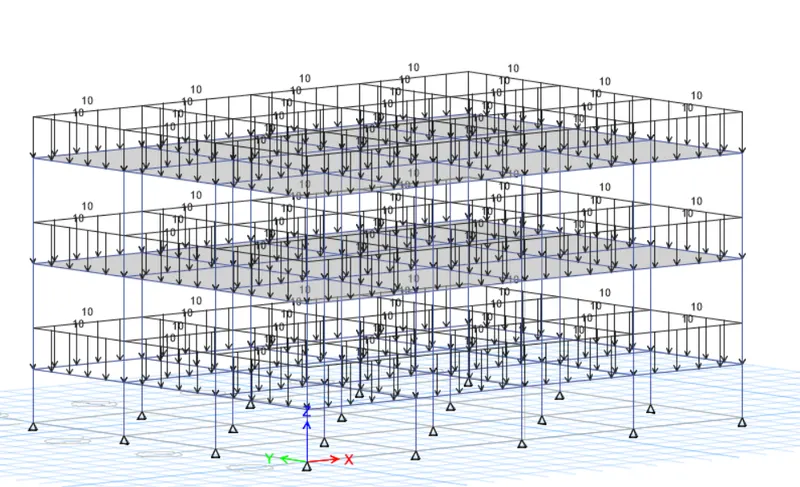
- On the rooftop floor, we assume a brick load of 5KN/m2.
- Before assigning the earthquake load in the structure. First, define mass source.
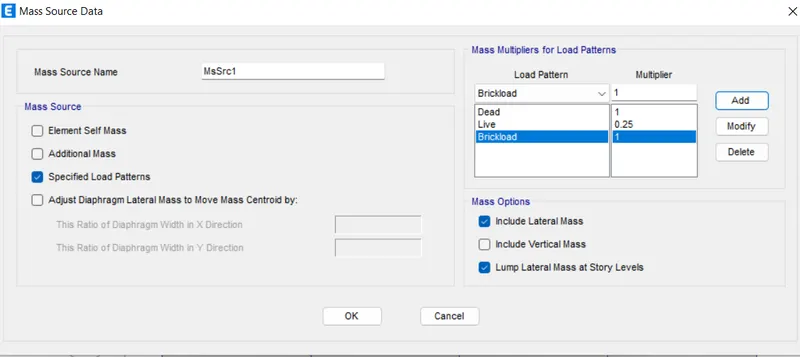
define diaphagram for all floors.
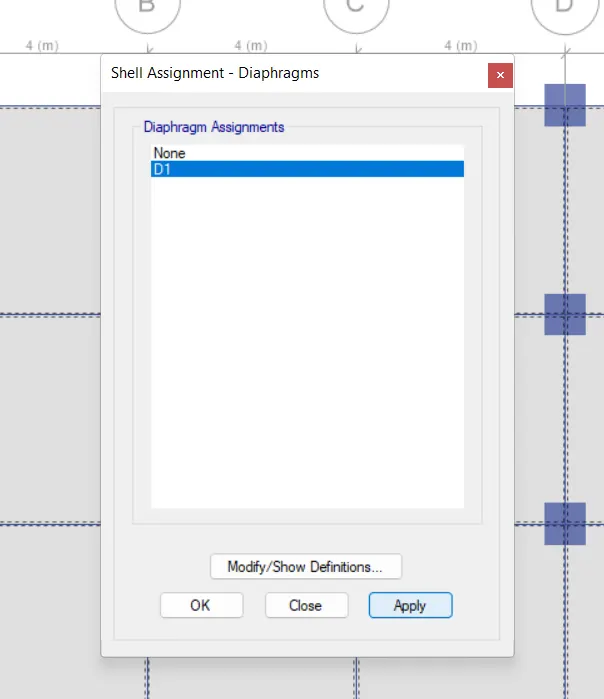
- define load combination for all loads.
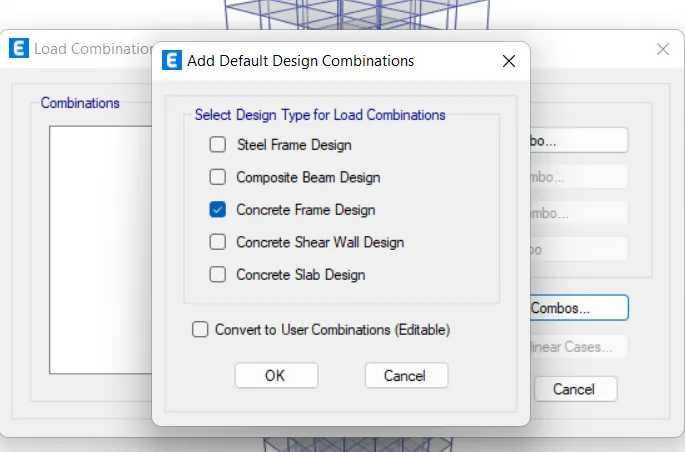
- now check the model.
- then analyze the model.
PROCEDURE: (MODEL-B)
- save as model-A to model-B and Edit it.
- Every step is the same.
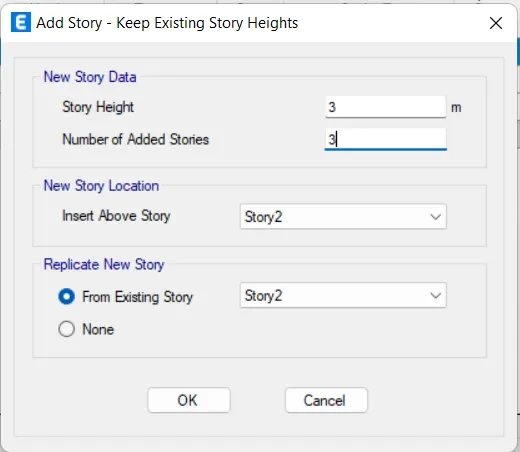
- a number of stories are changed.
- 2 stories to 5 stories.
- Go to edit >> add stories and grids system.
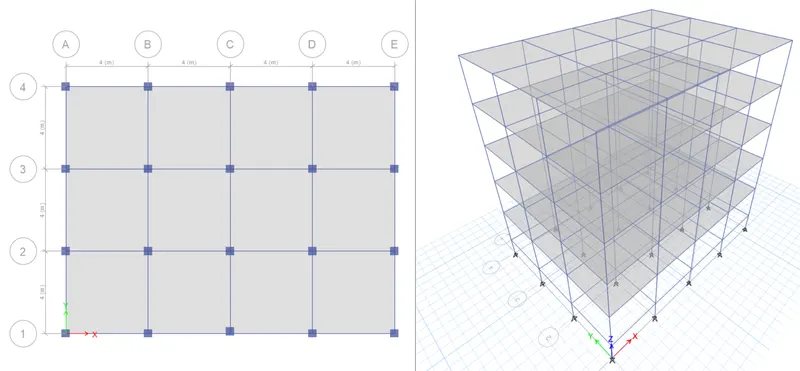
- In ETABS, there is no need to define again material property, section, and assign loads. This software does these automatically. But you have to check it again for your own verification.
- now analyze and run.
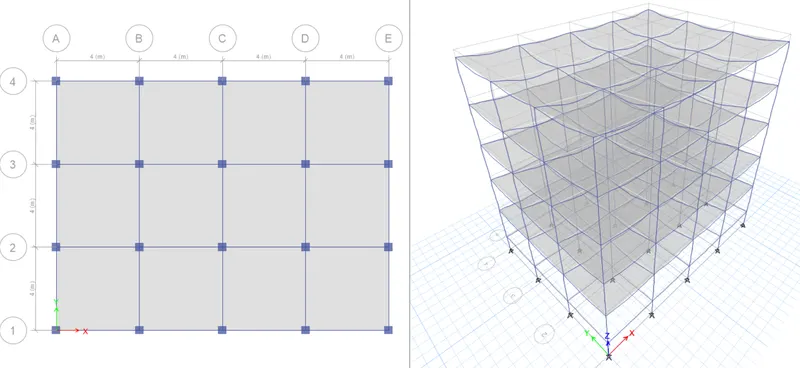
PROCEDURE: (MODEL-C)
- save as model-B to model-C and Edit it.
- Every step is the same.
- a number of stories are the same.
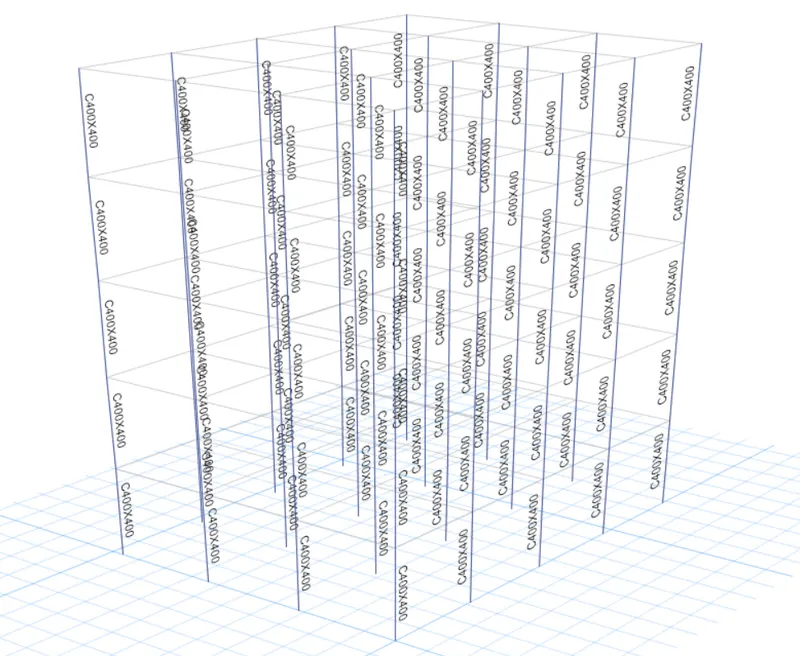
- column orientation along the x-axis and column size is 550mm x 300mm
- Now go to define>> section properties> and modify C400X400 into C550x300
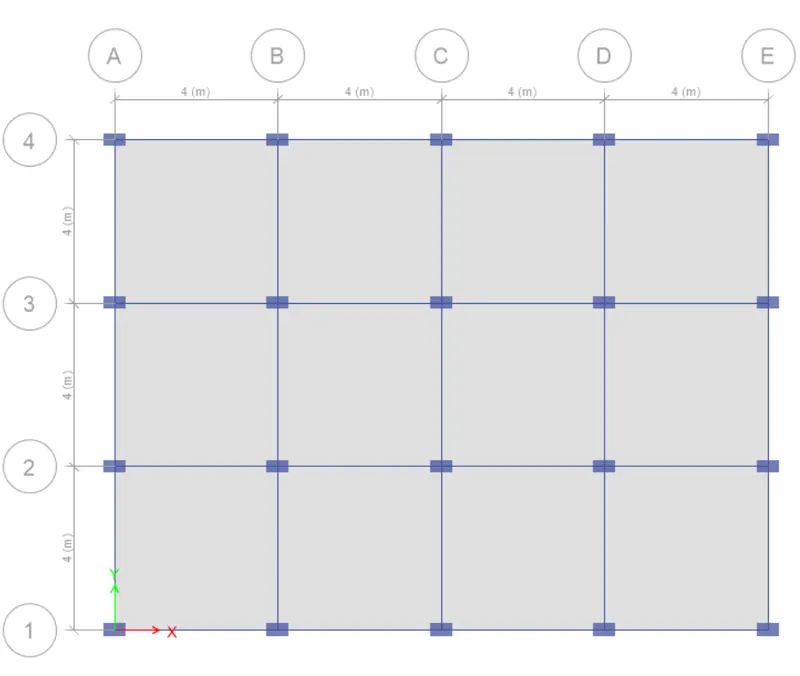
- In ETABS, there is no need to define again material property, section, and assign loads. This software does these automatically. But you have to check it again for your own verification.
- now analyze and run.
- save it
PROCEDURE: (MODEL-D)
- save as model-C to model-D and Edit it.
- Every step is the same.
- a number of stories are the same.
- column orientation along the Y-axis and column size is 300mm x 550mm
- Now go to define>> section properties> and modify C550X300 into C300x550
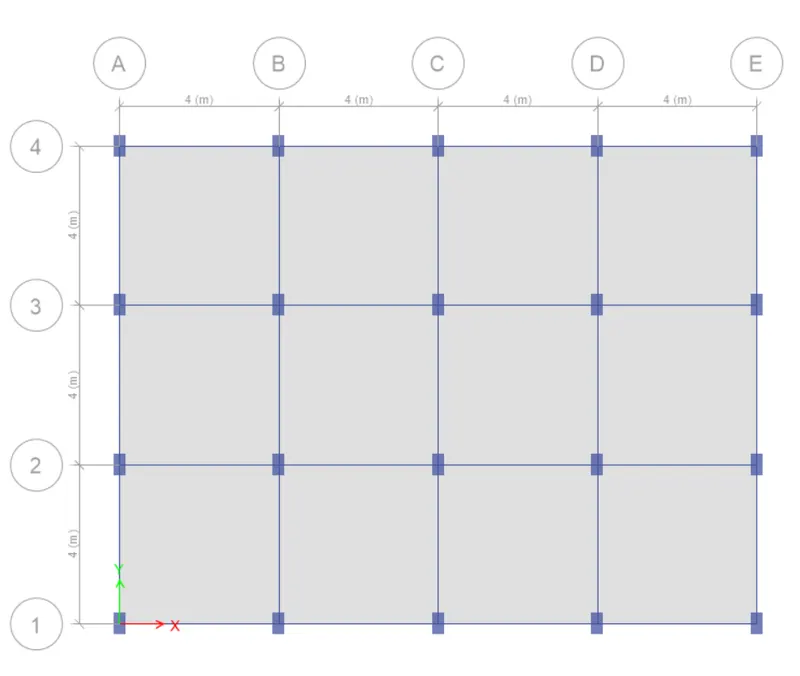
- In ETABS, there is no need to define again material property, section, and assign loads. This software does these automatically. But you have to check it again for your own verification.
- now analyze and run.
- save it
PROCEDURE: (MODEL-E)
- save as model-D to model-E and Edit it.
- Every step is the same.
- NO. of stories is 10.
- Bottom 5 stories- C600X600
- UPPER 5 Stories- C400X400
- Go to edit >> add stories and grids system.
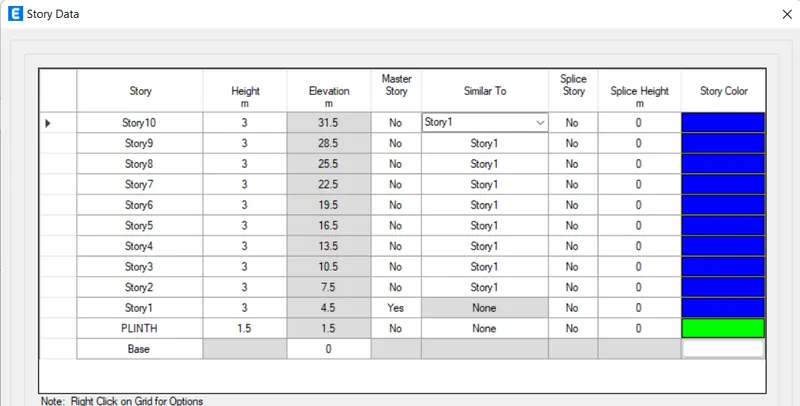
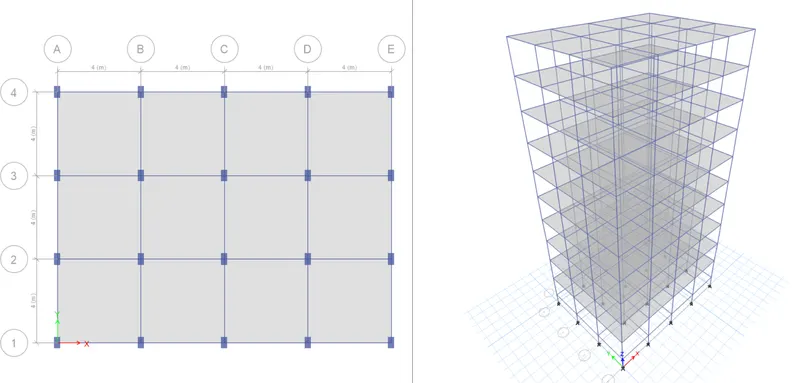
- define section property with C600X600 and C400X400
- First, assign the column 600x600 in all 10 stories.
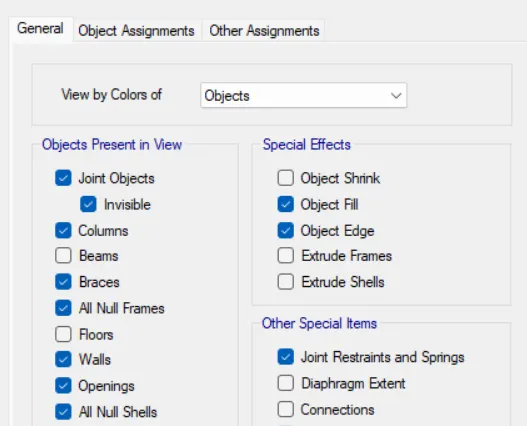
- for assigning C400X400 to the top 5 stories, first, untick beams and floors in the view.
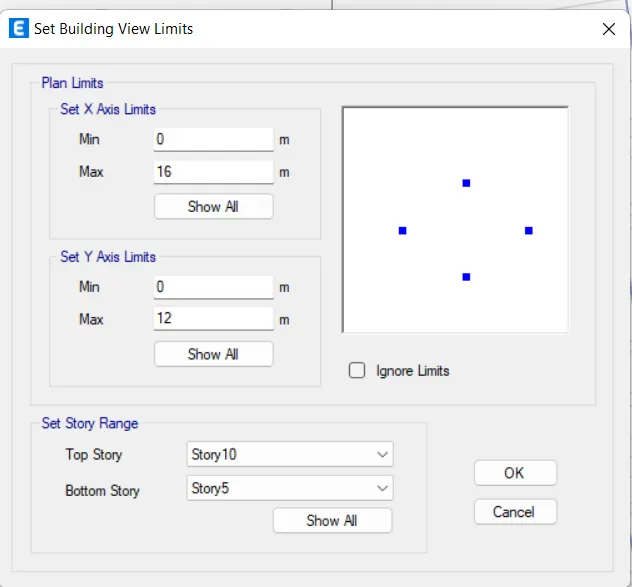
- now set the view limits from top10 to the top5 floor. view>> set the building limits
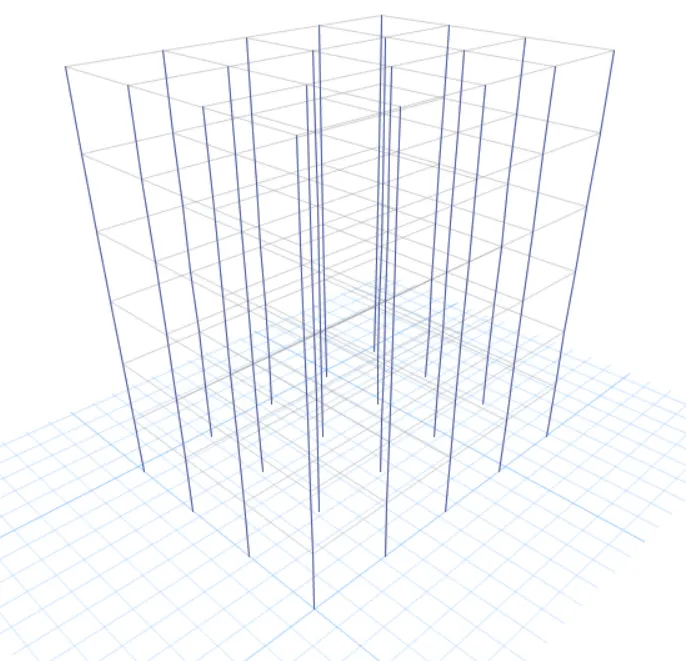
- now select all columns and assign section property C400x400mm
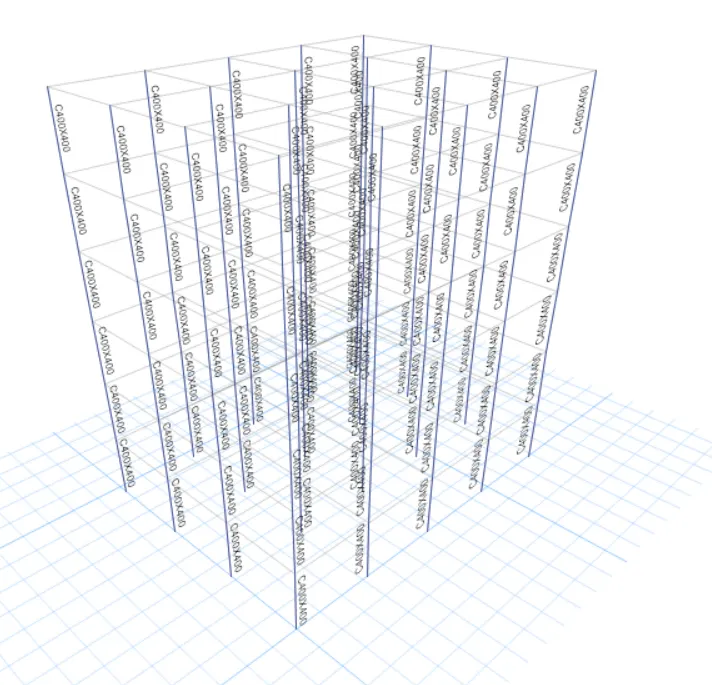
- so you see that all column is assigned in the model.
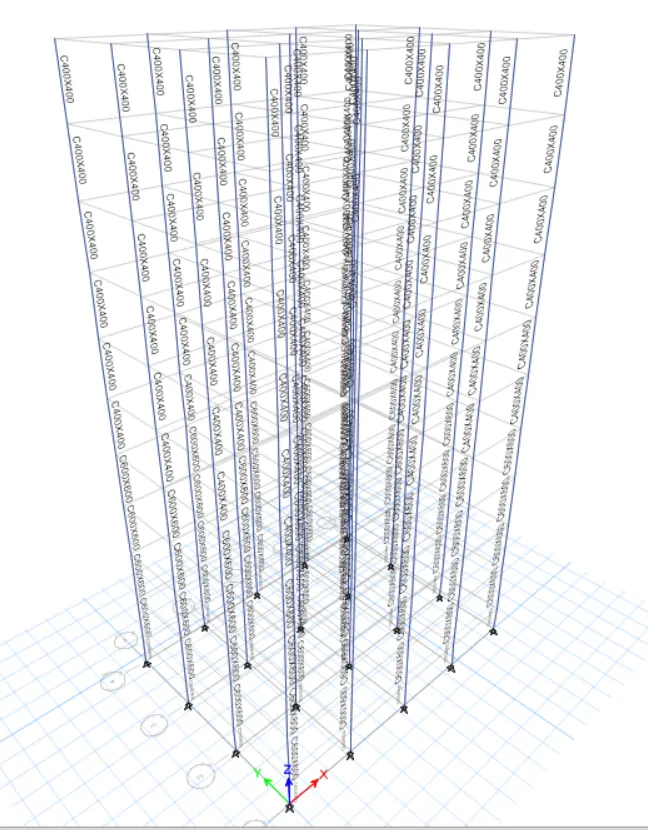
- In ETABS, there is no need to define again material property, section, and assign loads. This software does these automatically. But you have to check it again for your own verification.
- now analyze and run.
- save it
PROCEDURE: (MODEL-F)
- save as model-E to model-F and Edit it.
- Every step is the same.
- NO. of stories is 10.
- ALL 5 stories- C600X600
- first, untick beams and floors in the view.
- now set the view limits from top10 to the top5 floor. view>> set the building limits
- Select the column to 5 stories and assign the C600X600 to it.
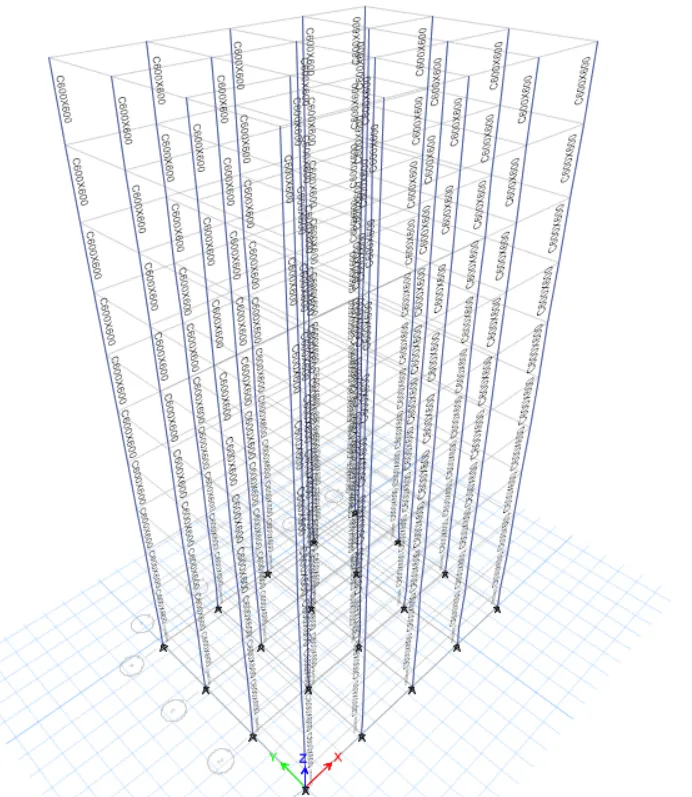
- In ETABS, there is no need to define again material property, section, and assign loads. This software does these automatically. But you have to check it again for your own verification.
- now analyze and run.
- save it
PROCEDURE: (MODEL-G)
- save as model-F to model-G and Edit it.
- Every step is the same.
- NO. of stories is 25.
- Upper 5 - C400X400
- Middle 10 - C600X600
- Bottom10- C800x800
- Change the no of stories from 10-25 storeys.
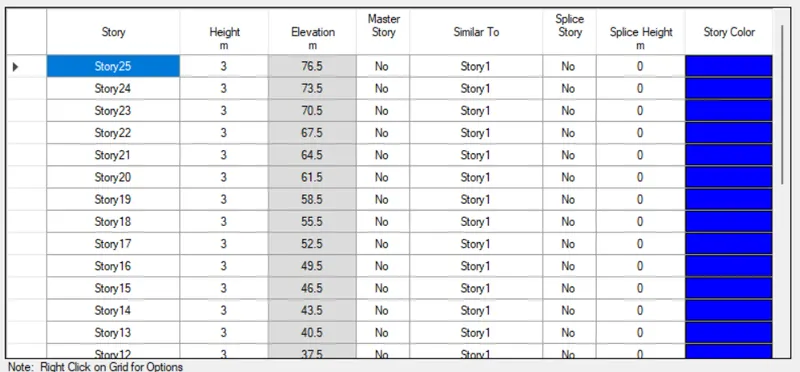
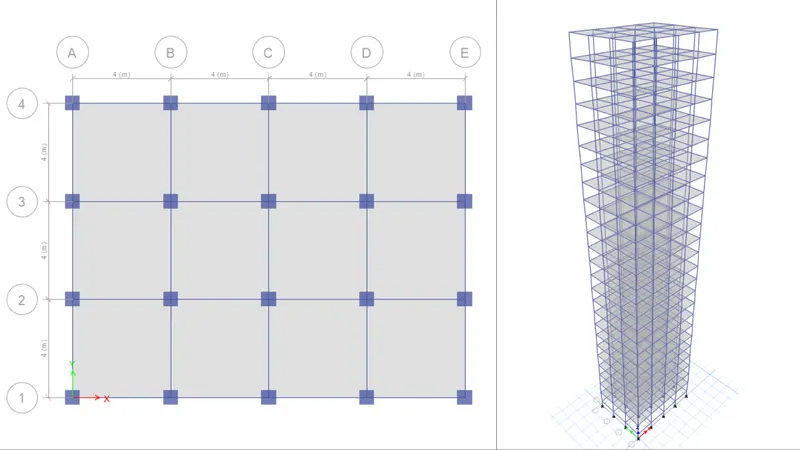
- after that define the section property C400X400, C600X600, C800X800
- now set the view limits and assign section property in the column as per the condition given.
Upper 5 storeys - C400x400 Middle 10- C600X600 Bottom 10- C800x800
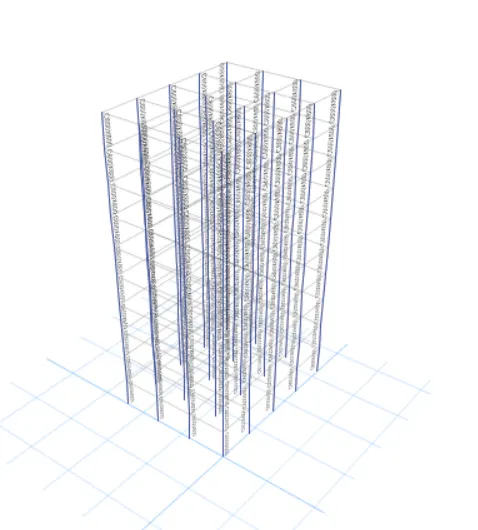
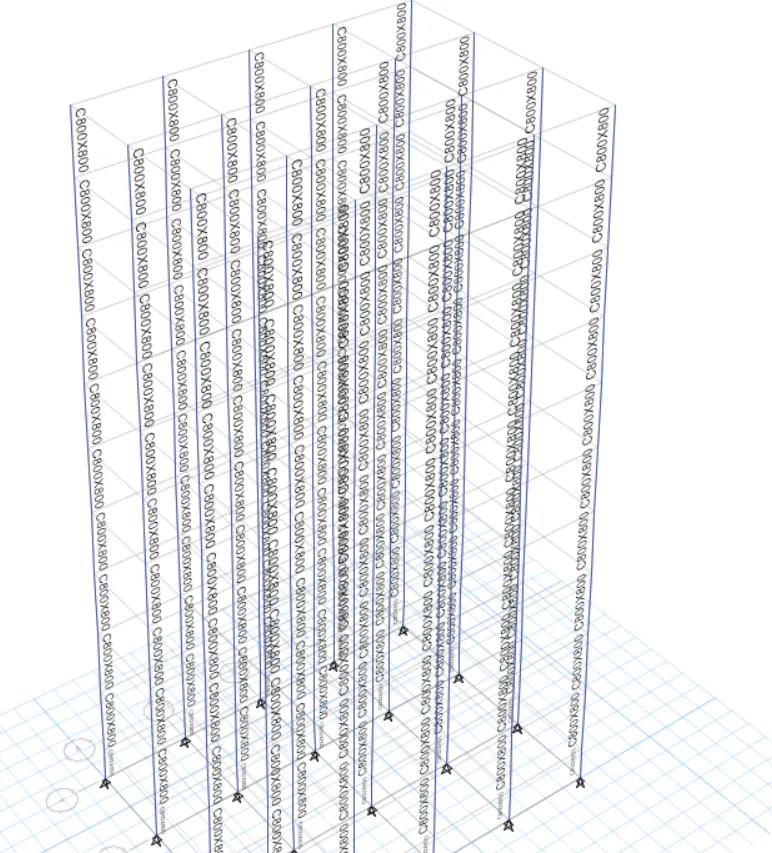
- After assigning all the section property in it.
- analyze the model and run it.
PROCEDURE: (MODEL-H)
- save as model-G to model-H and Edit it.
- Every step is the same.
- NO. of stories is 25.
- ALL Storeys - C800x800
- first, untick beams and floors in the view.
- now select all columns and assign property C800X800 to them.
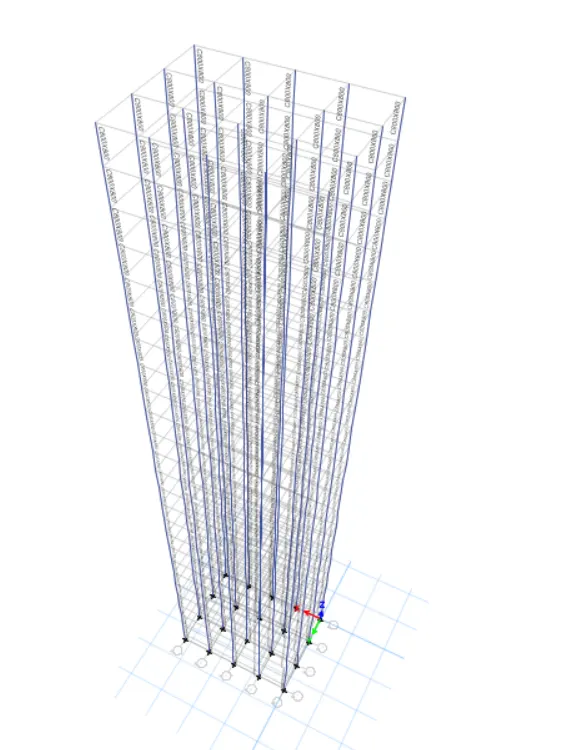
- In ETABS, there is no need to define again material property, section, and assign loads. This software does these automatically. But you have to check it again for your own verification.
- now analyze and run.
- save it
PROCEDURE: (MODEL-I)
- save as model-H to model-I and Edit it.
- Every step is the same.
- NO. of stories is 25.
- ALL Storeys - C800x800.
- Imposed load is 10% greater than model H.
- No structural changes only imposed load changes from 3KN/m2 to 3.3 KN/m2.
- select floor and assign new imposed load.
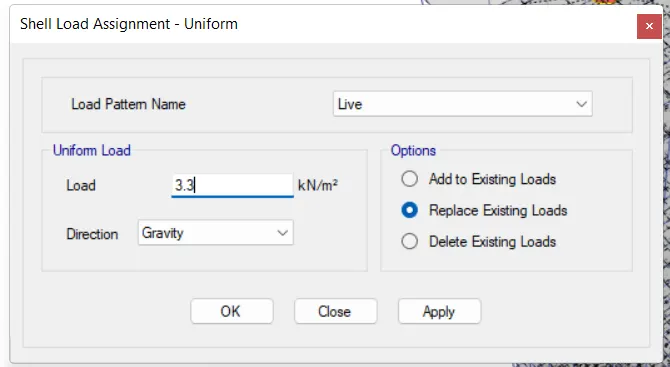
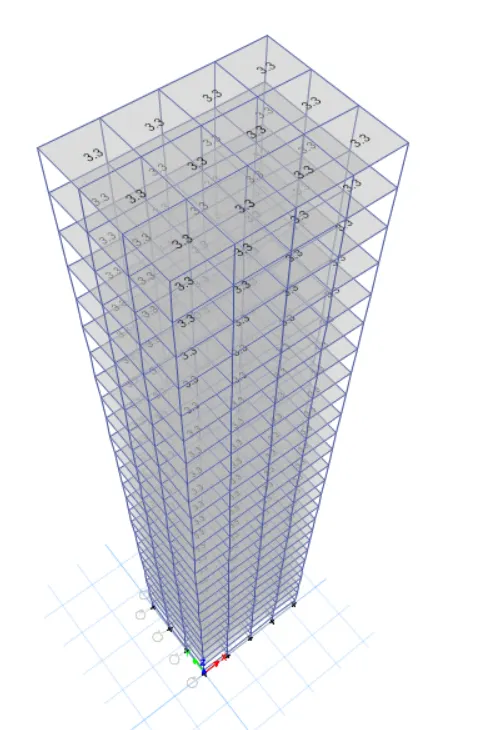
- In ETABS, there is no need to define material property, section again, and assign loads. This software does these automatically. But you have to check it again for your own verification.
- now analyze and run.
- save it
PROCEDURE: (MODEL-J)
- save as model-I to model-J and Edit it.
- Every step is the same.
- NO. of stories is 25.
- ALL Storeys - C800x800.
- Imposed load is 20% greater than the model I.
- No structural changes only imposed load changes from 3.3KN/m2 to 3.6 KN/m2.
- select floor and assign new imposed load.
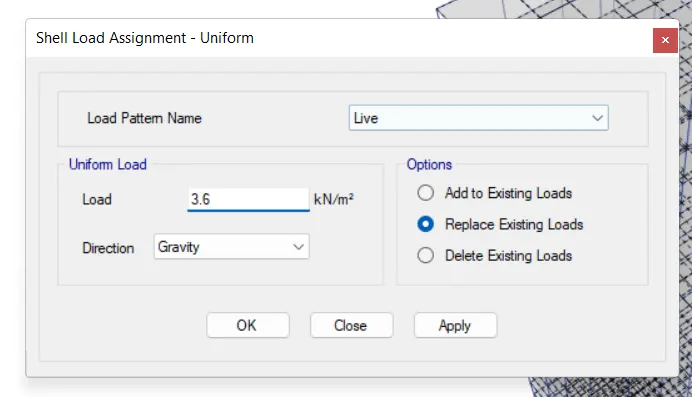
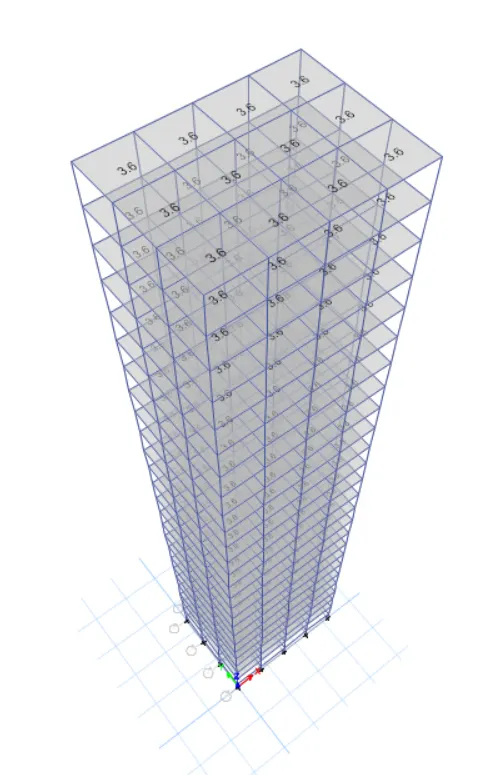
- In ETABS, there is no need to define material property, section again, and assign loads. This software does these automatically. But you have to check it again for your own verification.
- now analyze and run.
- save it
RESULT:
- Effect of stiffness on time period on buildings.
| Criteria | Model | Analysis result | Conclusion |
|
Building-E (10 storeys with varying column sizes) |
1.755 sec | For low-rise buildings, changing the column size does not have much effect on the time period of the building. As you see in the analysis result, the time period is nearly the same. |
|
Building-F (10 storeys with uniform column sizes) |
1.735 sec | ||
|
Building-G (25 storeys with varying column sizes) |
4.17 sec | For High-rise buildings, changing the column size has many effects on the time period of the building. As you see in the analysis result, the time period of the two buildings has much different. |
|
Building-H (25 storeys with uniform column sizes) |
4.416 | And buildings with varying column sizes are more stable than uniform column sizes. as less mass is lumped in buildings, which leads to less lateral displacement. |
- Effect of mass on time period on buildings.
| Criteria | Model | Analysis result | Conclusion |
|
Building-H (25 storeys with 3KN/m2 imposed load) |
4.416 sec |
As we know, as imposed load increases, the time period of the building will also increase. Here, we see that there is no significant increase in the time period even though an increase in the load of the building. Because |
|
Building-J (25 storeys with 3.3KN/m2 imposed load) |
4.425 sec | imposed load is distributed in the building uniformly. | |
|
Building-K (25 storeys with 3.6KN/m2 imposed load) |
4.435 sec |
- Effect of building height on time period on buildings.
| Criteria | Model | Analysis result | Conclusion |
|
Building-A ( 2 storeys building) |
0.5 sec | As per IS 1893: 2016we know the time period is directly proportional to the height of the building so we clearly see from the analysis result that the time period of buildings increases as the height of buildings increases. |
|
Building-B (5 storeys building) |
1.036 sec | ||
|
Building-F (10 storeys building) |
1.735 sec | ||
|
Building-H (25 storeys building) |
4.416 sec |
- Effect of column orientation on time period on buildings.
| Criteria | Model | Analysis result | Conclusion |
|
Building-B ( column 400x400) |
1.1 sec - x direction 1.036 sec- y direction |
As column size is the same in both X and Y directions, there is not much difference in their time period. As stiffness is the same in both directions. |
|
Building-C ( column 550x300) |
0.926 sec - x direction 1.145 sec- y direction |
As column size is the not same in both X and Y directions, there is much difference in their time period. As stiffness is not the same in both directions. | |
|
Building-D (column 300x550) |
1.12 sec - x direction 0.953 sec- y direction |
In building c, deformation is more in the Y direction compared to the X direction and vice versa. |
- Effect of Flexural Stiffness of Structural Elements on mode shapes
| Criteria | Model | Analysis result | Conclusion |
|
Building-B (Flexural stiffness of beams close to zero takes 10% of it.) |
2.627 sec | As we see from the analysis result, the time period of the building is increased by approximately double. So the building is unstable. |
|
Building-B ( full flexural stiffness of beams) |
1.036 sec |
- Effect of Axial Stiffness of Vertical Members on mode shapes
| Criteria | Model | Analysis result | Conclusion |
|
Building-H (Axial stiffness of column close to zero takes 10% of it.) |
5.991 sec | As we see from the analysis result, the time period of the building is increased. So the building is unstable. |
|
Building-H ( full axial stiffness of columns) |
4.416 sec |
- Effect of Degree of Fixity at column bases on mode shape
| Criteria | Model | Analysis result | Conclusion |
|
Building-B (pinned) |
1.036 sec | As we see from the analysis result, the time period of the building is decreased. As we know as per IScode 1893:2016, fixed support has more stiffness than pinned support. so the time period is decreased. |
|
Building-B ( fixed base) |
0.941 sec |
THANK YOU.