Project 1
Project1
steps performed
1) Load the Project1 folder as the Current Folder in Matlab.
2) Run the “Project1_InitFile.m” Matlab script.
3) The provided vehicle Simulink model “Project1_VehicleModel.slx” is incomplete. The engine and vehicle dynamics block contents have been deleted. Build the Simulink blocks by referring to the course lecture and example block images provided. You can run the model and analyze the results using a ‘Scope’ for debugging.
4) Add additional ‘To Workspace’ blocks for transferring the desired Simulink vehicle data into the Matlab workspace.
5) Modify the “Project1_ProcessingFile.m” as per the desired plots and required calculations.
Ouput of the following steps
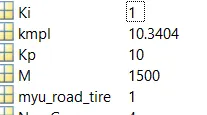
a)Fuel economy numbers(kmpl)
1.UDDS
2.HWFET
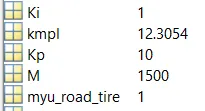
The HWFET have a better fuel economy numbers for kmpl
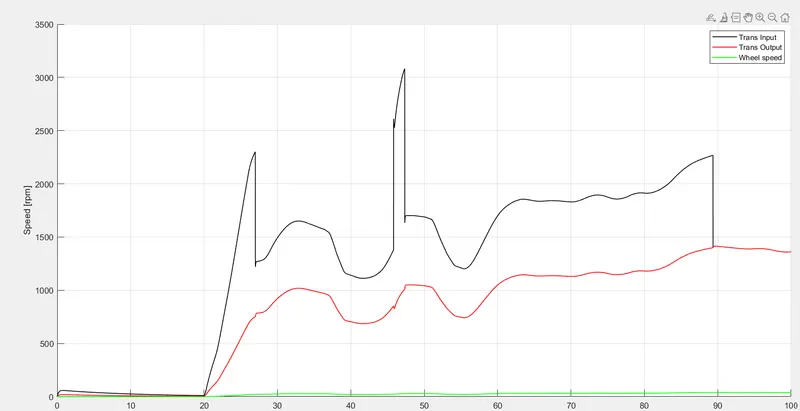
b)Time trace for engine, transmission input, transmission output and wheel speed plot.
For UDDS
For HWFET
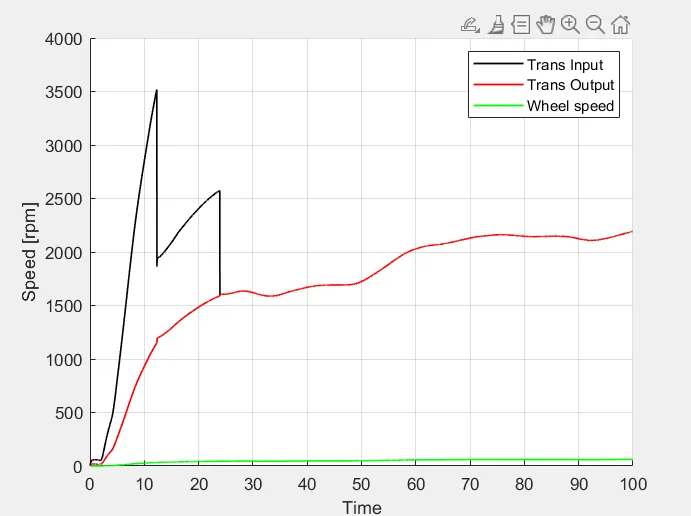
The input given to the HWFET is mostly constant and gradual comparing the UDDS is changing frequently
HWFET can achive maximum speed than UDDS
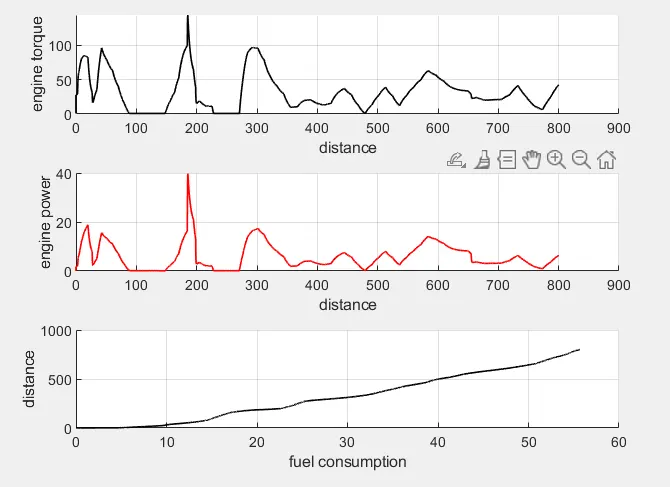
c. Plot engine torque, engine power, fuel rate and fuel consumption using subplots.
For UDDS
For HWFET
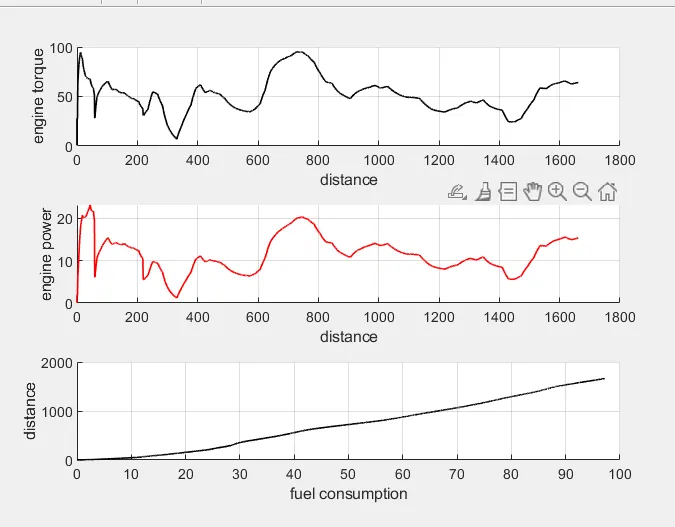
The Torque and power of engine is maximum in the HWFET
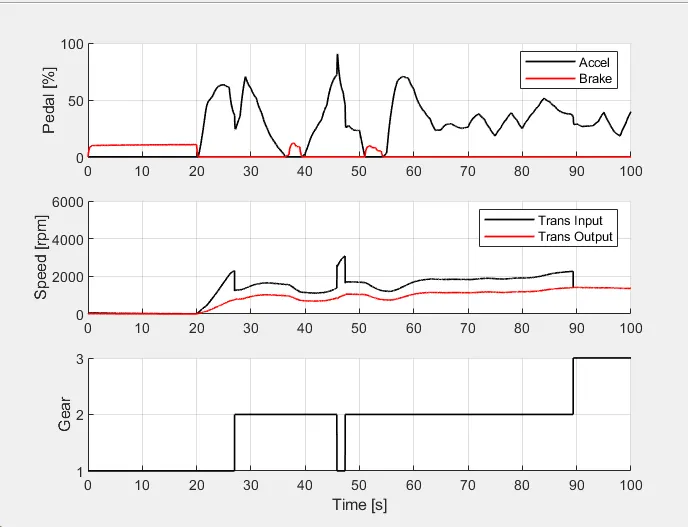
d) Plot accelerator and brake pedal, gear command, vehicle desired and actual speed, vehicle distance using subplots.
For UDDS
For HWFET
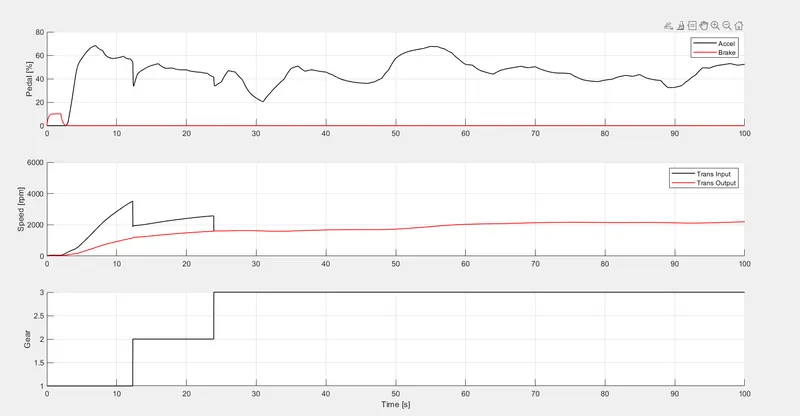
Trans input output is more linear in HFWET
The Gear is gradualy increasing in HWFET
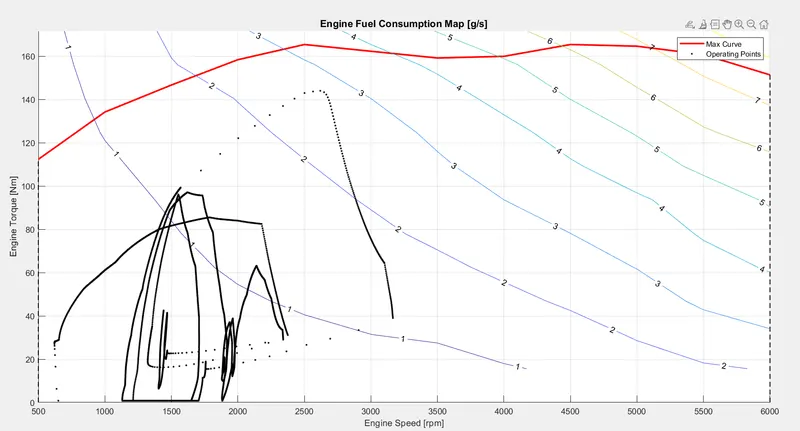
e) The engine operating points on the engine fuel map
For UDDS
For HWFET
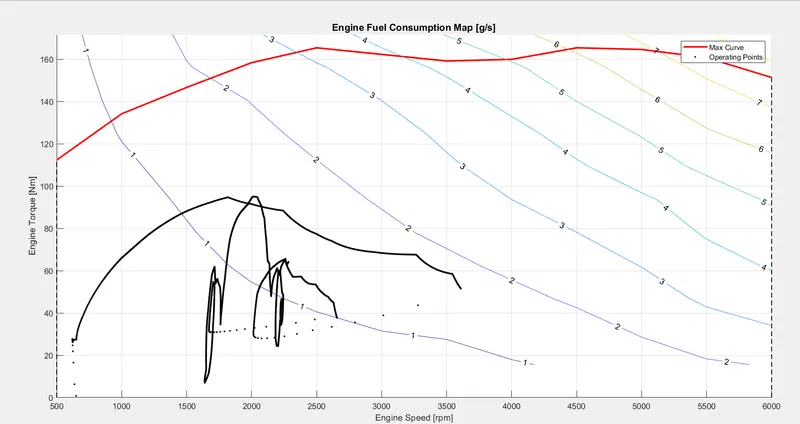
The Oprating ponits in the UDDS is more than the HWFET