Project 1 - 2D meshing on the instrumental Panel
1. AIM: Do a 2D meshing on the instrumental Panel (DashBoard Sub Parts).
2. OBJECTIVES OF THE PROJECTS:
For the given component, check for the geometrical errors and mesh the mid-surface with good mesh flow as per the given element Quality criteria below . Also assigned a thickness to the Mid-Surface.
|
S.No |
Quality Criteria |
Value |
|
1 |
Target/Average length |
4 |
|
2 |
Minimum Length |
2 |
|
3 |
Maximum Length |
6 |
|
4 |
Aspect |
3 |
|
5 |
Warpage |
15 |
|
6 |
Skewness |
45 |
|
7 |
Jacobian |
0.7 |
|
8 |
Minimum Quad Angle |
45 |
|
9 |
Maximum Quad Angle |
135 |
|
10 |
Minimum Tria Angle |
30 |
|
11 |
Maximum Tria Angle |
120 |
|
10 |
Tria Percentage |
15 |
3. BODY OF THE CONTENT:
Let's First import a given file.
- IMPORTING THE FILE: Importing the given 'Ip_Console_Half. ansa' file.
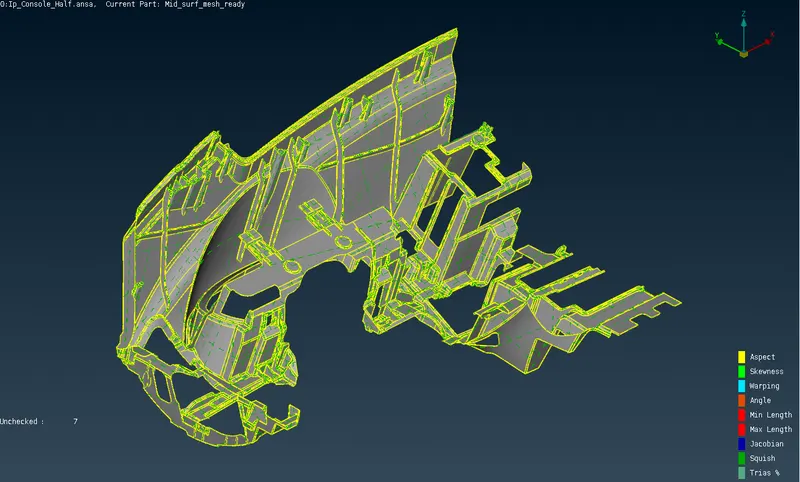
Image: 01 Ip_Console_Half.ansa
- GEOMETRY ERROR: After importing the file. Next step is to check geometry errors. This geometry comes with the single cons faces. So, at the initial level we need to perform a 'Topo' first. Then we have to 'Check geometry'. And in geometry check many Triple cons & single cons highlighted, and First try is to clear it using 'Auto Fix' option. Then going for manual. Can see result in below images.
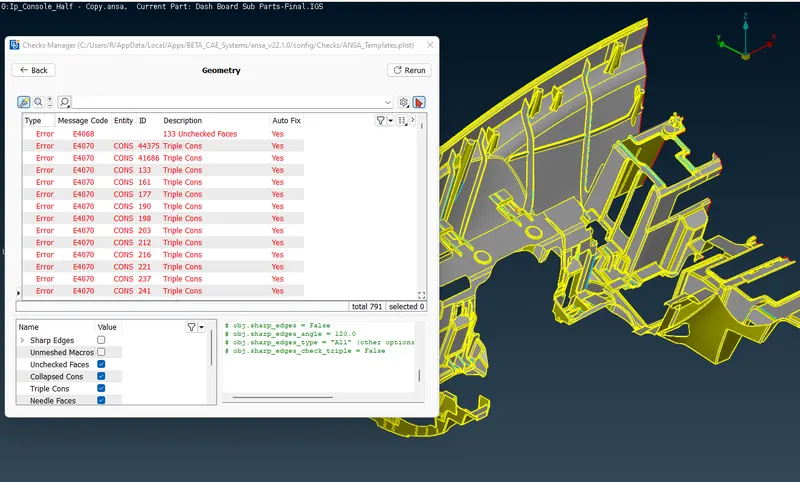
Image: 02 Checks Manager with many geometry error
- THICKNESS MEASUREMENT:After Clearing Geometry error, next step is to generate Mid-surface, But before this need to check thickness variations in the Whole model.
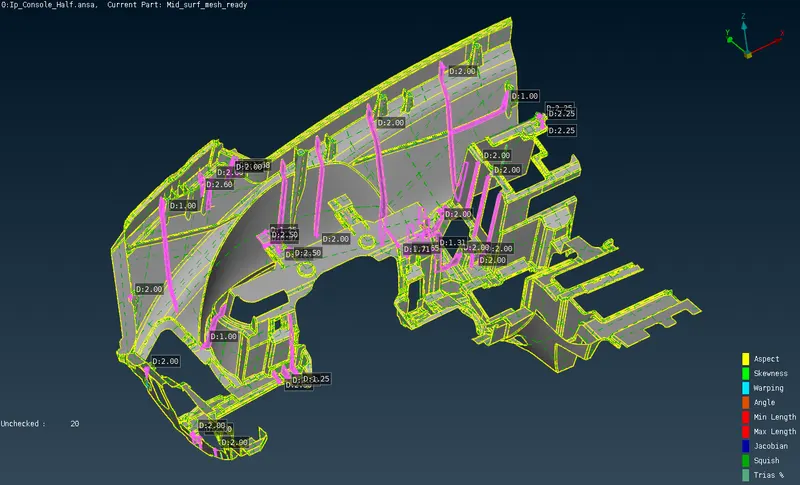
Image: 03 Model with showing it thickness
As we can see the model has as many thickness as sheet metal parts. Like, 0.6, 1.25, 1.75, 2, 2.75 etc.
- MID-SURFACE GENERATING: This model has many features, some are complex features, so it's a little hard to determine from where to start to generate mid-surface. But after carefully analyzing the model, I found that the base part of the whole model is on the 0.6 mm thk. So First Generated Mid-Surfaces from 0.6 thk part using OFFSET function. As viewed in Image 03 we can see the many features, but in Backside there are no features, So the Mid-surface is generated using a Offset function.
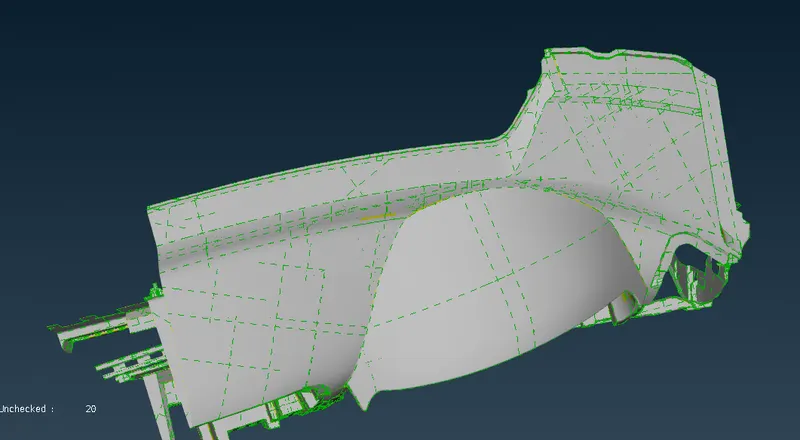
Image: 04 Bottom Face of Model 0f 0.6 thk
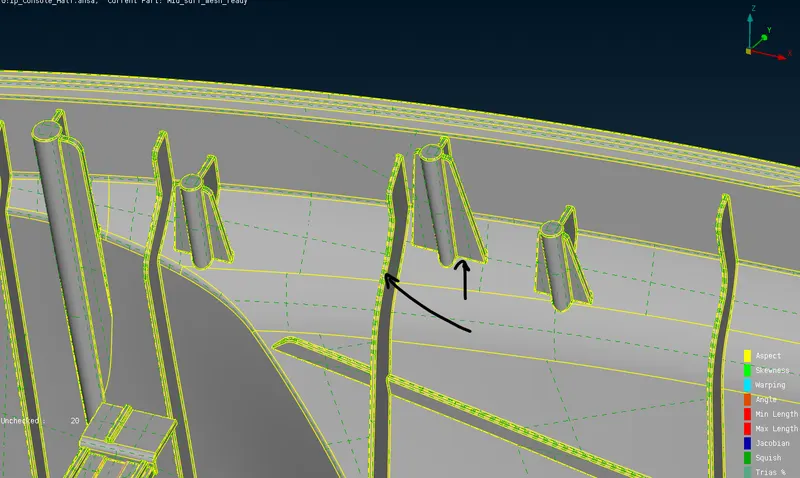
Image: 05 Dog house and Ribs feature in model
Now, For Features like Dog house & Ribs used the Middle function to generate mid surface, then to match it proper with geometry shape, some Other functions are used like, Extend, Intersect, Offset, Delete & New etc. Mid-surface generated as per below Image.
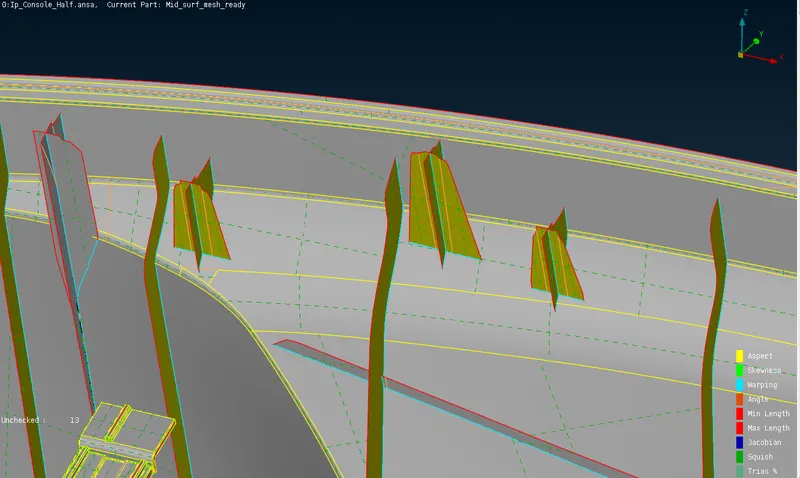
Image: 06 Mid-surface of Dog house and Ribs feature
- MID-SURFACE GENERATING: Now before generating Mid surface we need to set a quality criteria.
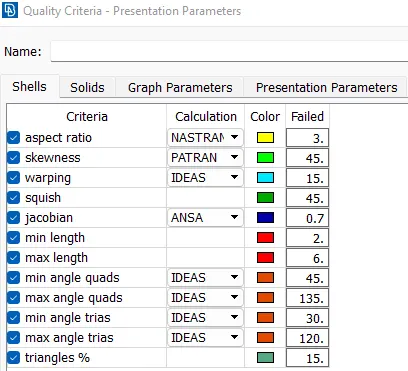
Image: 07 Quality Criteria inserted
After applying quality criteria Mesh generated in whole model using one shots by using 'Remesh function'.
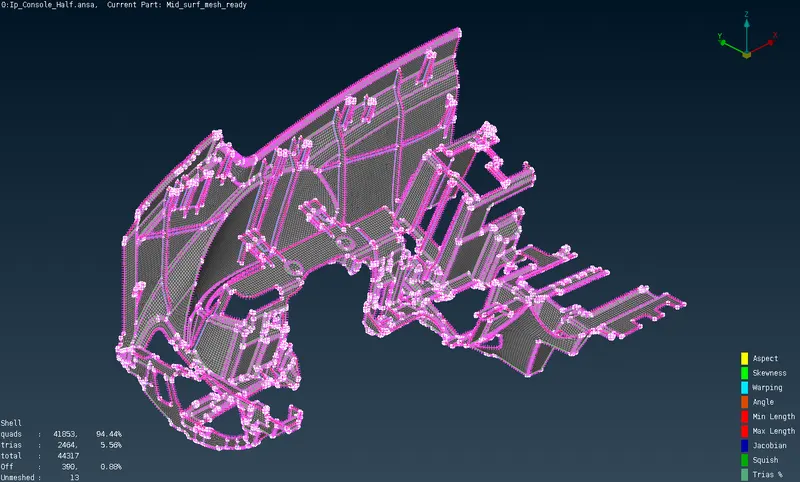
Image: 08 Mesh generated in whole model
After that only need to clear the off elements as much as possible, But at some locations where triple cons are met solving the off elements is not possible. We can see it in the table below.
Note: In Shell element detail table (see bottom left corner of Image 08), There showing Unmeshed :13, it's actually a triple cones lines.
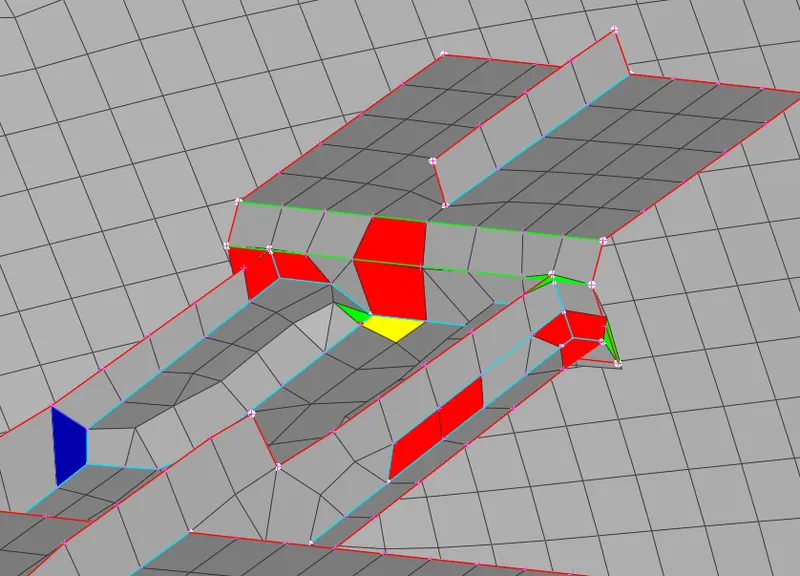
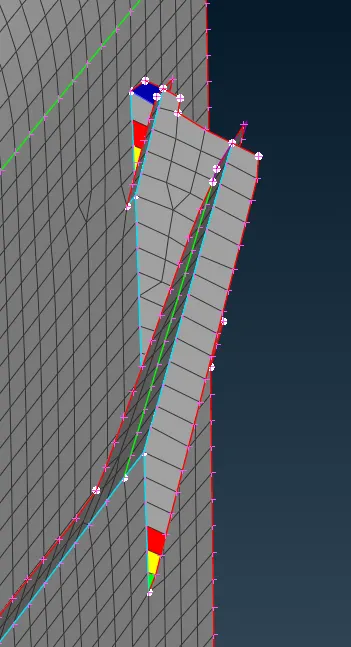
Image: 09 Off element near the Triple cons
While Generating mid surface & even after geometry cleanup some problems also occur in surfaces, then created it via making new faces. From below images we can see the error type. .
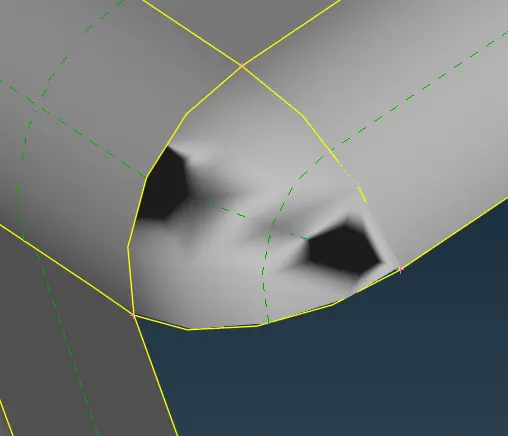
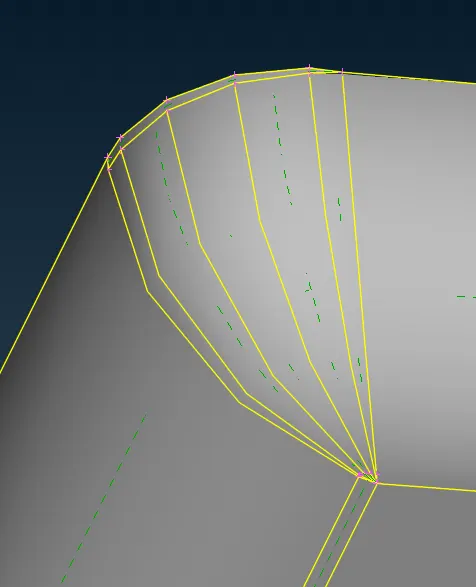
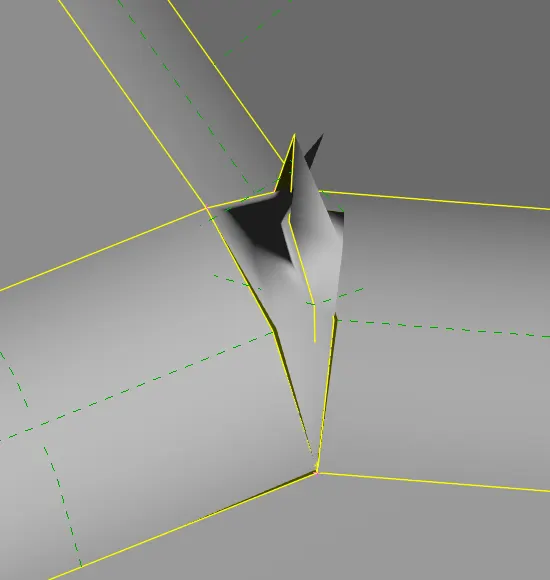
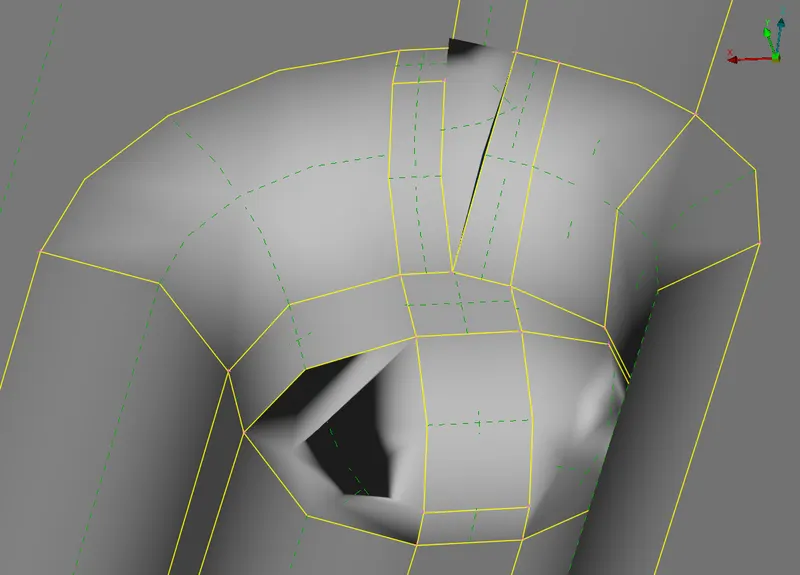
Image: 10 Defective face founded in mid-surface
- CREATING SEPARATE PID: On last as per different thickness a separate PIDs created as per below image.
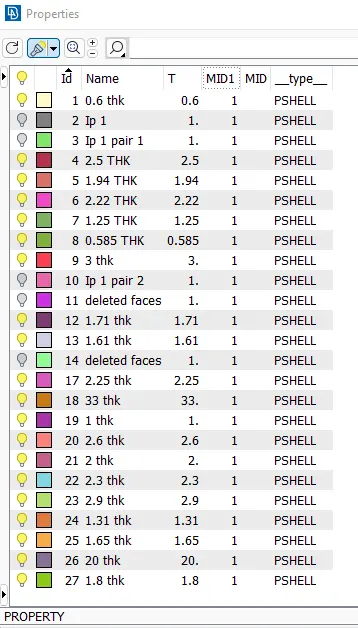
Image: 11 Properties Window
The last step is to enable 'Draw as solid' from quality criteria. Then save.
4. LEARNING OUTCOMES: In the form of Final project this has a big model as of now for sheet metal components. So to handle all features via generating mid surfaces is a challenging task for me. But Step by step, one by one I clear the all features. For this model I go from a simple area to a complex area to generate a mid surface as per my understanding about the model. Where I used a manual method only to complete the challenge as mentioned in above content. But Learning is from this challenge is to use the auto method as much as possible to save time and Increase a quality of the mesh.
The time taken to complete the challenge is a total : 12.5 hr.
Where, 0.5 hr for Geometry cleanup
1 hr forMeasuring thickness
1 hr for Inspecting / visualizing the model
1 hr for 0.6 thk mid-surface generation
4.3 hr for Ribs & Dog house generating took 4.3 hr
0.5 hr for Clearing triple cons at periphery took
3 hr for Checking and correcting midsurface
1.3 hr for Applying thk to mid surface
5. CONCLUSION:
As a challenging task is here to complete it in a given time. So before starting work on the model, first we should have to plan a function on how to do it, in which time we also have to conclude. From this, Learning is that I have to be more familiar with functions to increase the speed.