Project 1 - 2D meshing on the instrumental Panel
AIM :
For the given component, check for the geometrical errors and mesh with the given element Quality criteria. After meshing the component the thickness has to be assigned.
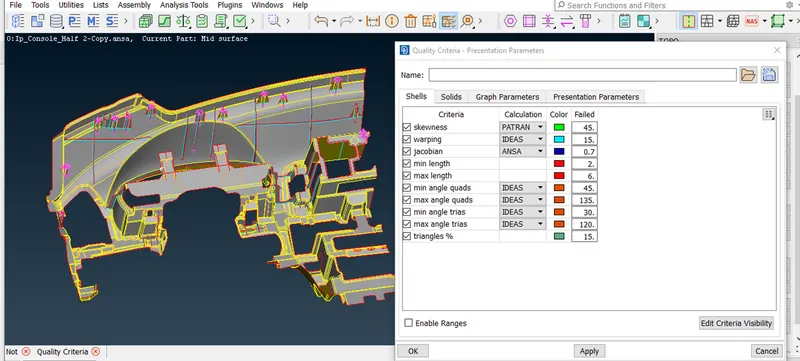
| S.No | Quality Criteria | Value |
| 1 | Target/Average length | 4 |
| 2 | Minimum Length | 2 |
| 3 | Maximum Length | 6 |
| 4 | Aspect | 3 |
| 5 | Warpage | 15 |
| 6 | Skewness | 45 |
| 7 | Jacobian | 0.7 |
| 8 | Minimum Quad Angle | 45 |
| 9 | Maximum Quad Angle | 135 |
| 10 | Minimum Tria Angle | 30 |
| 11 | Maximum Tria Angle | 120 |
| 10 | Tria Percentage | 15 |
INTRODUCTION :
- A dashboard is a control panel usually located directly ahead of a vehicle of vehicle's driver , displaying instrumentation and controls for the vehicle's operations.
- These days car dashboard may include so many indicators like Speedometer, Tachometer , Odometer , fuel gauge , turn indicators , engine mal function lights.
- Dashboard can be made from metal as the simplest and chepest way. This could be the same base metal as the car,Which is steel or Aluminium.The more expensive luxury cars mad of exotic wood with highly polished finish.
- More recently , dash board covering has been made of PVC blended with something called ABS. ABS is an acronym for a black copolymer made of acrylonitrile butadiene and styrene
Procedure :
- Importing the given file. As the given model is instrument panel . Plastic component it can be meshed using the 2D shell elements , before meshing the geometry cleanup as to be done and then mid surface extraction is done.
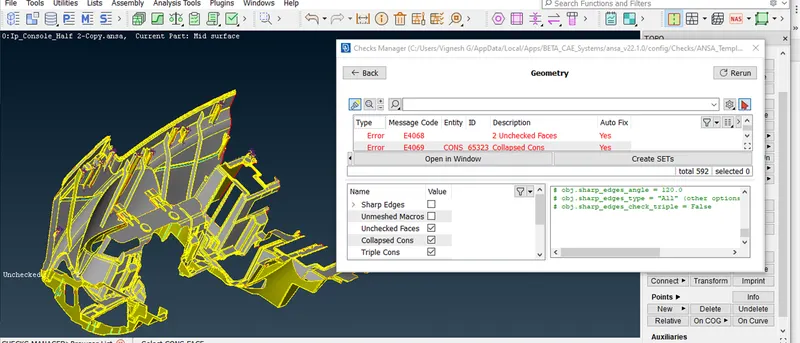
- First the geometry checks has been done using TOOLS > CHECKS > GEOMETRY . And, clicking on the geometrical problems of the model such as unchecked faces,Needle faces , collapsed cons, Triple cons , Overlaps, Single cons , Cracks . Clicking on the excute option and finding the errors in the surfaces. if any error found that as been cleared using the automatic fix option or manually cleared using the topo option.
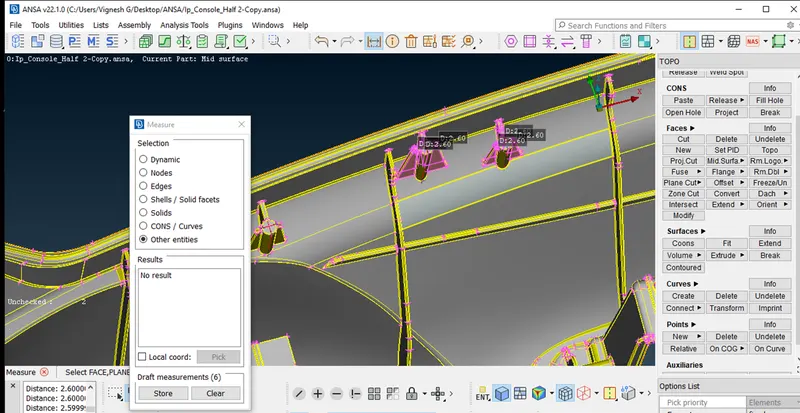
- After clearing the geometrical errors thickness measurement as been taken randomly as it is different thickness all over the component so mid surface is extracted using TOPO . FACES > OFFSET > FACES . Selecting the faces on any one side and giving the offset value of exact middle and creating the mid surface or by creating the curves on the middle surfaces and creating the new surfaces using that curves and extending to the surfaces.
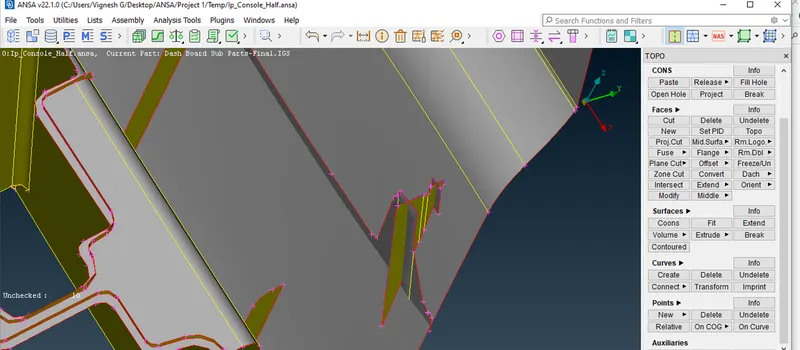
- After creating mid surface selecting the whole mid surface and stored and mid surface using LOCK > STORE LOCK option .
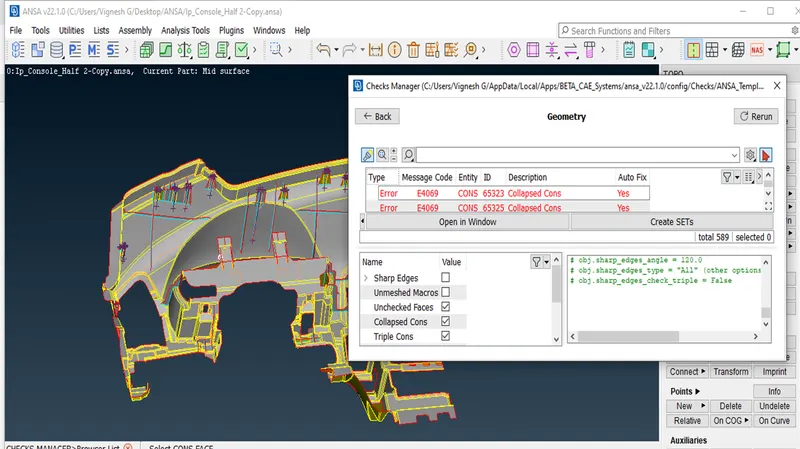
- Again the geometrical errors as been checked for mid surface using the TOOLS > CHECKS > GEOMETRY , and clicking on the geometrical problems of the model such as unchecked faces , Needle faces , Collapsed cons , Triple cons , Overlaps and cracks . if any error found that as been cleared using the automatic fix option or manually cleared using the topo option
- After Clearing the mid surface errors the given quality criteria values as been assigned using Quality criteria the Quality criteria option selecting the whichever the values to it and in mesh parameters giving target length , Min and Max length values .
- Using Mesh option mesh generation > Best > Select , option mesh as been created on the surfaces one by one and proper mesh using MESH > MESH GENERATION > BEST > SELECT , option mesh as been created on the surfaces one by one and proper mesh using MESH > MESH GENERATION > RE-CONSTRUCT > SELECT ,Option is used for good mesh and get the mesh flow good smooth option is used.
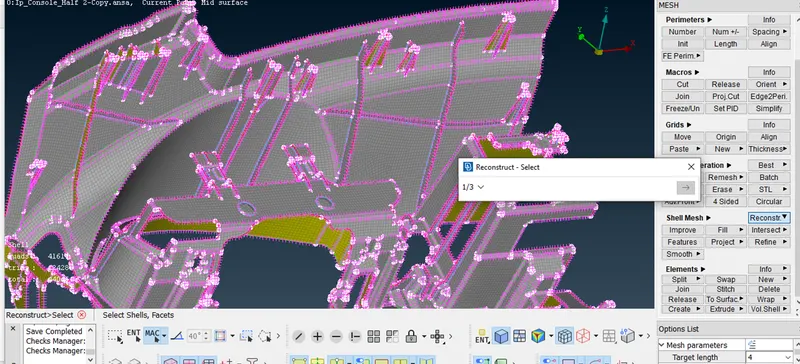
- While meshing , this are the things i followed , there should be zero elements failure according to the given quality criteria, feature capturing , mesh flow.
- Other than above criteria main thing is Manage of tria like no tria should be on the corner or edges of geometry , no opposite trias , no back to back trias , no rotational quads , no tria share with any of the feature etc.,
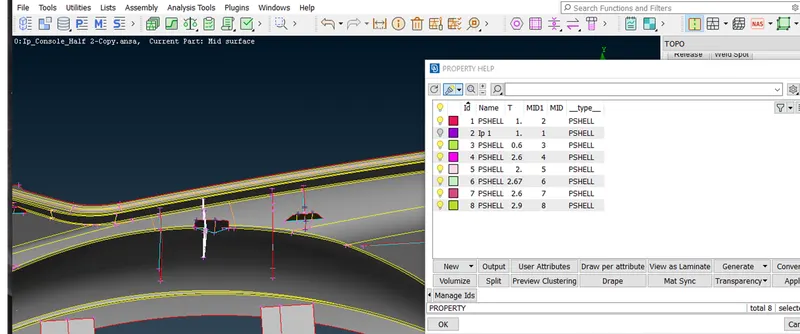
- After completing the Mesh for assigning the thickness MESH > MACROS > SET PID > SELECTING THE FACES > BY CLICKING ON THE RIGHT CLICK > NEW > PSHELL > Giving the thickness value > Then Press OK.
FINAL MODEL :
LEARNING OUTCOMES :
- Learnt the geometrical errors fixation for complex components.
- Learnt to extract the mid surface for complex components.
- Learnt to do the meshing is complex area's by creating the new lines for closed set of lines where minimum elements length going to fail.
Conclusion :
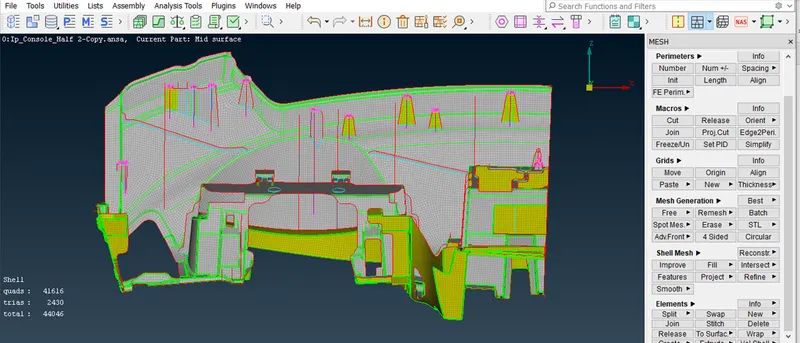
In this project , I have generated mid surfaces using different option available in ANSA . Able to defeature and do line adjustments in some areas . Did topological clean up.Understood about transparency mode and the concepts related in generating mid surface for different features . Able to acheive better mesh flow using Smooth , Re-construct , Swap , Paste ,Move , option.Successfully generated mid surface and meshed whole instrument panel using ANSA.