Project 1
Project 1
The task is to,
- Script a function to perform image rotation by deriving the rotation matrix for a 140 degree rotation angle.
- Now on the rotated image perform a scaling operation which reduces the size of the image by 50% of the original size.
- Take the original image and perform cropping operation manually which focuses on the subject of the input image.
Following is the output for all three questions:
1. Reading the image
import cv2 as cv # importing the openCV library
import numpy as np

# Function For reading the image

def read_image(image_path):          # Read Image in BGR Format
    image = cv.imread(image_path)
    return image

original_image = read_image("Challenge1.PNG")
original_image
OUTPUT:
The output we got is in array form,
array([[[127,  86,  46],
        [127,  86,  46],
        [127,  86,  46],
        ...,
        [127,  86,  46],
        [127,  86,  46],
        [127,  86,  46]],

       [[127,  86,  46],
        [127,  86,  46],
        [127,  86,  46],
        ...,
        [127,  86,  46],
        [127,  86,  46],
        [127,  86,  46]],

       [[127,  86,  46],
        [127,  86,  46],
        [127,  86,  46],
        ...,
        [127,  86,  46],
        [127,  86,  46],
        [127,  86,  46]],

       ...,

       [[162, 161, 159],
        [162, 161, 159],
        [162, 161, 159],
        ...,
        [162, 161, 159],
        [162, 161, 159],
        [162, 161, 159]],

       [[162, 161, 159],
        [162, 161, 159],
        [162, 161, 159],
        ...,
        [162, 161, 159],
        [162, 161, 159],
        [162, 161, 159]],

       [[162, 161, 160],
        [162, 161, 160],
        [162, 161, 160],
        ...,
        [162, 161, 160],
        [162, 161, 160],
        [162, 161, 160]]], dtype=uint8)
2. Now to see and check the image we need to create the display function which will display the image in new window,
# Displaying the Image
# Creating the function

def image_display(window_name,image):
    display_image = cv.imshow(window_name,image)
    cv.waitKey(0)


displayed_image = image_display("Window_1",original_image)
displayed_image
OUTPUT:
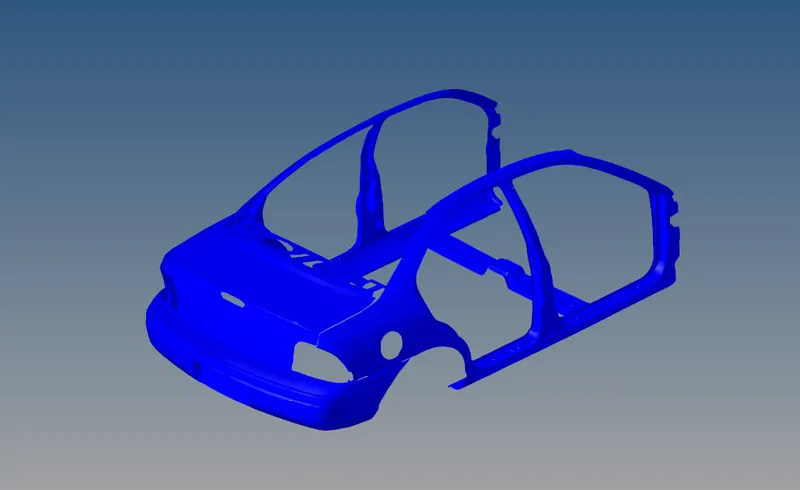
This was the image which was made available to use.
QUESTIONS:
1. Script a function to perform image rotation by deriving the rotation matrix for a 140 degree rotation angle.
Below is the function which will do the rotation of the image by desired angle. (For instance it is 140 Degree)
# For Rotating the image

def image_rotation(image,angle,scale):
    # Extracting height and width from
    # image shape
    height, width = original_image.shape[:2]

    # get the center coordinates of the
    # image to create the 2D rotation
    # matrix
    center = (width/2, height/2)

    # using cv2.getRotationMatrix2D()
    # to get the rotation matrix
    rotate_matrix = cv.getRotationMatrix2D(center=center, angle=angle, scale=scale)

    # rotate the image using cv2.warpAffine
    # 90 degree anticlockwise
    rotated_image = cv.warpAffine(src=image, M=rotate_matrix, dsize=(width, height))

    return rotated_image
Running the code and getting the output:
rotated_image = image_rotation(original_image,140,1)
image_display("Rotated_Image",rotated_image)
OUTPUT:
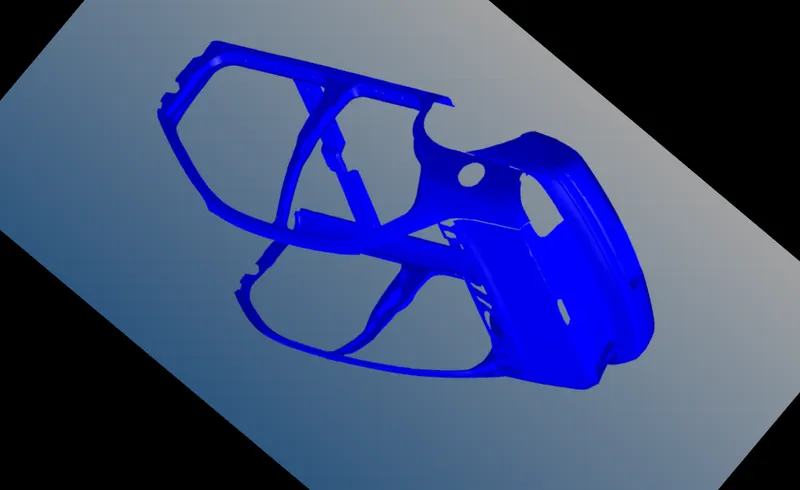
2. Now on the rotated image perform a scaling operation which reduces the size of the image by 50% of the original size.
Below is the function which reduces the size of the image by 50% of the original size.
# Scaling Down by 50%

def resizing(resizing_image,resizing_factor):
    src = cv.imread(resizing_image)

    #percent by which the image is resized
    scale_percent = resizing_factor

    #calculate the 50 percent of original dimensions
    width = int(src.shape[1] * scale_percent / 100)
    height = int(src.shape[0] * scale_percent / 100)

    # dsize
    dsize = (width, height)

    # resize image
    resized_image = cv.resize(src, dsize)
    return resized_image
By running the code we get the below output:
resizing_image = resizing("Rotated_iamge_140_Degree.PNG",50)
image_display("Scaled_image",resizing_image)
OUTPUT:
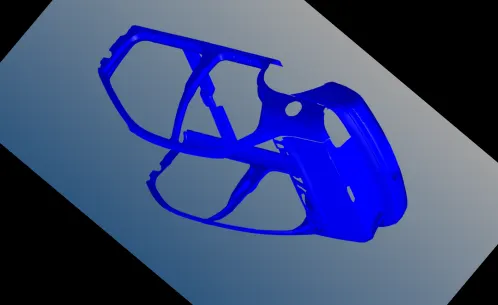
3. Take the original image and perform the cropping operation manually which focuses on the subject of the input image.
The function for the cropping operation is as follow:
# Croping the image

def crop_image(image,dimensions):
    image_dims = image.shape
    h_s, h_e, w_s, w_e = dimensions
    wid_dim = [w_s,w_e]
    hig_dim = [h_s,h_e]
    np.clip(hig_dim, a_min=0, a_max=image_dims[0])
    np.clip(wid_dim, a_min=0, a_max=image_dims[1])
    crop_image = image[hig_dim[0]:hig_dim[1],wid_dim[0]:wid_dim[1]]
    return crop_image
dimensions = [100,550,170,850]
cropped_image = crop_image(original_image,dimensions)
image_display("Croped_image",cropped_image)
save_image("Croped_image.PNG",cropped_image)OUTPUT:
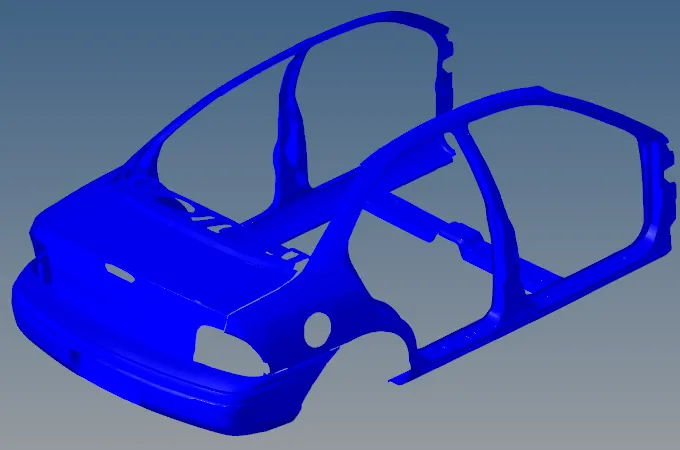
The supporting document is attached.