Project 1
Independent Research Project
FEA ANALYSIS USING SOLIDWORKS
FEA is among the most powerful and commonly used features in CAD design. It is integral to CAD for analyzing an object through the use of finite elements that include small rectangular and triangular shapes.
SOLIDWORKS Simulation is a Finite Element Analysis (FEA) program built into the familiar SOLIDWORKS CAD interface. Simulation provides designers and engineers the tools they need to quickly test their designs and intelligently iterate on them. Utilizing NAFEMS validated FEA solvers, SOLIDWORKS Simulation can provide accurate, reliable results for a wide range of study types from basic linear static analysis to more complex nonlinear and dynamic analysis. Speed up the iteration and prototyping phase of your design process with SOLIDWORKS Simulation.
The concepts of FEA were created in the early 1940s, but when it was implemented on computers in the 1980s and 1990s, the method became more popular. Today, FEA is a strong tool utilized by designers in a variety of industries. It’s employed to virtually solve structural, vibrational, and thermal concerns before they become a genuine problem.
FEA is a way of testing how a product design reacts to physical effects such as bending, heat, vibration, fluid flow, and other impacts using virtual simulation technologies. You can review designs early in the design cycle with FEA simulation tools, determine what would cause premature failures, quickly explore design changes to save cost and weight, and calculate the product’s factor of safety.
Engineers can use Finite Element Analysis (FEA) techniques to uncover answers earlier in the design cycle, saving time and money while also providing insights into how to enhance quality before actual prototype. The number of physical prototypes decreases dramatically, and in certain situations, they are eliminated.
4 Reasons to Run Finite Element Analysis with SOLIDWORKS Simulation
We can rapidly and efficiently analyze our models with SOLIDWORKS FEA Simulation packages to help us make educated design decisions and drive the manufacturing process. The following are some of the reasons why you should reconsider using FEA in your design process if you haven’t already:
1. SOLIDWORKS FEA Simulation works with Non-Native Files
SOLIDWORKS FEA Simulation works the same way whether you use imported files from vendors or other sources. To execute FEA on SOLIDWORKS files, you don’t need them to be native. SW Simulation is also included within the SOLIDWORKS program. You don’t have to leave the familiar modeling environment to perform a geometry analysis!
2. Automation
One of the most appealing aspects of FEA is the ability to harness the power of computer systems automation and have them generate results while you focus on something else. When the study begins, the software takes control and gives you the findings immediately when it is completed. Working smarter, not harder, is the way to go.
3. Cost & Time Efficient
Prototypes are both costly and time-consuming to create. In terms of how quickly physical prototypes are made, as well as how expensive they may be to make, the typical iterative design process is clogged. By virtual prototyping and reducing the number of physical prototypes generated, SOLIDWORKS FEA Simulation reduces the bottleneck.
4. Visualization
It’s a lot easier to experiment with potential changes to the part or assembly file when you have direct access to the CAD geometry. Changing a dimension here or a mate there takes minutes, and the study may be re-run to explore the impacts, rather than having to wait for another actual prototype to be manufactured. The ability to adjust the shape and loading conditions of the simulation on the fly opens up a world of possibilities before the first physical item is manufactured.
PERFORMING BUCKLING ANALYSIS OF TYRE RESOLING MACHINERY
TO FIND OUT WEATHER THE BASE STAND CAN HOLD WEIGHT UPTO 200KG
TYRE RESOLING MOULDING MACHINERY
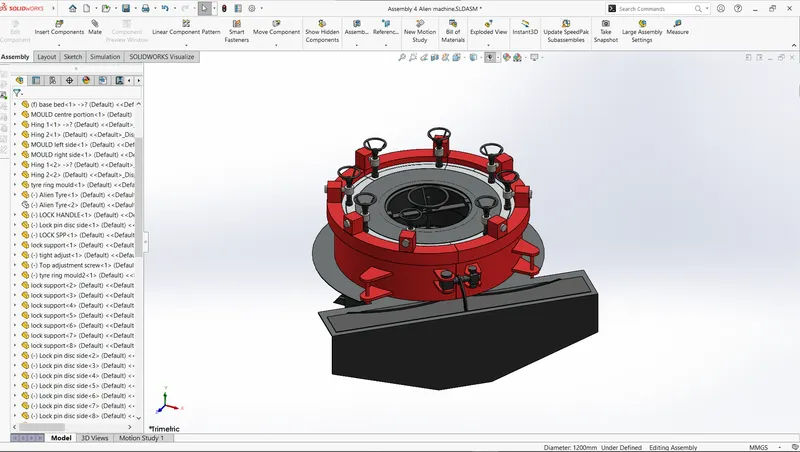
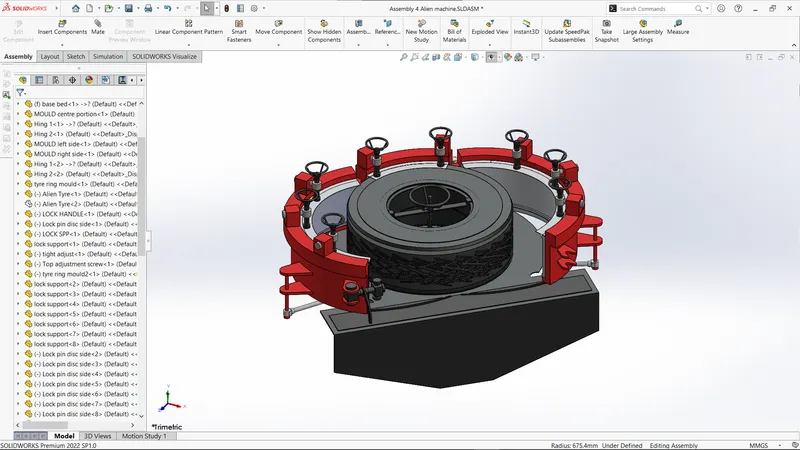
MACHINE BASE STAND
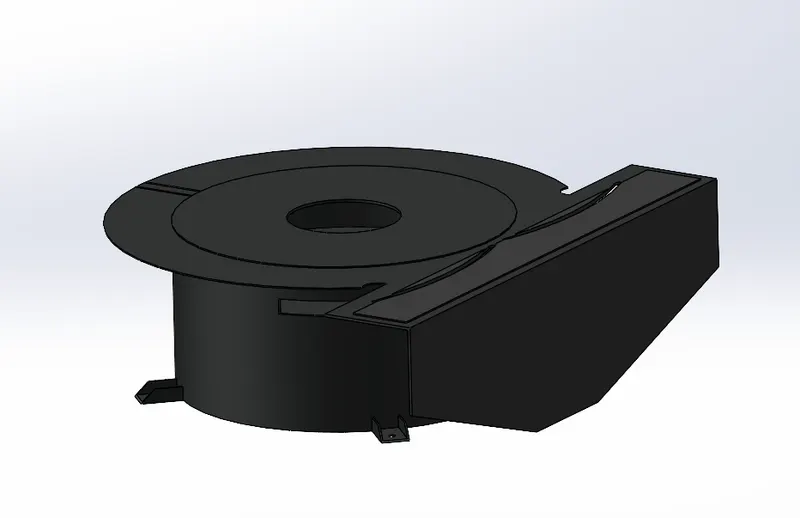
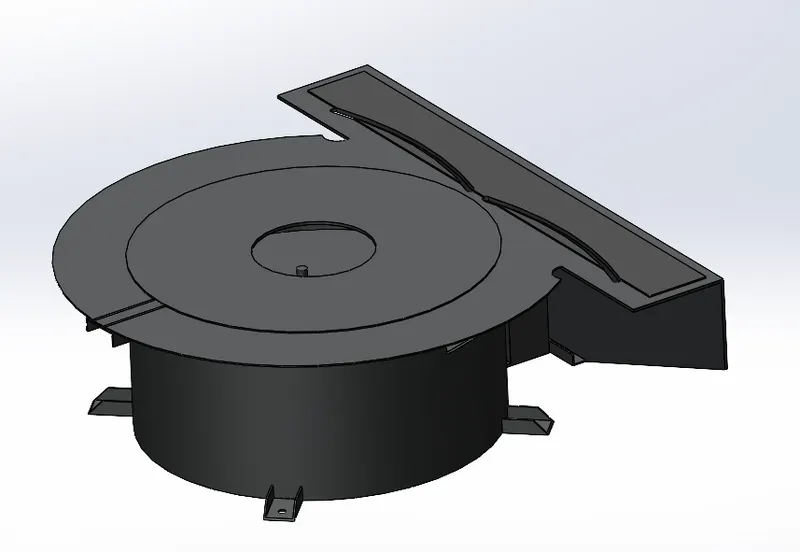
CREATED MECH CONTROL
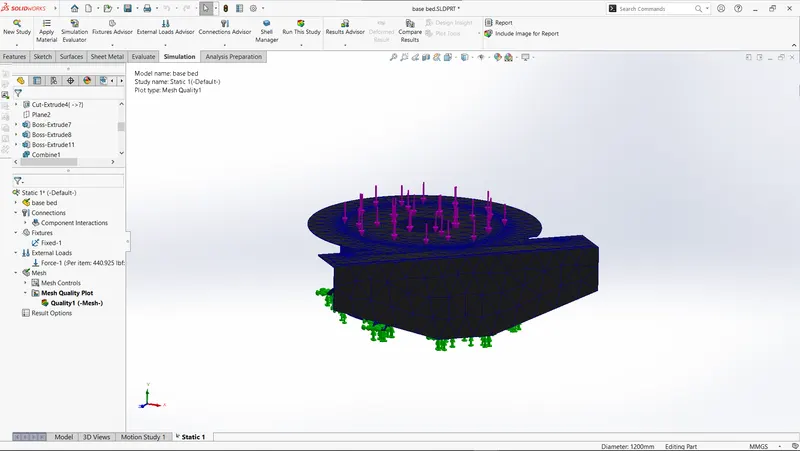
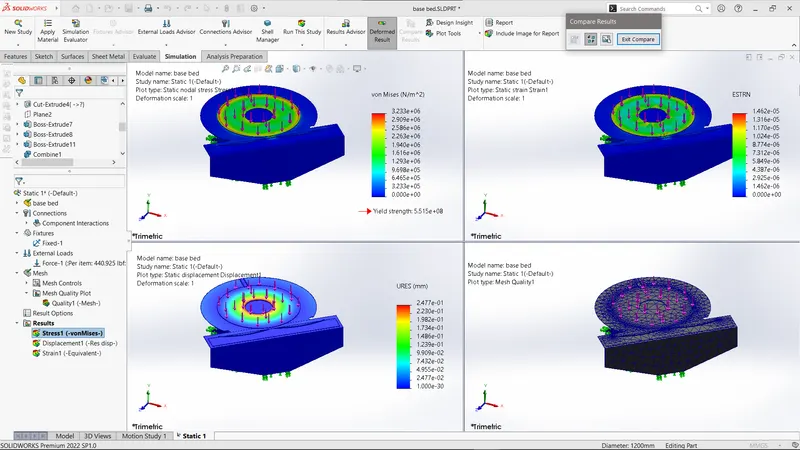
BY PERFORMING STATIC ANALYSIS:
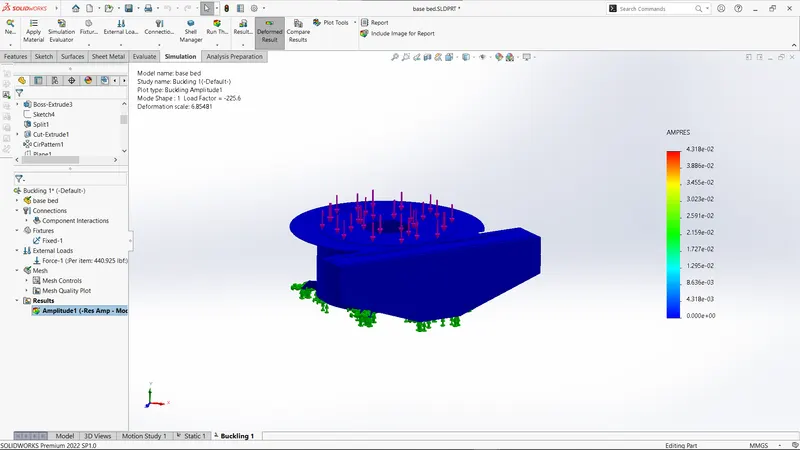
BY PERFORMING BUCKING ANALYSIS:
CONCLUSION
The Base stand can withstand more than weight of 200kg