Project 1
PROJECT 01 - G+6+R Residential Building
AIM: Design a multi-storey Residential Building located in Bangalore using STAAD Pro Connect Edition.
INTRODUCTION: The project involves modeling to design the G+6+R building for residential purposes. Structural analysis and structural design of this building are done by STAAD Pro. IS code 456, IS code 1893, and IS code 875 are used in this project.
Plan dimension : B=25 m , L= 16 m
storey height: h= 3.5 m
soil : Hard
Safe Bearing Capacity: 180 KN/m2
maximum slab thickness: 150 mm
PROCEDURE :
- First, create modeling of the residential building in the STAAD pro.
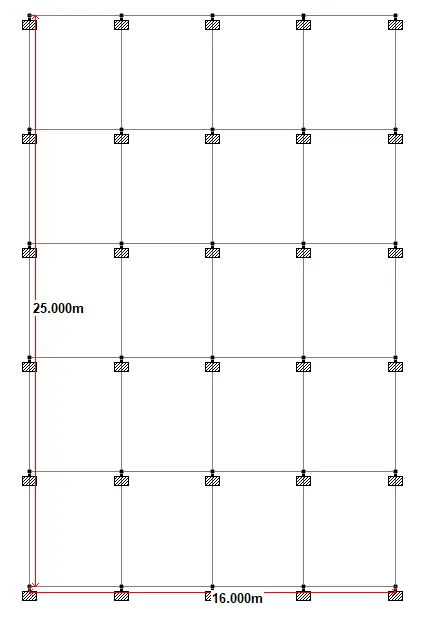
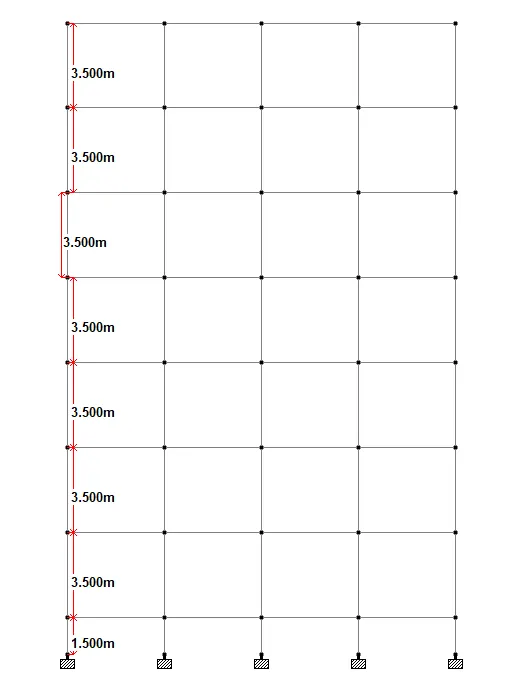
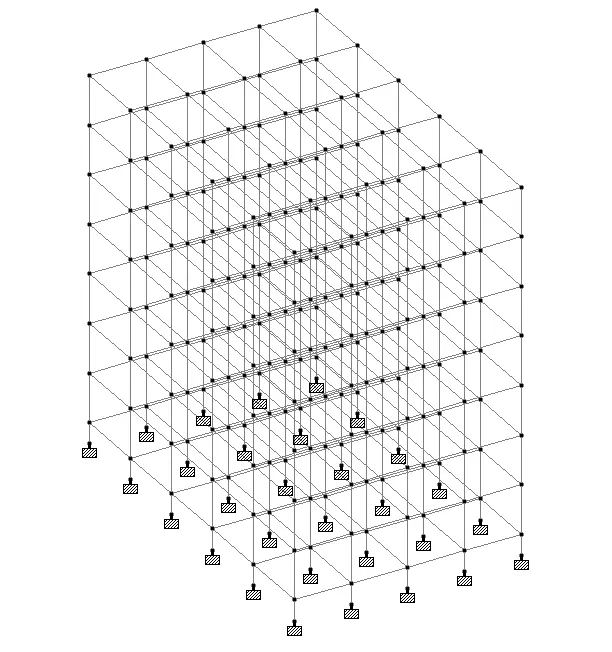
Plan (25mx16m) ELEVATION 3D structure model of the building.
- Define properties for beam and column
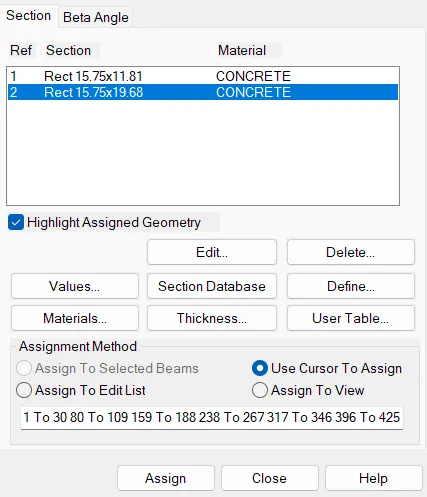
- Assign these properties to the beam and column of this building.
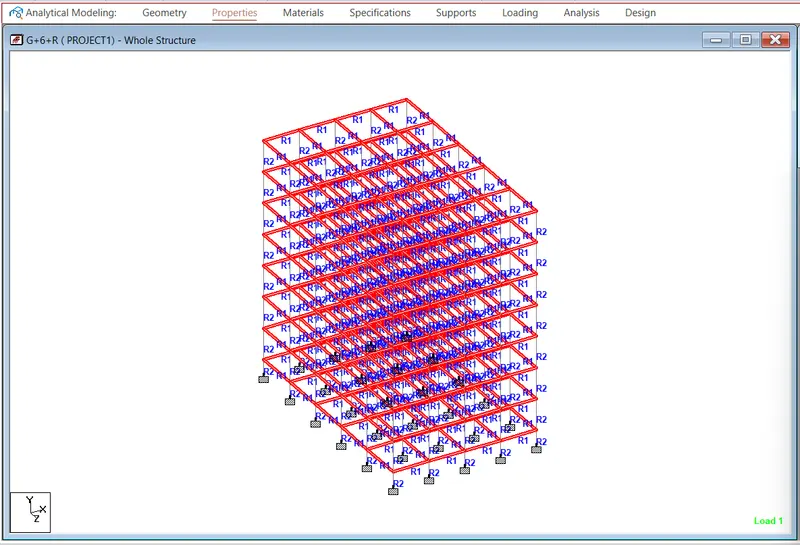
- Assign the section material as concrete.
- Provide the support condition .
- Now define load and load combination.
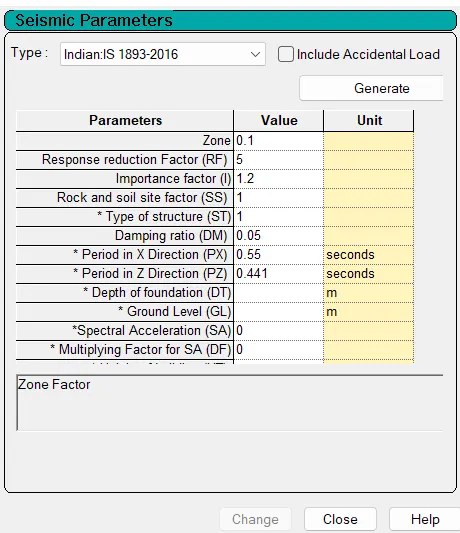
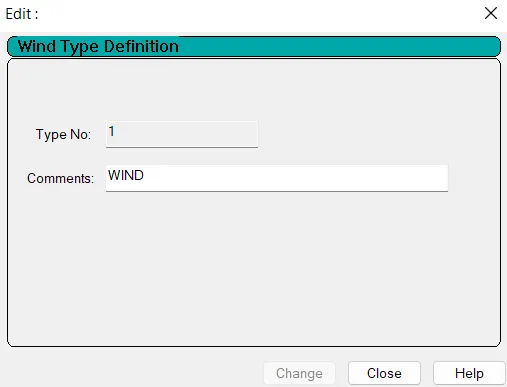
Here, I analyzed the building for earthquake load, wind load, Dead load, and Live load. So first define the definition of earthquake and wind load.
Whenever we analyzed the building for earthquake load, try to define the earthquake in load cases first then after any other load, otherwise, an error shows in the staad pro.
1) First define the seismic load
2) After that define the wind load
LOAD CASES DETAILS :
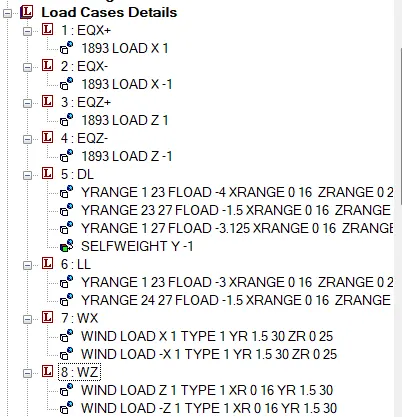
Now generate load combination as per IS CODE 456:2000
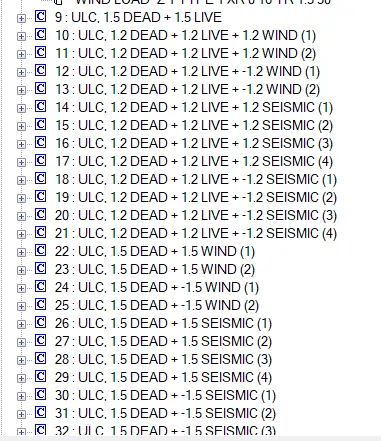
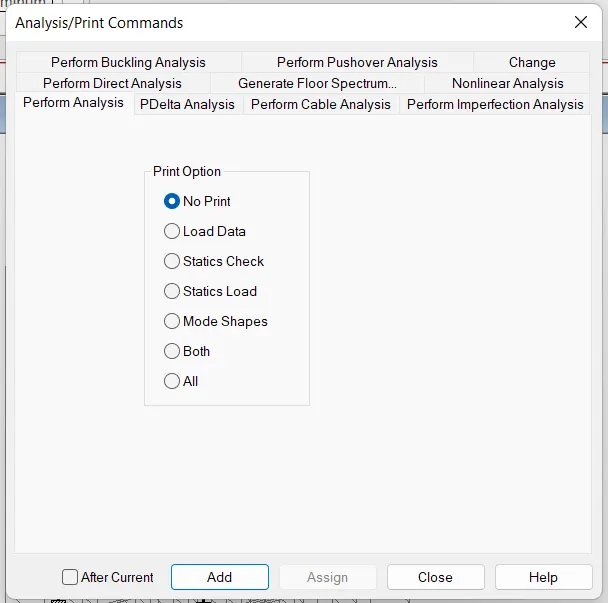
- Now analyze the structure by using perform analysis method in staad pro.
- Run analysis
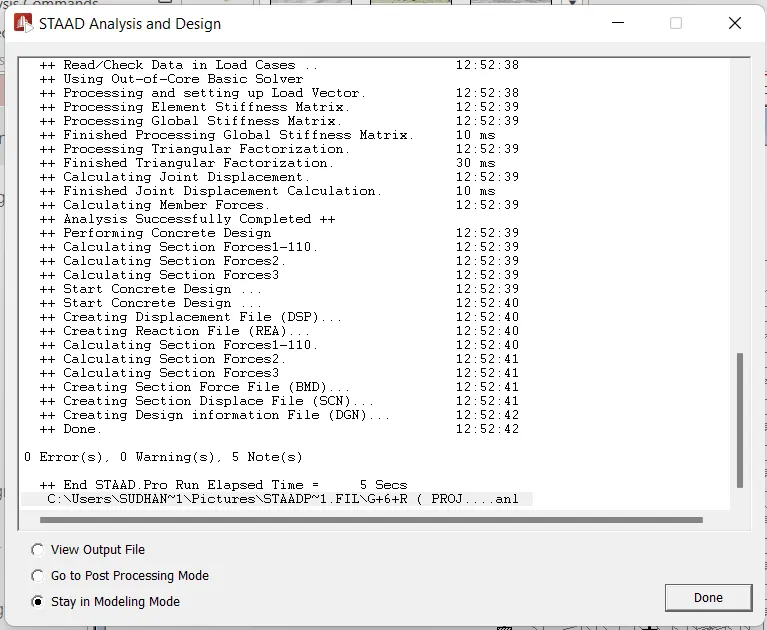
There is no error or warning. so the structure is safe.
- After analysis of the structure, now design the beam and column in staad pro.
First, choose the material - concrete
select the code for designing - IS 456: 2000
Define design parameters:
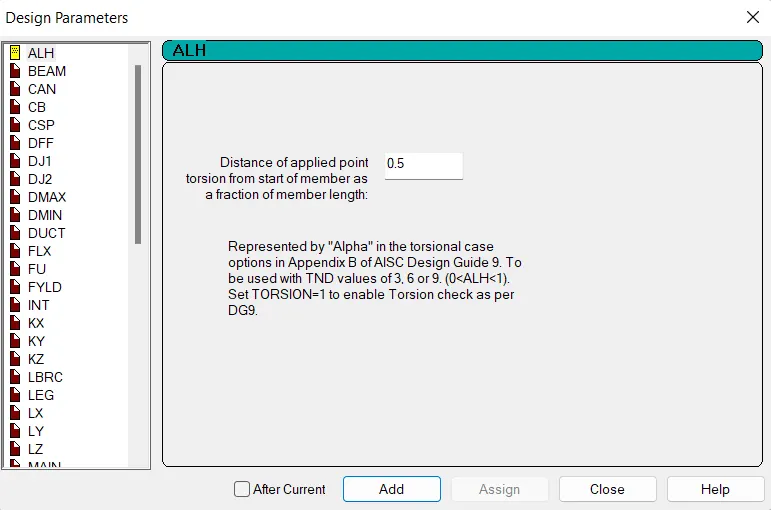
After that command what you want to design beam/column/slab.
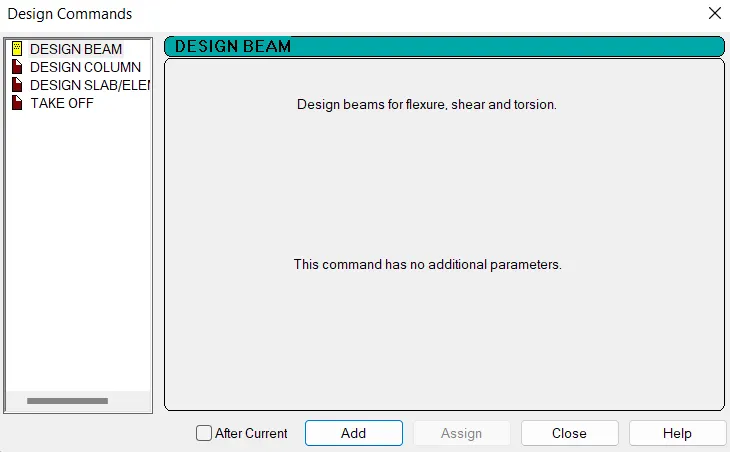
Now run the analysis
and see the concrete design report.
Prepare DL, LL, WL, and EQL load calculations as per IS 875 standards
- Unit weight of materials:
RCC - 25 KN/m3
PCC - 24 KN/m3
Cement masonry - 22 KN/m3
Steel - 78.5 KN/m3
Soil- - 18 KN/m3
- DEAD LOAD:
Self-weight of the slab = 25*0.125= 3.125 KN/m2
Self-weight of the beam = 25*0.3*0.4 = 3 KN/m
Self-weight of the column = 25*0.4*0.5= 5 KN/m
Self-weight of the wall on a typical floor = 22*0.25*3.1=17.05 KN/m
Self - the weight of the wall on a roof = 22*0.25*1=5.5 KN/m
Super imposed load
For a typical floor - 4 KN/m2 ( approx)
For roof floor - 1.5 KN/m2
- LIVE LOAD
For the bedroom, kitchen, and corridor - 3 KN/m2
For roof - 1.5 KN/m2
- calculate the wind load:
: Building dimensions: 16mx25mx24.5
: Location: Bangalore
therefore, the Basic wind speed: 33 m/s
: Residential apartment occupancy less than 200.
Therefore, K1= 1.0 [ IS 875: PART3, TABLE NO. 1]
K2 = catagory2,class A
= 1.092 [ IS 875: PART3, TABLE NO. 2]
: we assume K3=1.0 [ Topography less than 4 deg.]
therefore, Design wind speed= Vb*K1*K2*K3
= 33*1.092*1.0*1.0
= 36.036 m/s
Now, Design wind pressure: 0.6*(Vz)^2
It depends upon the design wind speed and design wind speed depends on the height of the building.
| Storey height (m) | K2 | VZ(m/s) | PZ (N/m2) | PZ(KN/m2) |
| 3.5(1st floor) | 1.0 | 33 | 653.4 | 0.65 |
| 7.0 | 1.0 | 33 | 653.4 | 0.65 |
| 10.5 | 1.0 | 33 | 653.4 | 0.65 |
| 14.5 | 1.0 | 33 | 653.4 | 0.65 |
| 17.5 | 1.05 | 34.65 | 720.37 | 0.72 |
| 21 | 1.07 | 35.31 | 748.07 | 0.75 |
| 24.5(roof) | 1..07 | 35.31 | 748.07 | 0.75 |
- Earthquake load
: Bangalore ( ZONE II)
Z= 0.1
: Residential Building(Importance factor)
I= 1.2
: Concrete( special moment resisting frame (reduction factor)
R= 5
: Hard soil( Sa/g)
Tx=0.09*h/√d=0.441 sec
Sa/g= 2.267
∴ Horizontal acceleration coefficient = Z/2*I/R*Sa/g
= 0.0276
Now the area of the floor = 400 m2
DL on topical floor= 8 KN/m2
∴ Wdl on typical floor = 400x8=3200KN
DL on Roof floor= 5 KN/m2
∴ Wdl on typical floor = 400x5=2000KN
LL on topical floor= 3 KN/m2
∴ Wll on typical floor = 400x3=1200KN
LL on Roof floor= 1.5 KN/m2
∴ Wll on roof floor =0
∴ Seismic weight of building= (3200+0.25*1200)6+2000
= 23000 KN
∴ DESIGN SHEAR FORCE= W*Ah
= 23000*0.0276
= 634.8 KN ( at base )
Design base shear on every floor:
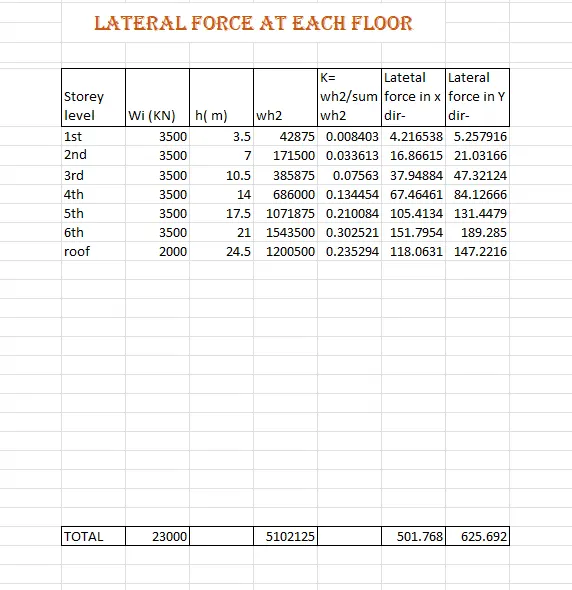
Design of slab using excel
- Given data
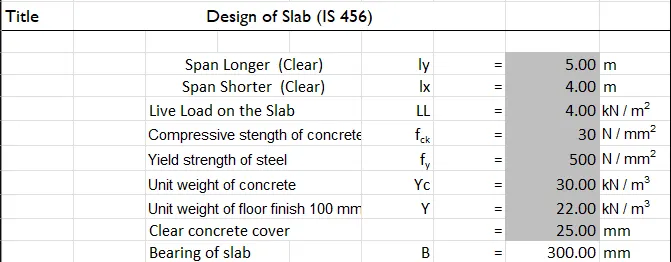
Step-1
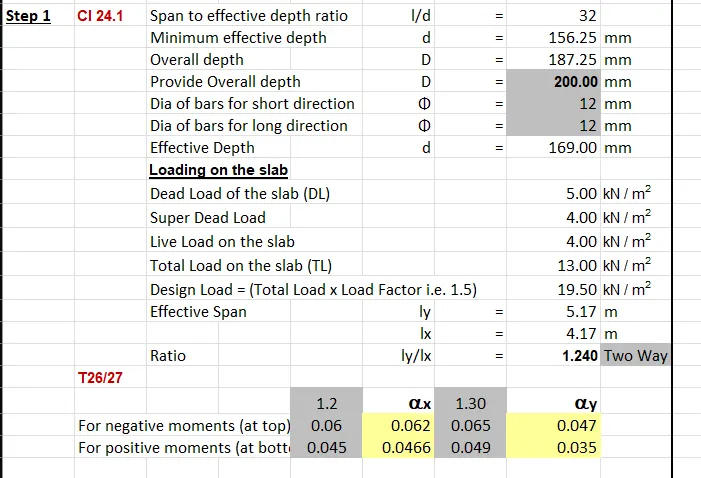
Step- 2

Step -3
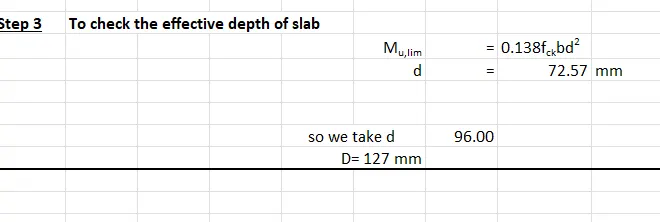
Step-4
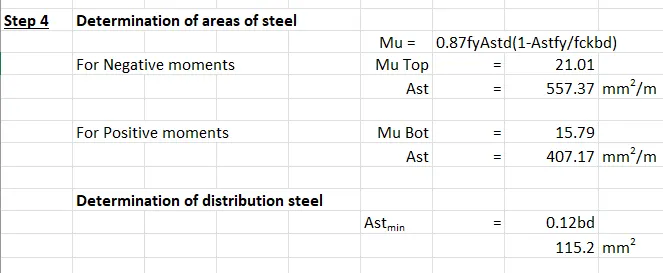
Step -5
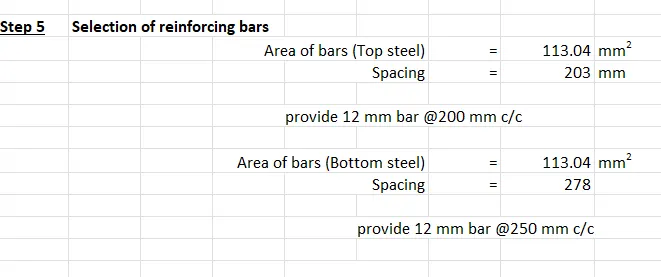
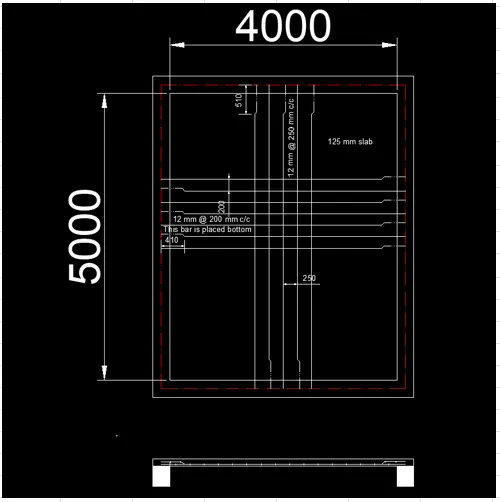
DESIGN BEAM USING RCDC
- After completing the design in staad pro., then go to advanced concrete design
- select beam option
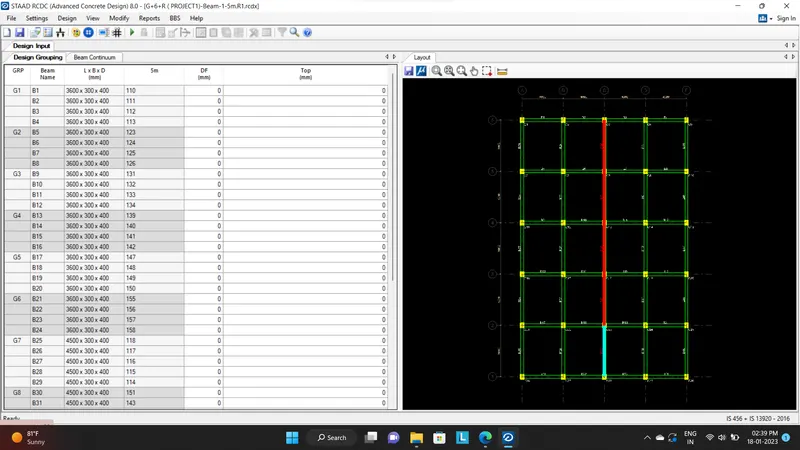
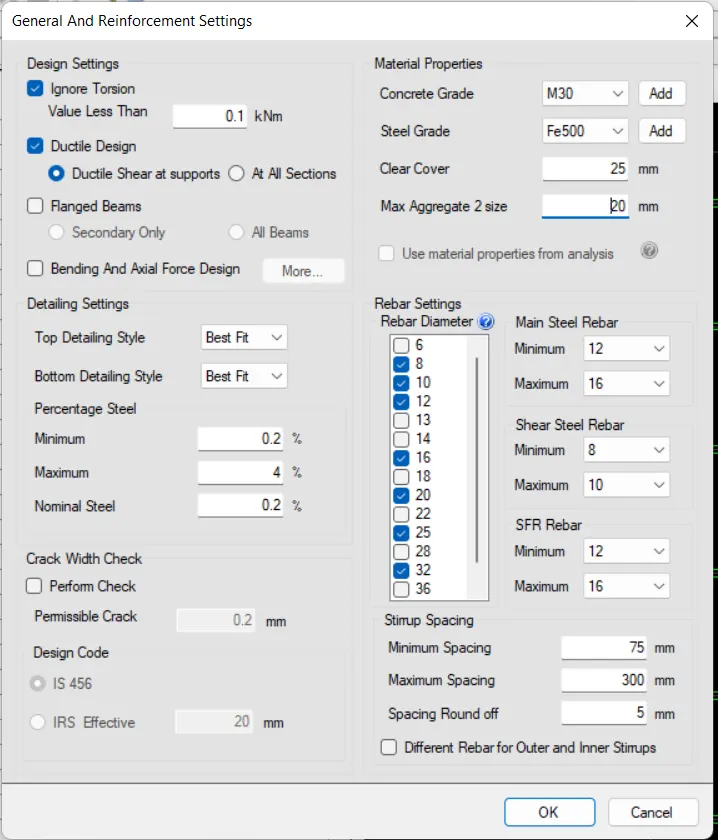
- Put the value in the general setting of reinforcement
- now go to auto design
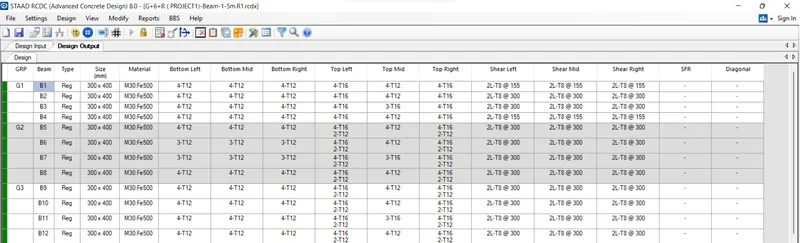
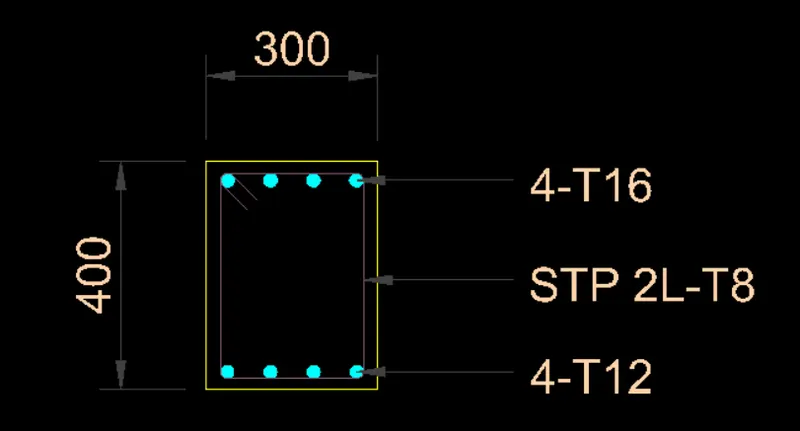
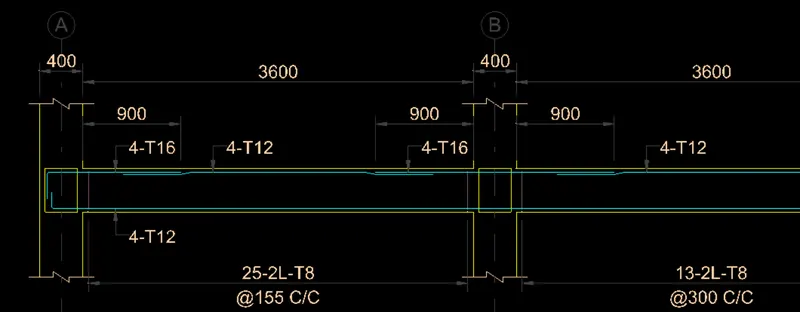
- Beam result as per RCDC
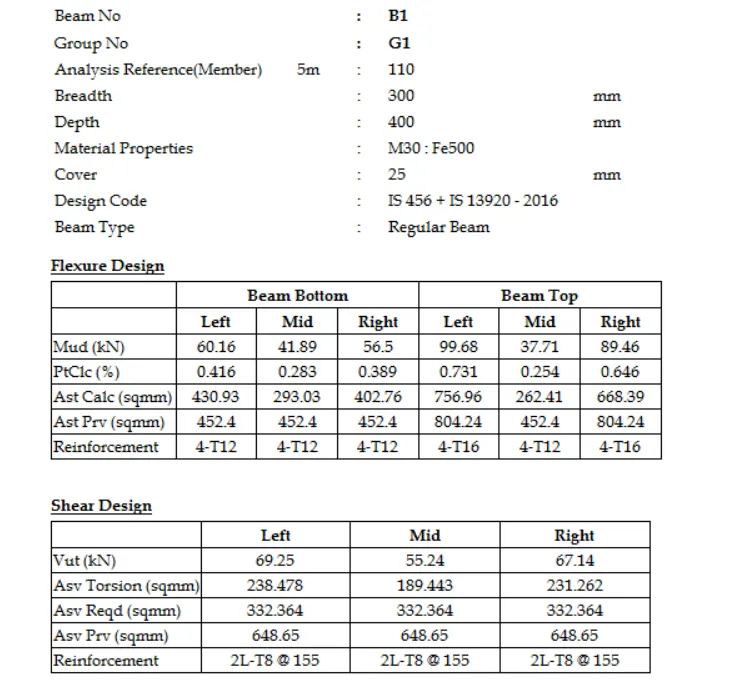
- Beam design in RCDC
Cross-section:
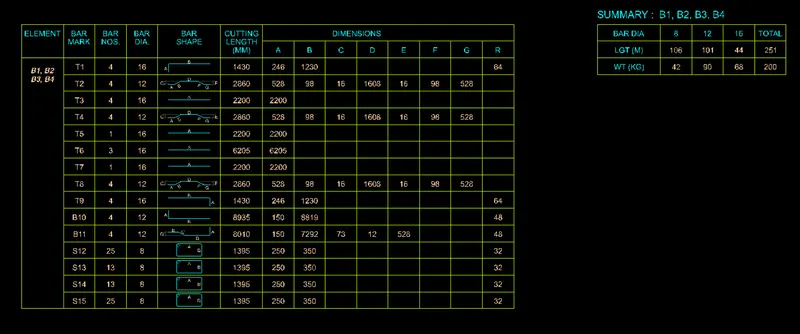
- Bar Bending Schedule(BBS) of the beam in RCDC
DESIGN COLUMN USING RCDC
- After completing the design in staad pro., then go to advanced concrete design
- select column option
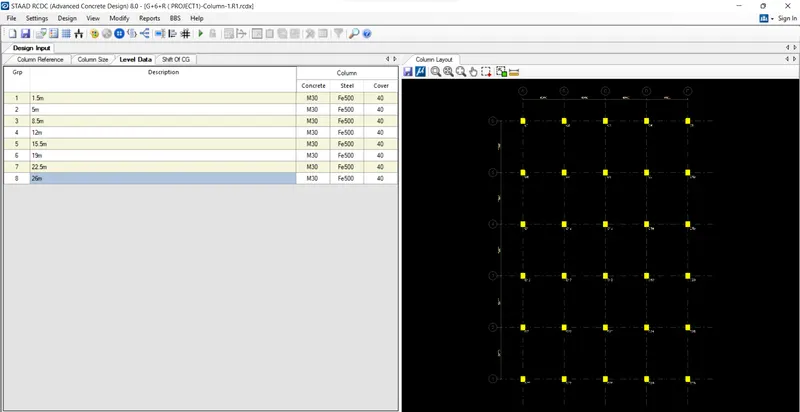
- Design setting
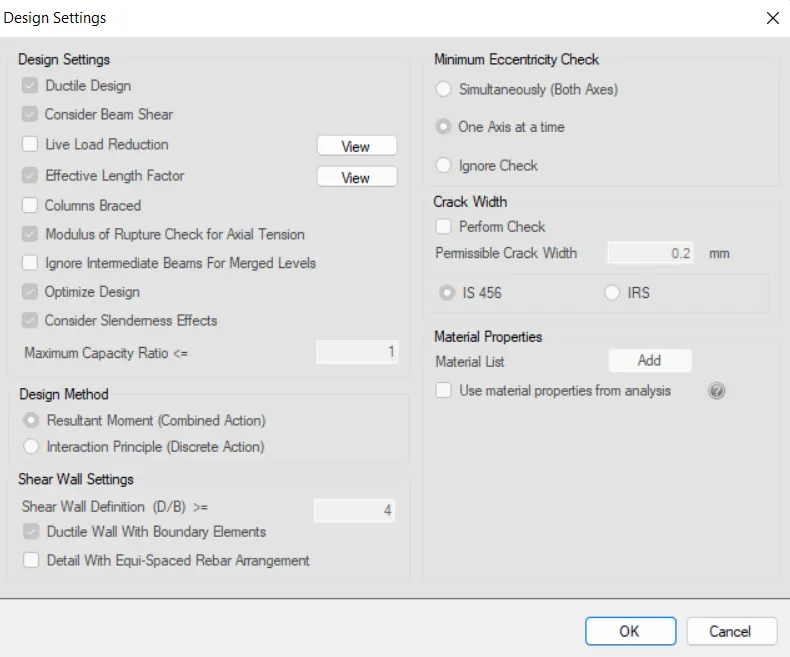
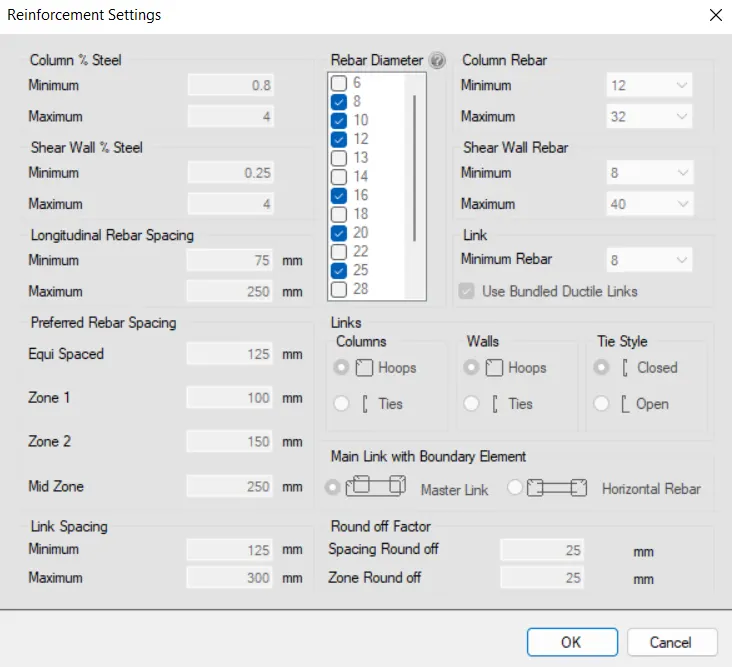
- Now auto design
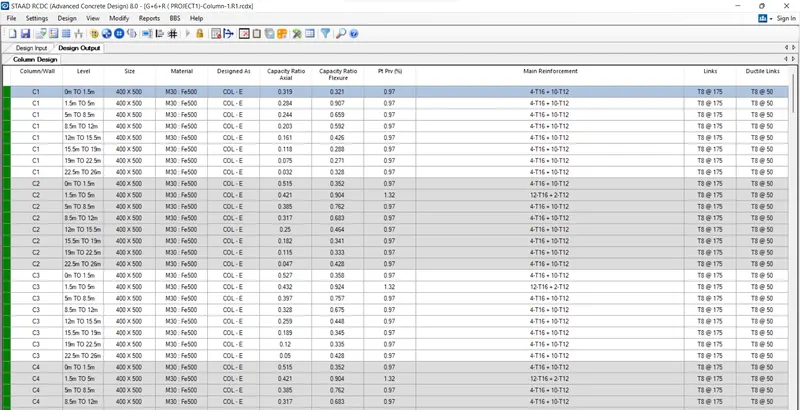
- Column result in RCDC

- Column design in RCDC
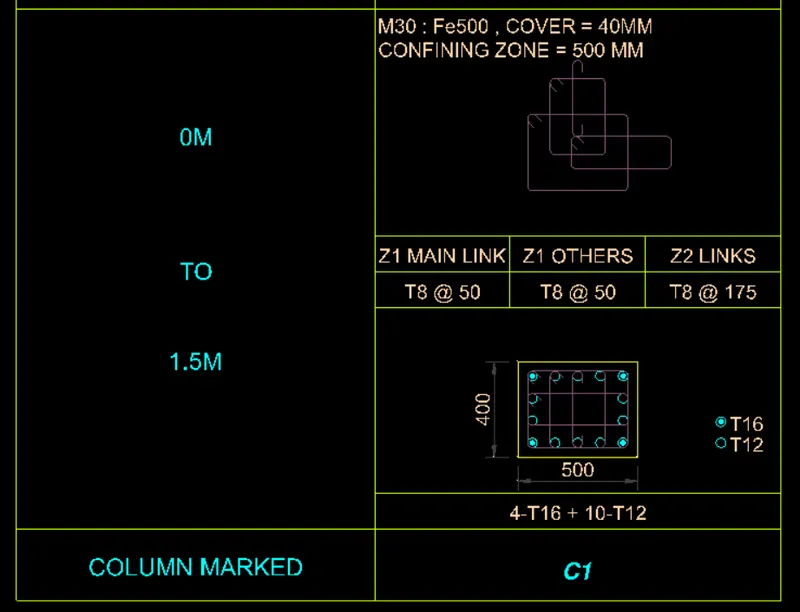
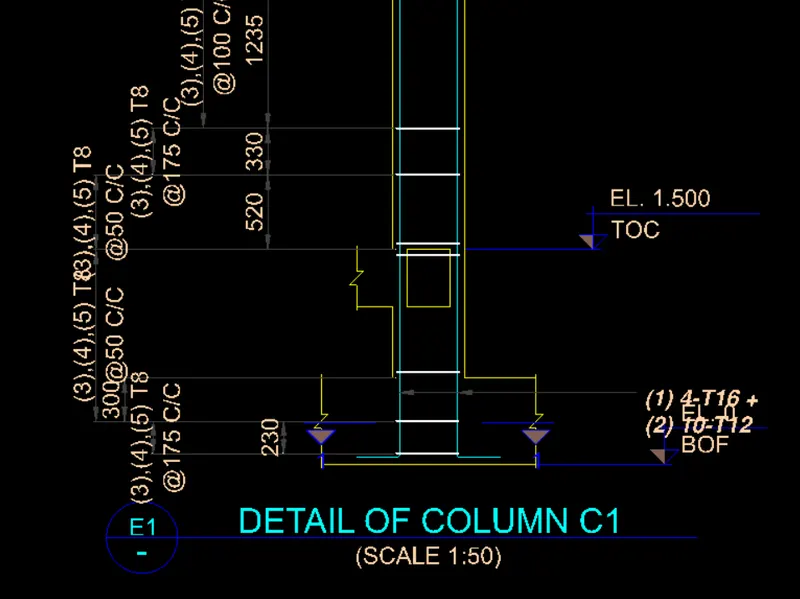
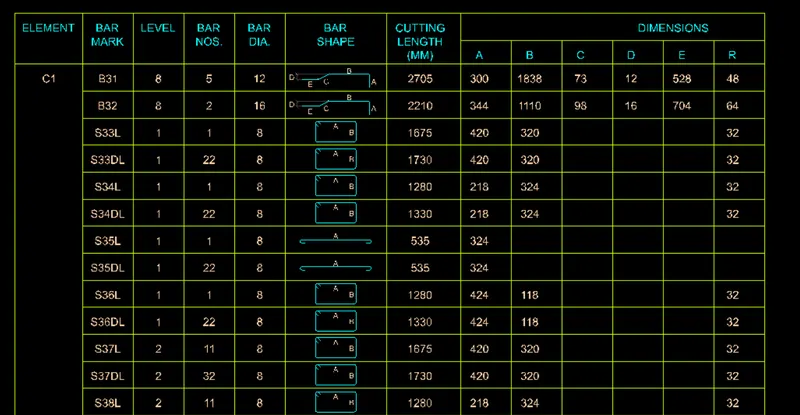
- Bar Bending Schedule(BBS) of the column in RCDC
DESIGN FOOTING USING RCDC
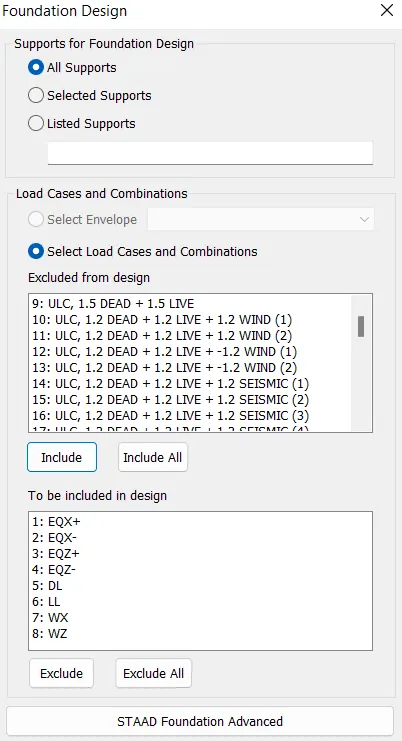
- After analyzing the structure in STAAD PRO, then go to STAAD FOUNDATION
- Select all the supports
- Select the primary load cases
- Then open STAAD PRO ADVANCED
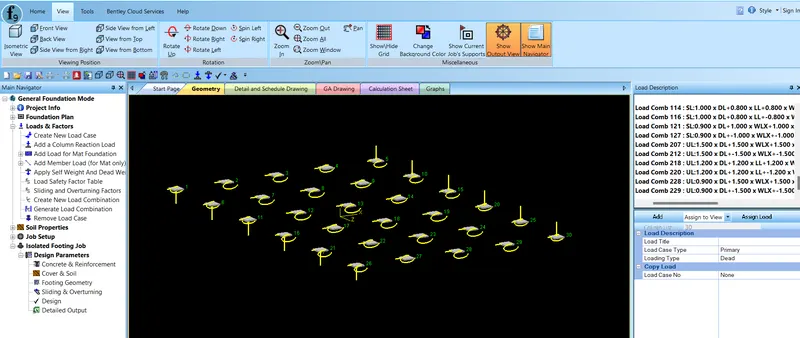
- Then go to load & factors
- add a column reaction loads in the staad foundation
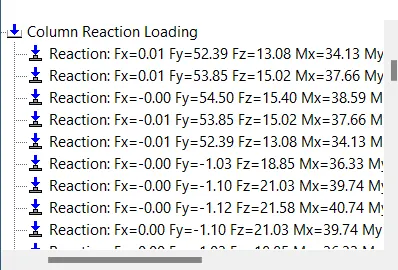
- Generate load cases
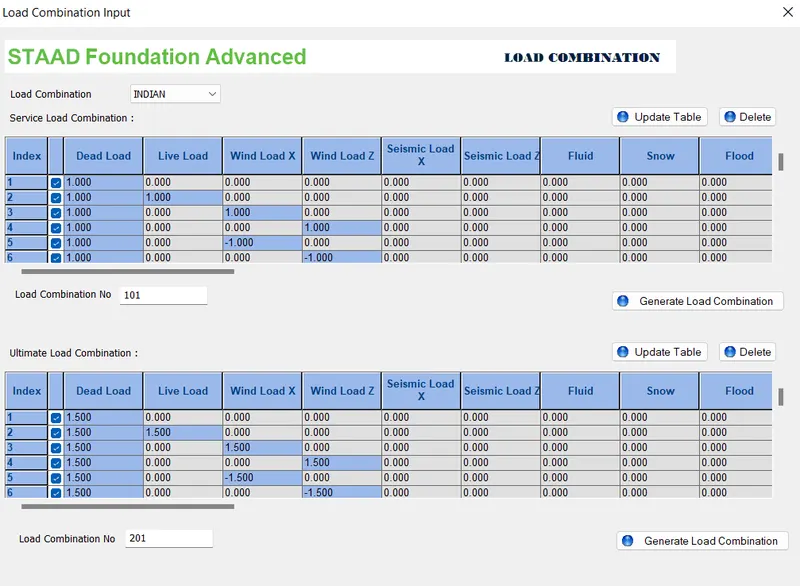
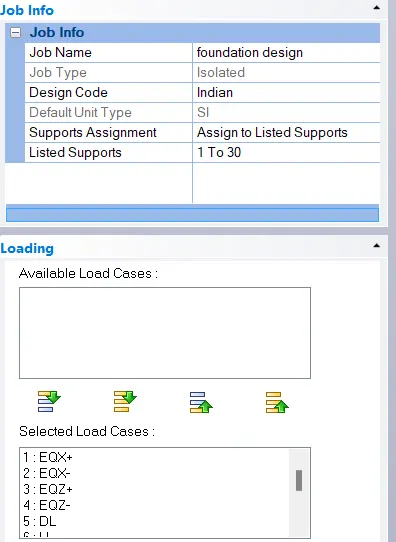
- Now go to job setups
: Create a job and select loading
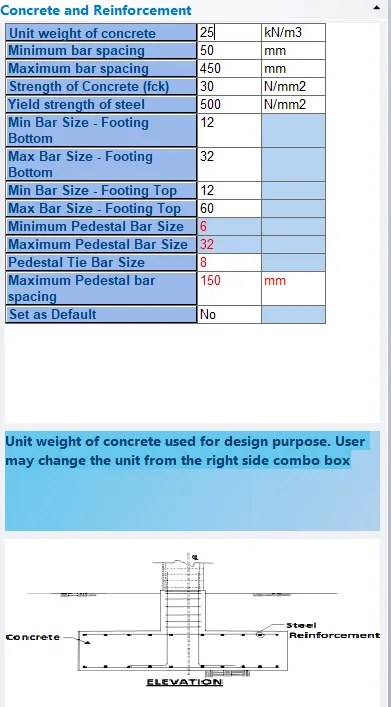
- Now go to the design parameters
: concrete & reinforcement : cover & soil :Footing geometry : Sliding and overturning
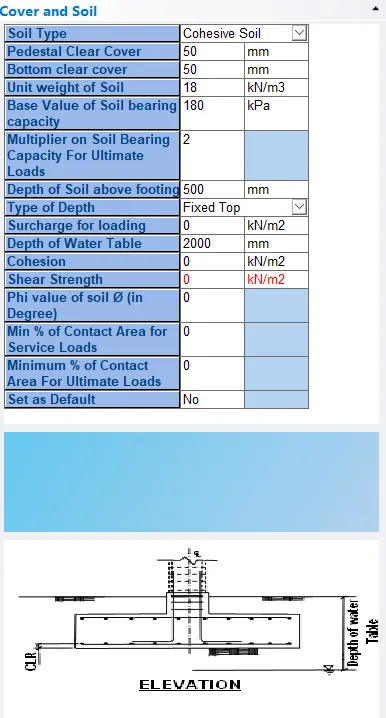
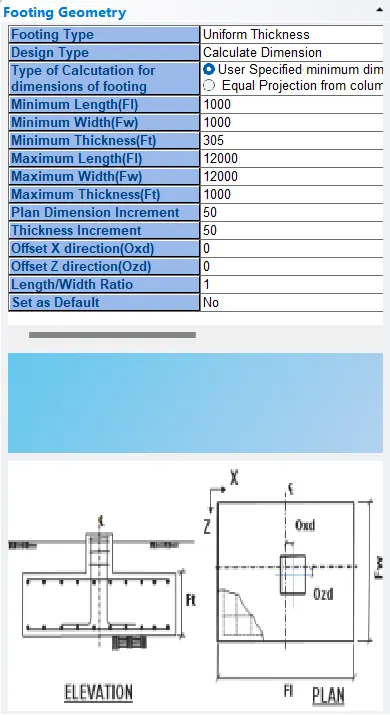
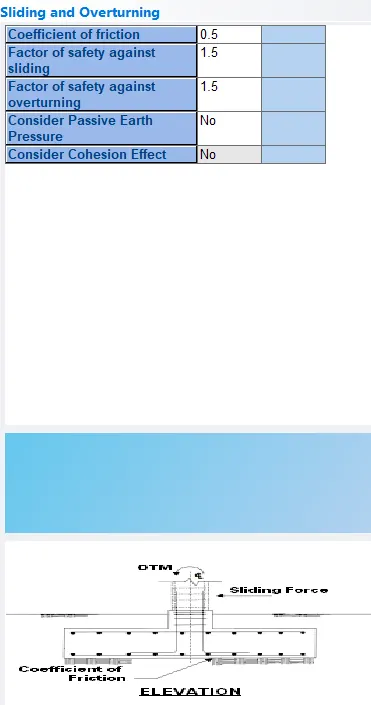
- Design
- Design output
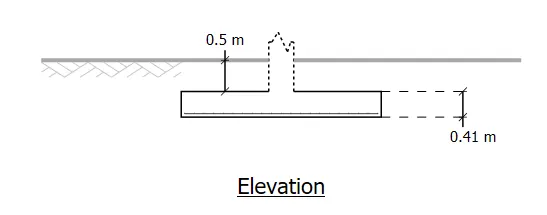
: Dimension
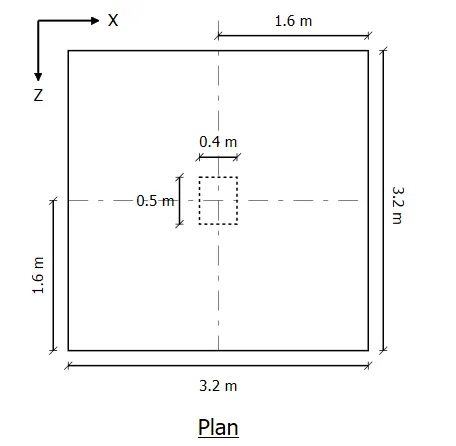
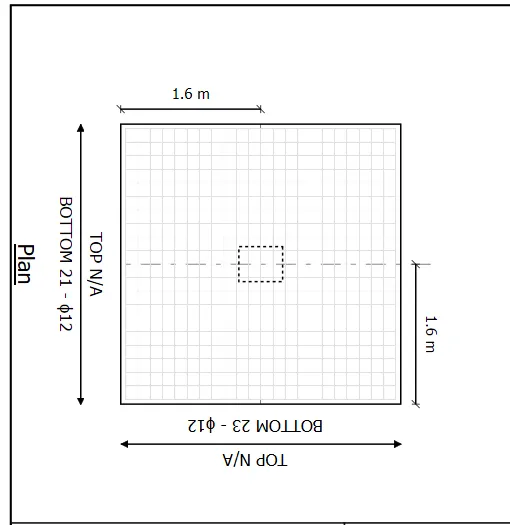
: Reinforcement details

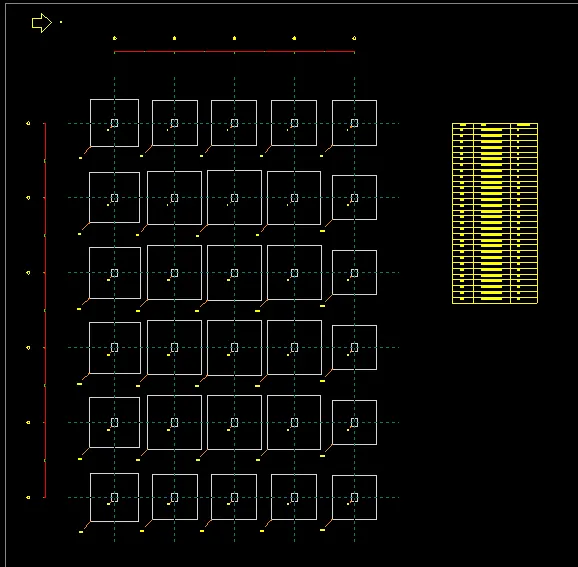
: Footing arrangement:
THANK YOU.
: