Photo Realistic Rendering
MODELING OF AMERICAN CHOPPER IN SOLIDWORKS
INTRODUCTION:
SolidWorks is a solid modeling computer-aided design (CAD) and computer-aided engineering. The software is to convert the 3d modeling with the help of the 2d sketches. After creating the model It also has the option to specify the material and attractive look for the model. It has also been used to create the surface modeling .in this project we learn about the detailed design of the American chopper, assembling them, and rendering the chopper.
OBJECTIVE :
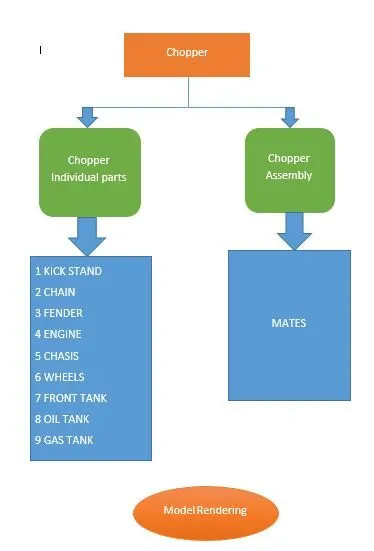
- To Create the individual parts by using the part command and the surface command.
- To assemble the individual parts in the chopper by using the mate command.
- To create the real model by using rendering commands.
Design approach :
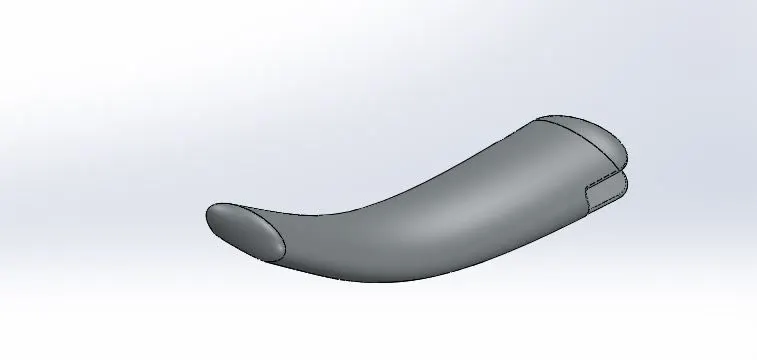
KICKSTAND
Feature Used :
- Loft
- Dome
- Extrude Boss
- Extrude Cut
- Fillet
- Split
Loft
The loft feature in SOLIDWORKS allows you generate complex geometry in a single feature. It does this by interpolating surfaces between various cross-sections of a model. These cross-sections can be sketches, faces, or edges. In the loft interface, these cross-sections are considered
DOME
A dome is a hollow half of a sphere. A dome is a curved formation or structure. It is shaped like half of a sphere.
Extrude Boss :
Extrude boss is a feature used to convert 2D sketches into 3d.
ExTRUDE CUT:
It is a tool that is to removes the material in the 3d modeling by using 2d sketches. Use to put a-holes, slots in the material.
FILLET :
Fillet/Round creates a rounded internal or external face on the part. You can fillet all edges of a face, selected sets of faces, selected edges, or edge loops.
Procedure
Open the solid works part document
Choose the right plane in the document and then make the entities path of the given sketch.
Then draw the two elliptical curves at both ends of the point in the lines.
Check the sketches are at the same given entities and then the sketch is fully defined
The lofting command is used to make a kickstand and the fillet is used to remove sharp edges at the required radius.
Then finally the part is saved.
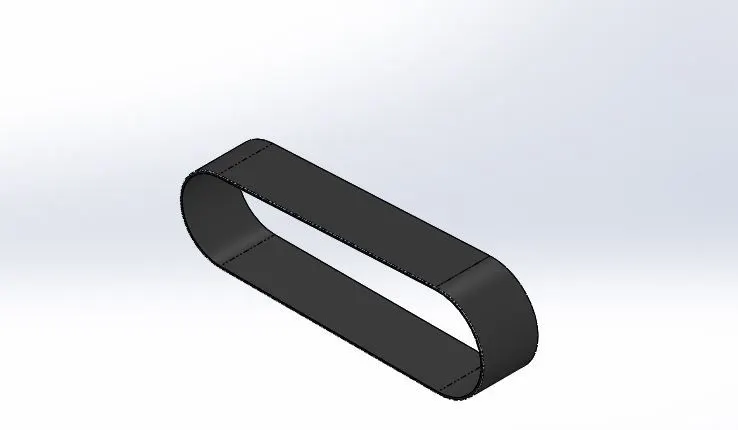
Transmission Belt:
The transmission belt power from the engine to the gearbox.
Features used
- SKETCH
- OFFSET
- EXTRUDE
- FILLET
- APPEARANCE
Appearance
The appearance command is to give the Colour for the material for the 3d modeling.
Offset
Offset one or more sketch entities, selected model edges, or model faces by a specified distance.
Procedure For Transmission Belt :
Open the new part document. Select the front plane of the document.
Draw the sketch entities and fully define them.
The Extrude command is used to extrude the sketch.
Fillet command is used to avoid sharp edges as per the given dimension
Then save the document.
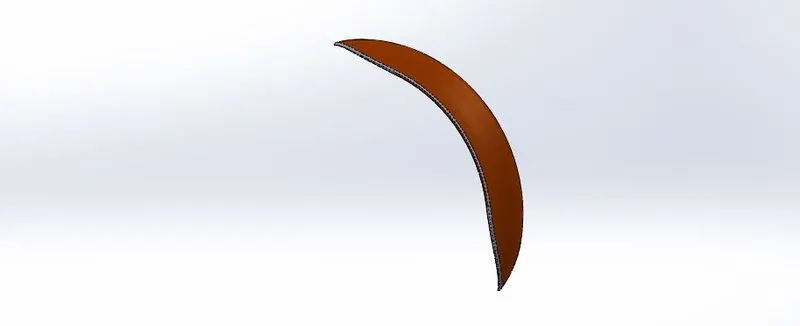
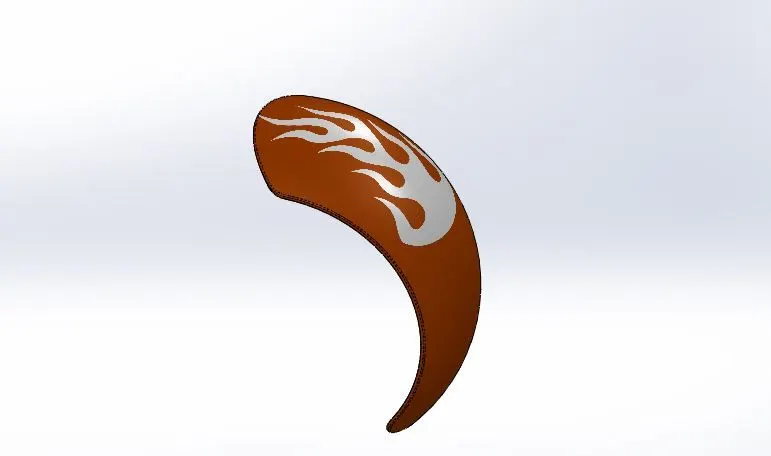
Front Fender:
A curved part of a bike is attached above the wheels to reduce the amount of water or mud thrown up by them.
Features Involved
- Sketch
- Offset entities
- Trim Entities
- Revolve
- Dynamic Mirror
- Split
- Appearance
Revolve Entities
A sketch that contains one or more profiles and a centerline, line, or edge to use as the axis around which the feature revolves.
Rear Fender:
A curved part of a bike is attached above the wheels to reduce the amount of water or mud thrown up by them.
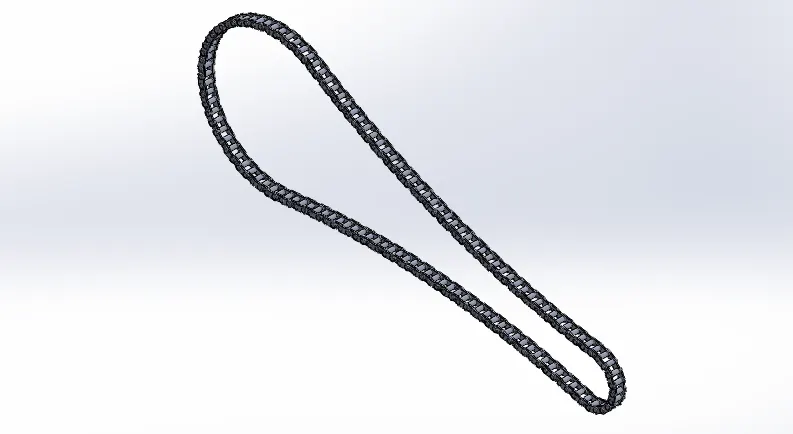
Chain:
A chain and sprocket drive is a type of power transmission in which a roller chain engages with two or more toothed sprockets, used in engines as a drive from crankshaft to the camshaft.
Feature Involved :
Solid Bodies
Extrude
Curve Pattern
Mirror
Curve Pattern:
The Curve Driven Pattern tool allows you to create patterns along a planar or 3D curve. To define the pattern, you can use any sketch segment, or the edge of a face (solid or surface), that lies along the plane. You can base your pattern on an open curve, or a closed curve, such as a circle.
Procedure
Create a sketch
Then make the block entities active
After choosing make them sketch entity in a block.
Then attach the block in the curve sketch entity.
Then use the curve pattern command to make the chain sprocket on one side.
By using the mirror command make the full part, save the model.
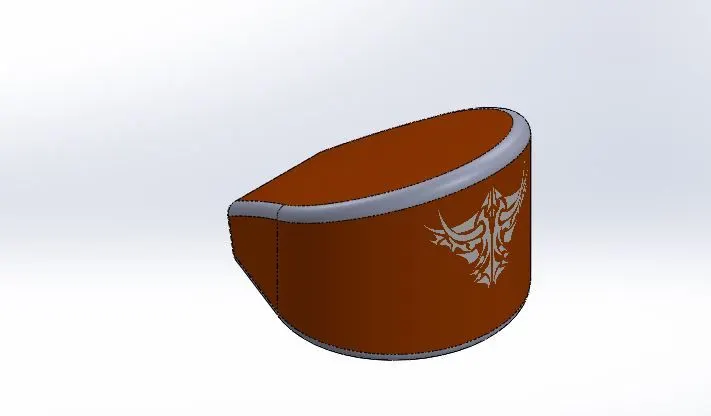
Oil Tank
An oil tank is to store the oil required to run the engine.
Features Involved:
Combine
Shell
The shell tool hollows out a part, leaves open the faces you select, and creates thin-walled features on the remaining faces. If you do not select any face on the model, you can shell a solid part, creating a closed, hollow model. You can also shell a model using multiple thicknesses.
COMBINE
Combine which is to combine two bodies like add, subtract, etc.
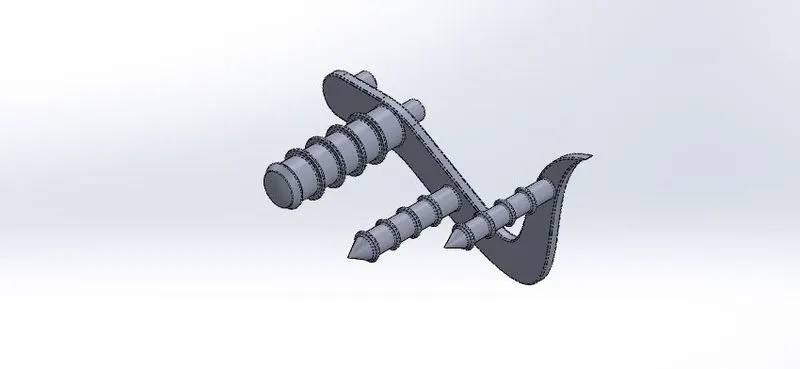
Pedal :
Features Involved :
- Fillet
- Dome
- Linear Pattern
- Chamfer
Front Wheel
The front-wheel which moves the vehicle in front, the rear wheel gets the power is transmitted from the engine.
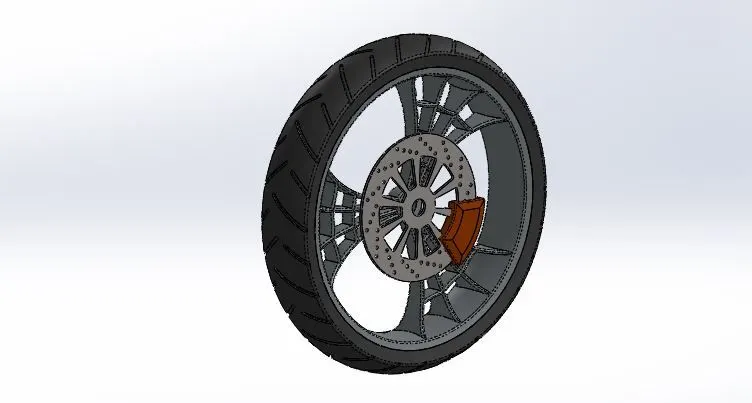
Features Involved :
Revolve
Linear Pattern
Chamfer
Cut Extrude
Circular pattern
Rear Wheel
The rear wheel is attached to the brake drum and the chain sprocket. The power is transmitted from the engine to the rear wheel.
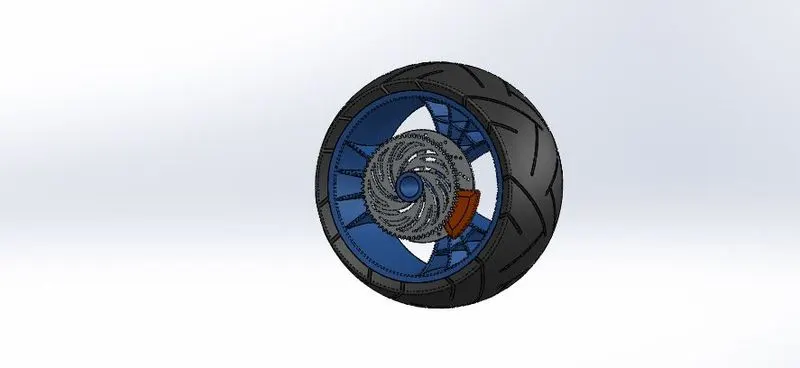
Features Involved
- Sketch
- Revolve
- Trim
- Fillet Entities
- Revolve cut
- Linear Pattern
- Chamfer
Front Fork
Front fork suspension is the system, or systems, used to suspend the rider and bicycle to insulate them from the roughness of the terrain.
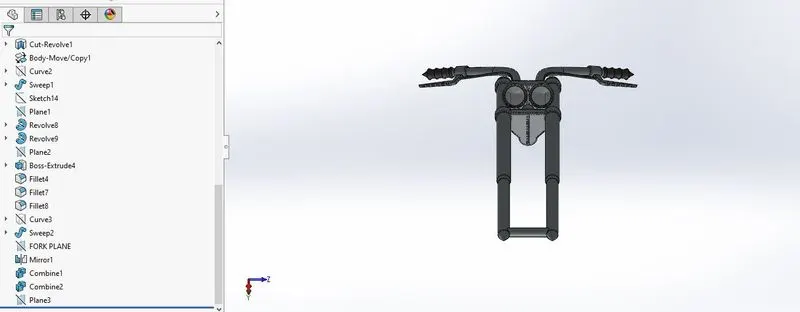
Featurse Involved:
- Sketch
- Extrude
- Trim
- Move / Copy
- Dome
- Mirror
- Projective curve
Move/Copy
this feature is used to move body from one place to other place
Projective curve
Projective curve is a type of curve which is used to create a curve on to the face of the model or to create the a 3D curve in solid works.
We can also create a 3D curve by creating two different sketches the intersection between the two sketch curves is converted as project curve.
Chasis :
Chassis is a collective term for all the parts of a vehicle except the body work. Every major part of a vehicle is collectively called chassis. It includes wheels, brakes, suspension systems, axles, engine, etc.
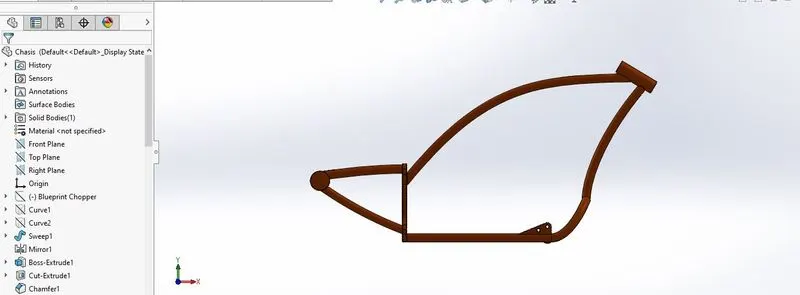
Features Involved
- Sweep
- Mirror
- Boss extrude
- Chamfer
- Revolve
- Cut Extrude
- Combine
Engine :
Motorcycle engines work the same way that car engines do. They consist of pistons, a cylinder block and a head, which contains the valve train. The pistons move up and down in the cylinder block, driven by explosions of a fuel-air mixture that has been ignited by a spark.
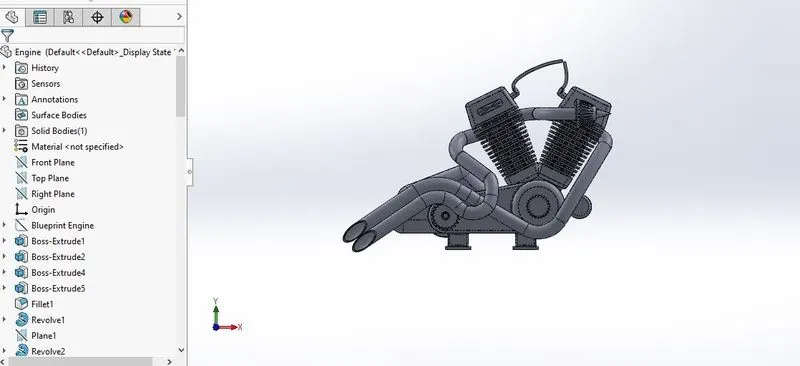
Features Involved
- Boss Extrude
- Fillet
- Revolve
- Project curve
- Composite curve
Gas Tank
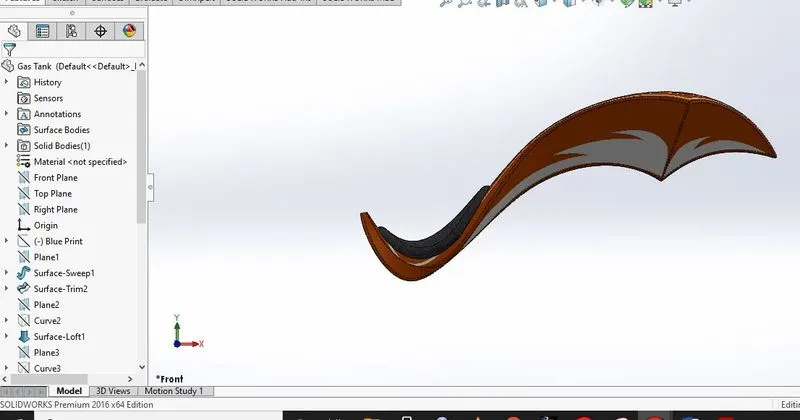
Features Involved
- Surface Sweep
- Surface Trim
- Surface Loft
- Boundary Surface
- Surfac knit
Surface Trim :
We can use a surface, plane, or sketch as a trim tool to trim intersecting surfaces. ... Create two or more surfaces that intersect at one or more points, or create a surface that intersects with a plane or has a sketch on its face.
Knit Surface :
Knit Surface tool to combine two or more faces and surfaces into one. Create a solid body when the knit surfaces form a closed volume, or leave as a surface body. ... Select Merge entities to merge faces with the same underlying geometry.
Assembly of the Chopper:
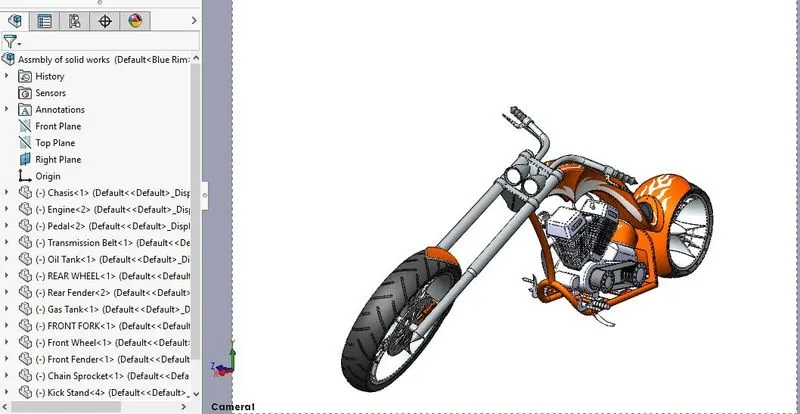
An assembly design consists of two or more components assembled together at their respective work positions by using parametric relations. In SOLIDWORKS, these relations are called mates. Mates allow you to constrain the degrees of freedom of components at their respective work positions.
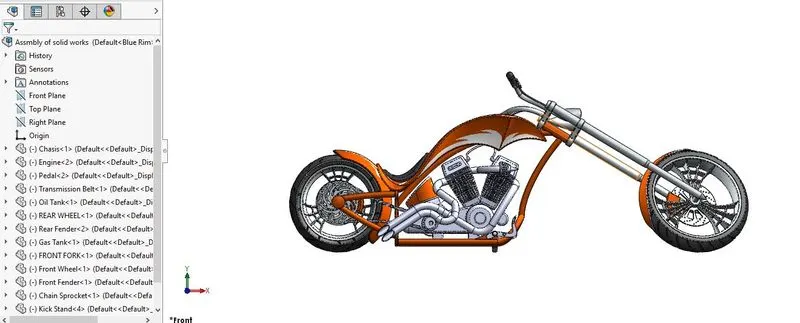
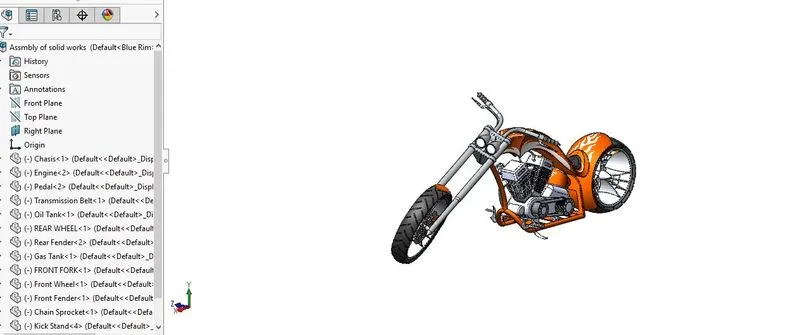
Features Involved
- Mates
- Insert Component
Rendering
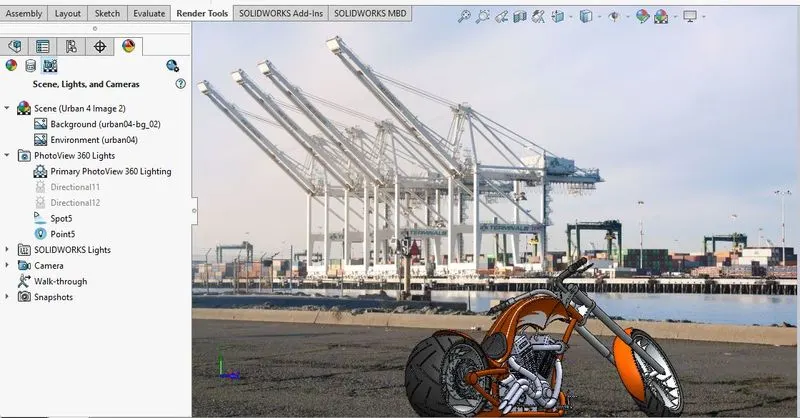
PhotoView 360 is a SOLIDWORKS add-in that produces photo-realistic renderings of SOLIDWORKS models. The rendered image incorporates the appearances, lighting, scene, and decals included with the model. A 3D rendering is process of converting a 3D CAD model created in something like SOLIDWORKS into a 2D image. This 2D image can have different levels of quality and 3D photo-realistic effects depending on what software is used to produce the image.
Camera View :
Photoview 360 :
CONCLUSION
- The realistic image was rendered with the help of the photoview 360.