Modelling of 25 storey building with the specified properties using ETABS
AIM:- to model the 25 story building using E-tabs
GIVEN DATA
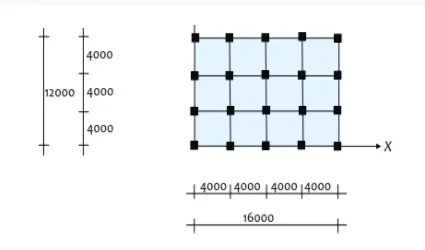
- size of the beam 300x400mm
- size of the column 800x800mm
- the thickness of the slab is 150mm
- grade of concrete M30
- grade of steel Fe415
- dead load on beams from infill walls is assumed as 10KN/M
- live load on the floor is taken as 3 KN/M^2
STEP 1: to modify grid and story data
- open E-tabs
- Click on the new model
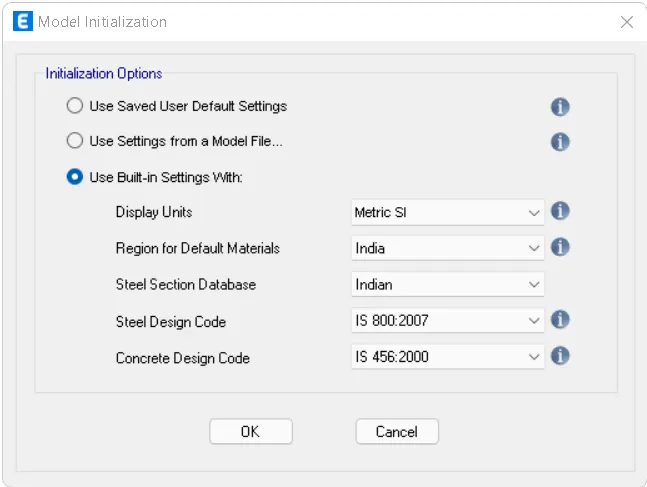
- select the codal provisions of steel and concrete
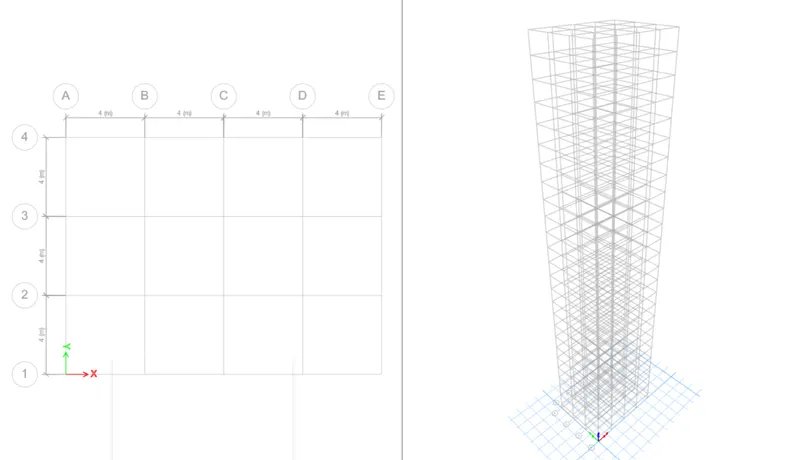
- then go custom grid spacing
- then edit grid data
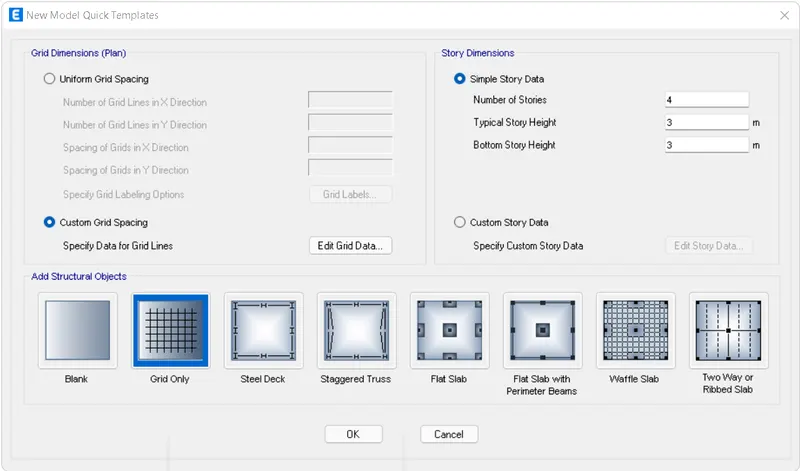
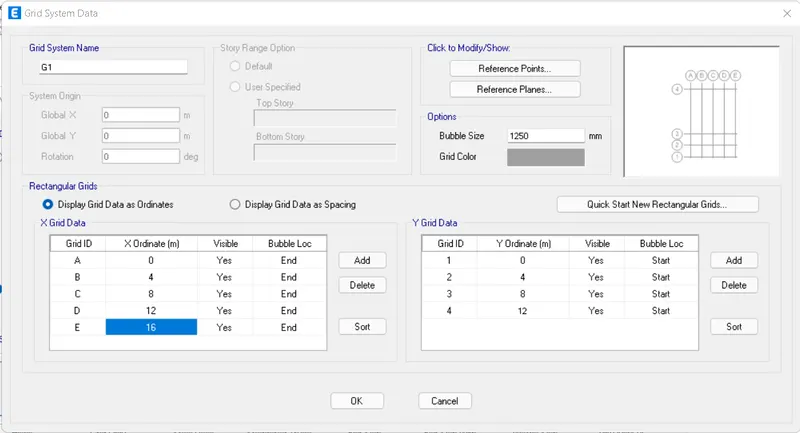
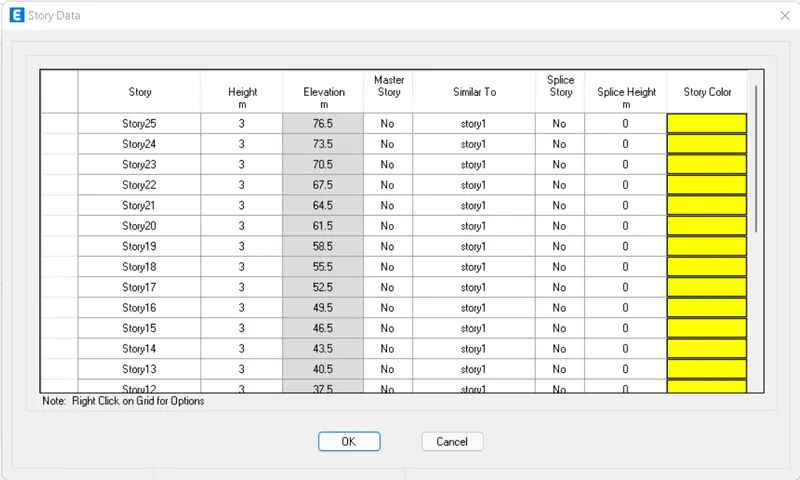
- Click on a custom story data
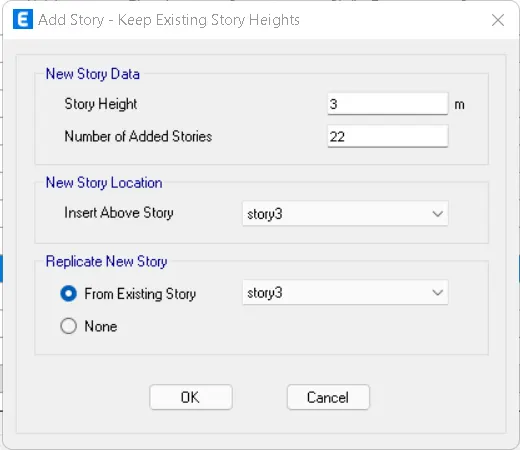
- edit the height of the story
- add additional story required
STEP 2:- to define material properties and section properties
- go to define> material properties
- add reinforcement and concrete grades
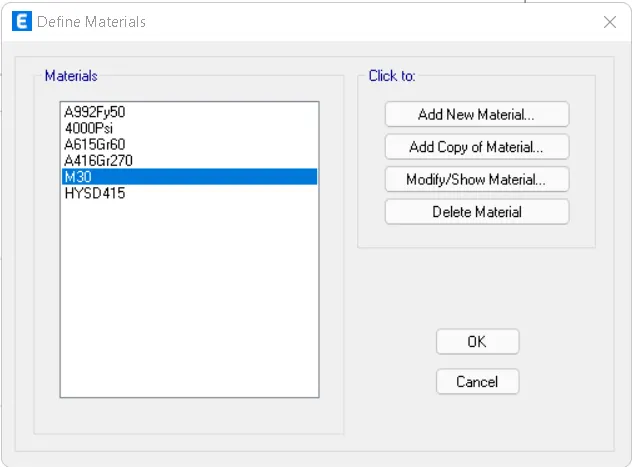
- then go to define
- Click on section properties>frame sections
- then add beam and columns parameters and material
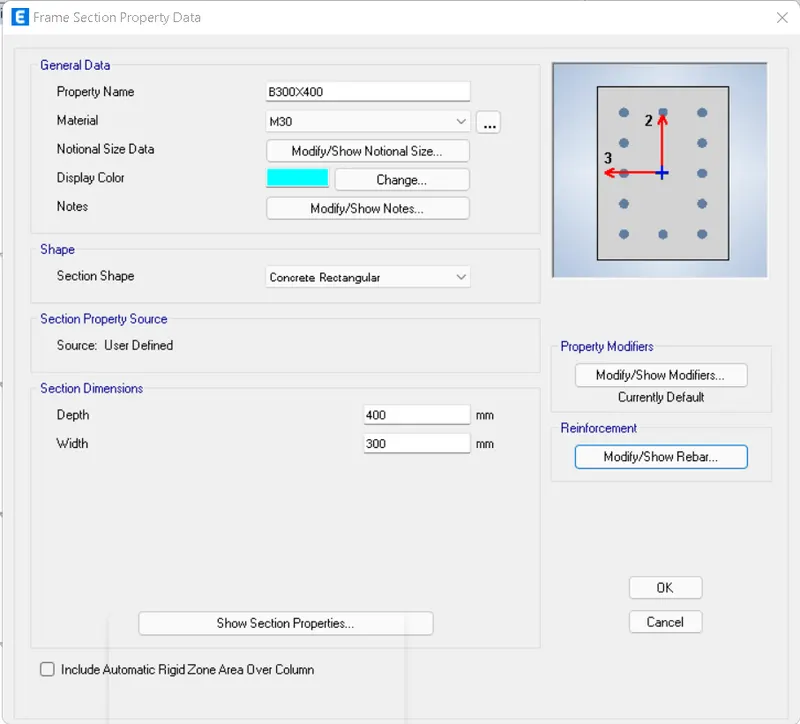
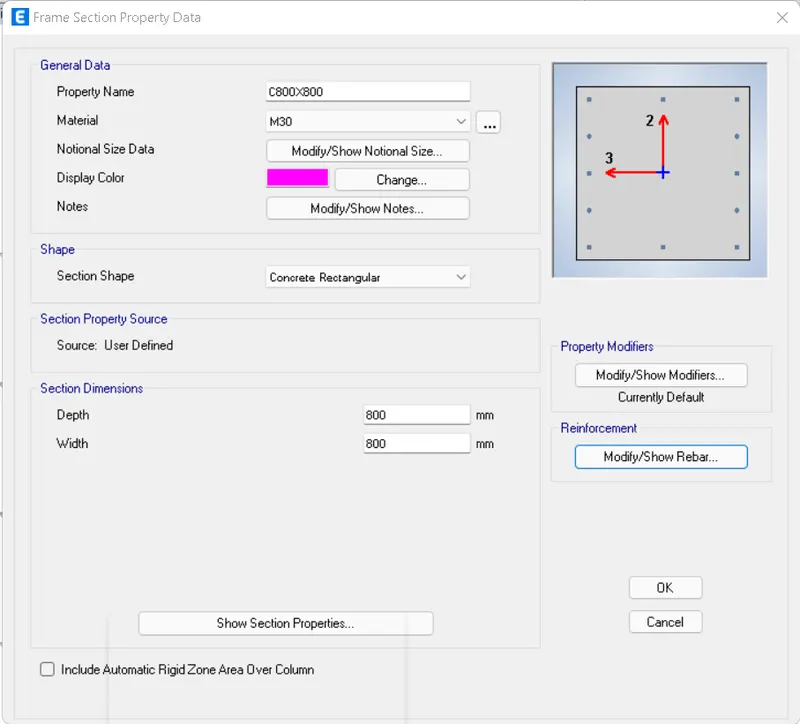
- go to define
- Click on section properties > slab sections
- modify the parameter of the slab and add material
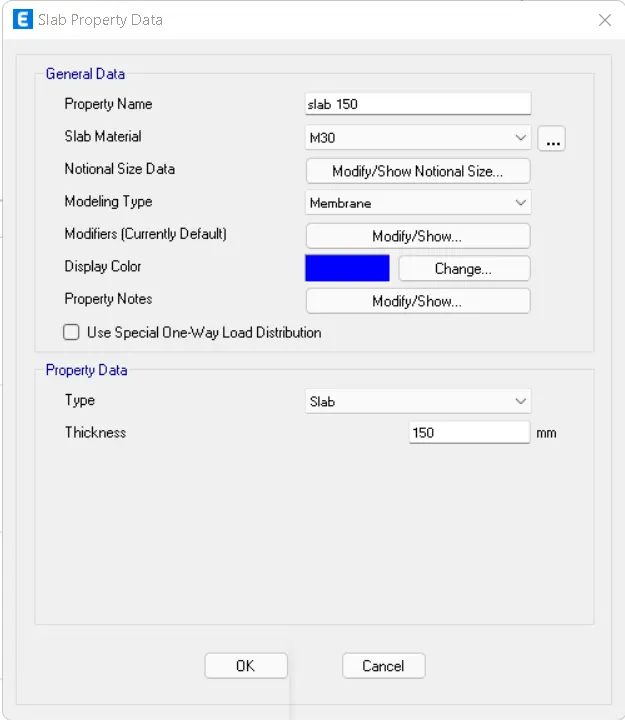
STEP 3:- to define loads and load combinations as given in the question
- go to define
- select load patterns
- add the type of loads the structure is subjected to
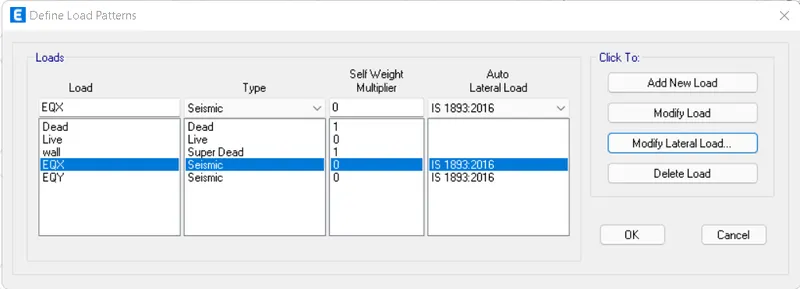
- after adding the load patterns
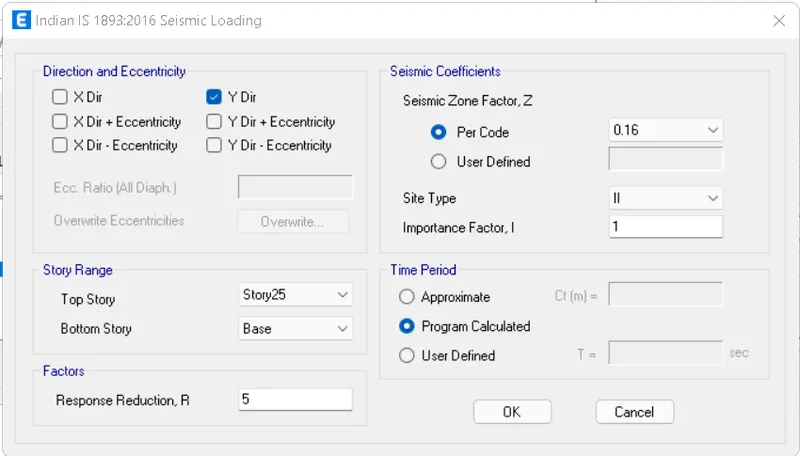
- modify the properties of the seismic loads
- assume seismic zone as 2
- influence factor as 1
- response reduction factor R as 5
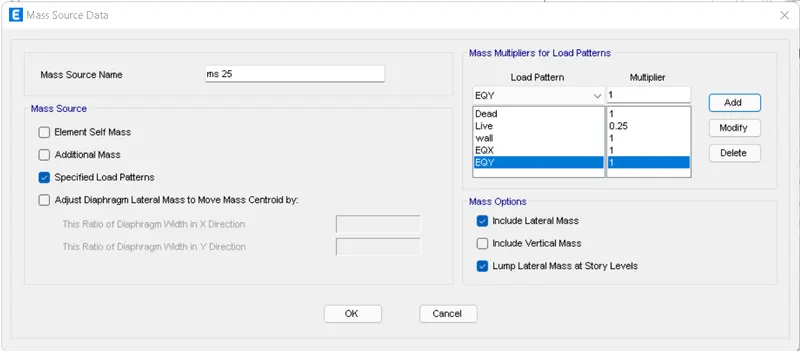
- then add the mass source
- go to define> select mass source
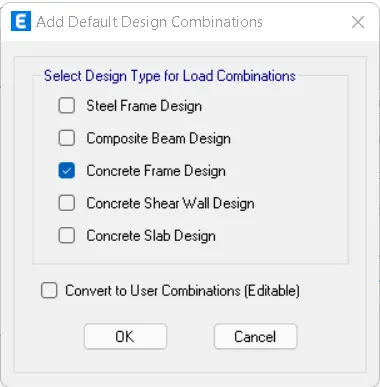
- then add load combinations
- go to define> load combinations
- click on add design loads
- select on concrete frame design
STEP 4:- modeling the structure
- add beams, columns and slabs to the model
- go to modeling
- select the column from the properties browser
- the add the columns at the desired locations
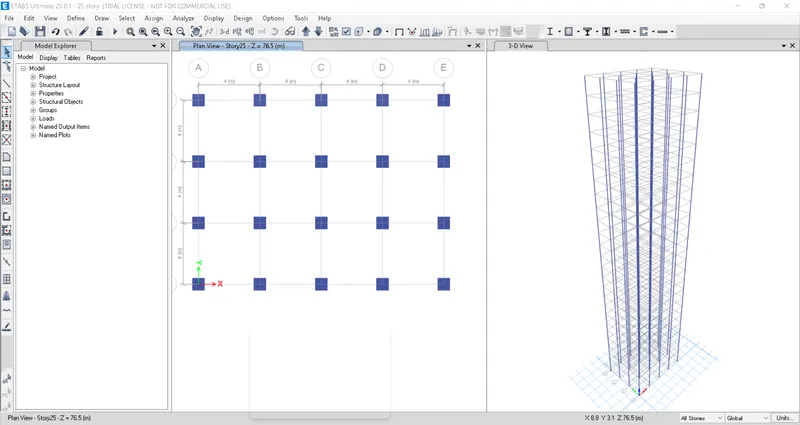
- similarly add beams and slab
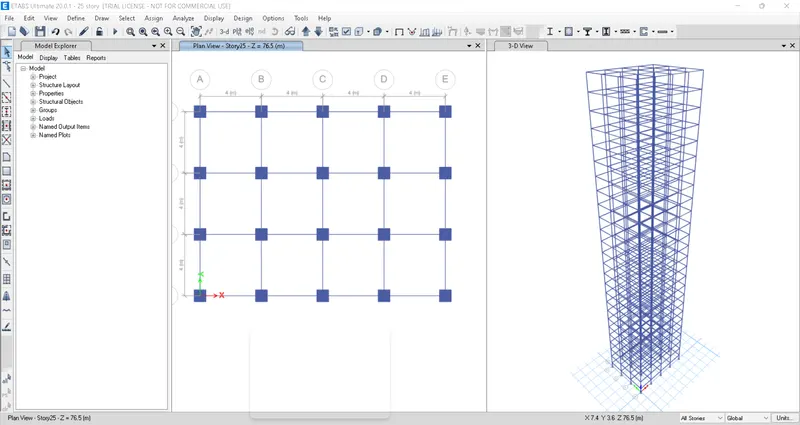
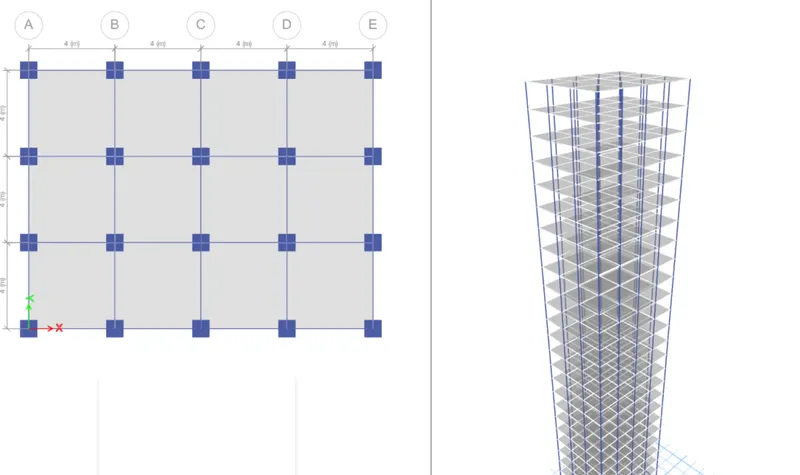
STEP 5:- to assign loads to the structure
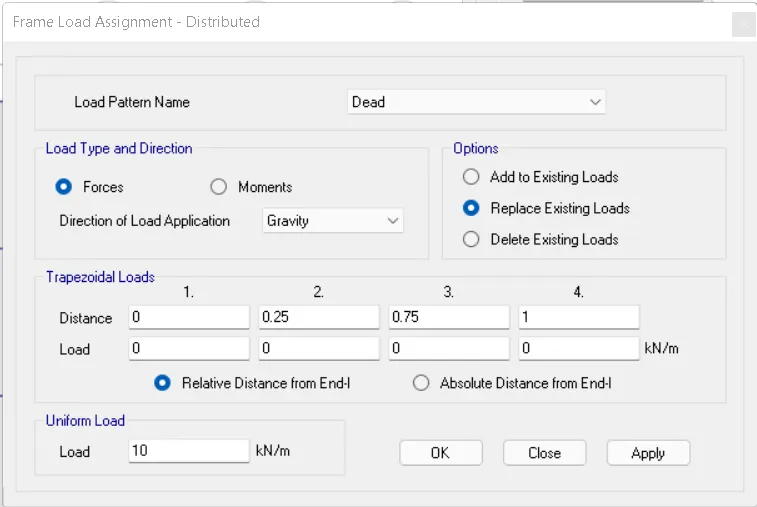
- to assign wall load on beams
- go to select>properties
- Click on frame selections and select all beams
- then go to assign
- frame loads> distributed
- modify the load and click on apply
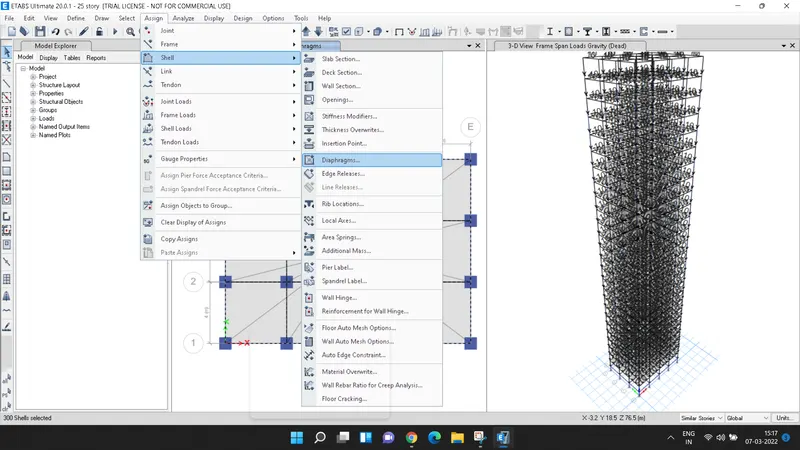
- then select all slab sections
- go to assign
- click on shell> diaphram
- select D1 and click on apply
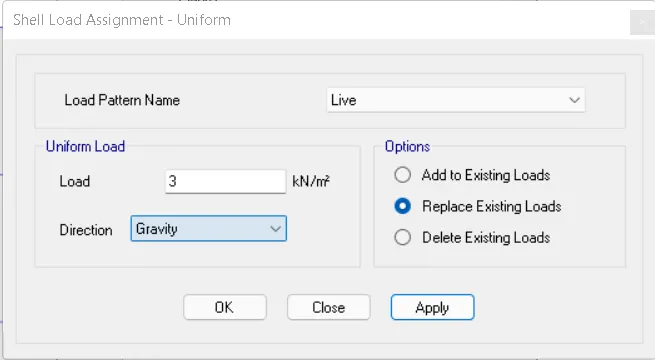
- then to assign live load
- go to select >properties>slab sections
- select all the slabs
- go to assign
- shell loads> uniform loads
- give the input as 3kn/m^2
- then click on apply OK
- after assigning the loads
- click on run analysis
RESULTS:-
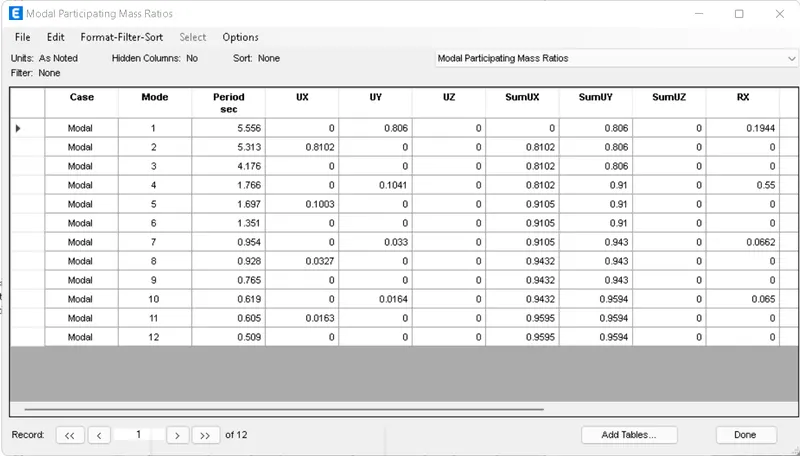
- the translation natural period T1=5.536
- the translation natural period T2=5.313
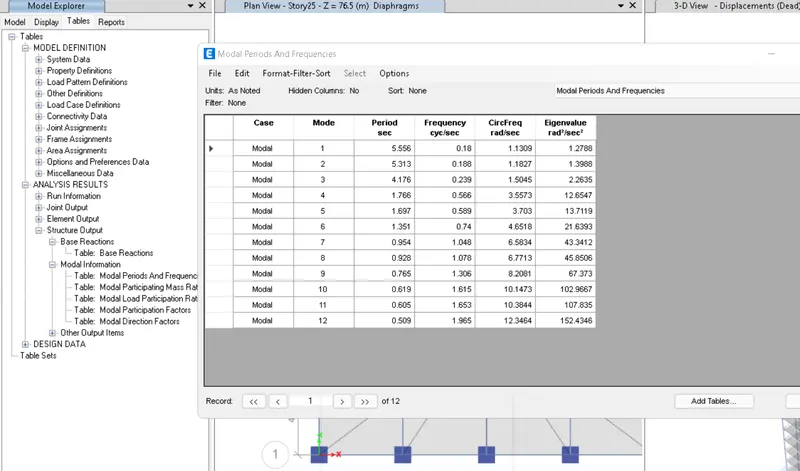
- achieved 80% of the modal participating mass ratio at mode point 1 and 2