Final Project: Design of an Electric Vehicle
Create a MATLAB model of electric car which uses a battery and a DC motor. Choose suitable blocks from Powertrain block set. Prepare a report about your model including following:
Objectives:
1. System level configurations
2. Model parameters
3. Results
4. Conclusion
Answer:
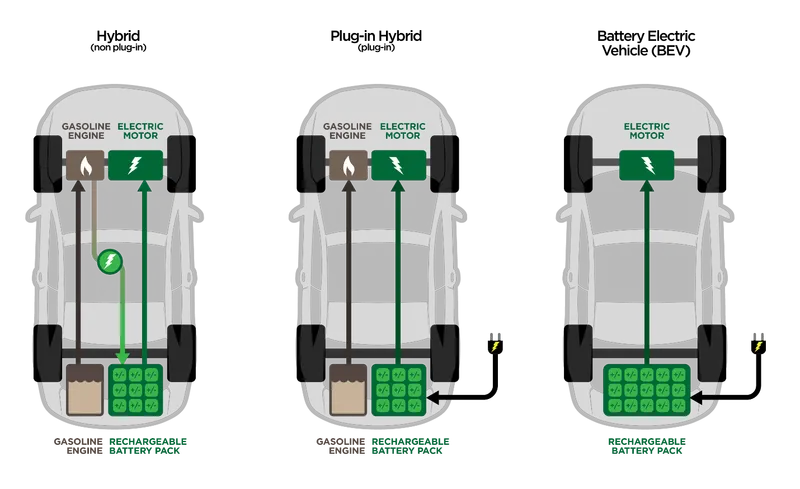
We know basically there are threee types EVs. They are Battery EV, Hybrid EV and Plugin Hybrid EVs.
- Battery EVs are nothing but completely using battery for Vehicle Run.
- Hybrid EVs will use battery and apart from that any type of source can be used to run the vehicle.
- A plug-in hybrid electric vehicle is a hybrid electric vehicle whose battery pack can be recharged by plugging a charging cable into an external electric power source,
in addition to internally by its on-board internal combustion engine-powered generator.
Modelling of Electric Vehicle Using MATLAB and Simulink:
The Electric Vehicle Model is modelled by considering Motor, PWM, Longitudinal Driver, Vehicle Body, Tire, Battery and other Required blocks.
Main model:
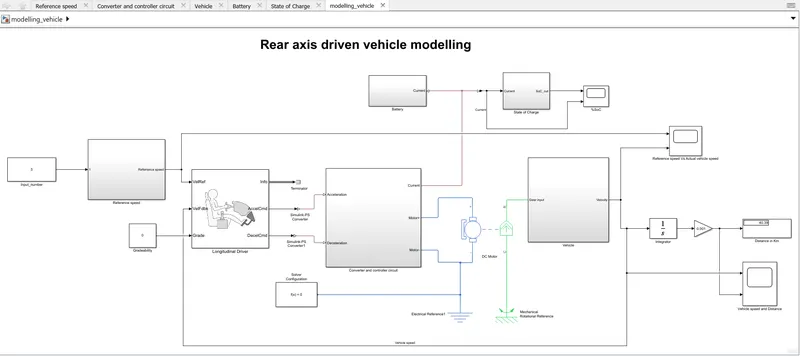
- From the image above, we can observe that vehicle model is run by giving drive cycle data.
- We will verify that, whether it is following drive cycleor not.
Reference Speed:
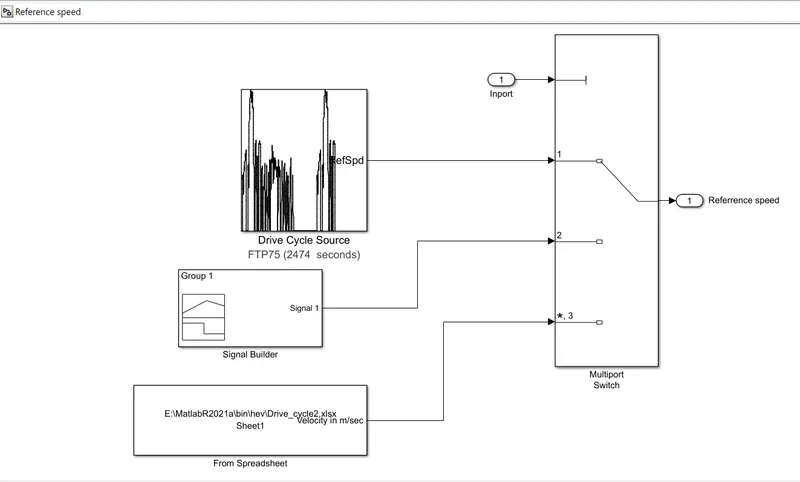
- For Providing input, we use Multiport Switch. By giving number (Here Inport Block) to multiport switch, the respective drive cycle or speed data is selected.
Driver Block:
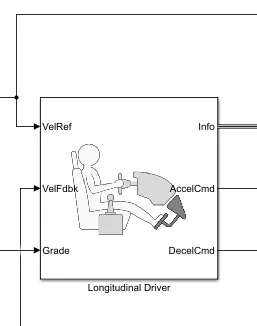
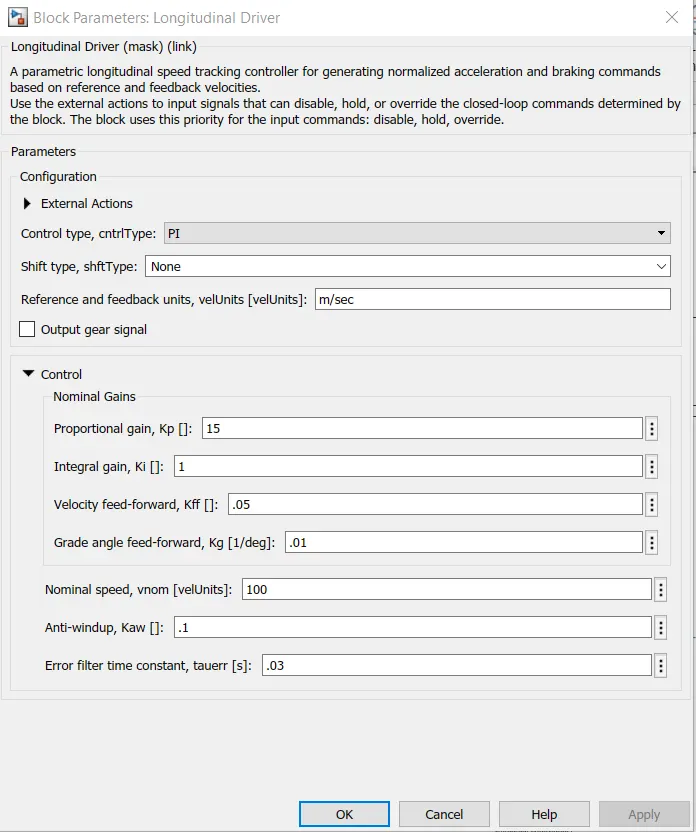
- The parameters are given to Driver block as shwon below.
Configuration of Longitudinal Drive Block:
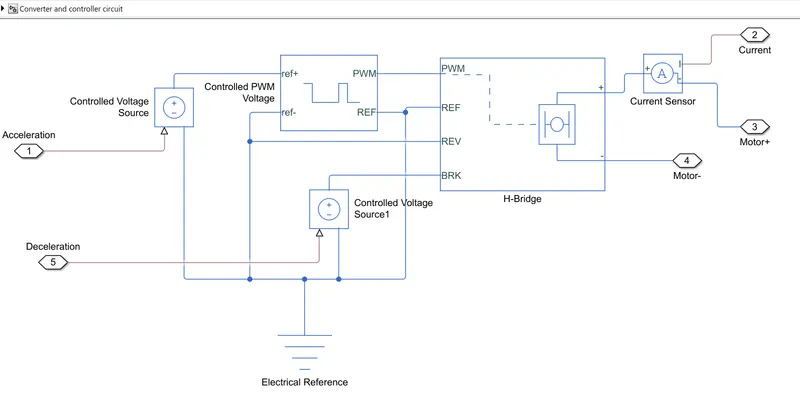
Converter and Controller Circuit:
- The Acceleration is given to Controlled PWM voltage so that Voltage will controlled and that is givento H-Bridge.
- Similarly the Break Command also given.
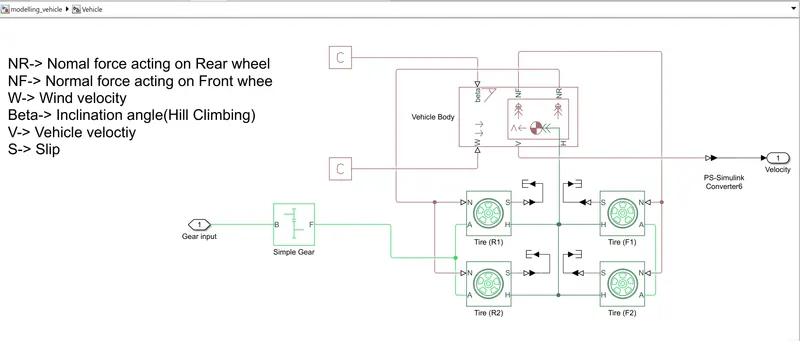
Vehicle:
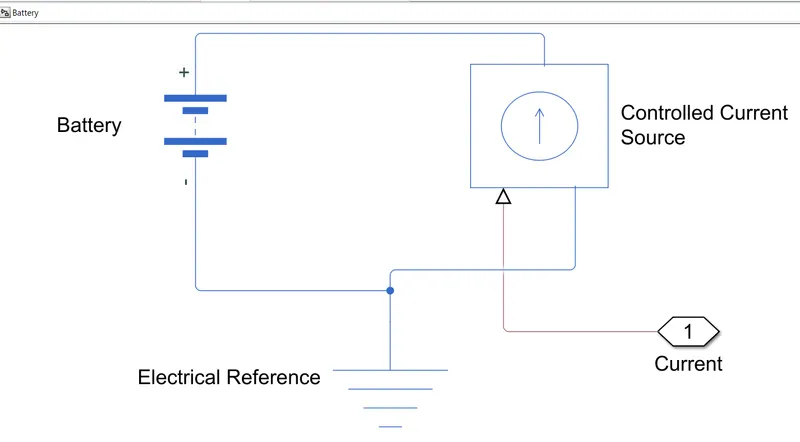
Battery:
State of Charge:
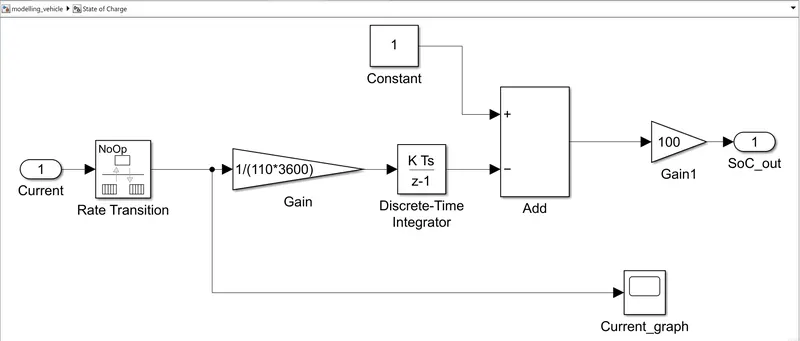
Let us discuss how the parameters were configured of each block:
1. Battery block:
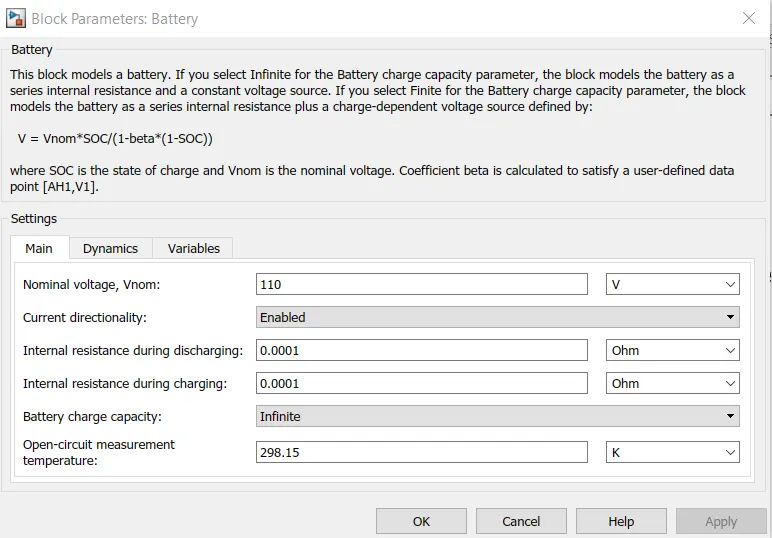
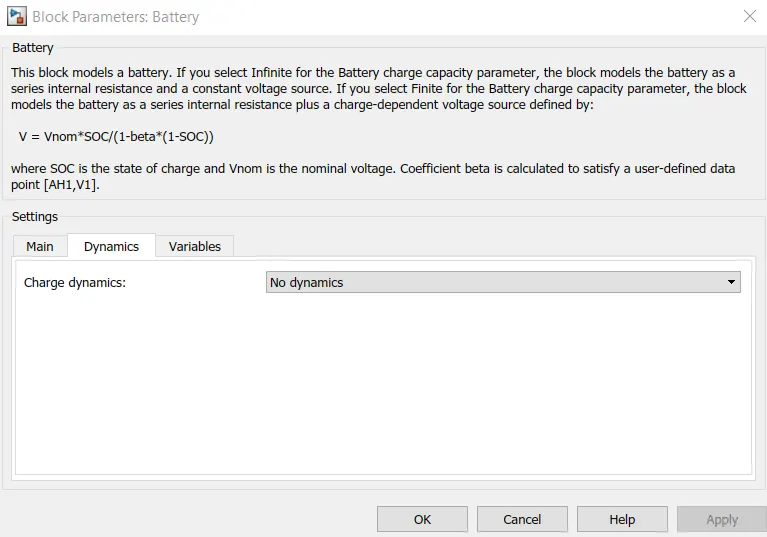
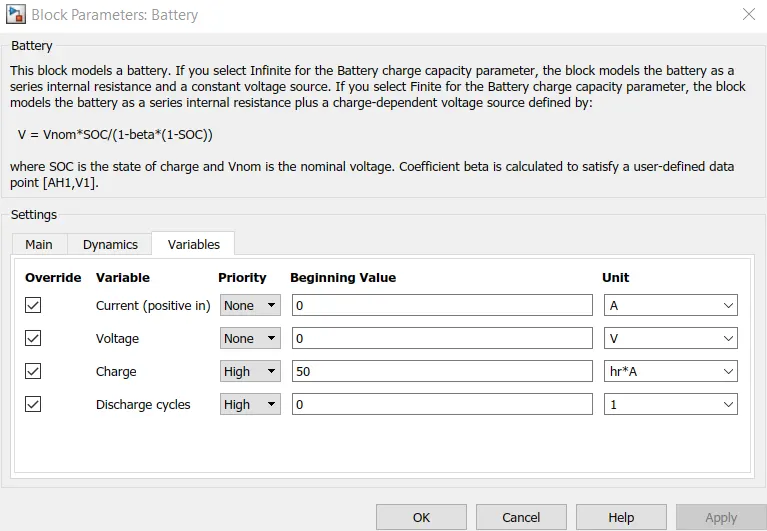
2. Motor:
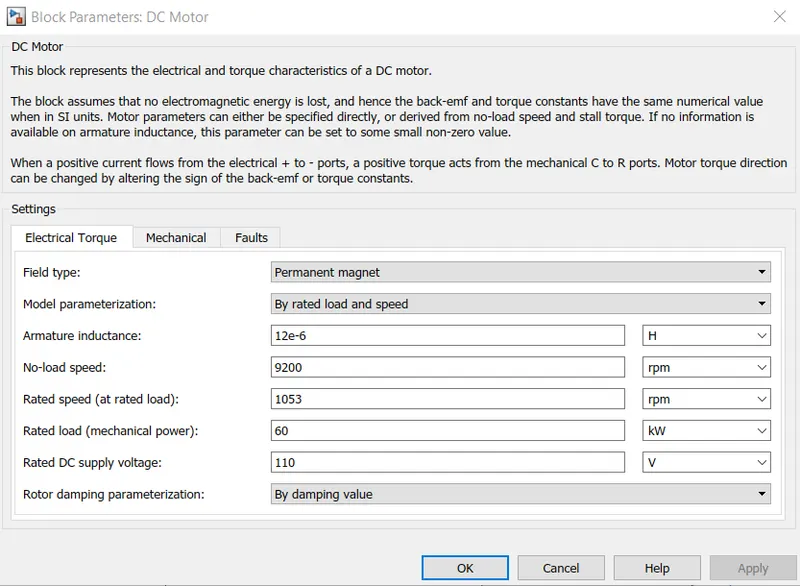
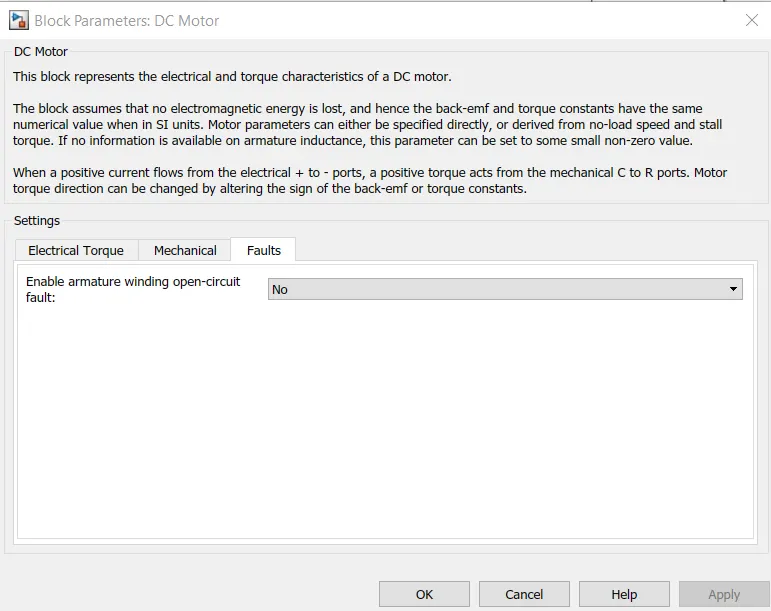
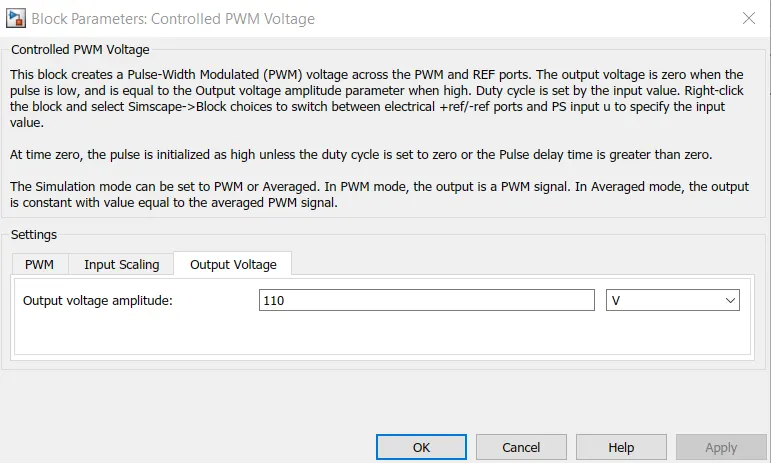
3. Controlled PWM Voltage block:
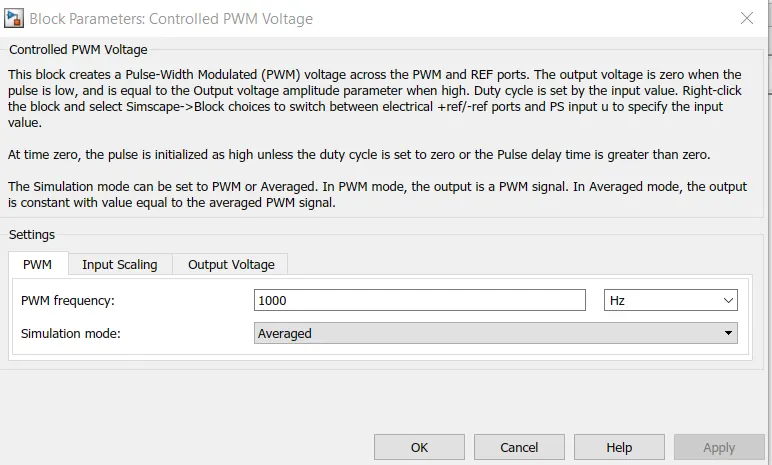
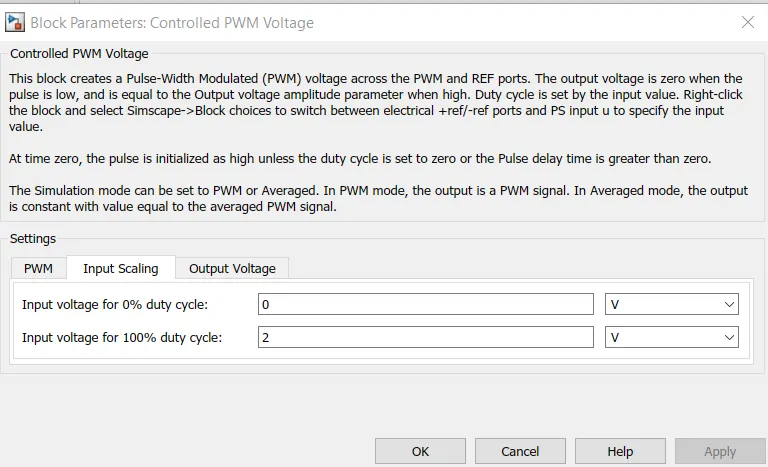
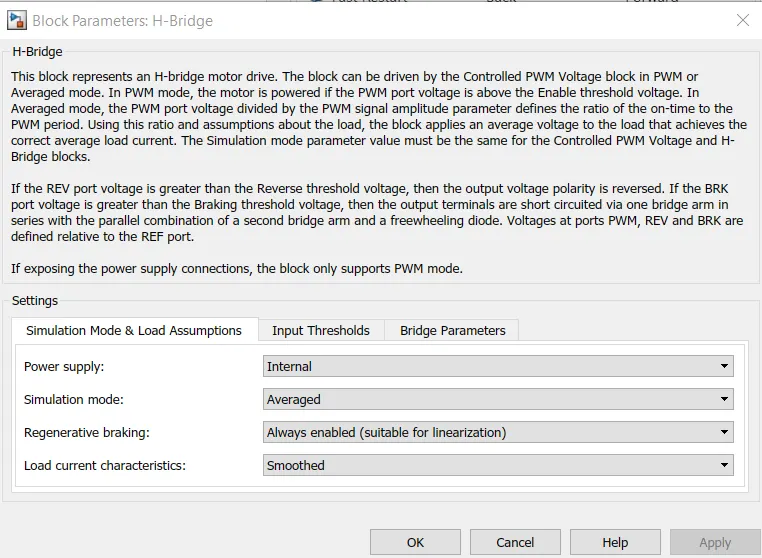
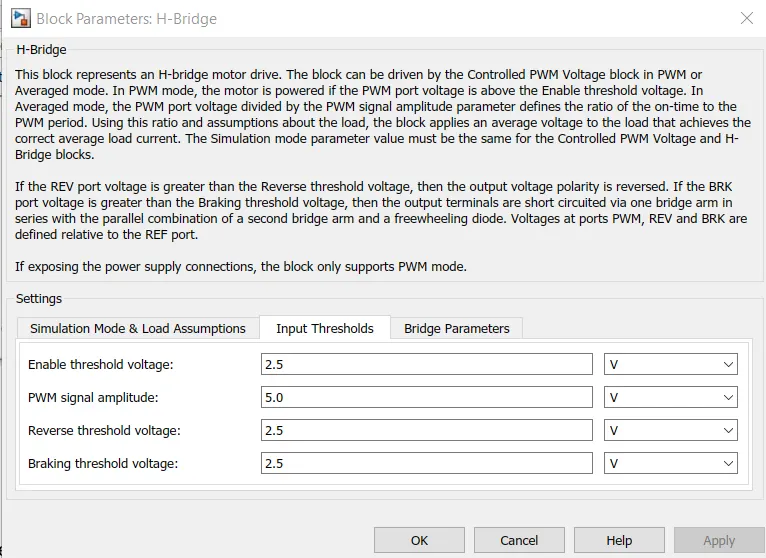
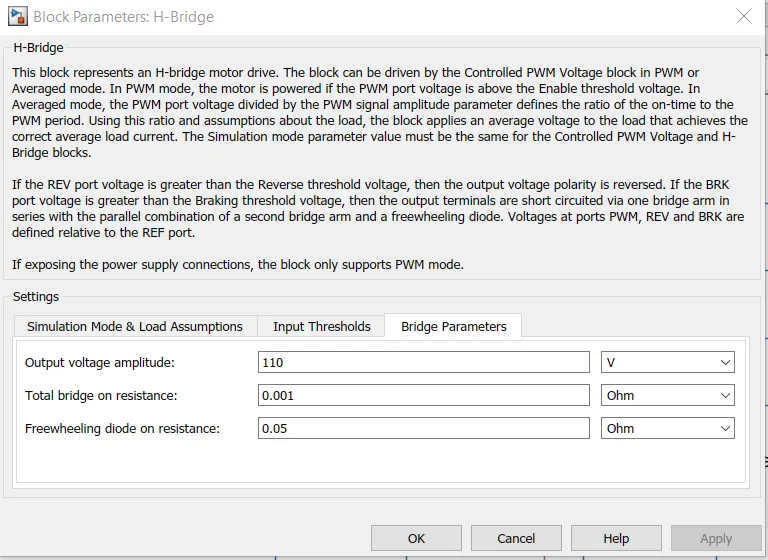
4. H-Bridge:
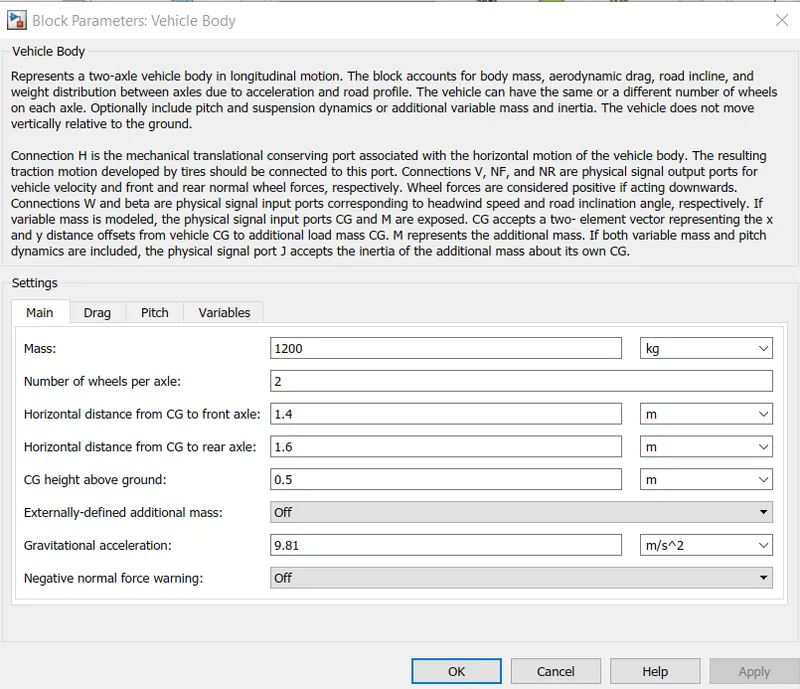
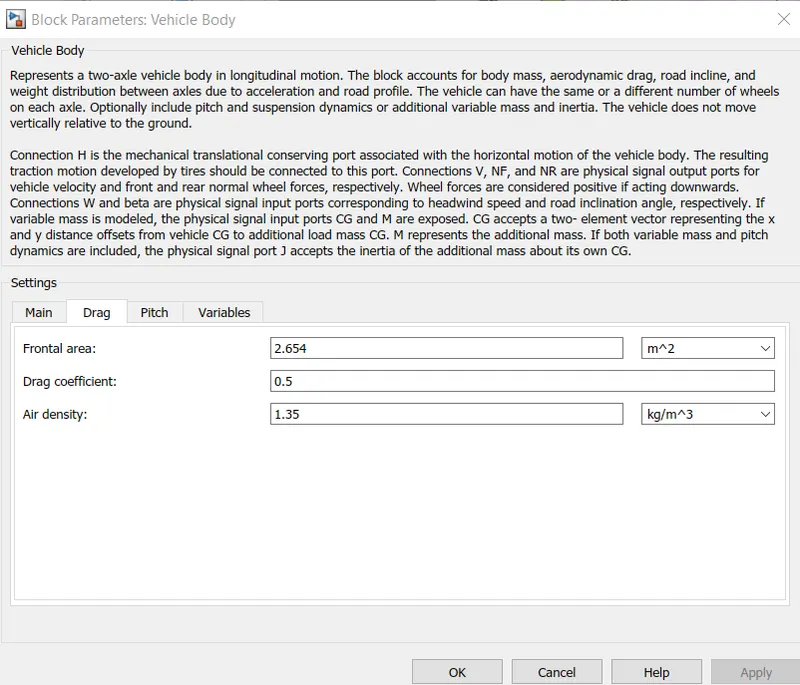
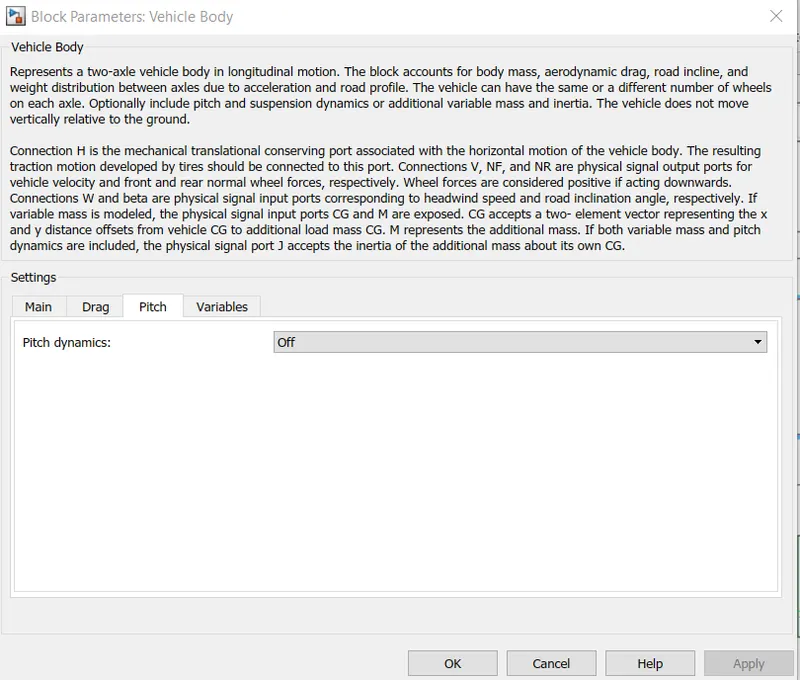
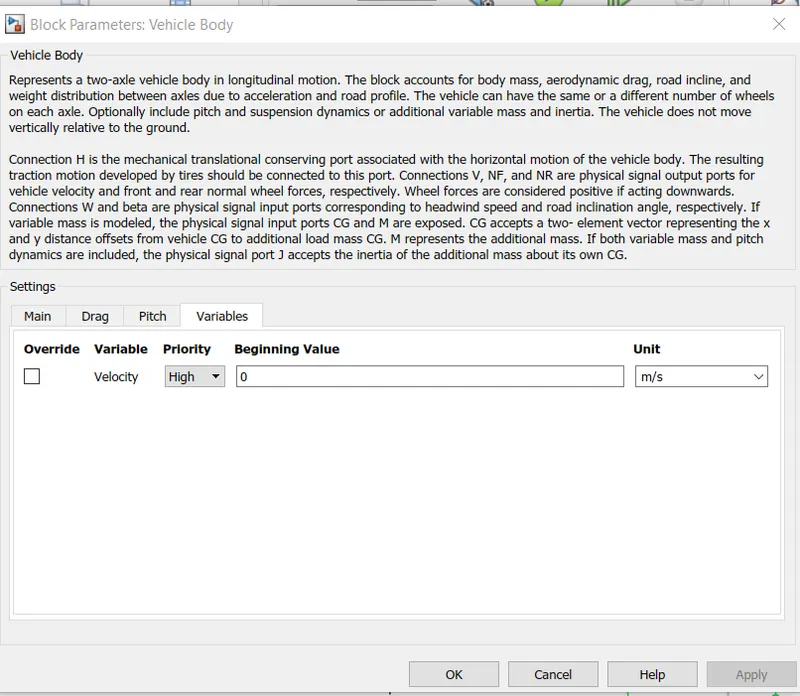
5. Vehicle Body:
6. Tire block:
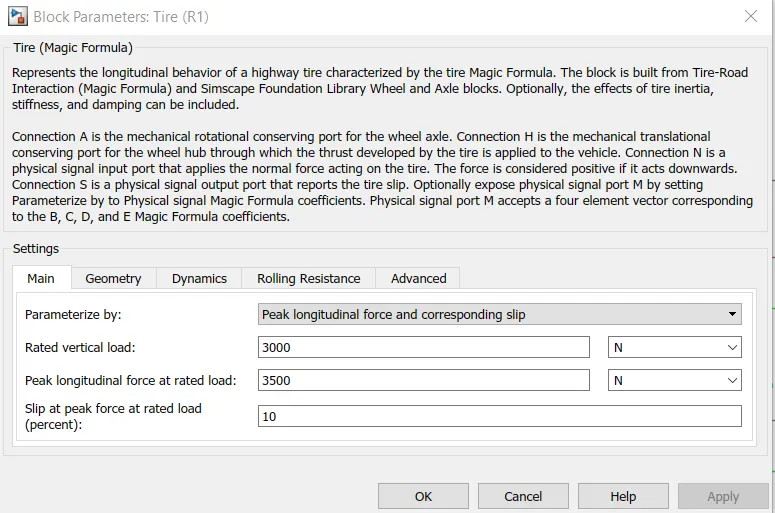
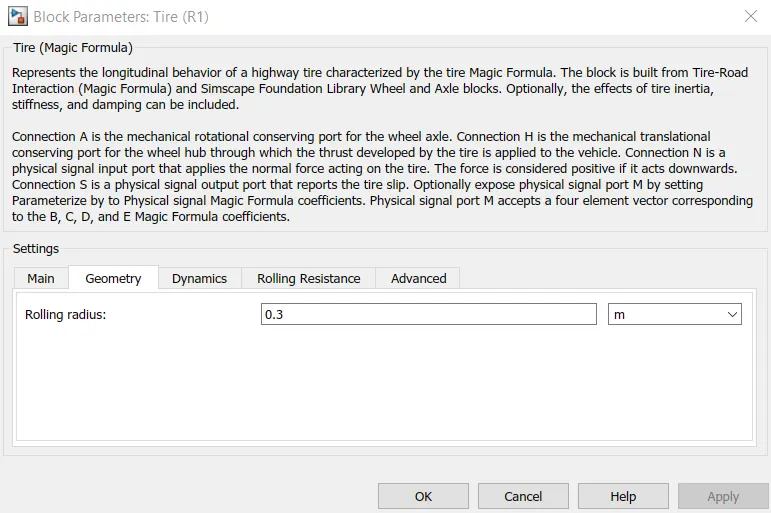
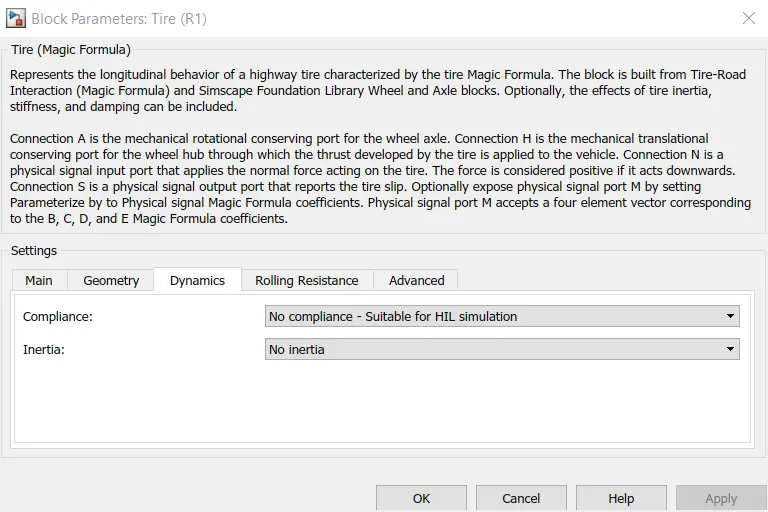
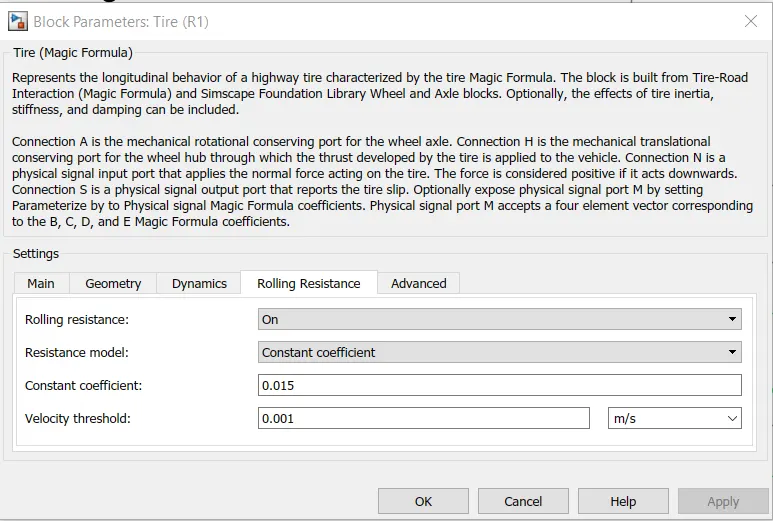
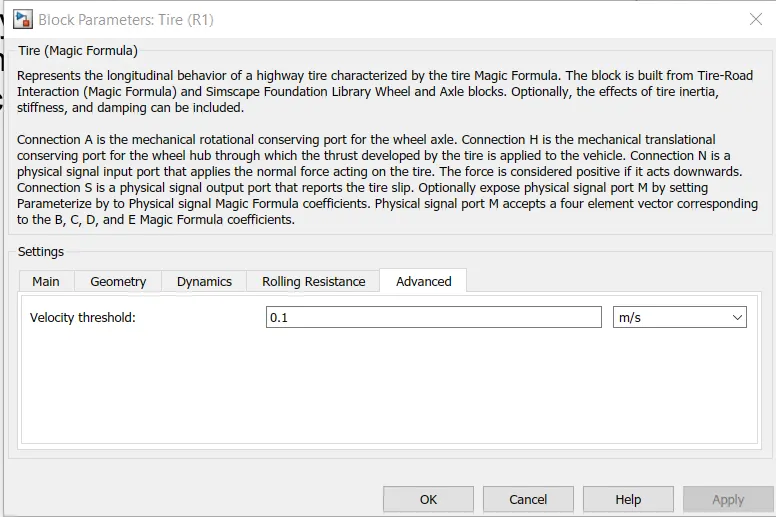
So all the blocks were modelled as shown above. Now Let us consider simulate by considering refernce speed.
1) If Reference speed is Excel sheet data:
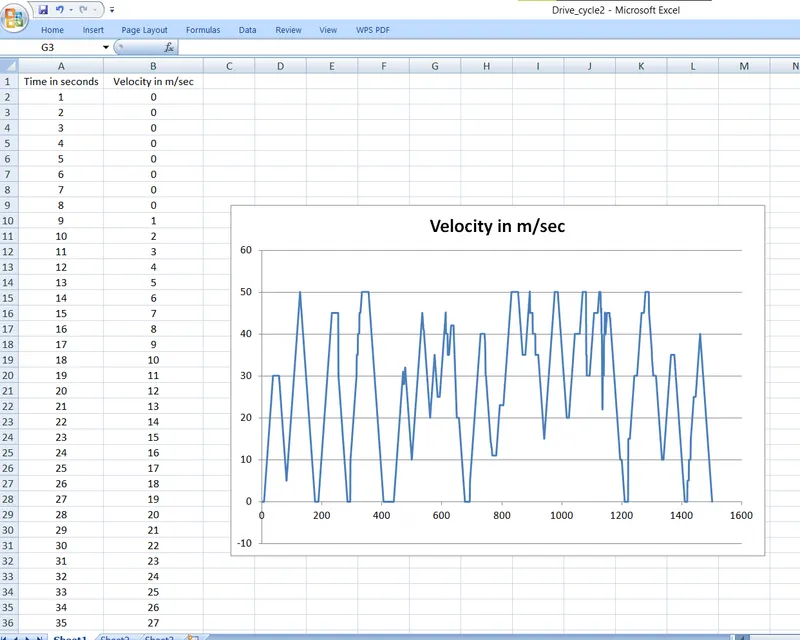
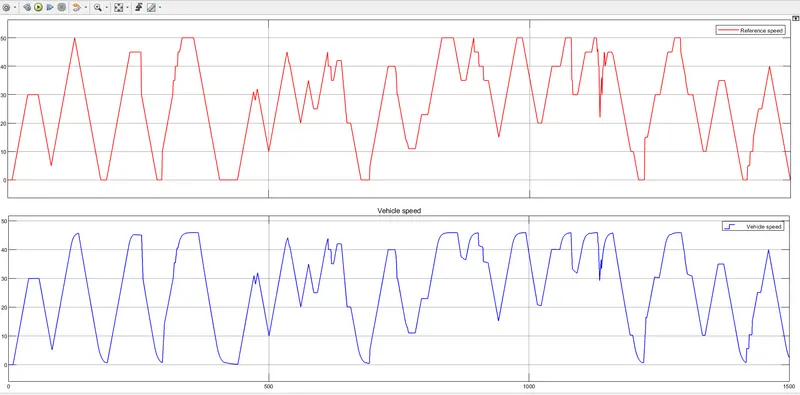
Output:
1. Reference Speed Vs Actual Speed:
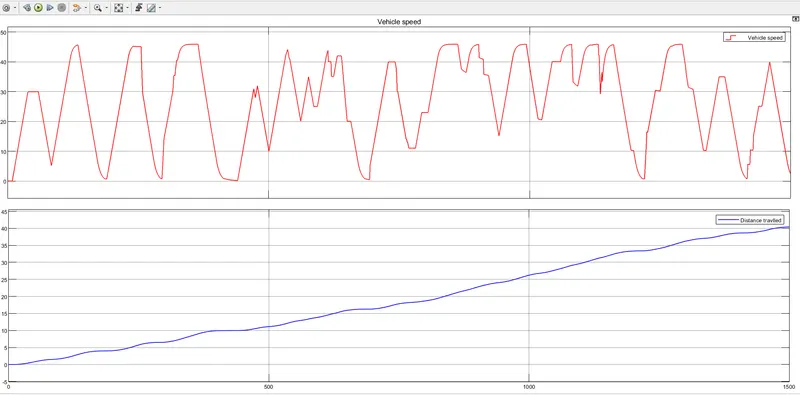
2. Vehicle Speed and Distance:
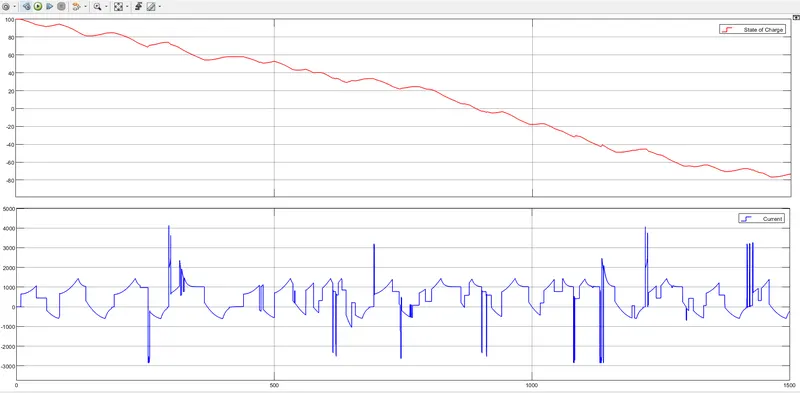
3. %SoC and Current:
Conclusion:
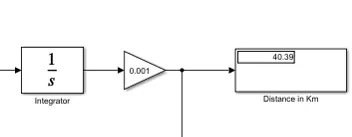
- The Distance travelled by vehicle for given Excelsheet data is nearly 40 Kms.
2) If Reference speed is Drive Cycle data:
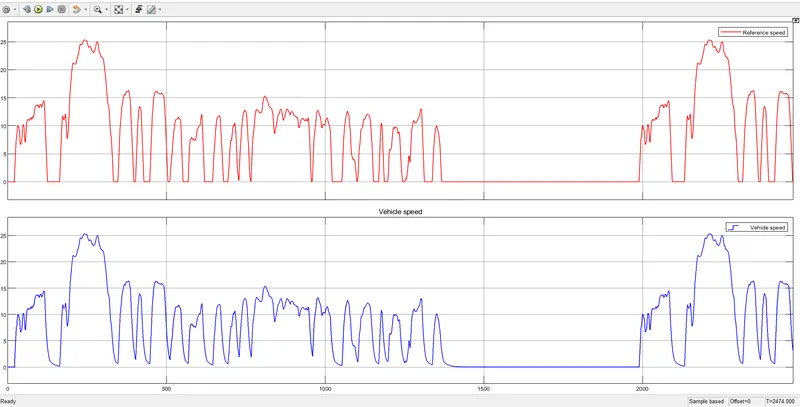
1. Reference Speed Vs Actual Speed:
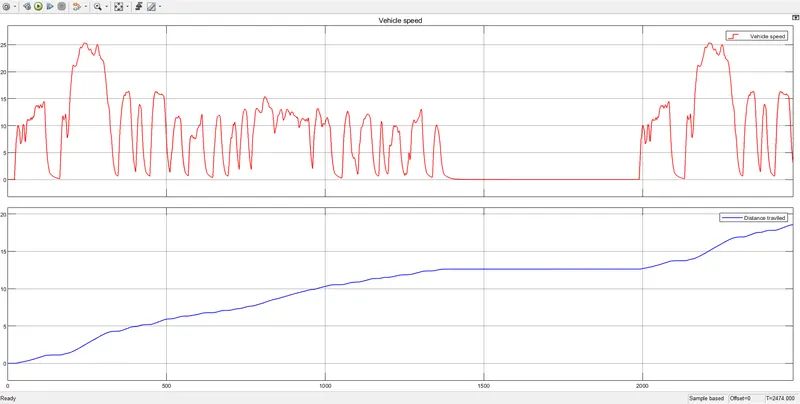
2. Vehicle Speed and Distance:
3. %SoC and Current:
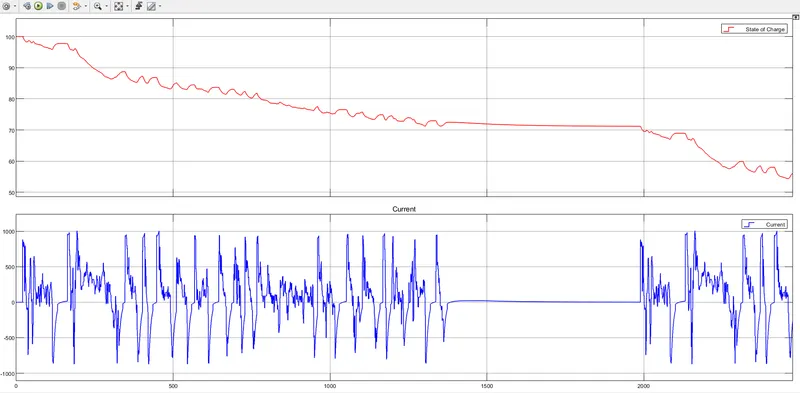
Conclusion:
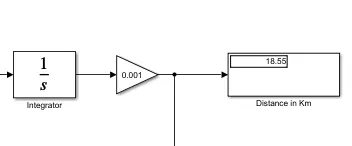
- The Distance travelled by vehicle for given Excelsheet data is 18.55 Kms.
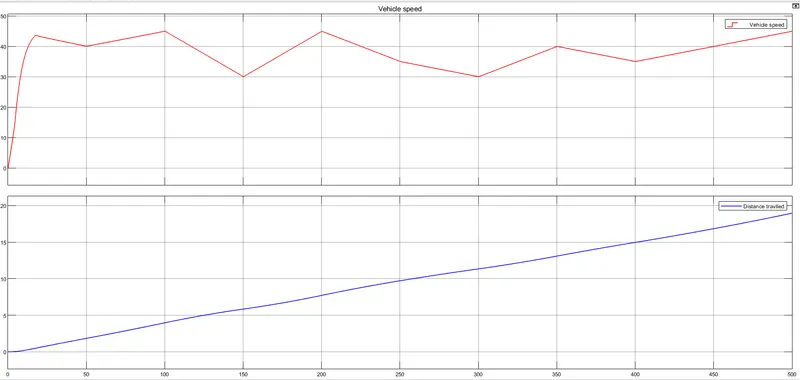
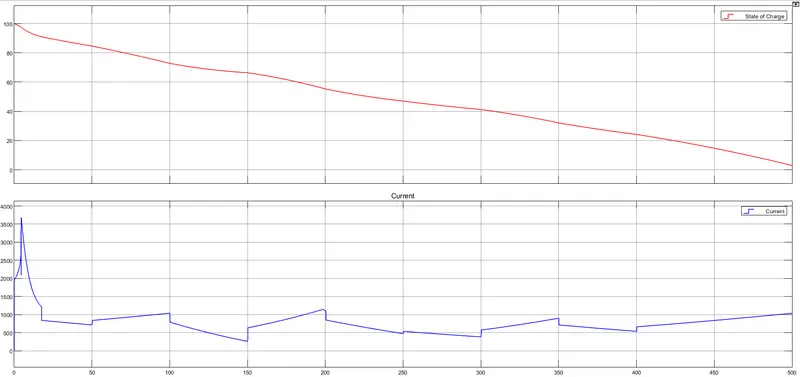
3) If Reference speed is Signal Builder data:
Signal Builder data is shown as below.
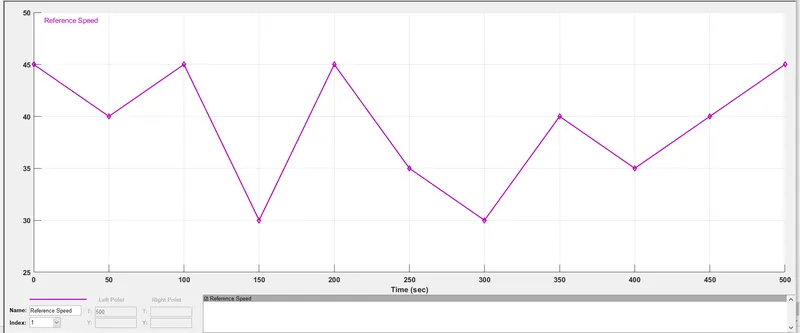
1. Reference Speed Vs Actual Speed:
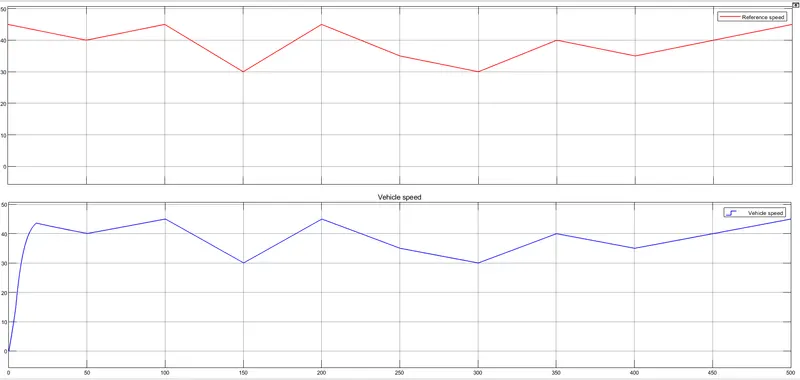
2. Vehicle Speed and Distance:
3. %SoC and Current:
Conclusion:
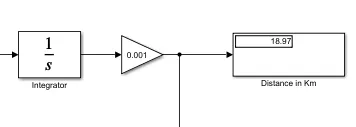
- The Distance travelled by vehicle for given Excelsheet data is 18.97 Kms.