FINAL INDEPENDENT PROJECT
The following program is my independent project based on real time face detection.
clear all
close all
clc

cam = webcam();
cam.Resolution = '1280x720';
videoplayer = cam.Resolution;
video_frame = snapshot(cam);
 MaxBidirectionalError= 0;
video_Player =  videoplayer([5 4 3 7]);

face_detector = cascadeforwardnet();
point_tracker = MaxBidirectionalError;

run_loop = true;
number_of_points= 0;
frame_count= 0;

while run_loop && frame_count <400

    video_frame = snapshot(cam);
    gray_frame  = rgb2gray(video_frame);
    frame_count = frame_count+1;

    if number_of_points <10
       face_Rectangle = gray_frame;

        if isempty(face_Rectangle)
            points = detectMinEigenFeatures(gray_frame, 'ROI', face_Rectangle(1, :));

            xy_points = points.Location;
            number_of_points = size(xy_points, 1);
            release(point_tracker);
            initialize(point_tracker, xy_points , gray_frame);

            previous_Points = xy_points;

            rectangle = bbox2points(face_Rectangle (1, :));
            face_Polygon = reshape(rectangle', 1, []);

            video_frame = insertShape(video_frame, 'Polygon', face_Polygon, 'linewidth', 3);
            video_frame = insertMarker(video_frame, xy_points,'+','color', 'white');
        end
    else
        [xy_points, isFound] = step(point_tracker,gray_frame);
        new_points = xy_points(isfound, :);
        old_points = previous_points(isfound, :);


        number_of_points = size(new_points, 1);

        if number_of_points >= 10
            [xform,old_points, new_points] = estimateGeometricTranasform(old_points, new_points, 'similarity', 'MaxDistance', 4);

            rectangle = transformpointsfoward(xform, rectangle);

            face_polygon = reshape(rectangle', 1, []);

            video_frame = insertShape(video_frame, 'Polygon', face_polygon, 'linewidth', 3);
            video_frame = insertMarker(video_frame, new_points, '+', 'color', 'white');

            previous_points = new_points;
            setPoints(point_tracker, previous_points);
        end
    end
    sys = tf(step,video_Player,video_frame);
    run_loop = isOpen(video_Player);
end

    clear cam;
    release(video_Player);
    release(point_tracker);
    release(face_detector);
EXplanation:
We start the program with clear all close all and clc commands,to check the cam resolution we use the command cam=webcam() this command displayes the resolution of the next type we use videoframe to and snapshot to play the frame each frame by frame and we use snapshot next step is to face detector vision cascadefowardnet then point tracker is a function assigning the maxbidirectionalerror and we use the run loop theww condition is true the number of points is zero and frame counts also zero.
Next we use the while command we set the condition as lesser than 400 fo run and frame commands.Videoframe snapshot is use dand we use the fray fram to play the video rgb2gray where rgb stands for color frame command is guven as frame plus 1 so we set as zero in the above line so plus 1 is set so each time the loop runs.
Then we use the if else command we use no of frames is lesser than 10 condition is set we use face rectangle is a function calling face detector step of grey frame to detects the steps of the grey frame.
The next step we use an if function again for the face rectangle the points are been noted as detect min eigen features of gray frame of roi which is 'region of intrest' for face rectangle acessing the rows and column then we take the xy points which is points location and the number of points is the assigned as the sixe of the xy points of 1 we then assign previuos points is equal to xy points.
The next step assign rectangle to bbox2 command computes the 2 by 2 bounding box of image of face rectangle of accessing the rows and column.We assign face polygon reshape of rectangle,in video frame insert shape polygon and linewidth of 3 and marking the points end the if command.
Else is used xy points is used with step command of point tracker and gray frame,new points and old points are assigned as xy and previous points respectively number of points is size of new points.
The next if command is used for number of points is less or equal to 10 condition in this the expected geometric transformation is done and as the above function the command are been used and the previuos points is assigned as new points and setting the points for point tracker and previous points ending the functions.
We use the sys tf function tf is tf to create real-valued or complex-valued transfer function models, or to convert dynamic system models to transfer function form. thge stetp function is used sor tf and sys then the run loop is open for video player and we end the function.We give the commands clear cam and release yhe video player, point tracker and face detector.
Errors:
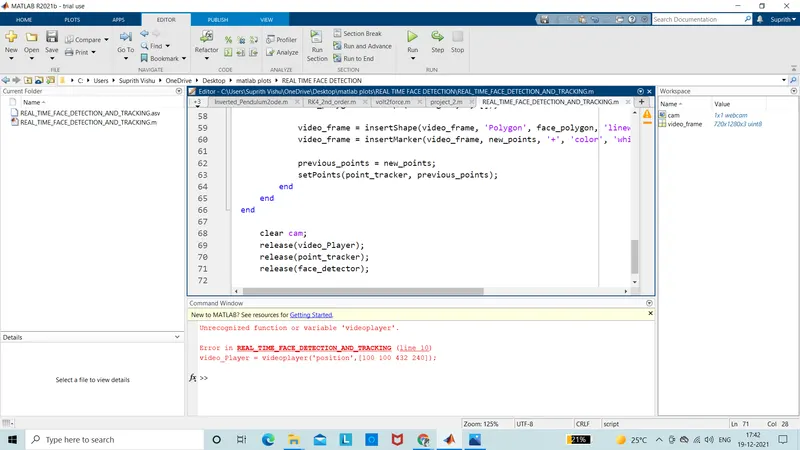
the function was un recognised
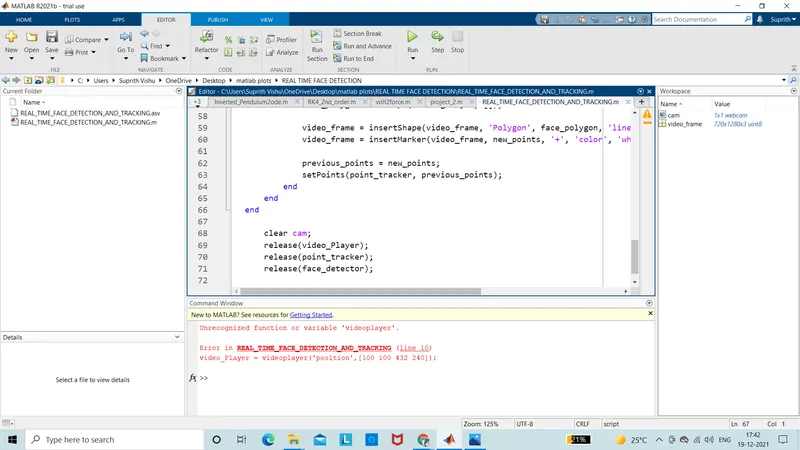
this function was also not recognoized
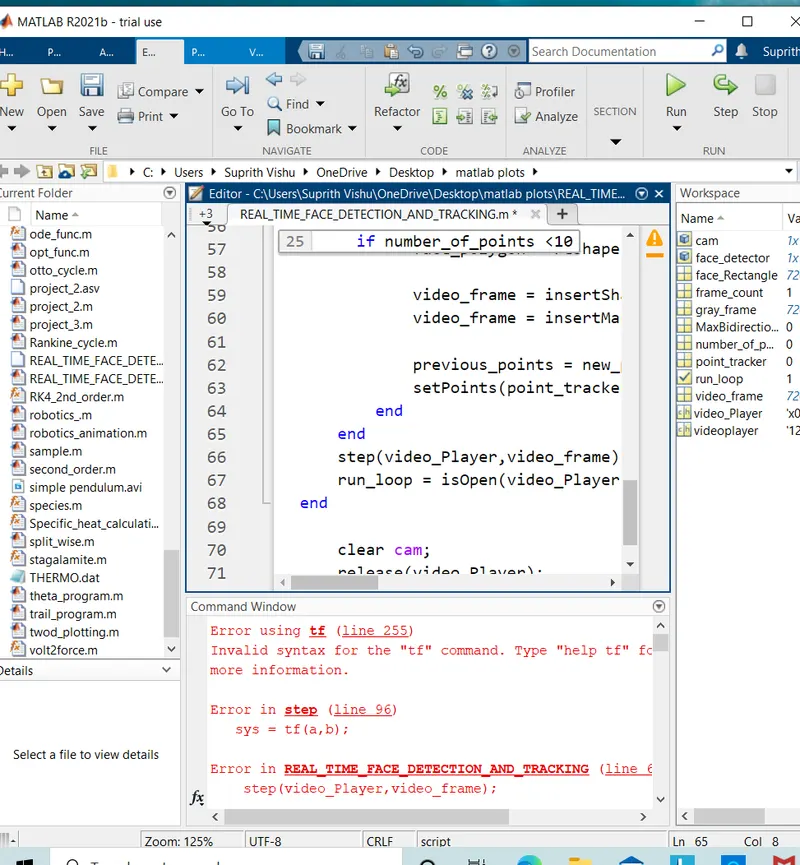
the syntax was invalid and the program was given the right values for the tf function and rectified
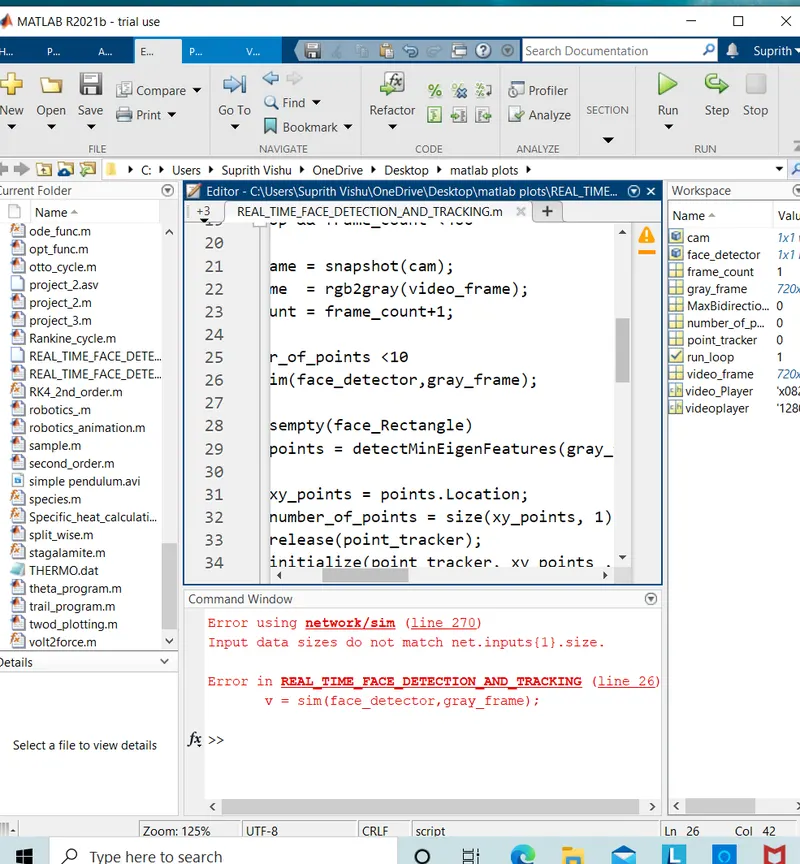
input data for netwrok/sim was not matching the conditions
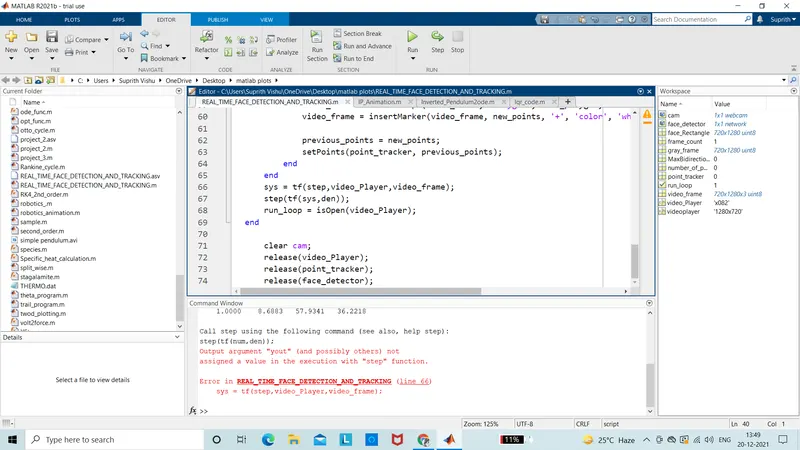
the step function was called using another function
Results:
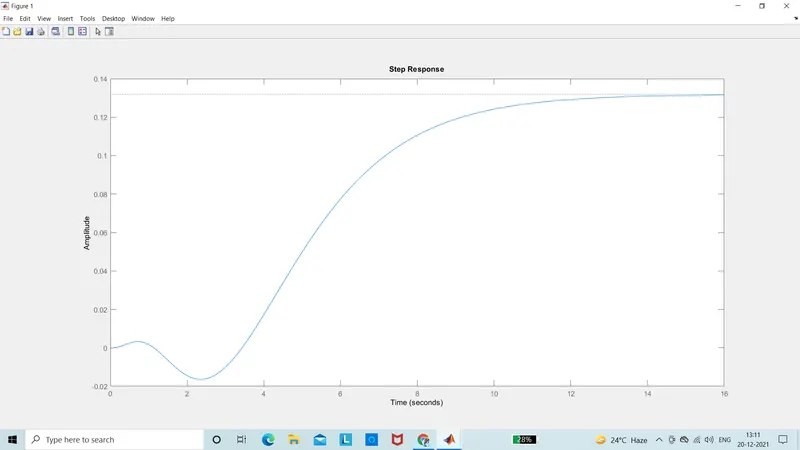
2)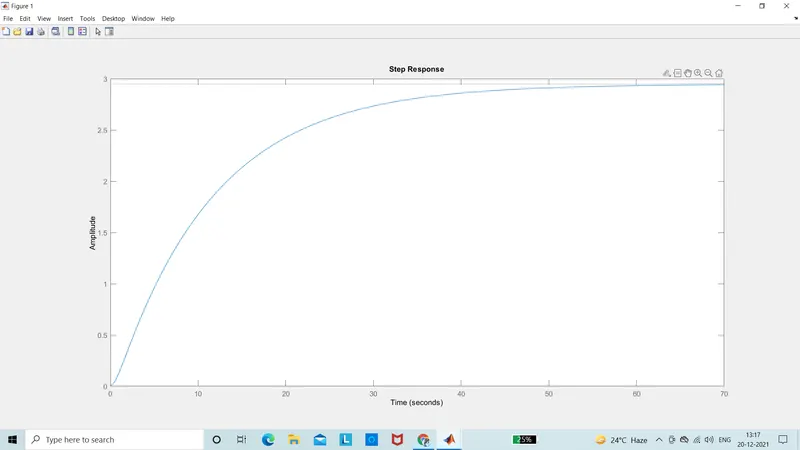
for different values the results are shown