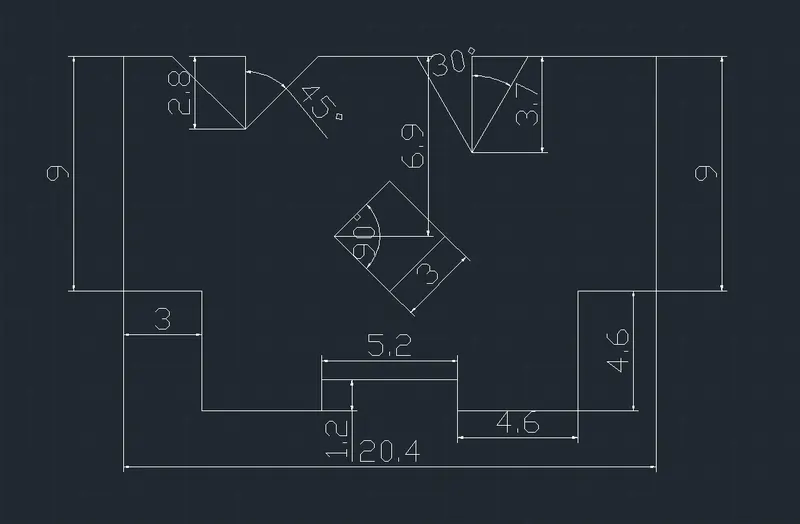
Drafting of various geometries using Chamfer, Fillet tool in AutoCad
Q1
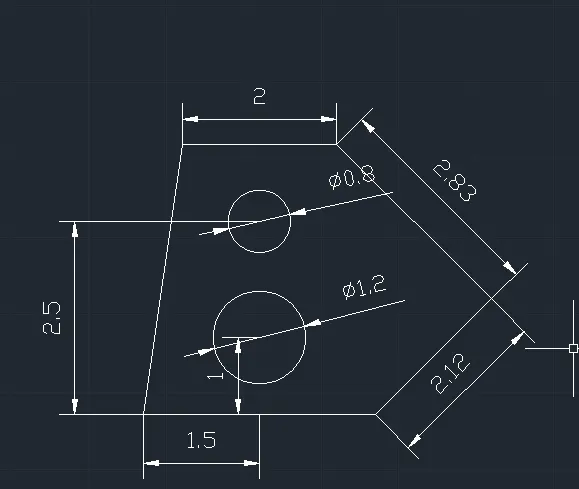
Aim: To create shape in Decimal units
Step:1) Type 'UN' and change to decimal( in meters)
Step:2)coordinate for 2nd point (@3,0)
Step:3) Polar coordinate @2.12<45deg
Step:4) Polar coordinate @2.83<135deg
Step:5)Relative coordinate @-2,0
Step:6)point coordinate 1.5,1
Step:7)Circle of diameter 1.8
Step:8)Relative coordinate 1.5,2.5
Step:9)Circle of diameter 0.8
Result:
Q2
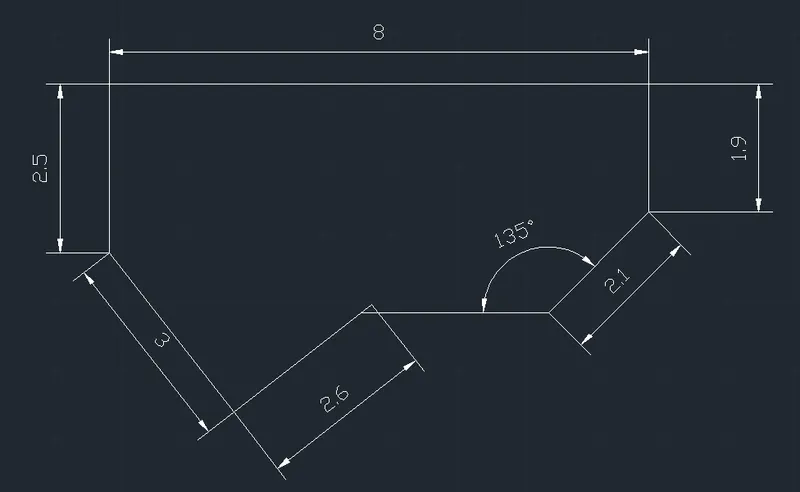
Aim: To create shape in Architectural units
Step:1) Type 'UN' and change to architectural ( feet & inch)
Step:2) coordinate for 2nd point (@3,0)
Step3:) Polar coordinate with @2.12<45deg
Step4:) Polar coordinate with @2.83<135deg
Step4:)Relative coordinate with @-2,0
Result:
Q3
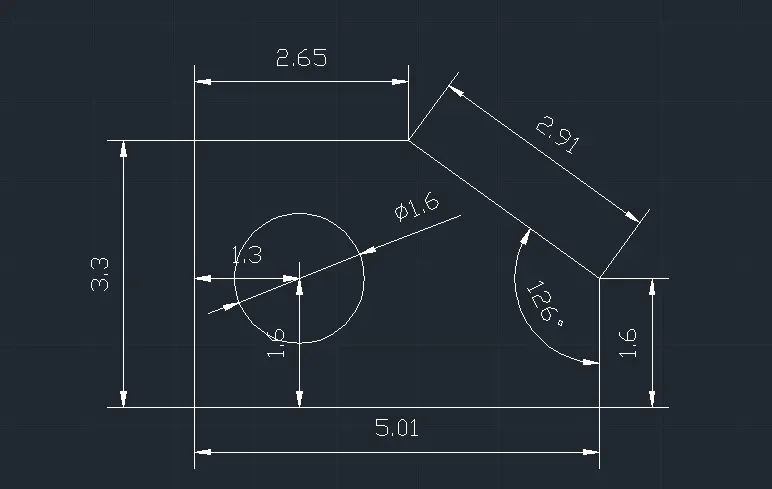
Aim: To create shape in Engineering units
Step:1) First coordinate from orgin @5.01,0
Step:2) second coordinate from orgin @0,3.3
Step3:) coordinate @5.01,1.6
Step4:) Coordinate @2.65, 0 from 3.3
Step4:)from 1.3,16 from orgin circle of dia 1.6
Result:
Q4
Aim: To create shape in decimal units
Result:
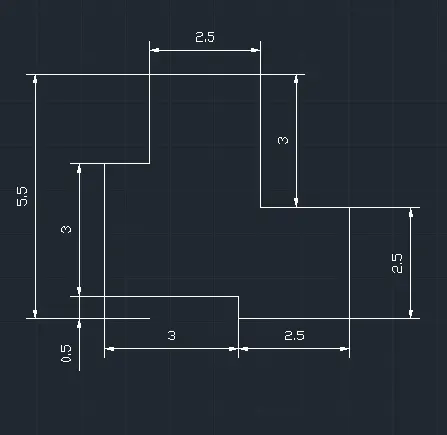
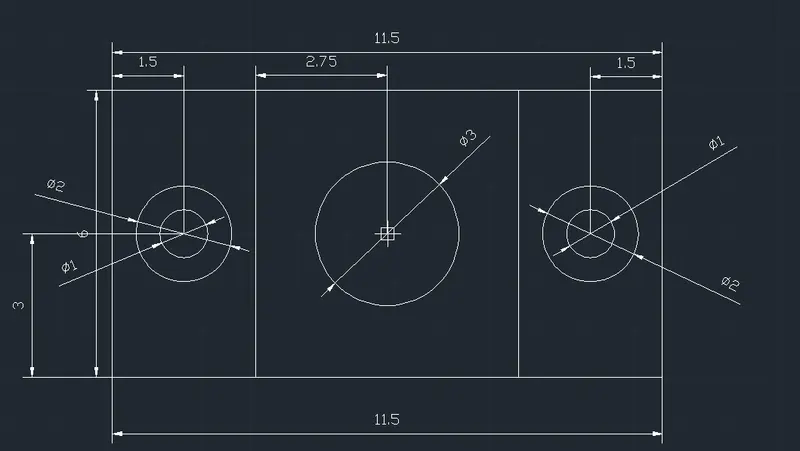
Q5
Aim To create a rectangle with circle
Step:1) Create reactangle with coordinate method
Step:2) Create 1 dia & 2 dia cirlces at 1.5,3
Step:3) Create 3 dia cirlce at 5.75,3 from orgin
Step:4) Create vertical line of length 3m starting 3,0 from orgin
Step:5) Mirror dia 1 7 dia 2 circles and lines
Result:
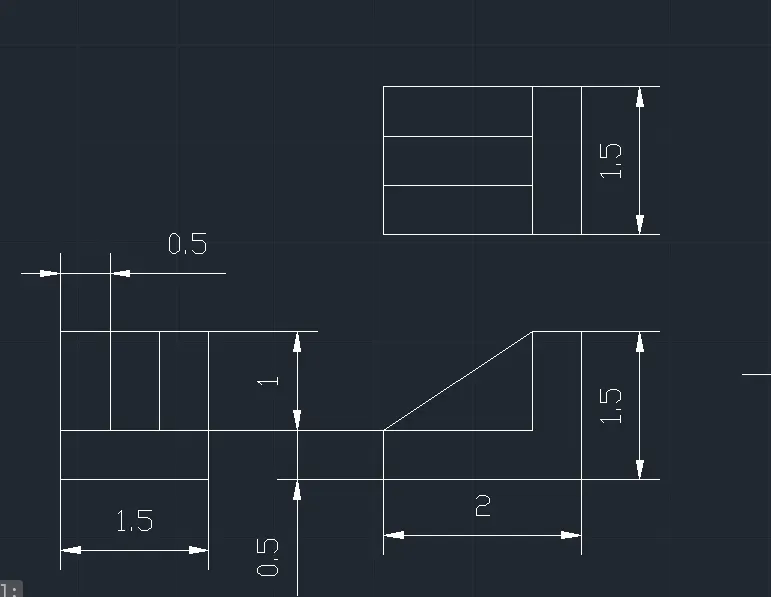
Q6
Step:1) Create first plan
Step:2 ) Create eleavtion views using construction line & trim, offset commands
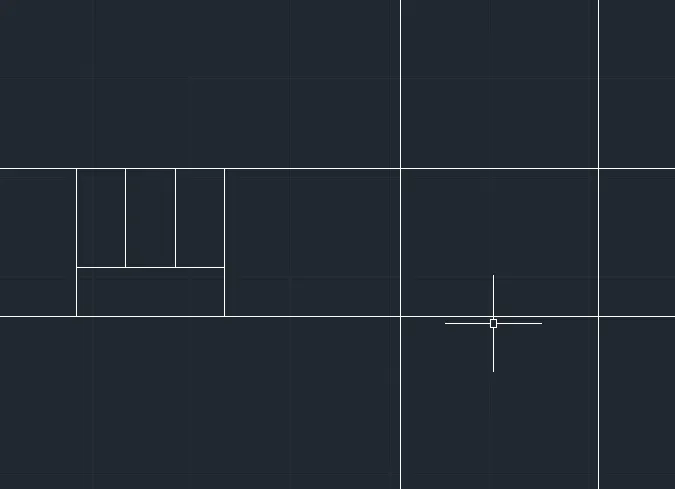
Result:
Q7
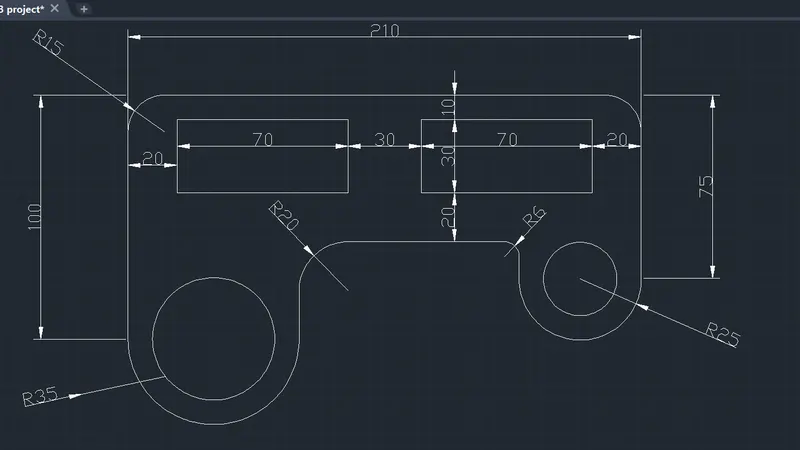
Aim : To create complex shape
Step:1) Create 1st line of 100m length and perpendicular line of 210
Step:2) make a fillet of radius 15
Step:3) Create an arc of radius 35 & 25
Step 4:) Create fillet of 20 and 6 radius
Result:
Q8
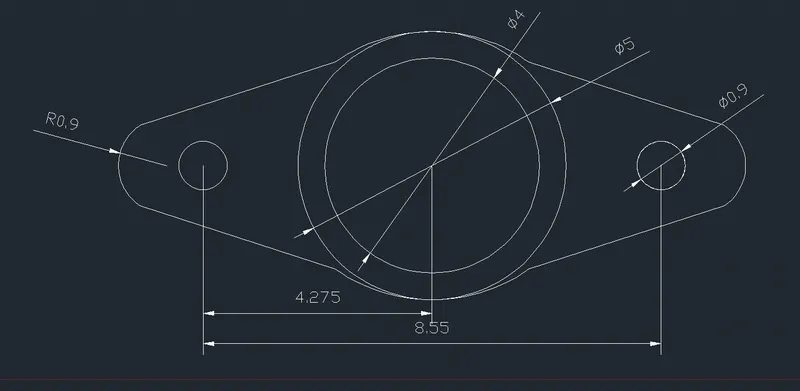
Aim : To create complex shape
Step:1) Create circles of dimeter 4 & 5
Step:2) Create circle of dimeter0.9 on both sides
Step:3) Connect with an arc of radius 0.9
Result:
Q9
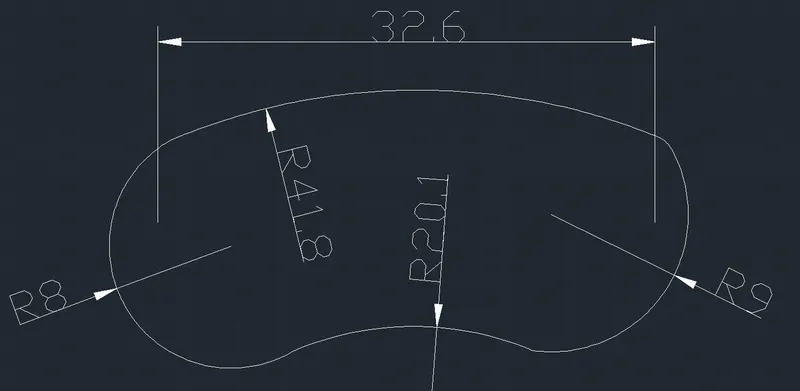
Aim : To create complex shape
Step:1) Create 2 points at distance of 32.6
Step:2) Create arc of radius 41.8 & 20.1
Step:3) Connect with an arc of radius 8 & 9
Result:
Q10
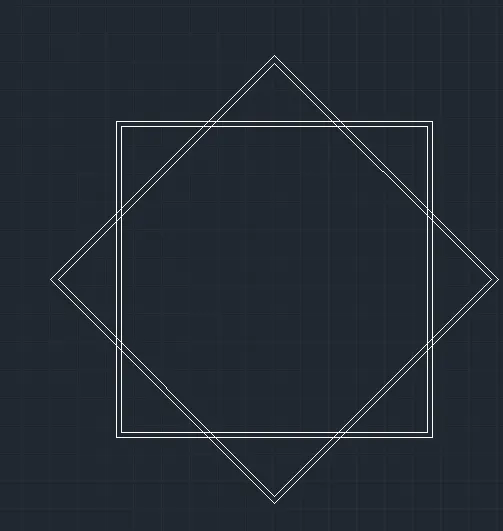
Aim : To create two rectangle at 45 deg angles
Step:1) Create first rectangle of 4 sides.
Step:2) rotate and copy the rectangle with an angle of 45 deg
Result:
Q11
Aim: To create a shape with lines and polar tracking
Step 1:) Create first shape
Step 2:) Create2 angles at 45deg & 30deg
Result: