Design of backdoor
Design Car Back Door by Using NX CAD
Objective: To design car back door from given styling surface data under given design rules and regulations.
Introduction: A door is a hinged part which is used for entry and exit of the vehicles. Back doors are one of the type doors of the vehicle which are located next to the passenger seat which provides access to the luggage compartment. In most of the cars, these back doors are operated with the help of gas stay which in turn reduces the effort required to lift open the door. Some luxury cars have powered backdoor which in turn is driven by an electric motor. This kind of system is also called a powered trunk lid system. Hatchback or station wagons are sold as 3 door or 5 door models. In this case, the rear hatch is classified as door this is because it enters the passenger compartment. The naming is mainly used in Europe countries. In case of safety, the back door designed should meet the safety requirement for the rear collision.

Design Considerations:
- The wind screen should give good visibility.
- The door should be strong to sustain the impact during closing.
- The door should be thin to maximize the boot area.
- Door should be light weight for opening manually.
- Some of the load cases are Bend test, Dent test, Torsion test and Endurance test
These are the following parts consists of Back door:
- Inner panel
- Upper Outer panel
- Lower Outer panel
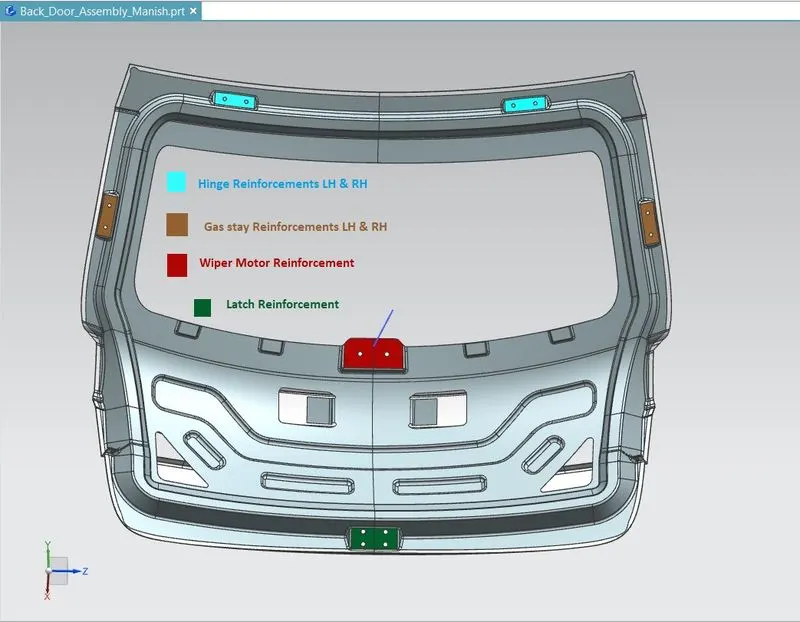
- Hinge Reinforcements (LH&RH)
- Gas Stay Reinforcements (LH&RH)
- Latch and Striker Reinforcements
- Wiper motor Reinforcements
Inner Panel:
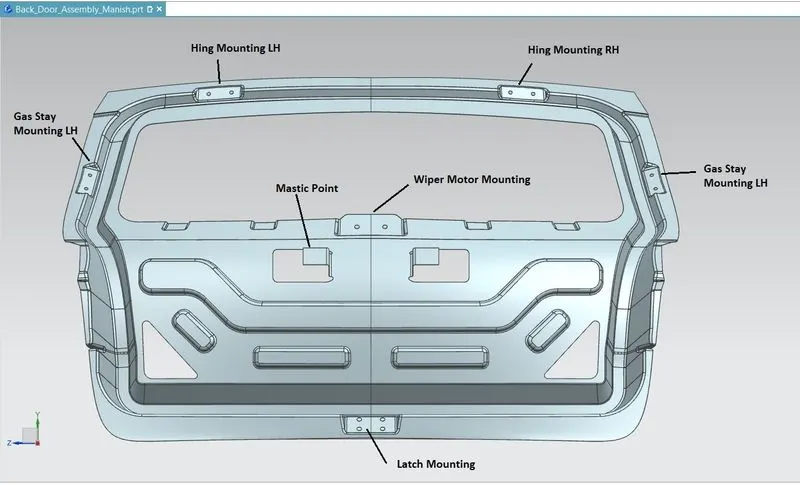
The inner Panel is a component which is used for strengthening the door. Its thickness is in the range of 0.65-0.75 millimetres. It is one of the most important components on which all accessories are mounted like Hinges, Gas Stay, Wiper Moter, Latch and Striker etc.
The possible method is the integration method. In the integration method, the part is stamped out of a single blank. This reduces the number of tools needed the assembly cost and eliminates any fit ability problem.
There are many cases where the Inner panel is subjected to stress due to frequent opening and slamming. These stress and depression factors are compensated by features like embosses and reinforcements
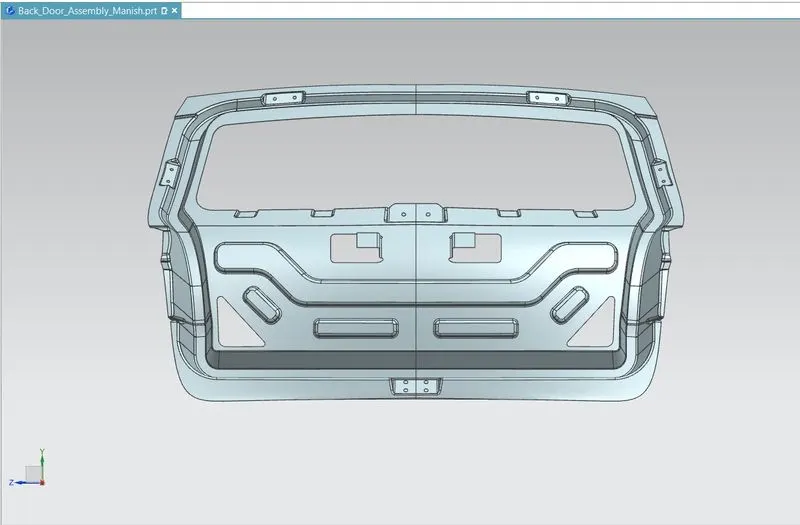
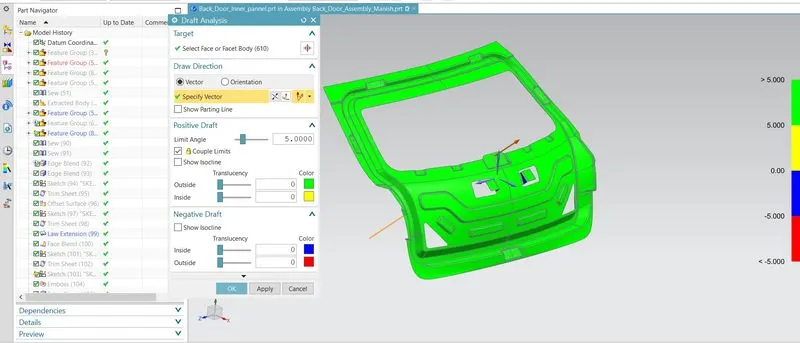
Draft analysis of Inner Panel:
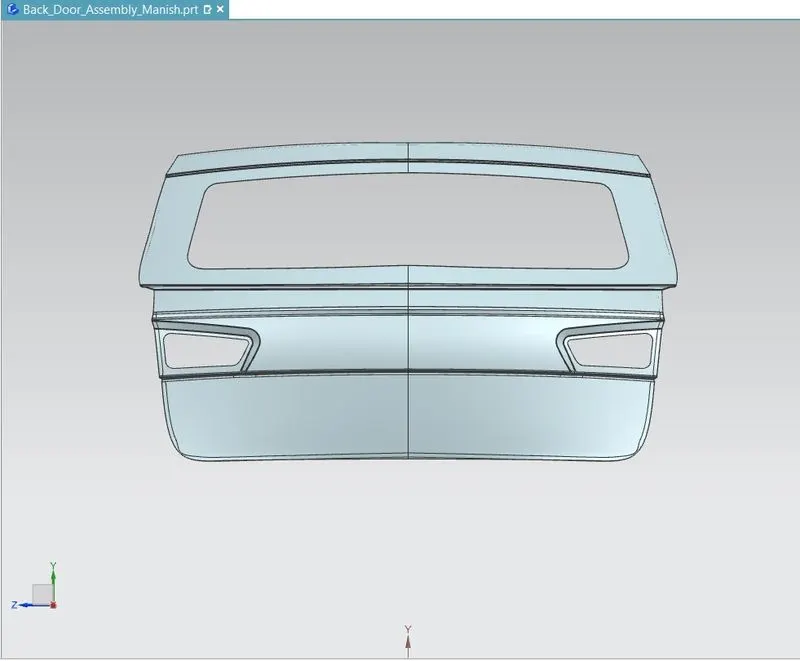
Outer Panel:
The Outer Panel is the styling surface of the back door. It is the source of design of other parts of the back door, primarily the Inner Panel. The Outer panel of the back door is similar to other BIW components where it is the aesthetic part of a vehicle. The coating provided is of multi stage which has the property of scratch resistance, rush prevention and smooth and attractive finishes. The Outer panel also has the provisions for the tail lamp, rear fog lamp and also has the provision for license plate mountings. Most of the hatch back cars have the provision for wiper motor. Its thickness is in the range of 0.65-0.75 millimetres.
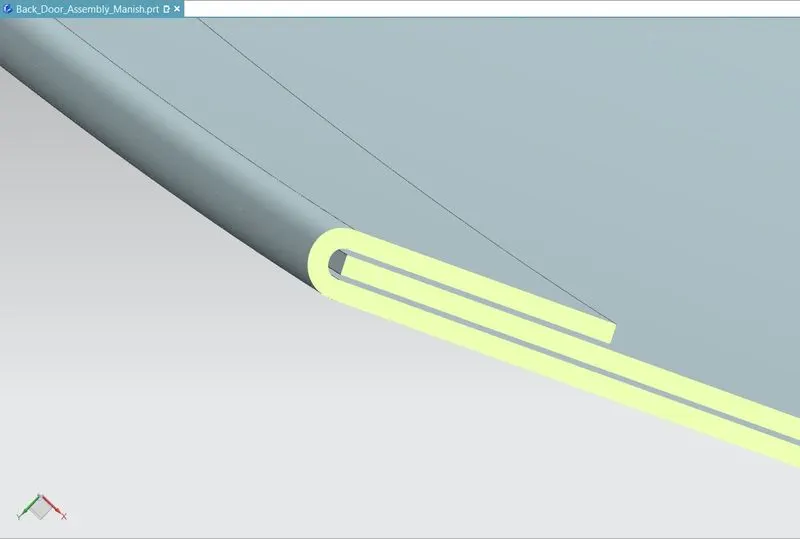
HEMMING:
Hemming is a mechanical joint design which is used for joining inner and outer closure panels as found indoors, hoods, bonnets and lift gates. To increase crash resistance the gap between the hemmed panels is filled with a high-strength adhesive which also prevents from corrosion.
REINFORCEMENTS:
The inner panel accommodates the Latch and Striker, Wiper Motor, Trims Mounting, Hinge and Gas Stay, etc and therefore the necessary cut outs are provided. Various reinforcements are also spot welded to the inner panel.
MASTIC SEALANTS:
To improve NVH (Noise, Vibration and Harshness) i.e to reduce these levels. Mastic Sealants are used. They also improve the strength. They are made of hard Rubber and are introduced as a paste thereby joining the inner and outer panel with a thickness of 5mm. Mastic Sealants are preferred over Spot Welding to join the inner and outer panel due to the fact that the latter reduces the aesthetics of the car, especially on the outer panel which is the styling surface.
LOAD CASE ANALYSIS
Bend Test
Torsion Test
Abuse cases
Dent test
Assembly Load Cases
Endurance test
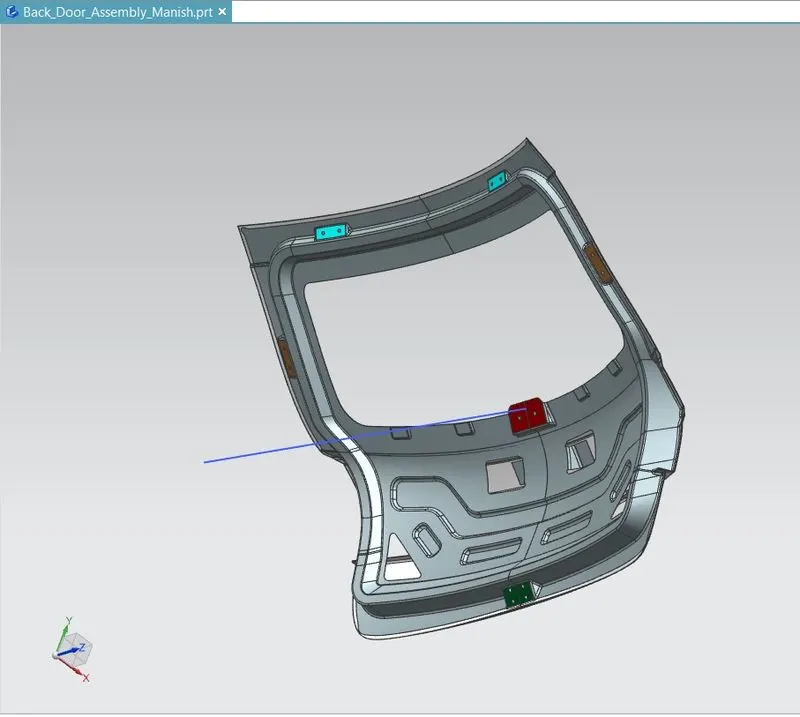
Assembly of Back Door:
Important features used while designing:
Wave Geometry Linker – With this you can create, associative or linked copies of any entity of a part into other parts. It may be a surface, edge, curve, body, sketch etc. The changes made to the original entity will be reflected in the copy of that entity.
Extract Body – It is used to create an associative body by extracting faces, entire body or region of faces.
Bridge Curve – It helps to create a tangent blend curve between two objects. The objects may be edges or sketch curves.
Sew – It combines sheet bodies together by sewing their common edges. There shouldn’t be any gaps larger than specified tolerance.
Unsew – This command is used to separate the existing sheet body or solid body into multiple bodies.
Projected Curve – It is used to project an existing curve/curves on a selected plane or surface by selecting a direction for projection.
Trim Body – It is used to trim one or more bodies using a face or plane. You can also specify the bodies to retain and the bodies to discard.
Offset Surface – It allows you to offset one or more existing surfaces.
Offset Curve in Face – This command will allow you to offset particular edges or curves on selected faces.
Trim Sheet – It is used to trim off a portion of a sheet body using curves, faces, edges or planes.
Through Curves – It will allow you to create a body Through multiple sections, where it’s shape changes to pass through each section.
Law Extension – This command extends a curve or edge to create a sheet body at desired angle length by changing the rules under angle law and length law.
Trim and extend – It helps you to trim and extend intersecting surfaces and make corner at their intersection.
Face Blend – It creates fillets between faces.
Edge Blend – It creates fillets on edges.
Extend Sheet – It will allow you to extend an existing surface to required distance.
Emboss – Emboss command creates an embossing by modifying a body with faces created by projecting a curve/section along a direction. You can modify the emboss using options like endcap location and draft angle.
Mirror Geometry – As name suggests, it allows you to mirror geometries about selected plane or surface.
Thicken – It is used to convert a surface to solid body by providing thickness.
Extrude – It helps you to create a feature from a sketch. You are also able to create thin feature using a sketch or curve under this command.
CONCLUSION:
Thus, the Back door was designed and developed from the given styling surface with essential Reinforcements and Emboss. To satisfies the manufacturing requirements Draft analysis was also done on the Inner Panel.