Menu

IIT Certification Programs

Workshops

Projects

Blogs

Careers

Student Reviews


More

Academic Training

Informative Articles

Find Jobs

We are Hiring!


All Courses

Choose a category

Loading...

All Courses

All Courses

logo

Creation of Multiple viewports, Scaling the drawing and setting in Template in AutoCad

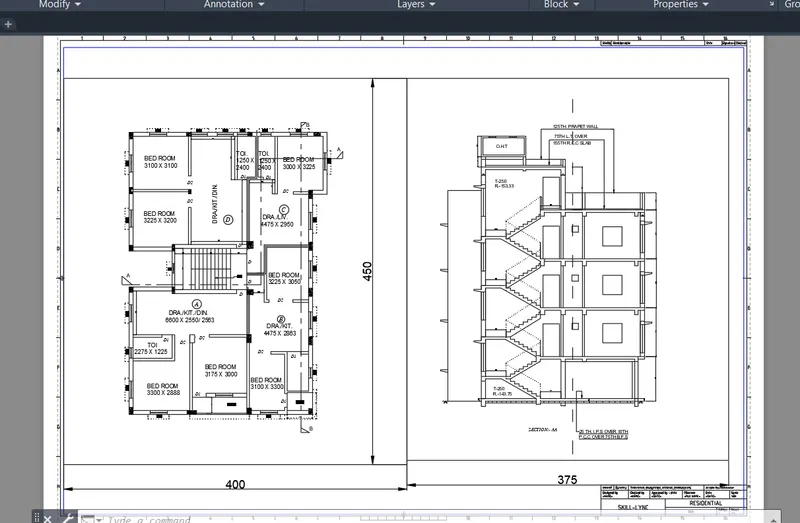
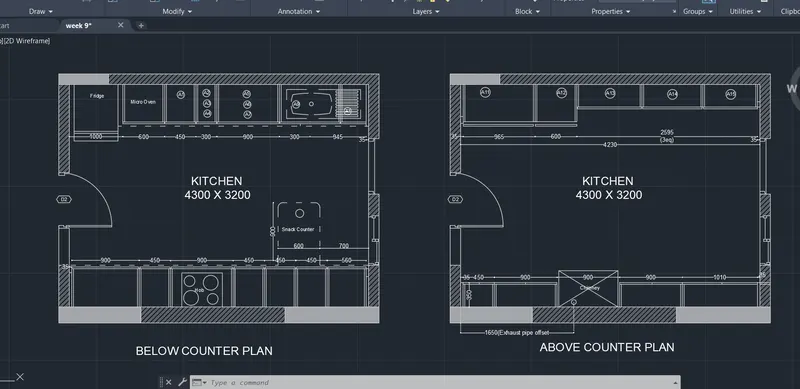
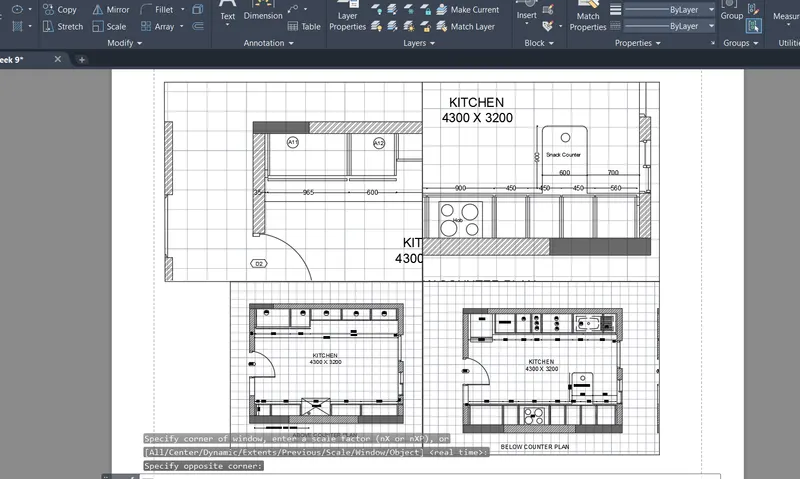
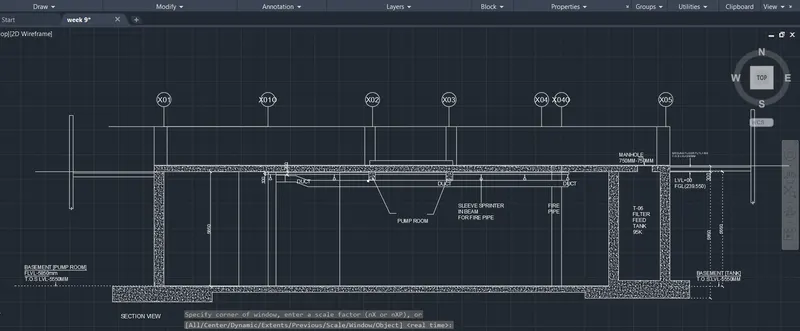
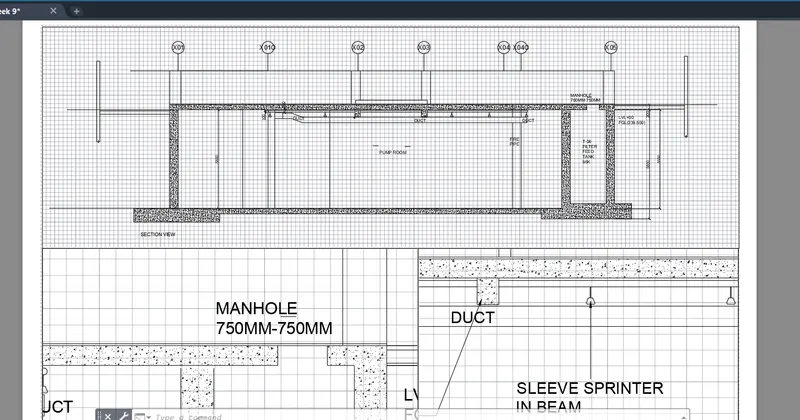
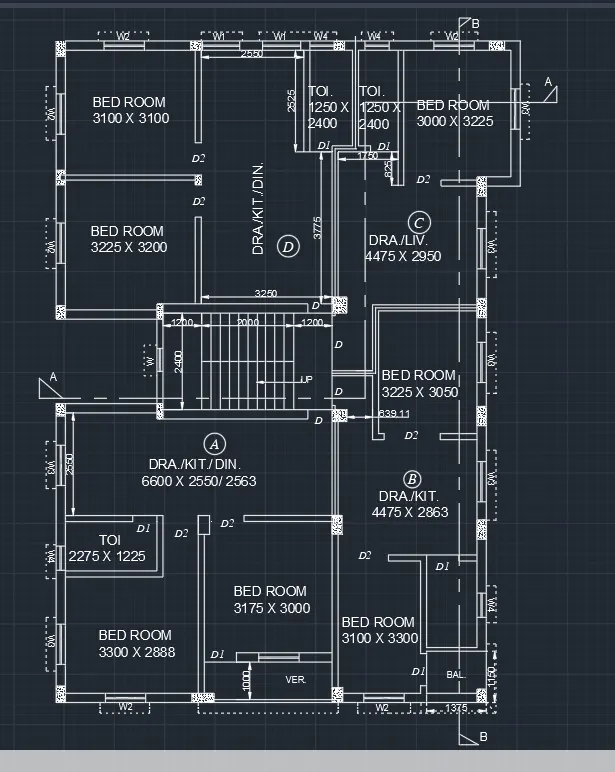
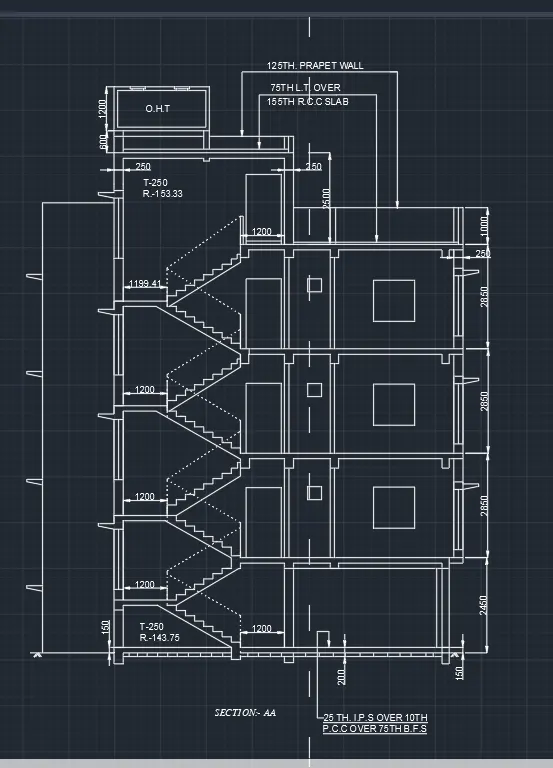
1. AIM: To create the layout of a plan and section. Procedure: The floor plan: The elevation drawing; Go to layout tabs  Turn on the layout tab  Go to Layout in the ribbon Click on new  Select template m.Arch .dwt  Insert the template To adjust the size of icon use UCSICON command  The template…
    Project Details

    Loading...

    Leave a comment

    Thanks for choosing to leave a comment. Please keep in mind that all the comments are moderated as per our comment policy, and your email will not be published for privacy reasons. Please leave a personal & meaningful conversation.

    Please  login to add a comment

    Other comments...

    No comments yet!
    Be the first to add a comment

    Read more Projects by Anisha Singh (19)

    Modelling of 25 storey building with the specified properties using ETABS

    Objective:

    Please find attached

    calendar

    17 Apr 2025 05:22 AM IST

      Read more

      Conceptual design of a building with columns and shear walls

      Objective:

      (Please find attached)

      calendar

      15 Mar 2025 10:19 PM IST

        Read more

        Concept on positioning of Columns

        Objective:

        Q1) Ans:- Investigation of the framing plan with respect to redundancy in X-direction.- Investigation of the framing plan with respect to redundancy in X-direction.Columns in X-Direction are comparatively more and evenly spaced. SO the structure is more redundant in X-Direction. Except the top and bottom column rows are…

        calendar

        11 Mar 2025 11:20 PM IST

          Read more

          Understanding the concepts on Degrees of Freedom

          Objective:

          Please find attached

          calendar

          21 Feb 2025 07:22 PM IST

            Read more

            Structural dynamics

            Objective:

            (please find attached)

            calendar

            10 Feb 2025 07:03 PM IST

              Read more

              Identification of Cracks

              Objective:

              (Please find attached) 

              calendar

              17 Jan 2025 08:42 PM IST

                Read more

                Usage of Navigation tool , Timeliner and Clash Detection test using Naviswork

                Objective:

                Please find attachment.

                calendar

                03 Jan 2025 07:28 PM IST

                  Read more

                  Creating Conceptual mass in REVIT and Creation of Sinusoidal curve and a Parametric stadium using Dynamo

                  Objective:

                  Please find attachment :

                  calendar

                  12 Nov 2024 01:54 PM IST

                    Read more

                    Creating Architectural and Structural model with 3D rendering using REVIT

                    Objective:

                    1. AIM: Type of structure. Soln: Office structure:  Area of 1856m2  Build up area is 526.03m3 No. of floors: 5 floors.   2. AIM; To write the geographic and location details for your project modeling. Soln:  Type of construction : 2 Plot size: 40mx70m Super Build up area :1856m2 (40mx46.4m). Open space…

                    calendar

                    04 May 2023 04:39 PM IST

                      Read more

                      3D Creation of Ceiling, Roof, Architectural plan, Structural plan, Sectional view, Elevation view and Camera specific view for a house plan using REVIT

                      Objective:

                      1) AIM: Create ceiling for the project model. Steps: Go to Architectural tab. Select floor plan. Select ceiling. draw the boundary line Select ok. Then the ceiling is created. Same for the first floor. Go to Architectural tab. Select first floor plan. Select ceiling. Sketch the boundary. Click ok. Thid is the 3D view of…

                      calendar

                      28 Feb 2023 04:43 PM IST

                        Read more

                        Project 2_Creating a 3D rendered model for a Residential Building in AutoCad

                        Objective:

                        AIM: To create a 3D rendered model for a residential building. Steps: 1. Walls: Create a 2D plan for the building.   Create a boundary for the walls. Extrude it Now create a layer for each element . Then extrude the windows boundary. Extrude it and union it.   2. Window: Create a 3D window using rotate,boundary,…

                        calendar

                        04 Feb 2023 05:50 PM IST

                          Read more

                          Creating 3D Isometric view of various structural elements in AutoCAD

                          Objective:

                          1. Aim: Create a 3D Isometric View of the building  Steps: Create the plan from top view with wall of 9inch thick  Create a boundary using boundary command [BO] Extrude it with height of 10feet . Create a boundary on the window and extrude it. Join the wall and window extruded Create a region of the window…

                          calendar

                          01 Feb 2023 11:04 AM IST

                            Read more

                            Creating various 3D Models like Furniture, Footing, Girder, Column drop with panel and Gable Wall in AutoCad

                            Objective:

                            1. Aim: Create a 3D furniture element. Procedure: To create a projection of the 3D element in X-Y axis According to the dimensions. Extrude it using extrude tool. Give the dimensions. The figure is in solids  Made by solids 2. Aim: Create 3D model of an isolated footing. Steps:  A rectangle is drawn with an assume…

                            calendar

                            28 Jan 2023 08:57 AM IST

                            • AUTOCAD
                            Read more

                            Creation of Multiple viewports, Scaling the drawing and setting in Template in AutoCad

                            Objective:

                            1. AIM: To create the layout of a plan and section. Procedure: The floor plan: The elevation drawing; Go to layout tabs  Turn on the layout tab  Go to Layout in the ribbon Click on new  Select template m.Arch .dwt  Insert the template To adjust the size of icon use UCSICON command  The template…

                            calendar

                            24 Jan 2023 01:57 PM IST

                              Read more

                              Creating Kitchen layout, Hatching of Architectural elements and sectional view of an Industrial Building in AutoCad

                              Objective:

                              1.AIM: Create layout of kitchen Procedure: Sketch the kitchen using the following tools Lines Circles Arcs Fillet Offset  Then turn on the layer tab: view>layout tabs Then the first drawing cand be seen in layout It can also be renamed    2. AIM:Create an elevation plan Procedure: Sketch elavation using…

                              calendar

                              22 Jan 2023 09:06 AM IST

                                Read more

                                Creating Bar Bending schedule, Different Door types, and Creation of standard drawing templates using AutoCad

                                Objective:

                                1.Aim: To draw a template. Template1 Procedure: The template is drawn by  the following tools:  lines  Offfset  Fillet   Text Create attributes Command:ATTDEF enter tag, promps and enter. Now the attributes are created. Attributes are created for entering the data. After entering the attributes…

                                calendar

                                20 Jan 2023 02:35 PM IST

                                  Read more

                                  Project 1 _Creating an Architectural plan for the provided plot size and develop relevant basic structural drawings

                                  Objective:

                                  Aim: To design a residential building and draftn  Architectural drawing and Structural drawing . Plot Size: 60' x 20' Orientation: Facing East  ARCHITECTURAL DRAWING  A. Floor Plan : Ground Floor and First Floor   Procedure: 1. Architectural plan is first drafted in paper 2. Then the drawing is carried…

                                  calendar

                                  18 Jan 2023 11:10 AM IST

                                    Read more

                                    Sketch a G+1 residential plan according to Vaastu Shastra and Calculation of Loads as per IS code

                                    Objective:

                                      GROUND FLOOR       FIRST FLOOR:         GROUND FLOOR DIMENTION: 15514mmX7445mm ROOMS DIMENSION (in mm) Bedroom 3566 x 4430 Sit-out 3566 x 2525 Toilets 2216 x 1232 Washroom 1464 x 776 Living room 4130 x 3763 Kitchen 4038 x 3157 Parking 3447 x 3157     FIRST FLOOR DIMENTION:14075mm…

                                    calendar

                                    19 Oct 2022 04:29 PM IST

                                      Read more

                                      Project on Concrete Mix Design for various grades of Concrete

                                      Objective:

                                       Calculate the Concrete Mix Design for M35 grade concrete with fly ash. Sol: Stipulation for proportion: Grade designation: M35 Type of cement: OPC 43 grade confirming to IS8112. Type of mineral admixture: Fly ash confirming to IS 3812 Maximum nominal size of aggregate: 20mm. Minimum cement content: 320Kg/m^3 (From…

                                      calendar

                                      08 Oct 2022 08:10 PM IST

                                        Read more
                                        Showing 1 of 19 projects