Creation of geometries by Coordinate system methods using AutoCad
1)
- Used both both relative and absolute coordinate system to draw the geometry.
- Used (@,<) for length and angle.
- Points - ID
- Linear Dimensions
- Aligned Dimensions
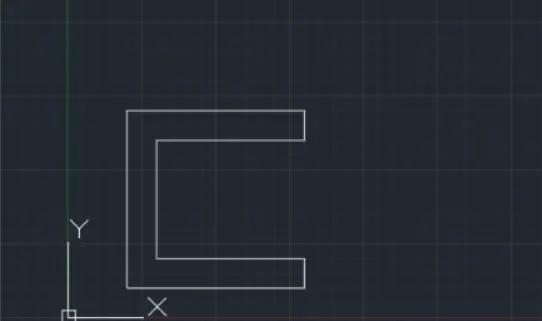
2)
- Used both both relative and absolute coordinate system to draw the geometry.
- Used (@,<) for length and angle.
- Points - ID
- Linear Dimensions
- Aligned Dimensions
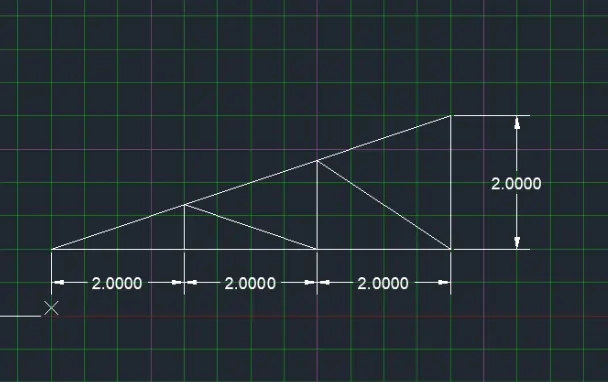
3)
- Used both both relative and absolute coordinate system to draw the geometry.
- Used (@,<) for length and angle.
- Points - ID
- Linear Dimensions
- Aligned Dimensions
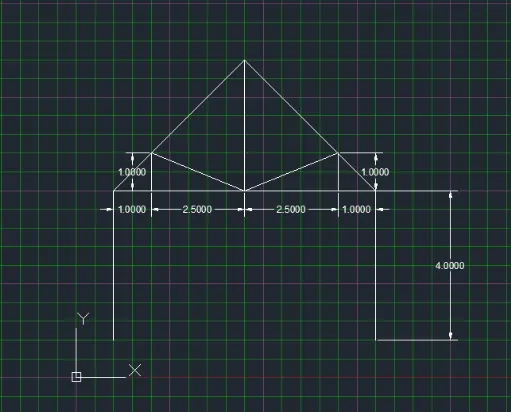
4)
- Used both both relative and absolute coordinate system to draw the geometry.
- Used (@,<) for length and angle.
- Points - ID
- Linear Dimensions
- Aligned Dimensions
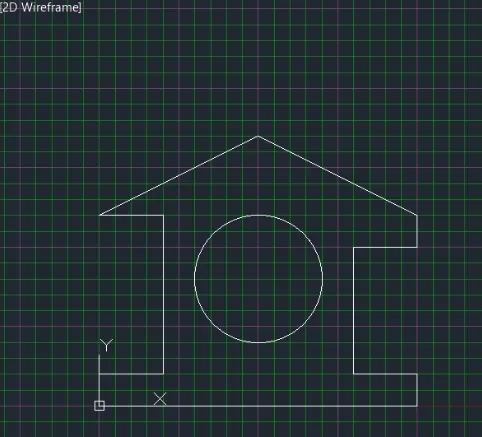
5)
- Used both both relative and absolute coordinate system to draw the geometry.
- Used (@,<) for length and angle.
- Points - ID
- Linear Dimensions
- Aligned Dimensions
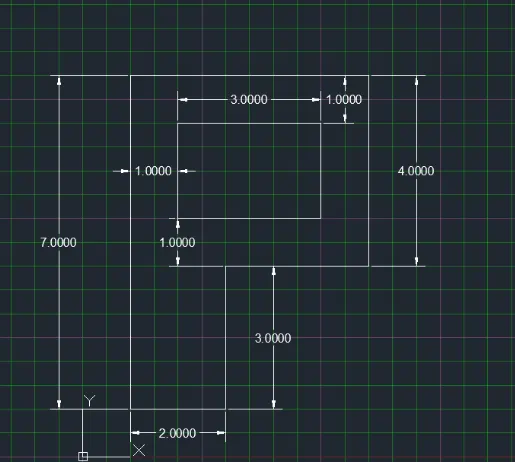
6)
- Used both both relative and absolute coordinate system to draw the geometry.
- Used (@,<) for length and angle.
- Points - ID
- Linear Dimensions
- Aligned Dimensions
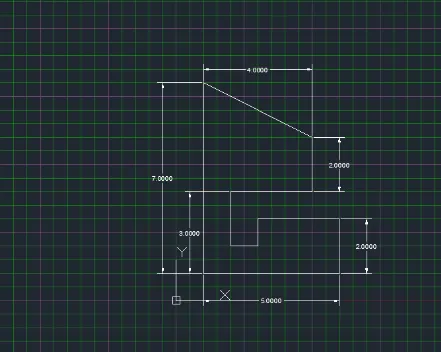
7)
- Used both both relative and absolute coordinate system to draw the geometry.
- Used (@,<) for length and angle.
- Points - ID
- Linear Dimensions
- Aligned Dimensions
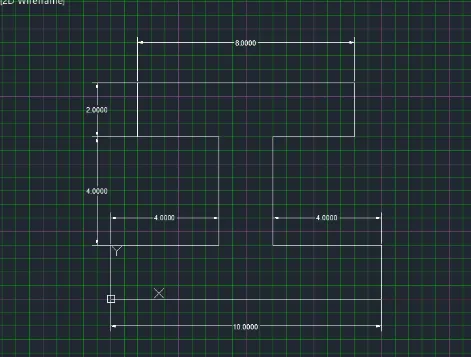
8)
- Used both both relative and absolute coordinate system to draw the geometry.
- Used (@,<) for length and angle.
- Points - ID
- Linear Dimensions
- Aligned Dimensions
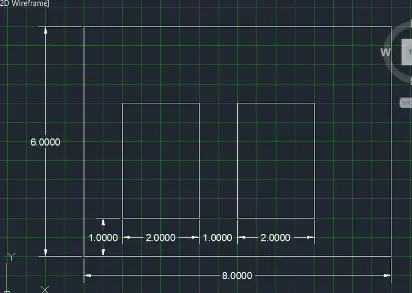
9)
- Used both both relative and absolute coordinate system to draw the geometry.
- Used (@,<) for length and angle.
- Points - ID
- Linear Dimensions
- Aligned Dimensions
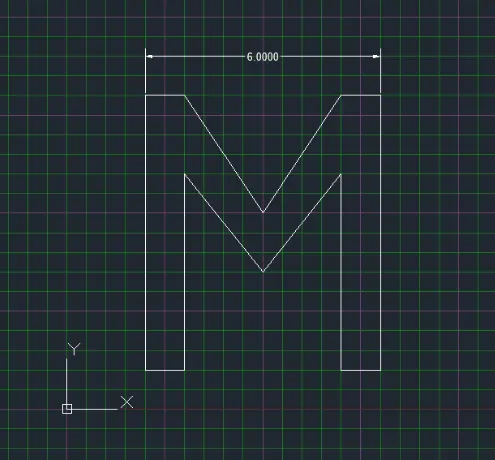
10)
- Used both both relative and absolute coordinate system to draw the geometry.
- Used (@,<) for length and angle.
- Points - ID
- Linear Dimensions
- Aligned Dimensions