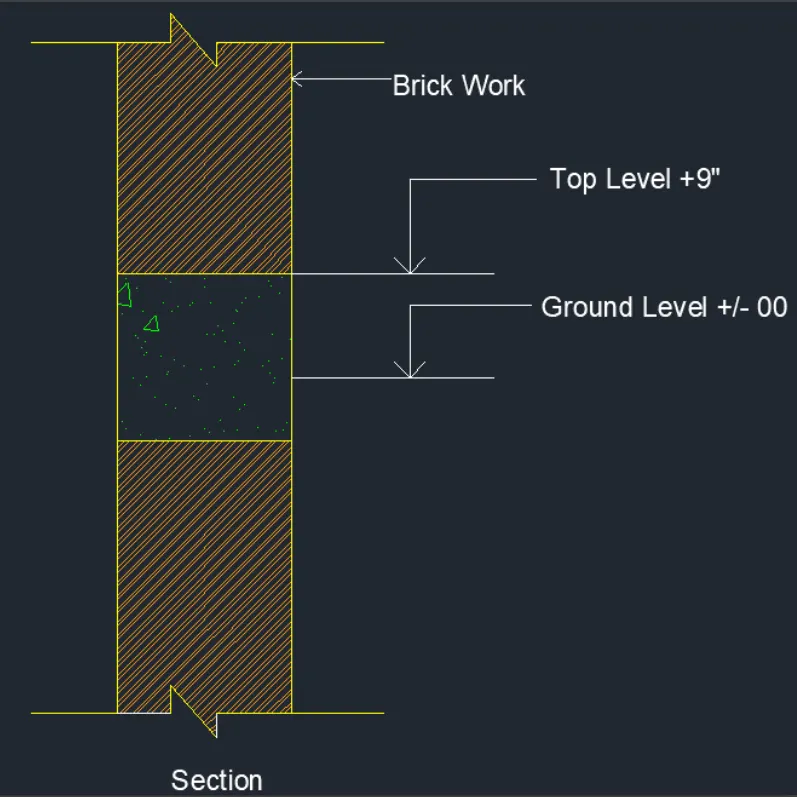
Creation of Column Schedule and Drawing Template using AutoCad
Aim
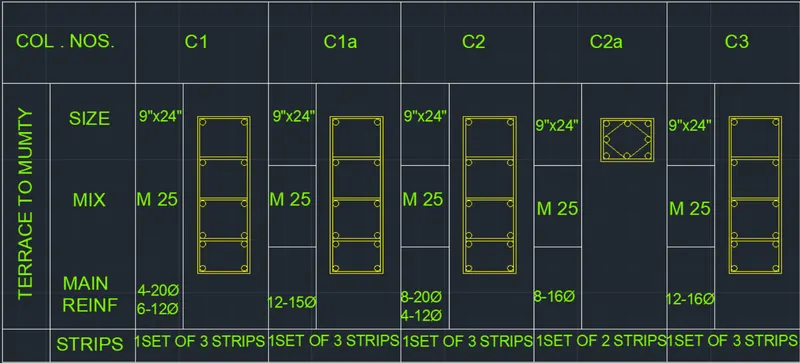
To create a column schedule
Procedure
1.Open autocad and set the limits with units
2.provide tabular column with the line command and insert text
3.apply different sketches in the layout.
4.Apply filters and layers on the layout.
Results
The inputs are produced with the below output from Autocad.
2.
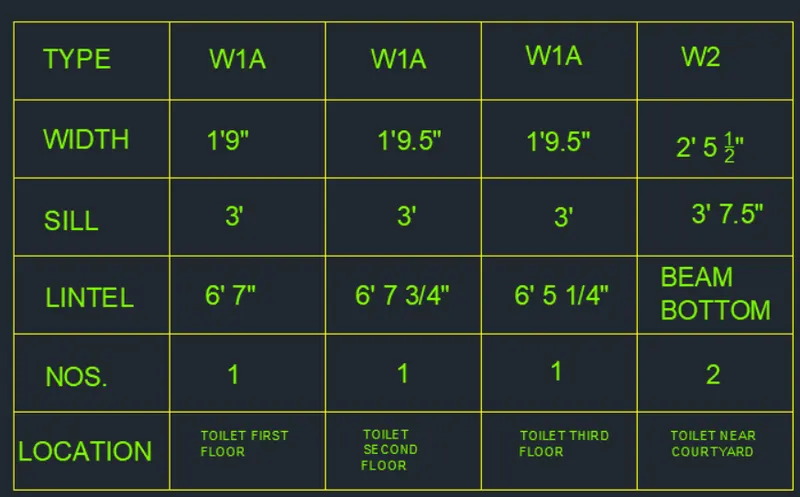
AIM
To create a window schedule
3.Aim- To create the drawing template.
Procedure
Open autocad and set limits and then input text command to edit inside the template with the given specific notes.
Results

4.
AIM
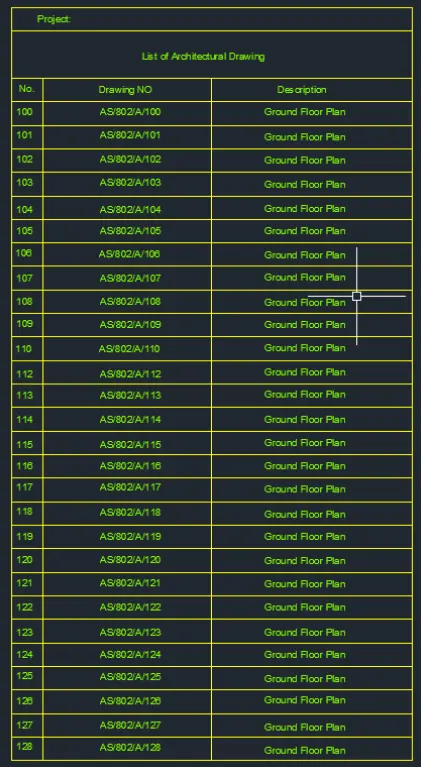
To create the list of drawing schedule as shown
Procedure
Open autocad and create tabular column with different commands available from autocad and create the drawing schedule with the inputs of text in autocad
Results
5.
AIM
To create the Beam detail.