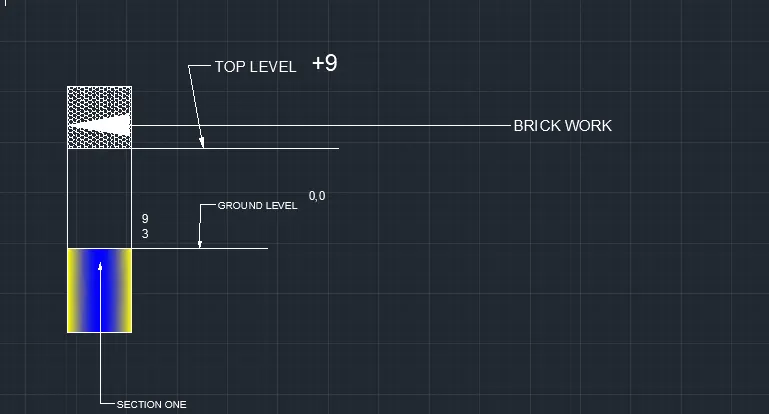
Creation of Column Schedule and Drawing Template using AutoCad
AIM TO MAKE A TBLE USING LINES
PROCEDURE OPEN AUTOCAD
SELECT A NEW SHEET
now enter line command to make a line of 60 in length 30 in breath
now close the line and make a rec
now go to np mode and make nap mode on nd keep corner points on
now devide the rec in 6 equal prts
now ue test command to write the text
noow use offet to make the devisions of 12 parts by keeping of set length 5
now take a distance 5 from bottom and draw a line which cuts all the table 12 lines
now use trim commad to eleminate the non required lines
result 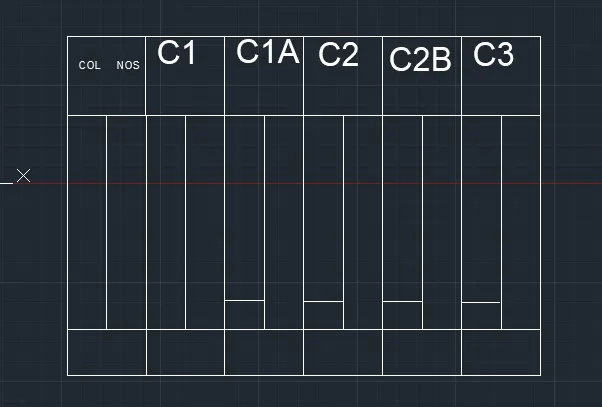
aim to craate a shedule
oepn autocad
select new
now go to the table option from the home rebbon
now give the number of rows 6 no of collums 5
and remove the tytle by clicking on it
select heder and data
press enter
a table will be formed
now use single line text from the home rebbon
and givve the starting point and give height of text
no fill all the rows and colllums
reult 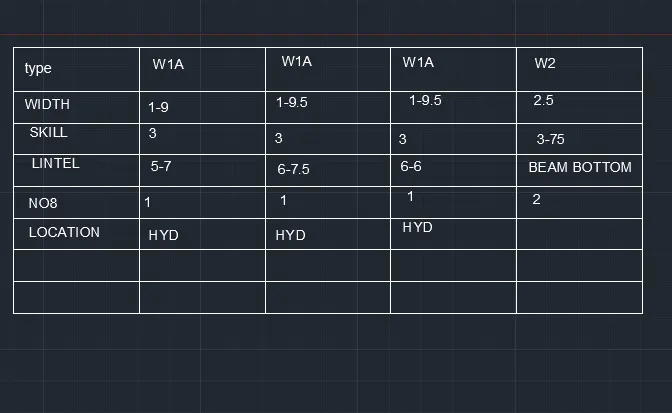
aim to write a passage in autocad
open autocadd
sellect new sheet
now use the multi line test from the anottate
now give the height of the text and start writing
after writing take line option
and draw a line to x and y direction
make a offset of that line at 5
result 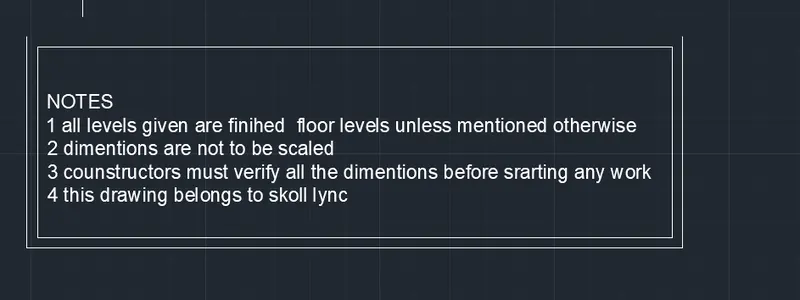
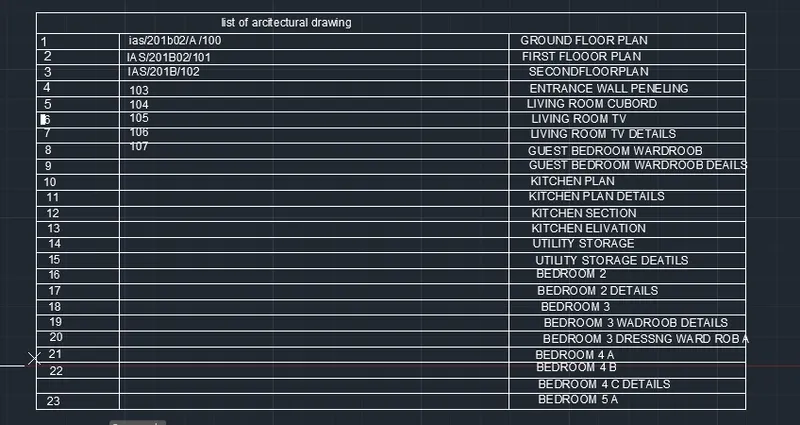
aim to draw a table in autocad
oepn autocad
select new
now go to the table option from the home rebbon
now give the number of rows 24 no of collums 3
and remove the tytle by clicking on it
select heder and data
press enter
a table will be formed
now use single line text from the home rebbon
and givve the starting point and give height of text
no fill all the rows and colllums
aim to create a beam desin
open autocad
select new sheet
now make a rec of 3 laand 6 b
and now devide the recinto 3 parts
now use hatch code in command box and go to the tool bar and select a hatch for 1 st part
to make 3rdpart nd 2 nd part diffrebt go to pattern on the rebbon and selct diffrent hatch patterns
now use multi lender to point and wirte about each part of the beam
ue mtext command to write the text
result