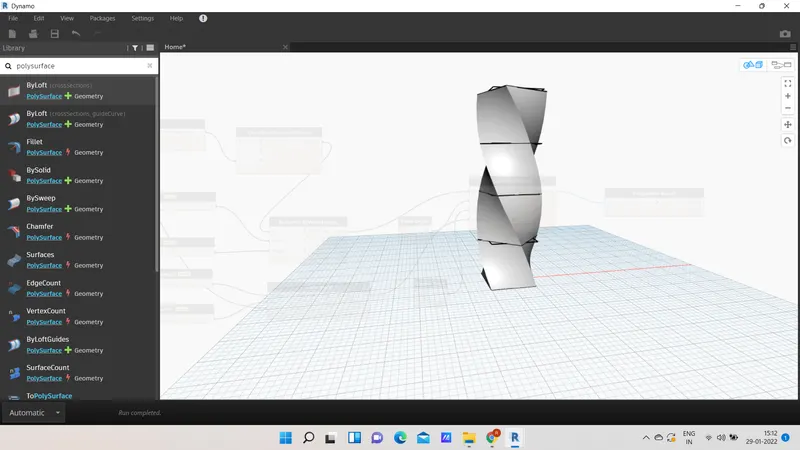
Creating Conceptual mass in REVIT and Creation of Sinusoidal curve and a Parametric stadium using Dynamo
1)
AIM : To create a set of sinusoidal points and create a curve and create a surface out of the curve using Dynamo.
PROCEDURE:
- Open the revit >architectural template > manage tab then click on the Dynamo.
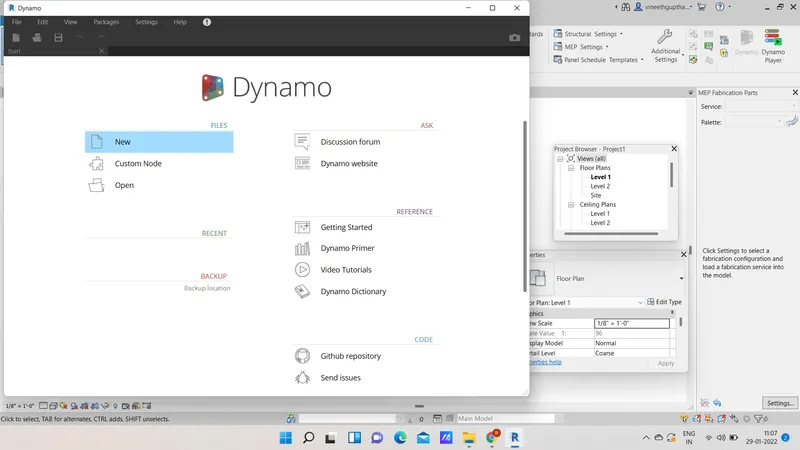
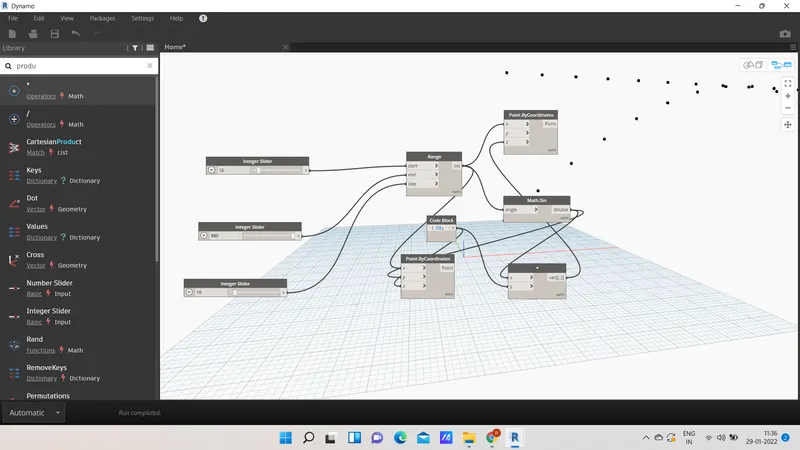
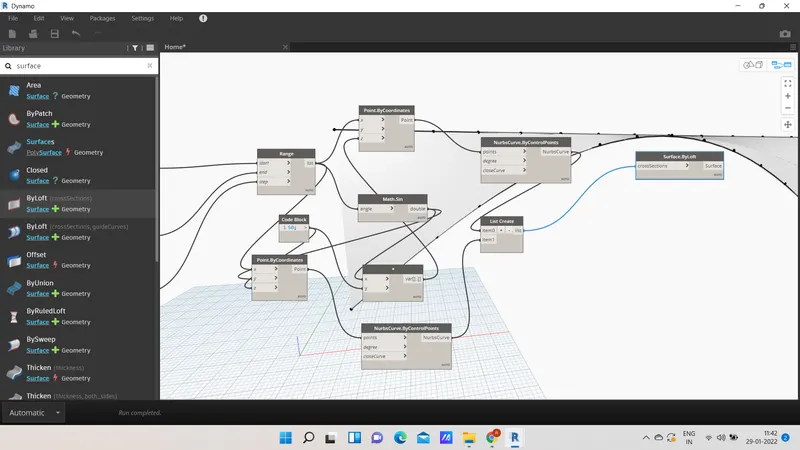
- Connect integer slider (numbers and steps ) to range to Point by coordinates (x-axis)
- connect range to math.sin (angle) and range to point by coordinate x.
- create code block and product
- connect code block to point by coordinates z and math.sin ( double) to point by coordinate y.
- Then connect code block to product y and math.sin(double) to product x.
- Then connect product (var) to point by coordinates z.
- points are created.
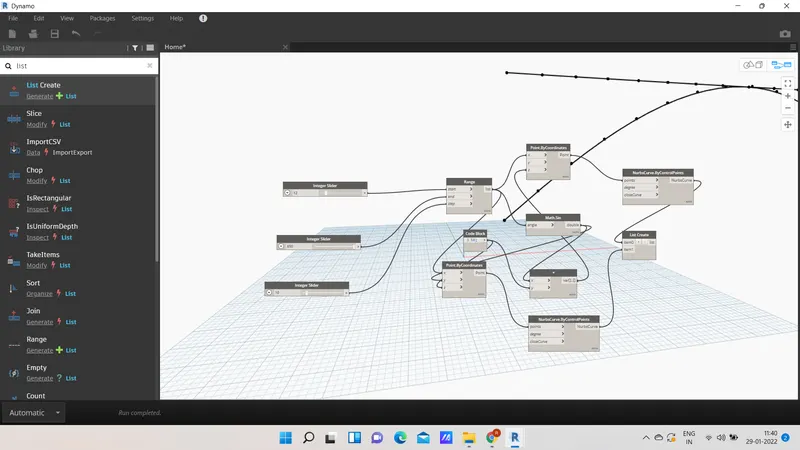
- now connect nurbscurve.by control points to point by coordinates (points)
- create list create and add one more item.
- connect two nurbscurve to list create .
- points are joined by the lines.
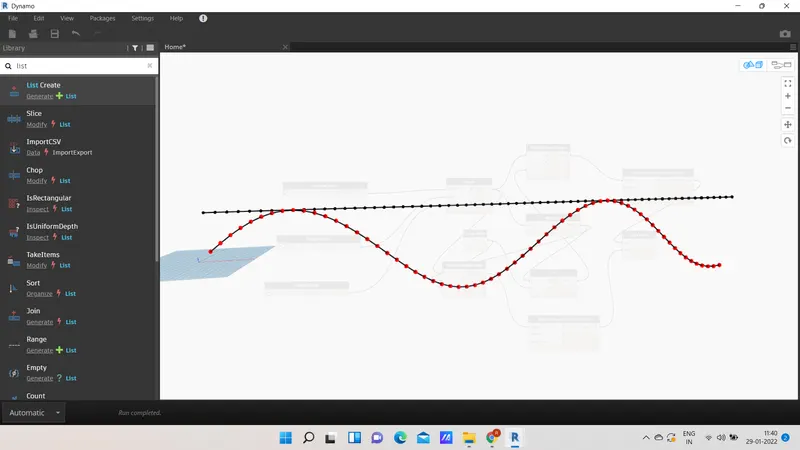
- now connect the list to the surface by loft ,therefore surface is created.
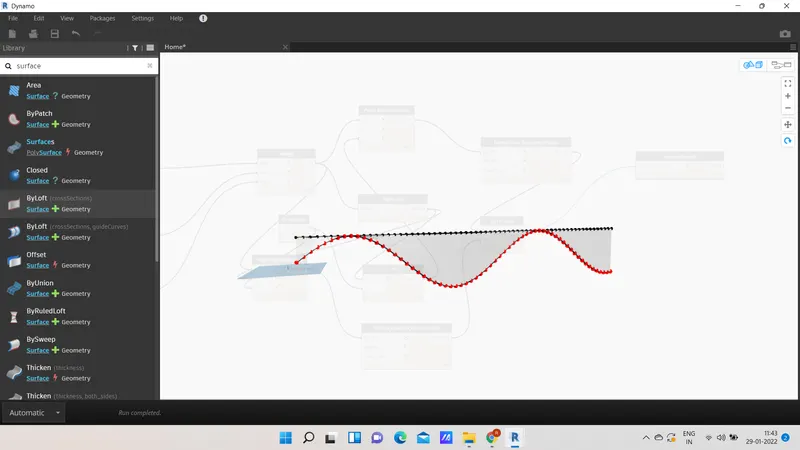
RESULT: required sinusoidal curve and surface of the curve is created.
2)
AIM: To create a floor,wall layout using dynamo.
PROCEDURE:
- Open dynamo>new
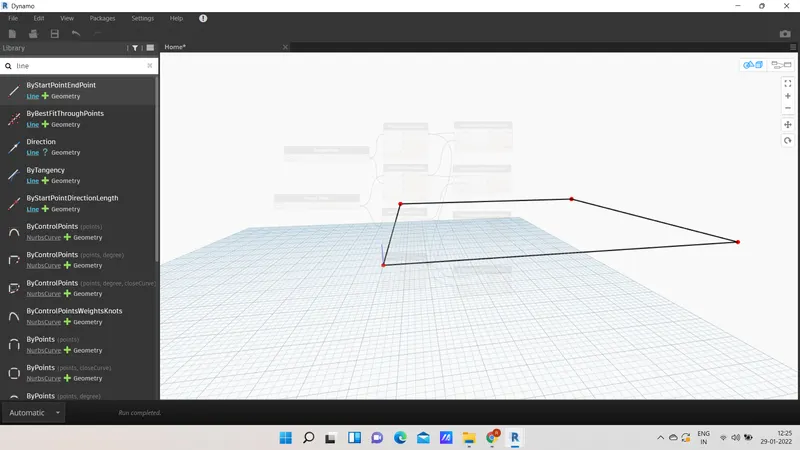
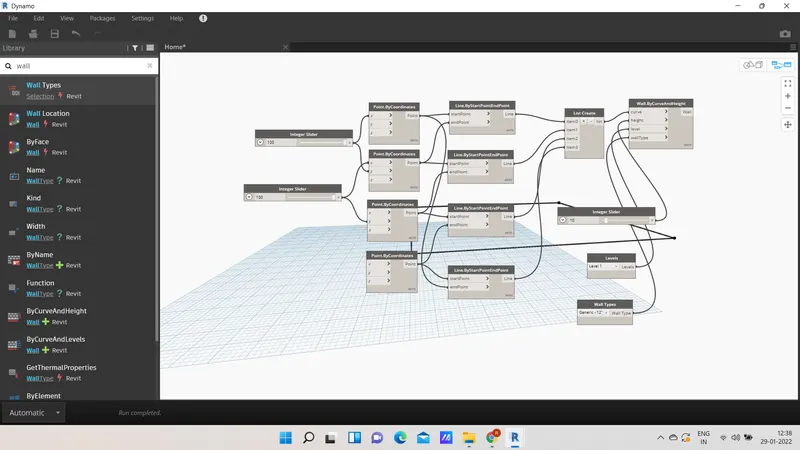
- select integer slider and select point by coordinates and conect them as shown in the figure.
- Then connect point by coordinates and line by startpoint and endpoint accordingly.
- four lines are created.
- insert list create and connect with the line by startpoint and endpoint.
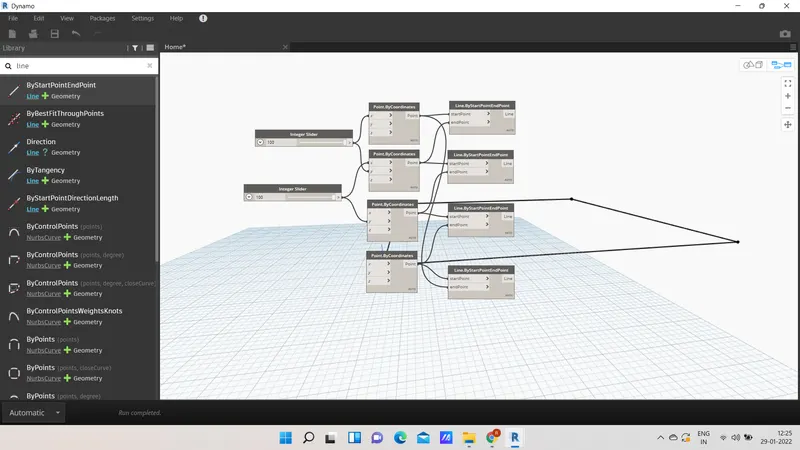
- To create full wall insert wall by curve and height and levels and wall type and integer slider and connect them accordingly.
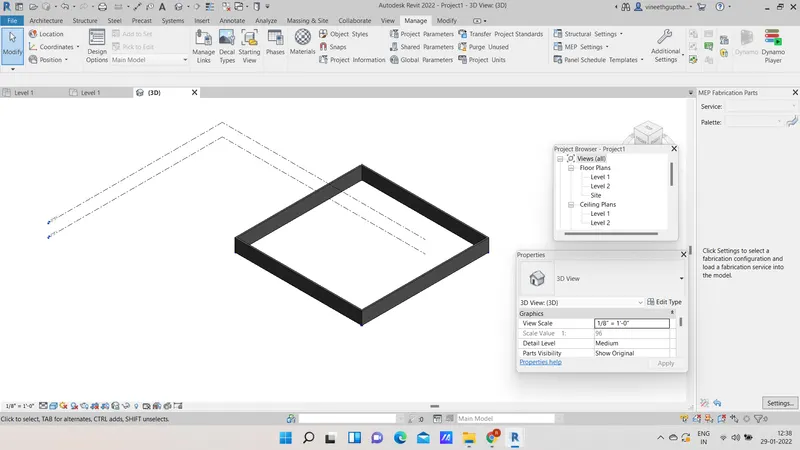
- To create the floor insert floor by outline type and level and floor type.
- And connect them to the required floor.
-
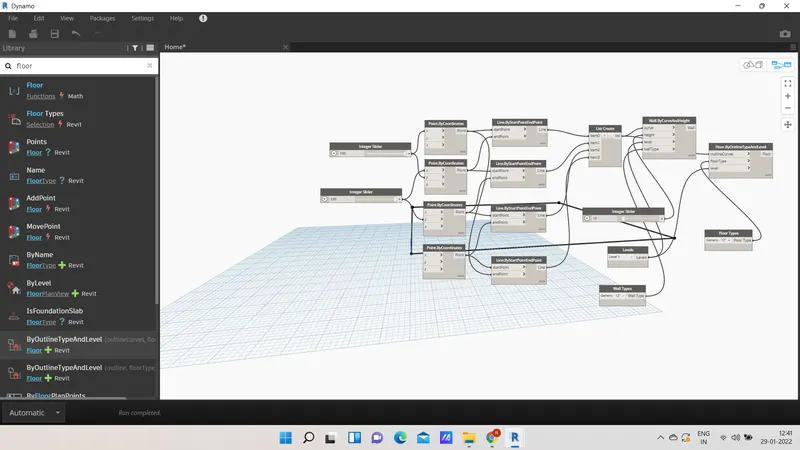
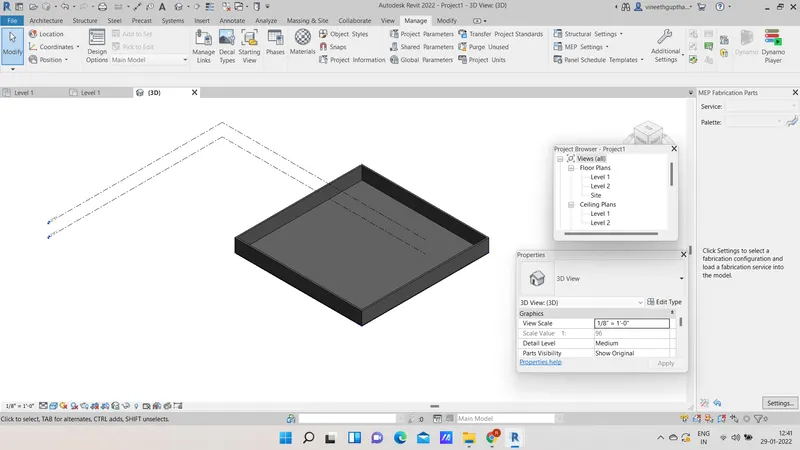
RESULT: Floor and wall layout is created using dynamo.
3)
AIM: To create array of model elements.
PROCEDURE:
- open the revit
- click on the created model > array
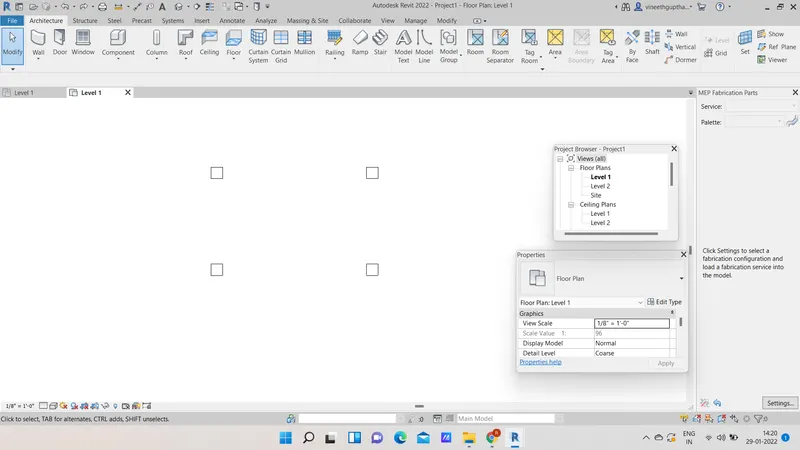
- open dynamo > new
- insert select model elements > select the elements from the revit.
- Insert family instance set rotation and integer slider
- connect these elements to the family instance
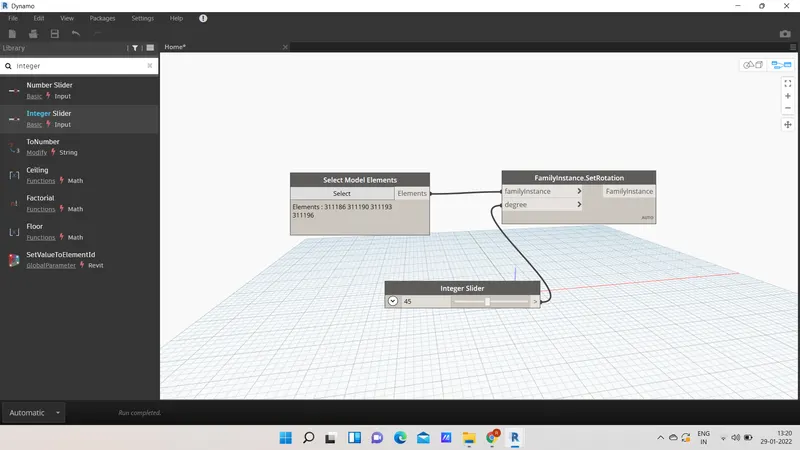
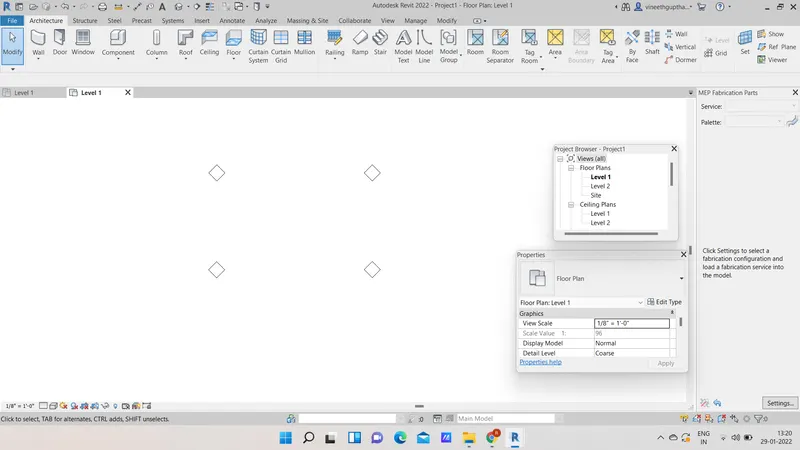
RESULT :
5)
AIM : To create a parametric high rise tower.
PROCEDURE:
- Open the architectural template > manage tab > dynamo
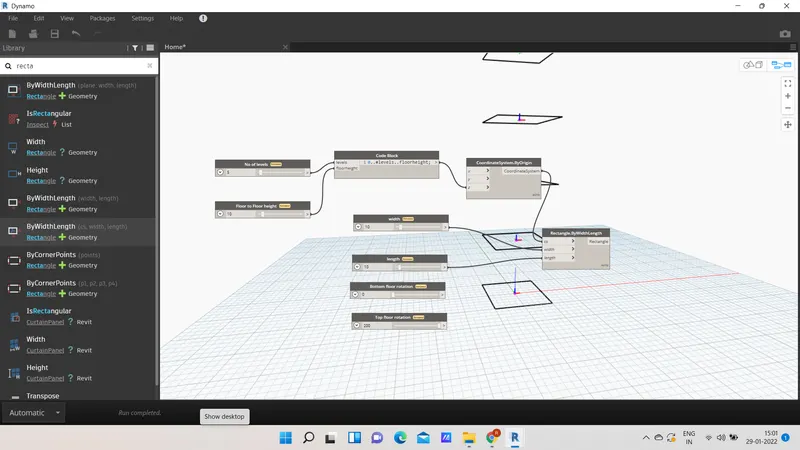
- insert integer slider (2) and rename them accordingly and connect them with the codeblock.
- insert integer slider (4) and rename them and connect the connect the coordinate system by origin and code block.
- Now connect the integer slider and coordinnate system by origin and rectangle by width and length as shown in the figure.
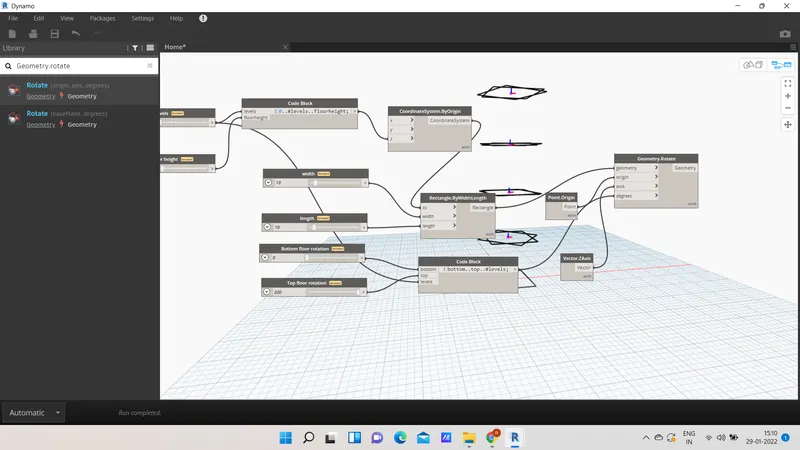
- Now insert point origin and vector Z axis and geometry rotate and connect them accordingly.
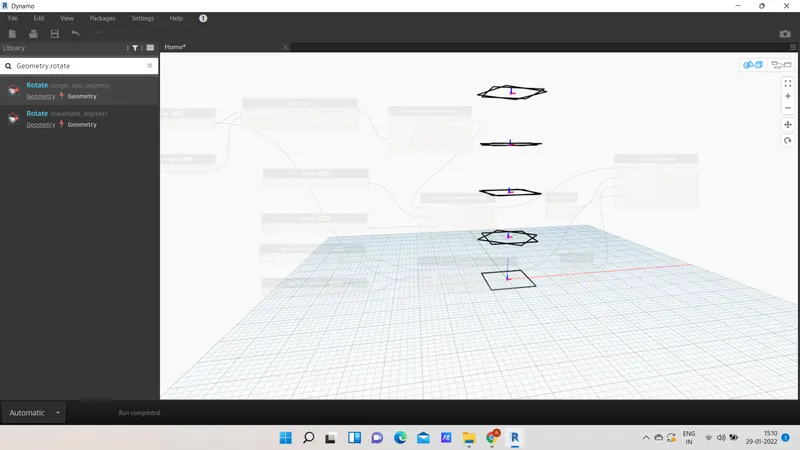
- Type poly surface and connect the geometry to the cross sections.
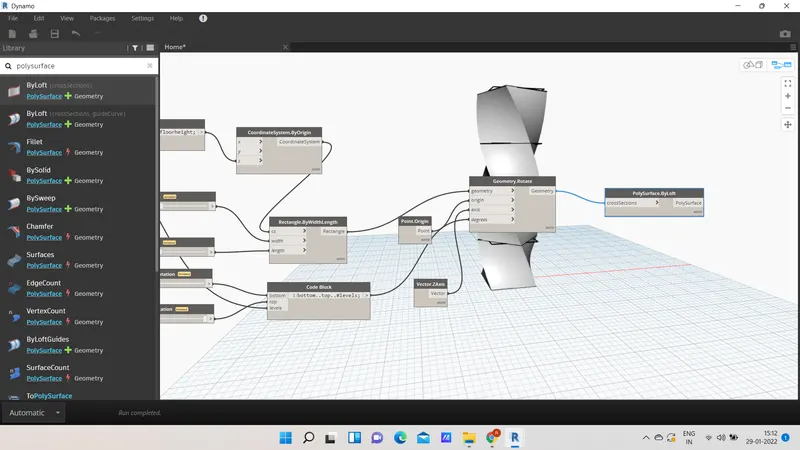
RESULT :