Creating Conceptual mass in REVIT and Creation of Sinusoidal curve and a Parametric stadium using Dynamo
1) Using Dynamo create a set of sinusodial points and create a curve and create a surface out of the curve.
AIM:- To create a set of sinusodial points, create a curve and To create a surface out of the curve.
INTRODUCTION:-
- Dynamo is a visual programming tool that works with Revit.
- Dynamo extends the power of Revit by providing access to the Revit API (Application Programming Interface) in a more accessible manner.
- Rather than typing code, with Dynamo you create programs by manipulating graphic elements called “nodes”.
- It’s an approach to programming better suited for visually oriented types, like architects, designers, and engineers.
- In Dynamo, each node performs a specific task.
- Nodes have inputs and outputs, the outputs from one node are connected to inputs on another using “wires”.
- The program or “graph” flows from node to node through the network of wires.
- The result is a graphic representation of the steps required to achieve the end design.
PROCEDURE:-
Step:-1
- First we open the revit software, and click on the dynamo option in the manage toolbar.
- After opening the dynamo, double click on the dynamo screen, the code block will be visible, as shown below.
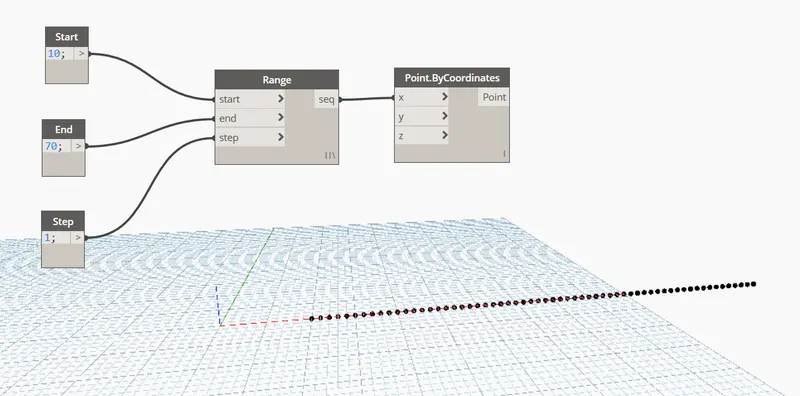
- Create three code box in the dynamo screen, and give the names to the code box individually as start, end and step as shown below.
- Next insert the range and connect start to start, end to end and step to step as shown in the below figure.
- Next we type the point.bycoordinates and connect seq to the x coordinate as shown below.
Step:-2
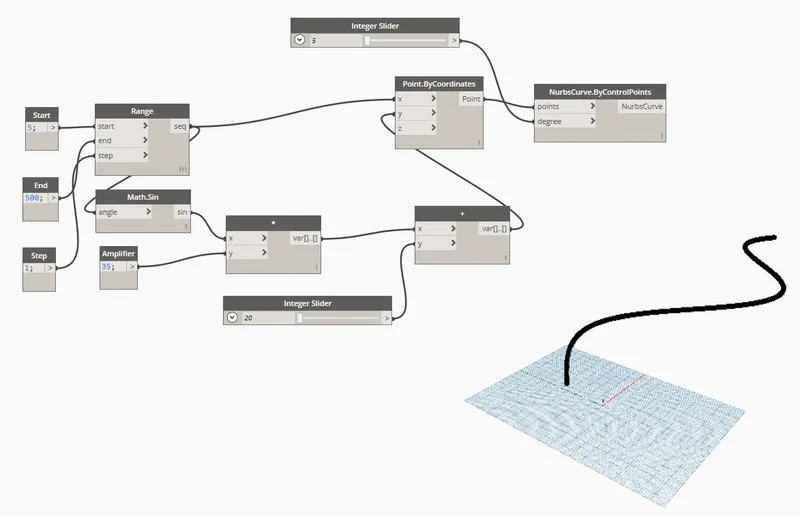
- Next type math.sin and connect the range seq to the angle, as shown below.
- Next type product connect sin to the x.
- Next type code block and rename it as amplifier and connect it to y of the product.
- Next type add and insert it and connect var of product to the x of add, as shown below.
- Next connect var of add to the y of the point bycoordinates.
- Next we type integer slider and give the minimum integer value as 20, and connect it to the y of add.
- Next type nurbscurve coordinate and insert it.
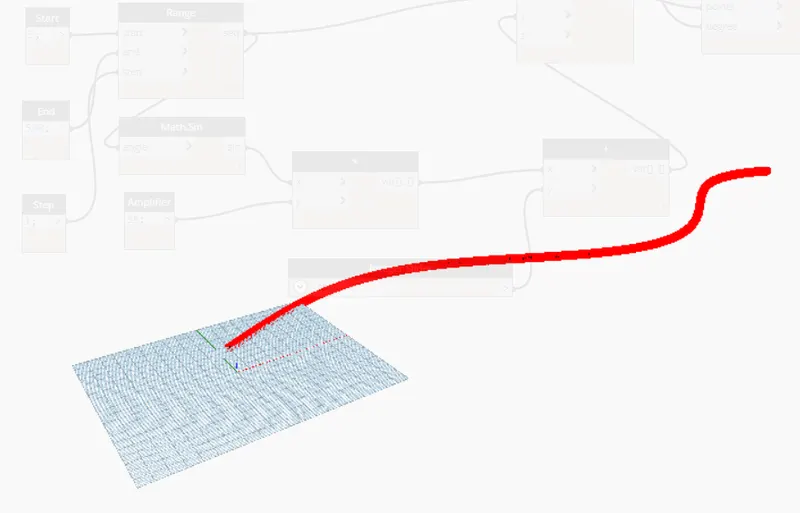
- Next connect point of point by coordinates to the points of nurbscurve coordinates, as shown in the below figure.
- Next again type integer slider and give the minimum integer value as 5, and connect it to the degree of nurbscurve bycontrolpoints, as shown below.
Step:-3
- Next copy the total group and paste it for four times.
- Next type list create and insert, and craete a four items in the list.create.
- Next we connect nurbscurve of all 4 groups to the 4 items in the list.create.
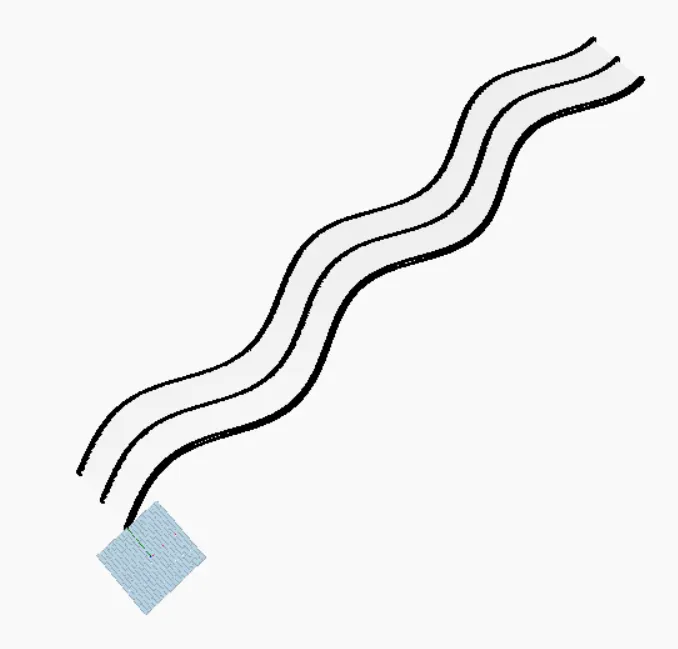
- Next type surface by loft and connect the list to cross section surface.
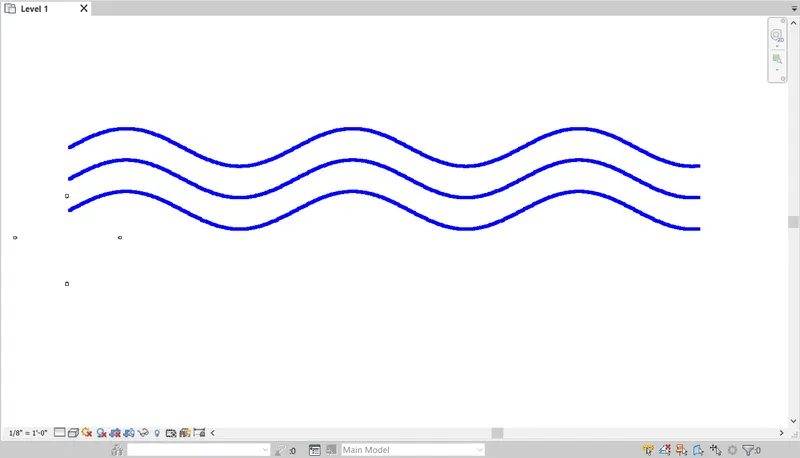
- Finally the surface has been created, as shown in the below figure.
RESULT:-
- Created a set of sinusodial points.
- Created a sinusodial curve.
- Created a surface out of the curve.
2) Create a conceptual layout of floor plan in dynamo. Using the tools available in dynamo link the lines to appropriate model elements in revit by choosing the wall types and wall parameters. Make use of the sliders to slide through the height of the wall and length of the wall.
AIM:- To create a conceptual layout of floor plan in dynamo using the tools available in dynamo link.
INTRODUCTION:-
- Dynamo, in simple terms, is a plugin for Revit that enhances your design by giving more functionality to Revit that would otherwise be limited due to the nature of the software.
- To compare, like grasshoper is a plugin for rhino to enhance its modeling abilities, Dynamo is likewise the enhancing plugin for Revit.
- The node based logic environment can target elements within a Revit model and manipulate them as long as Revit's back-end system allows.
PROCEDURE:-
Step:-1
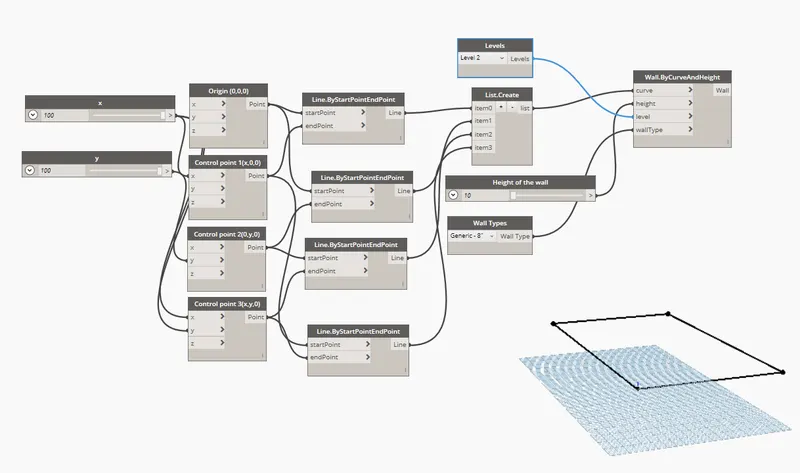
- First we need to enter the two integer sliders and name them as x and y, and give the minimum integer value as 100, as shown below.
- Next type point bycoordinates four times.
- Next connect created integer sliders to the point bycoordinates, as shown in the below figure.
- Next type line.ByStartPointEndPoint and create it four times, as shown below.
- Next connect point bycoordinates to the line.ByStartPointEndPoint, as shown in the below figure.
- Next the remain members are created, as shown below.
- Then the rectangle is created by coordinate points, as shown in the below figure.
Step:-2
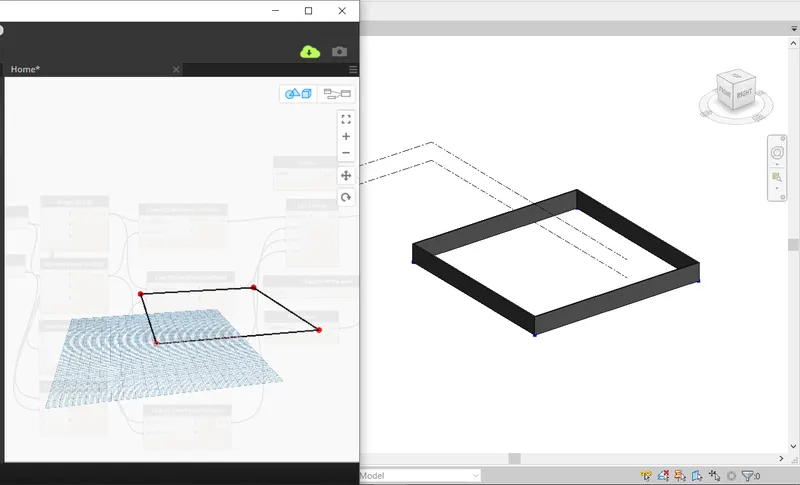
- Next minimize the dynamo screen, and the revit software appears.
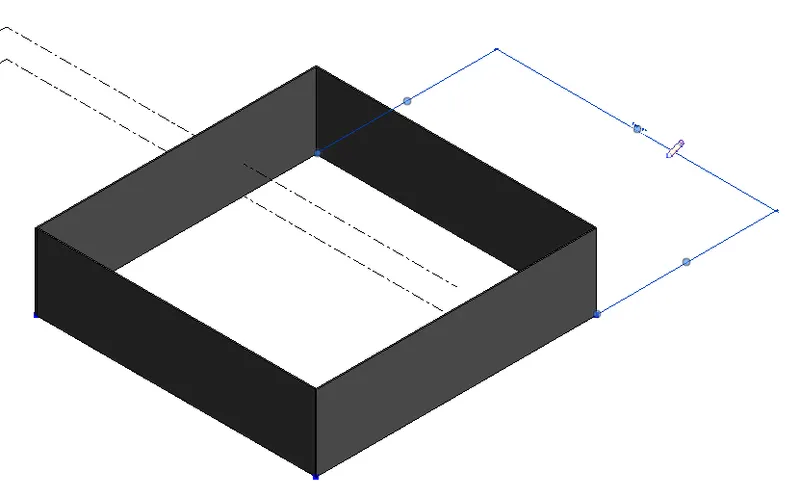
- Then the conceptual layout plan is created, as shown below.
Step:-3
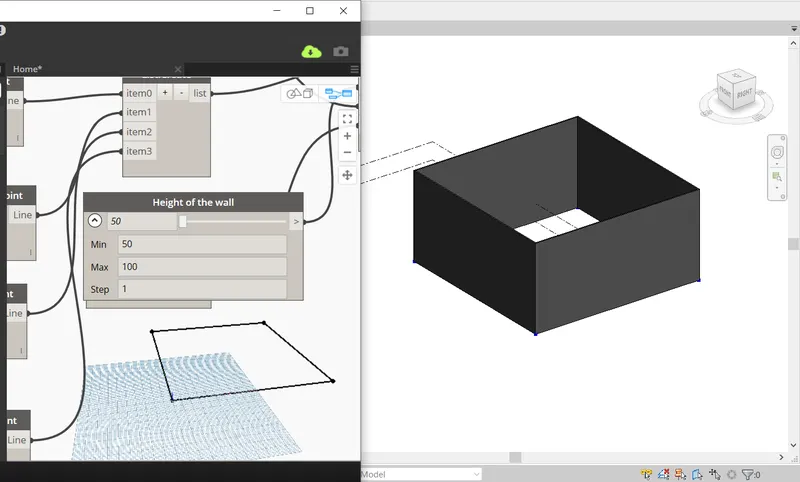
- Next we adjust the height of the wall using the integer slider as shown in the below figure.
- And we can change the minimum and maximum value of the wall height, as shown below.
Step:-4
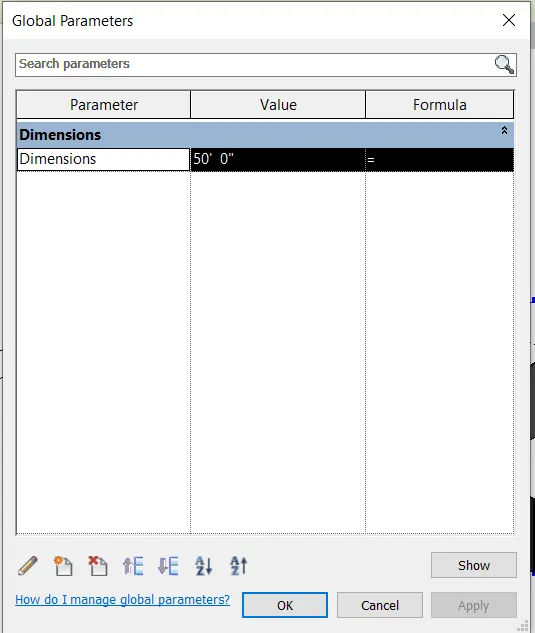
- Next we select the global parameters and give the value as 50', as shown below.
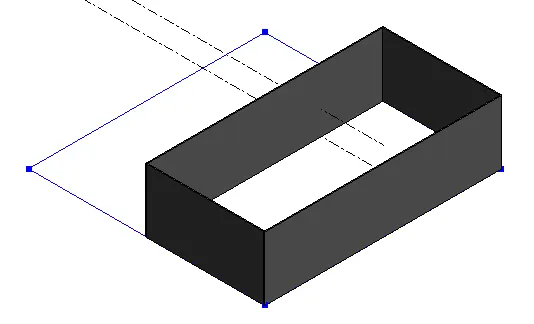
- Then next the length of the wall will be changed, as shown in the below figure.
RESULT:-
- Created a conceptual layout of floor plan in dynamo using the tools available in dynamo link.
- The height of the wall and length of the wall has been changed using the sliders.
3) Create an array of model elements in revit. Use dynamo to vary the properties of model elements by using the slider or code block.
AIM:- To create an array of model elements in revit using dynamo to vary the properties of model elements by using the slider or code block.
INTRODUCTION:-
- Dynamo is a visual programming tool that works with Revit.
- Dynamo extends the power of Revit by providing access to the Revit API (Application Programming Interface) in a more accessible manner.
- Rather than typing code, with Dynamo you create programs by manipulating graphic elements called “nodes”.
- It’s an approach to programming better suited for visually oriented types, like architects, designers, and engineers.
PROCEDURE:-
Step:-1
- First we have to open the revit software using the architectural template.
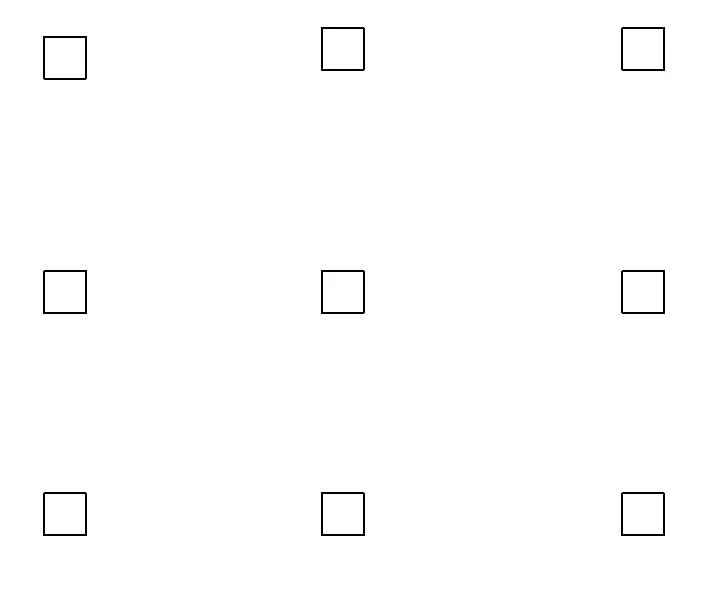
- Next create the nine columns, as shown in the below figure.
Step:-2
- Next we have to open the dynamo tool, and then the dynamo will be opened, as shown below.
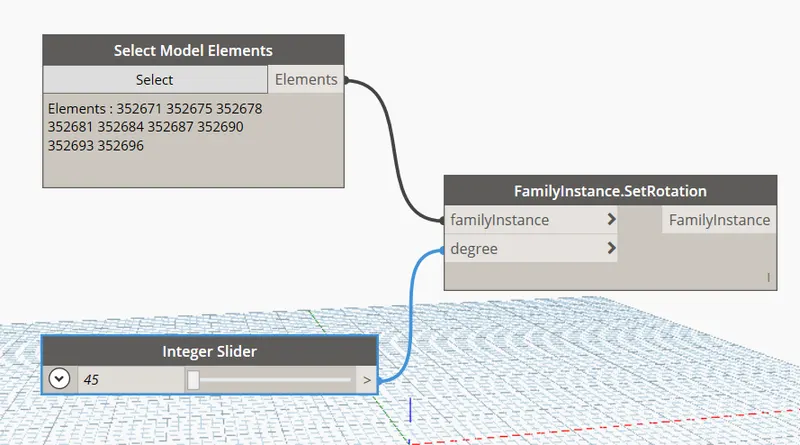
- Next we type the select model elements, integer slider and familyinstance.SetRotation as shown below.
- Next connect elements of select model elements to the familyinstance of familyinstance.SetRotation, as shown below.
- Next connect integer slider to the degree of familyinstance.SetRotation, as shown in the below figure.
Step:-3
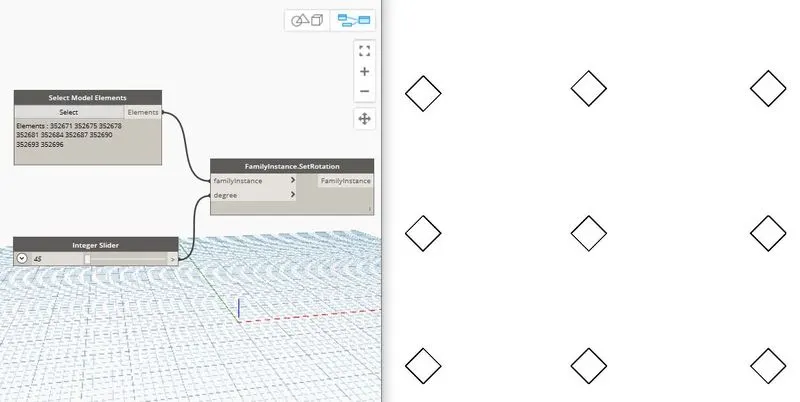
- Next the columns are rotated to the 45 degrees, as shown in the below figure.
RESULT:-
- Created an array of model elements in revit using dynamo to vary the properties of model elements by using the slider or code block.
4) Create a conceptual mass in revit and develop a parametric column by dividing the surfaces and apply the concepts similar to used in parametric walkway modelling. Use triangular bent or square shaped panels to add finish to the parametric column.
AIM:- To create a conceptual mass in revit and develop a parametric column by dividing the surfaces and,
To apply the concepts similar to used in parametric walkway modelling.
INTRODUCTION:-
- The Conceptual Massing Environment in Revit is a free-form work environment which allows you to explore and iterate many design concepts quickly.
- In this environment, there are no walls, doors, or roofs, only forms and relationships.
- The first time you enter the Massing Environment, it can be a little confusing.
PROCEDURE:-
Step:-1
- First we have to open the revit software, and select the new option in the family.
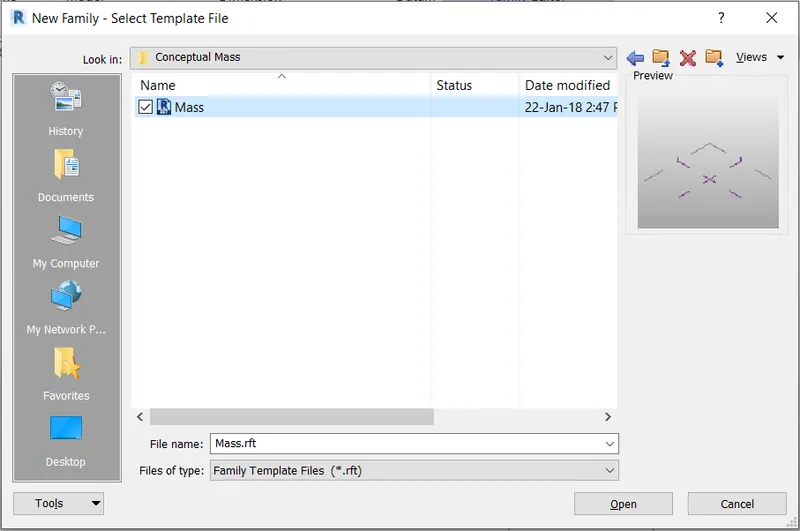
- Next the new family tab will be visible, then select the mass in the conceptual mass folder, as shown in the below figure.
Step:-2
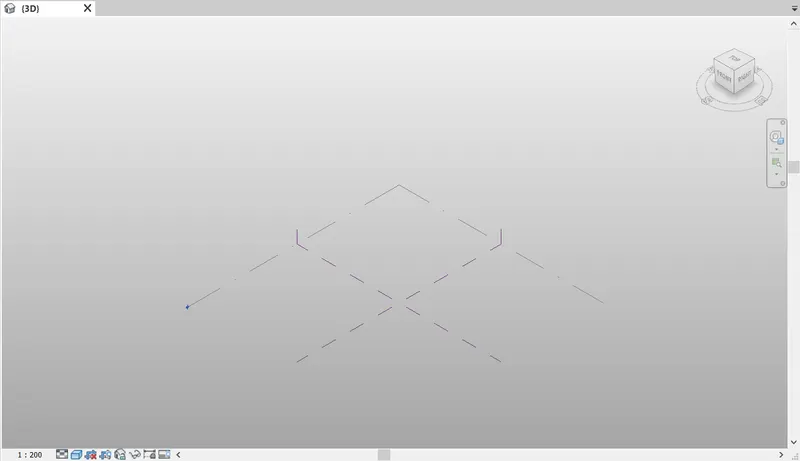
- After selecting the mass from the conceptual mass folder the new screen will be visible, as shown below.
Step:-3
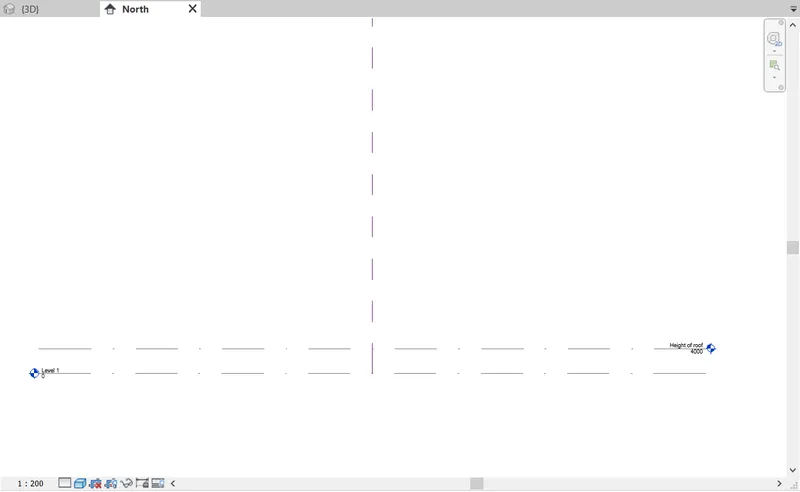
- Next we have to open the north elevation and need to create the level-2, as shown in the below figure.
Step:-4
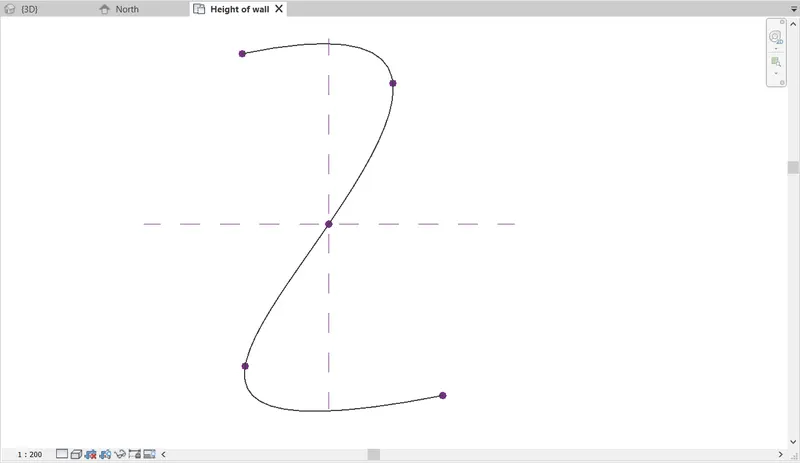
- Next we use the spline tool to draw the walkway curve, as shown in the below figure.
Step:-5
- At the control points we have to create the workplane, and draw the polygon with four sides to the workpalne.
- Similarly create workpalne at the contrl points and draw the polygon with four sides in different angles, as shown below.
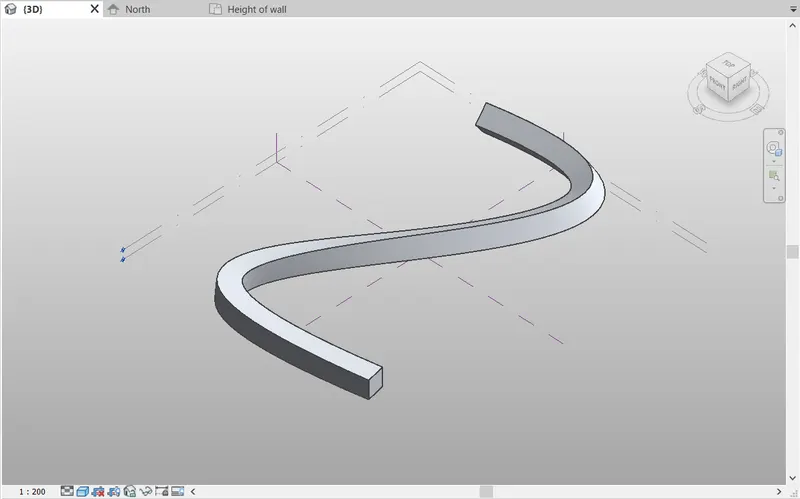
- Next we select the curve line, control points, workplane and polygon. And then create foam, as shown in the below figure.
Step:-6
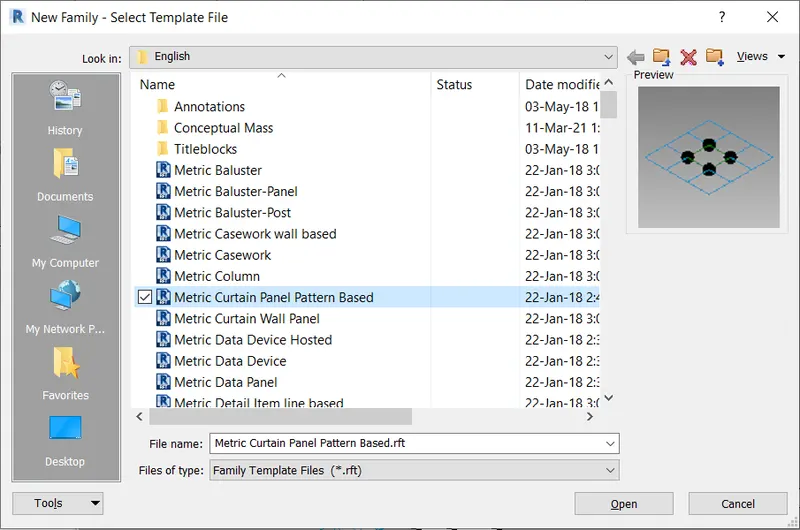
- Next we open the new family, and select the metric curtain panel patern based, as shown in the below figure.
Step:-7
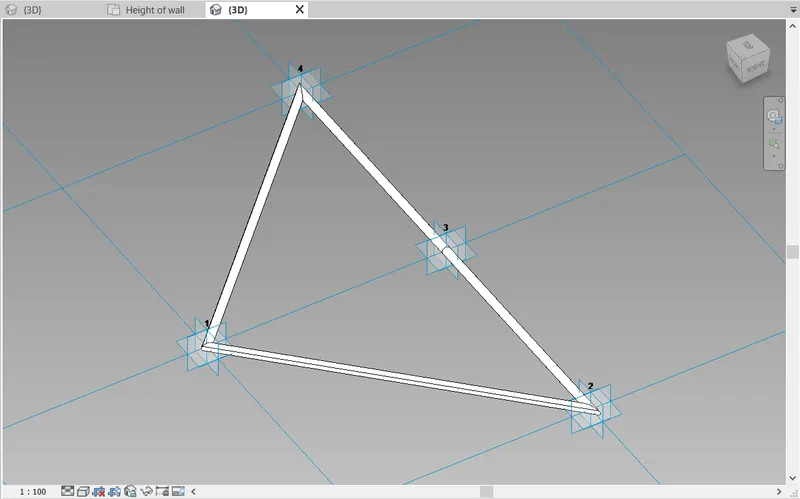
- Next we select the triangle bent pattern, as shown in the figure.
- Next we create the plane at the midpoint and also place the circle at the midpoint with diameter of 2".
- Then the triangle bent pattern was created, and then click on the "load into project" option.
- Then the triangle bent pattern was loaded into the project.
Step:-8
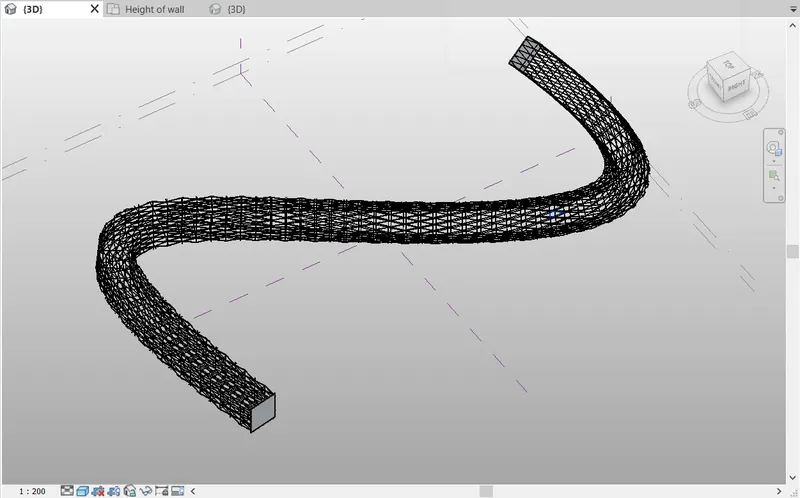
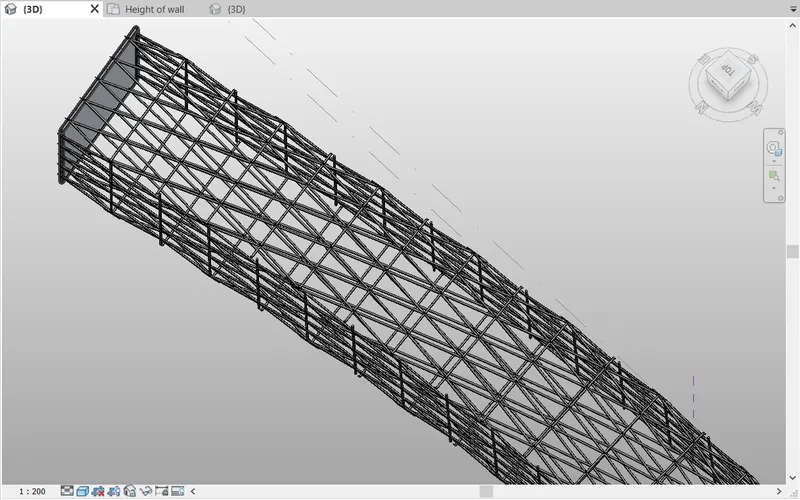
- Next we apply the triangle bent pattern to the parametric column, as shown in the below figure.
RESULT:-
- Created a conceptual mass in revit and developed a parametric column by dividing the surfaces and also applied the concepts similar to used in parametric walkway modelling.
5) Use Dynamo to work on developing a parametric stadium. List your parameters and use the visual programming approach to complete the modelling. You can use the concepts discussed in parametric high rise tower in class for reference.
AIM:- To draw a parametric stadium using dynamo.
INTRODUCTION:-
- Dynamo is a visual programming tool that works with Revit.
- Dynamo extends the power of Revit by providing access to the Revit API (Application Programming Interface) in a more accessible manner.
- Rather than typing code, with Dynamo you create programs by manipulating graphic elements called “nodes”.
- It’s an approach to programming better suited for visually oriented types, like architects, designers, and engineers.
- In Dynamo, each node performs a specific task.
PROCEDURE:-
Step:-1
- First we have to open the new file in revit, and open the dynamo.
- In the dynamo screen type slider and insert four sliders and rename it.
- Next type points and select points by coordinate to create floor.
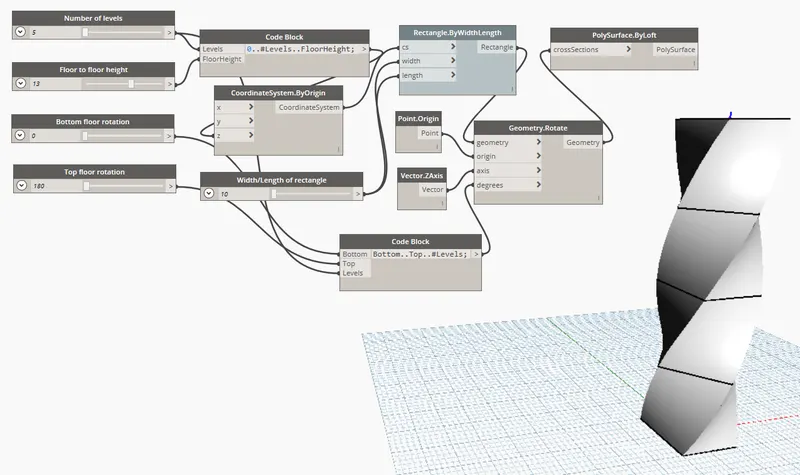
- Next type code block and in that code block type (0..#levels..FloorHeight)
- Next join levels and height, as shown below.
- Next type coordinate system by origin and join the code block to it in z.
- Next type code block and in that code block type (bottom..top..#levels)
- Next join the bottom rotation and top rotation and number of levels.
- Next type rectanglebywidth, and type slider and rename it as width/length of rectangle.
- Next join the coordinatesystem to cs.
- Next join the slider to width and length.
- Next type rotate and insert geometry rotate.
- Next type origin and insert point origin.
- Next we have to type z axis & insert it.
- Next join the rectangle to geometry point to origin and degrees to code book(bottom..top..#Levels).
- Next type polysurface by loft and insert it.
- Next join geometry to the cross-section.
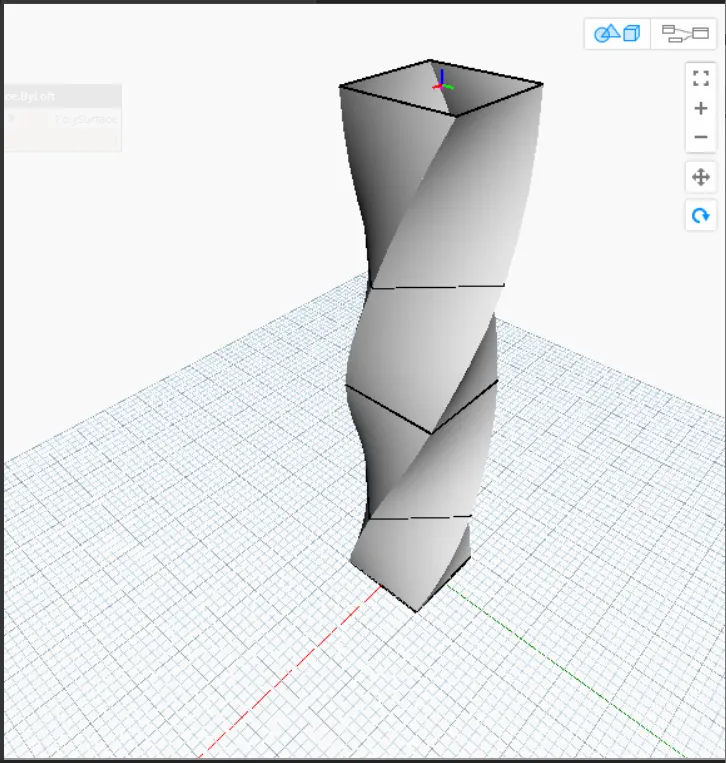
- Therefore, the parametric stadium has been developed, as shown in the below figure.
Step:-2
- Next we hide the total group and then we can see the parametric stadium clearly.
- The parametric stadium has been created successfully, as shown in the below figure.
RESULT:-
- The parametric stadium has been created successfully using dynamo.