Creating Bar Bending schedule, Different Door types, and Creation of standard drawing templates using AutoCad
aim:
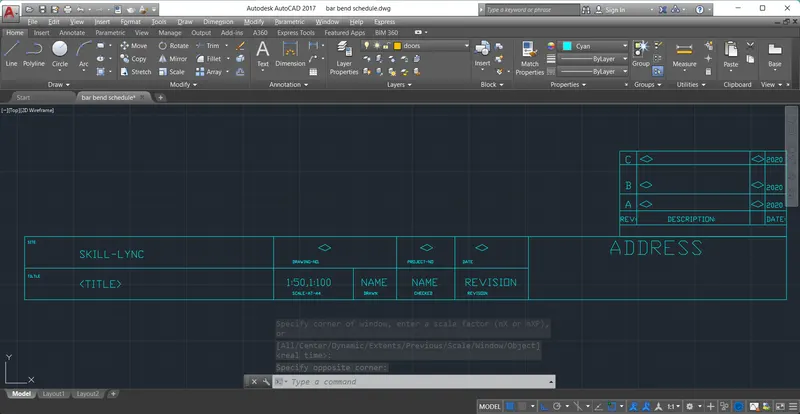
Create the templates as shown in Figures. Take the size of the title block as per industry standards or you can assume it as per the size of the paper. Use text and attributes wherever required. After creating the title block you need to save it as a block with names: Custom1_titleblock and Custom2_titleblock, respectively.
tool were uses:
line
rec
table
mtext
copy
block
attribute
further etc>>
procedure:
draw the table first using table co
text is used
create the block as custom1_tileblock insert it
and second one has custom2_tileblock
result: 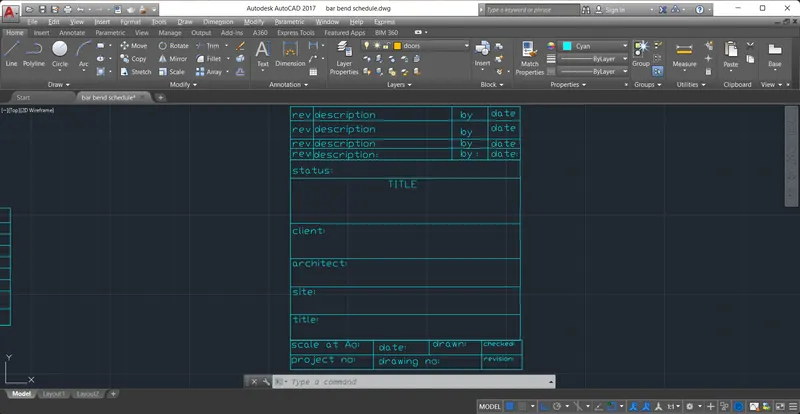
result 2:
aim:Create the doors type for warehouse as shown in the Figure. You need to create each door type as per standard size or given dimensions. Create the blocks of this door type after creating them.
tools were used in this :
rec
copy
dim
array
offset
procedure:
first draw the rect and take some offset on the inner side of the
and along with that rec is make at inner and do array for that rec to made design
and create a block then named them if we want door whenever just open insert and click door block
result: 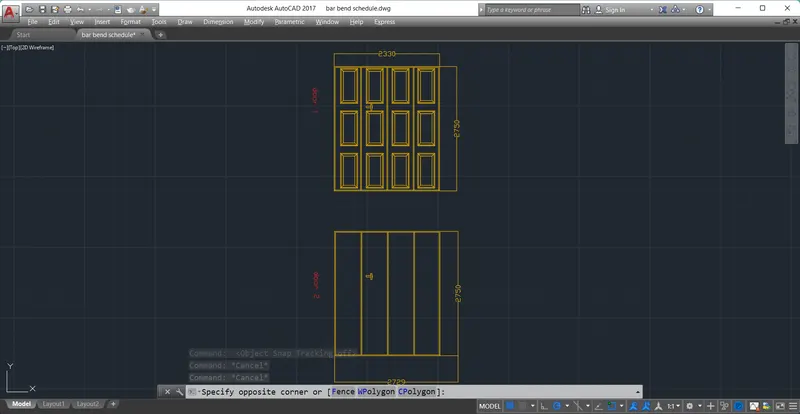
aim:Create each symbol as a block with the name given in the legend. After creating the blocks arrange them in the legend as shown in the Figure
tools were used: table
mtext
rec
line
circle
ellipse
hatch
copy
explode
trim
procedure:
enter the table tool to created the table and exploded that
mtext is used
copy the words and edited again for another word
i just craete the symbols and blocked them as legend
result:
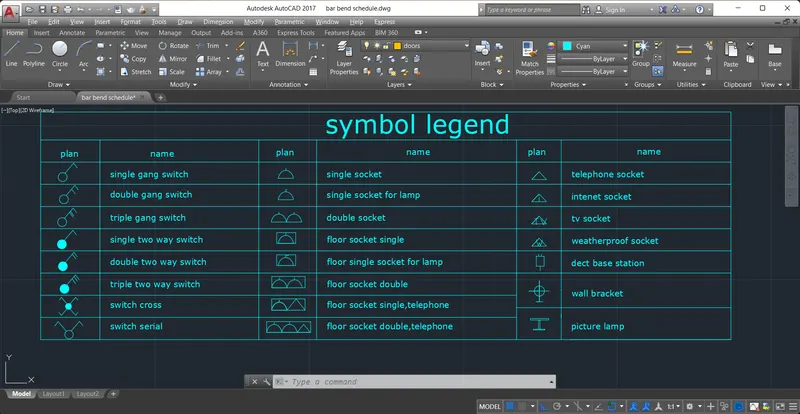
aim:Create the door type for residential building as a block. Save the name of the blocks as type. Use given dimensions or assume dimensions as per industry standards
tools were used :
rec
line
hatch
circle
array
offset
arc
procedure:
draw the rec and take offset inner side
and draw the tiny rec for the door handle
and copy the door to make another door
result: 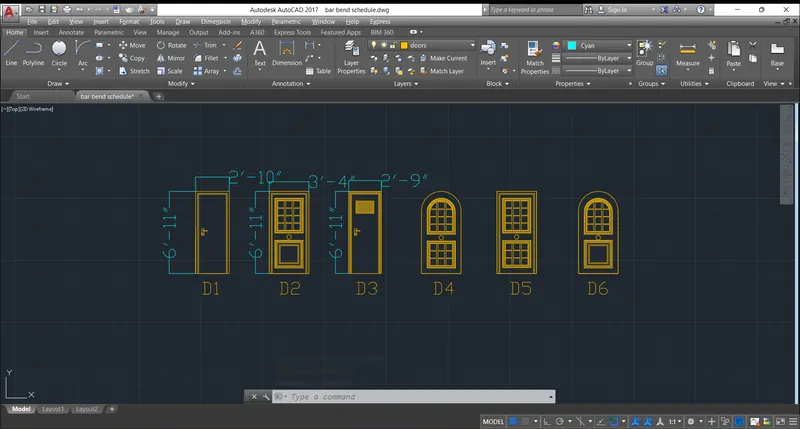
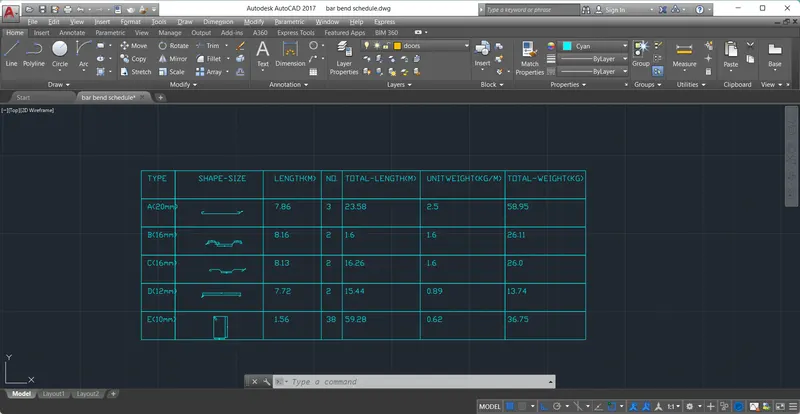
aim:Create each shape as a block as shown in the Figure. Save the block and insert them on the table as shown in the Figure.
tool used :rec
attribute
line
offset
copy
trim
mtext
procedure:
attribute is used to create this