Creating Bar Bending schedule, Different Door types, and Creation of standard drawing templates using AutoCad
Drawing :1
Procedure:
1. create the following template using the drafting tool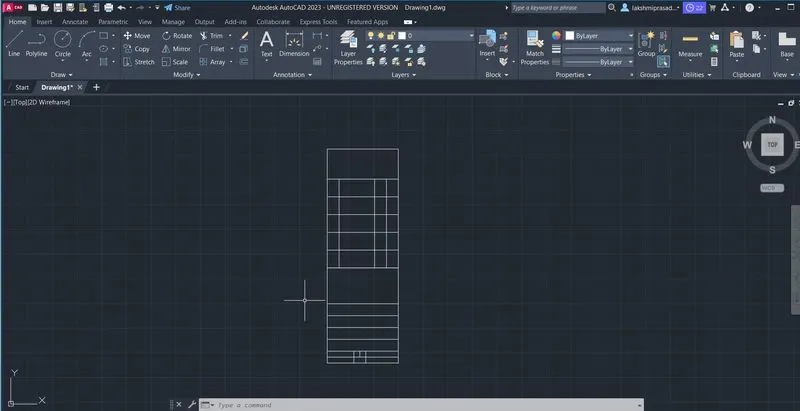
Using MTEXT,give the req text. The font is taken as TIMES NEW ROMAN.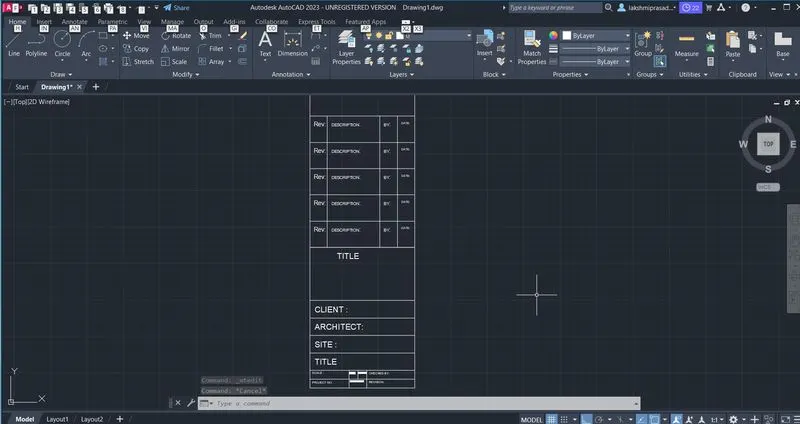
Create block of the template madeand given the name of the block as custom 1 _Title block.
Create the templates as shown in using Drafting tool.
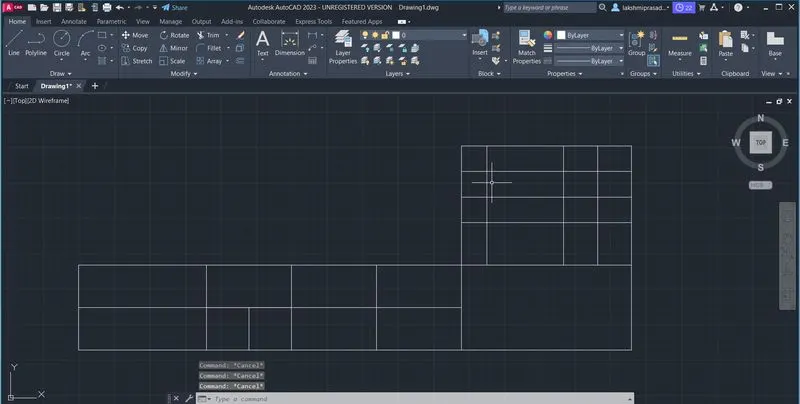
Add the following text.
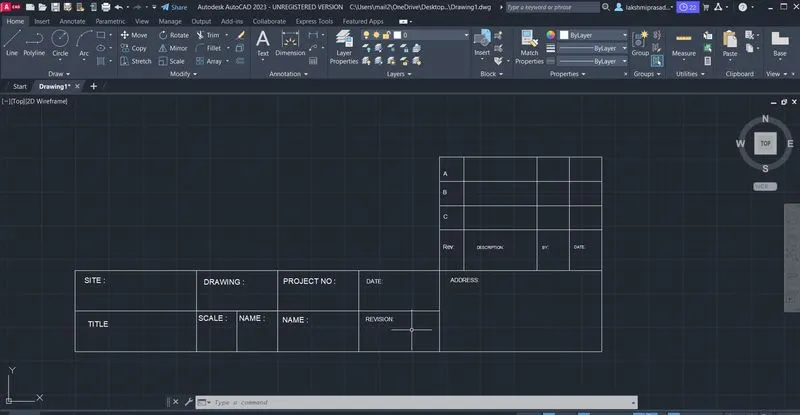
create ablock of the template with its anme as custom2_ Title block.
Result: The following two templates can be inserted as blocks into the drawing.
Drawing:2
procedure: make the outer rectangle of the given dimension.
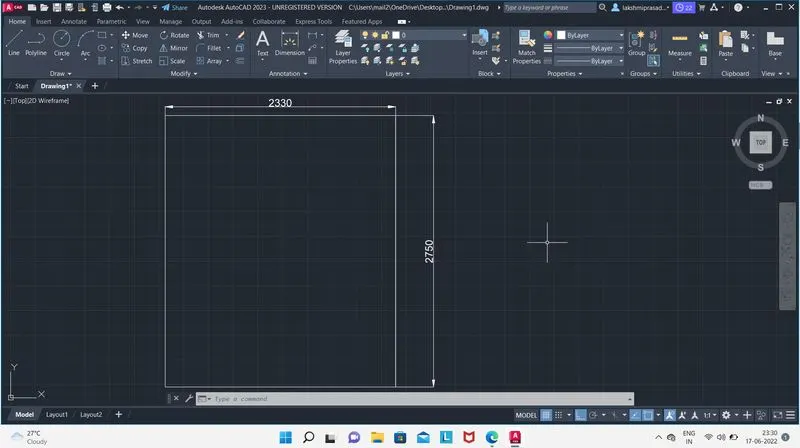
make the following panels using polyline and thickness these lines using PEDIT.
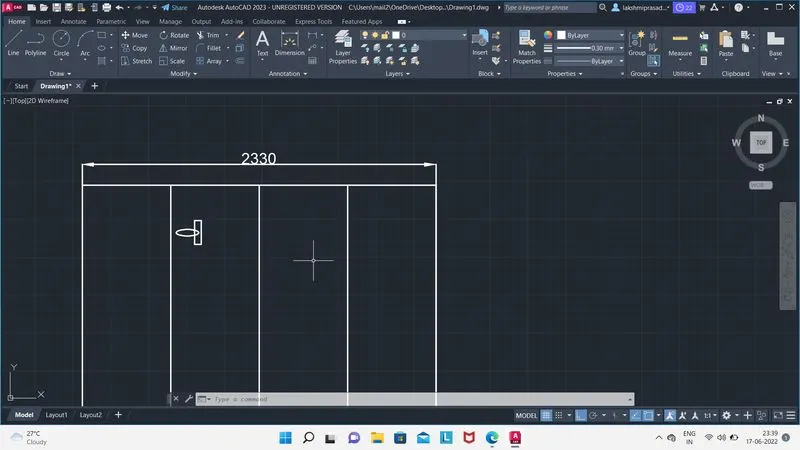
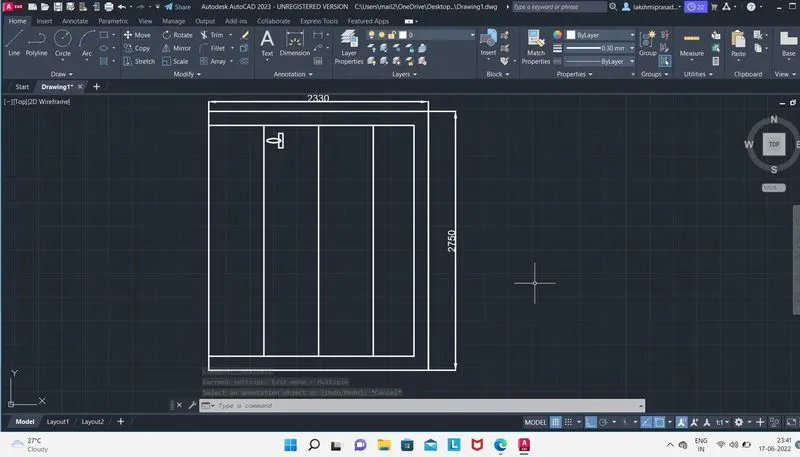
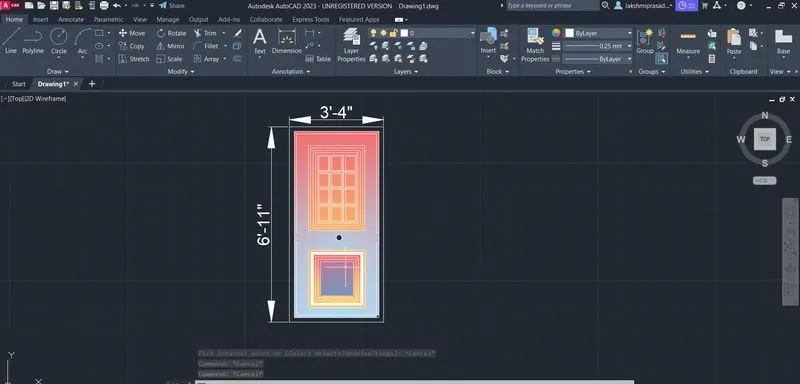
draw the handle and save is a block with name Door 1.
Make the following panel using drafting tool.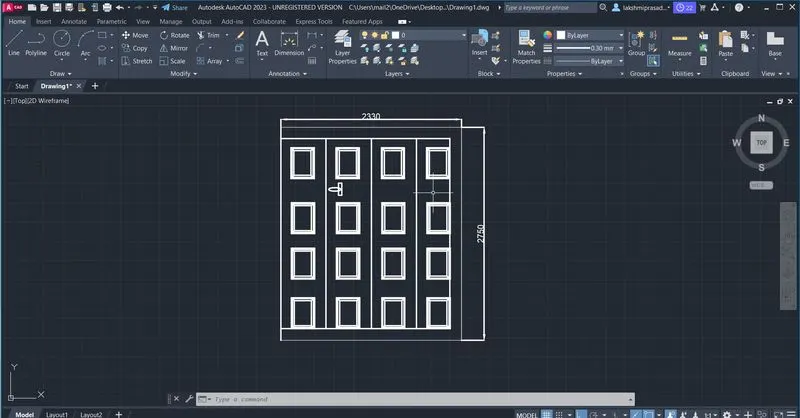
make a 4 x3 rectaangle array as it shown
save this drawing as block with name door 2.
Drawing 3:
procedure:
Make the folloeing table
Draw the symbols one place and make block of each symbol with their respective names.
Insert symbols at their respective positions in the table drawn step 1.
The using Field command ,insert the names of each symbol of corresponding to thier respective positions,cnage to font to times new roman & explain the text to remove the highlight.
add the handlings using MTEXT.
RESULT:
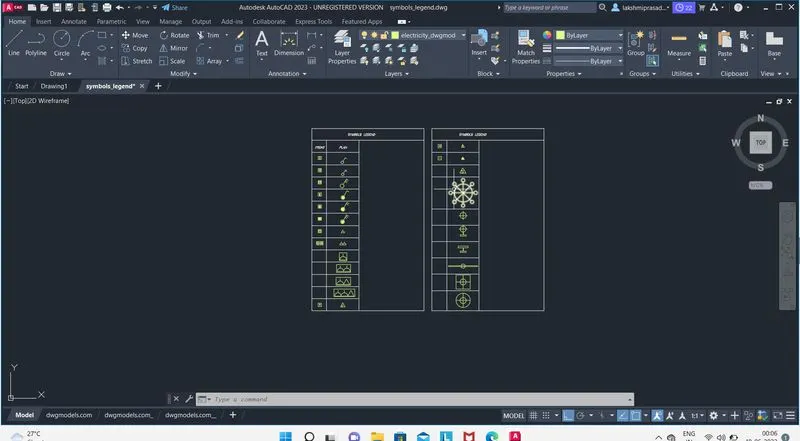
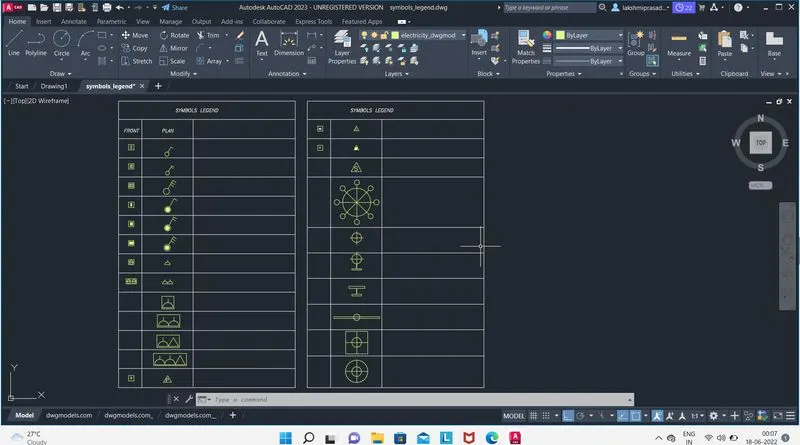
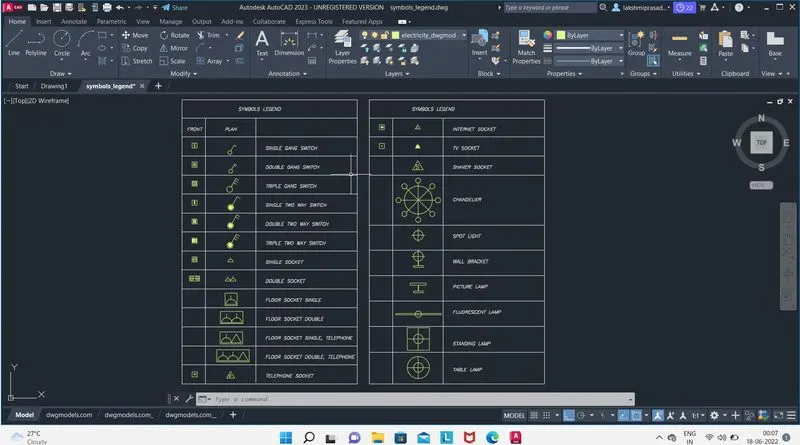
Drawing :4
PRODEDURE:
Make the door d1 as shown in the following dimensions.
Make the door D2 as shown with the following dimensions.
convert the two doors into two different blocks.
apply the hatching.
result:
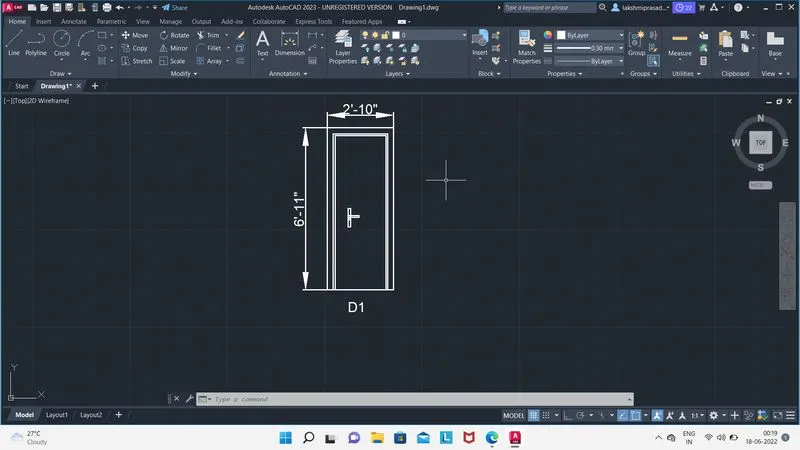
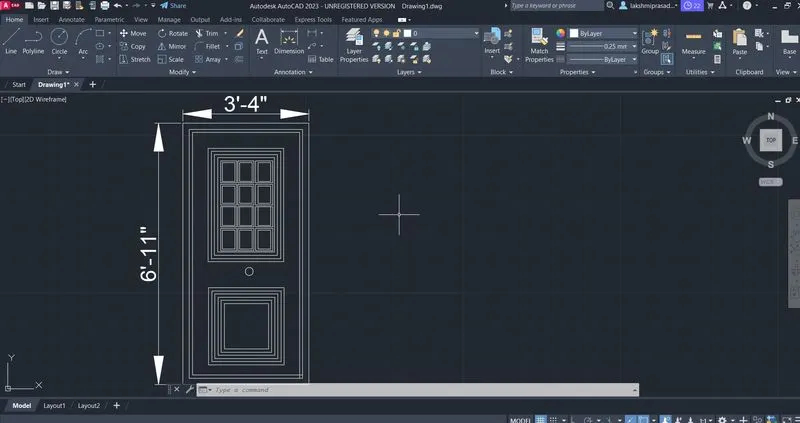
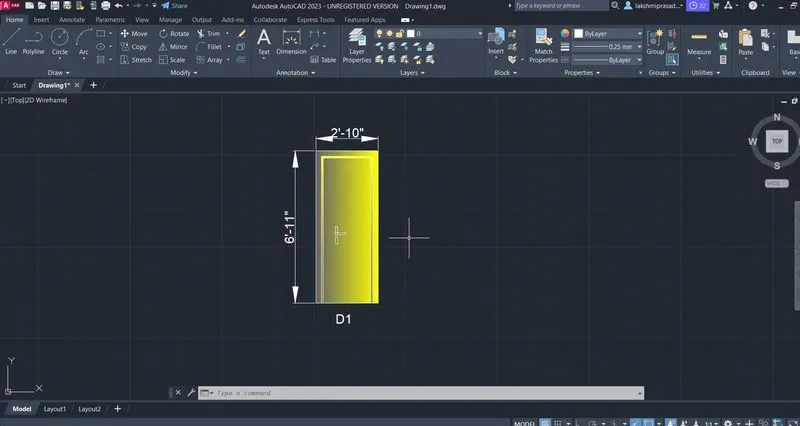
Drawing :5
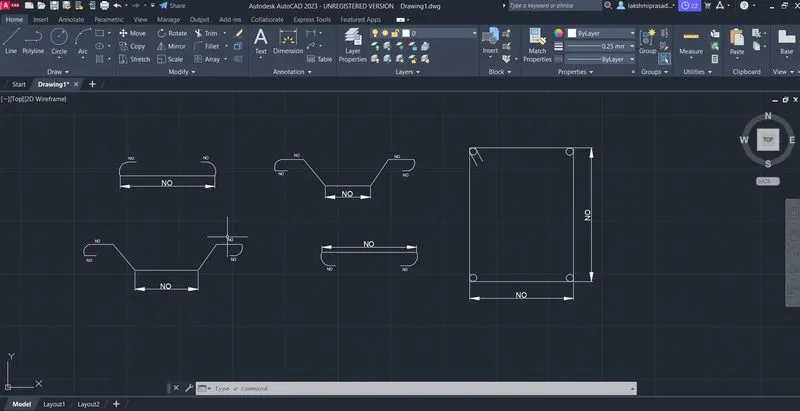
procedure: Make the following bar bending diagrams.
Give that text using ATT commandunder the tag No was written and default value kept as 0.
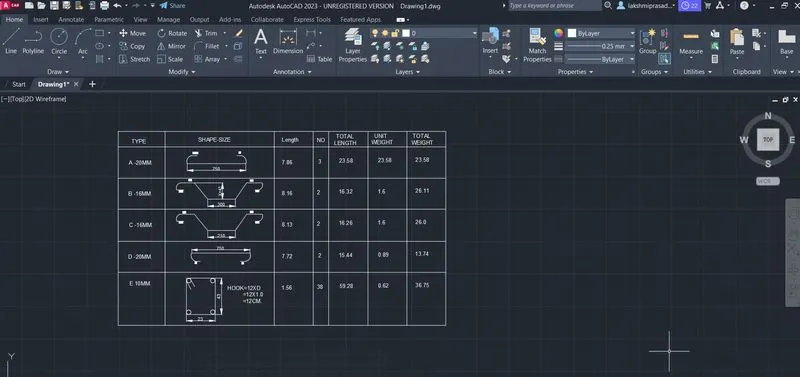
Make the following table.
Add the text using Mtext.
insert the blockand give all the attributes their respective values.
Results: