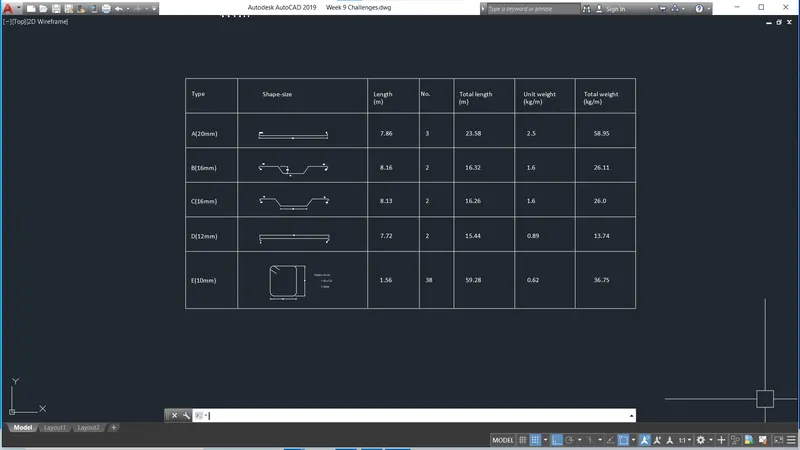
Creating Bar Bending schedule, Different Door types, and Creation of standard drawing templates using AutoCad
AIM
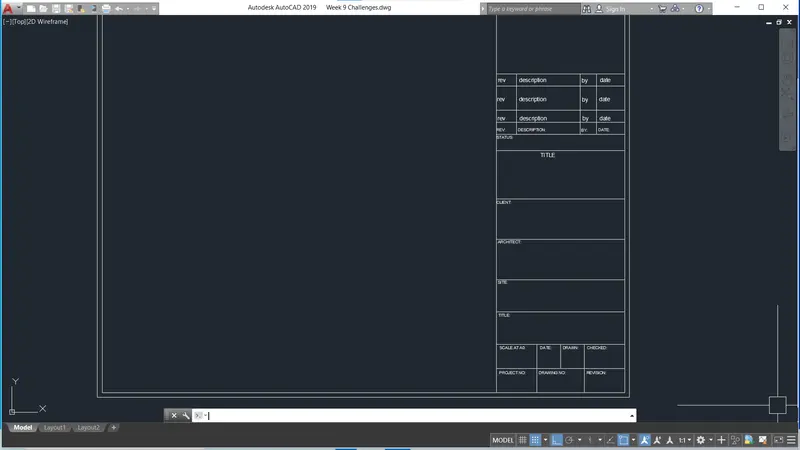
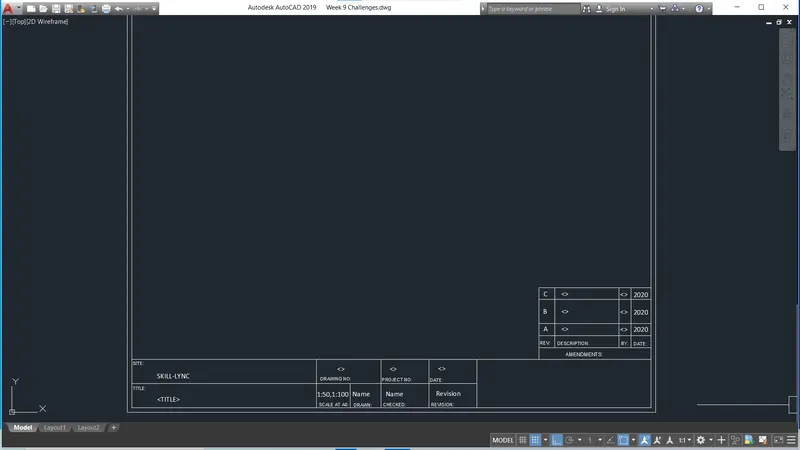
To create the title block as given in the challenge
Steps
- To create the title block, check the title block size standard
- Assume the paper size as A4 (11'' x 8.5'')
- Assume title block size 1/4th of the length
- Draw the margin for the titel block
- By using line command and Mtext command draft the title block as given in the challenge
- Convert the title block into block as Custom1_titleblock and Custom2_titleblock
Result
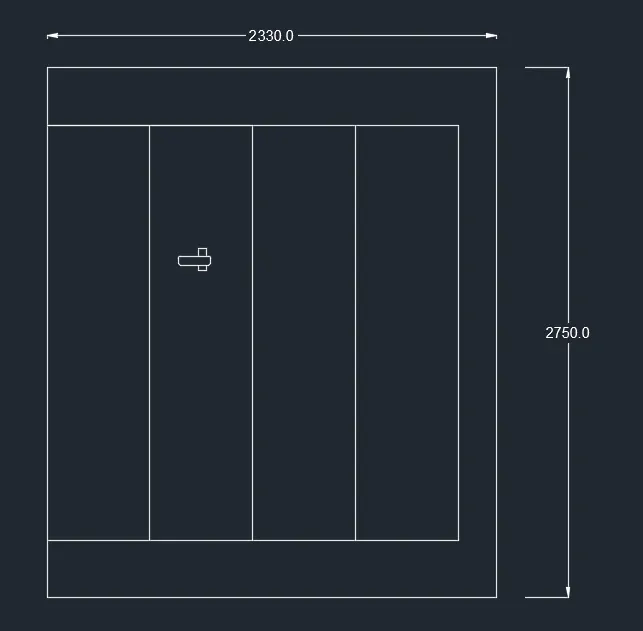
2.DOOR OF WAREHOUSE
AIM
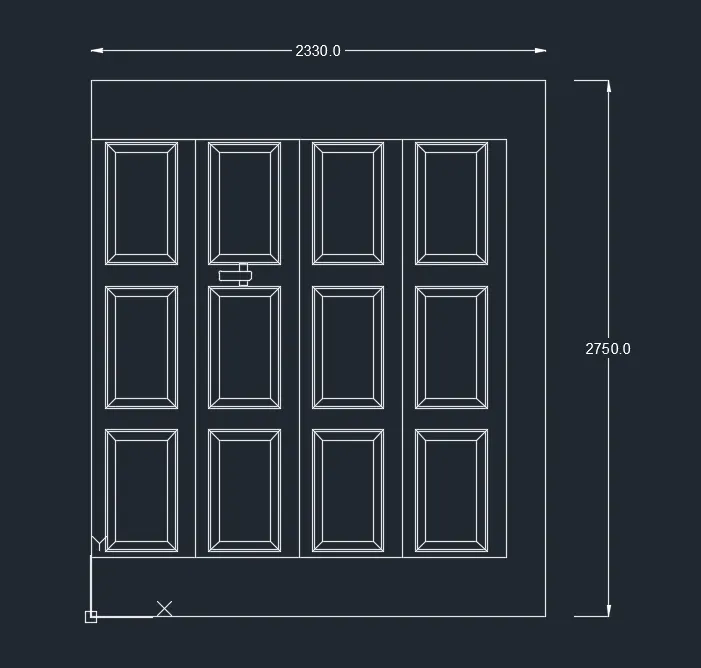
To create the door of warehouse as given the challenge
Steps
- Draw the rectangle as given dimension in the challenge
- By offset draw another rectangle
- Draw the rectangular boxes as shown in the pdf
- By rectangular array command, draw the boxes
- Draw the door latches
Result
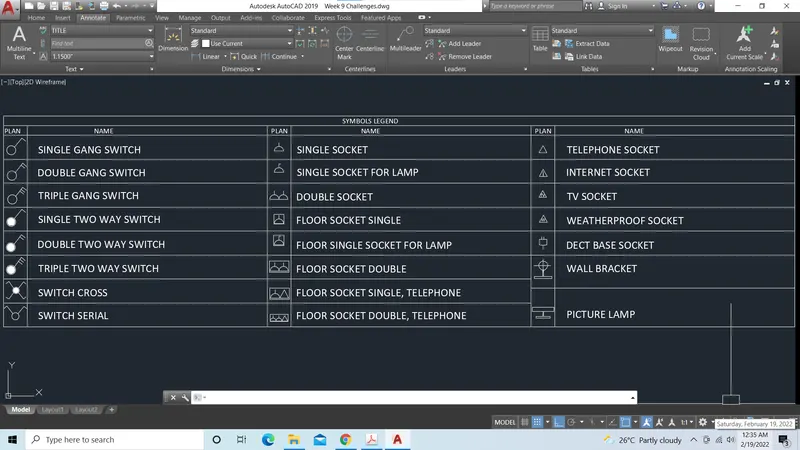
3.SYMBOL LEGEND
AIM
To create the symbols legend as shown in the pdf
Steps
- Draw the symbols as given in the attachement
- Draw each symbols by using circle, line, rectangle, gradient command
- Convert each symbol into block and give name as mentioned in the table
- Draw the table
- Insert the symbol as block and give name
Result
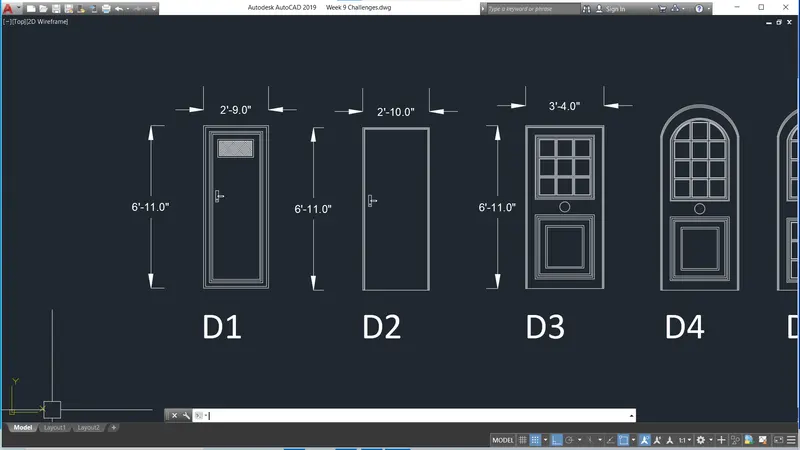
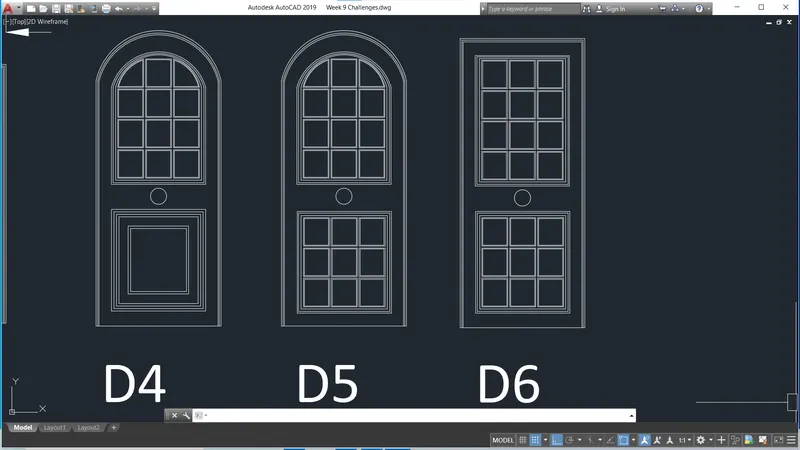
4. Door type for residential building
Aim
To create different door type for residential building as shown in the challenge attachement
Steps
- Draw the doors asper the dimension given in the drawing
- Draw the decorations bhy using the commands, offset, array, arch, trim, circle
- Convert each door into block and give name as D1, D2,D3,D4,D5,D6
- Give dimensions
Result
3.SYMBOL LEGEND
AIM
To create the bar bending schedule as shown in the pdf
Steps
- Draw the symbols as given in the attachement
- Draw each symbols by using line, arch command
- Convert each symbol into block and give name as mentioned in the table
- Draw the table
- Insert the symbol as block and give name
- Give the dimensions and unit weight given in the table
Result