Concept Modelling of Steering Wheel using Autodesk Alias
Title of project:concept modelling of steering wheel.
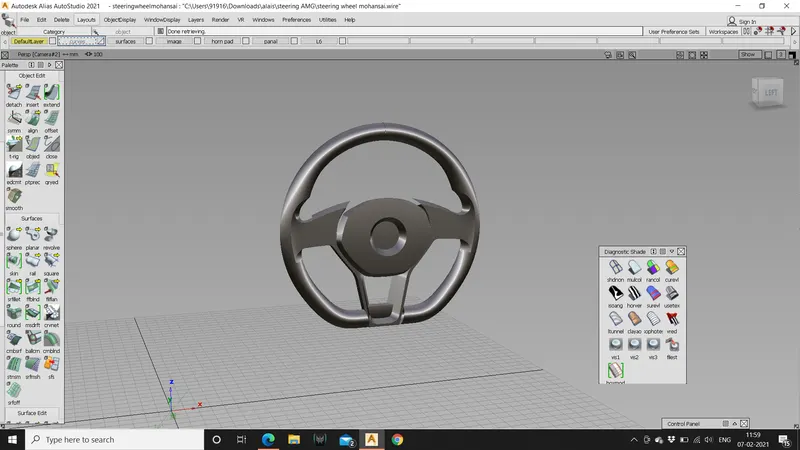
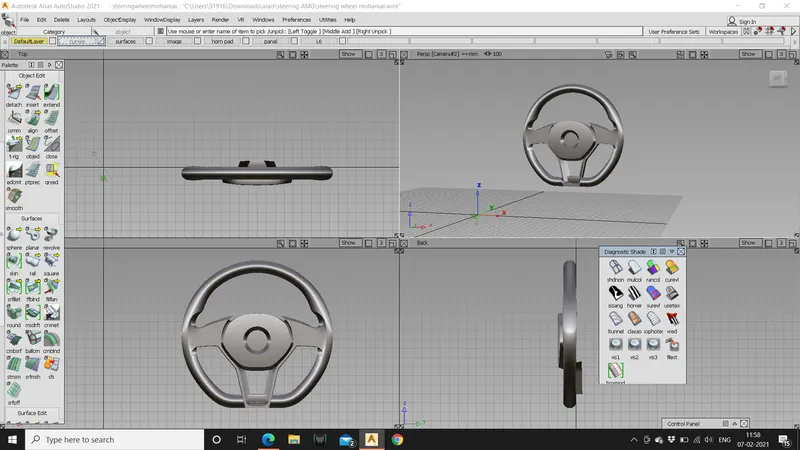
Objective: To build a surface model of a steering whell using 3 quarter views of the steering wheel.
Tools used:
Freeform blend tool, CV curves, line, skin, align tool, trim, project, intersect, extend, detach tool, and transform tools, fillet, rail command, Ms Draft,duplicate curve,trim convert, etc.
Introduction:
Introduction to surface continuities and its types
Continuity is the smoothness of the junction i.e., two mating curves. Continuity is the condition that the more smoothly the adjoining surfaces flow
Generally there are 4 types of surface continuities i.e., we can have surfaces coming in contact in 4 different ways.
They are:
- G0-position (touching)
- G1- tangent (angle)
- G2-curvature (radius)
- G3-acceleration (rate of change of curvature).
- G0-position (touching) continuity:
This is less smooth type of joint with common end point. This position is the only condition to satisfy the joint.G0 is the point continuity when one curve touches the other and shares the same boundary
- G1- tangent (angle):
One can’t have G1 continuity unless you have G0 continuity.it is also called as second order of continuity i.e., to faces meet along a common edge at a tangent plane they share a common angle. The best example for G1 continuity is a fillet.
- G2-curvature (radius):
G2 adds another order that must match across our pair of curves. For G2 it must a tangent to the curve and have the same curvature a point where they touch I.e., the input geometry must now be curved s well so the input containing a straight line can’t make a G2 curvature.
- G3-acceleration (rate of change of curvature):
G3 continuity includes the concept of acceleration of the curvature; the amount of change in the curvature over the length of the curve.G3 is looking for balance on the rate of curvature.
Description:
- Open auto desk alias and choose class a surfacing.
- Import the canvas image by going to file > import canvas image > always create new layer.
- Assign the canvas to a specific layer.
- Start by tracing the steering wheel outline using a curve and a cirle and use “rail” command to build the surface.
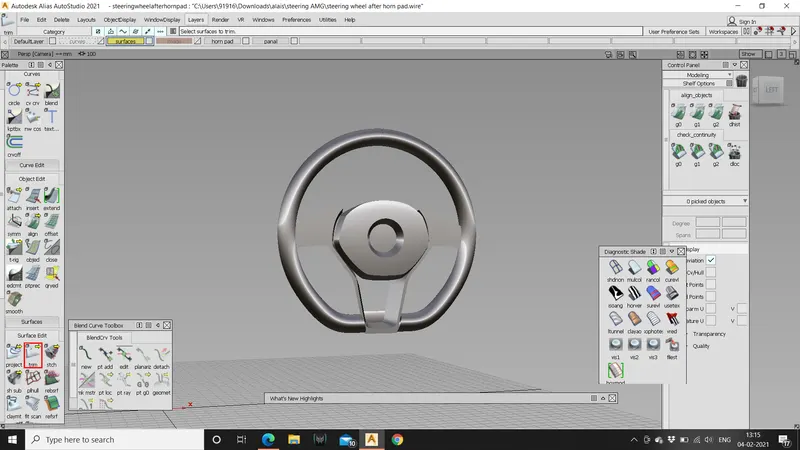
- Use “trim convert ”command to trim convert the patch created using rail command and create required patches.
- Assign then to a different layer and start by creating the horn pad
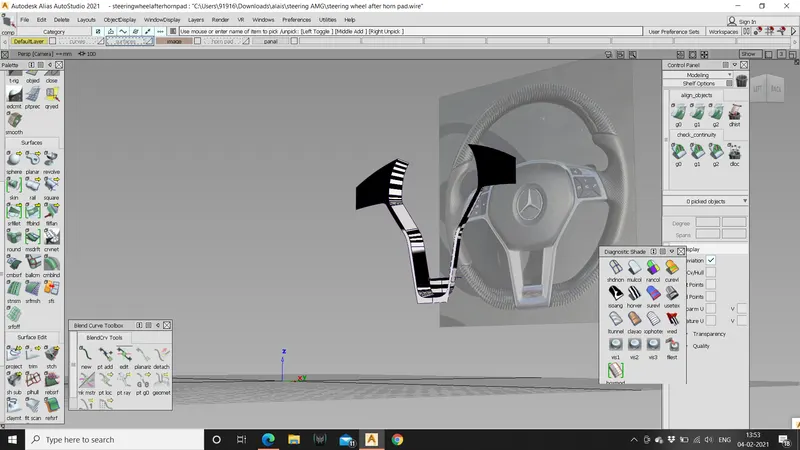
- Trace the horn pad using the cv curves.
- Create blends between curves and edit them for smooth flow .
- For the plane give some crown so that the horn pad looks as realistic model as the surface f the horn pad flows outside of the steering wheel.
- Using the “ms draft” command create the surfaces which running along gthe surface of the horn pad edges and create the patch layouts.
- For generatin the surface “project ” the curves on the plane and trim the unwnted surfaces using trim command.
- For generating the surface for the logo divide the surface and move the surface inwards and crea the blend between surfaces.
- Make sure that th patches are less for better surface quality.
- Assign th horn pad to a different layer and start creating the panal of the steering wheel
- Project the curves on to the surface and create drafts and adjust the angle keepin the length of th draft constant.
- Later on we can trim the extra length surfaces.
- Adjust the steering wheel to the panal where it intersects the panal.
- Make all the curves G2 and trim the intersecting surfaces using extend and intersect method.
- To create the thumb placing area on the steering wheel project the tarced curves and profile the trim converted patch to the half stering wheel and divide the surface and delete the surface.
- Skin the patch and the steering surface to get the thumb placing surface on the steering wheel.
- Create patch layouts to fill the volume of the steering wheel.
- Assign all the surfaces to a layer and symmetry and then create geometry.
- Save the file.
Conclusion:
At complicated parts first save the file and start modifying the model as the system crashes as it cant take heavy load .try to identify different approaches for creating the patches to the steering wheel.