Challenge 7 : Concept Modelling of Steering Wheel
1.TITTLE OF THE PROJECT:
Concept modelling of steering wheel.
2.OBJECTIVE:
To achieve the good quality of steering wheel by using concept modelling.
3.INTRODUCTION:
To create the good quality of curve network and surfaces for achieving continuity to the given Blueprint.
4.DESIGN METHODOLOGY:
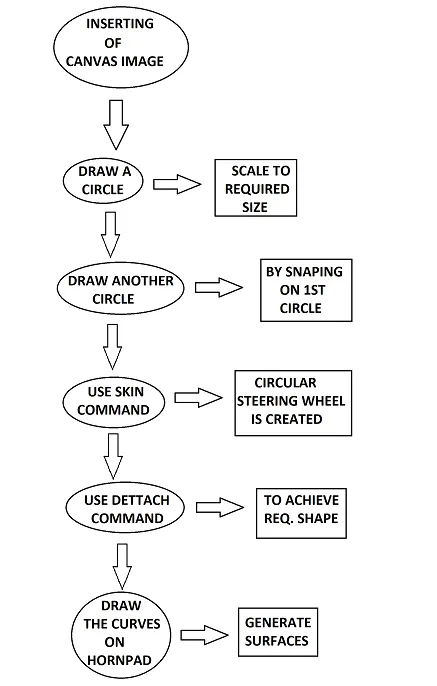
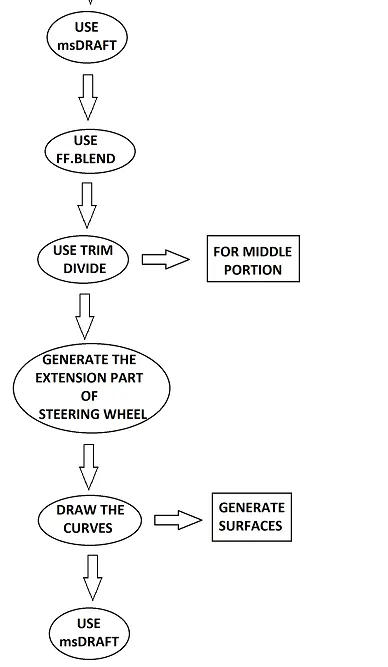
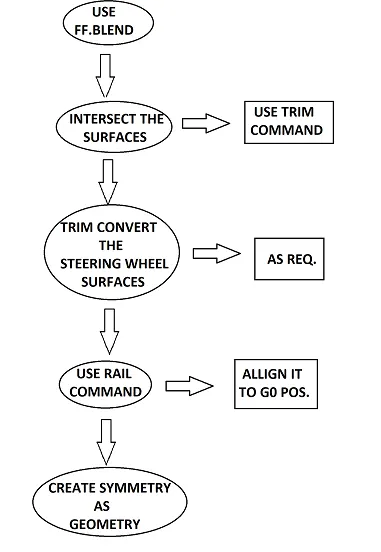
5.DESCRIPTION:
1.Inserting canvas image of given blue print.
2.Draw the circle of required shape along the steering wheel.
3.Draw another circle by snapping it on the 1 st circle.
4.Use Rail command to generate the Circular shape of the Steering wheel.
5.Use Detach command to detach the half portion of steering wheel.
6.Use Trim convert by drawing curve to the circular shape of steering wheel.
7.Draw the Straight curve on the bottom portion of steering wheel and draw the circle and snap it on the straight curve.
8.Use Rail command to generate the straight shape of steering wheel.
9.Use FF.Blend between top and bottom portion of steering wheel make it as G2.
10.Comming to the Horn pad surface.
11.Use planar surface command across Horn pad and extended to the extension part of horn pad.
12.Draw the curves on Horn pad surface, Project the curves and Trim the Unwanted.
13.Use MSdraft & FFblend command to generate the req. shape of Horn pad.
14.Comming to the middle portion of horn pad.
15.Draw the curves of required shape on horn pad surface project curves and Trim divide the surface.
16.Move it to the req. shape.
17.Use MSdraft and make it positional.
18.Comming to the extension part between steering wheel and horn pad.
19.Draw the curves on the planar surface of the extension part and switch portion.
20.Project the curves and trim the unwanted.
21.Use MSdraft on extension part as per req. shape.
22.Extended the surfaces by using extend command.
23.Intersect the surface and Trim the unwanted.
24.Comming to steering wheel beside of switch portion.
25.Trim convert the shape of steering wheel and delete it.
26.Use the curves and align them to a steering shape.
27.Use Rail command to generate the surfaces and align to steering wheel.
28. Make it as symmetry of railed surface and create geometry by snaping on rail surface.
29.Draw the curves on curved shape of the switch portion.
30.Make it as 4 sides and Use square command.
31.Pick all the surfaces into 1 layer make it symmetrical.
6.UPLOADING OF IMAGES
FRONT VIEW:
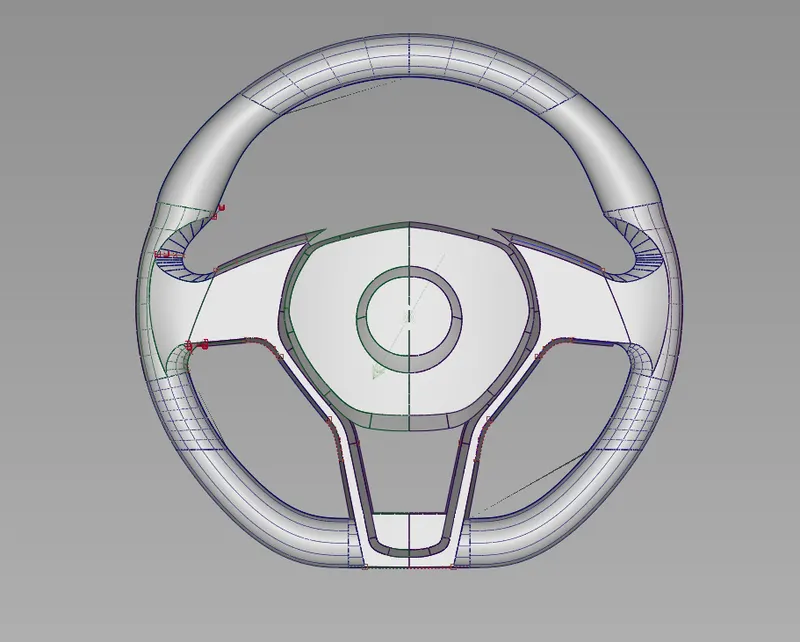
RIGHT SIDE VIEW:
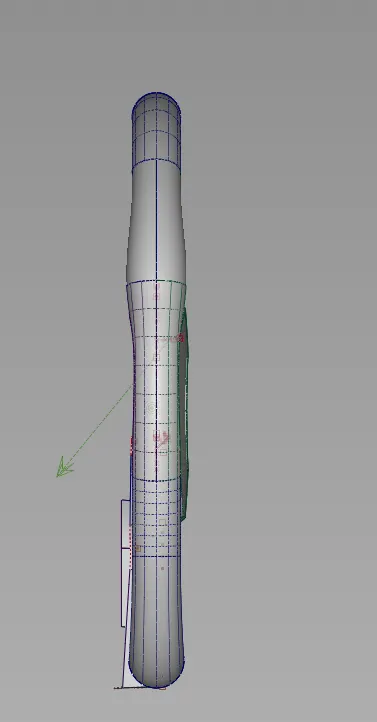
TOP VIEW:
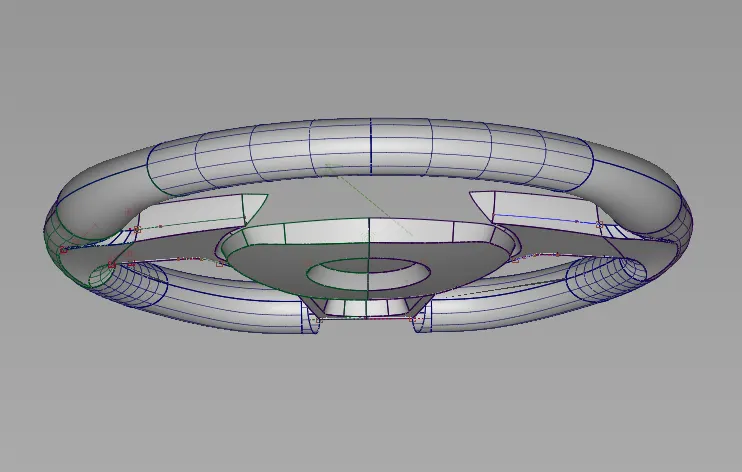
ISOMETRIC VIEW:
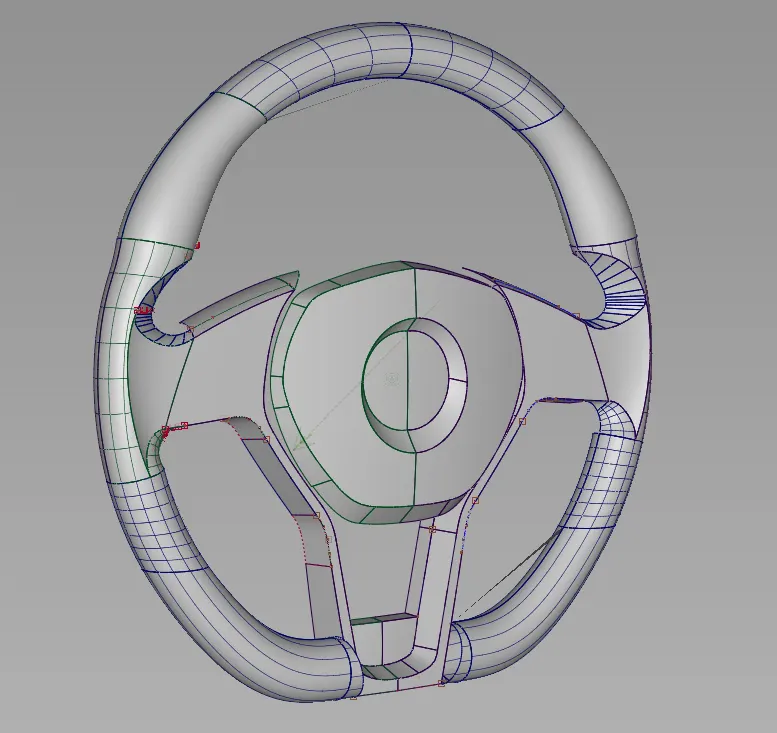
7.CONCLUSION :
Therefore, I have created concept modeling of steering wheel by using Given blue print.