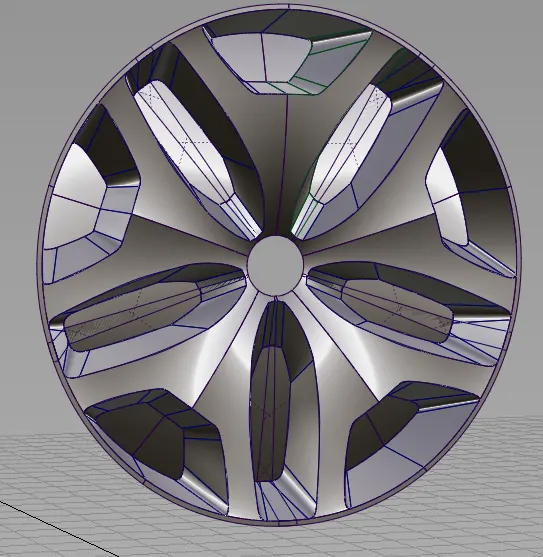
Challenge 4 : Concept Modelling of Alloy Wheel
1.TITTLE OF THE PROJECT:
ALLOY WHEEL OF RENAULT DUSTER
2.OBJECTIVE:
Creating the concept modeling of Alloy wheel.
3.INTRODUCTION:
Creating the curve network and surfaces of alloy wheel in Alias
- For creating curve network using of cv curves and blend curves.
- For creating surfaces using of skin,rail and planar FF blend tools.
4.DESIGN METHODOLOGY:
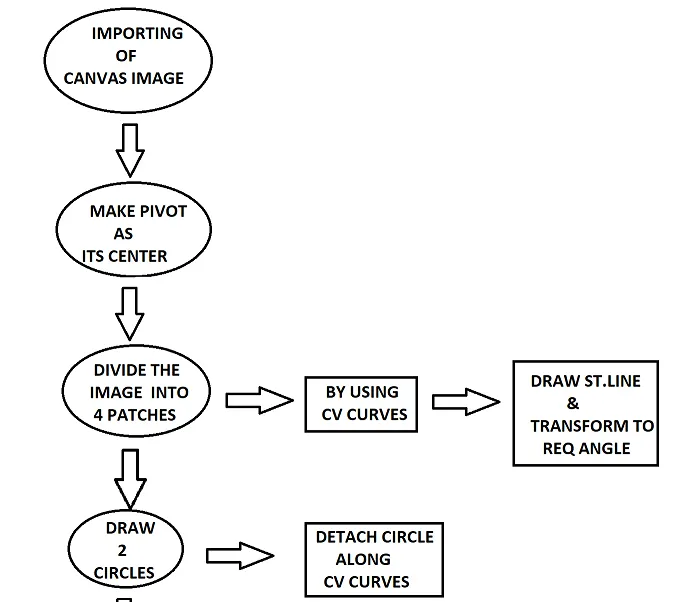
continution of above flow chart
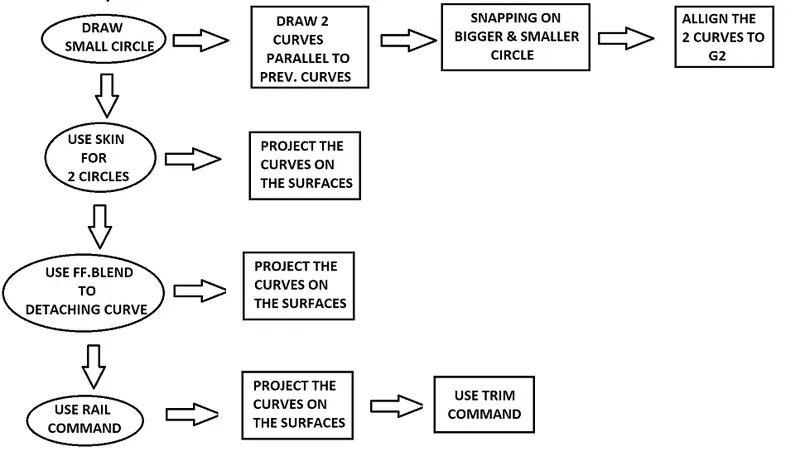
continution of above flow chart
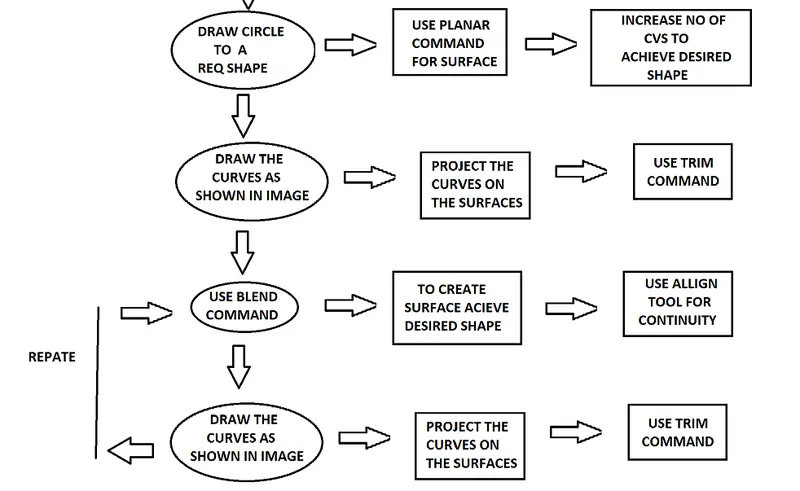
continution of above flow chart
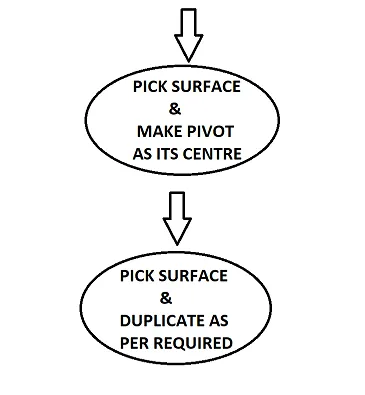
DESCRIPTION:
1.Intially import the canvas image of alloy wheel of given blue print.
2.Make pivot as its centre and move the image to centre.
3.Draw cv curves horizantal and vertical, divide into 4 patches.
4.Draw the horizantal line and transform to an required angle.
5.Draw 2 circle from its center and dettach along the cv curves.(to make spans of 1)
6. Use skin to the remaining part of the circles & pick the surface,project the 2 curves on surface.
7.Draw small circle to a required shape and move bit back from the center for the visualization shape.
8.Draw cv curves parallel to the previous curves and extent the line on the skin surface.(snapping tool plays major role while drawing curves.)
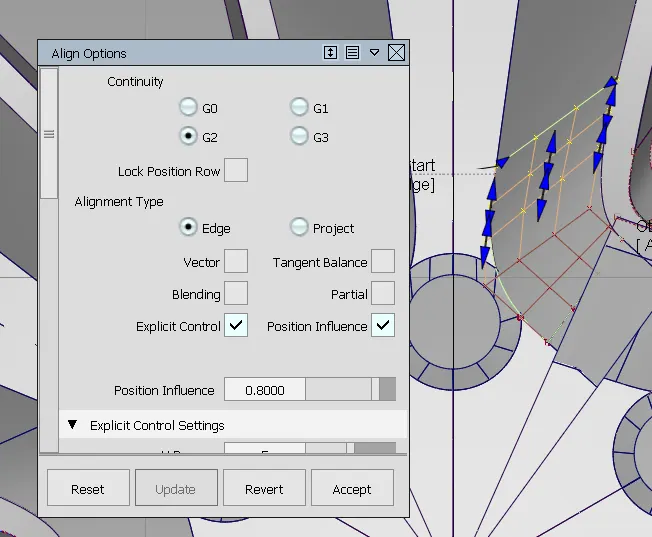
9.Use Align tool for continuity to G2.
10.After that use FF.blend tool in dettaching part of the cirecle.(Hide the unselected.)
11.Build a patch by using Rail command.(2 Gen & 2 Rail) and make its span to 1.
12.Pick the surface of Rail, project the 2 curves on the surface & do the same for extended line to blend surface.
13.Use Trim tool to the required shape.
14.Draw a circle to a required size and use plannar tool for the surface and increase the no of cvs to achieve the required shape.
15.Draw the cv curves & blend curves to a shape viewing at the canvas image of given blue print.
16.While completing the drawing of given blue print, pick the plannar surface & project all the curves on surface and trim the unwanted.
17.Build patches by using Blend tool and use the Align tool for continuity.
18.Pick the surface and make pivot as its center go to edit option and make it duplicate as required.
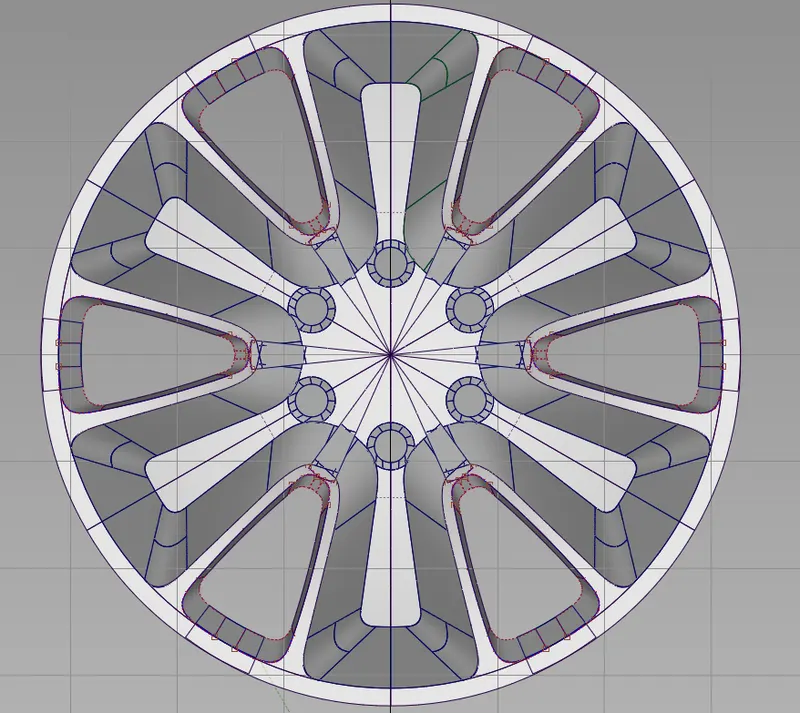
FRONT VIEW
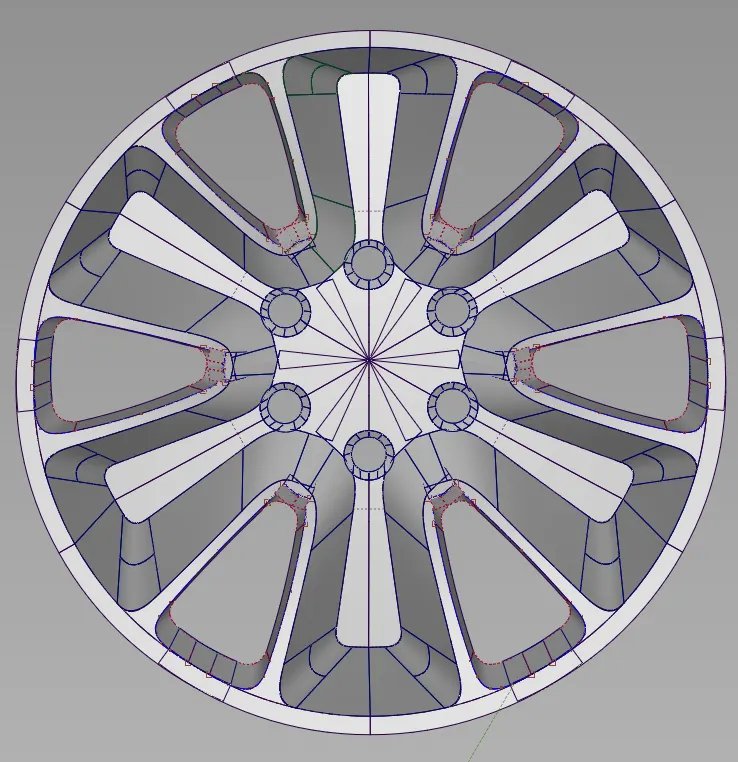
BACK VIEW
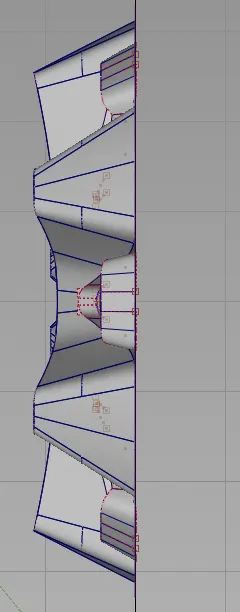
SIDE VIEW
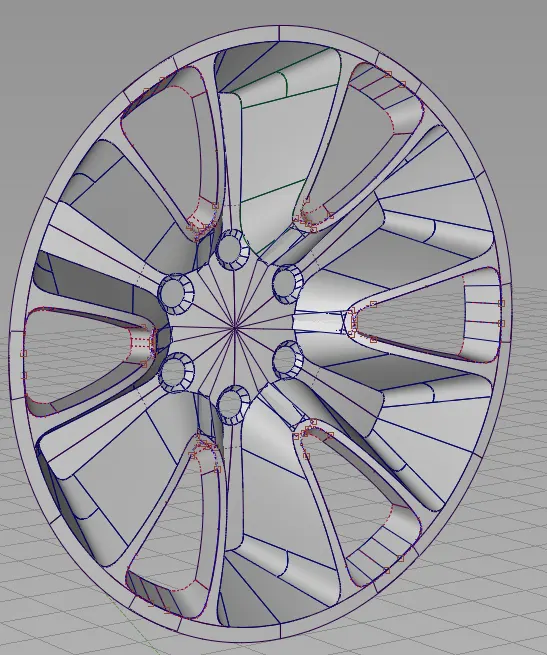
PERSPECTIVE VIEW:
TOOLS USED:
1.CV CURVES
2.BLEND CURVES
3.SKIN TOOL FOR SURFACE
4.RAIL TOOL FOR SURFACE
5.PLANNAR TOOL FOR SURFACE
6.ALLIGN TOOL FOR CONTINUITY
7.DUPLICATE TOOL
8.SNAPPIN TOOL.
CONCLUSION:
Thus I used reanult duster canvas image blue print to make the assignment of Alloy wheel.
For Optional I used KIA Alloy wheel.
PERSPECTIVE VIEW OF OPTIONAL :