Challenge 4 : Concept Modelling of Alloy Wheel
Title of the Project: Concept Modelling of Alloy Wheel
Objectives: To Develop the alloy wheel with the help of given input image by using Autodesk Alias.
Introduction: Concept Modelling is the one which the part is developed from the ideas or some kind of input like blueprint or thought of visualization of how it should be the final product. Here the blueprint is taken as the input and the final product is developed from this input by tracing the curve network on it and surfaces are created by using that curves.
Design Methodology:
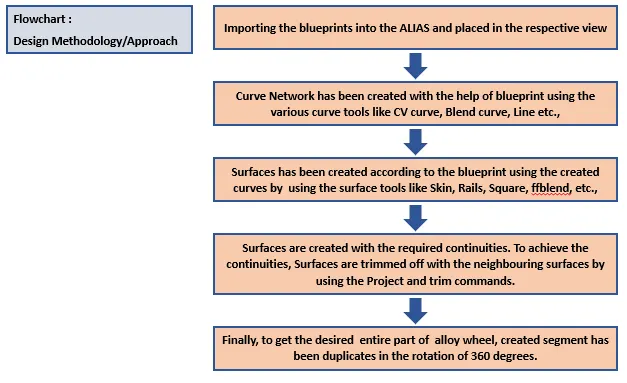
Tools (or) Command used while designing:
- Line - To create the straight edge/curve, line commands is used.
- Arc - If the circular shape curve is required then the arc command is used. There are different types of arc commands(two point arc-centre point,three point arc,arc tan) are used according to the requirement and ease.
- CV Curve - The curve which has the number of CV's(Control Vertices). By using the CV's the curve shape can able to adjust. In this CV Curve there is span and degrees are important to decide the curve smoothness.
- Blend - Blends are used to connects the curves and it is formed with the curvature continuities. With the help of blend editor the continuity can modify as per the requirement.
- Planar - Plannar commands are used to simply create the surface by using the closed curves like Circle, Square, Rectangle, etc.,
- Square - Square commands are used to created the surface by using four boundaries, it must be the closed boundary. Among the four continuities, required continuities are used for each curve.
- Skin - Skin command are just used to created the surface between the two curve, it may be connected with each other or not.
- Rails - Depends upon the number of generative curves and the rail curves, the rails commands used accordingly to created the surface along it.
- FFblend - FFblend is the free form of blend. Surface can be created between the two curves by the different continuities.
- Project Curves and Trim - Project curves tool are used to projecting the curves to the surface. Trim tools are used to cutout the unwanted portion from the surface.
- Scaling - To modify the size of the features, scaling command is used.
- Move - Since we using the cv curves, it is important the modify the curve as per our required shape. so that the cv's in that curves are moved along three axis by using the move command.
Challenge 01 - Concept Modelling of Alloy Wheel(Renault)
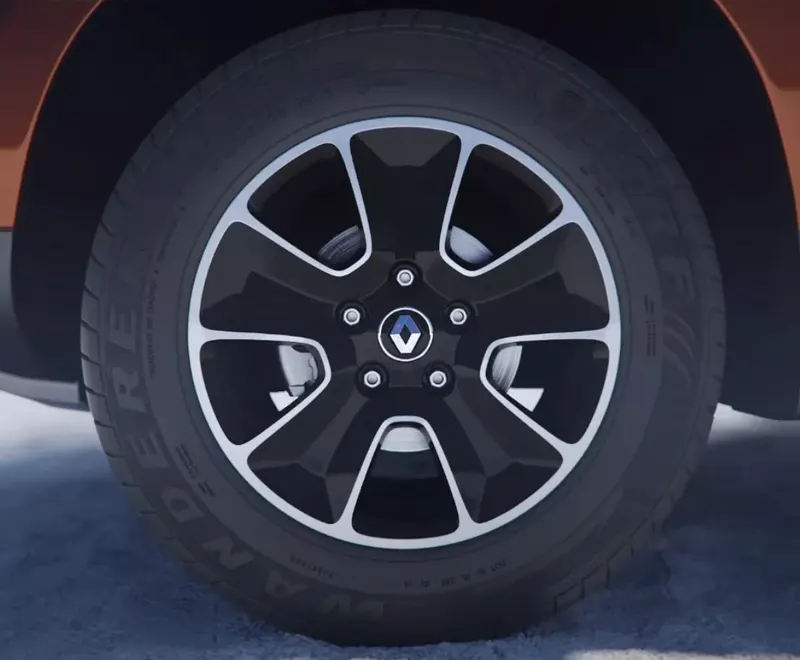
Given Input: Blueprint
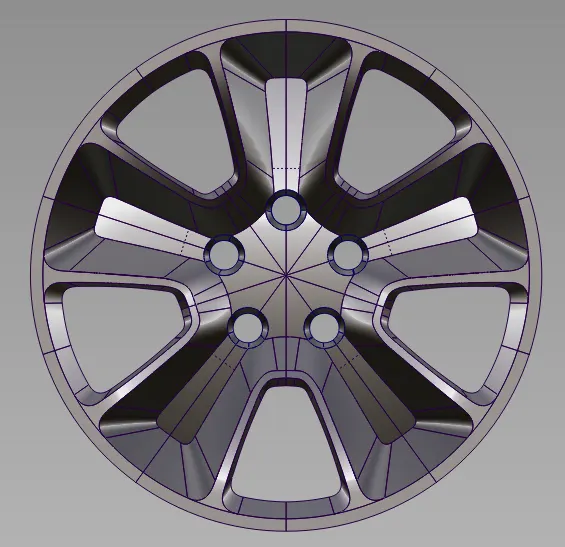
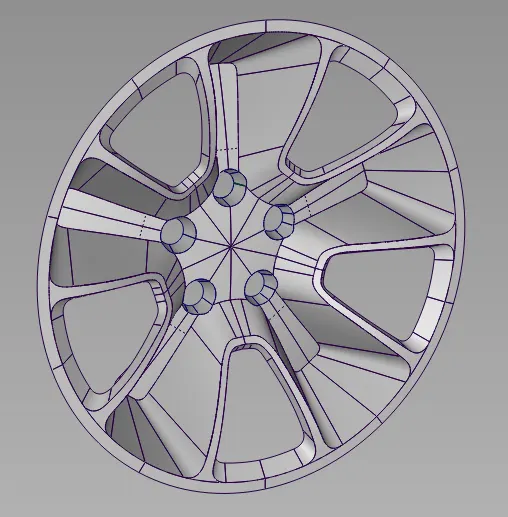
Imges of developed model(Renault):
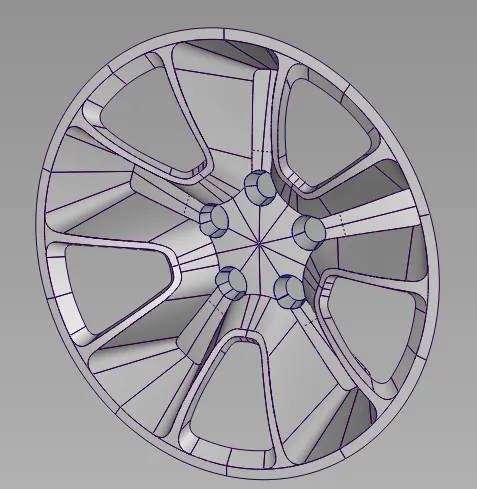
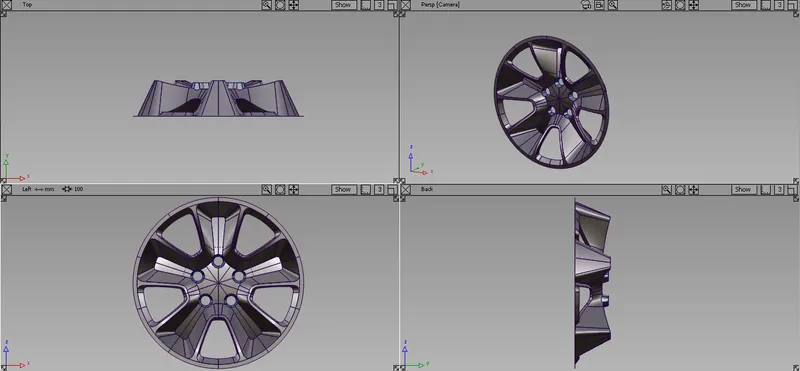
Challenge 02 - Concept Modelling of Alloy Wheel(Mercedes-Benz)
Taken Input: Blueprint

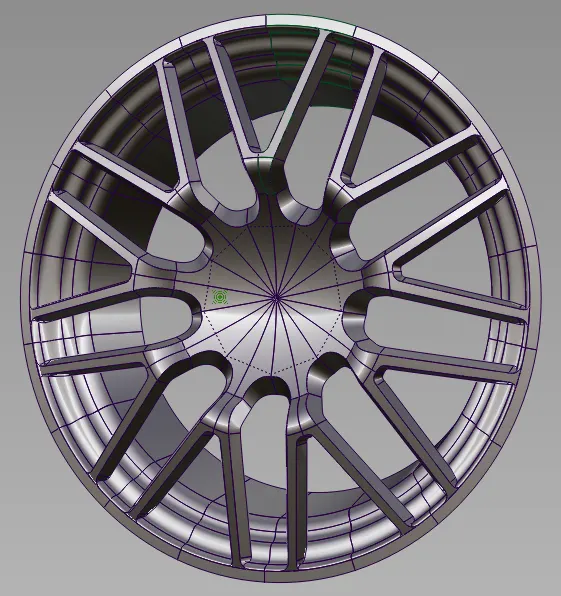
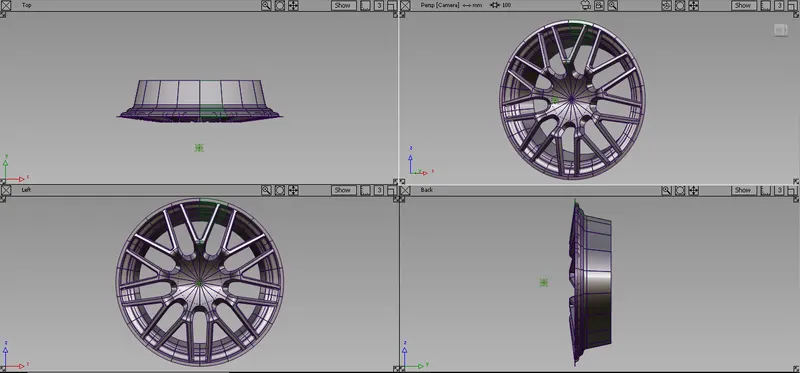
Imges of developed model(Mercedes-Benz):
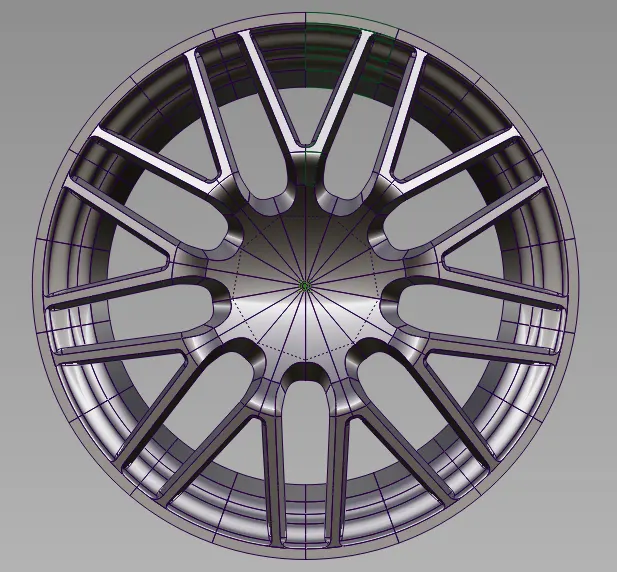
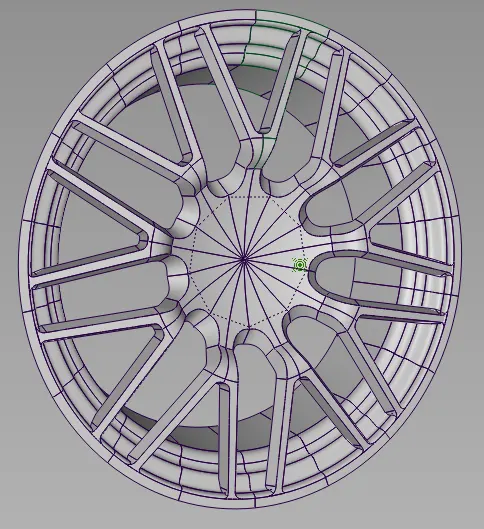
Conclusion:
Concept modeling of Alloy wheel for the given blueprint(Renault) and the taken blueprint(Mercedes-Benz) has been created by tracing the curves on the blueprint with respect that surfaces are created and modified to achieve the desired shape by using the Autodesk Alias Autostudio software.