Batch Meshing & Casting
BATCH MESHING :
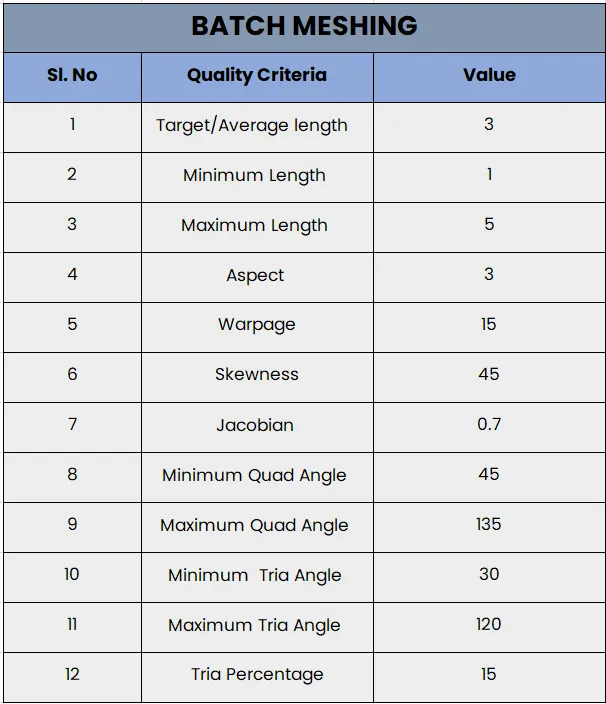
For the given Sheet Metal model, take the mid surface after checking the geometrical errors and Batch mesh the mid surface with the given element Quality criteria.
Quality Criteria :
Procedure :
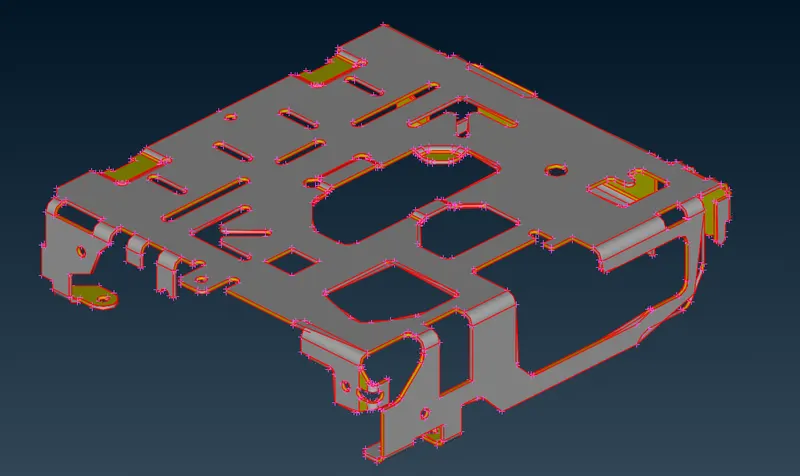
The first and foremost step in the procedure is importing the sheet metal geometry into ANSA. The sheet metal model is as shown.
1. Geoemtry Cleanup
- Further, we increase the CONS resolution so as to capture all the geometrical features properly.
- We use the ‘topo’ function to obtain connectivity between the CONS.
- The surfaces are oriented as well such that all the surfaces are towards a single normal direction.
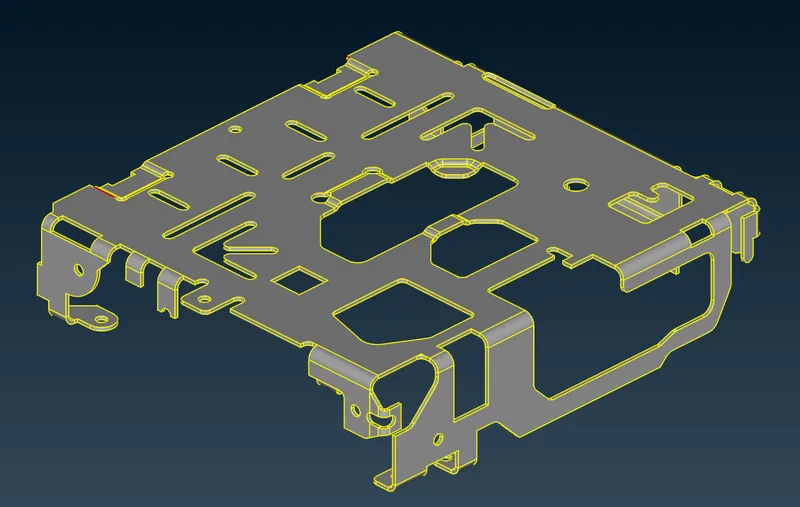
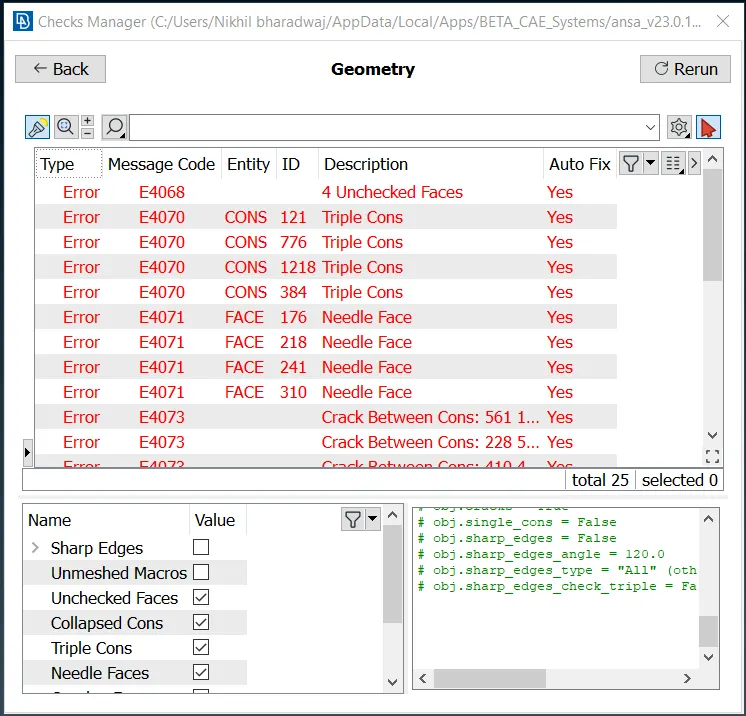
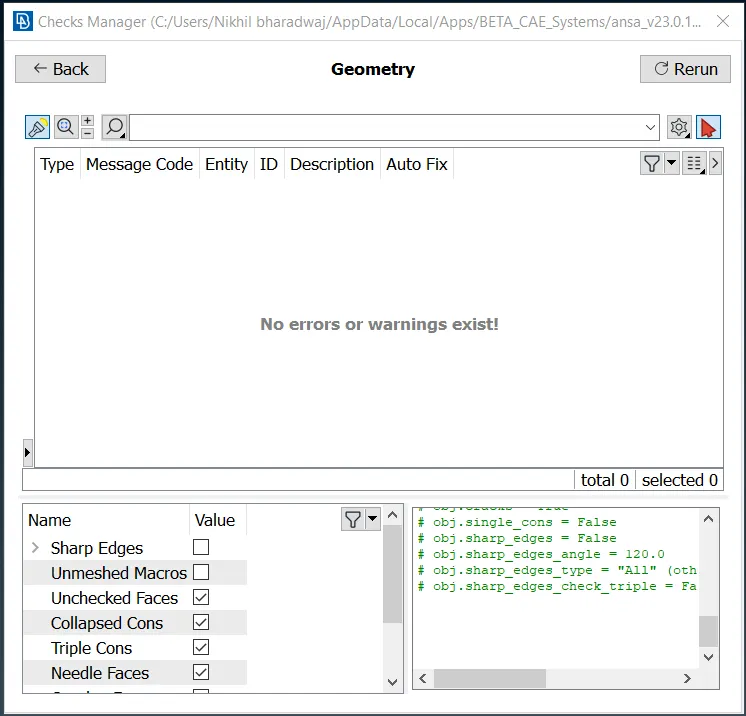
We run a geometry check to recognize all the errors in the geometry and resolve them using the ‘auto-fix’ option.

2. Mid-Surface Creation
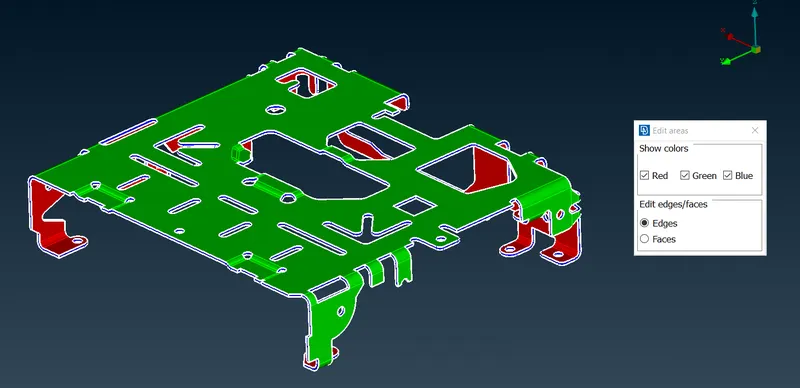
Further, we check the thickness of the sheet metal component (1 mm throughout) and we move on to extracting the mid-surface.
Here, we use the ‘skin’ extraction method to obtain our mid-surface. We provide an offset distance value of half the thickness value (0.5 mm).
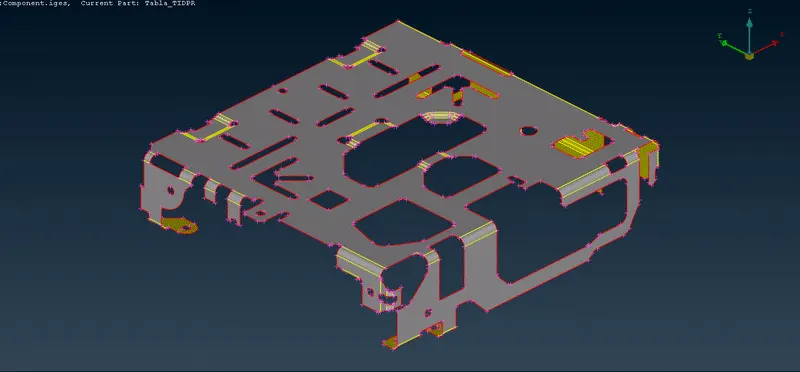
Our final mid-surface geometry is obtained as shown.
3. Batch Meshing
Before meshing, we first define the target length of the required mesh to be generated (i.e., 3 mm), under the mesh parameters tab.
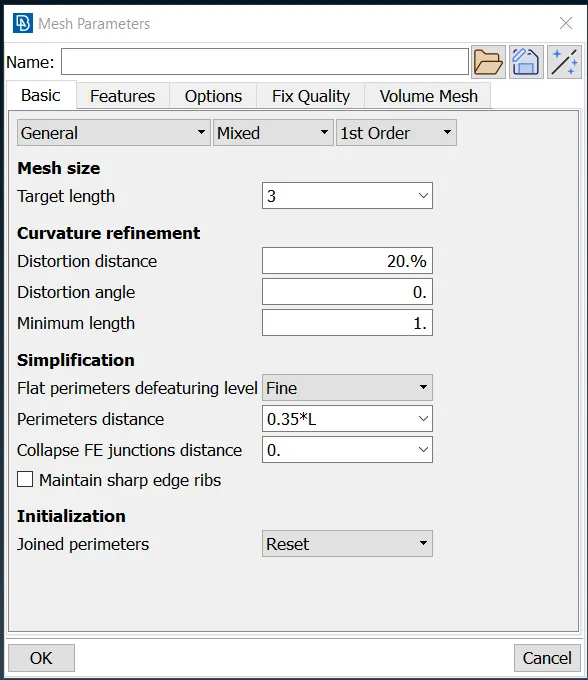
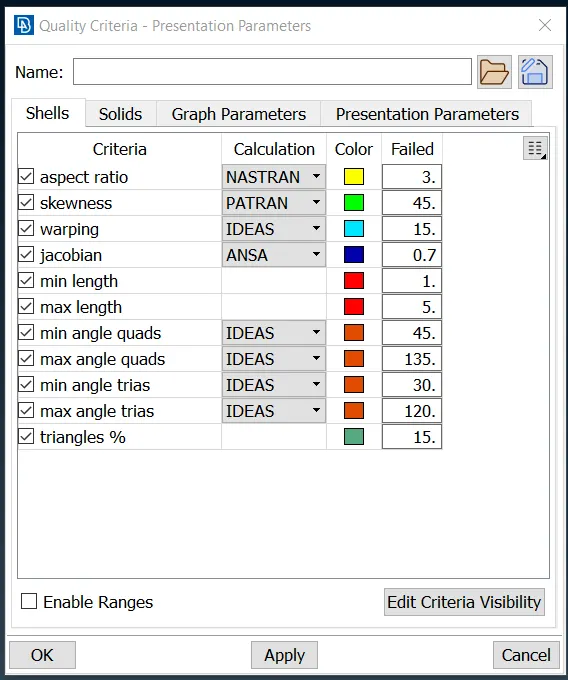
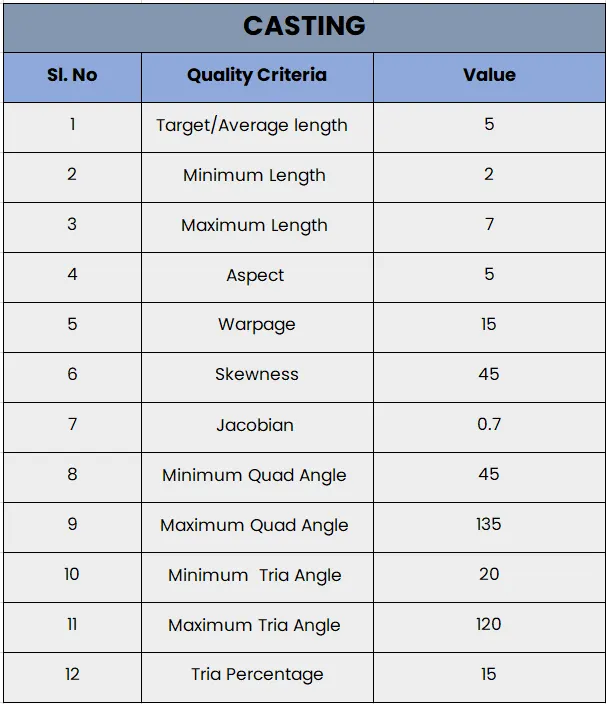
The quality criteria parameters are defined as per the problem statement, such that a good mesh quality is achieved.
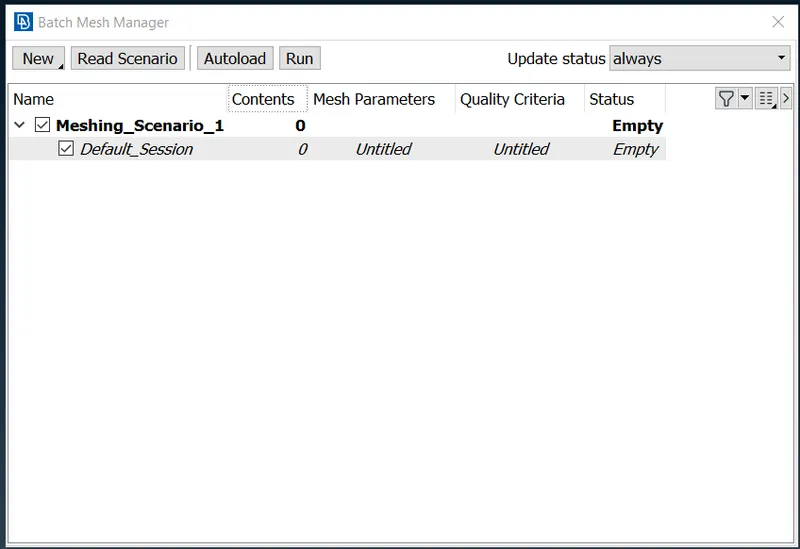
Further, from the batch mesh manager section, we then move on to create a new meshing scenario.
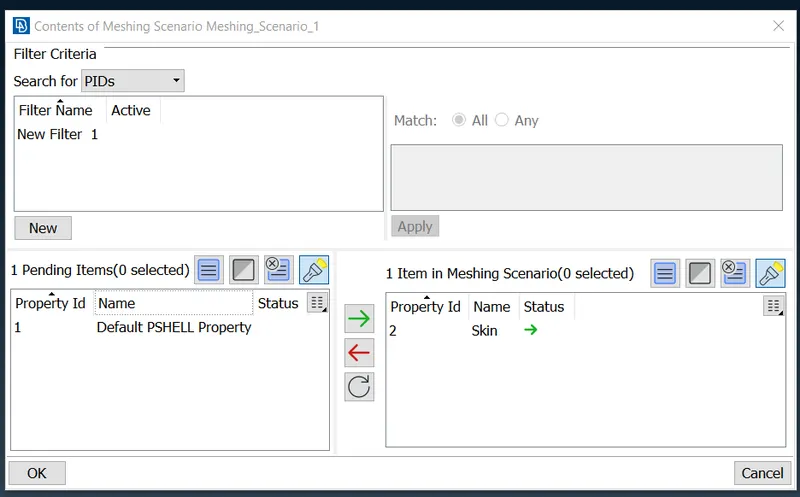
From the contents section, we add the PID of the component which we need to generate the batch meshing for. Also, we define the mesh parameters and the quality criteria for the batch mesh, in order to maintain the element quality.
Finally, we generate the meshing by clicking on ‘run’ and thereby obtaining our final batch mesh as shown.
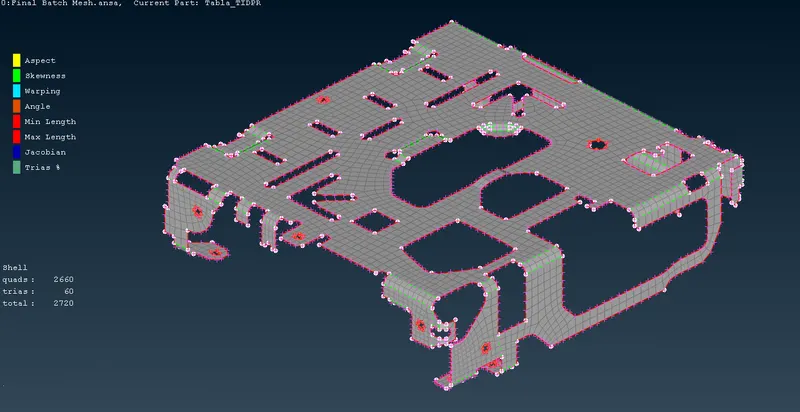
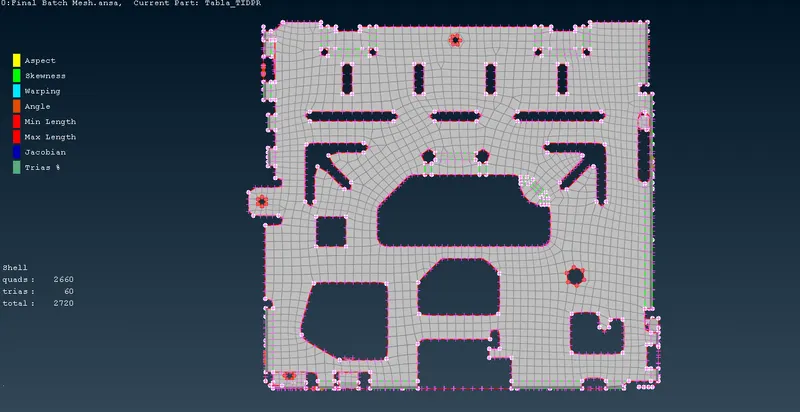
The final meshed geometry is as shown.
- Most of the trias are resolved such that there are no trias falling on the feature lines.
- Care is taken such that all the elements pass the quality criteria (no off elements).
- Finally, washers are created around certain holes by using the ‘zone cut’ option.
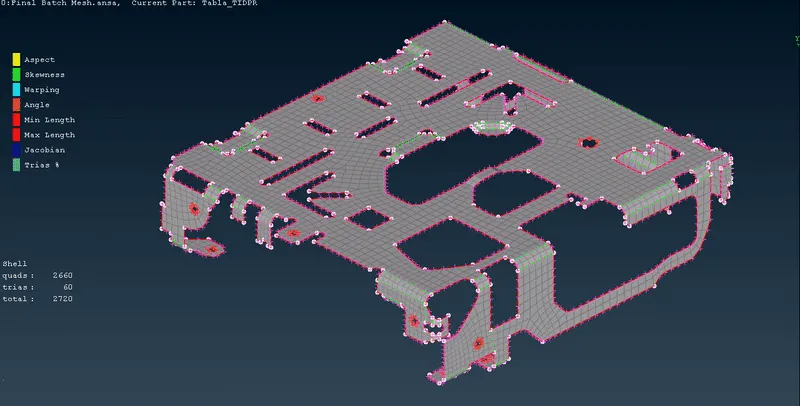
Batch Meshed Model File : https://drive.google.com/file/d/1w0igDkiDrgMNc27Q8l3xVgtTp0NGSHGX/view?usp=share_link
CASTING :
For the given plastic model, we extract the mid-surface and generate surface meshing for the same by using the ‘casting’ technique.
Quality Criteria :
Procedure :
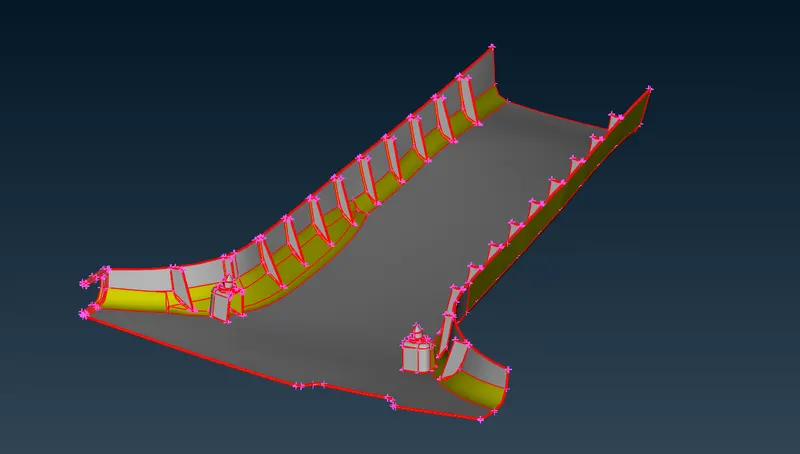
The first and foremost step in the procedure is importing the plastic model into ANSA as shown.
1. Geoemtry Cleanup
- Further, we increase the CONS resolution so as to capture all the geometrical features properly.
- We use the ‘topo’ function to obtain connectivity between the CONS.
- The surfaces are oriented as well such that all the surfaces are towards a single normal direction.
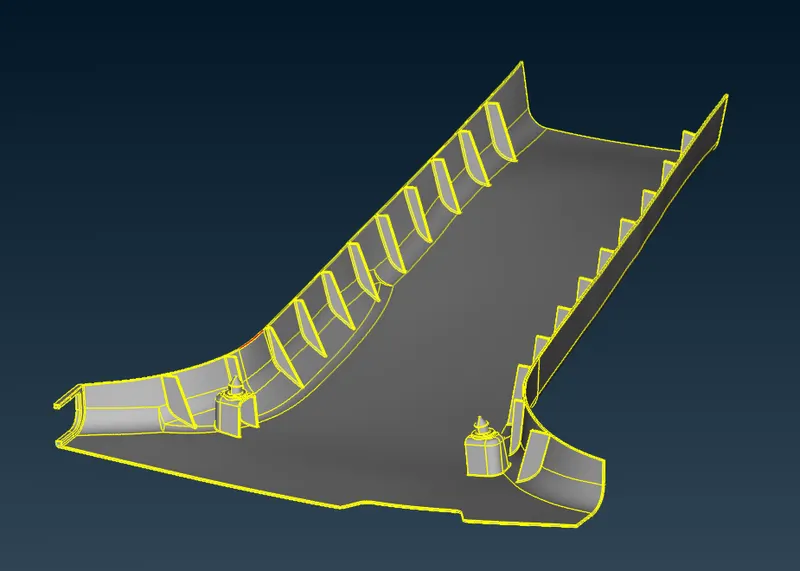
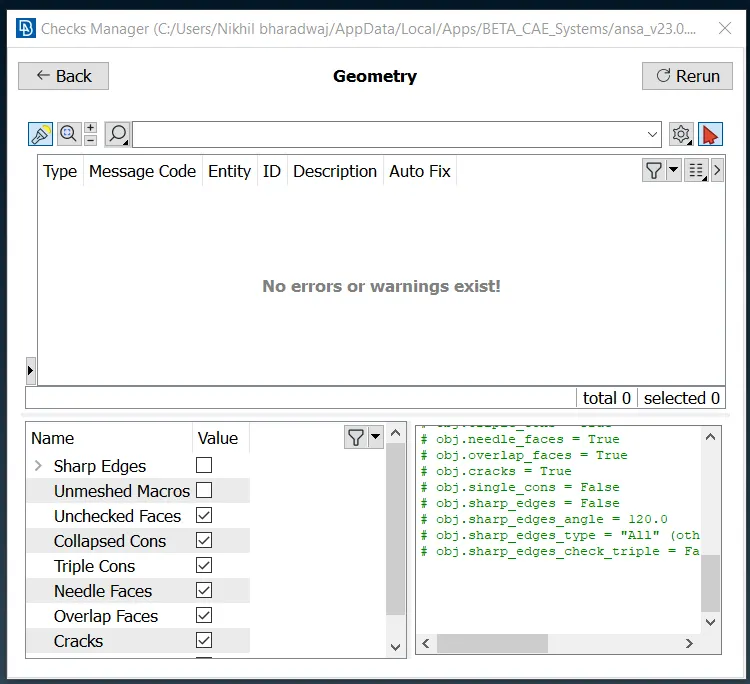
We run a geometry check to recognize all the errors in the geometry and resolve them using the ‘auto-fix’ option.
2. Casting
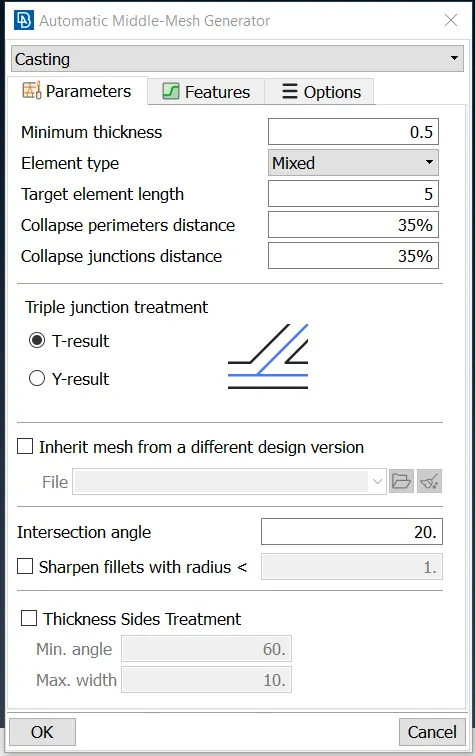
After the geometry cleanup, we then move on to perform casting for the given plastic model. We do this by using the ‘mid-surface – casting/extrusion’ option in the topo deck. The quality criteria and mesh parameters are defined according to the given data, beforehand.
The casting parameters such as minimum thickness and target element length are provided as shown.
The casting geometry is obtained as shown, for which the mid-surface has been automatically extracted and surface meshed.
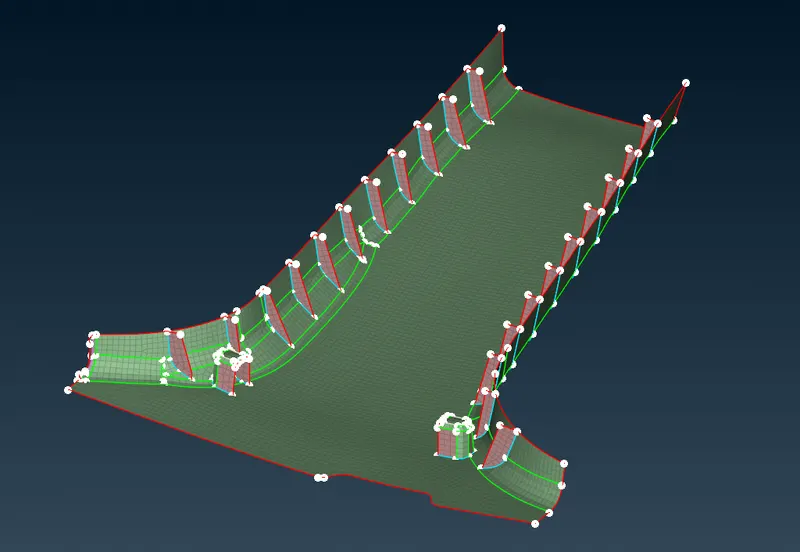
For the above geometry, we then need to resolve all the off elements such that all the meshed elements clear the quality criteria. By performing the necessary corrections of the casting surface, we obtain our final geometry as follows.
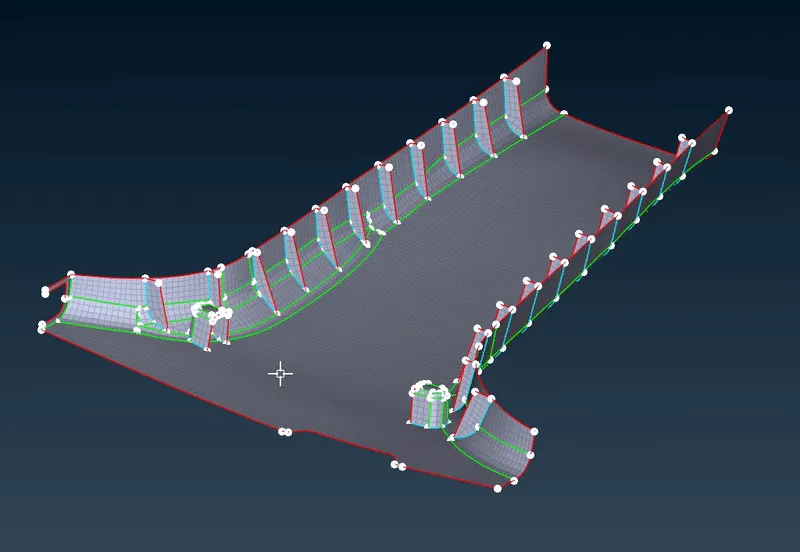
Casting Model File : https://drive.google.com/file/d/1GD3uD5ZV1EshuOdGU5zbL2YnDHBxMiWc/view?usp=share_link