Assignment 7-Side Pole Crash Simulation Challenge
OBJECTIVE
In this challenge, with the given BIW part simulate the FE model to crash on a pole as side crash on the middle of the passenger door.
Neon side crash -BIW
- Check unit system and either follow [Mg mm s] or [Kg mm ms].
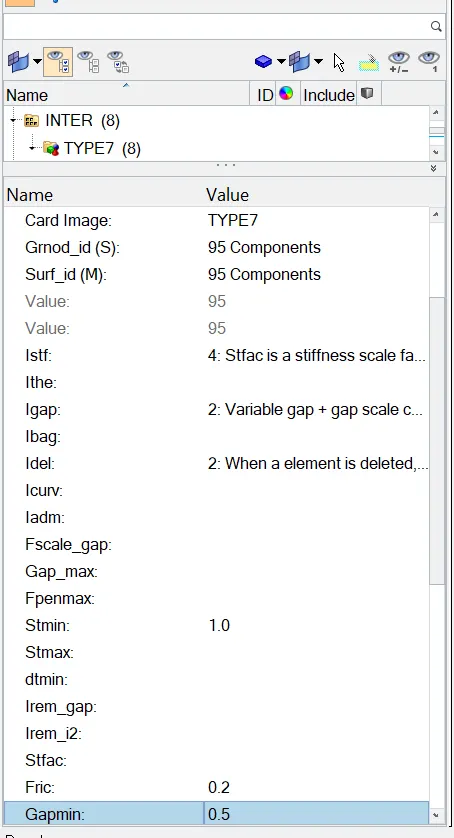
- Create an appropriate interface, friction 0.2, and recommended parameters.
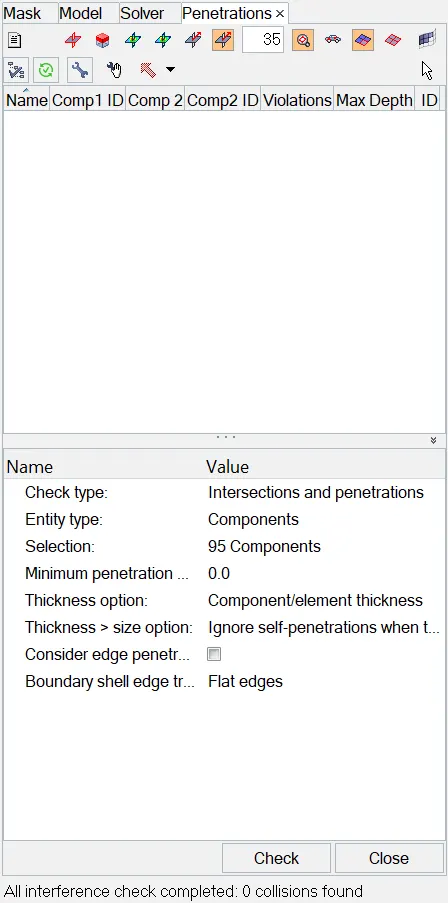
- Make sure of no penetration and intersections.
- Create a rigid wall with friction 0.1 as per the reference model.
- Compare the model weight with the reference model and use added masses to reach the target weight of 700kg while getting CG about the required range.
- Initial velocity - 20mph, as per the standards.
- Use model checker to ensure good quality.
- Timestep :0.5 to 0.1 microseconds.
- Run 80ms.
Output requests:
- Sectional force in the cross member.
- Intrusion at B pillar,hinge pillar and fuel tank region. Provide recommendations on what can help to reduce Fuel tank intrusion.
- Peak velocity of an inner node of the door.
PROCEDURE
At first we need to check the unit system as [Mg mm s] or [Kg mm ms]. To check open the 0000.rad file and chech the unit systems.
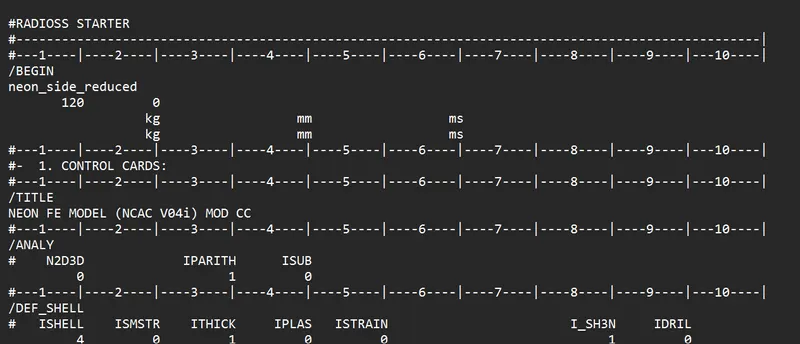
Here the unit system is kg mm ms.
2. Create a contact interface
Type 7 contact and the recommended parameters. Select grnod and surf id as components, and give the required values.
3. Make sure no pentrations and Intersections.
Go to Menu bar< tools< penetration. check for components in the drop down menu and select all the components and check.
4.Create a Rigid Wall with friction 0.1
Go to Solver right click and create ridid wall. In the node option click any top node on the door and select the normals. Change the normals value according to the requirements. And lock the z-axis only and create a cyclindrical rigid wall that shown in below.
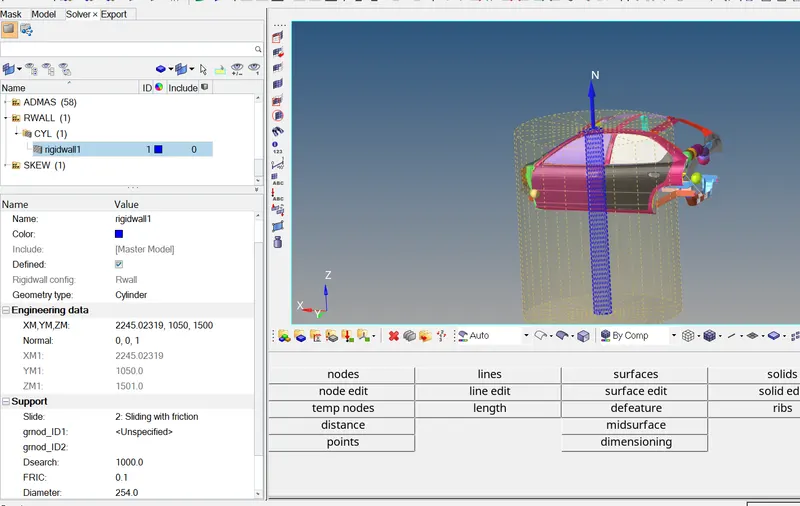
Dsearch as 1000 and diameter of the pole is 254.
5.Compare the model weight with the reference model and use added masses to reach the target weight of 700kg.
At the initial the mass is 160kg only, Now i added a mass nearly 700kg reached to 706kg. To maintain COG at the center create admass at the random parts and check the random COG again. Here the node indicated that COG at the center.
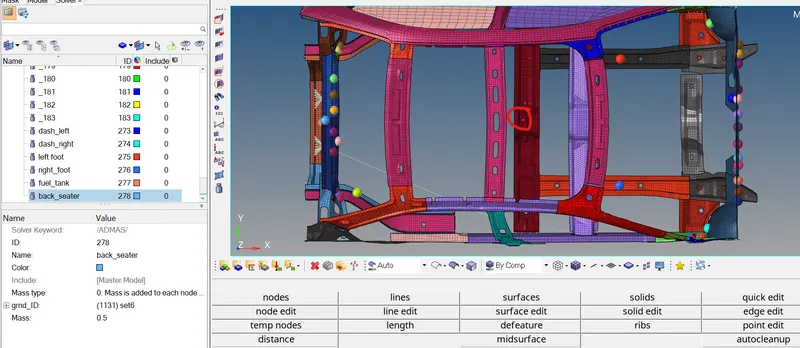
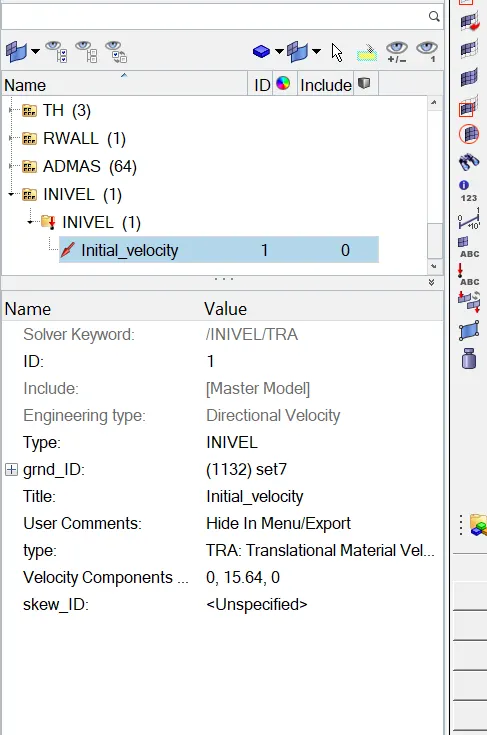
6.Initial velocity - 20mph, as per the standards.
Create a Initial velocity for 20mph, Go to solver and create INVEL.
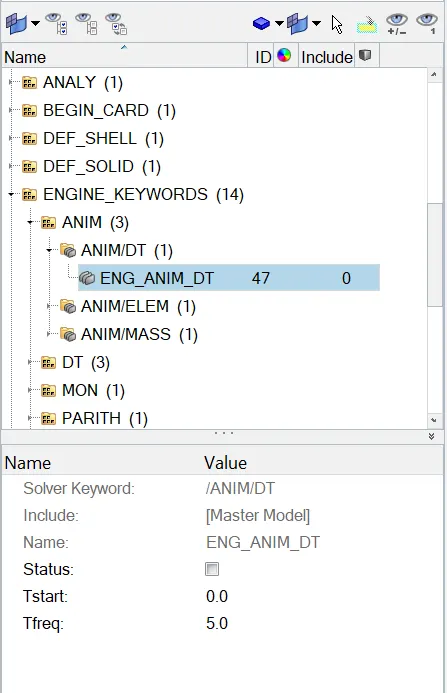
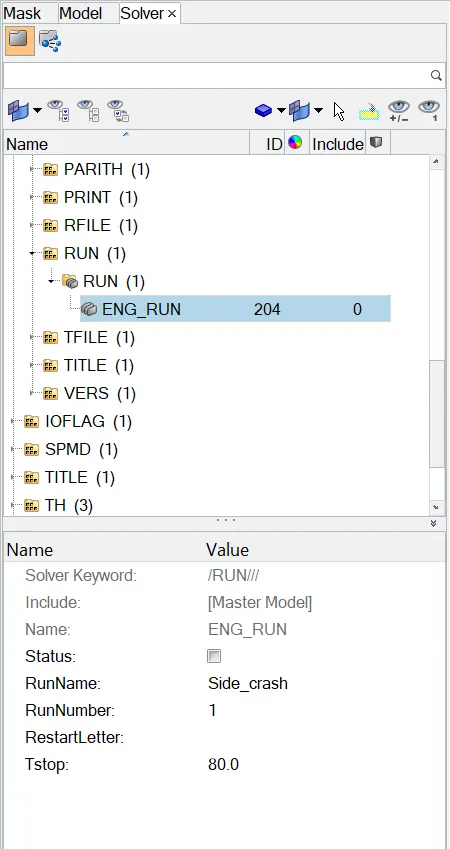
7.Timestep :0.5 to 0.1 microseconds and run 80ms.
Creating Output Blocks.
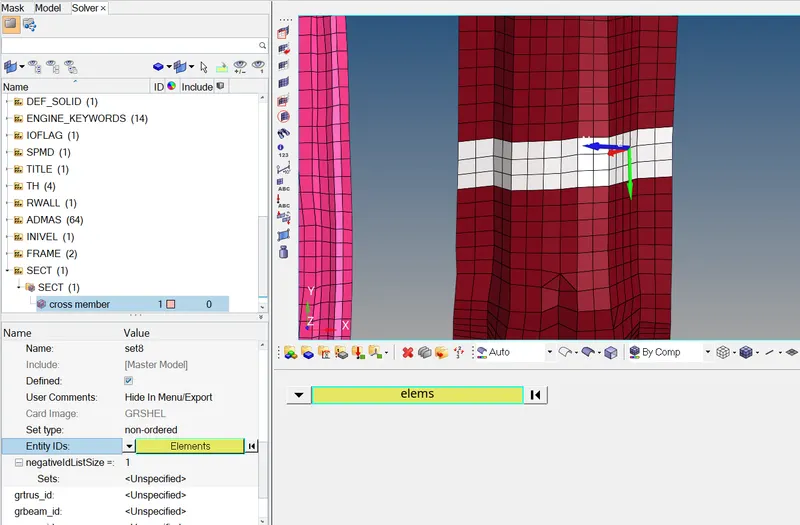
Create section at the cross member. To create the cross section 1st create a Frame at the component and Create a SECT at the same node and specify the frame at SECT property.
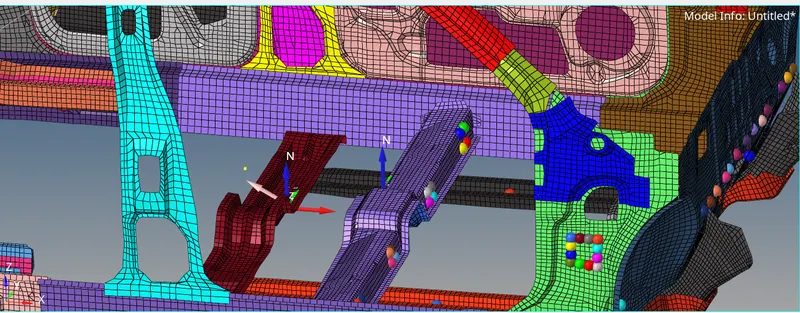
Peak velocity at the inner node.
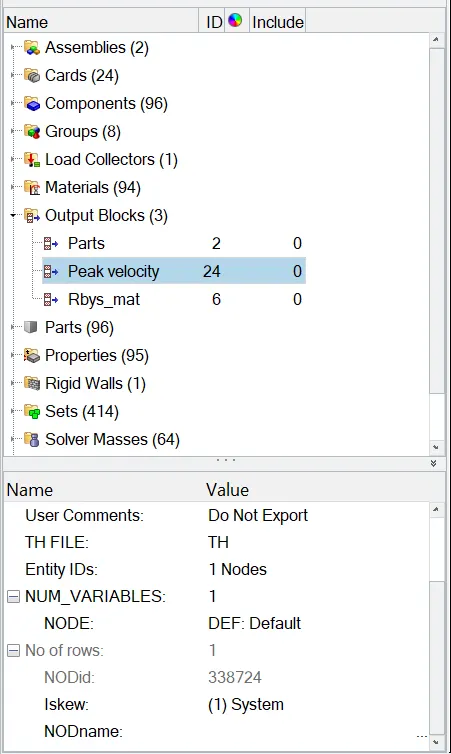
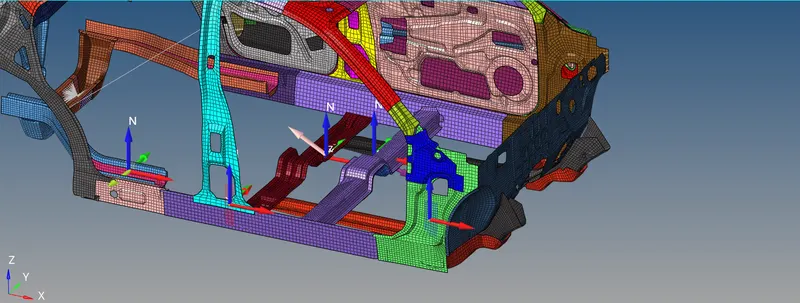
Intrusion at the B Pillar, Hinge Pillar, Fuel tank.
Create Intrusion at the B Pillar, Hinge Pillar, Fuel tank. To create a section, Create a Frame in the solver browser and create a SECT and specify the frame of ref in Cross section.
Now Run the Simulation in Radioss Block.
After the simulation completed the open the 0001.out file to view the results.
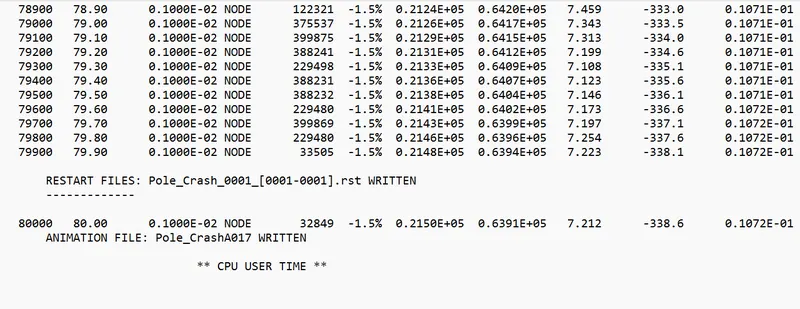
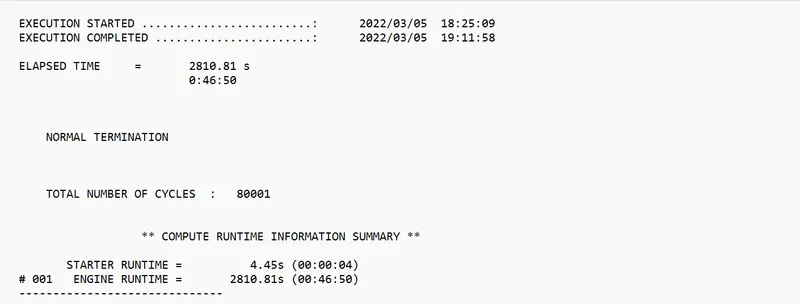
After viewing the results we can see the animation files.
1st Import the h3d file in the hyperview to view simulation results in animated view. So here plot the Displacement and Von mises stress for the component.
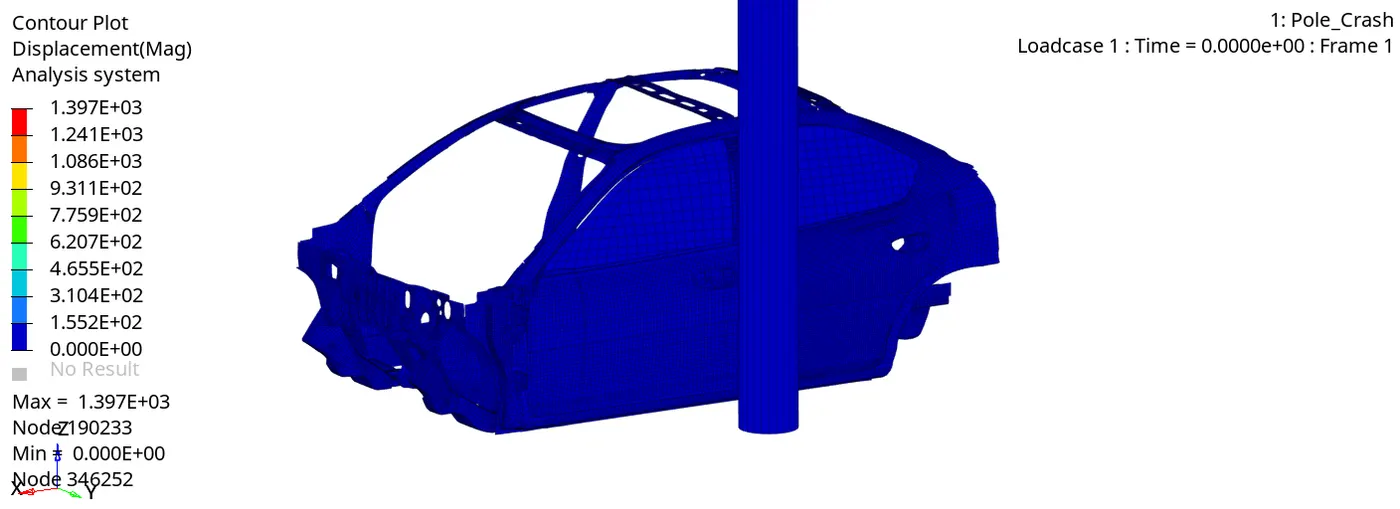
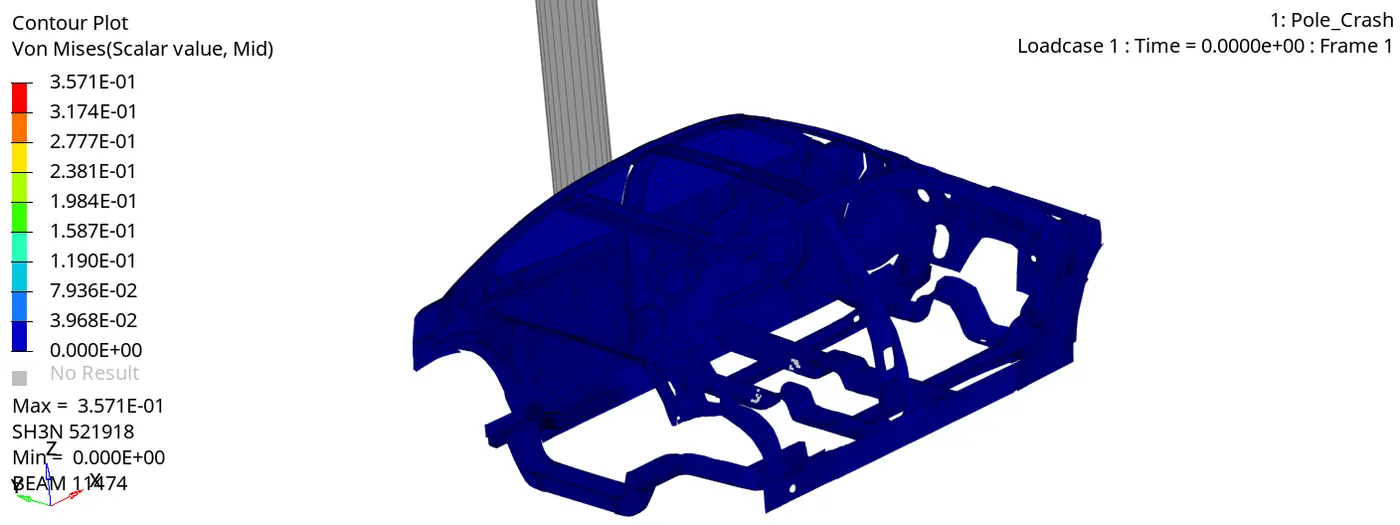
Now its time to do post processing.
To plot the graph open the hypergraph 2D and import the t01 file.
plot the global variables such as internal energy, contact energy, kinetic energy, hourglass energy, total energy.
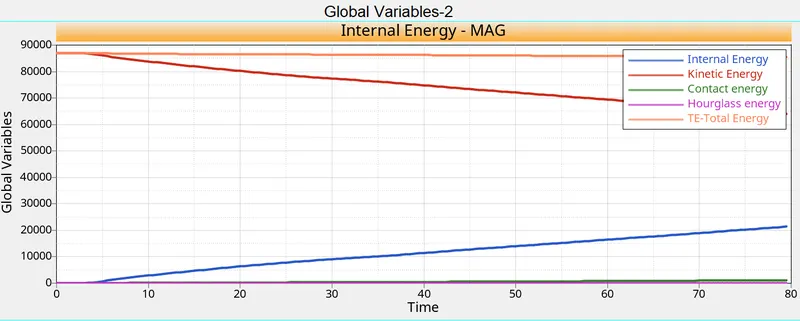
and then now plotting output request results.
plot the total resultant force of cross member 1&2.
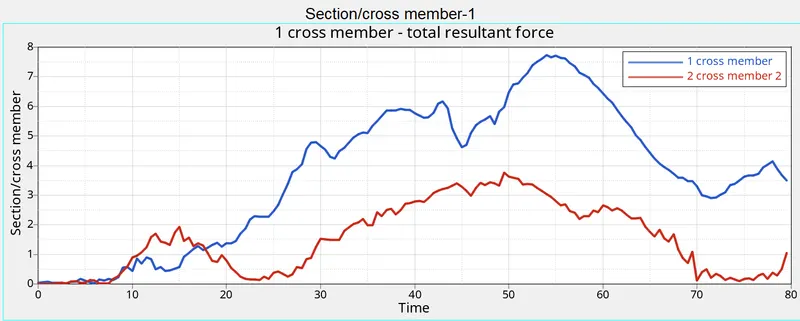
Then plot the peak velocity of inner node of door.
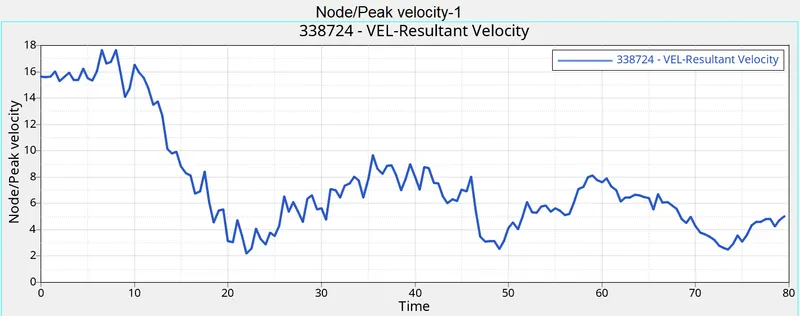
Plotting the B pillar, Hinge pillar, Fuel tank.
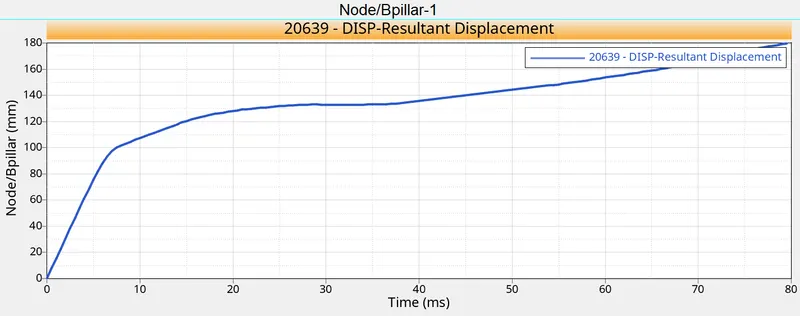
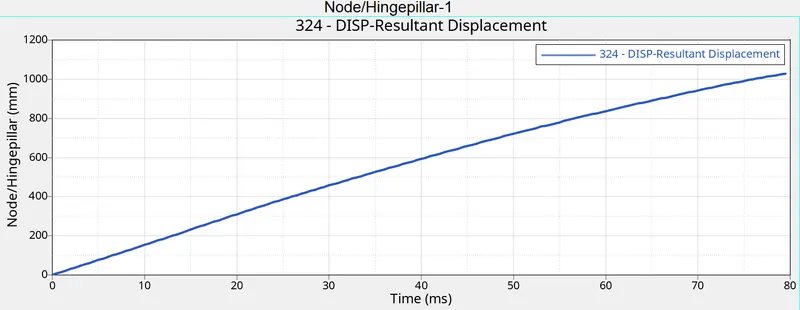
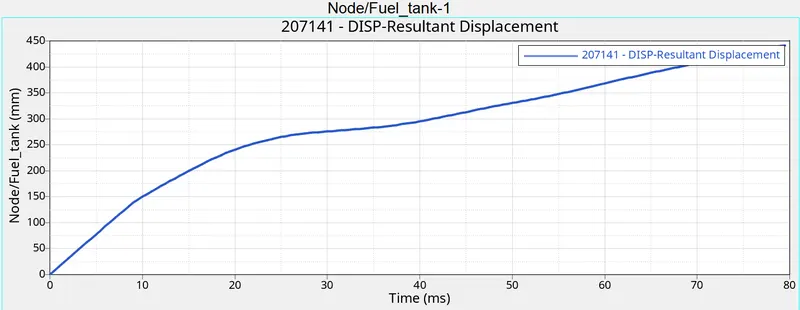
here the displacement at the 3 components are shown in the graph. The Hinge pillar straight points in the graph. So when the part undergoing crash hinge pillar didnt have much deformation at initial.
Conclusion
So In this challenge with the given BIW part we created a rigid wall at the door to crash the part at Rwall. To examine the stress deformation and displacement we created a Intrusion and cross section.
In the animation we can see the displacement at the bpillar and hinge pillar are very high, to increase the safety and deformation of the material, can use any other material cards. All the sections and intrusions are plotted properly.