Assignment 6-Frontal Crash Simulation Challenge
Aim-
- The aim of this challenge is to solve the below BIW frontal assembly crash test with a rigid wall using the above conditions.
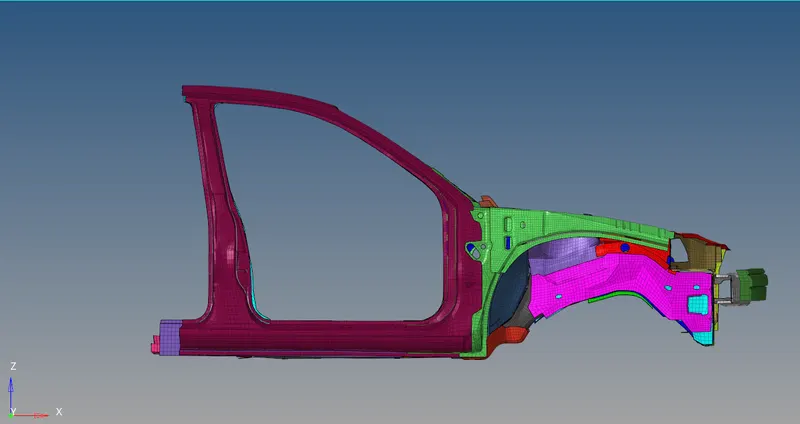
Procedure-
- The first step is to import the above .rad file into hypermesh with a radioss profile. Then check the unit system to maintain a constant unit system. In this case, it is [kg mm ms].
- Then the next step is to check the mesh to see if there are any penetrations and interactions from element check options.
- Then the next step is to check all the rigid elements in the mesh file.
- Then the next step is to create a rigid wall.
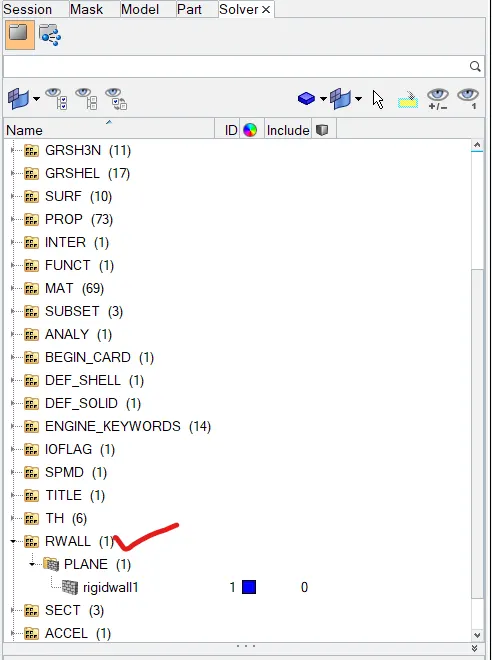
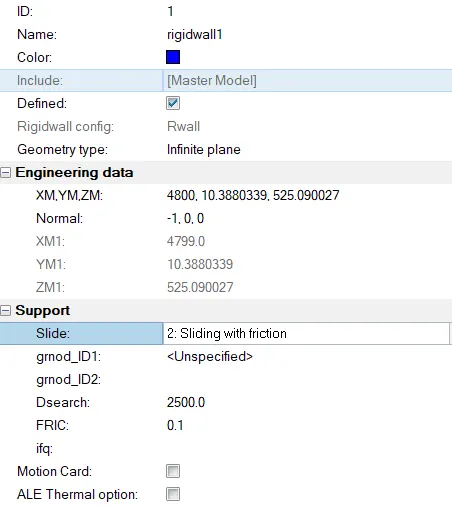
- To create the rigid wall we've to create the rwall from the solver panel. With Coluomb friction value as 0.1
- To create the rigid wall we've to create the rwall from the solver panel. With Coluomb friction value as 0.1
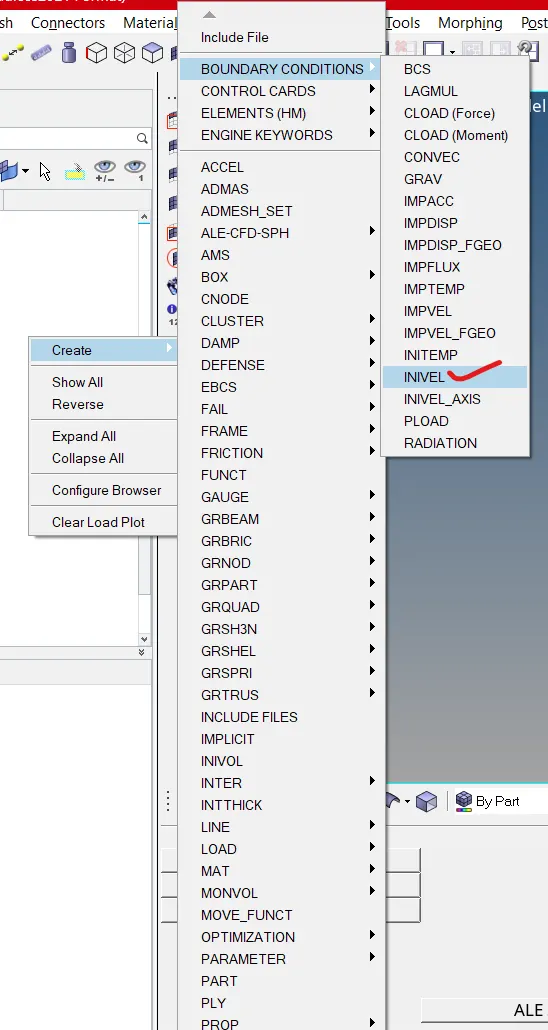
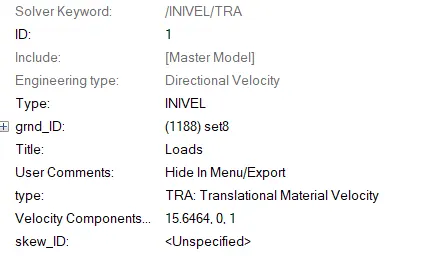
- The next step is to give boundary conditions to the vehicle BIW. Here the type of boundary condition is the initial velocity. The inivel card is used to give velocity and the velocity is 15.6 mm/ms. Inivel card is given below
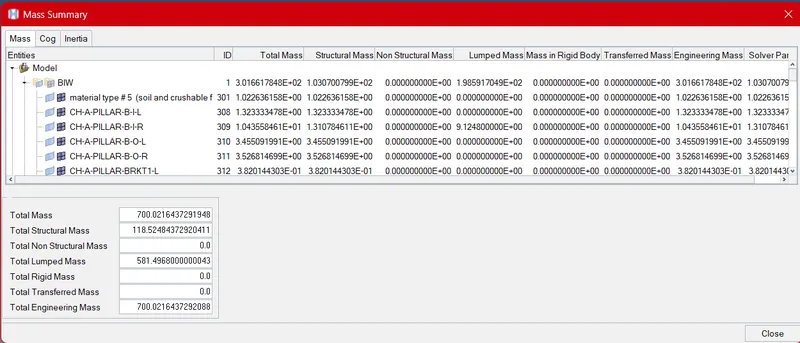
- The next step is to check the weight and changed the weight to 700kg. ADMAS card can be created from solver panel using below steps. The card is given below-
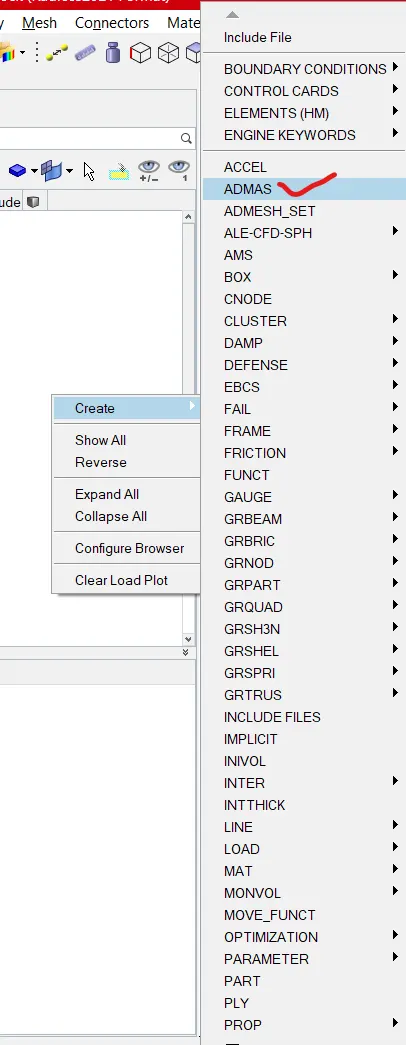
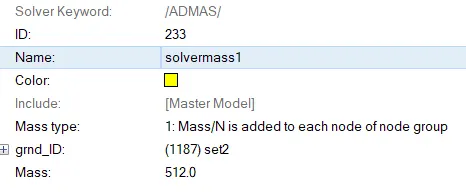
- Now when we check the mass of the model it'll come around 700kg.
- Now when we check the mass of the model it'll come around 700kg.
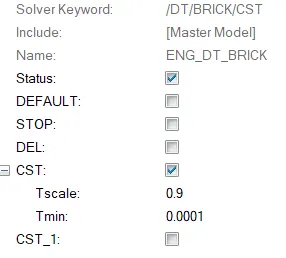
- The next step is to change the timestep to 0.1 microseconds.
- Output Requests
- Sectional force in the rails at location of node ID 174247, Axial force received on the rails from bumper, Shotgun cross sectional forces, A-pillar cross section
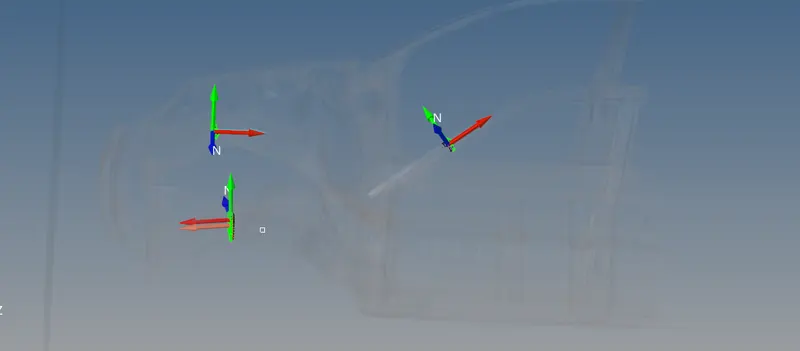
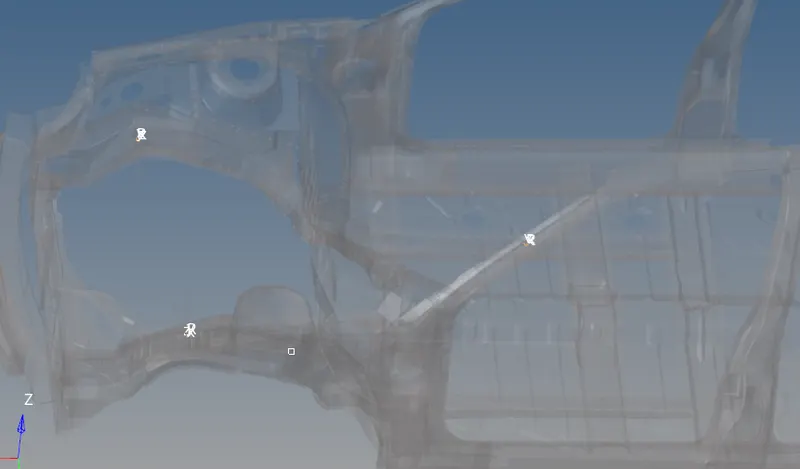
- For extracting these outputs we've to create three different frames in three different locations as shown below.
- Then we've to create three different frames so that we can extract desired force outputs as shown below.
- For extracting these outputs we've to create three different frames in three different locations as shown below.
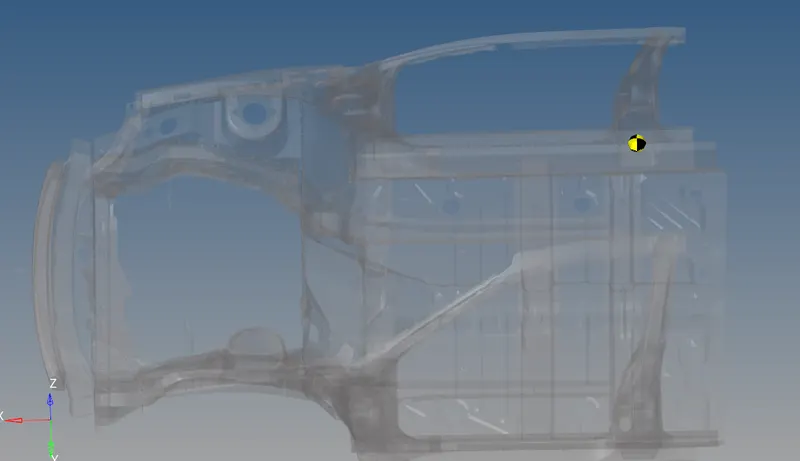
- Acceleration curve received on the accelerometer at base of B pillar (on B pillar rocker)
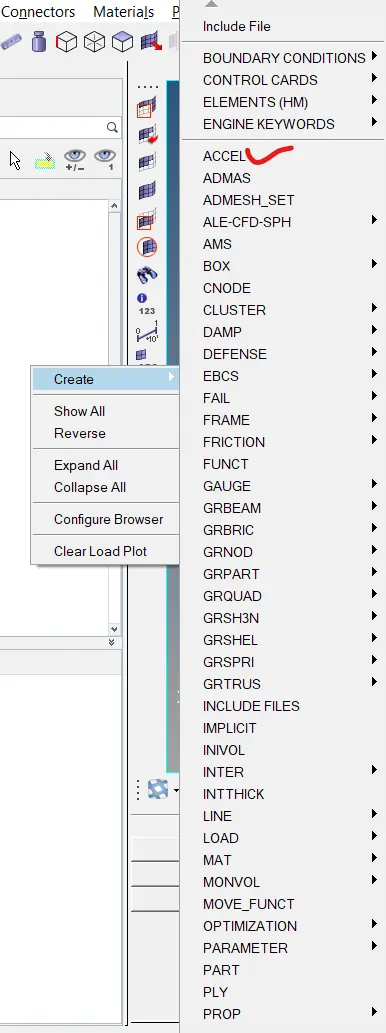
- First we've to create the ACCEL card from solver pane as shown below.
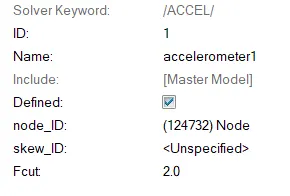
- The accelerometer card is given below
- First we've to create the ACCEL card from solver pane as shown below.
- Intrusions on the dash wall 66695, 66244
- For this, we've to create two different springs and extract force outputs for the spring elements.
- Sectional force in the rails at location of node ID 174247, Axial force received on the rails from bumper, Shotgun cross sectional forces, A-pillar cross section