Assignment 5-RADIOSS Interfaces & Study of Effect of Notches Challenge
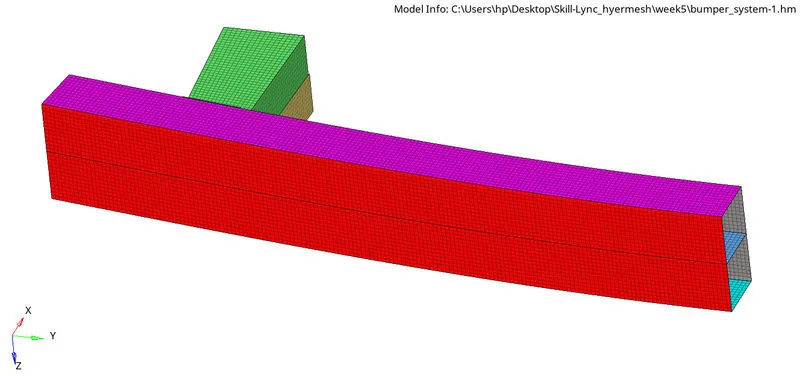
MESH FOR BUMPER ASSEMBLY:
1.Meshing the individual surfaces by using automesh option form 2D by assigning the element size as 6mm.
2.Running the model as it is:
1)Open the file crush_tube_0000.rad and run it.
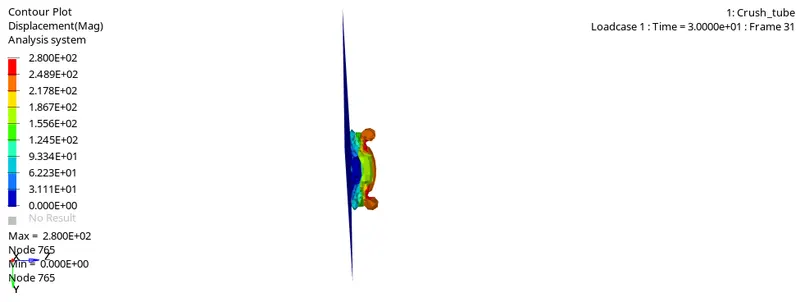
2)Observe the displacement by running the .h3d file in hyperview.
3)Plot the Rwall forces and internal energies using the time history .T01 file in hypergraph 2d.
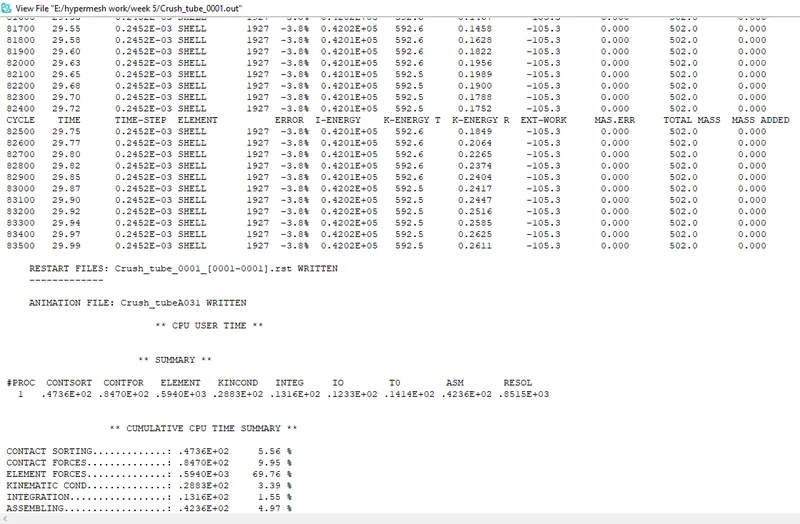
The RADIOSS solver output is as follows
The various energy variation plots are as follows:
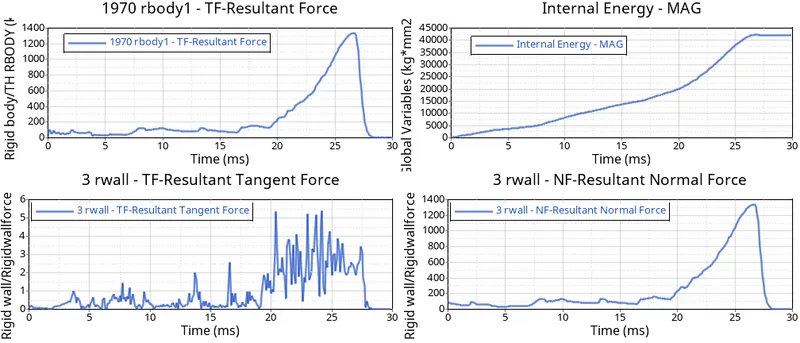
From the above plots it could be observed that the maximum resultant force is around 1350KN at about 26ms and the plots of internal energy(max=42000J),tangent force and normal force are very much close to expected and no anomalies are recorded.
3.CHANGE THE INACTI TO 6 AND RUN:
1)Open he crush_tube_0000.rad file in hypercrash.
2)Go to the browser section and open the contacts.
3)Open the self contact option and change the inacti to 6.
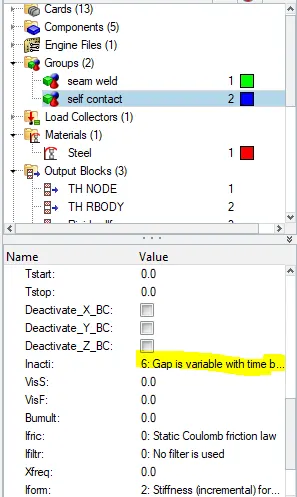
4)Export the file and run it in radioss to obtain the .h3d and .T01 files.
5)Plot the displacement using the .h3d file in hyperview.
6)Plot the rwall and resultant forces using hypergraph 2D.
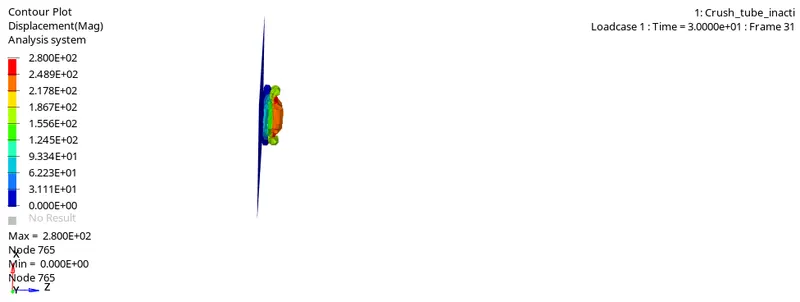
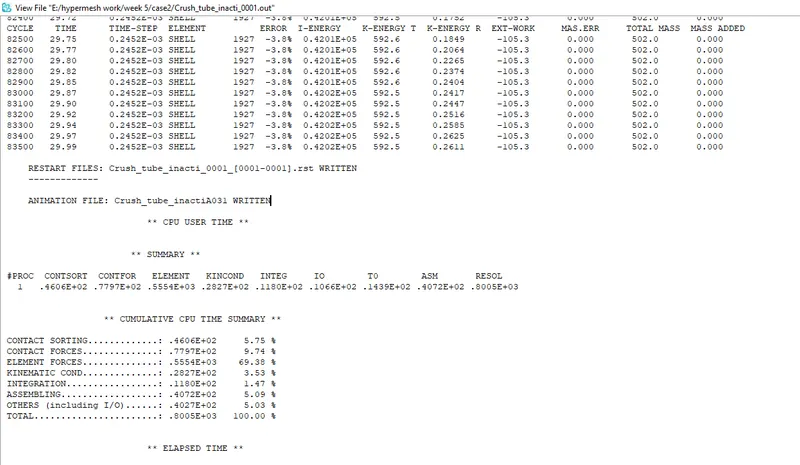
The output of the radioss solver is as follows
The various energies are plotted and they are as follows
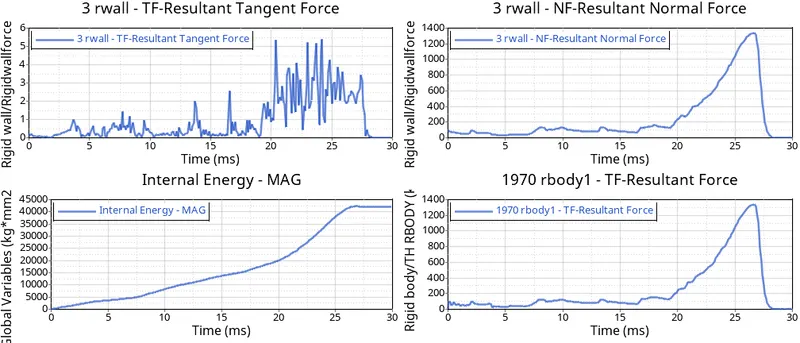
From the above plot of the resultant force the maximum is at 26ms which is of the magnitude 1330KN and the remaining forces and internal energy are very much identical to the previous case.
4.CASE-3:CREATING A TYPE-11 CONTACT AND RUNNING:
1)Open the crush_tube_0000.rad file in hypercrash and create a type-11 contact.
2)Type-2 and type-7 contacts are already assigned.
3)Pick the necessary entities from the graphics, which are to be assigned as the master and the slave.
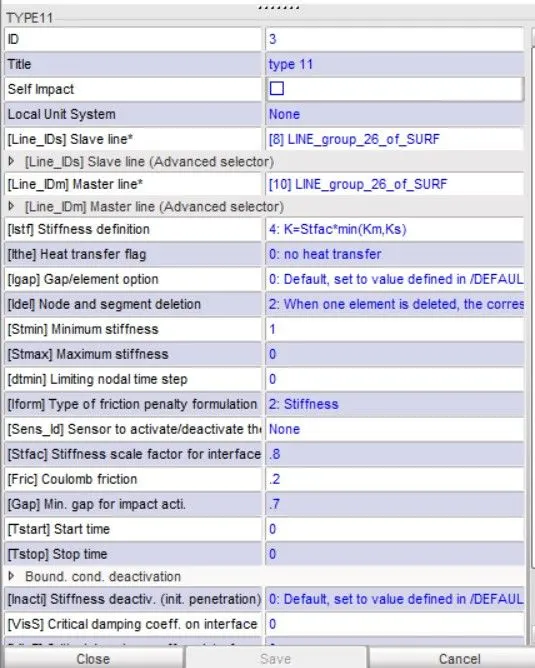
4)Export the file and obtain the .h3d and .T01 files.
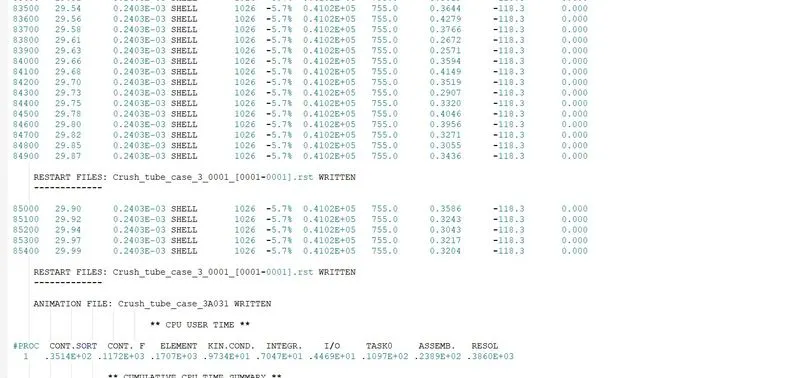
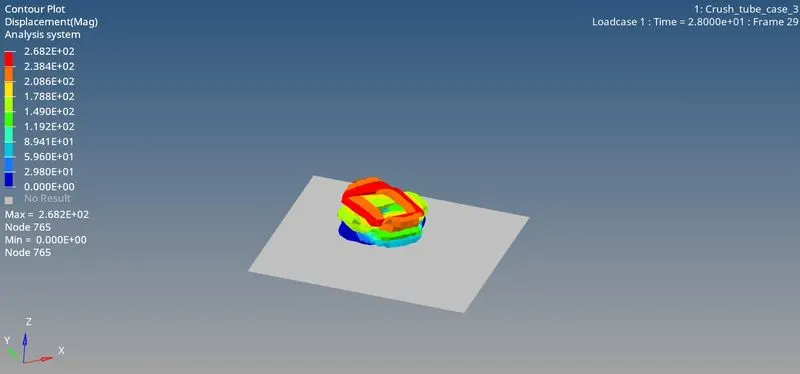
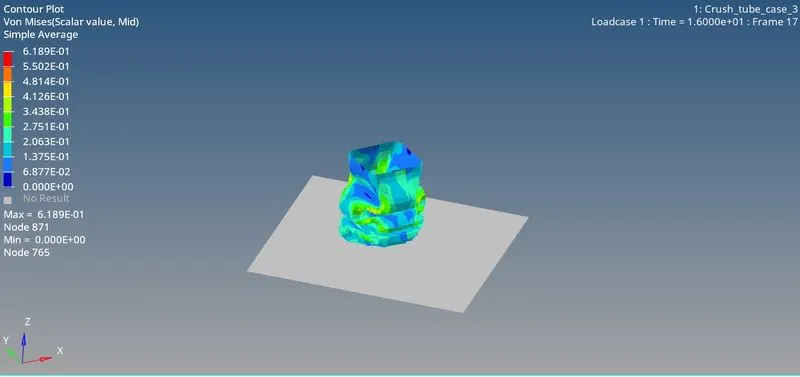
5)Run the .h3d file in hyperview and record the dispalcement and von misses stress from the hyperview.
The energy plots are as follows:
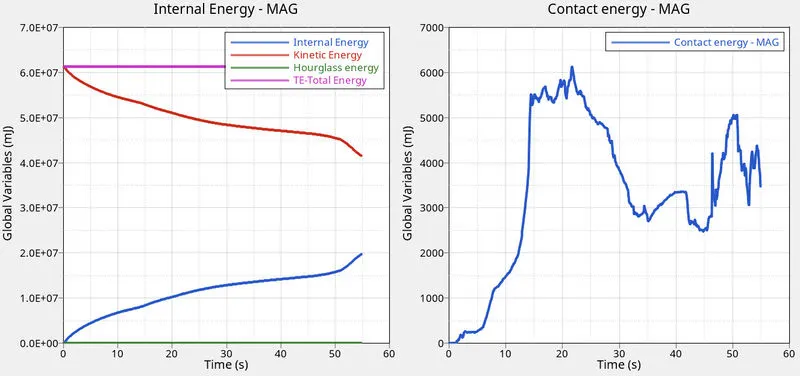
The global variables(internal energy) plot and the contact energy plot follow the expected path confirming that there are no issues during the simulation.
5.CASE-4:REMOVING BOTH THE NOTCHES AND REMOVING THE BOUNDARY CONDITIONS:
1)The notches of the crush tube can be removed by aligning those respective nodes with respect to the ones that are adjacent to them.
2)The boundary condition can be removed by deleting them from the browser section in hypercrash.
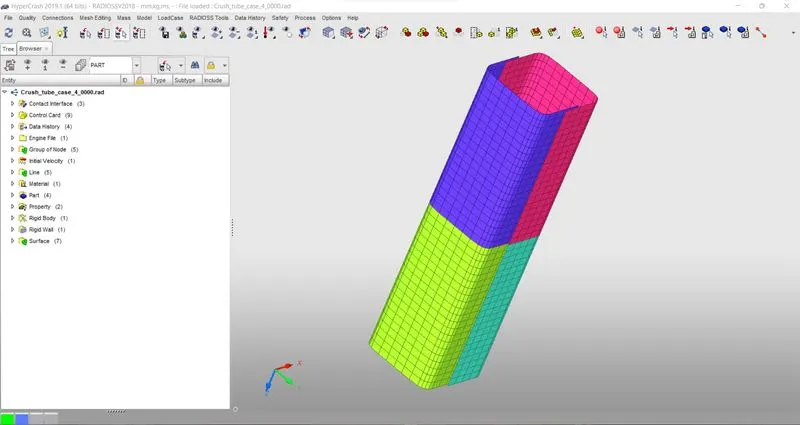
3)Run it in radioss and obtain the necessary .h3d and .T01 files.
4)Run the .h3d file in hyperview to record the displacements.
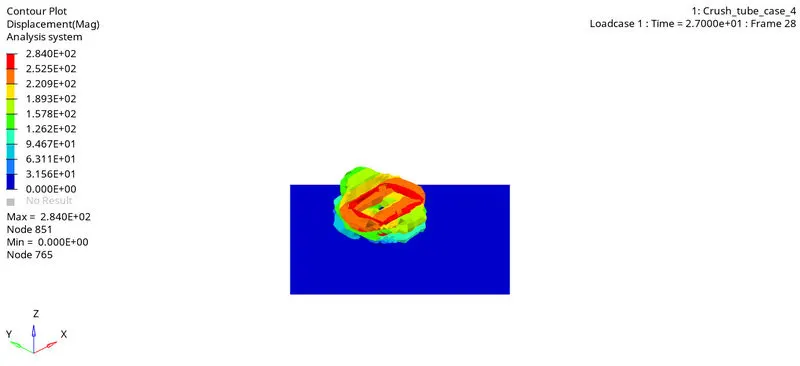
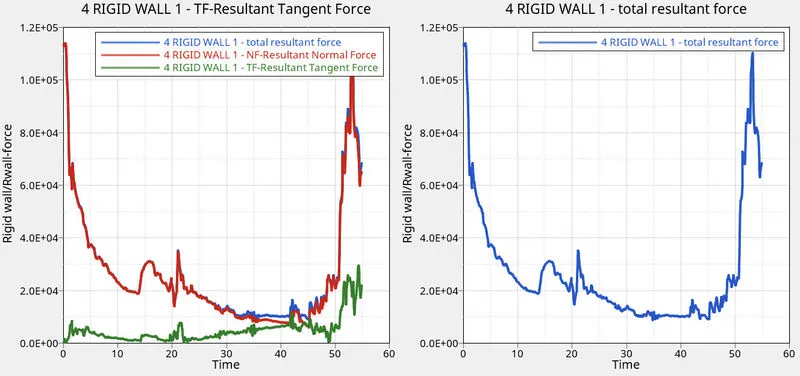
5)The various energy plots can be plotted using the hypergraph 2D application and they are obtained as follows.
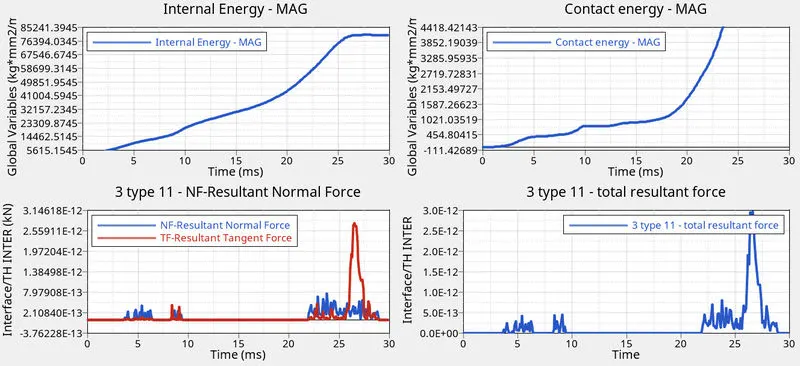
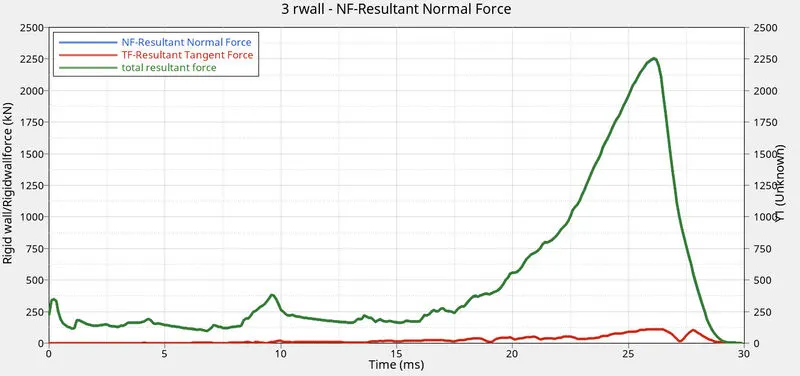
As the plots suggest there is a huge variation in the energies and forces when compared to the previous cases, and these variations can be attributed to the removal of boundary conditions.
CASE-5: CREATING A NOTCH IN THE MIDDLE AND RUNNING IT:
1)From the mesh editing option select the move option to create the notch by selecting the appropriate nodes.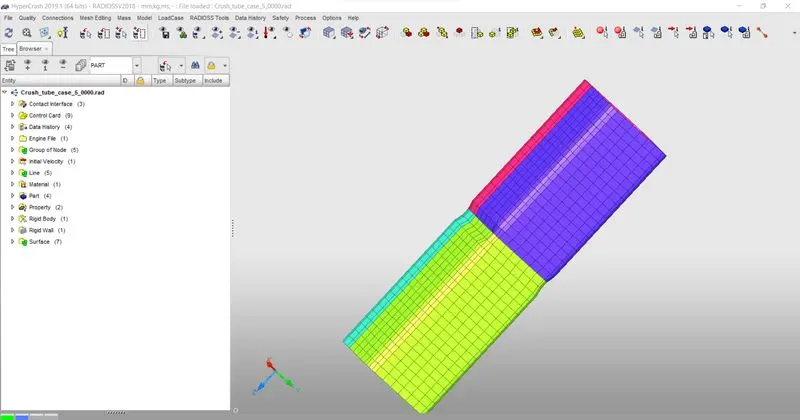
2)Export the file and run it in radioss to obtain the.h3d file and .T01 file.
3)Using the .h3d file in hyperview obtain the displacement.
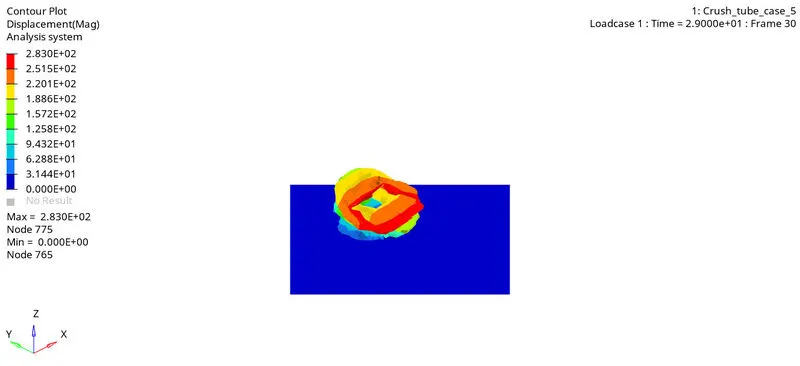
3)Using the .T01 file plot the energies.
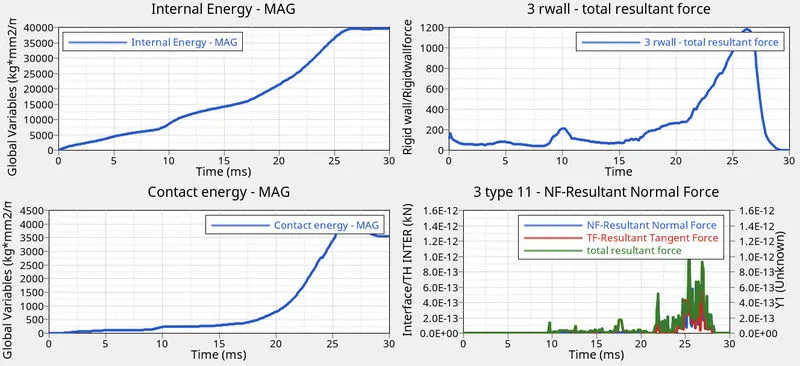
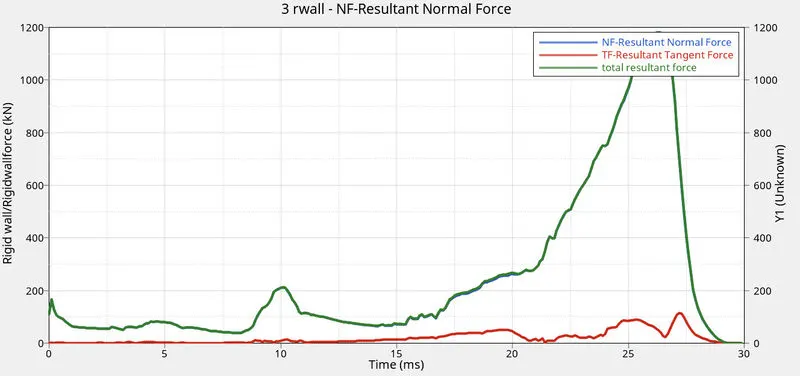
The difference in behaviour can be of the crush can based on the position of the notch can be observed form th following plots.
CASE-6:CREATE NOTCHES ONLY ON THE OPPOSING FACES:
1)By removing the notch on any two opposing faces of the crush can, now the notch remains only on the oppsing two faces.
2)Export this model to obtain the .h3d files and .T01 files.
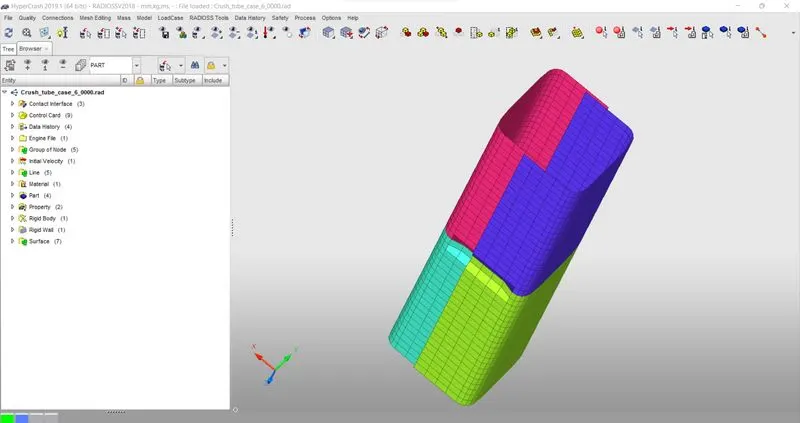
3)Using the .h3d file record the displacement in hyperview.
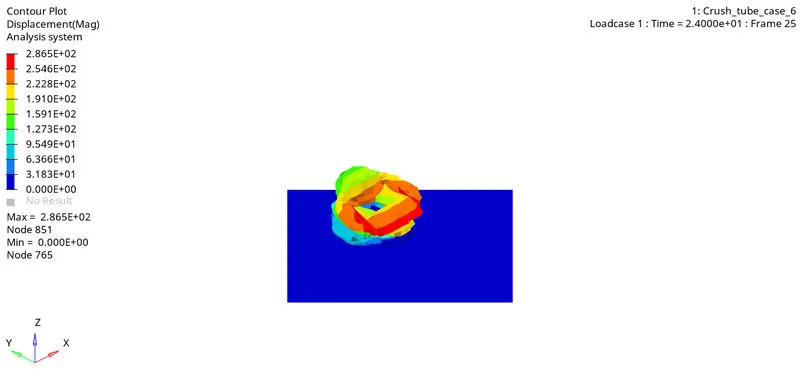
4)Now using the .T01 file generate the necessary plots.
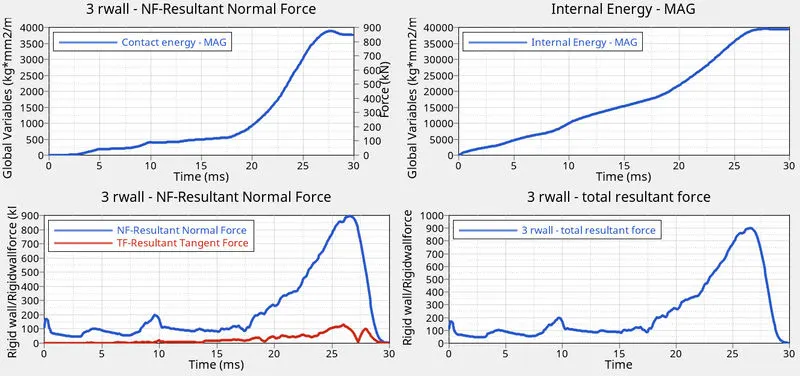
- Compared to the previous case there has been fall in the energy absorbed and forces
- this is due to the reducing of notch area to only two surfaces
- The notch is a kind of trigger which helpsthe crash can absorb more energy as it divides the crash can into sections when absorbing the during the collison
CONCLUSION
- ffrom this assignment we get to know the importance of how interface affect the simulation and solving of the model
- difference between type 11 and type 7
- How notches and other triggers affect the properties of the crashcan
- How to use hypercrash efficiently