Assignment 5
1.Create the mesh for bumper assembly,mesh size should be 6mm
import the model to hypermesh and then check for the solids present .
PressF12-set the target element size and then click mesh.
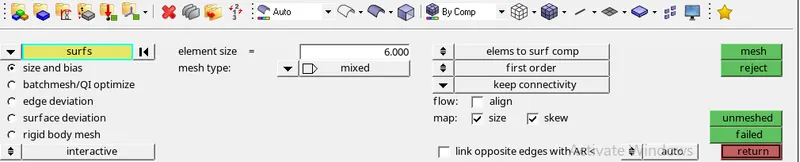
lower part of the model is meshed and the upper has to be connected with each other by using F11
mesh the upper part and then save it.
try avoiding trias as its plain surface.
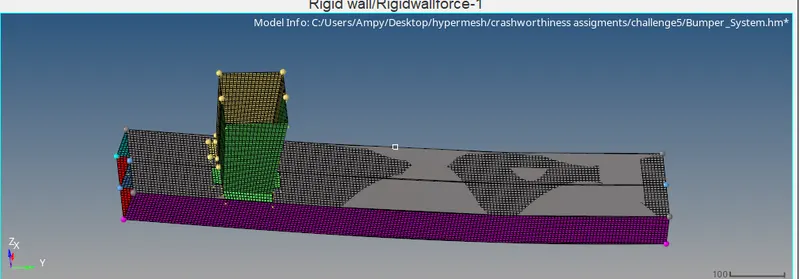
Case1:Run the crash tube model as it is.
Run the stimulation as it is in the hypermesh radioss
Once the stimulation is completed check for the energy errors,time elapsed and no of cycles by opening .OUT file
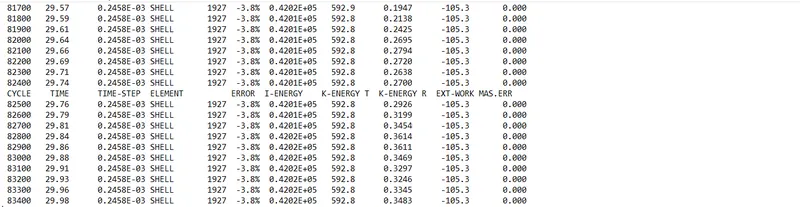
Total elapsed time:285.92 s
No of cycle:83469
energy error=-3.8%
mass error=0.00
energy error less than 15% is acceptable. So its in good condition to carry the furthur procedure
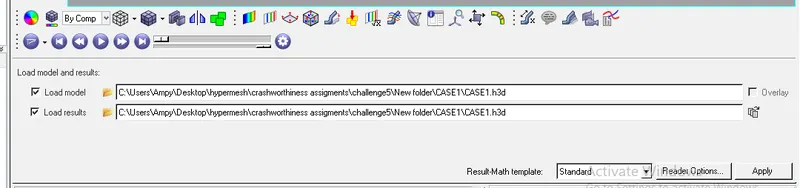
Open the hyperview and import .H3D file and stimulate it
stress:
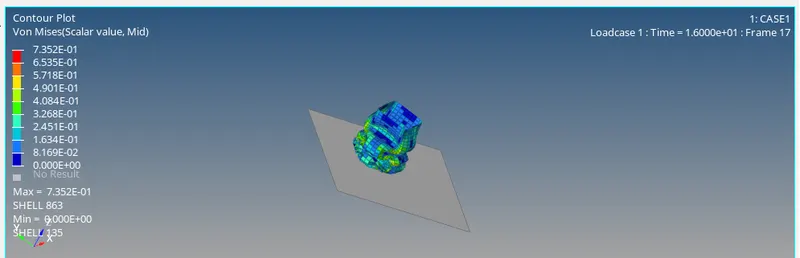
max stress=7.352E^-01
min stress=0.00
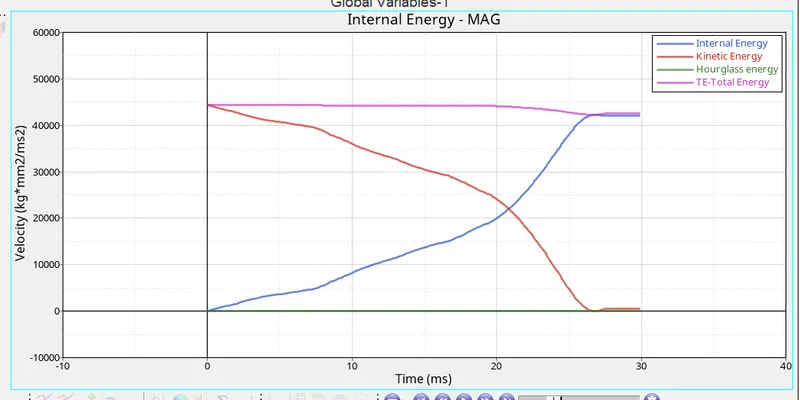
GRAPH:
Internal enrgy,kinetic energy,total energy VS time
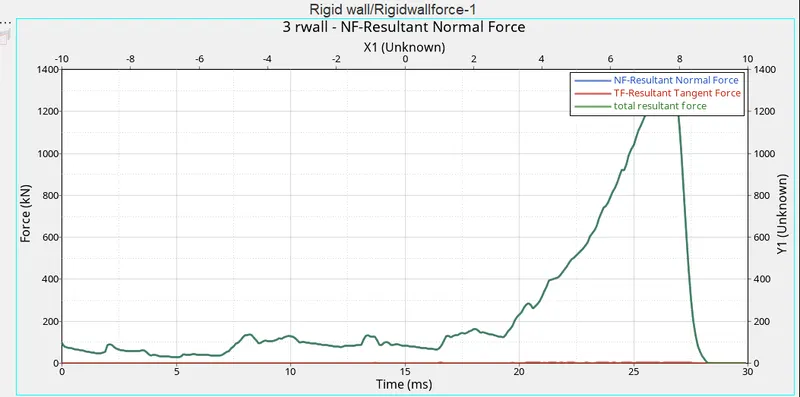
Rigid wall forces:
Normal forces VS time
CASE2:Change the Inacti=6 and run
Open the .rad file in hypercrash .
Open the contact interface select type 7 and set the Inactive value to 6
again export the file in .rad file and then open it in hypermesh
Run the stimulation
Once the stimulation is completed check for the energy errors,time elapsed and no of cycles by opening .OUT file
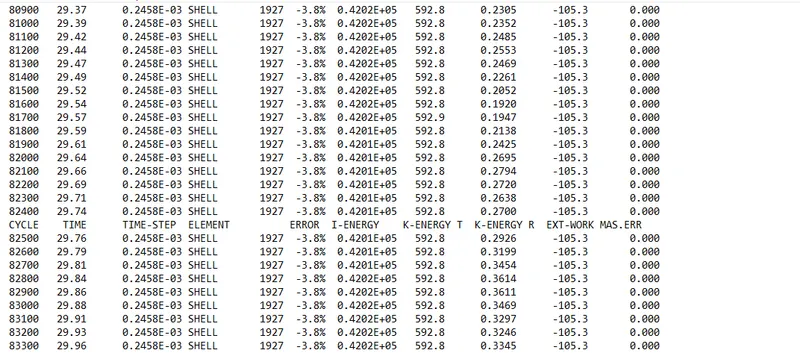
Total elapsed time:300.37 s
No of cycle:83469
energy error=-3.8%
mass error=0.00
energy error less than 15% is acceptable. So its in good condition to carry the furhthur procedure
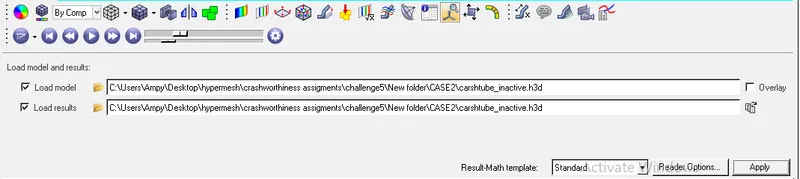
Open the hyperview and import .H3D file and stimulate it
stress:
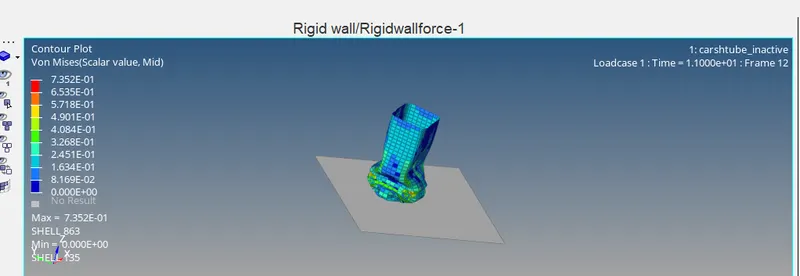
max stress=7.352E^-01
min stress=0.00
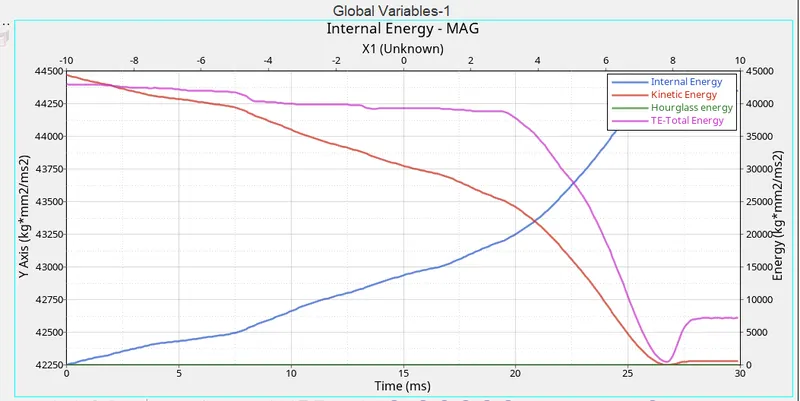
GRAPH:
Internal enrgy,kinetic energy,total energy VS time
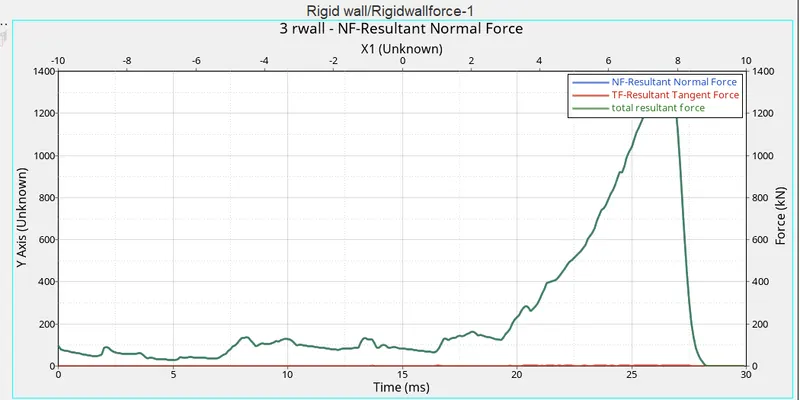
Rigid wall forces:
Normal forces VS time
CASE3:Create the type 11 contact and run.
Open the .rad file in hypercrash .
Open the contact interface select new contact interface type 11 and set all the standard paramerets
Igap=3
Inactive=6
Istf=1kn/mm2
Gapmin=0.50
idel=2
save the interface and then export the file in .rad file and then open it in hypermesh
Run the stimulation
Once the stimulation is completed check for the energy errors,time elapsed and no of cycles by opening .OUT file
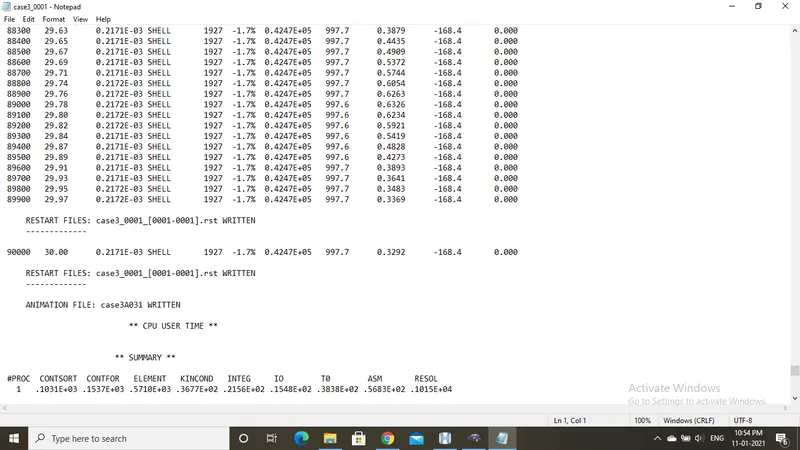
Total elapsed time:309.01 s
No of cycle:90017
energy error=-1.7%
mass error=0.00
energy error less than 15% is acceptable. So its in good condition to carry the furhthur procedure
Open the hyperview and import .H3D file and stimulate it
stress:
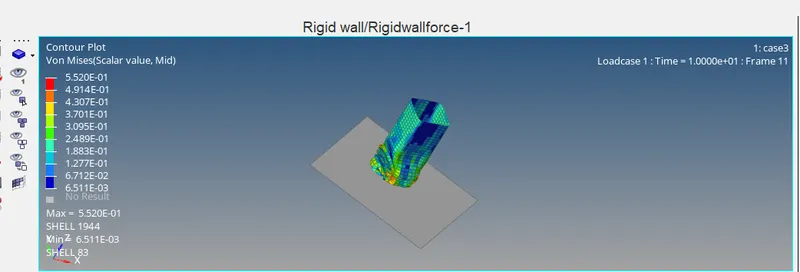
max stress=5.52E^-01
min stress=6.511E^-03
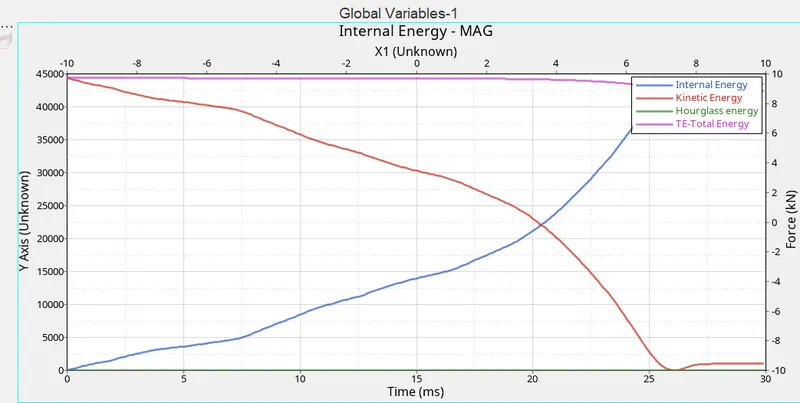
GRAPH:
Internal enrgy,kinetic energy,total energy VS time
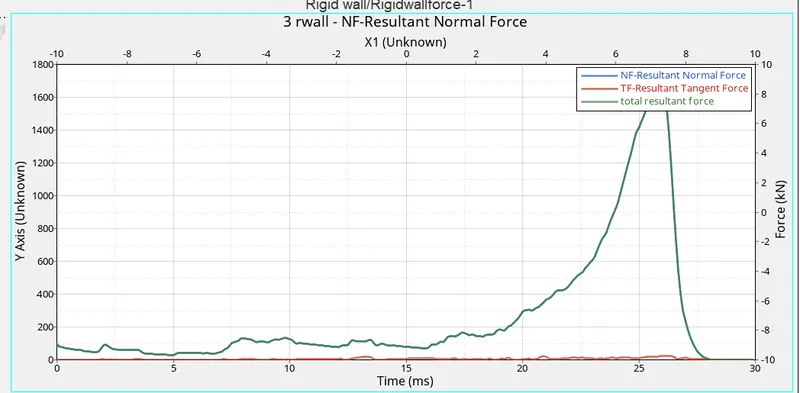
Rigid wall forces:
Normal forces VS time
CASE4:
Open the .rad file in hypermesh.
Clear the notches using the align node and then save the model
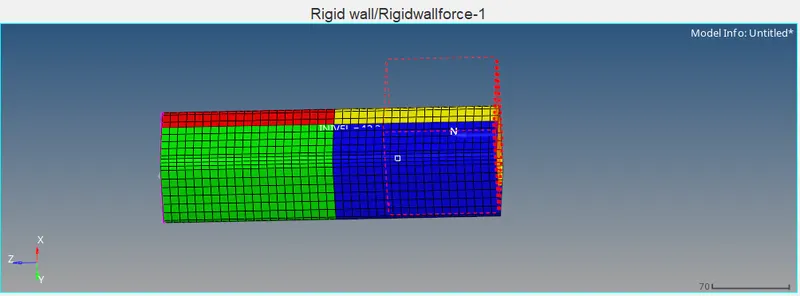
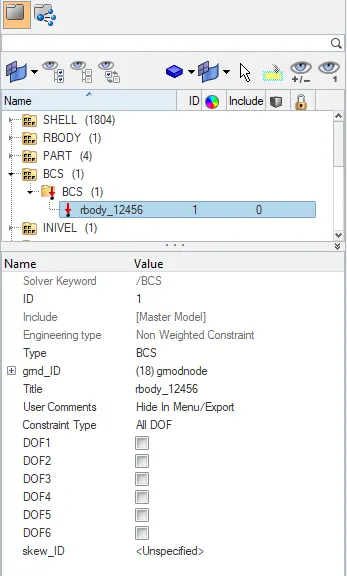
For removing the boundary condition goto-solver-BCS-unslect all the DOF
run the stimulation
Once the stimulation is completed check for the energy errors,time elapsed and no of cycles by opening .OUT file
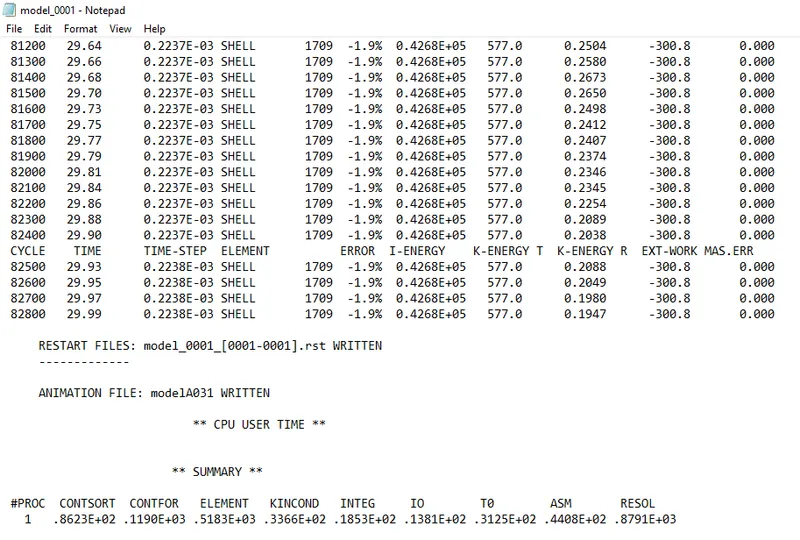
Total elapsed time:283.24 s
No of cycle:82830
energy error=-1.9%
mass error=0.00
energy error less than 15% is acceptable. So its in good condition to carry the furhthur procedure
Open the hyperview and import .H3D file and stimulate it
stress:
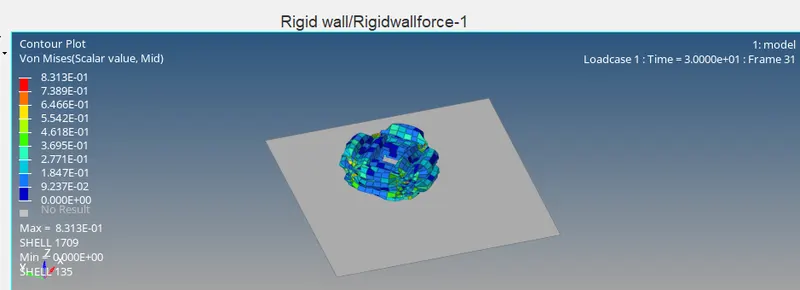
max stress=8.313E^-01
min stress=0.00
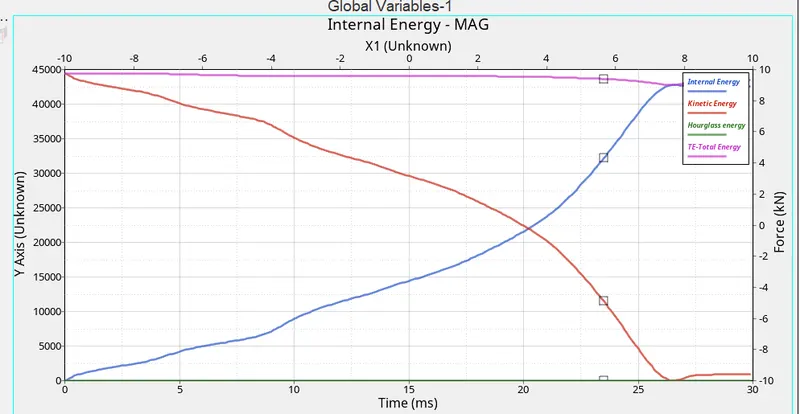
GRAPH:
Internal enrgy,kinetic energy,total energy VS time
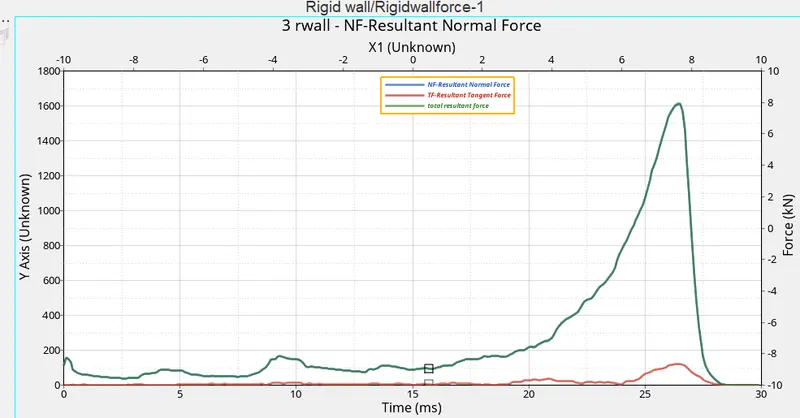
Rigid wall forces:
Normal forces VS time
CASE5:Create a new notch in the middle ,select the whole section and run.
Open the file in hypermesh
edit the elements using the tool elementoffset
select the element which needs to be offseted and then select the surrounding nodes and then click offset+(length of offset-4)
now run the model in hypermesh using radioos tool.
Run the stimulation
Once the stimulation is completed check for the energy errors,time elapsed and no of cycles by opening .OUT file
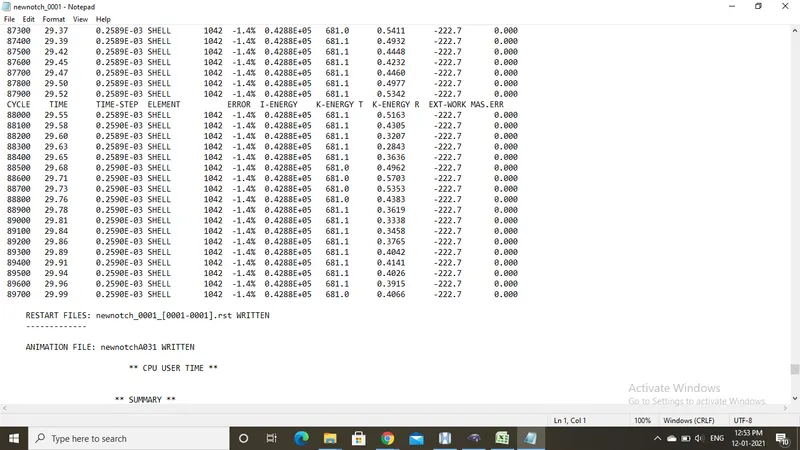
Total elapsed time:306.31 s
No of cycle:89738
energy error=-1.4%
mass error=0.00
energy error less than 15% is acceptable. So its in good condition to carry the furhthur procedure
Open the hyperview and import .H3D file and stimulate it
stress:
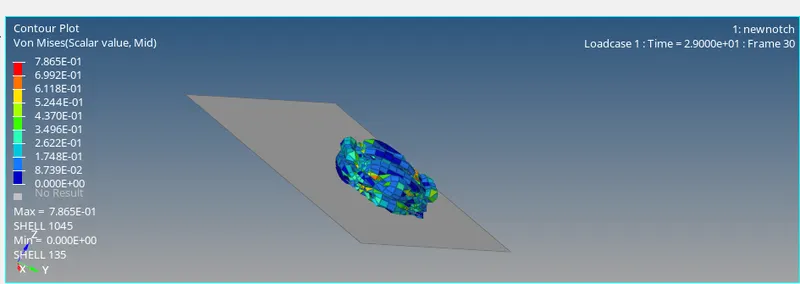
max stress=7.865E^-01
min stress=0.00
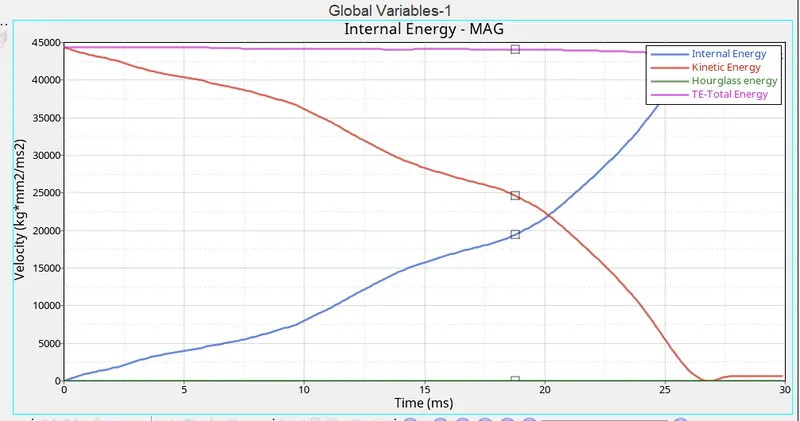
GRAPH:
Internal enrgy,kinetic energy,total energy VS time
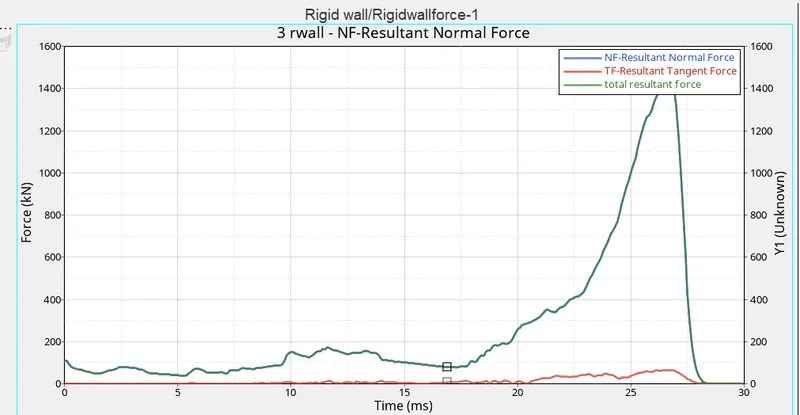
Rigid wall forces:
Normal forces VS time
CASE6:Create a new notch with nodes only from opposing 2 faces and run.
Open the file in hypermesh
edit the elements using the tool elementoffset
select the element which needs to be offseted and then select the surrounding nodes and then click offset+(length of offset-4).
select the opposite faces of the model ad then save the model
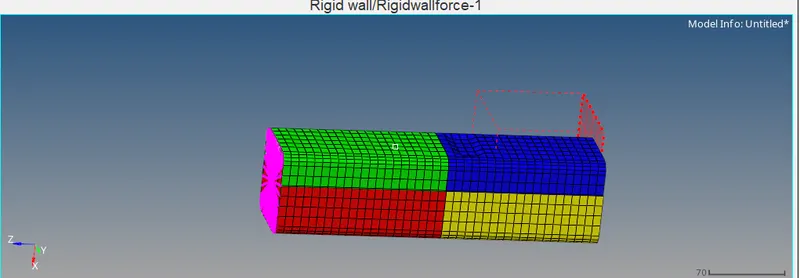
now run the model in hypermesh using radioos tool.
Run the stimulation
Once the stimulation is completed check for the energy errors,time elapsed and no of cycles by opening .OUT file
Total elapsed time:278.39 s
No of cycle:78632
energy error=-1.4%
mass error=0.00
energy error less than 15% is acceptable. So its in good condition to carry the furhthur procedure
Open the hyperview and import .H3D file and stimulate it
stress:
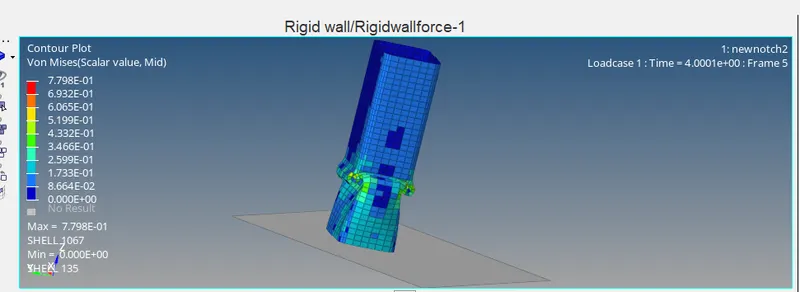
max stress=7.798E^-01
min stress=0.00
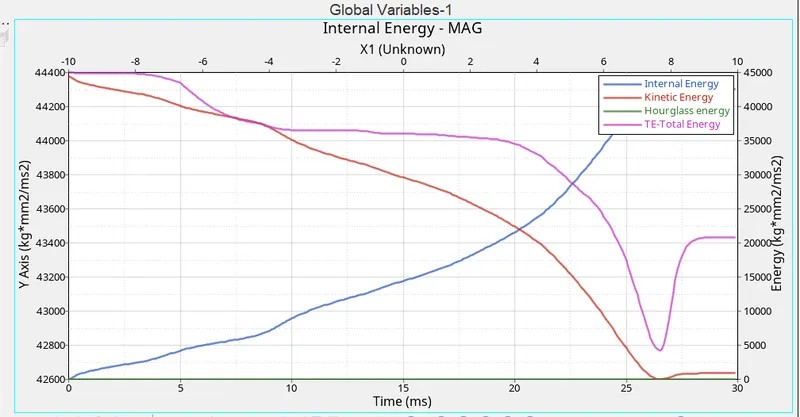
GRAPH:
Internal enrgy,kinetic energy,total energy VS time
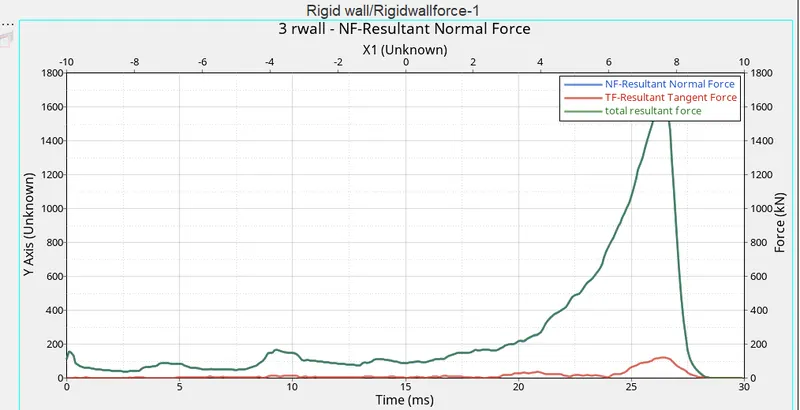
Rigid wall forces:
Normal forces VS time
compare the results:
case1:
case2
case3
case4
case5
case6
Notches play an very important role in stress absorbtion.stress produced by the rigid body is absorbed max at the notches and the its deformed.
The notches placed at the centre takes less type to deform than the notches at the top end of the model.
Comparing the case4,5and 6. in case 6 the notch which is placed below the centre absorbs max energy and deformation time is also less.where as the model with no notches gets crushed withing less time.
difference between the graphs on rigid wall forces
case1 case2
case3 case4
case5 case6
A similar graph is noticed in all the cases because of the value of INactive=6,the highest peak is observed in case6.
A peak is been seen where the model is been crashed and then after the rigid wall forces turns to 0