Assignment 4-RADIOSS Material Laws Challenge
AIM: Changing materials Laws and observing 7 different cases, their animations and other parameters.
OBJECTIVES: Johnson Cook Materials
(1). Running the model as it is given in challenge, observing simulation, discussing number of cycles it takes, energy error, mass error and plotting energies graph, naming it as law2_epsmax_failure.
(2). In Fail/Johnson collector changing ifail_sh=1, dadv=1, lxfem=1 and running the model name as law2_epsmax_crack, observing simulation, discussing number of cycles it takes, energy error and plotting energies graph.
(3). Deleting Fail/Johnson card, running the model name as law2_epsmax_nofail, observing simulation, discussing the number of cycles it takes, energy error, mass error and plotting energies graph.
(4). Deleting the value of esp_p_max_, running the model name as law2, observing simulation, discussing the number of cycles it takes, energy error, mass error and plotting energies graph.
(5). Converting the material model to law1 elastic with same density, E, Nu, observing simulation, checking the number of cycles it takes, energy error, mass error and plotting energies graph.
(6). Converting the card to law36 elasto plastic based giving data as per given in challenge, observing simulation, checking the number of cycles it takes, energy error, mass error and plotting energies graph.
(7). Opening Law27_0000.rad, changing the shell properties to recommended shell property, running that model with law27 material card, observing simulation, checking the number of cycles it takes, energy error, mass error and plotting energies graph.
PROCEDURE FOR OBJECTIVE 1: Running the model as it is given in challenge, observing simulation, discussing number of cycles it takes, energy error, mass error and plotting energies graph, naming it as law2_epsmax_failure.
STEP 1: Open Hyperworks in Radioss solver.
STEP 2: Import Solver desk FAILURE_JOHNSON_0000.rad file
STEP 3:
- Analysis>Radioss>save as input FAILURE_JOHNSON_0000.rad file
- Save path as-- case1/law2_epsmax_failure_0000.rad
- Checkbox include collectors
- Write (-nt 4) in options
- Click Radioss
STEP 4: Switch to Hyper view
STEP 5: Select local model and result law2_epsmax_failure.h3d file
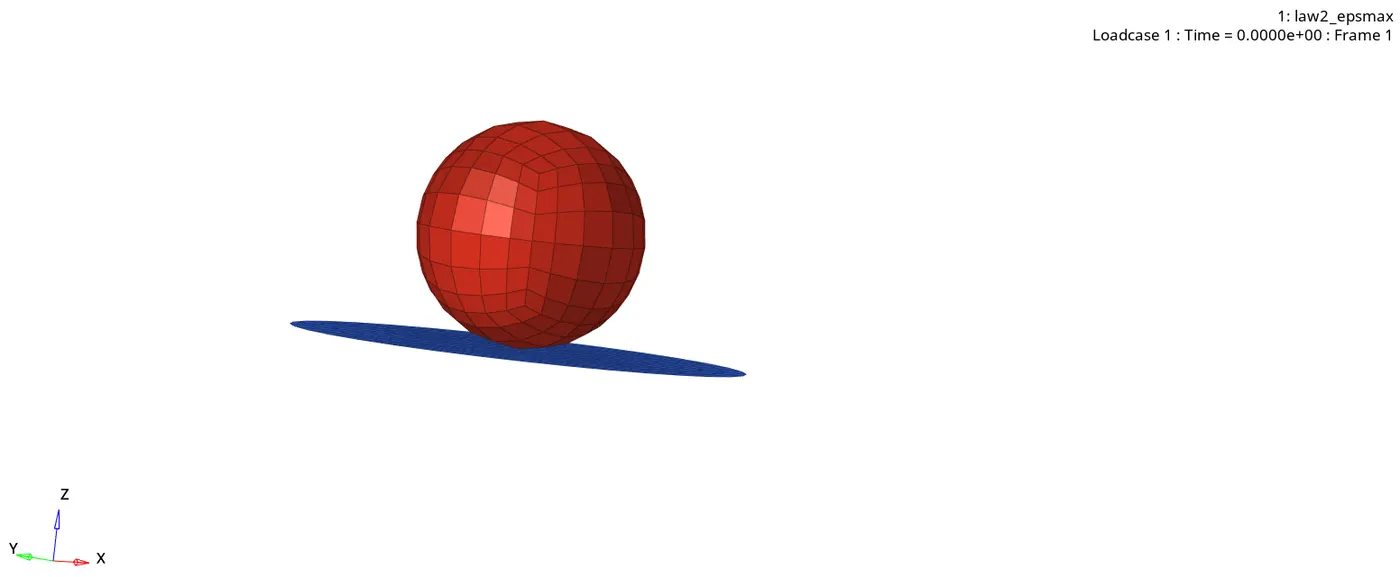
STEP 6: Checking the number of cycles it takes, energy error, mass error and simulation time.
- Number of cycles = 49380
- Energy error = 0.8%
- Mass error = 0.0
- Simulation time = Starter+Engine run time = 100.52s
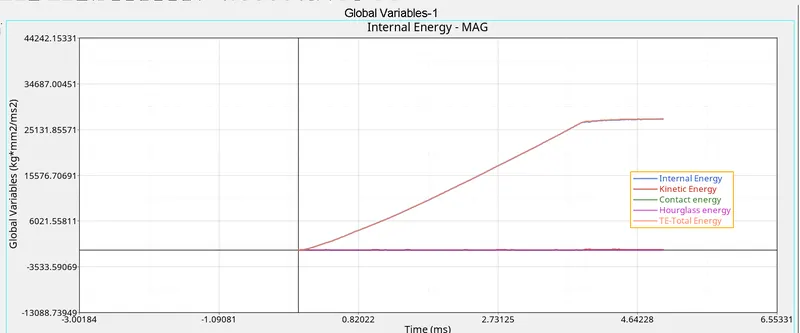
STEP 7: Switch to Hypergraph 2D, upload law2_epsmax_failure.T01
PROCEDURE FOR OBJECTIVE 2: In Fail/Johnson collector changing ifail_sh=1, dadv=1, lxfem=1 and running the model name as law2_epsmax_crack, observing simulation, discussing number of cycles it takes, energy error and plotting energies graph.
STEP 1: Import Case1 Solver desk law2_epsmax_failure_0000.rad file
STEP 2: Change Failure_Johnson collector as per given challenge.
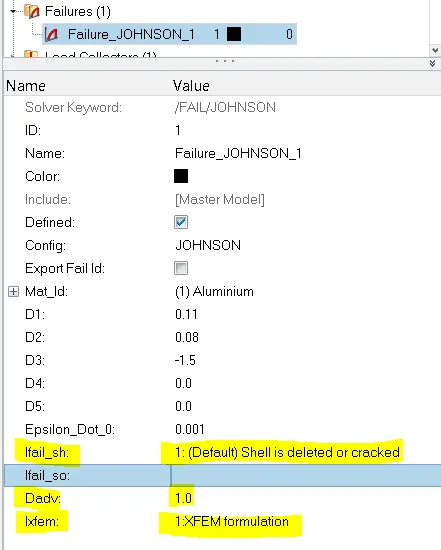
- Analysis>Radioss>save as input law2_epsmax_failure_0000.rad file
- Save path as-- case2/law2_epsmax_crack0000.rad
- Checkbox include collectors
- Write (-nt 4) in options
- Click Radioss
STEP 3: Switch to Hyper view
STEP 4: Select local model and result law2_epsmax_crack.h3d file
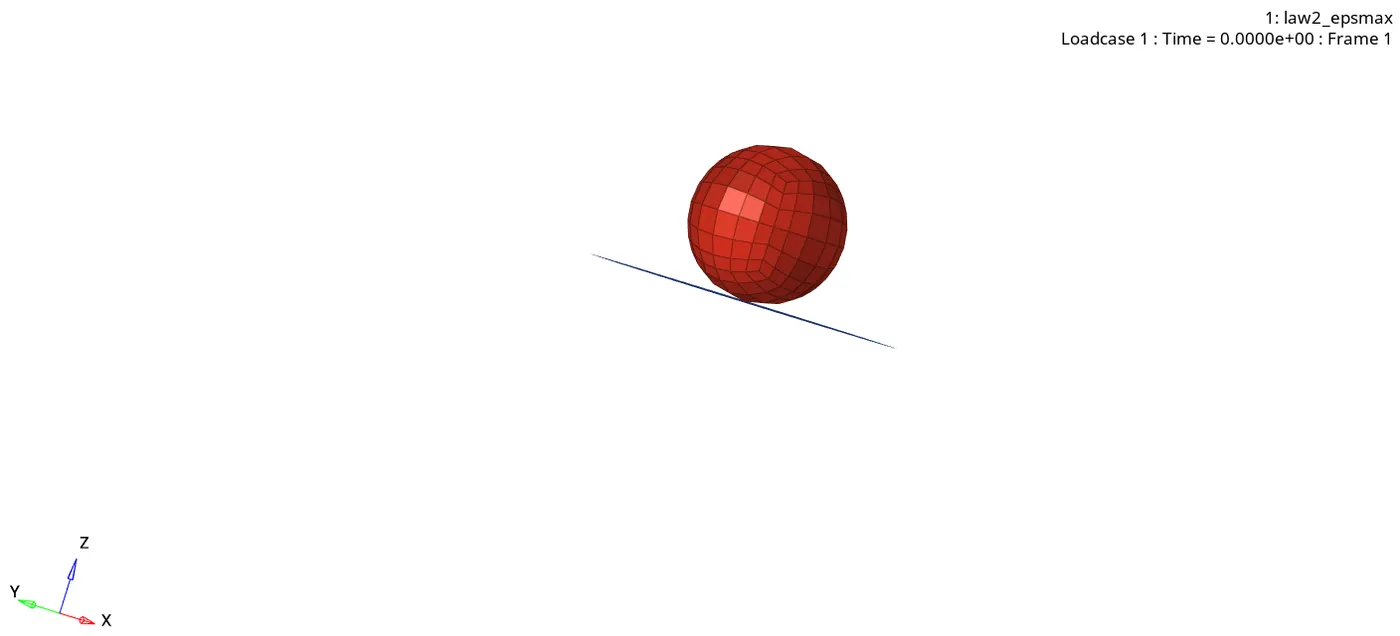
STEP 5: Checking the number of cycles it takes, energy error, mass error and simulation time.
- Number of cycles = 49217
- Energy error = 4.1%
- Mass error = 0.0
- Simulation time = Starter+Engine run time = 102.34s
STEP 6: Switch to Hypergraph 2D, upload law2_epsmax_crackT01 file
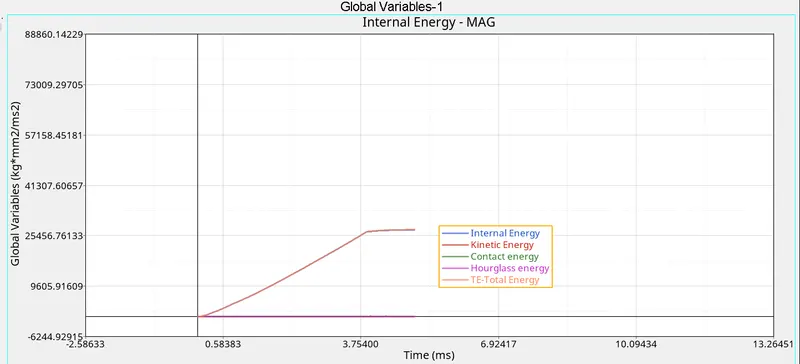
PROCEDURE FOR OBJECTIVE 3: Deleting Fail/Johnson card, running the model name as law2_epsmax_nofail, observing simulation, discussing the number of cycles it takes, energy error, mass error and plotting energies graph.
STEP 1: Import Case2 Solver desk law2_epsmax_crack_0000.rad file
STEP 2: Delete Failure_Johnson collector as per given challenge.
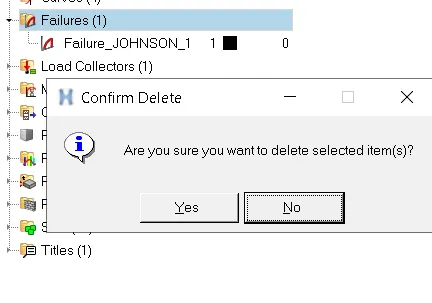
STEP 3:
- Analysis>Radioss>save as input law2_epsmax_nofail.rad file
- Save path as-- case3/law2_epsmax_crack0000.rad
- Checkbox include collectors
- Write (-nt 4) in options
- Click Radioss
STEP 4: Switch to Hyper view
STEP 5: Select local model and result law2_epsmax_nofail.h3d file
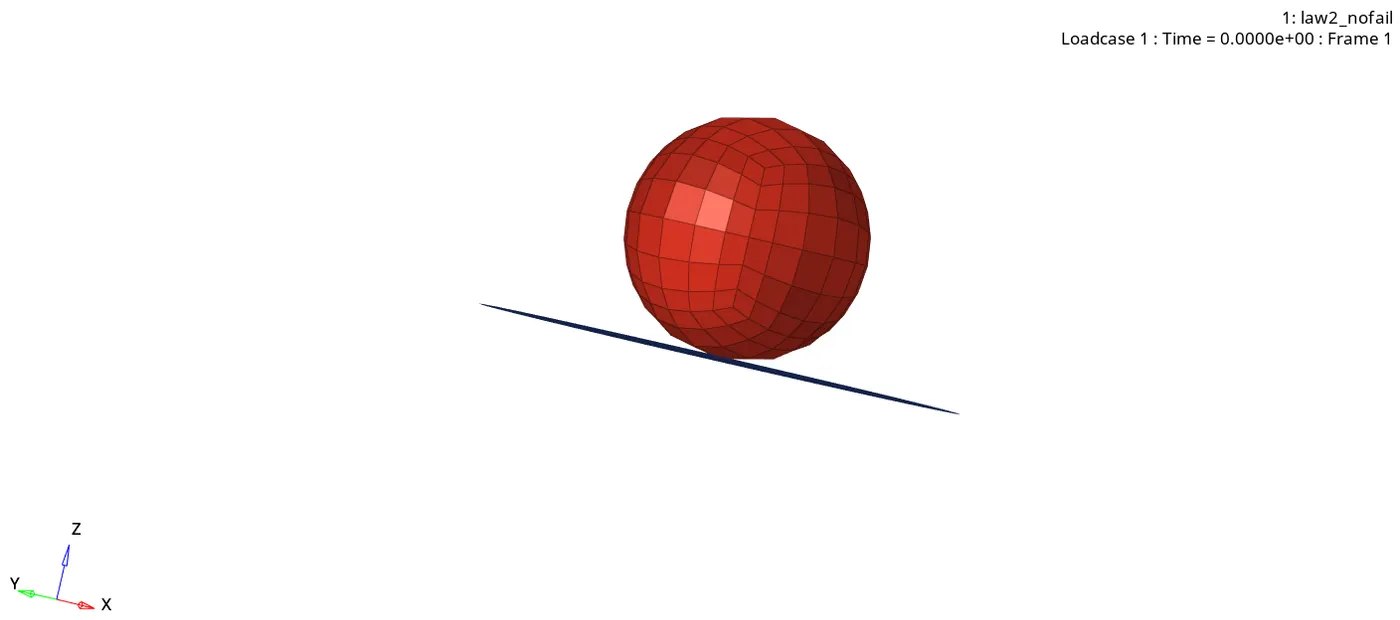
STEP 6: Checking the number of cycles it takes, energy error, mass error and simulation time.
- Number of cycles = 49408
- Energy error = 0.8%
- Mass error = 0.0
- Simulation time = Starter+Engine run time = 101.84s
STEP 7: Switch to Hypergraph 2D, upload law2_epsmax_nofailT01 file
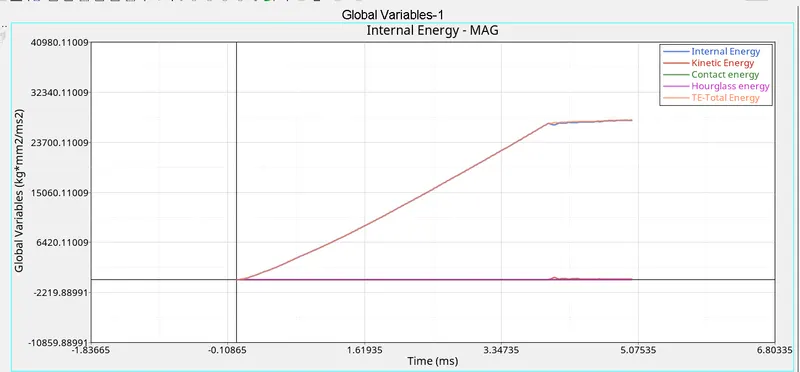
PROCEDURE FOR OBJECTIVE 4: Deleting the value of esp_p_max_, running the model name as law2, observing simulation, discussing the number of cycles it takes, energy error, mass error and plotting energies graph.
STEP 1: Import Case3 Solver desk law2_epsmax_nofail_0000.rad file
STEP 2: Delete value of esp_p_max_ from material collector as per given challenge.
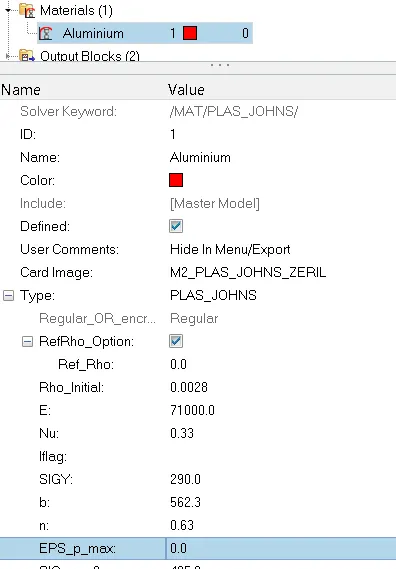
STEP 3:
- Analysis>Radioss>save as input law2_epsmax_nofail.rad file
- Save path as-- case4/law2_0000.rad
- Checkbox include collectors
- Write (-nt 4) in options
- Click Radioss
STEP 4: Switch to Hyper view
STEP 5: Select local model and result law2l.h3d file
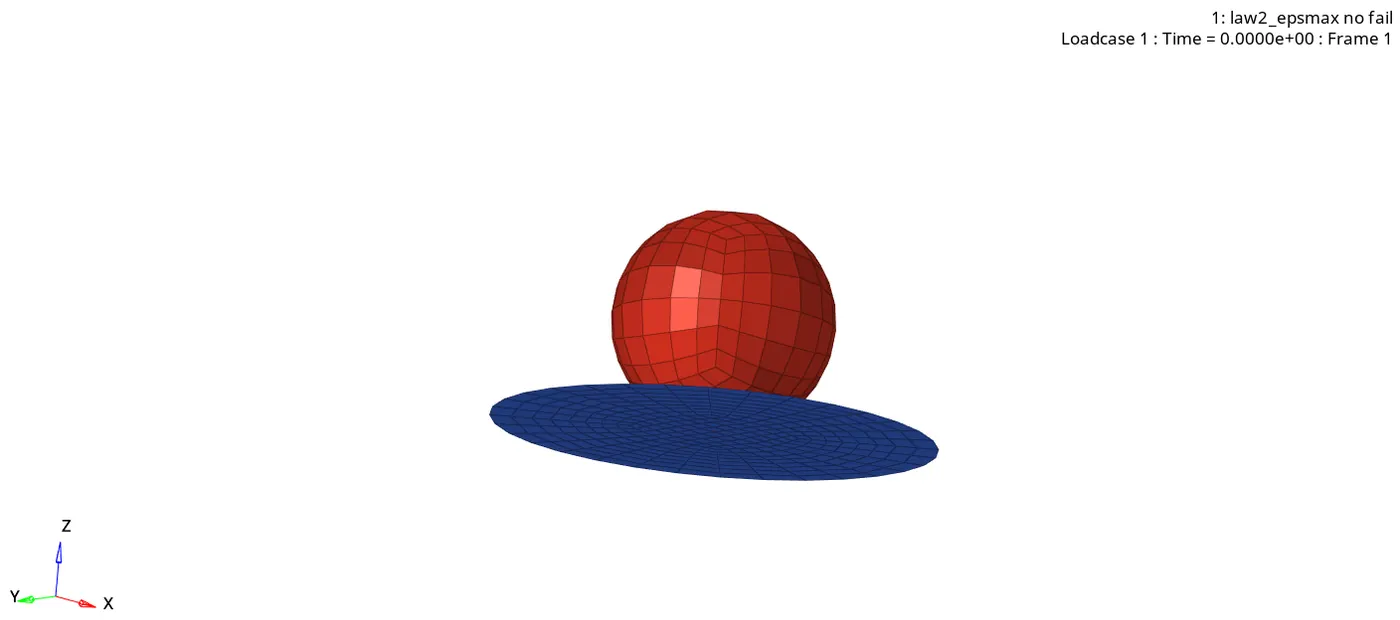
STEP 6: Checking the number of cycles it takes, energy error, mass error and simulation time.
- Number of cycles = 48737
- Energy error = 3.0%
- Mass error = 0.0
- Simulation time = Starter+Engine run time = 99.95s
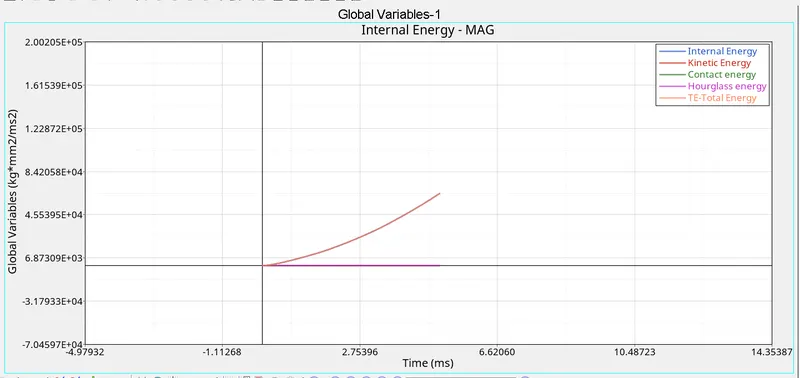
STEP 7: Switch to Hypergraph 2D, upload law2T01 file
PROCEDURE FOR OBJECTIVE 5: Converting the material model to law1 elastic with same density, E, Nu, observing simulation, checking the number of cycles it takes, energy error, mass error and plotting energies graph.
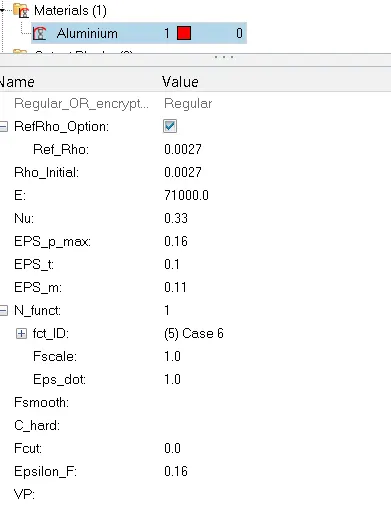
STEP1: Import Case4 Solver desk law2_0000.rad file
STEP2: Converting the material model to law as per given challenge. After changing the card all values will be erased, we have to check with the respective law card for those valves.
STEP3:
- Analysis>Radioss>save as input law1_0000.rad file
- Save path as-- case5/law1_0000.rad
- Checkbox include collectors
- Write (-nt 4) in options
- Click Radioss
STEP4: Switch to Hyper view
STEP5: Select local model and result law1.h3d file
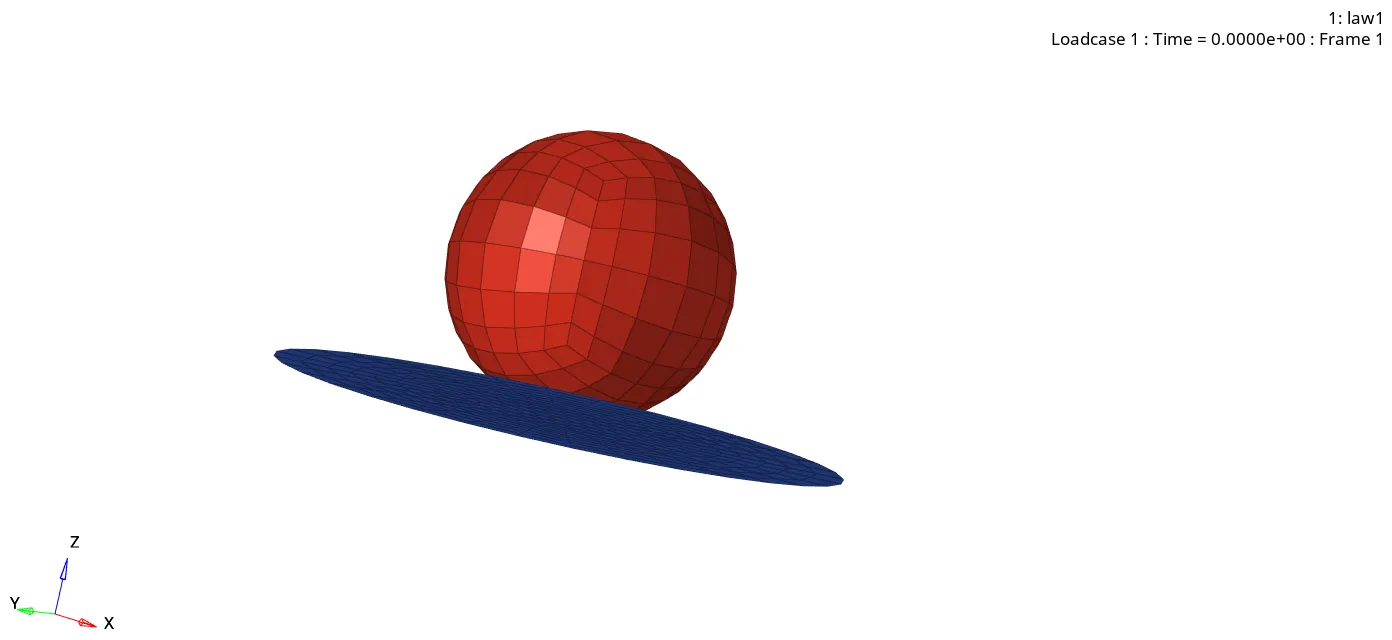
STEP6: Checking the number of cycles it takes, energy error, mass error and simulation time.
- Number of cycles = 48851
- Energy error = -9.6% (negative)
- Mass error = 0.0
- Simulation time = Starter+Engine run time = 100.79s
STEP7: Switch to Hypergraph 2D, upload law1T01 file
PROCEDURE FOR OBJECTIVE 6: Converting the card to law36 elasto plastic based giving data as per given in challenge, observing simulation, checking the number of cycles it takes, energy error, mass error and plotting energies graph.
(Fig.1)
STEP1: Import Case5 Solver desk law1_0000.rad file
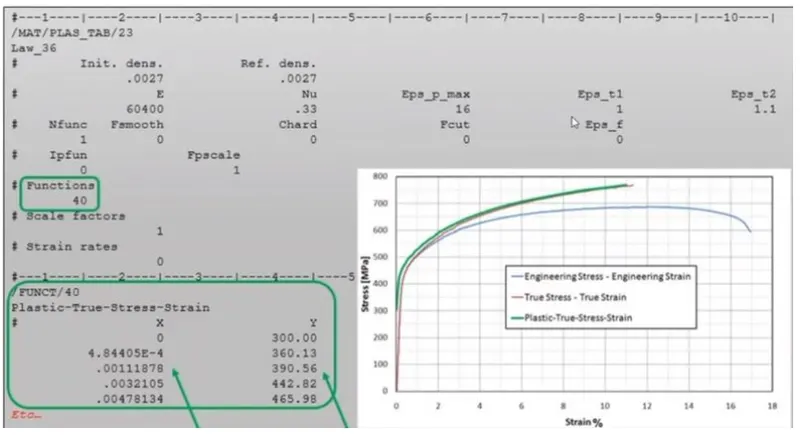
STEP2: Converting the material model to law36 and edit the parameters as per given challenge. After changing the card all values will be erased, we have to check with the respective law card for those valves. (Fig.1)
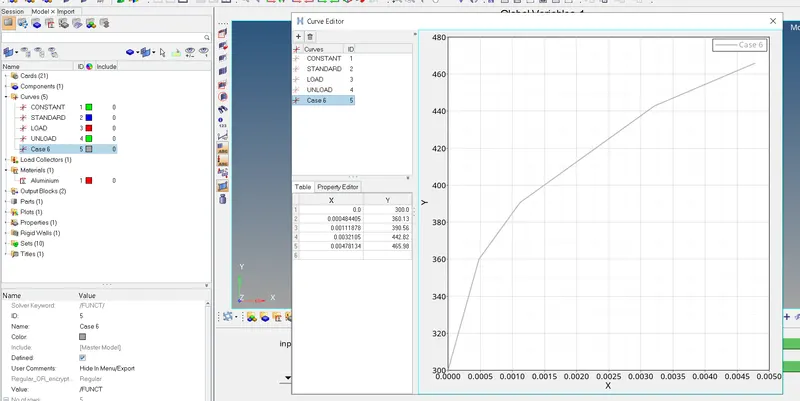
STEP3: Create a new curve in curves collector and rename it.
STEP4: Give the X and Y coordinate as per given challenge. (Fig.1)
STEP5:
- Analysis>Radioss>save as input law36_0000.rad file
- Save path as-- case6/law36_0000.rad
- Checkbox include collectors
- Write (-nt 4) in options
- Click Radioss
STEP6: Switch to Hyper view
STEP7: Select local model and result law36.h3d file
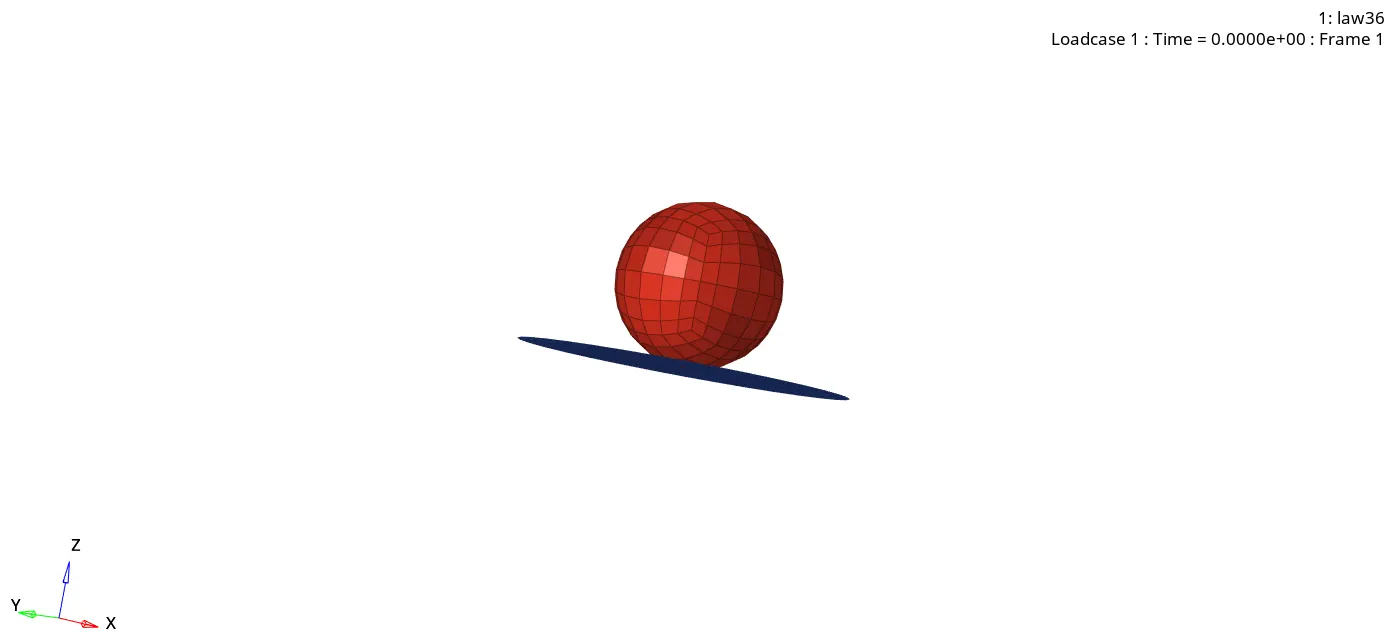
STEP8: Checking the number of cycles it takes, energy error, mass error and simulation time.
- Number of cycles = 53164
- Energy error = -2.3% (negative)
- Mass error = 0.0
- Simulation time = starter+Engine run time = 111.51s
STEP9: Switch to Hypergraph 2D, upload law36T01 file
PROCEDURE FOR OBJECTIVE 7: Opening Law27_0000.rad, changing the shell properties to recommended shell property, running that model with law27 material card, observing simulation, checking the number of cycles it takes, energy error, mass error and plotting energies graph.
STEP1: Import Case6 Solver desk law36_0000.rad file
STEP2: Changing the shell properties on our own which can results best
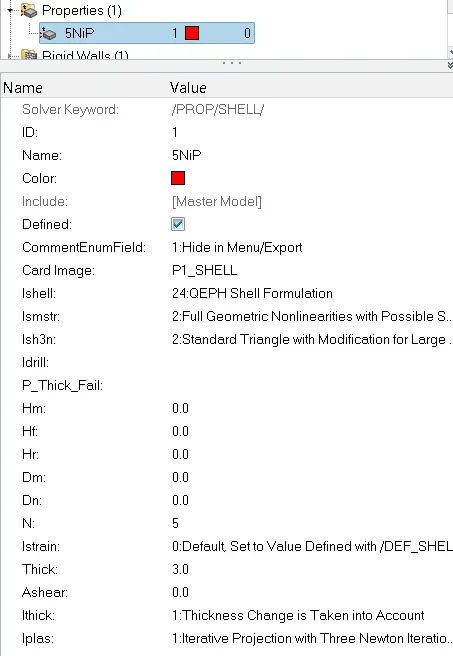
STEP3: Convert the material model to law27(M27_Plast_Brit) and edit the parameters which can results best in our own.
STEP4:
- Analysis>Radioss>save as input law27_0000.rad file
- Save path as-- case7/law27_0000.rad
- Checkbox include collectors
- Write (-nt 4) in options
- Click Radioss
STEP5: Switch to Hyper view
STEP6: Select local model and result law27.h3d file
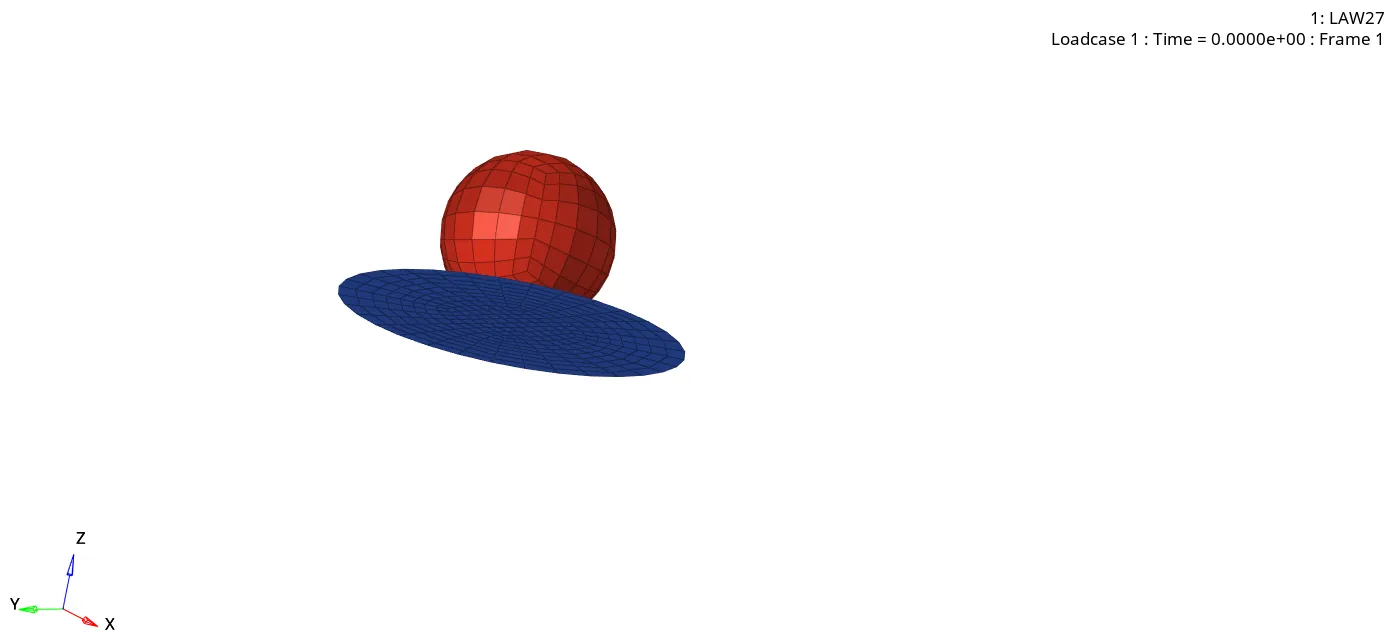
STEP7: Checking the number of cycles it takes, energy error, mass error and simulation time.
- Number of cycles = 49501
- Energy error = 0.8%
- Mass error = 0.0
- Simulation time = Starter+Engine run time = 106.95s
STEP8: Switch to Hypergraph 2D, upload law27T01 file
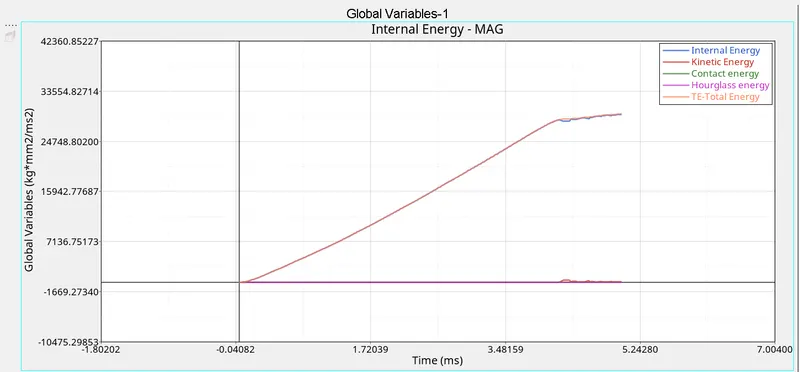
RESULTS:
No. of Cycles Energy Error Mass Error Simulation Time
Case1 49380 0.8% 0.0 100.52s
- Internal energy and total energy follows the same curve
- Kinetic energy and contact energy follows the same curve and were constant
Case2 49217 4.1% 0.0 102.34s
- Internal energy and total energy follows the same curve
- Kinetic energy and contact energy follows the same curve and were constant
Case3 49408 0.8% 0.0 101.84s
- Internal energy and total energy follows the same curve
- Kinetic energy and contact energy follows the same curve and were constant
Case4 48737 3.0% 0.0 99.95s
- Internal energy and total energy follows the same curve linearly
- Kinetic energy and contact energy follows the same curve and were constant without any deviation
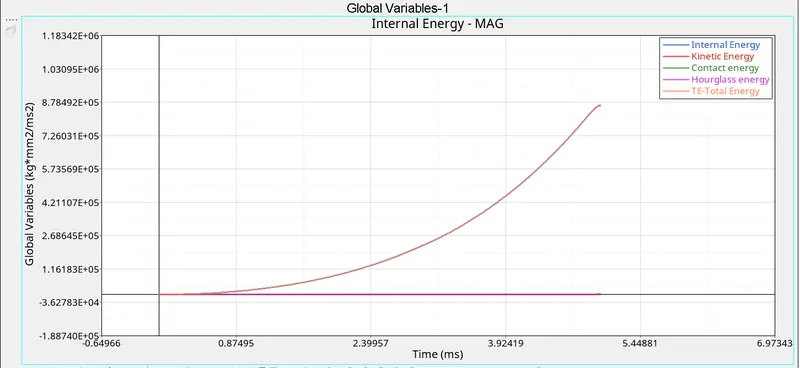
Case5 48851 -9.6% 0.0 100.79s
- Internal energy and total energy follows the same curve and then drops
- Kinetic energy and contact energy follows the same curve and were constant with small davition in end in KE
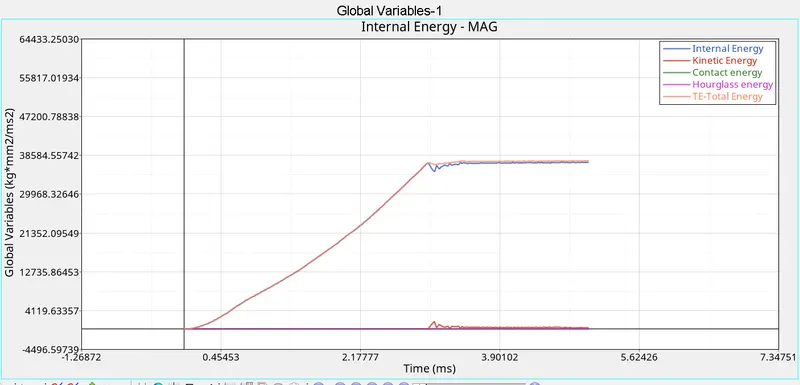
Case6 53164 -2.3% 0.0 111.51s
- Internal energy and total energy follows the same curve linearly then drops and again follows
- Kinetic energy and contact energy follows the same curve and were constant with little deflection in KE
Case7 49501 0.8% 0.0 106.95s
- Internal energy and total energy follows the same curve
- Kinetic energy and contact energy follows the same curve and were constant
COMPARISONS:
Case 1-2: Case1 is run as it is and case2 we made changes in failure collector ifail_sh=1, dadv=1, lxfem=1.
Number of cycles taken in case1 is more as compared to case2, we can see a huge energy error difference between them and time taken in case1 is less than case2.
Case 2-3: We Deleted Fail/Johnson card in case3.
Number of cycles taken in case3 is more as compared to case2, here also we can see that the huge difference between energy error and time taken in case3 is less than case2.
Case 3-4: Deleting the value of esp_p_max_ in material card in case4. Esp_p_max – Plastic strain beyond this will cause element deletion.
Number of cycles taken in case3 is more than case3, energy error is 0.8% and 3.0% respectively, time taken in case4 is less than case3.
Case 4-5: Changing material model to law1(M1_ELAST) in case5, Law 1 elastic (Isotropic elasticity) – Isotropic means that a material have the same material properties in all 3 direction.
Number of cycles taken in case5 is little more than case4, energy error is negative and positive respectively and time taken in case4 is less than case5.
Case 5-6: Changing material model to law36(M36_PLAST_TAB) in case6, Law 36 material law helps in modeling isotropic elasto plastic material using user defined function for the work hardening portion of the stress strain curve for different strain rates.
Number of cycles taken in case5 is more than case6, energy error is negative in both the cases and simulation time is taken less in case5.
Case 6-7: Changing material model to law27(M27_PLAST_BRIT) in case7, Law 27 has isotropic elasto-plastic material law with orthotropic brittle failure model. Orthotropic materials differ along three manually orthogonal axes. Here material damage and failure happens only in tensions.
Number of cycles taken in case6 is more than case7, energy error is negative and positive respectively and simulation time taken in case6 is more than case7.
LEARNINGS:
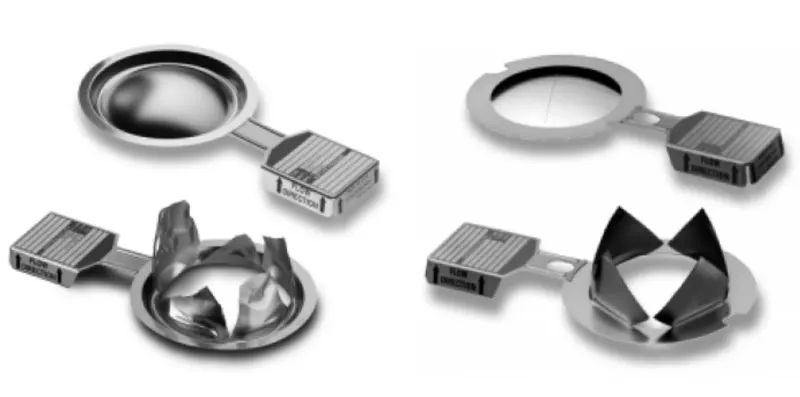
- Rupture Plate
A rupture disc is a non-closing pressure relief, pressure safety disc, burst disc, bursting disc, or burst diaphragm device used to protect industrial applications from overpressure- or vacuum-related events. It is a non-closing pressure relief device used to protect industrial applications from overpressure- or vacuum-related events.
- Importing starter file runname_0000.rad file
- Using Radioss command
- Running runname.h3D file in Hyperview to see animation
- Reading runname_0001.out file
- Using Hypergraph 2D
- Writing curves coordinate in a curves collector.
- Observing Energies graph
- Changing properties and material parameters
- Details on Material Card Image law1(m1_elast), law36(m36_plast_tab), law27(m27_plast_brit).