Assignment 4
AIM: Run the simulation given cases and plot the graphs and compare results
ABSTRACT:
- Run the simulation different cases
- create animation of each case
- plot the curves opf accepable energy
- compare the results
PROCEDURE:
CASE1:
- Import the model Run file 000 File > IMPORT > SOLVER DESK > IMPORT
- Change the material name as Law2_epsmax_failure
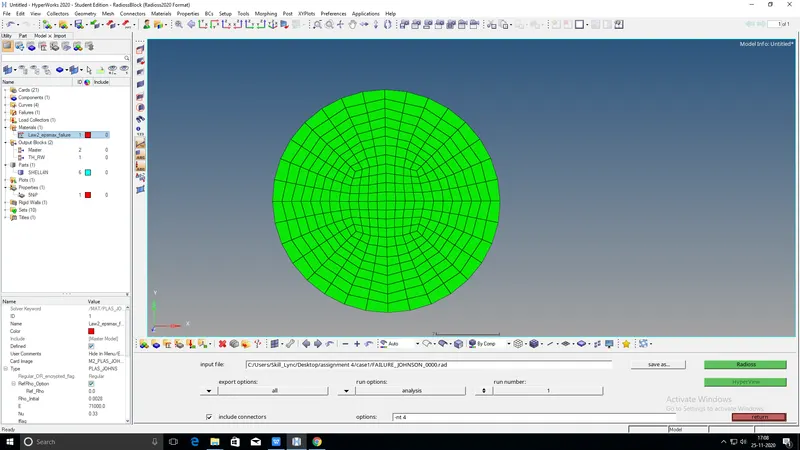
- go to analysis and include connectos and options given -nt 4
- Save as case1 and run the file
CASE2:
- In this case change the name as Law2_epsmax_crack
- and add material values Ifail_sh=1, DADV=1 And Ixfem = 1
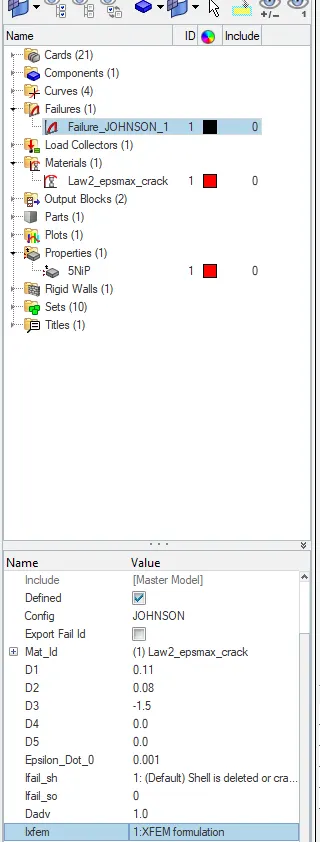
save as case 2 and run the simulation
CASE3:
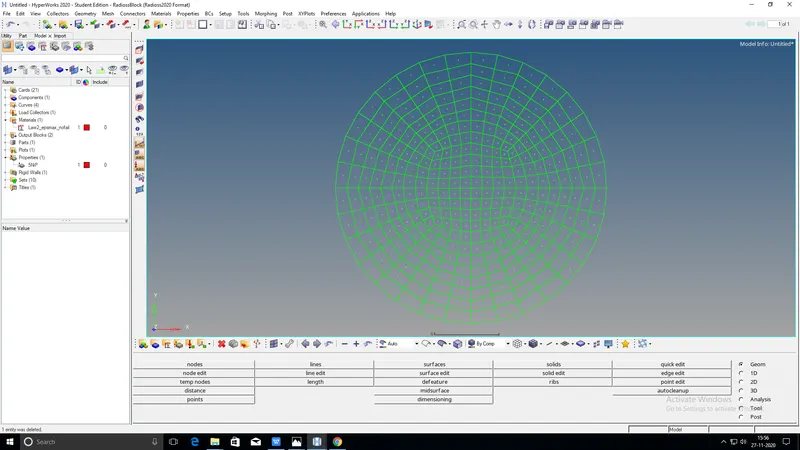
- In this case delete the fail/johnson card and change the name as Law2_epsmax_nofail
- save as case3 and run the simulation
CASE4:
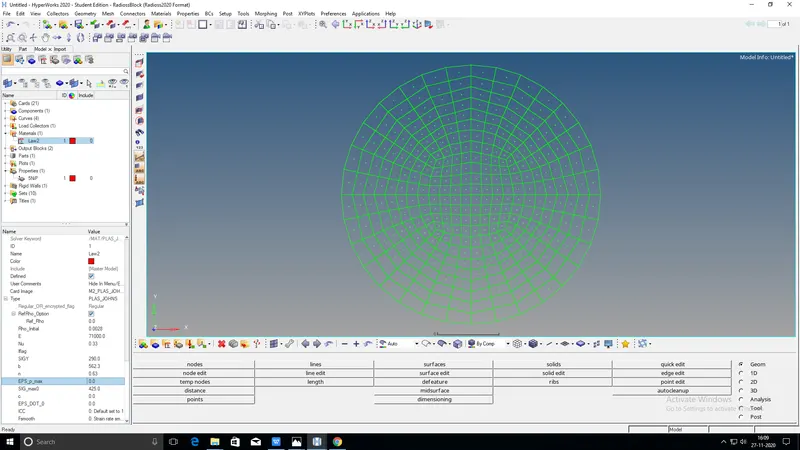
- In this case4 delete the epsmax value and run the modee name as Law2
- save as case4 and run the simulation
CASE5:
- In case 5 convert the material model Law2 to Law1
- Do not any changes in dencity ,E AND nu
- save as case5 and run the simulatiuon
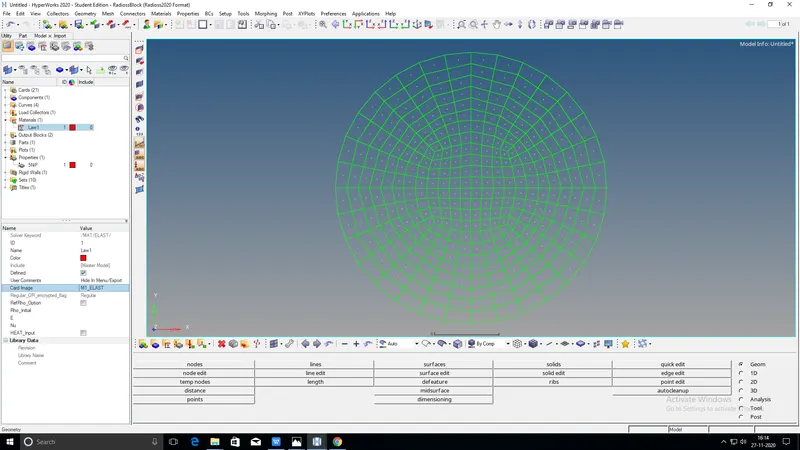
CASE6:
- in this case Law 36 material name as run the simulation
- chage the properties of the material
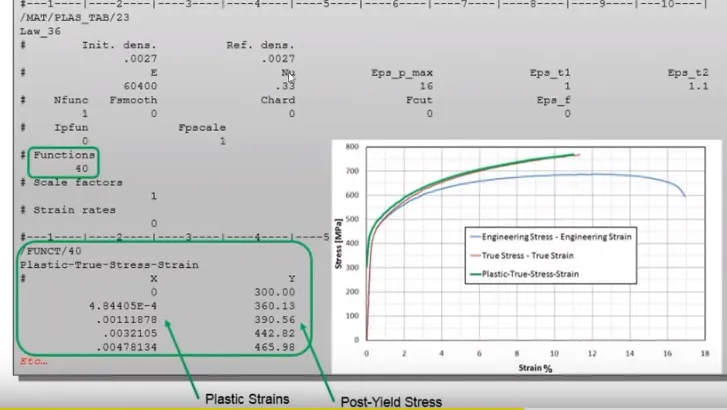
- change the E value 71000,nu=0.33,Eps_pmax=.16,Eps_P=0.1,EPS_M=0.11,N=1
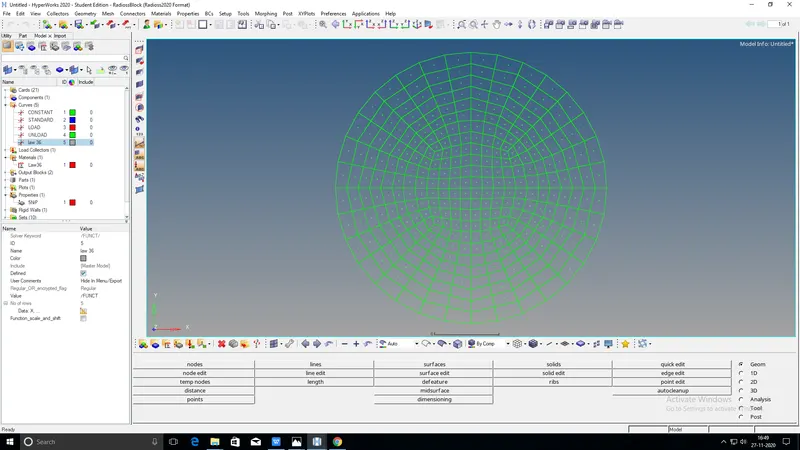
- create a stress starin curve and update
- X-Axis belongs the strain anh Y-Axis belonging stress
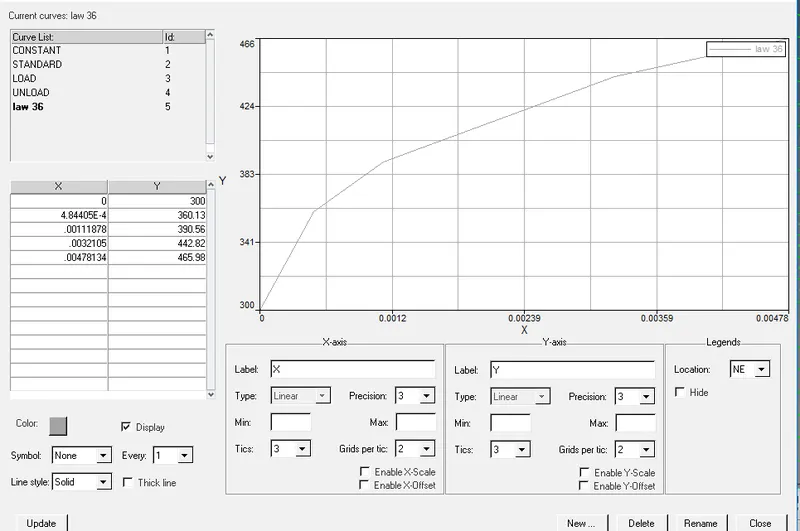
- save as case6 and run the simulation
HYPERVIEW:
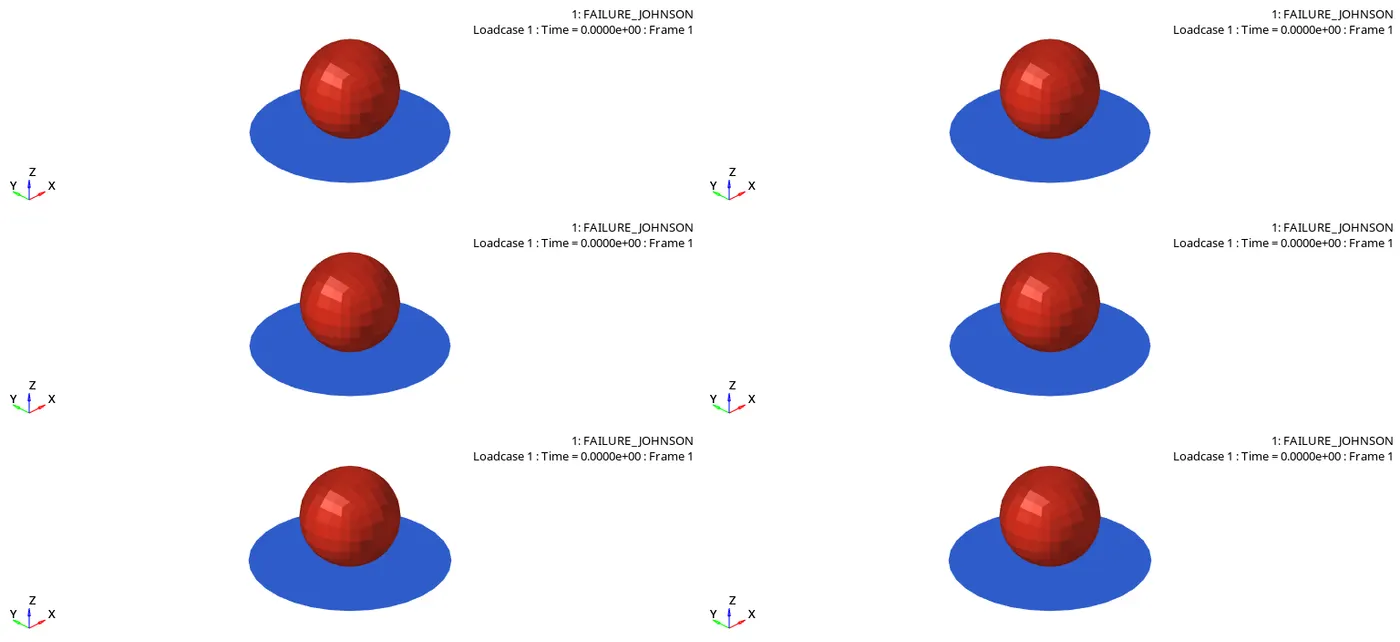
- Go to hyper view and split on the 6 slides
- after that click on one 1st screen uplod the h3d.file upload the case1 file click on apply save the animation file
- same process continue case 2 and3,4,5,6...cases
HYPERGRAPH:
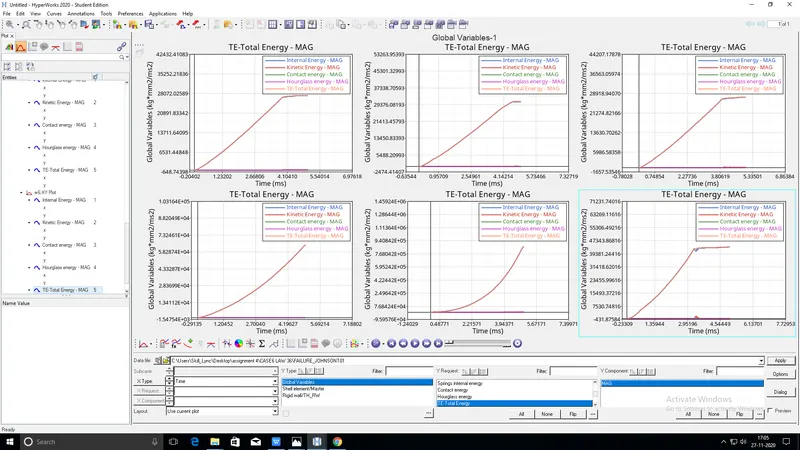
- After create animation than will go to hyper graph.
- create plots for each case
- Uplod the T01 FILE from case1 and give the internal energy,kinetic energy,contact energy,hourglass energy,total energy and click on apply than would create curve
- using the same procedure for all 6 cases and plot the curves
COMPARISON WITH RESULTS:
FROM CASE1 AND CASE2:
- Law2 is isotropic elestoplastic material
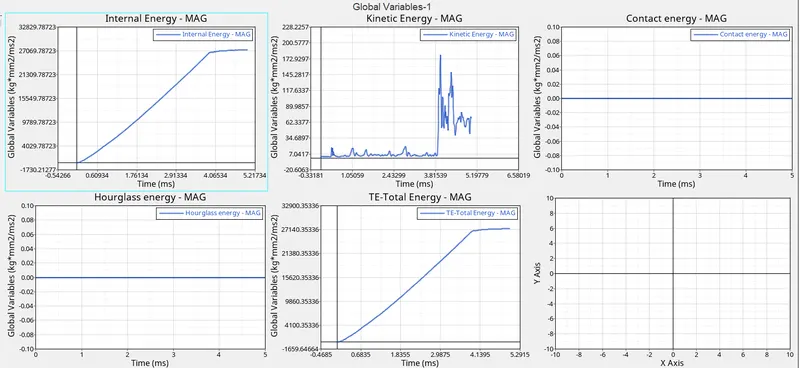
CASE1:
CASE2:
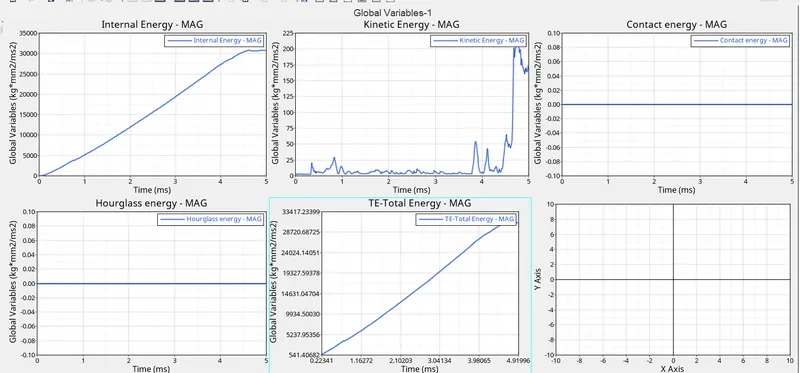
- IN case1 hourglass and contact energies are constant in both case1 and case2
- remaining energies internal energy,kinetic energy and total energies are increased in case2
- internal energy and total energy icreased when change the value of Ifail-sh=2 to 1
- If Ixfem =0: failure - element deleted.
- If Ixfem =1: failure - element cracked
- When change the values of Dadvance=1 and ixfem=1. icrease the kinetic enegy in case2 compare with case1
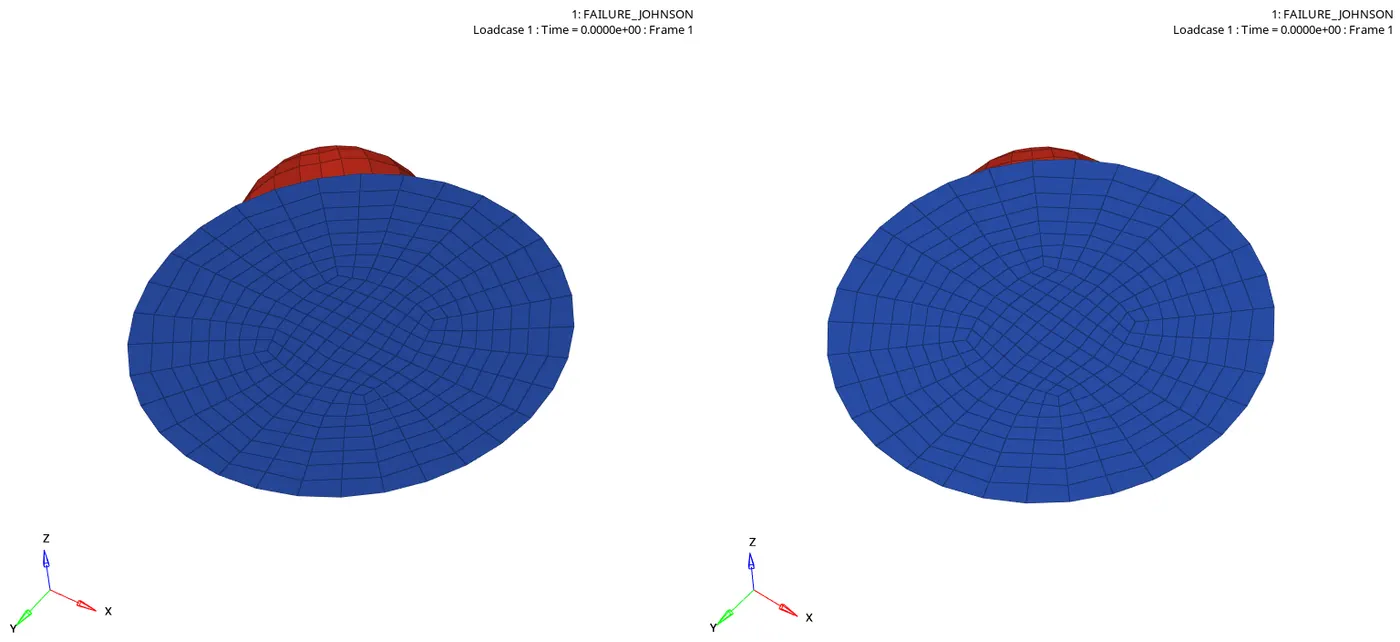
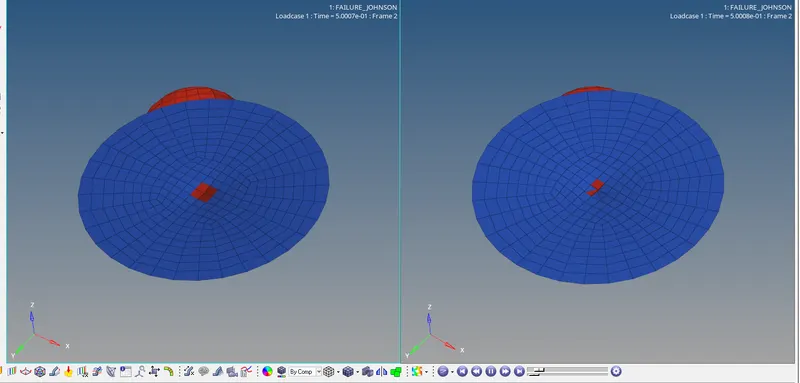
- compare the case 1 and case2 more elements deleted in case 2
case1


case2


- from case case 1 and case2 cycles decrease the time step
- internal energy and total energies are decreased in case2
- kinetic energy decreased in translatin in case 2
CASE 3 AND CASWE 5:
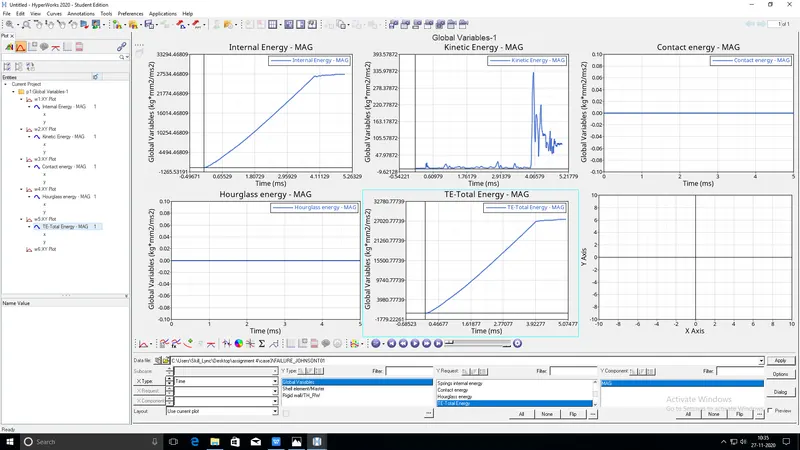
CASE3
CASE5
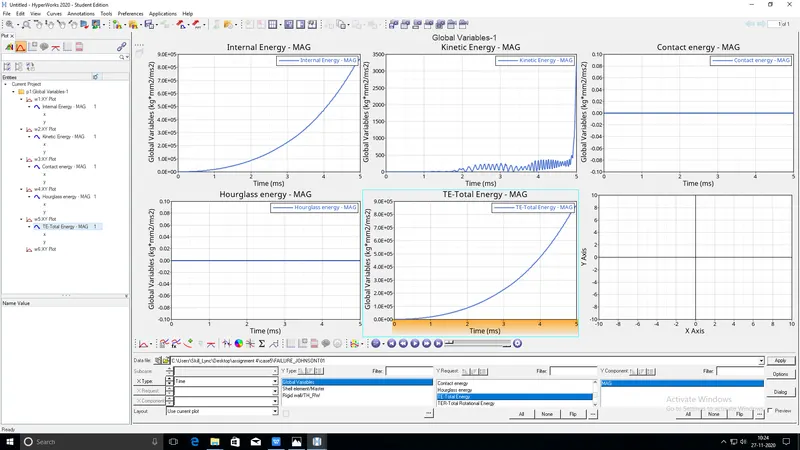
- Case 3 law2 is elasto plastic material
- Law1 is elastic material
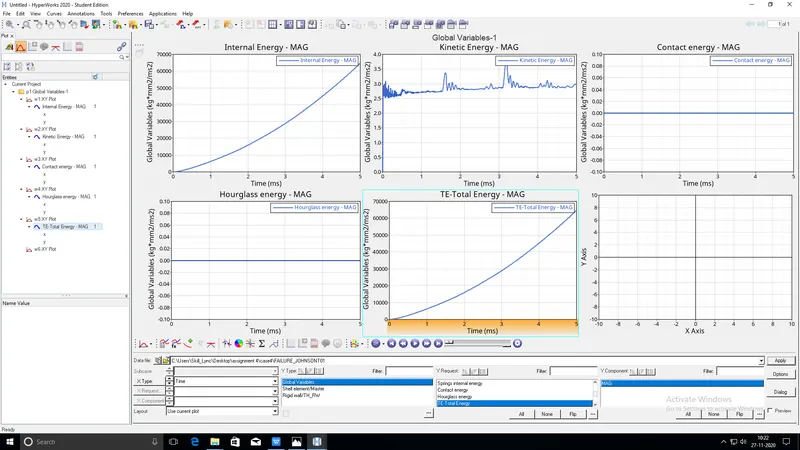
- hourglass and contact energies are constant in both cases
- in case 3 internal and total energies are linear growth
- eponential growth of both internal energy and total energies in case3
- kinetic enegy is deviating in different time steps in both cases
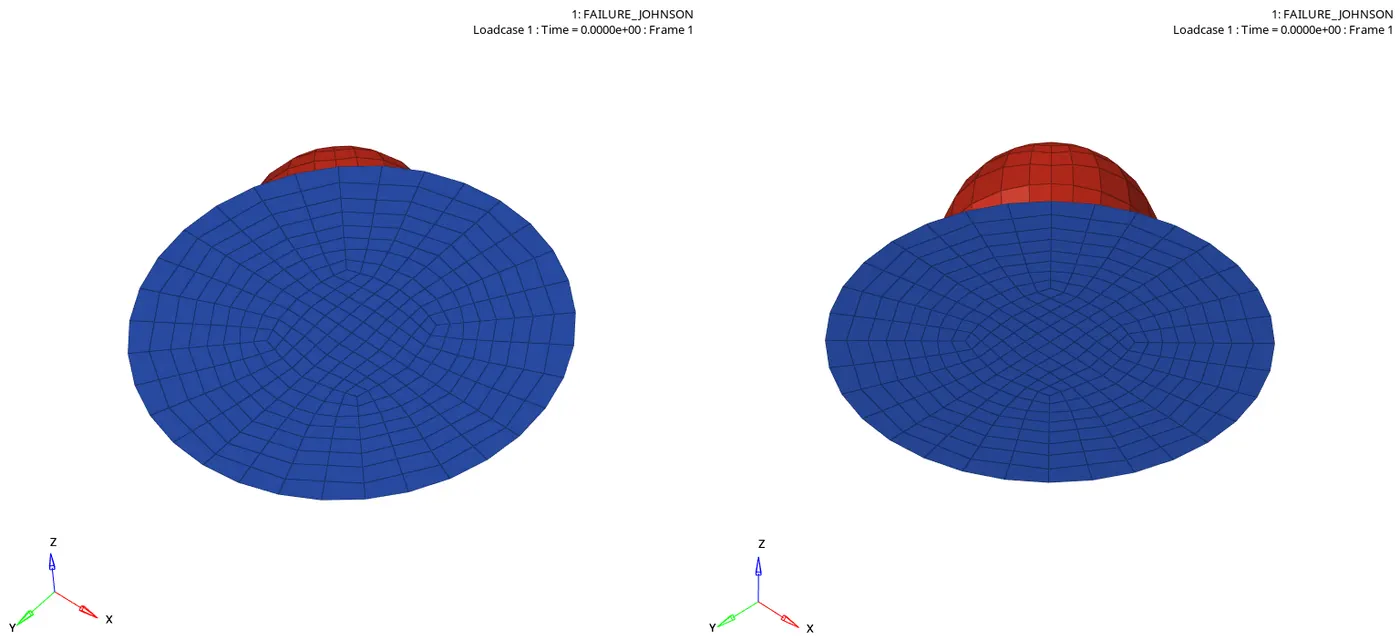
- in case elements are failed compare with case 5
- law1 is elastic material control the failed elements
- deleting the failurecard decrease the time step in case5
CASE4 AND CASE6:
CASE4
CASE6
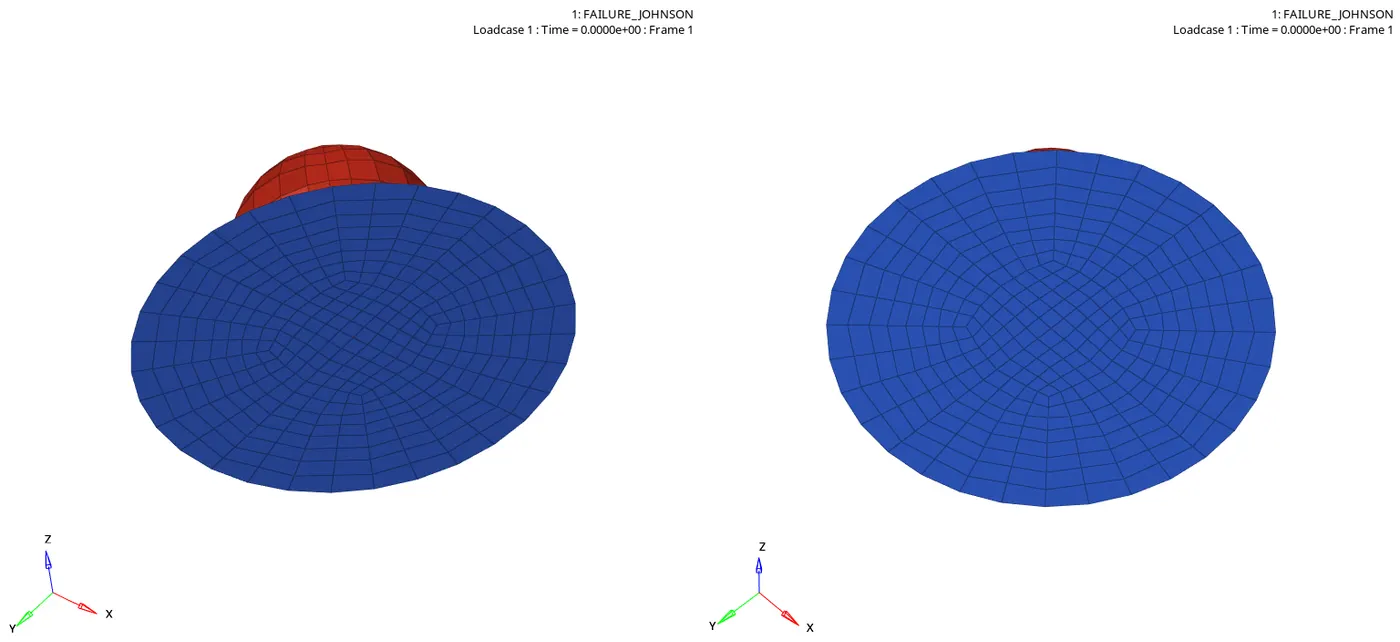
ANIMATINON OF CASE4 AND CASE6
- Case4

- case6

- LAW36 IS Elestic plastic piecewise linearmaterial
- Law2 is elestoplastic material
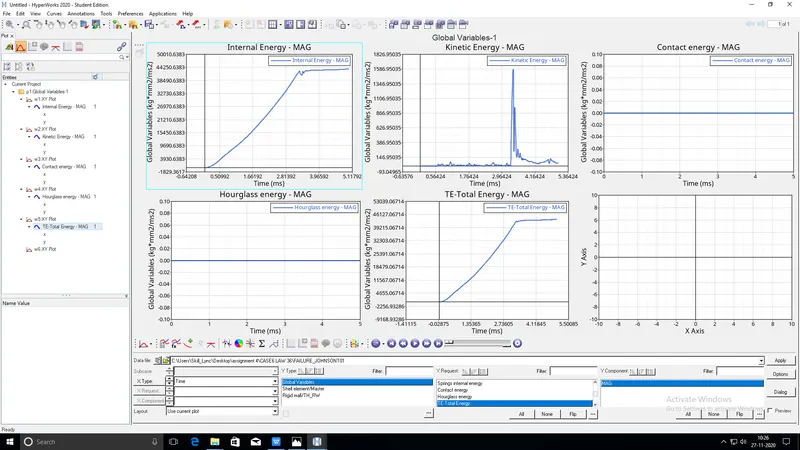
- in case 4 eps_max was deleted elements are not much cracked
- in case 6 failure the elemnts more compare to case4
- Hourglass and contact energies are constant in botjh cases
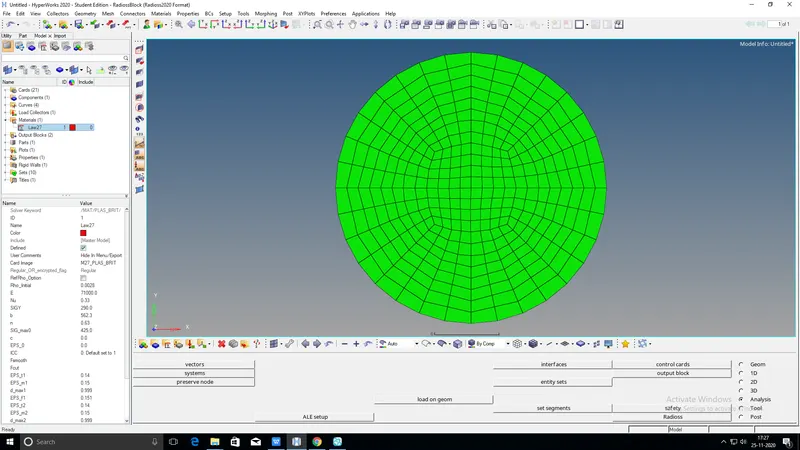
CASE7(LAW27):
- import the model Run file 000 File > IMPORT > SOLVER DESK > IMPORT
- change the recomanded shell properties
- run the simulation as the Law27
- Law 27 is elastic plastic brittle material
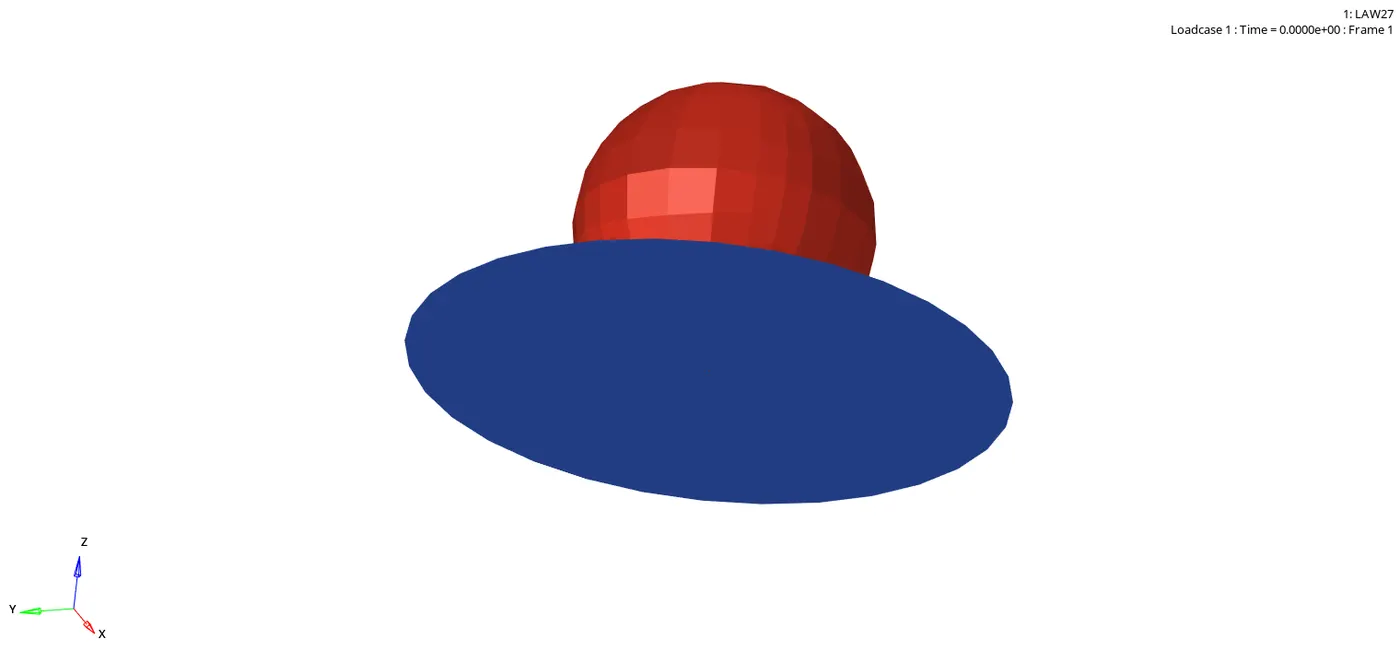
- after simulation go to hyperview and uplod h3d file create animation..
- than go to hypergraph uplod t01 file and plot the graph
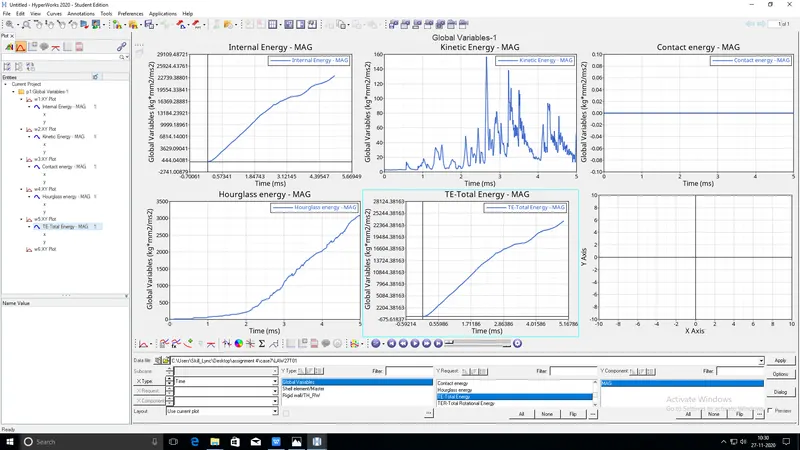
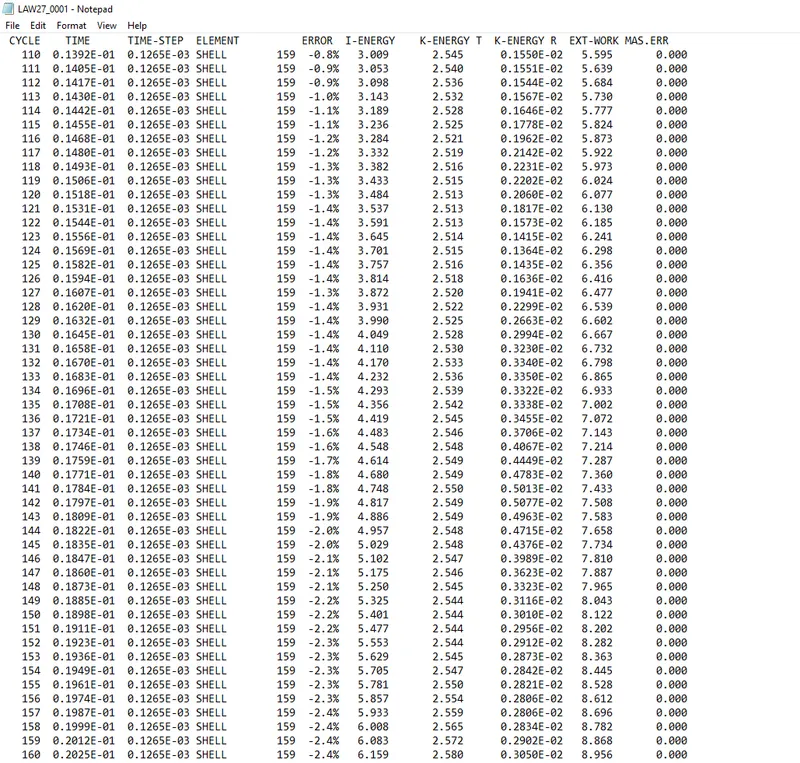
OBSERVATION:
- contact energy is constant
- due to i shell is 0 hourglas energy is increased
- More elemets are faileed due to law27 is elastic plastic brittle material
- kinetic and internal and total energies are increased
- time step is decreased due to chandges the properties
CONCLUSION:
THE RAPTURE PLATE DUE TO THE IMPACT OF A SEVERAL FAILUREMODELSWITH DIFFERENT SIMULATION PARAMETERS WERE COMPARED
LAW 2 AND 27 AND 36 WITH OR WITHOUT FAILURES MODELS ARE COMPARED.CHANGE THE PARAMETERS IN PROPERTIES WILL CHANGE IN TIME PERIOD