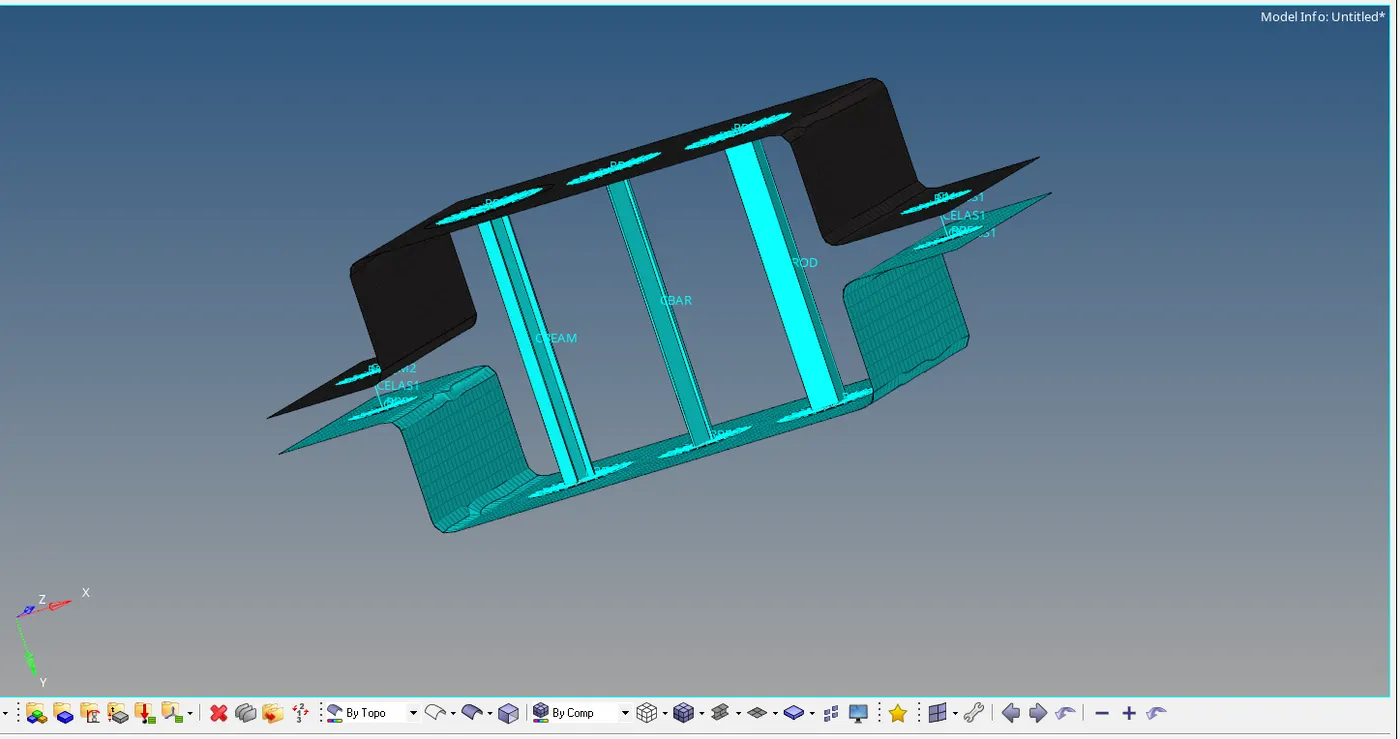
Week 4- Challenge
AIM: create 1D elements with using given cross section and DOF
OBJECTIVE: created the 1D elements of bar,rod and beam with using following dimensions
a. Rod element:- with only translational DOF and RBE2 link
Cross-Section: BOX- Dimension a= 12 mm
dimension b=10 mm
Thickness t= 0.75 mm
b. Beam element:- with all DOF and RBE3 link
Cross-Section: I Section- Dimension a= 8 mm
Dimension b= 10 mm
Dimension c= 8.5 mm
Thickness t1= 0.75 mm
Thickness t2= .6 mm
Thickness t3= .6 mm
c. Bar element:- with only x and y DOFs With RBE3 link
Cross-section: CROSS section- Dimension DIM1= 5 mm
Thickness DIM2= 1.2 mm
Dimension DIM3= 10 mm
Thickness DIM4= 1.2mm
d. & e. apply the mass of magnitude 10 with RBE2 link
f. Join the two components with Spring elements
PROCEDURE:
1.imported the file from IGES file
2.creates the mid surface of the component with using mid surface icon tool from geometry
3.but we cannot create the mid surface for the component wich has variable thickness
4.its 3D component and mesh in 3D
5.avoid all in this and mud surface created were u can represent entire model by this surface and creats a shell elements in this
6.now creates the mid surface . hide the solids
7.than go to auto mid surface clic on auto extraction .than will entire model extracted
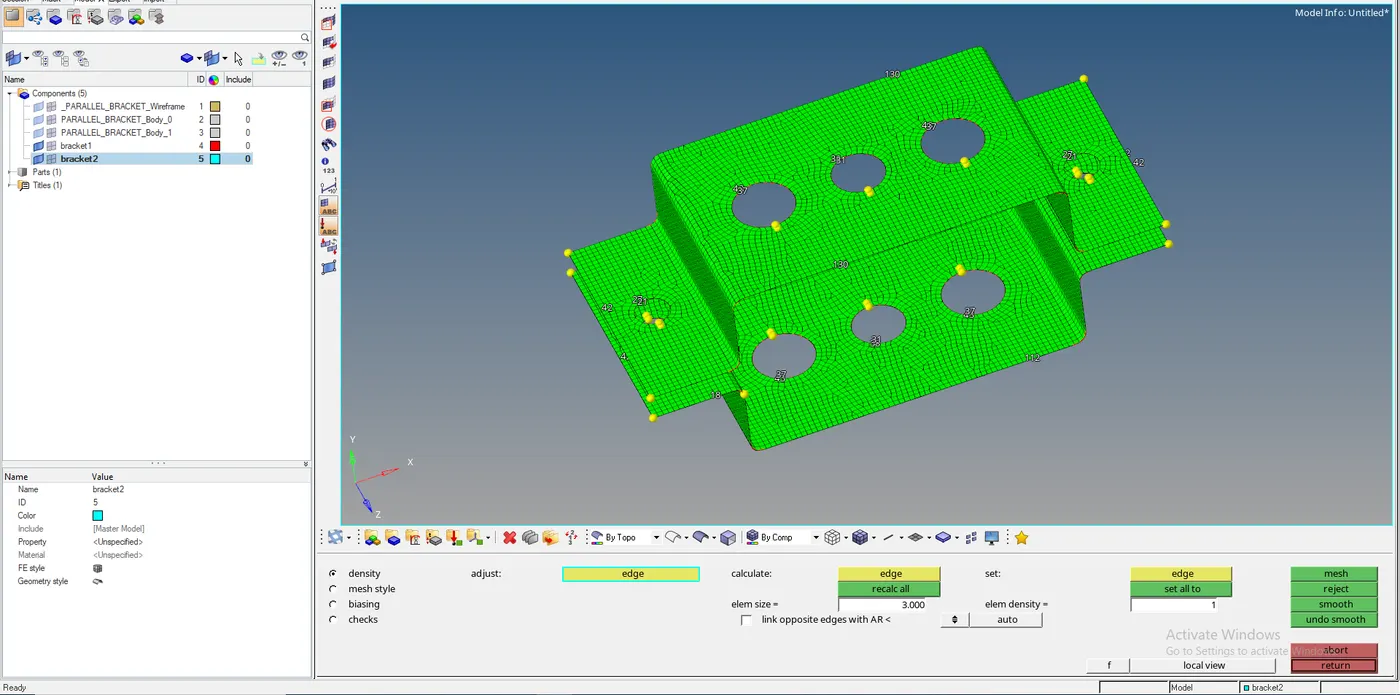
8.than creates the mid surface of the other component .and create bracket 2. mid surface is extracted
9.now wich have created mid surface gonna delete entire perts .cliick on delete choose solids click on delete entity .
10.assign a meterial to the component .create material put the material as steel.
11.mention the properties. assign the material thickness.
12.perform 2D mesh
13.add mass to mass to particular node
14.click the rbe2 elements for rod.
15.add rbe3 elemnts for bar and beam.
16.create a rod element with
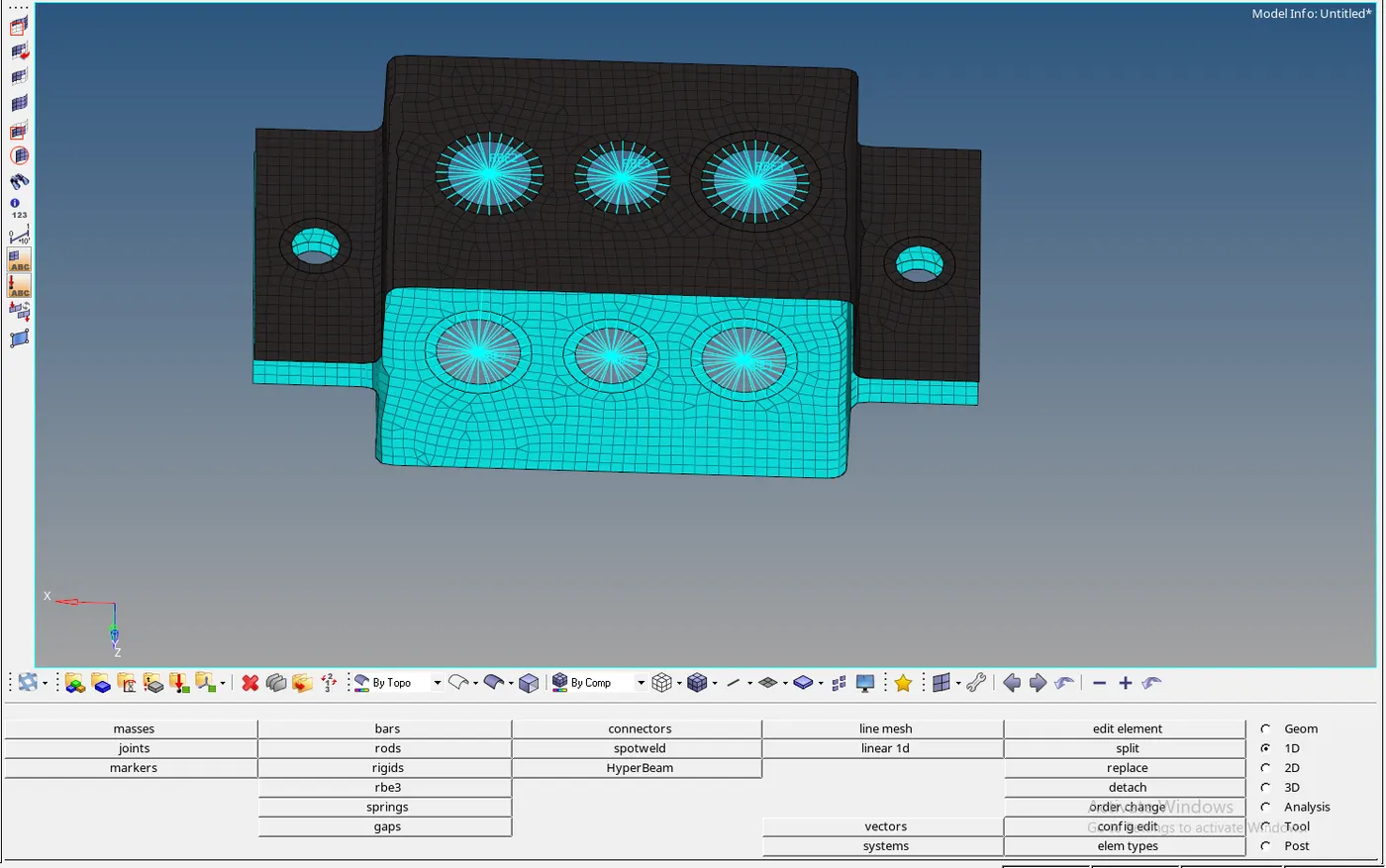
16.than create the sprigs rbe2 and rbe3 elements
17.create a rod element translational degree of freedom with rbe2 link
18.create a beam element all degree of freedom with rbe3 link
19.create bar element with x and y degree of freedom with rbe3 link
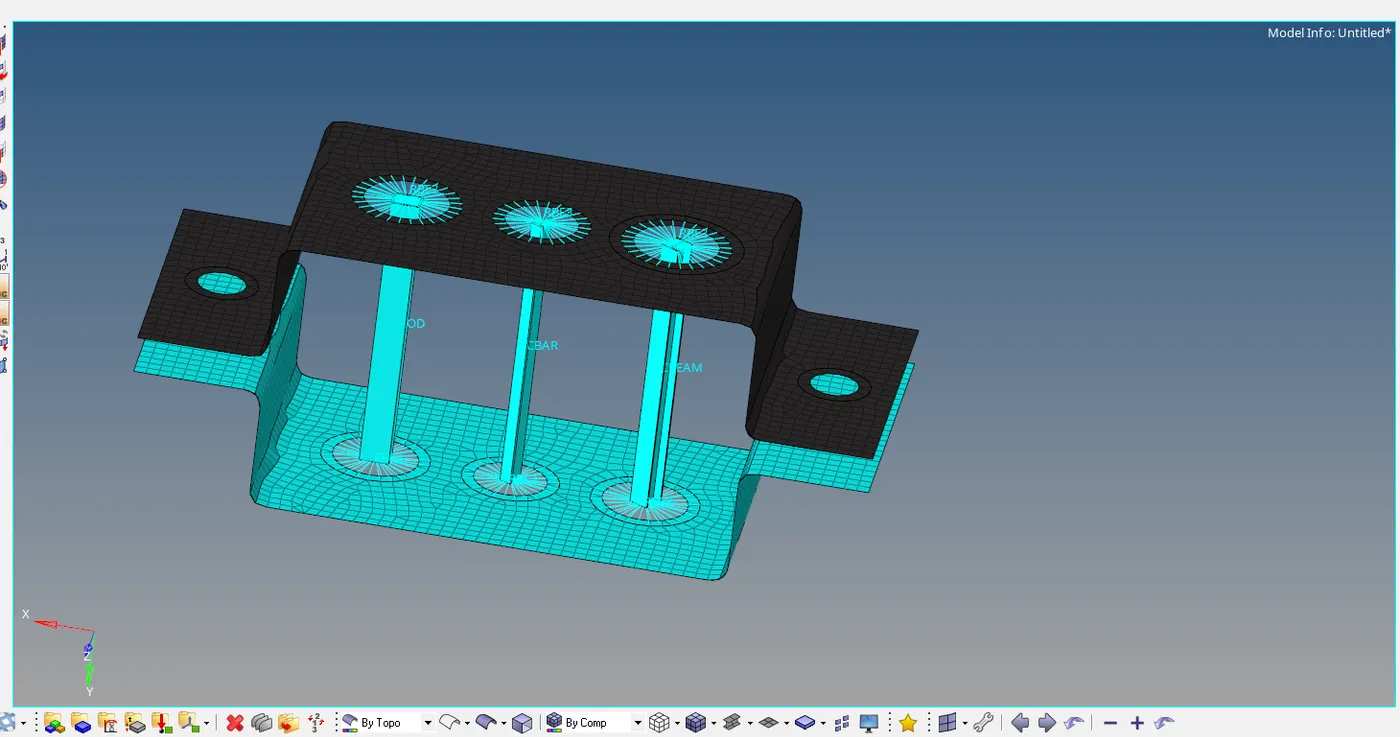
20.assign the cross section of the elemnt
21.update the properties of the element
22.d and e creates the elements by path and create the sprigs with rbe 2 link. and joints the two components with springs
RESULT: created the 1d element of bar,rod and beam wth using given DOF and cross section.