COMPARISON OF DIFFERENT MATERIAL LAWS AVAILABLE IN HYPERMESH
Objective:
To analyse different type of material properties and compare their results as follows:
1. Total number of cycles, Energy error, mass error and simulation time.
2. Notice the animation of all 5 and describe the animations in brief on the basis of whether the elements are being deleted or cracked.
3. Plot energies and notice any difference.
4. Based on all the results, which case would represent the on-field scenario.
5. Prepare a ppt/Docx and list down case by case result and your conclusion as to why the failure happened.
Procedure:
Case 1: M2_PLAS_JOHNS_ZERIL.
- Here the material is considered to be elastoplastic with Fail_Johnson card added to it which will help in capturing the stresses under compression.
- All the necessary values such as Rho_initial, E, Nu, a, b, n, Eps_p_max, Sigma_max values are already filled in the material card.
- The element shell properties are checked and changed to recommended shell properties.
Import the file "FAILURE_JOHNSON_0000.rad" in hypermesh
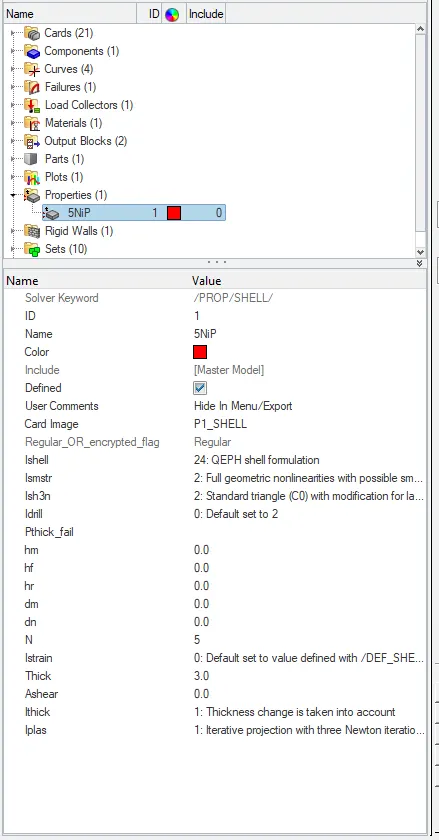
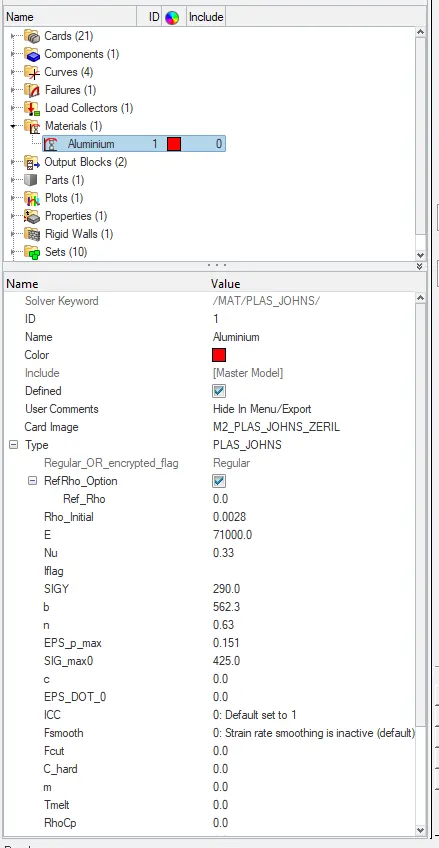
Properties card Material card
- Now click on the analysis panel in the hypermesh.
- Select Radioss option the save the model in a local directory.
- Click the Radioss to run the simulation.
Open the file "FAILURE_JOHNSON_0001" in notepad to check Energy error, mass error and time elapsed.
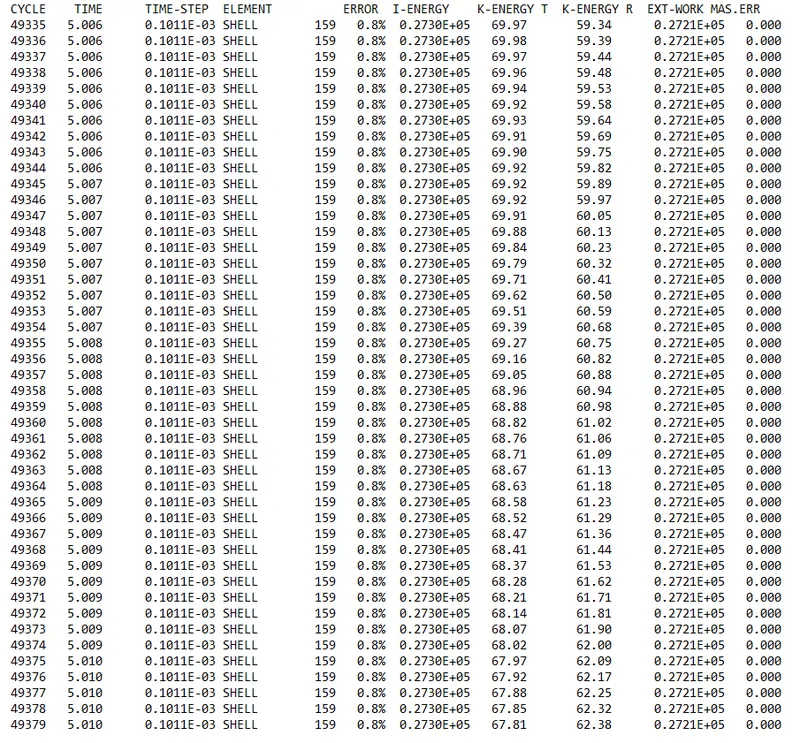
as the energy error is 0.8% which is less than 15% so it is acceptable, also the mass error is found out to be 0.000
Since the energy error is acceptable, the model is moved for further observations by changing the environment to hyperview, then importing the file "FAILURE_JOHNSON H3d"
Displacement observation:
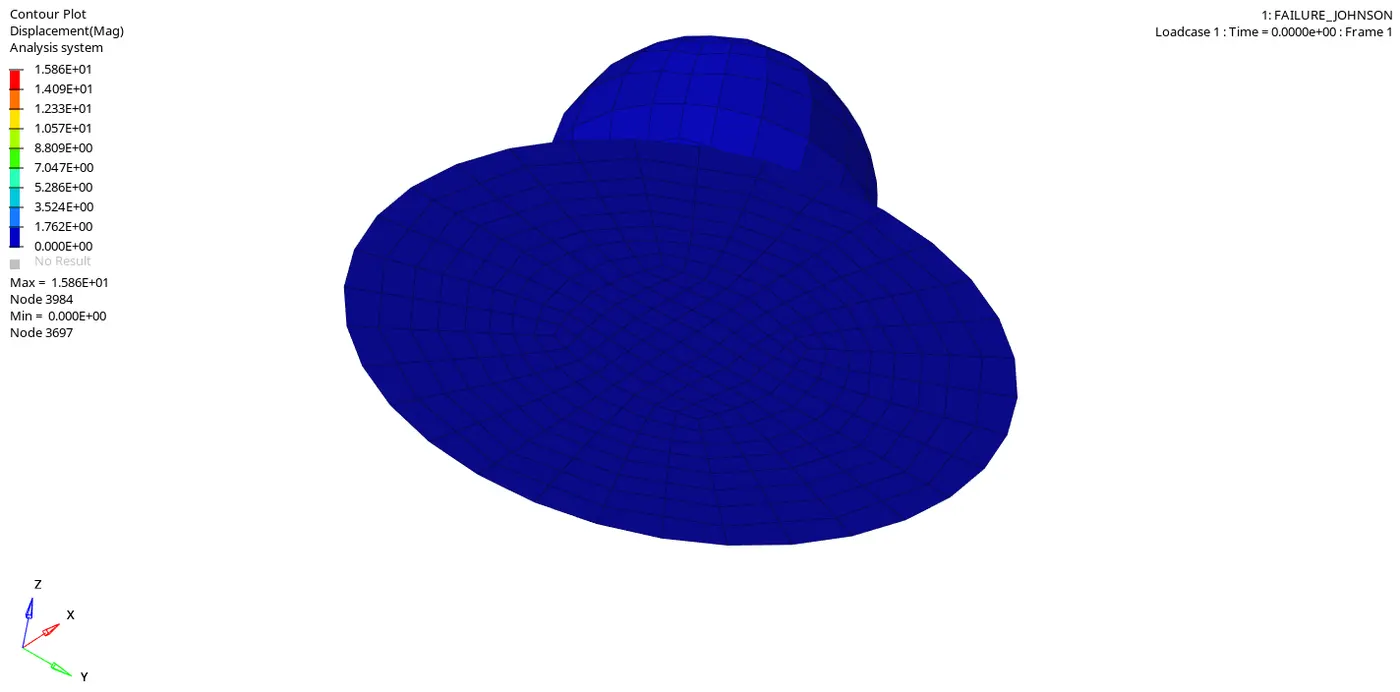
Maximum displacement: 1.586E+01 is at node 3984
Minimum displacement: 0.000E+00 is at node 3697.
Von-mises Stress Observation:
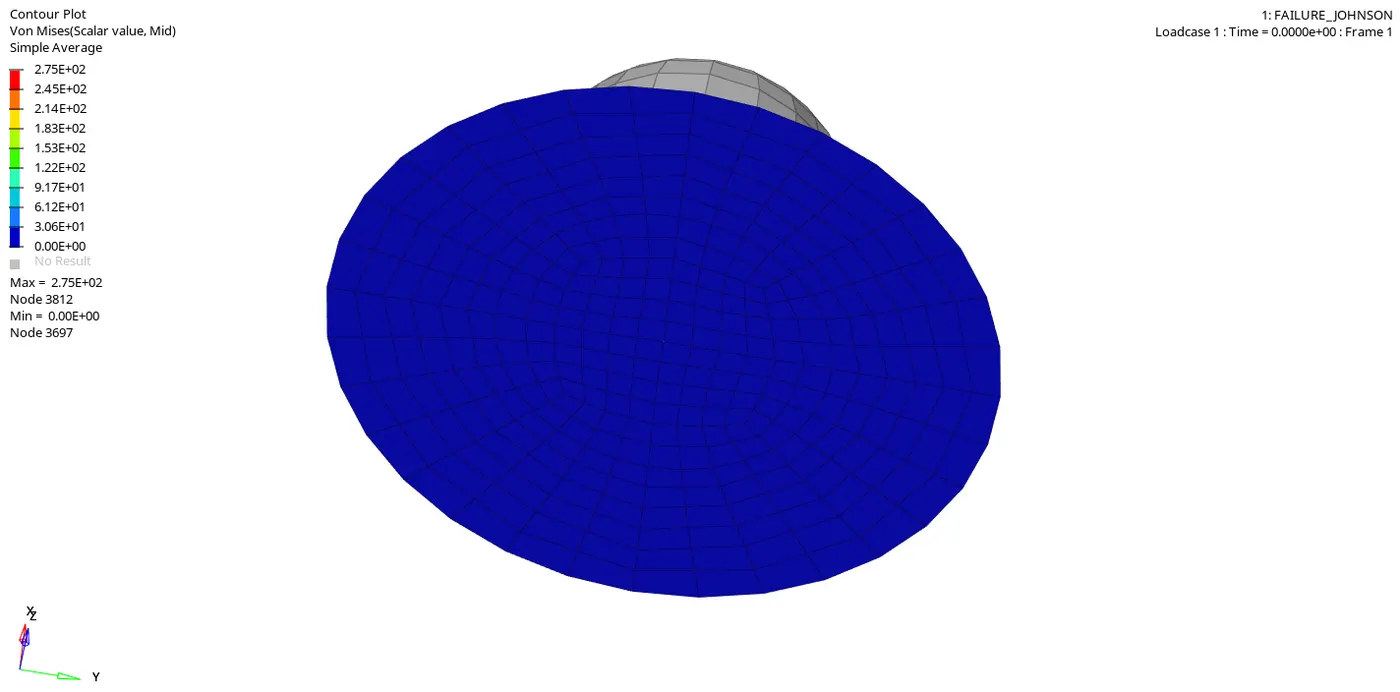
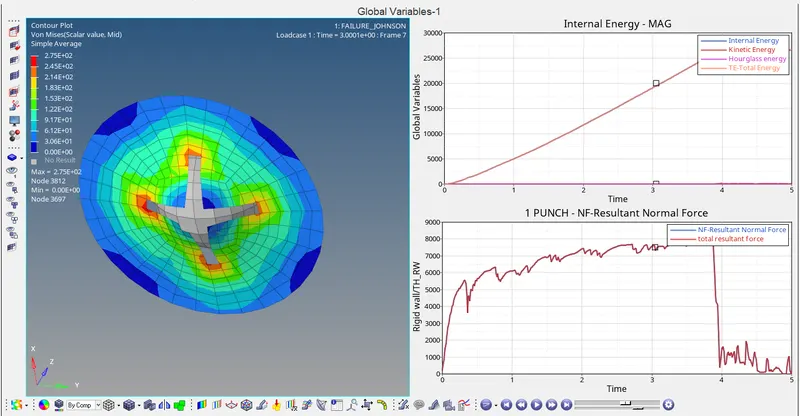
Von-mises stress shows the maximum peak value of 2.75E+02 is at node 3812
Von-mises stress shows the minimum value of 0.00E+00 is at node 3697.
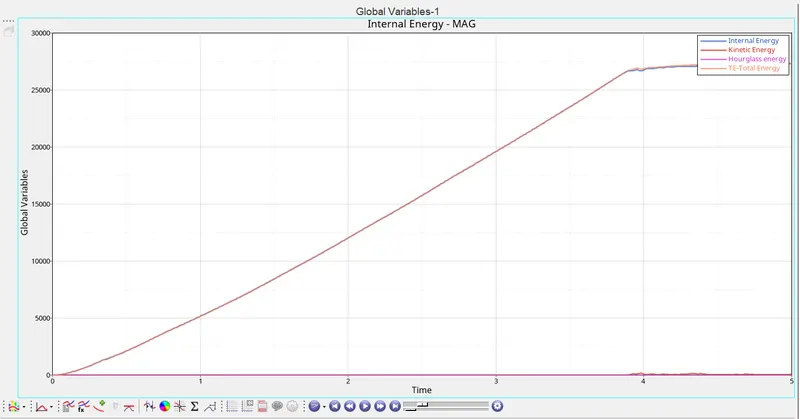
Graph 1: Time versus Internal energy, Kinetic energy, Contact energy, Hourglass energy and Total energy
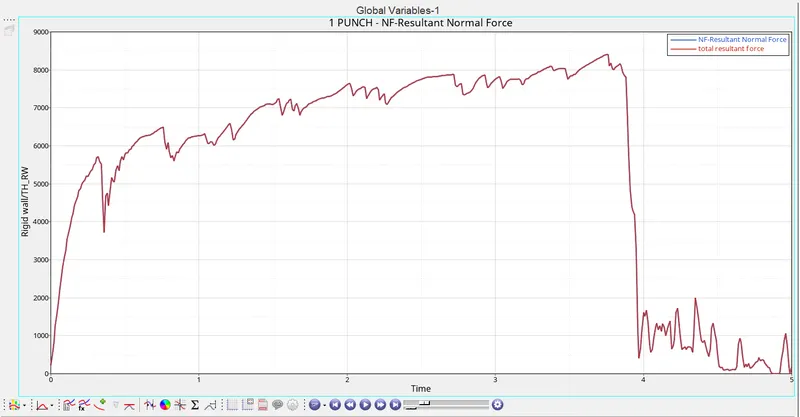
Graph 2: Time versus Rigid wall forces
Case 2: Law 2 with Fail_Johnson and Crack visualisation.
- All the values from case 1 are taken in both material and properties card.
- Additionally in Failure_Johnson card Ifail_sh = 1 , Dadv = 1 and IxFem = 1 (XFEM Formulation) is added to visualize the breaking down of elements.
Import the file "FAILURE_JOHNSON_0000.rad" in hypermesh
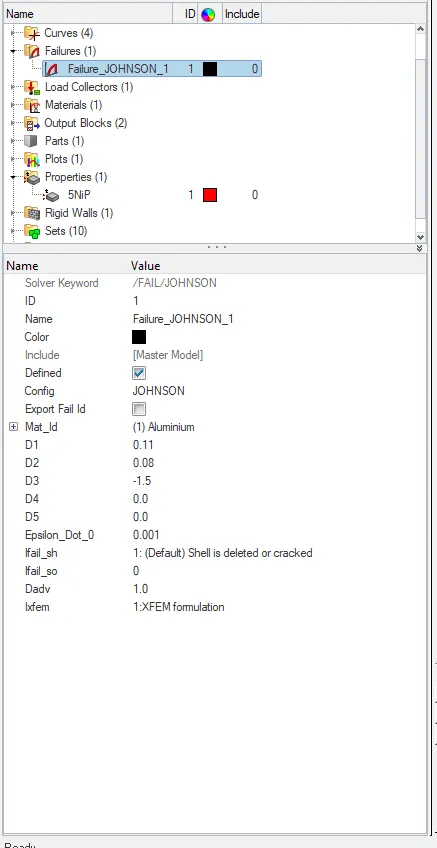
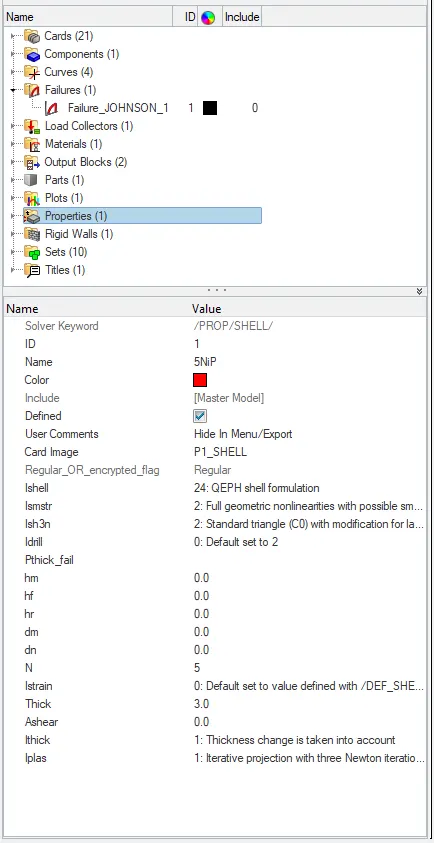
Failure_johnson card Properties card
- Now click on the analysis panel in the hypermesh.
- Select Radioss option the save the model in a local directory.
- Click the Radioss to run the simulation.
Open the file "FAILURE_JOHNSON_0001" in notepad to check Energy error, mass error and time elapsed.
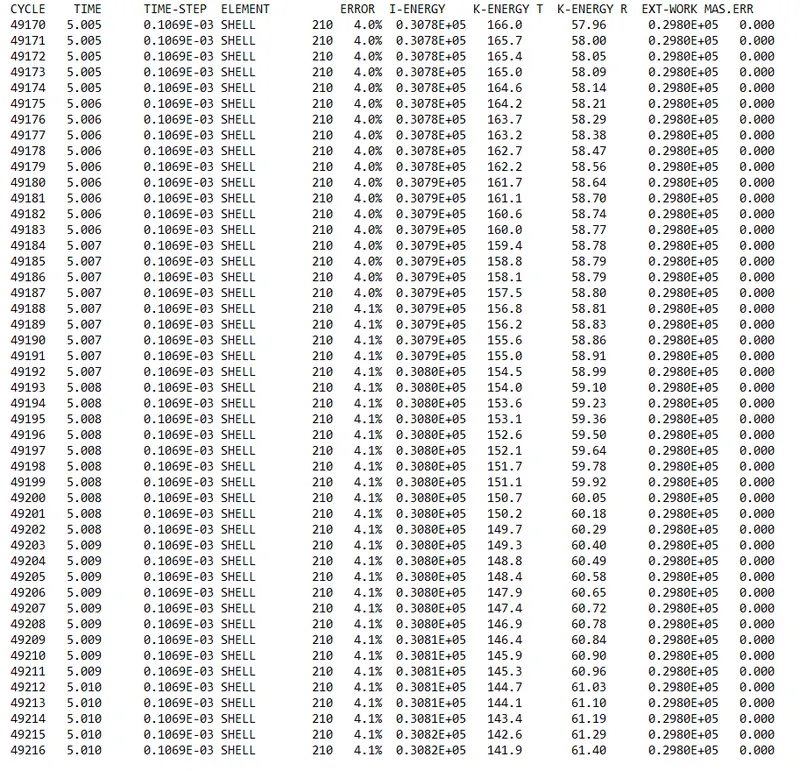
as the energy error is 4.1% which is less than 15% so it is acceptable, also the mass error is found out to be 0.000
Since the energy error is acceptable, the model is moved for further observations by changing the environment to hyperview, then importing the file "FAILURE_JOHNSON H3d"
Displacement observation:
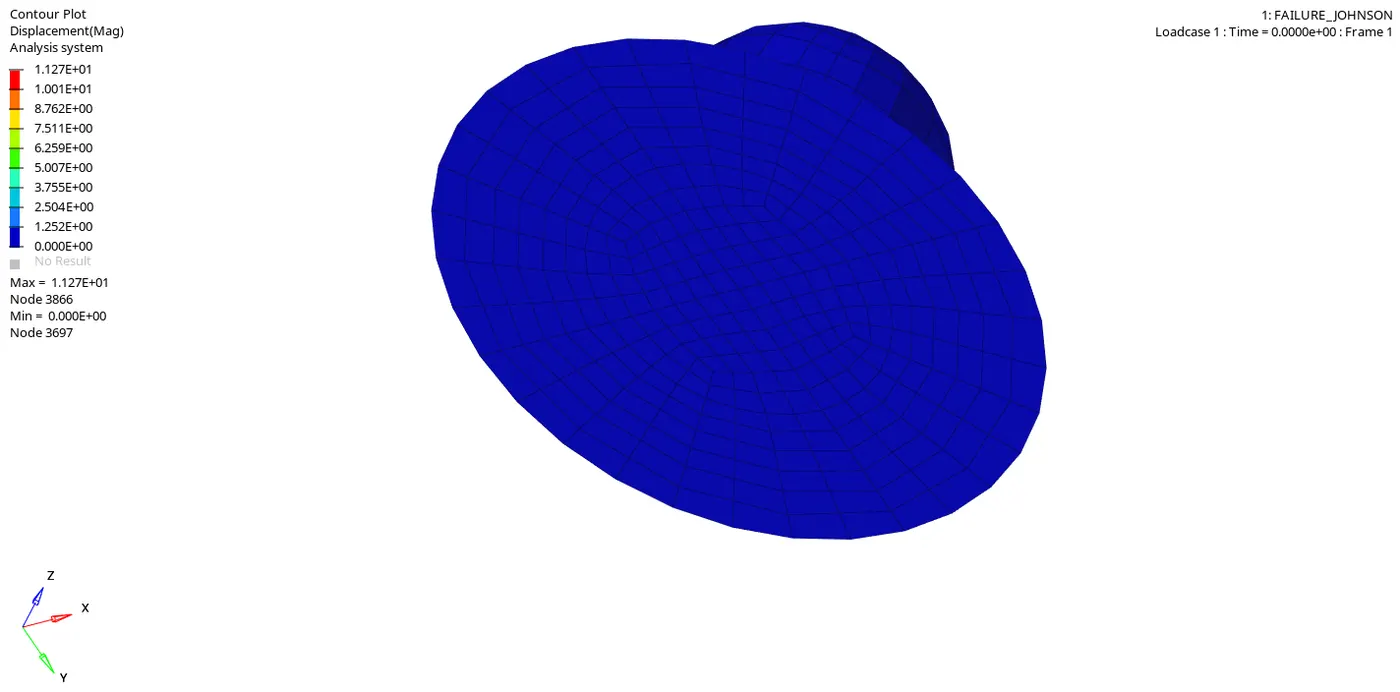
Maximum displacement: 1.127E+01 is at node 3866
Minimum displacement: 0.000E+00 is at node 3697.
Von-mises Stress Observation:
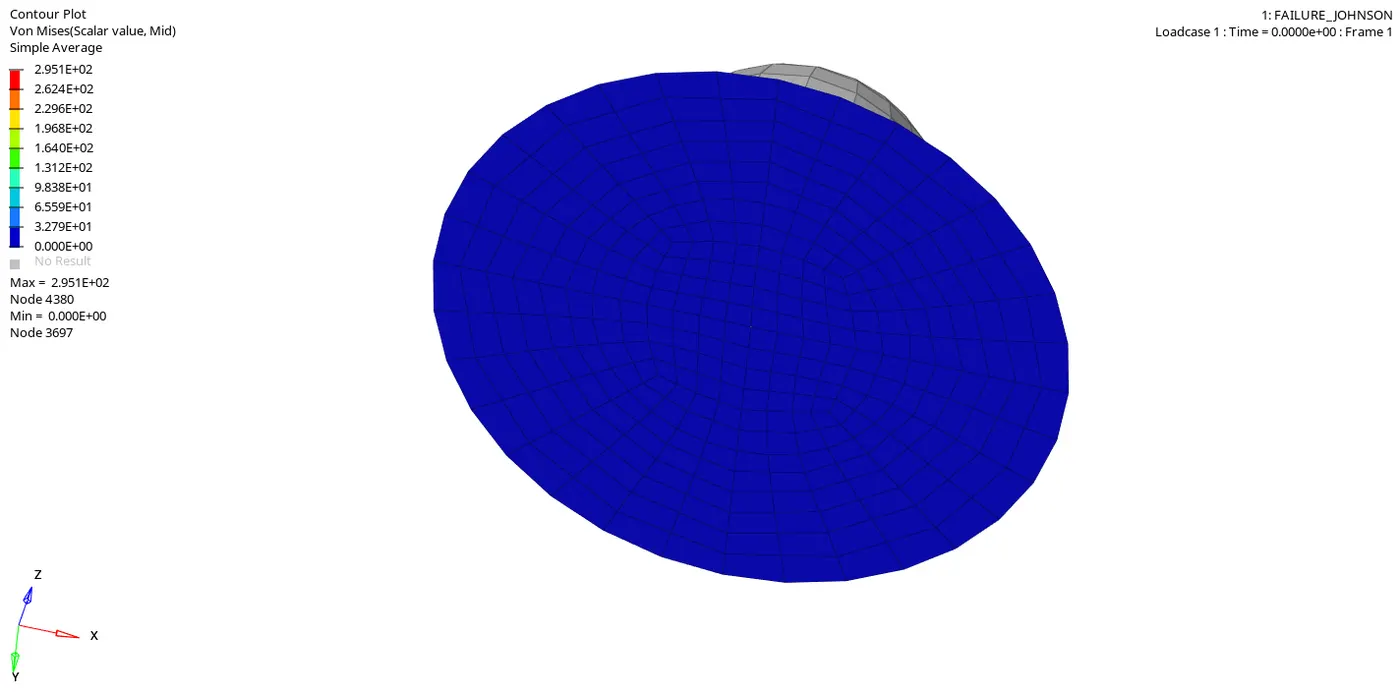
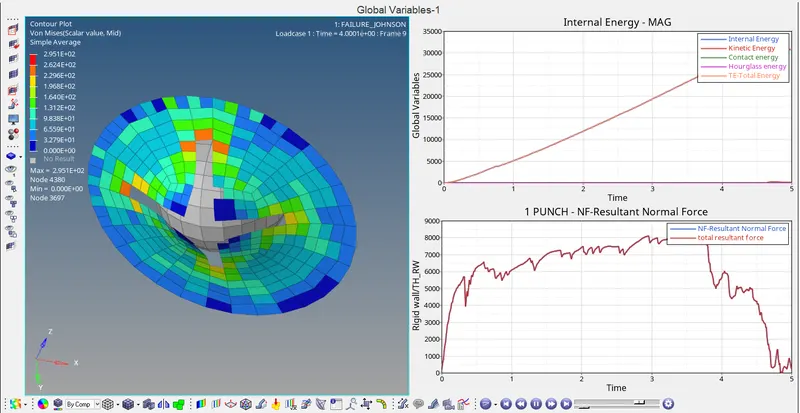
Von-mises stress shows the maximum peak value of 2.951E+02 is at node 4380
Von-mises stress shows the minimum value of 0.00E+00 is at node 3697.
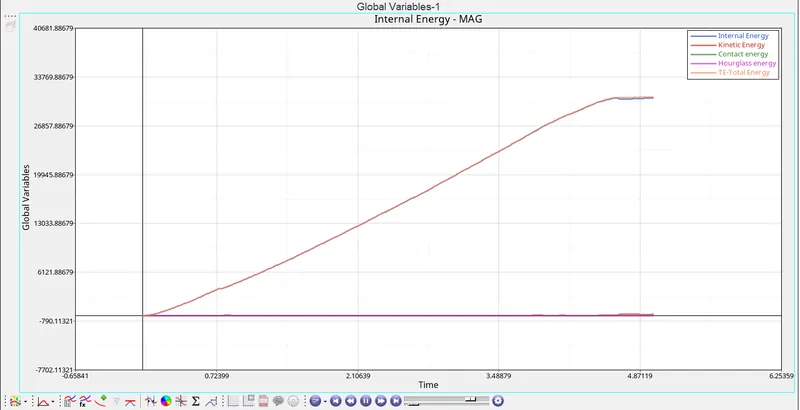
Graph 1: Time versus Internal energy, Kinetic energy, Contact energy, Hourglass energy and Total energy
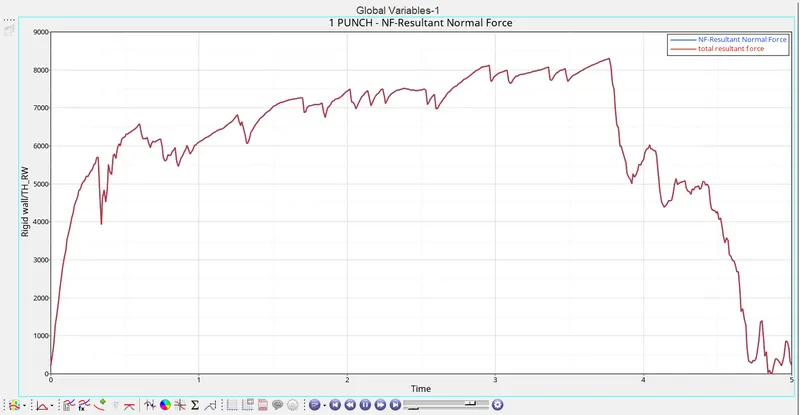
Graph 2: Time versus Rigid wall forces
Case 3: Law 2 without /Fail/Johnson.
- In this case, the material model is same as elastoplastic but the failure model card "/Fail/Johnson" is removed to observe any change in results.
Import the file "FAILURE_JOHNSON_0000.rad" in hypermesh
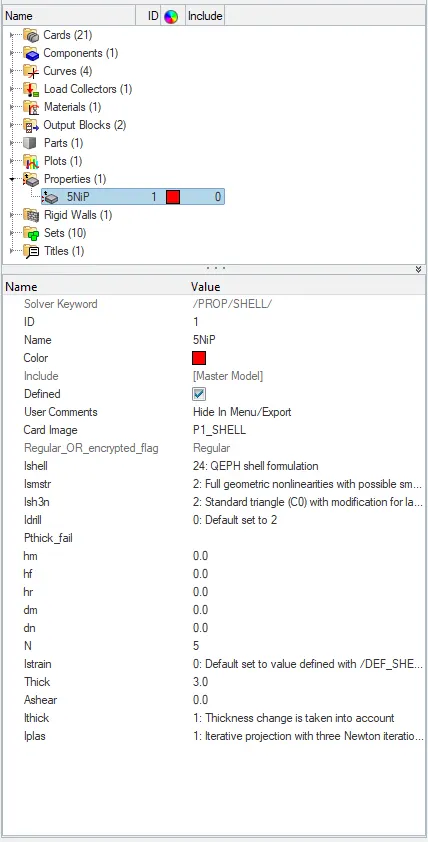
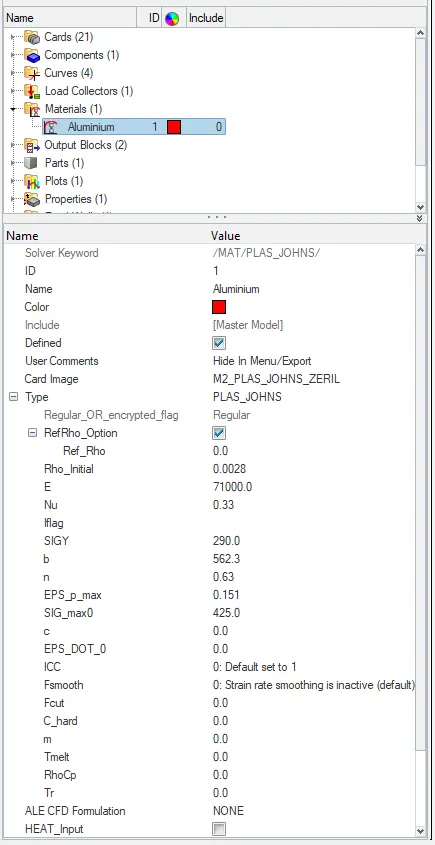
Properties card Material card
- Now click on the analysis panel in the hypermesh.
- Select Radioss option the save the model in a local directory.
- Click the Radioss to run the simulation.
Open the file "FAILURE_JOHNSON_0001" in notepad to check Energy error, mass error and time elapsed.
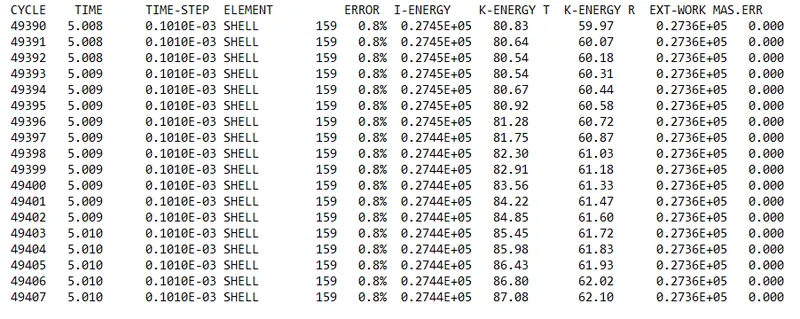
as the energy error is 0.8% which is less than 15% so it is acceptable, also the mass error is found out to be 0.000
Since the energy error is acceptable, the model is moved for further observations by changing the environment to hyperview, then importing the file "FAILURE_JOHNSON H3d"
Displacement observation:
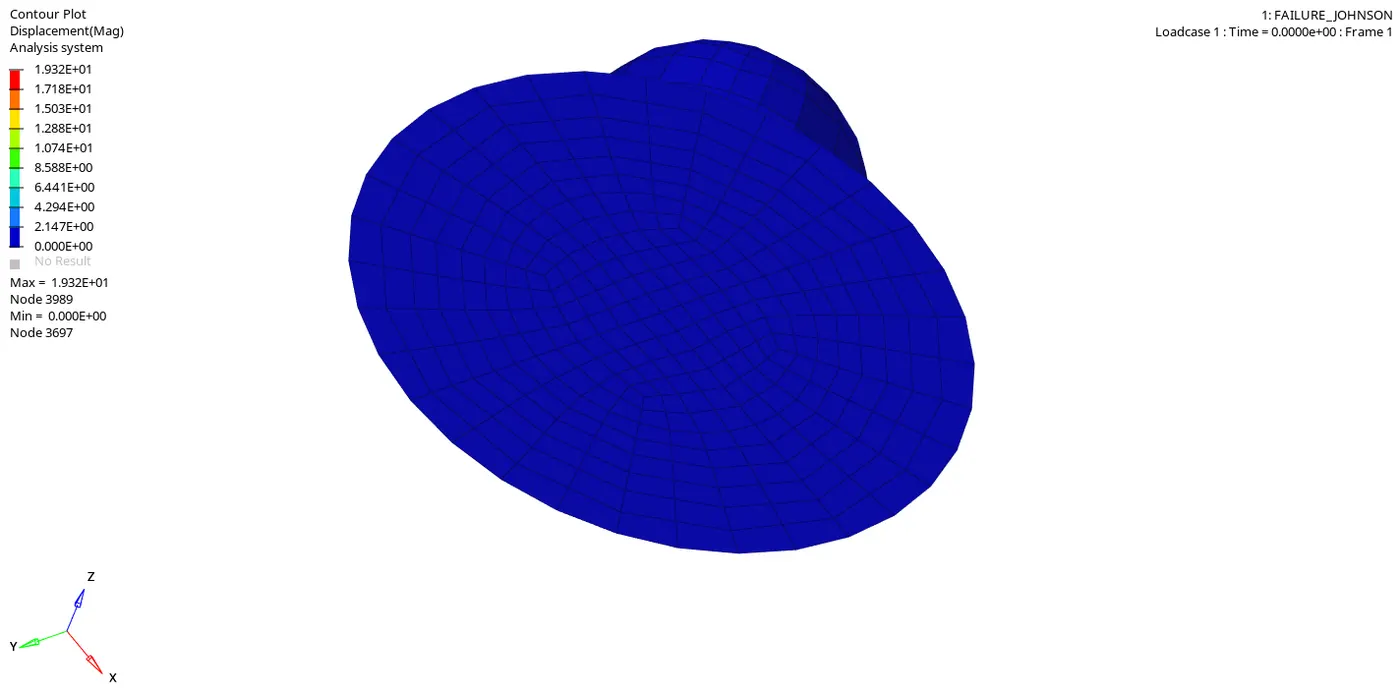
Maximum displacement: 1.932E+01 is at node 3989
Minimum displacement: 0.000E+00 is at node 3697.
Von-mises Stress Observation:
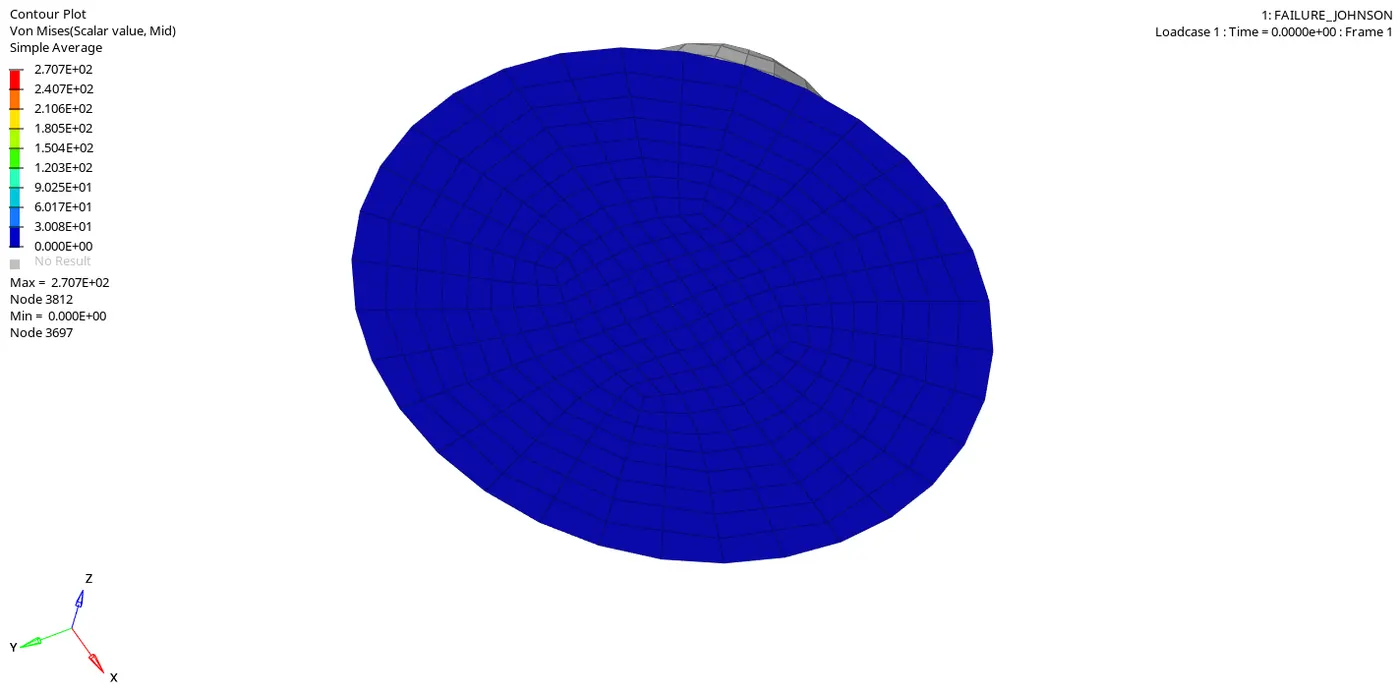
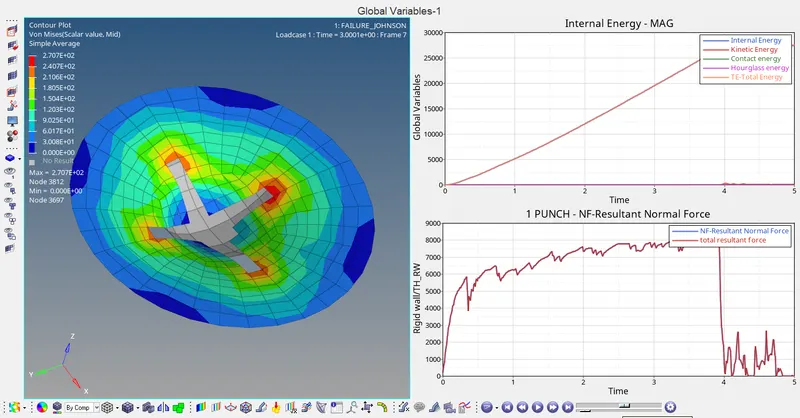
Von-mises stress shows the maximum peak value of 2.707E+02 is at node 3812
Von-mises stress shows the minimum value of 0.00E+00 is at node 3697.
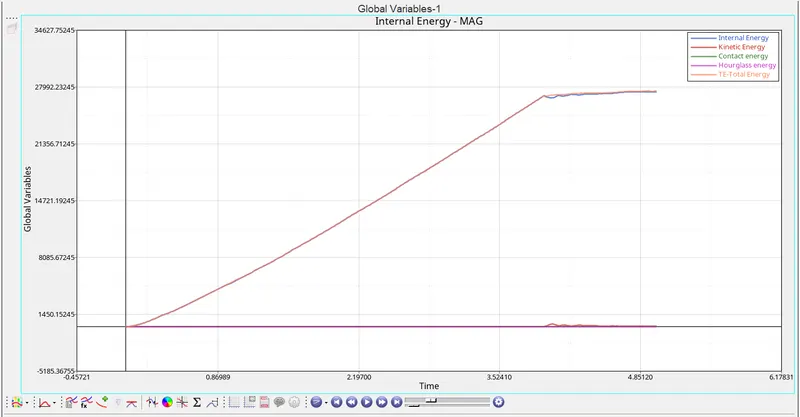
Graph 1: Time versus Internal energy, Kinetic energy, Contact energy, Hourglass energy and Total energy
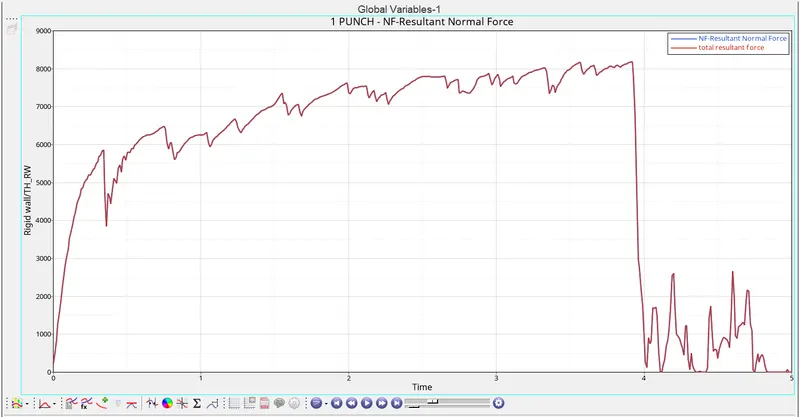
Graph 2: Time versus Rigid wall forces
Case 4: Law 2 with EPS_p_max value infinite.
- In this case, the EPS_p_max value which determines the maximum permitted plastic strain is changed to zero
- This by default will be considered as `10^30`by the system, which makes the material to behave like an ideally elastic material.
- Due to this strain is computed but not the failure due to plastic deformation beyond the limit is experienced.
Import the file "FAILURE_JOHNSON_0000.rad" in hypermesh
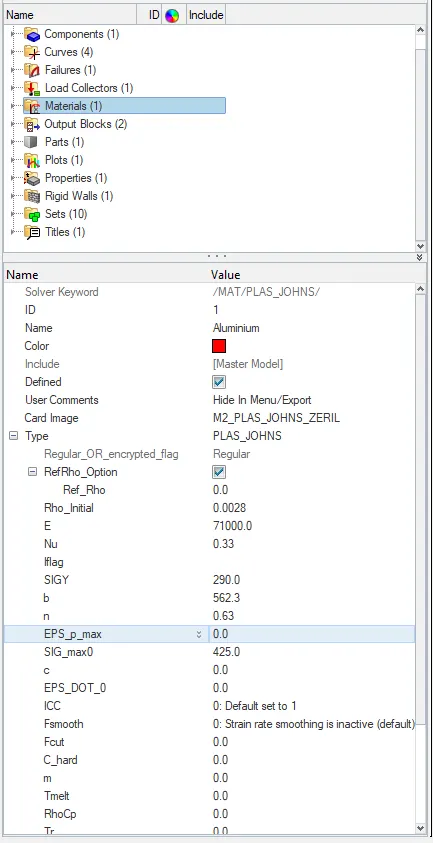
Material card with EPS_p_max value set to zero
- Now click on the analysis panel in the hypermesh.
- Select Radioss option the save the model in a local directory.
- Click the Radioss to run the simulation.
Open the file "FAILURE_JOHNSON_0001" in notepad to check Energy error, mass error and time elapsed.
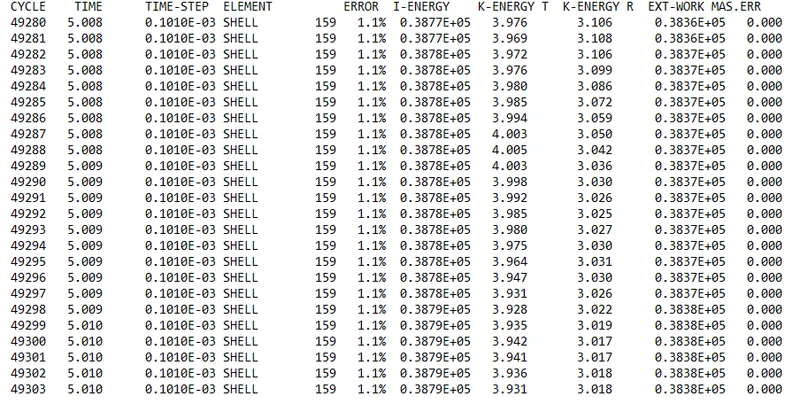
as the energy error is 1.1% which is less than 15% so it is acceptable, also the mass error is found out to be 0.000
Since the energy error is acceptable, the model is moved for further observations by changing the environment to hyperview, then importing the file "FAILURE_JOHNSON H3d"
Displacement observation:
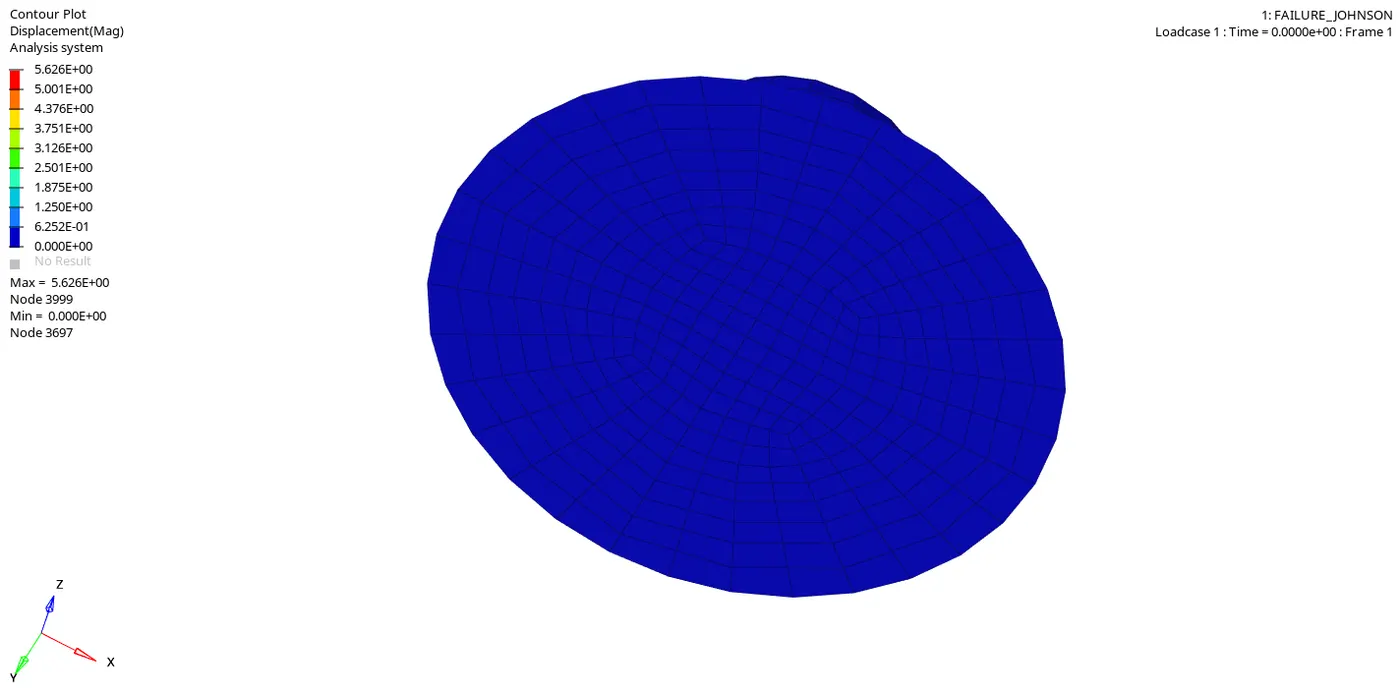
Maximum displacement: 5.626E+00 is at node 3999
Minimum displacement: 0.000E+00 is at node 3697.
Von-mises Stress Observation:
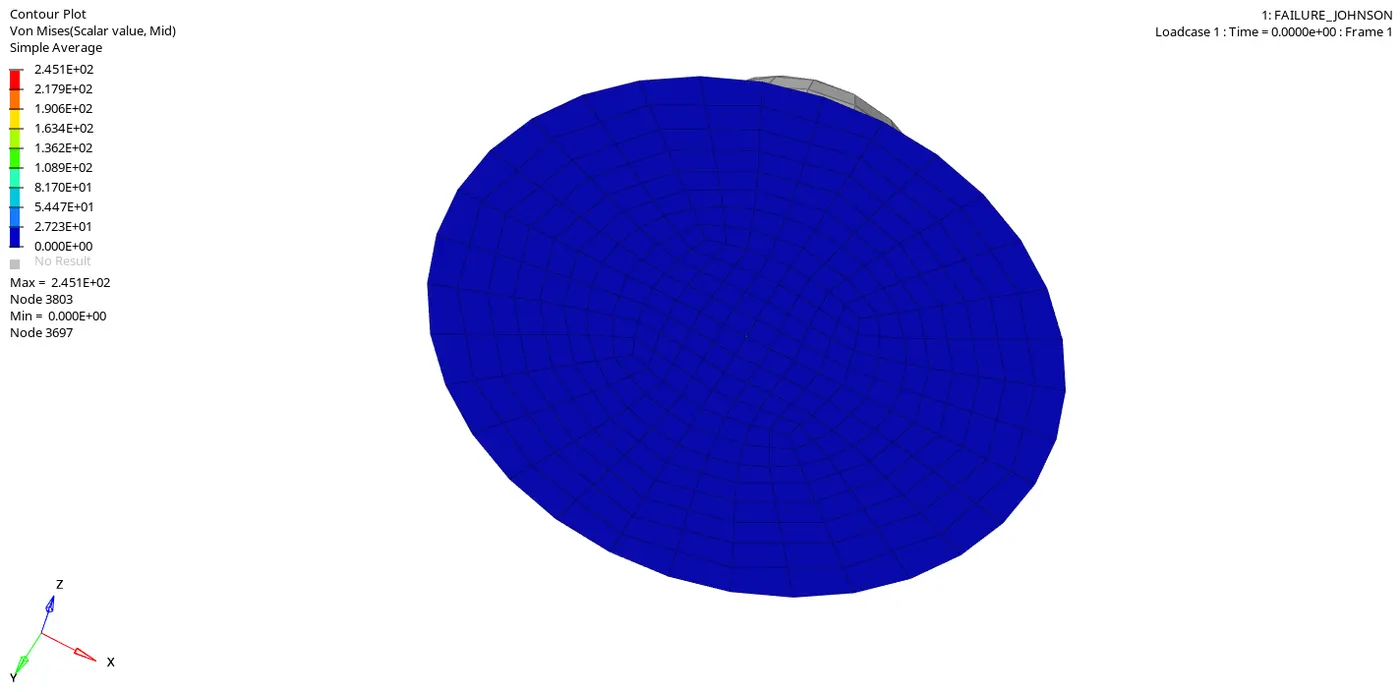
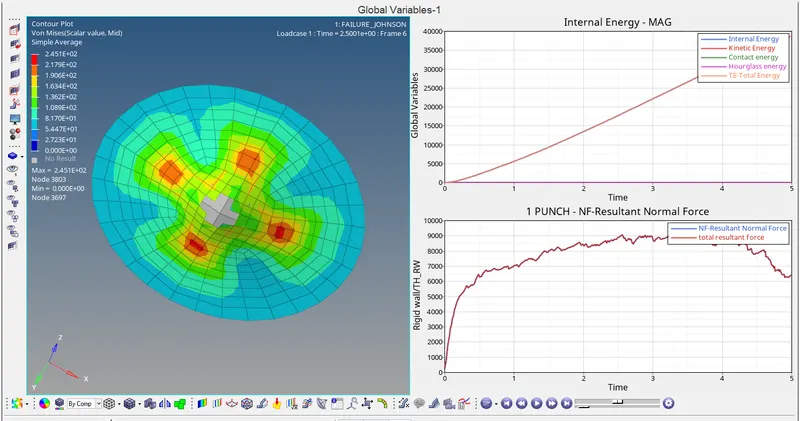
Von-mises stress shows the maximum peak value of 2.451E+02 is at node 3803
Von-mises stress shows the minimum value of 0.00E+00 is at node 3697.
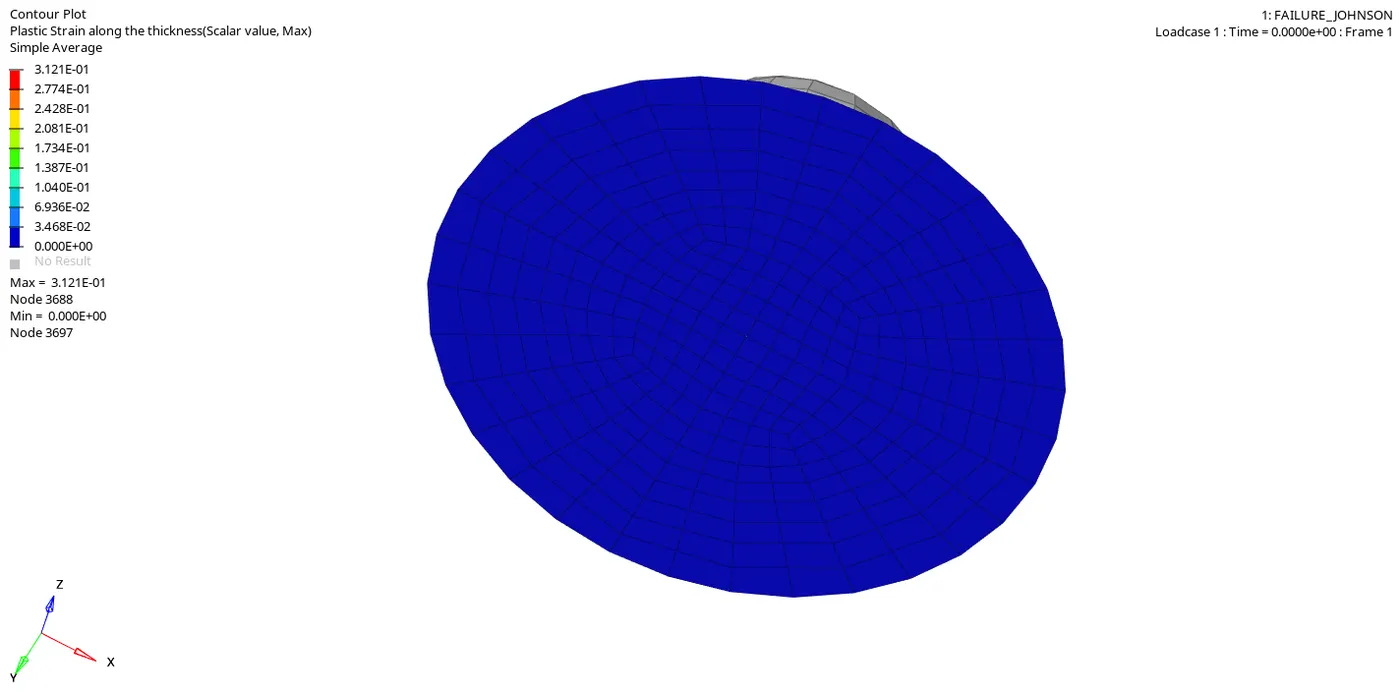
Plastic strain along the thickness:
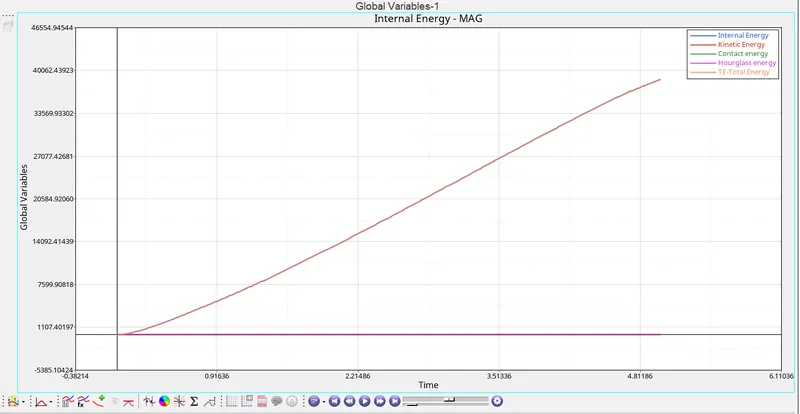
Graph 1: Time versus Internal energy, Kinetic energy, Contact energy, Hourglass energy and Total energy
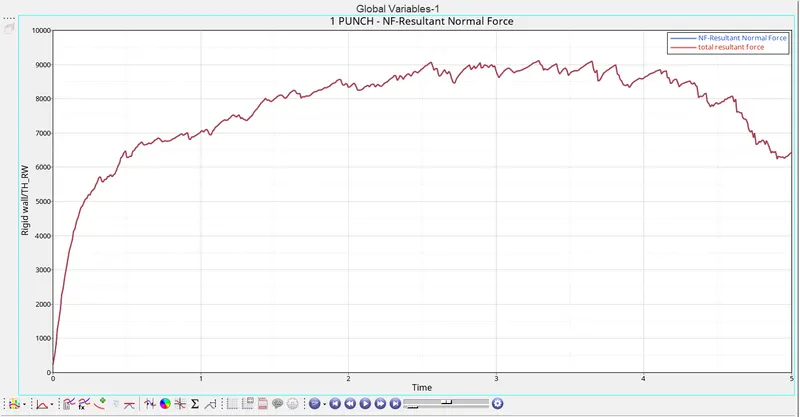
Graph 2: Time versus Rigid wall forces
Case 5: Law 1 elastic material.
- In this case, the whole material card is changed to M1_ELAST so the material will behave like an ideal elastic material that follows Hooke's law up to the elastic limit.
- The basic E, Rho and Nu values are given as the inputs to proceed with the analysis.
Import the file "FAILURE_JOHNSON_0000.rad" in hypermesh
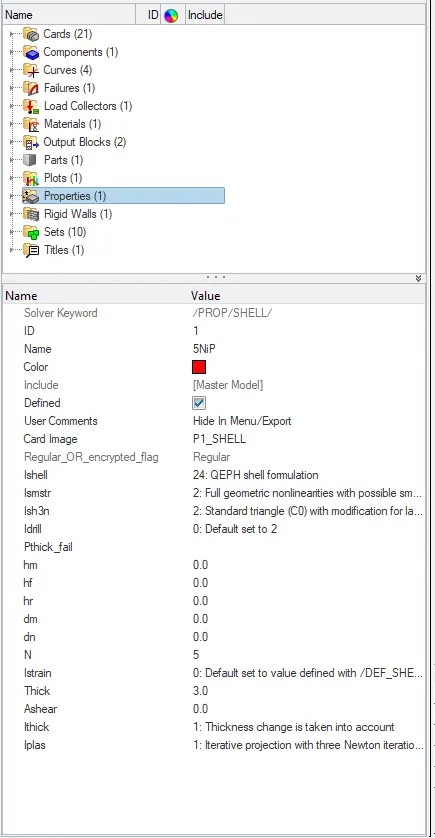
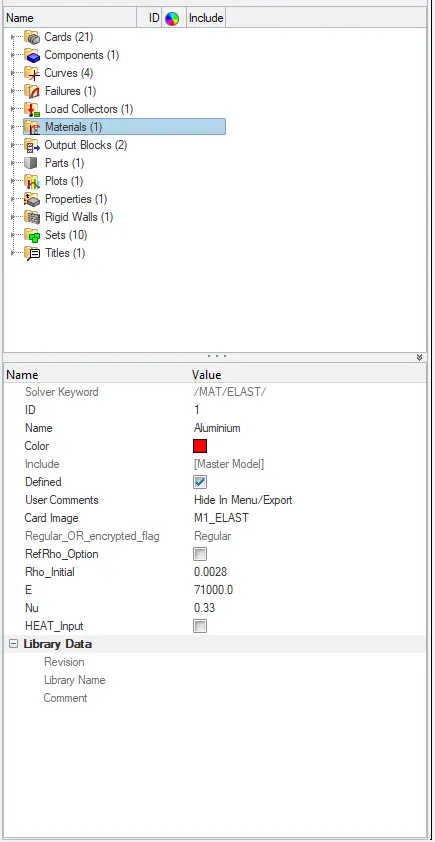
Properties card Material card
- Now click on the analysis panel in the hypermesh.
- Select Radioss option the save the model in a local directory.
- Click the Radioss to run the simulation.
Open the file "FAILURE_JOHNSON_0001" in notepad to check Energy error, mass error and time elapsed.
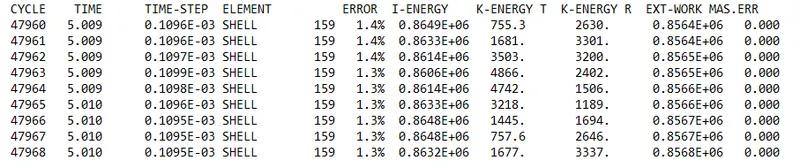
as the energy error is 1.3% which is less than 15% so it is acceptable, also the mass error is found out to be 0.000
Since the energy error is acceptable, the model is moved for further observations by changing the environment to hyperview, then importing the file "FAILURE_JOHNSON H3d"
Displacement observation:
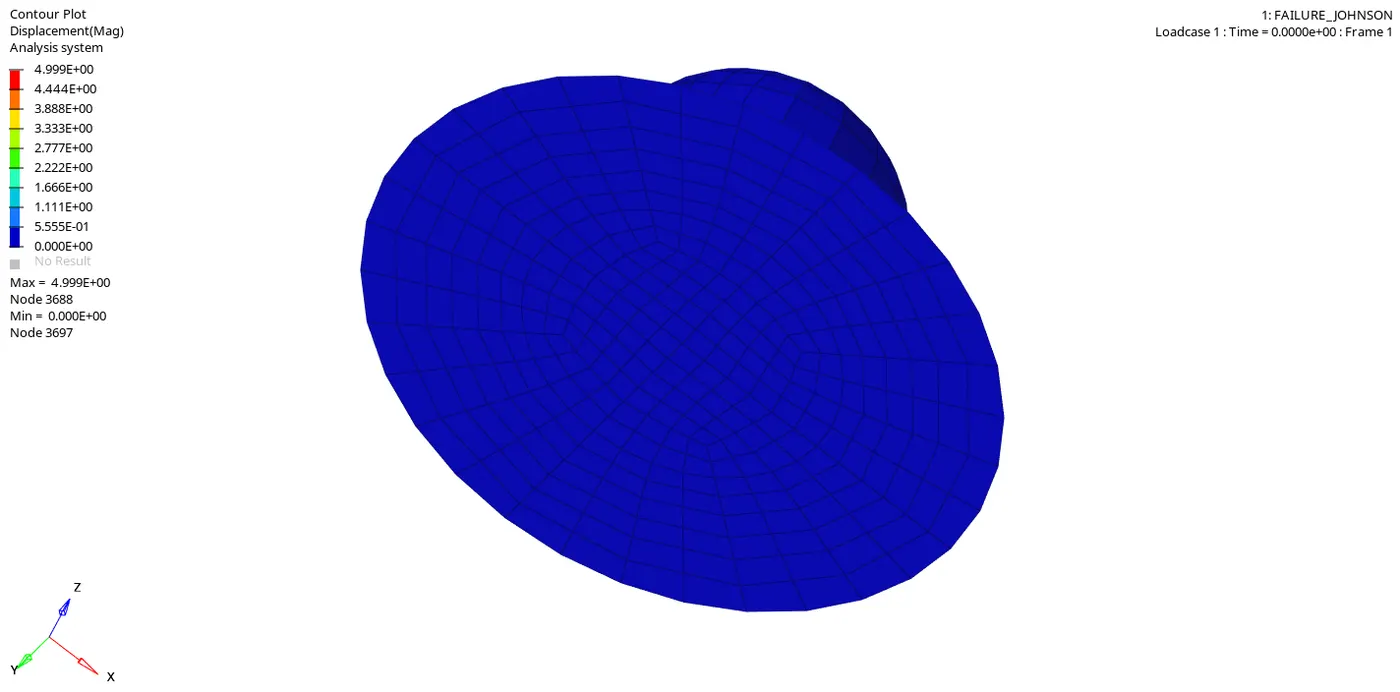
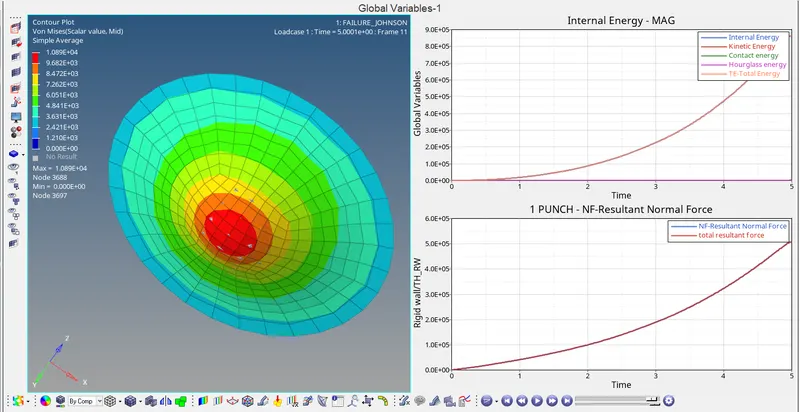
Maximum displacement: 4.999E+00 is at node 3688
Minimum displacement: 0.000E+00 is at node 3697.
Von-mises Stress Observation:
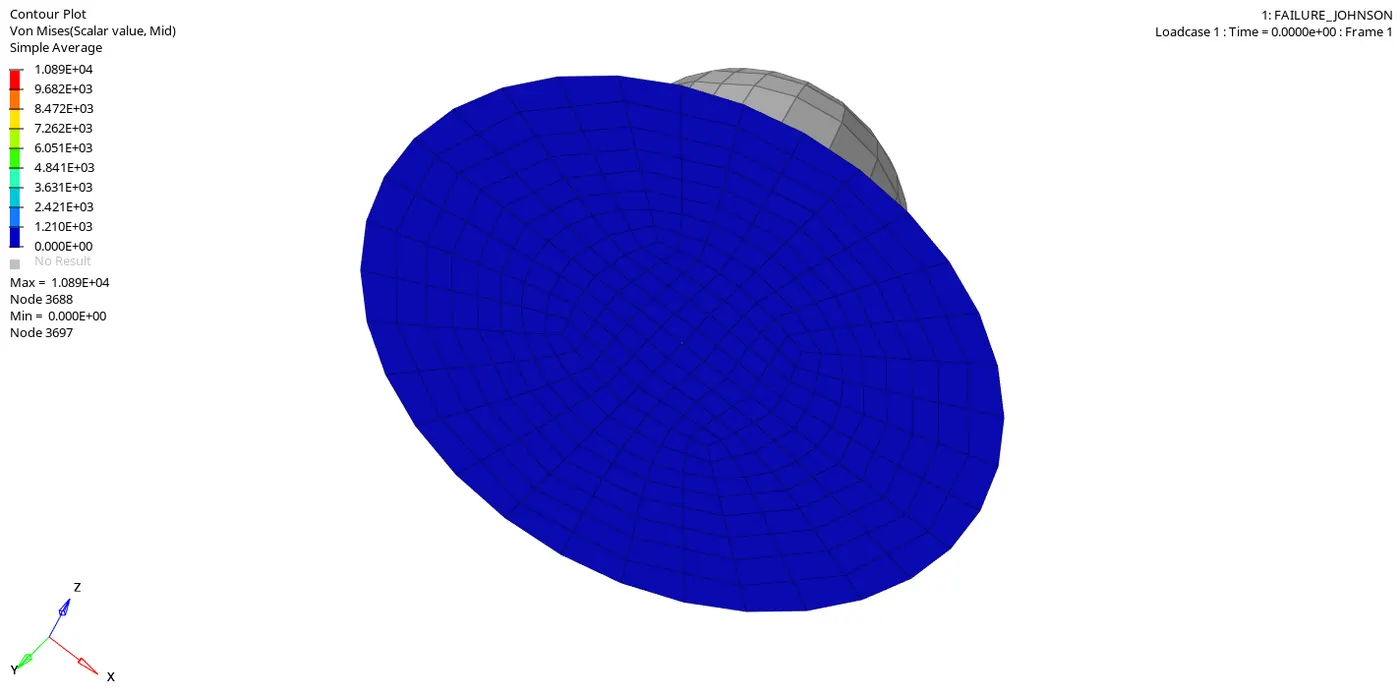
Von-mises stress shows the maximum peak value of 1.089E+04 is at node 3688
Von-mises stress shows the minimum value of 0.00E+00 is at node 3697.
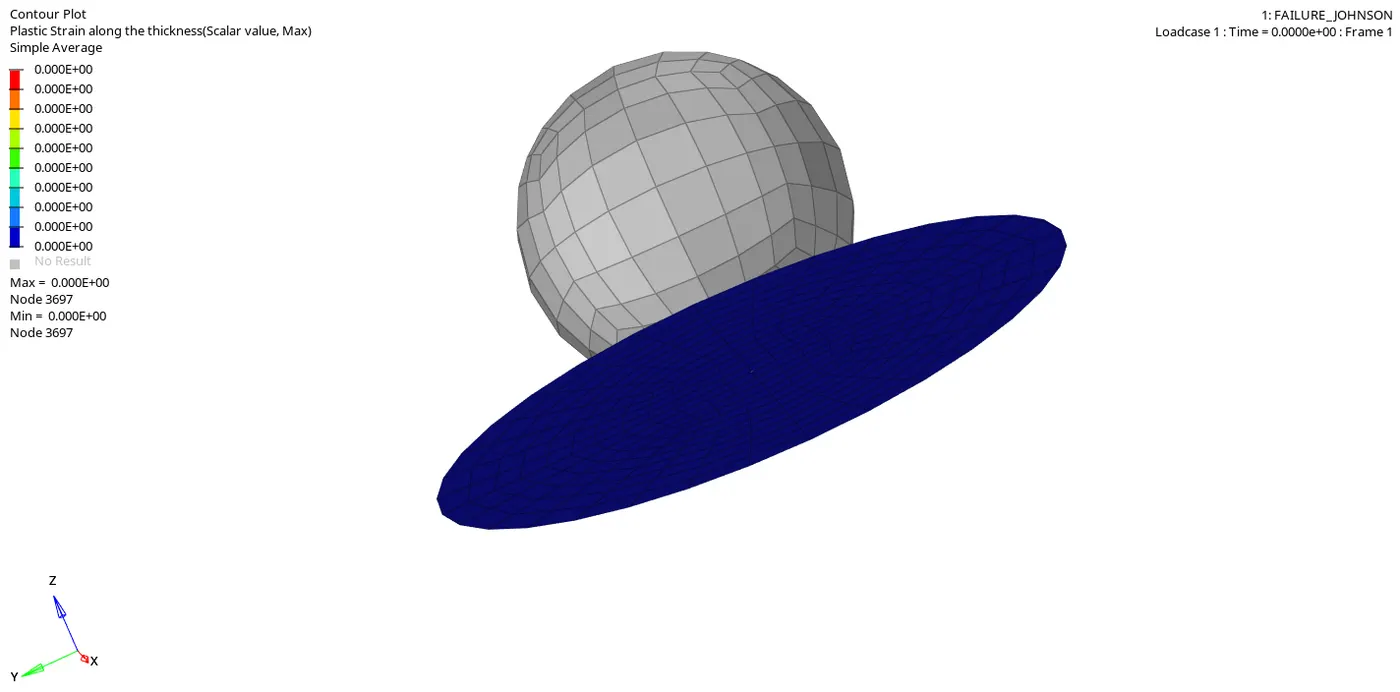
Plastic strain along the thickness:
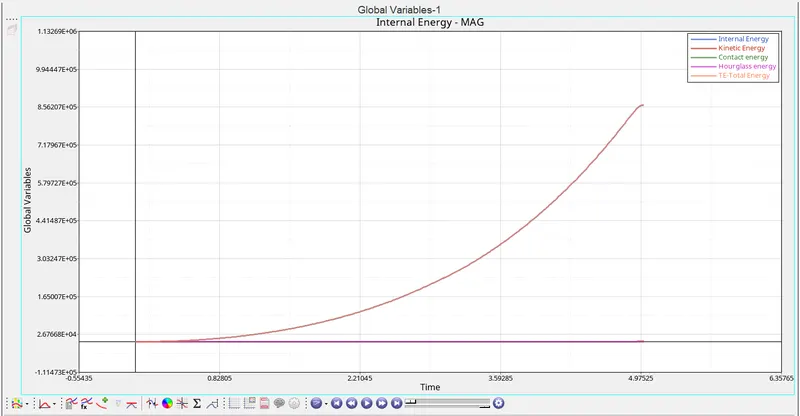
Graph 1: Time versus Internal energy, Kinetic energy, Contact energy, Hourglass energy and Total energy
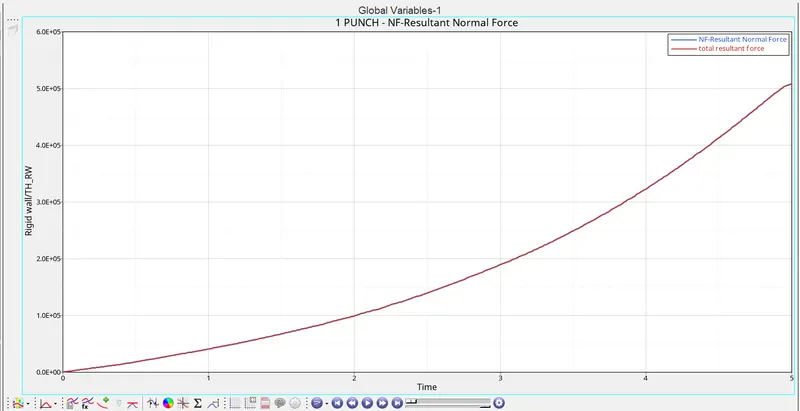
Graph 2: Time versus Rigid wall forces
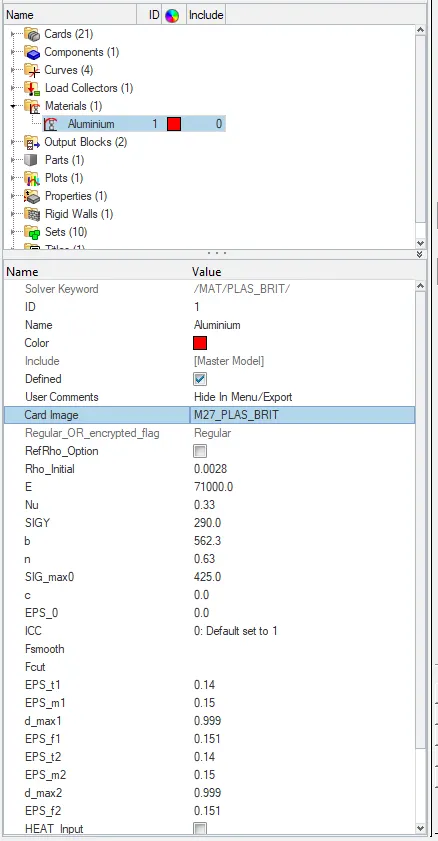
Case 6: Law 27 PLAS_BRIT material.
-
This law combines an isotropic elastoplastic Johnson-Cook material model with an orthotropic brittle failure model.
-
Yield surface definition same as Johnson-Cook (Law2)
-
et = Strain at the beginning of tensile failure
-
em = Maximum tensile strain at which the stress in the element is set to a value
-
Dmax = Maximum damage factor
-
ef = Maximum tensile strain for element deletion.
Import the file "LAW27_0000.rad" in hypermesh
Material Card Properties card
- Now click on the analysis panel in the hypermesh.
- Select Radioss option the save the model in a local directory.
- Click the Radioss to run the simulation.
Open the file "LAW27_0001" in notepad to check Energy error, mass error and time elapsed.

as the energy error is 0.8% which is less than 15% so it is acceptable, also the mass error is found out to be 0.000
Since the energy error is acceptable, the model is moved for further observations by changing the environment to hyperview, then importing the file "LAW27 H3D"
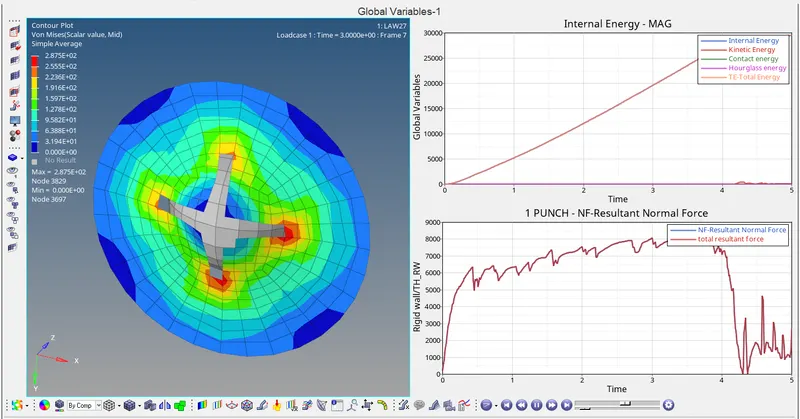
Displacement observation:
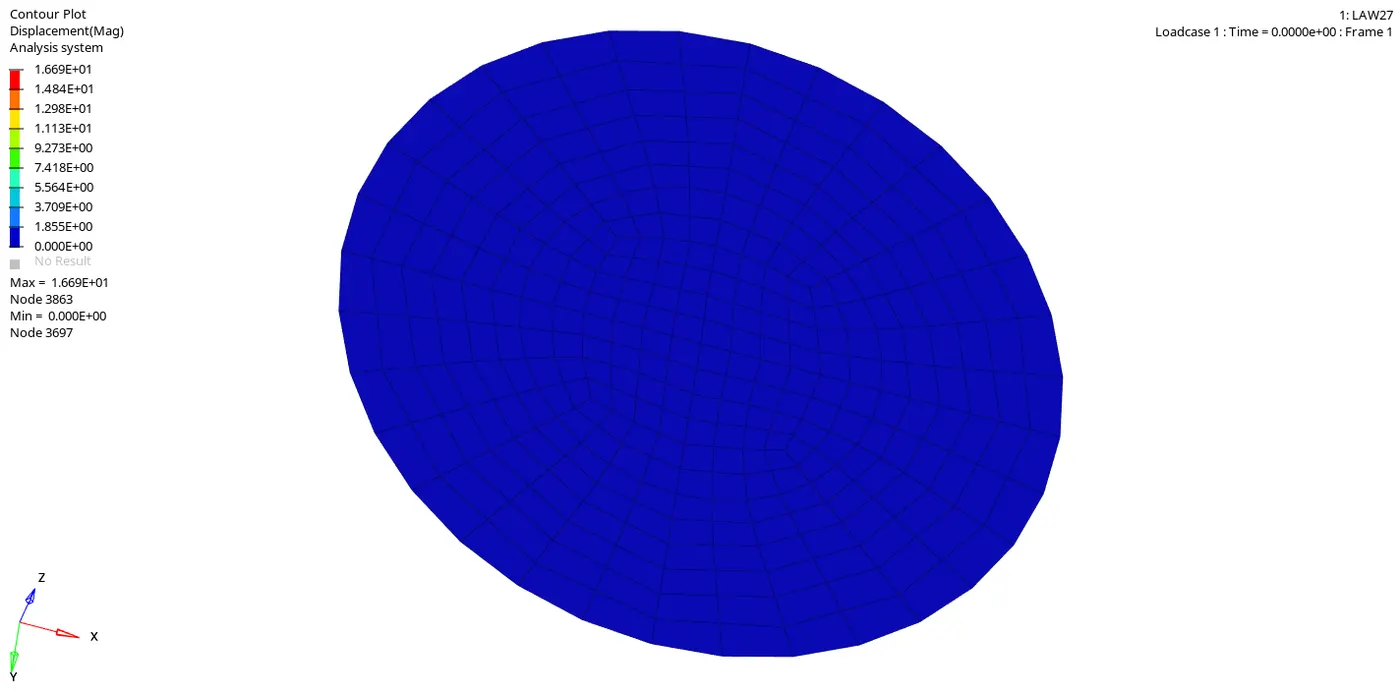
Maximum displacement: 1.669E+01 is at node 3863
Minimum displacement: 0.000E+00 is at node 3697.
Von-mises Stress Observation:
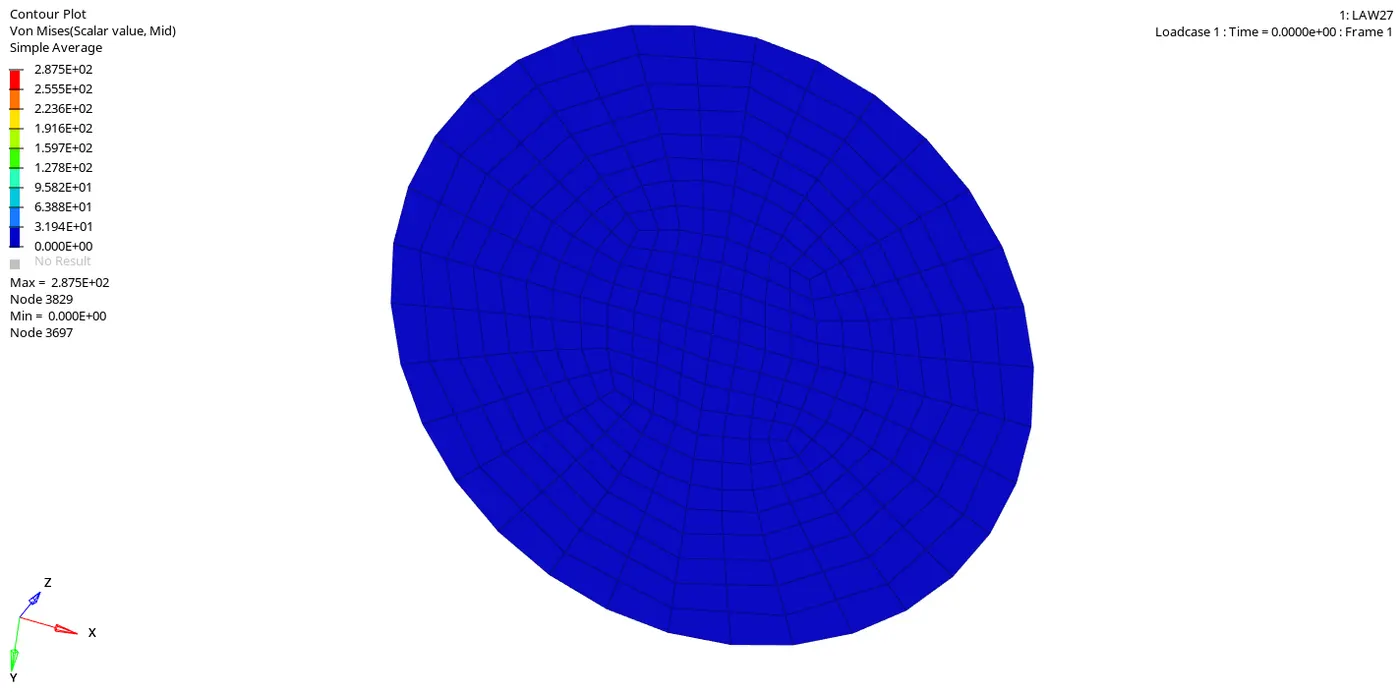
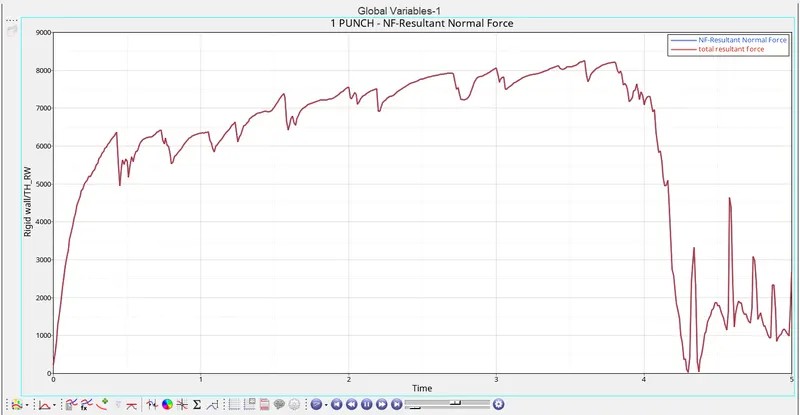
Von-mises stress shows the maximum peak value of 2.875E+02 is at node 3829
Von-mises stress shows the minimum value of 0.00E+00 is at node 3697.
Graph 1: Time versus Internal energy, Kinetic energy, Contact energy, Hourglass energy and Total energy
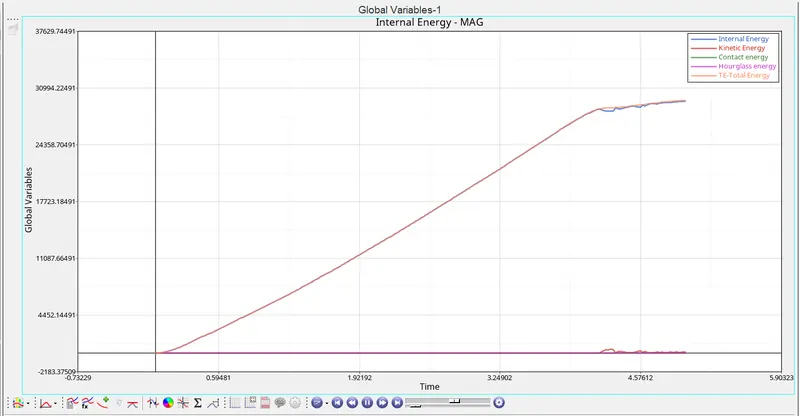
Graph 2: Time versus Rigid wall forces
Case 7: Law 36 PLAS_TAB Material
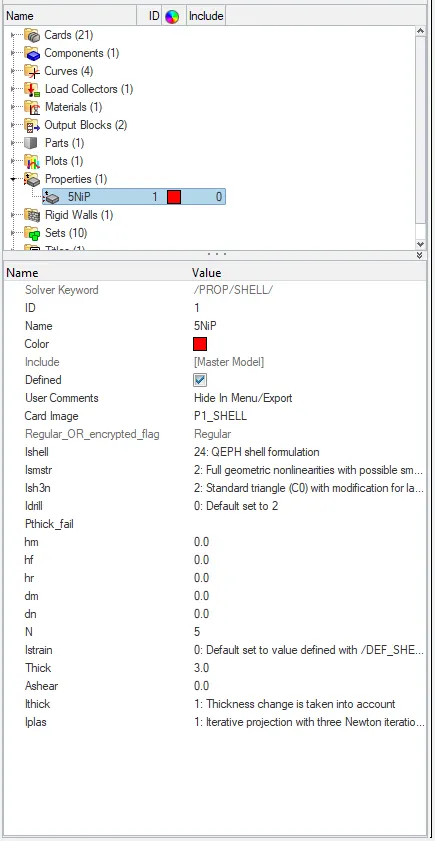
- This law models an isotropic elastoplastic material using user-defined functions.
Import the file "LAW36_0000.rad" in hypermesh
Material card Properties card
- Now click on the analysis panel in the hypermesh.
- Select Radioss option the save the model in a local directory.
- Click the Radioss to run the simulation.
Open the file "LAW36_0001" in notepad to check Energy error, mass error and time elapsed.
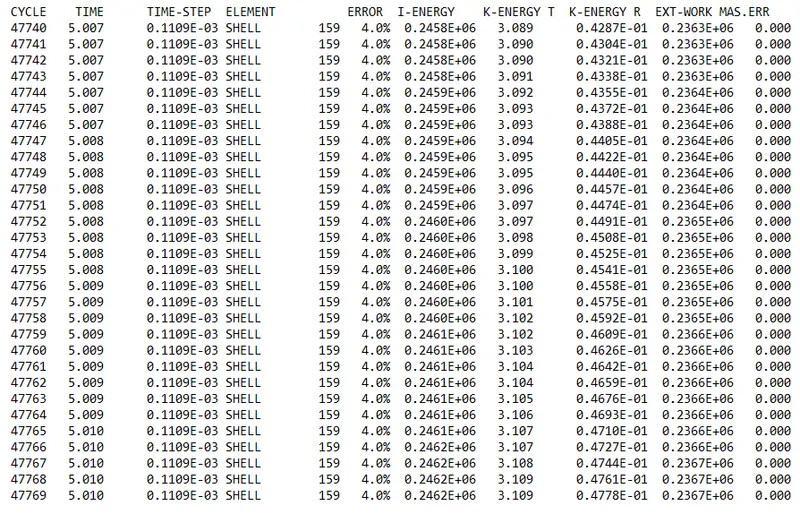
as the energy error is 4.0% which is less than 15% so it is acceptable, also the mass error is found out to be 0.000
Since the energy error is acceptable, the model is moved for further observations by changing the environment to hyperview, then importing the file "LAW36 H3D"
Displacement observation:
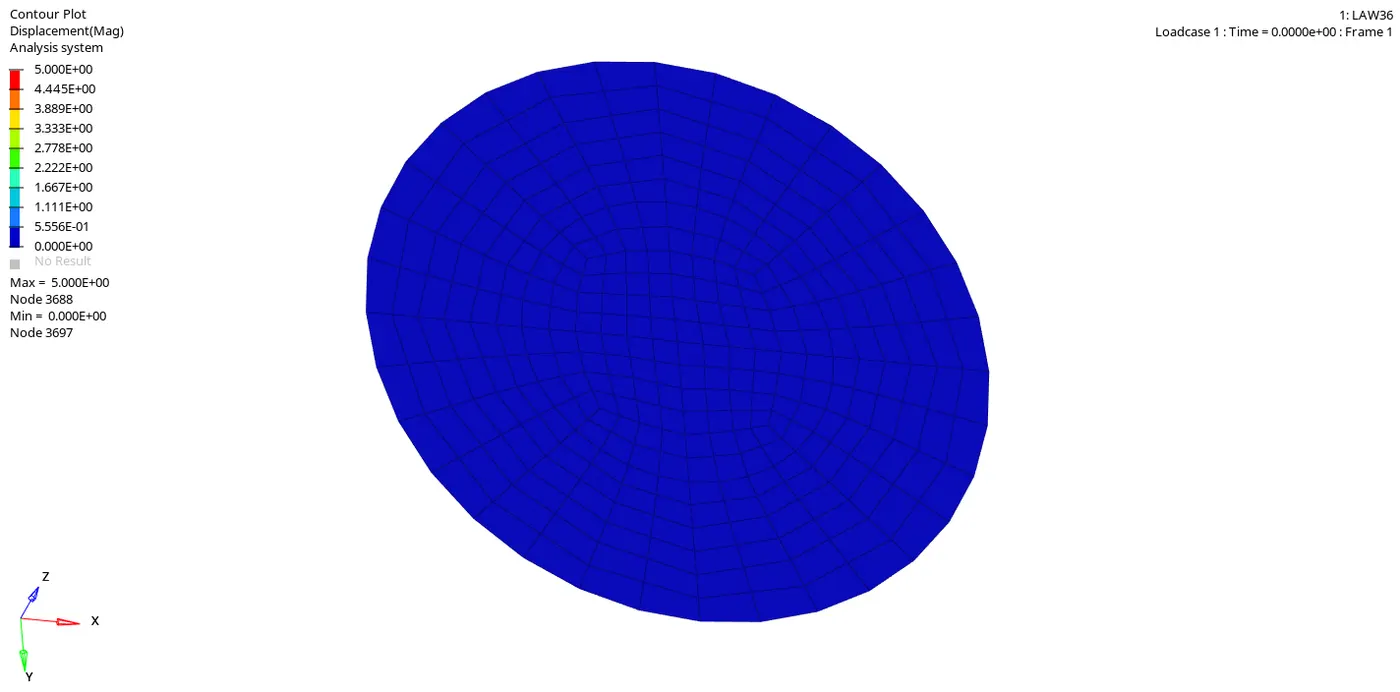
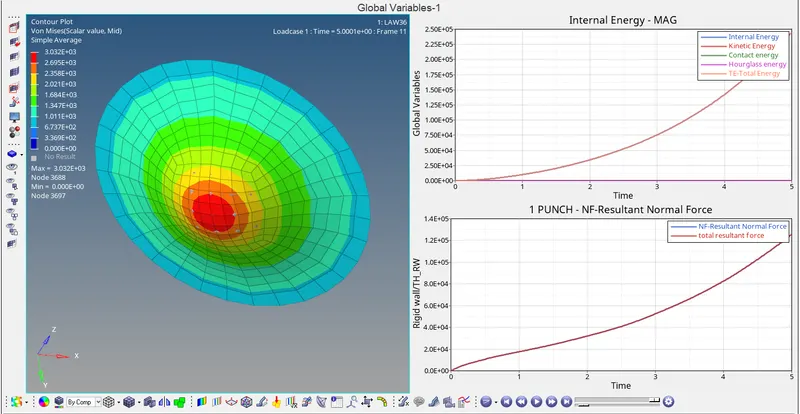
Maximum displacement: 5.000E+00 is at node 3688
Minimum displacement: 0.000E+00 is at node 3697.
Von-mises Stress Observation:
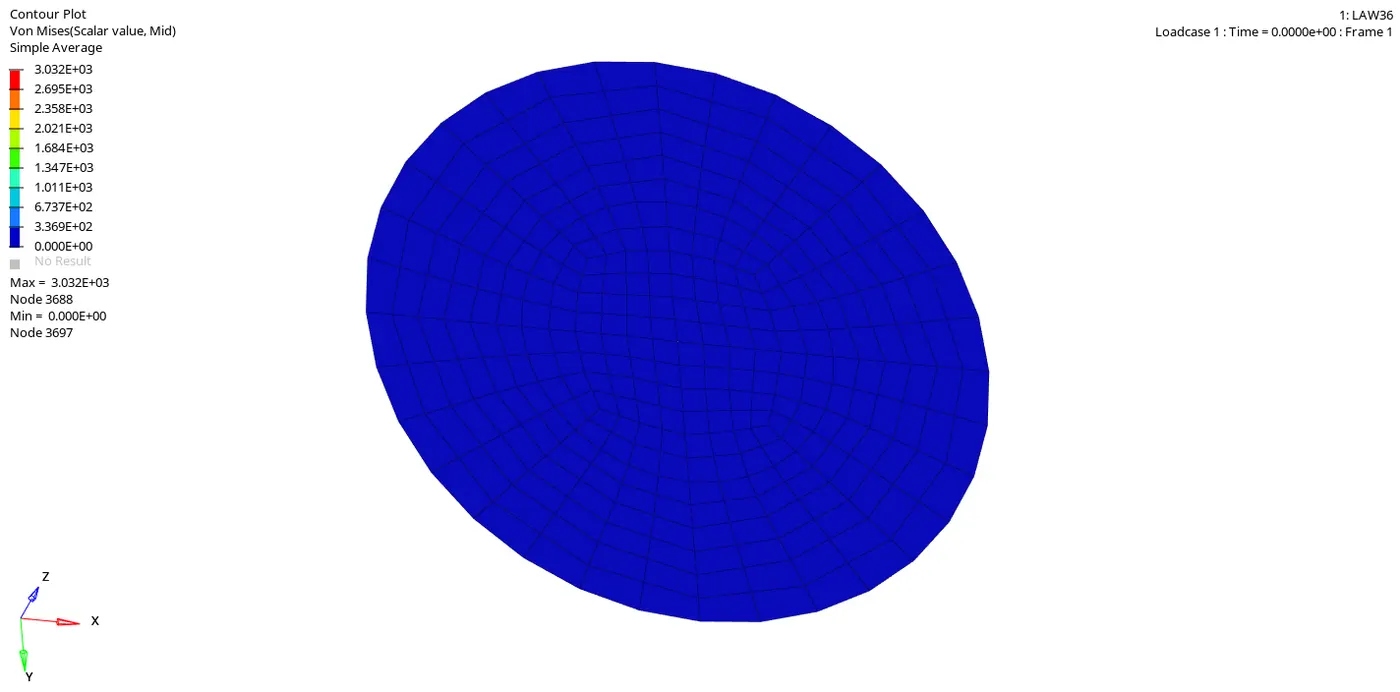
Von-mises stress shows the maximum peak value of 3.032E+03 is at node 3688
Von-mises stress shows the minimum value of 0.00E+00 is at node 3697.
Plastic strain along the thickness:
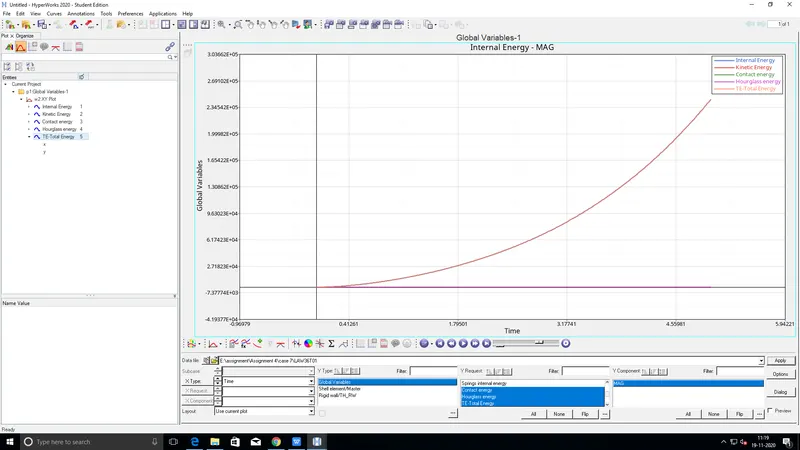
Graph 1: Time versus Internal energy, Kinetic energy, Contact energy, Hourglass energy and Total energy
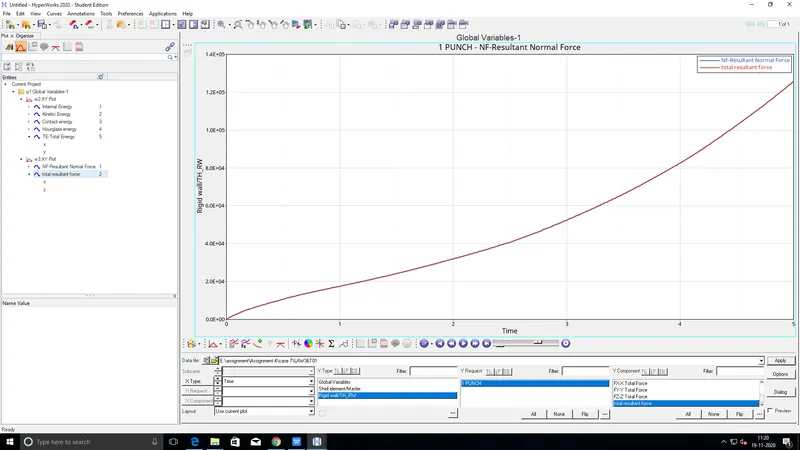
Graph 2: Time versus Rigid wall forces
Comparison of all the cases:
| Type of Material | Number of cycles | Energy error | Mass error | Simulation time | Remarks |
| Case1: Law2 PLAS_JOHNS_ZERIL | 49380 | 0.8% | 0.000 | 58.7 s | Shows very realistic results under compression also the errors and computational time is manageable. |
| Case2: Law2 with crack visualisation | 49217 | 4.1% | 0.000 | 61.60 s | Error is slightly increased compared to case1, only recommended for small deformation modelling hence not useful for current issue. |
| Case3: Law2 without FAIL_JOHNSON | 49408 | 0.8% | 0.000 | 58.19 s | Unrealistic results, almost same error and computational time compared to case1. |
| Case4: Law2 with Eps_p_max = 0 | 49304 | 1.1% | 0.000 | 58.10 | the result shows ideal elastoplastic nature hence it is not realistic, good for showing ideal output. |
|
Case5: Law1 Elastic material |
47969 | 1.3% | 0.000 | 56.06 | Material obeys Hooke's law hence it is practically not possible where plastic deformation causes failure. |
| Case6: Law27 PLAS_BRIT material | 49508 | 0.8% | 0.000 | 58.07 | Almost the same number of errors and computational time compared to case1, hence it shows realistic results recommended for modelling brittle materials |
| Case7: Law36 PLAS_TAB material | 47770 | 4.0% | 0.000 | 54.43 | Defining the stress vs strain gives more freedom to the user but is sensitive to input parameters this dictates the results hence crucial |
Conclusion:
All the cases were simulated and the behaviour of different materials is noted from which it can be concluded that Case1 Law2 with fail_johnson, Case6 Law27 PLAS_BRIT and Case7 Law36 PLAS_TAB ( Sensitive to its input, plastic strain data needed to be accurate ) shows ideal and realistic results compared to other cases, hence they are recommended in the current scenario.