Assignment 3-2D Element Formulation Challenge
AIM : Comparison of results with base simulation and improved shell element properties.
OBJECTIVES :
1. Changing the runtime to 55mm, of crash beam file.
2. Changing the no. of animation steps during simulation to a min of 25 and max of 60
3. Running the base simulation without any modification to element properties.
4. Checking & determining the enegry error and mass error at the end of simulation, wether results will be acceptable or not.
5. If acceptable, Plot-- Rigid wall froces, Internal energy, Hourglass energy, Contact energy and Total energy of simulations.
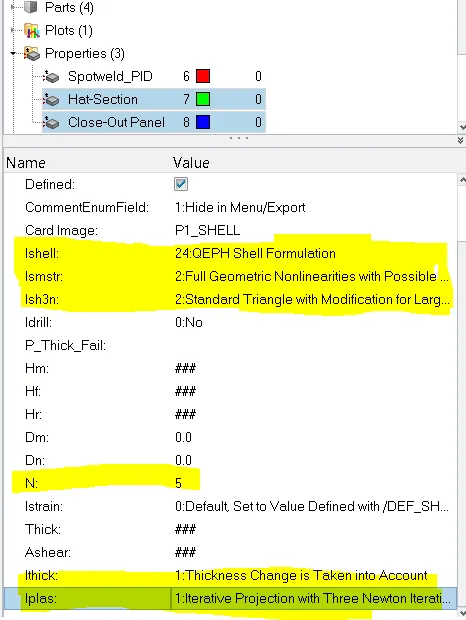
6. Changing all the shell elements properties to given recommended properties, saving that as separate, rad files and running the simulation.
Recommended properties:
| Parameters | Comment | |
|
Ishell =24 |
QEPH 4 nodes shells are best combination of cost and accuracy. | |
|
Ismstr=2 |
Full geometric nonlinearities (default)with possible small strain formulation activation in RADIOSS Engine. | |
|
Ish3n=2 |
Standard 3 noded shell (C0)with modification for large rotation(default) |
|
| N=5 | Number of integration points set to 5 for accuracy bending. | |
|
Ithick=1 |
Thickness change is taken into account for accuracy. |
|
|
Iplas=1 |
Iterative plasticity for good accuracy. |
7. Following steps 4 & 5 after changing recommended properties.
8. Comparing all the reults of both cases simulations.
9. Briefing changes in the results of both cases.
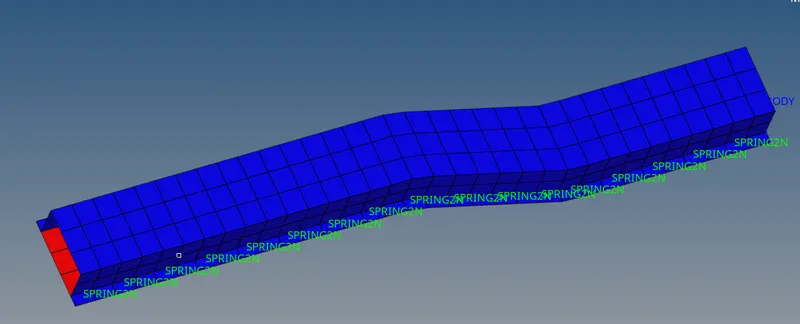
Component :
PROCEDURE FOR OBJECTIVE
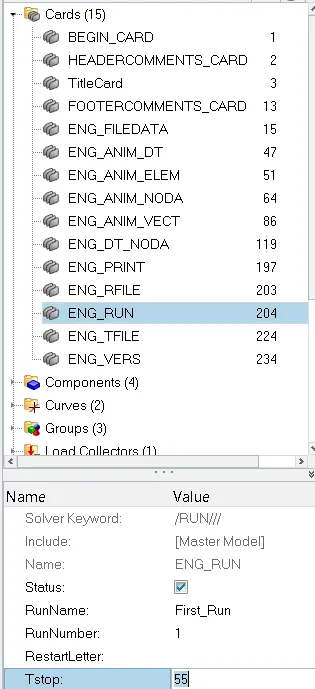
1. Changing the runtime to 55 ms.
step 1: Open hyperworks in Radioss solver.
step 2: Import solver desk runname_0000.rad file (starter input desk)
step 3: Follow following commands
- Going to model tab
- Click on Cards collector
- Click on ENG_RUN Card
- Change Tstop to 55
2. Changing the no. of animation steps during simulation to a min of 25
step 1 : follow below commands
- Going to model tab
- Click on card collector
- Click on ENG_ANIM_DT card
- Change Tstart to 25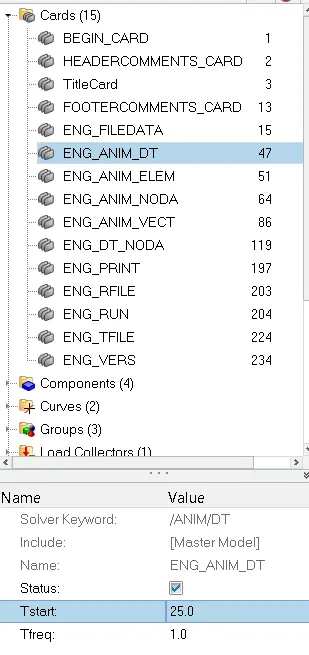
3. Running the base simulation without any modification to element properties.
step 1: Set eng_run and eng_anim_dt cards as we did in obj 1 & 2.
step 2:
*Analyis--radioss--save as input runname_0000.rad file
*checkbox include collectors
*Write (-nt 4) in option (Increasing speed of simulation- number of threads 4 cpu).
* Click Radioss

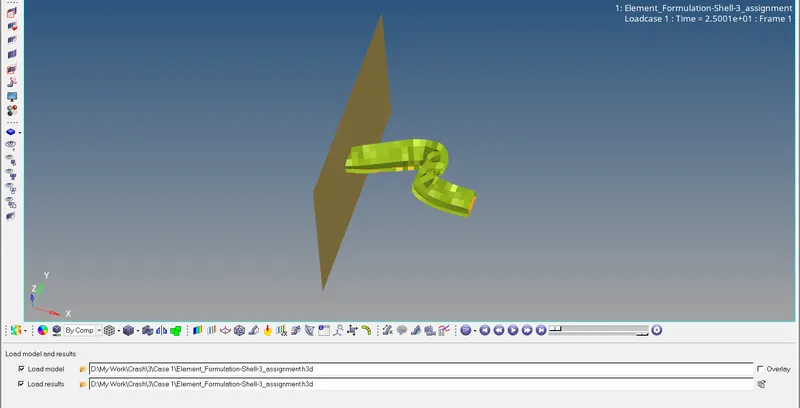
step 3: Switch to Hyper view
step 4: Select local model and result runname...h3d file
* Simulation Started from 25 and Ending view
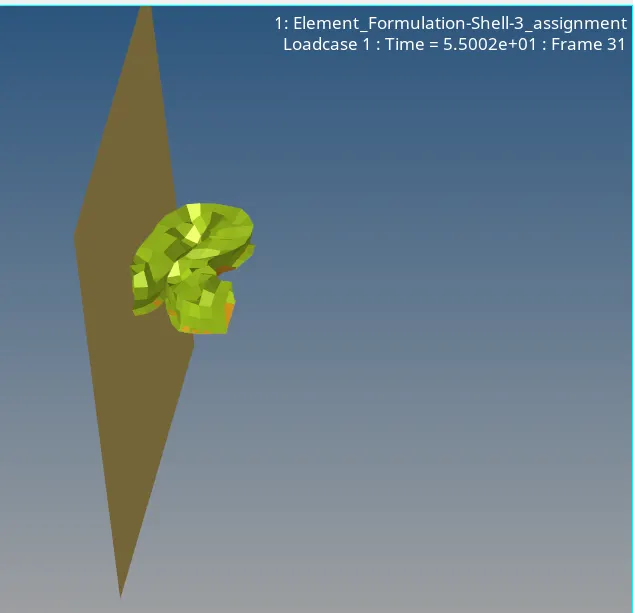
4. Checking & determining the enegry error and mass error at the end of simulation, wether results will be acceptable or not.
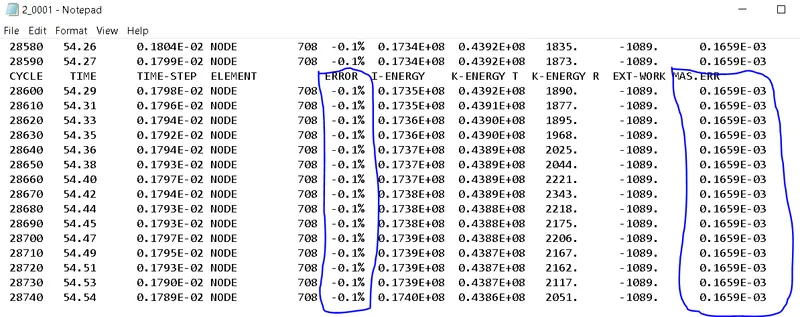
- Opening runname_0001.out file, we can see energy error percentage and mass error at end of computation.
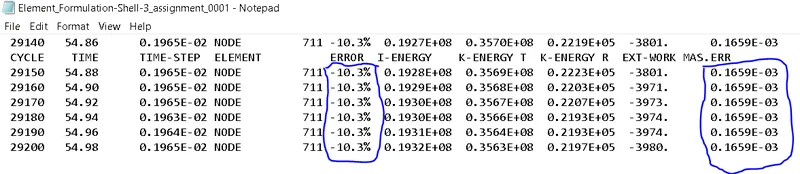
- As we know, Energy error must be negative and decreasing, the error must be less than 15% at the end of computation, we find -10.3% energy and mass error is 0.1659*10^-0.3
- So results are acceptable.
5. Plot-- Rigid wall froces, Internal energy, Hourglass energy, Contact energy and Total energy of simulations.
step 1: *Toolbar--select dropbox list--click Hypergraph 2D
step 2: Select data file tab--give file path of runname_T01.file
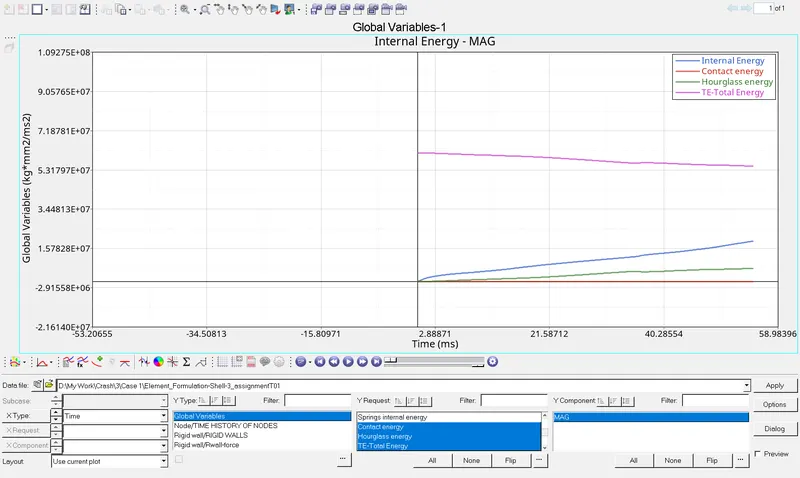
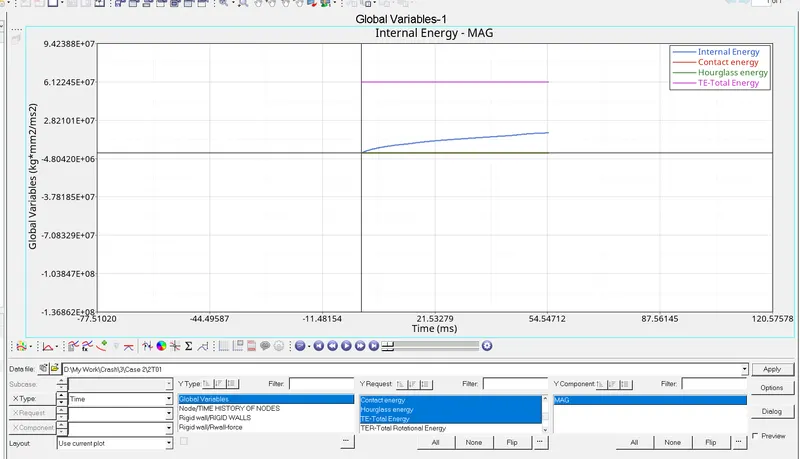
step 3: Gobal variables--select internal energy, Hourglass energy, contact and Total energy--select MAG--Apply
- Graph of Internal, Hourglass, Contact and Total energy.
step 4: Select new plot.
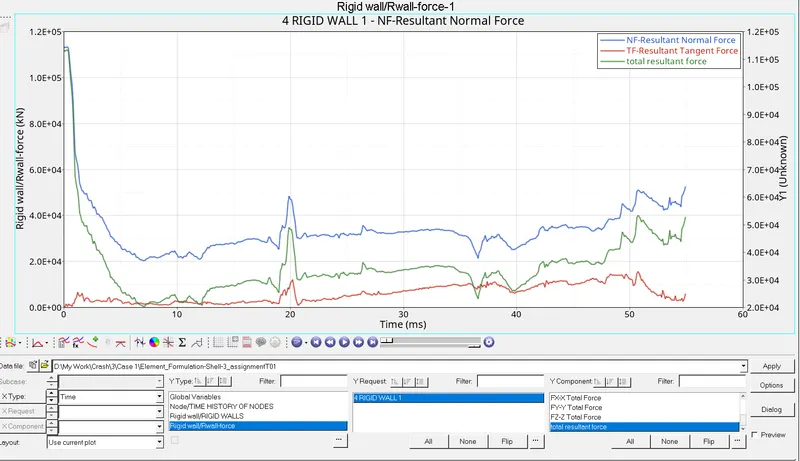
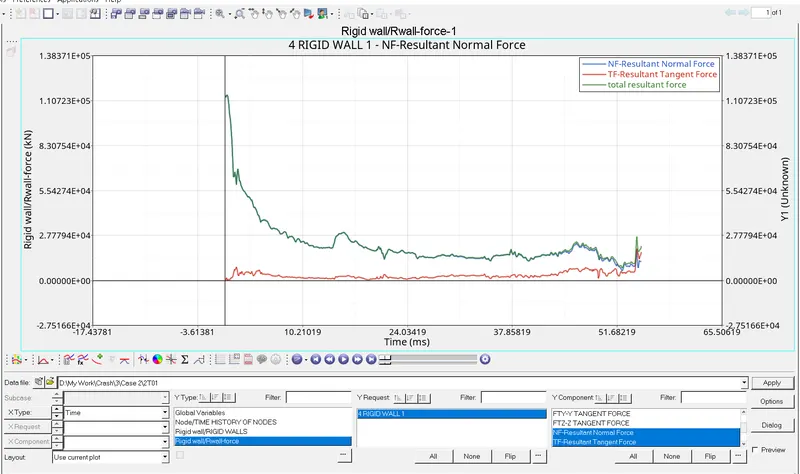
step 5: Select rigid wall/R wall froce--4 rigid wall--select resultant normal force--resultant tangent force--total resultant force--apply.
- Graph of Rigid wall forces
6. Changing all the shell elements properties to given recommended properties, saving that as separate, rad files and running the simulation.
step 1: Making a new folder to save all new property changed files.
step 2: Go to model tree--select properties
step 3: Select Hat section and close out pannel property one by one and change...
* Ishell to 24
* Ismstr to 2
* Ish3n to 2
* N to 5
* Ithick to 1
* Iplas to 1
7. Following steps 4 & 5 after changing recommended properties.
- Repeat Procedure of obj 1 to 6 for this case
- Simulation started from 25 and ending view.
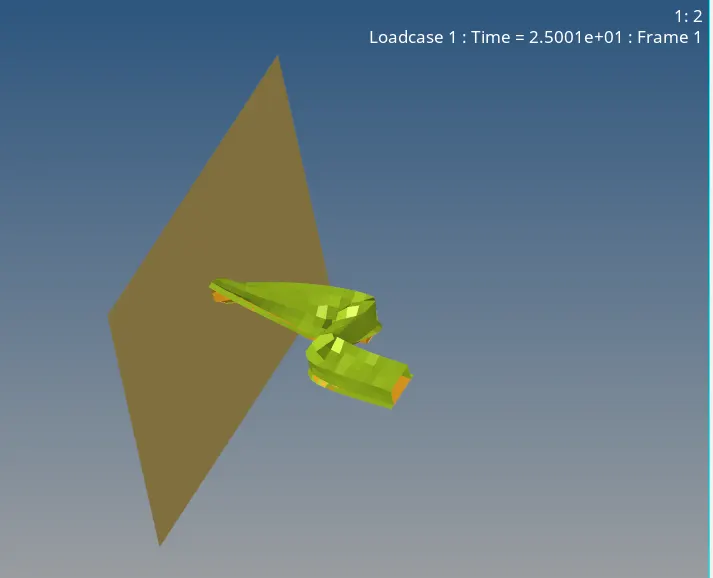
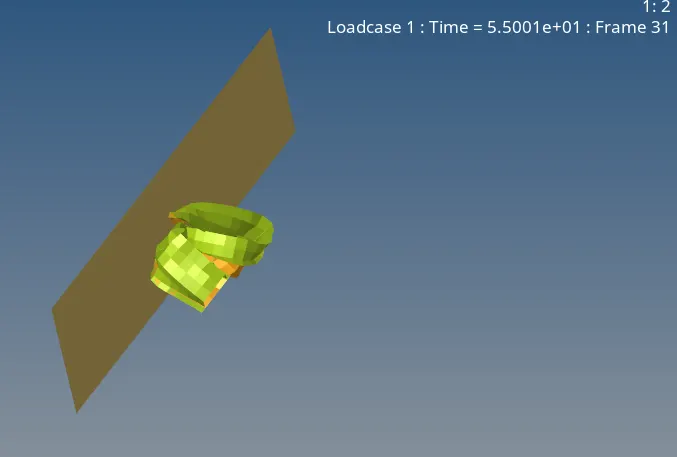
CASE 2 RESULTS :
- Energy error % and mass error at the end of computation.
- Graph of Internal, Hourglass, Contact and Total energy.
- Graph of Rigid wall forces
8 & 9 . Comparing all the reults of both cases simulations & Briefing changes in the results of both cases
| case 1 - Base simulation | case 2 - Property changed element simulation | |
| Internal Energy | Increas as time increases | Increas as time increases |
| Hourglass Energy | Increas as time increases | Remains 0 as time increases |
| Contact Energy | Remains 0 as time increases | Remains 0 as time increases |
| Total Energy | Decreases as time increases | Remains 0 as time increases |
| Energy Error % | -10.3% | -0.1% |
| Mass Error | 0.1695810^-03 | 0.1695*10^-03 |
| Rigid wall froces | * Total resultant froce and resultant normal froce remains almost similar and fluctuates more w.r.t time. * Resultant tangent force increaces then decreases at last. |
* Total resultant froce and resultant normal froce remains almost similar and decreases more w.r.t time. * Resultant tangent force decreases then increases at last. |
CONCLUSION : Energy error decreases and hourglass remains constant after improving shell elements property.
- Importing starter file
- Using Radioss
- Running _h3d file in hyperview to see an animation
- Reading runname_0001.out file
- using Hypergraph 2D
- Reading energies and forces graph
- changing property parameters.